Introduction
Synthetic data generation platforms create artificial data that behaves like real data without directly exposing sensitive production records. In simple terms, these tools generate realistic tabular data, text, images, videos, documents, transactions, user journeys, or simulation data that teams can use for AI training, testing, analytics, privacy-safe sharing, and model evaluation.
Synthetic data matters because AI teams often face a difficult trade-off: they need more data, but real data may be private, biased, incomplete, expensive, restricted, or difficult to label. Synthetic data helps teams create edge cases, balance rare classes, protect personal information, test applications, and train models when real-world data is limited.
Real-World Use Cases
- Creating privacy-safe datasets for AI model training and testing.
- Generating rare edge cases for fraud, healthcare, insurance, and risk models.
- Producing synthetic images and video for computer vision systems.
- Creating realistic test data for software QA and staging environments.
- Sharing data with partners without exposing sensitive production records.
- Building LLM evaluation datasets, prompt test sets, and simulated user interactions.
- Augmenting imbalanced datasets for better model robustness.
Evaluation Criteria for Buyers
- Data type support: tabular, text, image, video, documents, time series, or multimodal data.
- Privacy protection methods such as anonymization, masking, differential privacy, or privacy testing.
- Data utility and statistical similarity to real production data.
- Synthetic data quality reports and validation metrics.
- Support for AI training, testing, analytics, and evaluation workflows.
- Ability to generate edge cases, rare events, and class-balanced datasets.
- Deployment options such as cloud, self-hosted, private cloud, or hybrid.
- Security controls such as RBAC, SSO, audit logs, encryption, and retention controls.
- Integrations with databases, warehouses, data lakes, notebooks, and ML pipelines.
- Support for BYO model workflows, APIs, SDKs, and automation.
- Governance, lineage, approval workflows, and auditability.
- Vendor lock-in risk, export formats, and portability.
Best for: AI teams, data science teams, ML engineers, data privacy teams, QA teams, analytics teams, regulated enterprises, financial services firms, healthcare organizations, retail companies, autonomous systems teams, and software teams that need useful data without exposing sensitive real records.
Not ideal for: teams with very small non-sensitive datasets, projects where exact real-world records are required, or organizations that cannot validate whether synthetic data preserves utility, fairness, privacy, and domain realism.
What’s Changed in Synthetic Data Generation Platforms
- Synthetic data is now part of AI infrastructure. It is no longer only used for testing; teams now use it for training, fine-tuning, evaluation, simulation, and privacy-safe experimentation.
- Privacy-safe AI is a major driver. Enterprises want synthetic data to reduce exposure of personal, financial, healthcare, and customer data during development and model training.
- Multimodal synthetic data is growing. Teams increasingly need synthetic text, tables, images, videos, documents, sensor data, and simulated environments.
- Synthetic data is being used for AI agents. Teams create simulated workflows, user journeys, tool calls, and edge cases to test agent behavior before production deployment.
- LLM evaluation needs synthetic scenarios. Synthetic prompts, conversations, adversarial cases, and domain-specific examples help teams test reliability, safety, and hallucination risk.
- Data quality reports are more important. Buyers want proof that synthetic data is statistically useful, privacy-safe, diverse, and not simply memorized from real data.
- Governance expectations are rising. Teams need lineage, approval workflows, audit logs, access controls, and clear rules about how synthetic datasets are created and used.
- Cost and latency matter. Generating high-quality synthetic images, videos, or large tabular datasets can be compute-heavy, so teams need efficient generation workflows.
- Hybrid data strategies are becoming common. The strongest teams combine real data, synthetic data, masked data, human-labeled data, and simulation data.
- Open-source tools remain important. Developers often start with open-source libraries before moving to enterprise platforms for governance, scale, and security.
- Synthetic data risk is better understood. Teams now evaluate privacy leakage, unrealistic distributions, bias amplification, model collapse risk, and downstream performance impact.
- Security-by-design is expected. Buyers want secure deployment, retention control, access restrictions, and privacy testing before synthetic data is used broadly.
Quick Buyer Checklist
- Does the platform support your required data type: tabular, text, image, video, time series, documents, or multimodal?
- Can it generate data from scratch, from real source data, or both?
- Does it provide privacy testing or risk scoring for sensitive data?
- Does it preserve useful statistical patterns without copying real records?
- Can you generate rare events, edge cases, class-balanced samples, or failure scenarios?
- Does it support hosted, self-hosted, private cloud, hybrid, or local workflows?
- Can it connect to databases, warehouses, data lakes, notebooks, and ML pipelines?
- Does it include quality reports comparing real and synthetic data?
- Are SSO, RBAC, audit logs, encryption, retention controls, and governance available?
- Can synthetic datasets be exported in usable formats without lock-in?
- Does it support APIs, SDKs, automation, and CI/CD-style workflows?
- Can it support evaluation, red teaming, prompt testing, and agent simulation?
- Is pricing aligned with usage, data volume, compute needs, and enterprise governance?
- Can you run a pilot with real business data and measure downstream model impact?
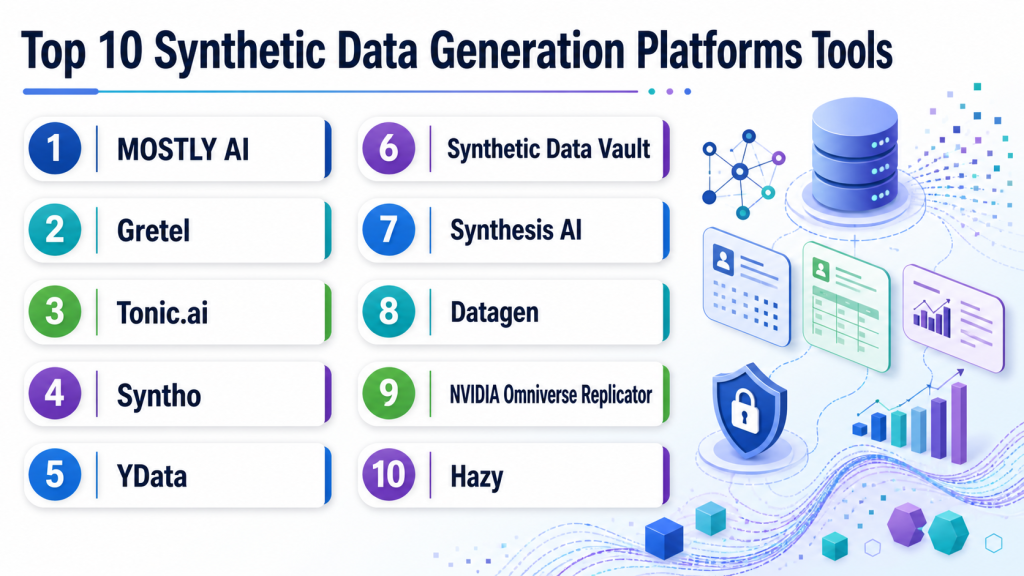
Top 10 Synthetic Data Generation Platforms Tools
1 — MOSTLY AI
One-line verdict: Best for enterprises needing privacy-safe synthetic tabular data for analytics and AI workflows.
Short description:
MOSTLY AI focuses on synthetic data generation for structured and tabular datasets. It helps teams create privacy-safe datasets that preserve useful statistical patterns for analytics, testing, AI training, and controlled data sharing.
Standout Capabilities
- Strong focus on privacy-safe synthetic tabular data.
- Useful for analytics, model training, testing, and data sharing.
- Can support enterprise teams working with structured business data.
- Helps reduce exposure of sensitive customer or transaction records.
- Provides workflows for generating and managing synthetic datasets.
- Useful when teams need realistic data without direct production access.
- Can fit privacy, data science, and analytics use cases.
AI-Specific Depth
- Model support: Varies / N/A; commonly used with downstream ML and AI workflows.
- RAG / knowledge integration: N/A for most tabular synthetic data workflows.
- Evaluation: Synthetic data quality and utility evaluation may be supported.
- Guardrails: Privacy-focused controls may be available; prompt-injection defense is N/A.
- Observability: Dataset quality reporting may be available; token and latency metrics are N/A.
Pros
- Strong fit for structured enterprise data.
- Useful for privacy-safe analytics and AI training.
- Helps reduce reliance on sensitive production data.
Cons
- Less focused on synthetic images or video.
- Requires careful validation for downstream model performance.
- Enterprise security details should be verified directly.
Security & Compliance
Enterprise controls may be available, but buyers should verify SSO, RBAC, audit logs, encryption, retention controls, residency, and certifications directly. Certifications: Not publicly stated.
Deployment & Platforms
- Web-based platform.
- Cloud and enterprise deployment options may be available.
- Self-hosted or private deployment: Varies / N/A.
- Desktop and mobile apps: Varies / N/A.
Integrations & Ecosystem
MOSTLY AI is useful in data environments where structured data must move between warehouses, analytics tools, privacy teams, and ML workflows. Buyers should validate database connections, export formats, and governance controls during a pilot.
- Database and warehouse workflows may be supported.
- API access may be available.
- Export formats may vary by setup.
- Can support analytics and ML pipelines.
- Synthetic dataset management may be available.
- Enterprise integration scope should be verified directly.
Pricing Model
Typically subscription or enterprise-based. Exact pricing is not publicly stated and may vary by data volume, deployment, and support requirements.
Best-Fit Scenarios
- Privacy-safe synthetic tabular data for analytics.
- Sharing realistic datasets across teams or partners.
- Training or testing models without exposing real records.
2 — Gretel
One-line verdict: Best for developer-friendly synthetic data workflows across privacy, transformation, and AI data generation.
Short description:
Gretel provides tools and APIs for creating synthetic data, transforming sensitive data, and supporting privacy-focused AI workflows. It is commonly used by developers and data teams that need programmable synthetic data generation.
Standout Capabilities
- Developer-friendly synthetic data generation workflows.
- Supports structured and unstructured data use cases depending on setup.
- Useful for privacy-focused data transformation and generation.
- API-first approach can fit engineering pipelines.
- Can support synthetic data for AI model development and testing.
- Useful for teams that want automation rather than manual data preparation.
- May support differential privacy or privacy-enhancing workflows depending on configuration.
AI-Specific Depth
- Model support: BYO and model-adjacent workflows may be supported through APIs.
- RAG / knowledge integration: Varies / N/A.
- Evaluation: Synthetic data validation and quality assessment may be supported.
- Guardrails: Privacy controls may be supported; runtime prompt-injection guardrails are N/A.
- Observability: Job and dataset generation visibility may be available; token metrics vary.
Pros
- Strong fit for developers and data engineers.
- Useful for automated privacy-safe data workflows.
- Can support multiple synthetic data and transformation use cases.
Cons
- Requires technical setup for best results.
- Exact platform capabilities may vary by product and deployment.
- Buyers should validate privacy and utility metrics carefully.
Security & Compliance
Security features may be available for enterprise buyers, but SSO, RBAC, audit logs, encryption, retention controls, residency, and certifications should be verified directly. Certifications: Not publicly stated.
Deployment & Platforms
- API and developer workflows.
- Cloud deployment.
- Self-hosted or private deployment: Varies / N/A.
- Windows/macOS/Linux support depends on SDK and environment.
Integrations & Ecosystem
Gretel is useful when synthetic data must be embedded into engineering, ML, and data privacy pipelines. It works best for teams that want programmable generation and integration with existing data workflows.
- APIs and SDKs may be available.
- Can fit into data engineering pipelines.
- May support database and storage integrations.
- Useful for synthetic data automation.
- Can support privacy transformation workflows.
- Export and integration details should be tested during pilot.
Pricing Model
Typically usage-based, subscription-based, or enterprise-based. Exact pricing is not publicly stated.
Best-Fit Scenarios
- Developer-led synthetic data generation.
- Privacy-safe data transformation workflows.
- Synthetic data automation in ML and testing pipelines.
3 — Tonic.ai
One-line verdict: Best for software and data teams needing realistic test data with privacy-preserving workflows.
Short description:
Tonic.ai focuses on generating realistic, production-like test data while protecting sensitive information. It is useful for software engineering, QA, data science, and AI teams that need usable datasets without direct production exposure.
Standout Capabilities
- Strong focus on test data generation and privacy-safe data workflows.
- Useful for staging, QA, development, analytics, and AI testing.
- Helps preserve schema relationships and realistic data patterns.
- Supports teams that need production-like data without exposing sensitive records.
- Can support structured data and text-oriented workflows depending on product.
- Useful for regulated software environments.
- Helps reduce bottlenecks caused by restricted production data access.
AI-Specific Depth
- Model support: Varies / N/A; synthetic data can be used in downstream AI workflows.
- RAG / knowledge integration: Varies / N/A.
- Evaluation: Data quality and test data validation may be supported.
- Guardrails: Privacy and de-identification workflows may help; prompt-injection guardrails are N/A.
- Observability: Data generation and workflow visibility may be available; model token metrics are N/A.
Pros
- Strong for realistic test data and development workflows.
- Useful for privacy-conscious software teams.
- Can help speed QA and data access workflows.
Cons
- Not primarily a synthetic image or video generation platform.
- Exact AI-specific training capabilities should be tested.
- Enterprise pricing and deployment details vary.
Security & Compliance
Enterprise security features may be available, but buyers should verify SSO, RBAC, audit logs, encryption, retention controls, residency, and certifications directly. Certifications: Not publicly stated.
Deployment & Platforms
- Web-based platform.
- Cloud and enterprise deployment options may be available.
- Self-hosted or hybrid: Varies / N/A.
- Desktop and mobile apps: Varies / N/A.
Integrations & Ecosystem
Tonic.ai fits well into software development, QA, and data access workflows. It is especially useful when developers and testers need realistic data while protecting sensitive production information.
- Database integrations may be available.
- API access may be supported.
- Can fit staging and QA workflows.
- May support data masking and generation pipelines.
- Export options vary by data source.
- Enterprise integration details should be verified.
Pricing Model
Typically subscription or enterprise-based. Exact pricing is not publicly stated.
Best-Fit Scenarios
- Privacy-safe test data for software teams.
- Realistic development and QA datasets.
- AI testing workflows using production-like data.
4 — Syntho
One-line verdict: Best for privacy-focused synthetic tabular data workflows in regulated and data-sensitive environments.
Short description:
Syntho provides synthetic data generation for organizations that need realistic artificial datasets while reducing exposure of sensitive data. It is commonly considered for privacy, analytics, testing, and data sharing workflows.
Standout Capabilities
- Focuses on privacy-safe synthetic data generation.
- Useful for structured datasets and analytics workflows.
- Can help teams share useful data without exposing real records.
- Supports data-driven experimentation where production data access is limited.
- May provide synthetic data quality and privacy assessment workflows.
- Useful for regulated or privacy-sensitive use cases.
- Can support testing and AI model development scenarios.
AI-Specific Depth
- Model support: Varies / N/A; synthetic data can support downstream AI workflows.
- RAG / knowledge integration: N/A.
- Evaluation: Quality and privacy evaluation may be supported.
- Guardrails: Privacy controls may be available; prompt-injection defense is N/A.
- Observability: Dataset generation reporting may be available; token metrics are N/A.
Pros
- Strong fit for privacy-focused synthetic data.
- Useful for analytics and testing workflows.
- Helps reduce sensitive data exposure.
Cons
- Less suited for synthetic images or video.
- Downstream AI utility must be validated.
- Deployment and compliance details should be verified.
Security & Compliance
Buyers should verify SSO, RBAC, audit logs, encryption, retention controls, data residency, and certifications directly. Certifications: Not publicly stated.
Deployment & Platforms
- Web-based platform.
- Cloud or enterprise deployment: Varies / N/A.
- Self-hosted or private deployment: Varies / N/A.
- Desktop and mobile: Varies / N/A.
Integrations & Ecosystem
Syntho is useful for organizations that need structured synthetic data as part of privacy, analytics, and data-sharing workflows. Integration testing should focus on database access, export formats, and validation reporting.
- Database workflows may be supported.
- Export options may be available.
- Can support analytics and AI teams.
- Privacy assessment workflows may be available.
- Integration depth varies by deployment.
- Enterprise governance should be tested in pilot.
Pricing Model
Typically subscription or enterprise-based. Exact pricing is not publicly stated.
Best-Fit Scenarios
- Privacy-safe analytics data.
- Synthetic data sharing across teams.
- Regulated environments needing reduced production data exposure.
5 — YData
One-line verdict: Best for data science teams needing synthetic tabular data generation and data quality workflows.
Short description:
YData provides tools and workflows around data quality, synthetic data, and data preparation. It is useful for data scientists and ML teams that want to generate synthetic datasets and improve model-ready data quality.
Standout Capabilities
- Supports synthetic data workflows for tabular datasets.
- Useful for data quality, preparation, and model development.
- Can help teams create realistic artificial data for experimentation.
- Developer-friendly options may be available.
- Useful for data scientists working in Python-based workflows.
- Can support privacy-aware data preparation processes.
- Good fit for experimentation and ML pipeline support.
AI-Specific Depth
- Model support: Open-source and BYO workflows may be possible depending on setup.
- RAG / knowledge integration: N/A.
- Evaluation: Data quality and synthetic dataset validation may be supported.
- Guardrails: N/A for runtime AI guardrails; privacy workflows vary.
- Observability: Dataset quality and profiling visibility may be available.
Pros
- Useful for data science and ML experimentation.
- Supports synthetic tabular data workflows.
- Developer-friendly for technical teams.
Cons
- Enterprise governance features should be verified.
- Not primarily focused on synthetic video or simulation.
- Requires validation before production AI use.
Security & Compliance
Security depends on deployment and product configuration. Buyers should verify SSO, RBAC, audit logs, encryption, retention, residency, and certifications directly. Certifications: Not publicly stated.
Deployment & Platforms
- Python and data science workflows may be supported.
- Web-based options may vary.
- Cloud, local, or self-hosted: Varies / N/A.
- Windows/macOS/Linux depends on setup.
Integrations & Ecosystem
YData fits into data science workflows where teams need synthetic tabular data, data preparation, and dataset quality checks. It is most useful when connected to notebooks, ML pipelines, and experimentation environments.
- Python ecosystem support may be available.
- Can fit notebook workflows.
- Synthetic tabular generation may be supported.
- Data quality workflows may be available.
- Export options vary by implementation.
- Enterprise integrations should be verified directly.
Pricing Model
Open-source and commercial options may be available. Exact pricing is not publicly stated.
Best-Fit Scenarios
- Synthetic tabular data for ML experimentation.
- Data quality workflows before model training.
- Developer-led synthetic data projects.
6 — Synthetic Data Vault
One-line verdict: Best for developers needing open-source synthetic tabular data generation in Python workflows.
Short description:
Synthetic Data Vault is an open-source Python ecosystem for generating synthetic tabular data. It is useful for developers, researchers, and data scientists who want control, experimentation, and local workflow flexibility.
Standout Capabilities
- Open-source synthetic tabular data generation.
- Useful for single-table, multi-table, and structured dataset workflows depending on setup.
- Fits Python and notebook-based experimentation.
- Good for prototyping synthetic data use cases.
- Helps teams test models and workflows without relying only on real data.
- Developer-friendly and flexible for custom pipelines.
- Useful for education, research, and internal experimentation.
AI-Specific Depth
- Model support: Open-source and BYO workflows through Python integration.
- RAG / knowledge integration: N/A.
- Evaluation: Synthetic data quality evaluation may be supported through related tooling.
- Guardrails: N/A for runtime guardrails; privacy controls depend on configuration.
- Observability: Dataset metrics may be available depending on workflow.
Pros
- Strong open-source option for technical users.
- Good for experimentation and prototyping.
- Flexible for Python-based data science workflows.
Cons
- Requires technical expertise.
- Enterprise governance and support may be limited unless paired with commercial services.
- Not focused on image, video, or full enterprise data operations.
Security & Compliance
Security depends on where and how the tool is deployed. SSO, RBAC, audit logs, encryption, data retention, residency, and certifications are not publicly stated for self-managed open-source use.
Deployment & Platforms
- Python library.
- Local and self-managed workflows.
- Windows/macOS/Linux depending on Python environment.
- Cloud usage depends on user deployment.
Integrations & Ecosystem
Synthetic Data Vault is best used in developer and research workflows. It can be integrated with notebooks, scripts, data science pipelines, and internal experimentation environments.
- Python-based workflows.
- Works with structured datasets.
- Can be used in notebooks and pipelines.
- Export depends on user implementation.
- Useful with open-source data science tools.
- Enterprise integration depends on custom setup.
Pricing Model
Open-source. Commercial support or managed services may vary depending on vendor ecosystem. Exact commercial pricing: Not publicly stated.
Best-Fit Scenarios
- Prototyping synthetic tabular data.
- Research and data science experimentation.
- Teams needing local control and open-source flexibility.
7 — Synthesis AI
One-line verdict: Best for computer vision teams needing synthetic image and video data for model training.
Short description:
Synthesis AI focuses on synthetic visual data for computer vision. It is useful for teams building models that require labeled images, video, human-centered visual scenarios, edge cases, and controlled variation.
Standout Capabilities
- Strong focus on synthetic visual data.
- Useful for computer vision model training and testing.
- Can generate labeled image or video-style data depending on use case.
- Helps teams create hard-to-capture scenarios and edge cases.
- Useful for privacy-sensitive visual AI workflows.
- Can support dataset diversity and controlled variation.
- Good fit for AI teams needing visual simulation data.
AI-Specific Depth
- Model support: Varies / N/A; generated data can support downstream vision models.
- RAG / knowledge integration: N/A.
- Evaluation: Can support vision model training and evaluation datasets.
- Guardrails: N/A for runtime prompt guardrails; privacy benefits may apply to synthetic visual data.
- Observability: Generation and dataset reporting may be available; exact metrics vary.
Pros
- Strong for synthetic visual AI datasets.
- Useful for rare or privacy-sensitive visual scenarios.
- Helps reduce dependence on difficult real-world data collection.
Cons
- Not designed mainly for tabular business data.
- Synthetic-to-real transfer must be validated.
- Pricing and deployment details should be verified.
Security & Compliance
Buyers should verify SSO, RBAC, audit logs, encryption, retention controls, residency, and certifications directly. Certifications: Not publicly stated.
Deployment & Platforms
- Web or managed platform workflows may be available.
- Cloud deployment: Varies / N/A.
- Self-hosted or hybrid: Varies / N/A.
- Desktop and mobile apps: Varies / N/A.
Integrations & Ecosystem
Synthesis AI fits into computer vision pipelines where teams need labeled synthetic data to train, test, or evaluate models. Integration should be evaluated around data formats, labels, simulation control, and ML pipeline fit.
- Synthetic visual data generation workflows.
- Export formats may vary by project.
- Can support computer vision training pipelines.
- Useful for labeled image and video scenarios.
- Integration depth should be verified during pilot.
- May support custom dataset requirements.
Pricing Model
Typically commercial or enterprise-based. Exact pricing is not publicly stated.
Best-Fit Scenarios
- Computer vision model training.
- Synthetic visual edge-case generation.
- Privacy-sensitive visual AI datasets.
8 — Datagen
One-line verdict: Best for visual AI teams needing synthetic data for simulation-heavy computer vision workflows.
Short description:
Datagen focuses on synthetic visual data for AI and computer vision projects. It is useful when teams need controlled simulated images, scenes, human activity, object variation, or edge cases that are hard to collect in the real world.
Standout Capabilities
- Focuses on synthetic visual data and simulation-style workflows.
- Useful for computer vision and perception AI.
- Helps generate controlled scene variation.
- Can support hard-to-capture or rare visual conditions.
- Useful for dataset diversity and model robustness.
- Helps reduce dependency on manual data collection.
- Can support synthetic labels for vision workflows.
AI-Specific Depth
- Model support: Varies / N/A; generated data can support downstream computer vision models.
- RAG / knowledge integration: N/A.
- Evaluation: Can support training and evaluation datasets for visual AI.
- Guardrails: N/A for runtime guardrails.
- Observability: Dataset generation reporting may be available; exact details vary.
Pros
- Strong fit for simulation-heavy visual AI.
- Useful for rare visual scenario generation.
- Helps create labeled data for computer vision systems.
Cons
- Less relevant for tabular or text synthetic data.
- Synthetic-to-real validation is essential.
- Product availability and enterprise details should be verified directly.
Security & Compliance
Security features and compliance details should be verified directly, including SSO, RBAC, audit logs, encryption, retention, residency, and certifications. Certifications: Not publicly stated.
Deployment & Platforms
- Web or managed workflows may be available.
- Cloud deployment: Varies / N/A.
- Self-hosted or hybrid: Varies / N/A.
- Desktop and mobile: Varies / N/A.
Integrations & Ecosystem
Datagen is best evaluated by computer vision teams that need simulation-like synthetic datasets. The most important integration checks are export format, label compatibility, scene control, and pipeline fit.
- Synthetic visual data workflows.
- Computer vision dataset exports may be available.
- Can support controlled scene generation.
- Useful for AI training and testing pipelines.
- Custom generation may be available.
- Integration details should be validated during pilot.
Pricing Model
Typically commercial or enterprise-based. Exact pricing is not publicly stated.
Best-Fit Scenarios
- Synthetic data for perception models.
- Edge-case visual dataset generation.
- Simulation-heavy computer vision projects.
9 — NVIDIA Omniverse Replicator
One-line verdict: Best for teams needing physically based synthetic data for robotics, vision, and simulation workflows.
Short description:
NVIDIA Omniverse Replicator helps generate synthetic data from simulated environments for computer vision, robotics, and perception AI. It is useful for teams that need controlled 3D scenes, sensor data, object variation, and labeled training data.
Standout Capabilities
- Supports synthetic data generation from simulated 3D environments.
- Useful for robotics, autonomous systems, industrial AI, and computer vision.
- Can generate labeled visual data from controlled scenes.
- Supports variation across lighting, objects, camera positions, and environments.
- Fits teams that need simulation and synthetic perception data.
- Useful for rare, unsafe, or costly real-world scenarios.
- Works well in technical pipelines with simulation expertise.
AI-Specific Depth
- Model support: BYO and downstream model workflows may be supported through generated datasets.
- RAG / knowledge integration: N/A.
- Evaluation: Can support training and evaluation data for perception AI.
- Guardrails: N/A for prompt guardrails; simulation controls may support safer testing.
- Observability: Simulation and generation metrics vary by implementation.
Pros
- Strong for simulation-based visual data generation.
- Useful for robotics and perception AI.
- Enables controlled edge-case creation.
Cons
- Requires technical simulation skills.
- Not suitable for general tabular synthetic data.
- Compute and setup complexity can be significant.
Security & Compliance
Security depends on deployment and enterprise environment. Buyers should verify access controls, audit logs, encryption, retention, residency, and certifications directly. Certifications: Not publicly stated.
Deployment & Platforms
- Desktop and workstation-style technical workflows may be supported.
- Cloud or enterprise deployment: Varies / N/A.
- Windows/Linux support may depend on NVIDIA ecosystem requirements.
- Mobile: N/A.
Integrations & Ecosystem
NVIDIA Omniverse Replicator fits into simulation, robotics, and visual AI development ecosystems. It is best for technical teams already working with 3D assets, simulation pipelines, and perception model training.
- Works with simulation and 3D workflows.
- Can generate labeled visual datasets.
- Useful for robotics and perception AI.
- Integrates with NVIDIA ecosystem tools depending on setup.
- Export formats vary by workflow.
- Requires technical implementation planning.
Pricing Model
Pricing varies by NVIDIA ecosystem, deployment, and enterprise needs. Exact pricing: Not publicly stated.
Best-Fit Scenarios
- Robotics and autonomous systems.
- Synthetic perception datasets.
- Controlled 3D visual simulation workflows.
10 — Hazy
One-line verdict: Best for enterprises needing privacy-preserving synthetic data for regulated business workflows.
Short description:
Hazy focuses on synthetic data for privacy-preserving analytics, testing, and data sharing. It is useful for organizations that need to reduce exposure of sensitive business or customer data while preserving useful patterns.
Standout Capabilities
- Focuses on privacy-preserving synthetic data.
- Useful for structured business datasets.
- Supports analytics, testing, and controlled data sharing.
- Helps reduce direct use of sensitive production data.
- Can support regulated industry workflows.
- Useful for teams balancing privacy and utility.
- Fits data governance and data access programs.
AI-Specific Depth
- Model support: Varies / N/A; synthetic data can support downstream AI workflows.
- RAG / knowledge integration: N/A.
- Evaluation: Synthetic data utility and privacy assessment may be supported.
- Guardrails: Privacy controls may be available; runtime AI guardrails are N/A.
- Observability: Dataset reporting may be available; exact metrics vary.
Pros
- Strong fit for privacy-sensitive enterprise data.
- Useful for safe analytics and testing.
- Helps reduce production data exposure.
Cons
- Less focused on synthetic images, video, or simulation.
- AI training utility must be validated with real use cases.
- Product details and deployment options should be verified.
Security & Compliance
Buyers should verify SSO, RBAC, audit logs, encryption, retention controls, residency, and certifications directly. Certifications: Not publicly stated.
Deployment & Platforms
- Web-based or enterprise workflows may be available.
- Cloud, self-hosted, or hybrid: Varies / N/A.
- Desktop and mobile: Varies / N/A.
Integrations & Ecosystem
Hazy is useful in enterprise data environments where privacy-safe synthetic data supports analytics, testing, and controlled sharing. Buyers should evaluate source system connectivity, export formats, and governance workflows.
- Database integration may be available.
- Data export options may be supported.
- Useful for analytics and testing pipelines.
- Can fit privacy and governance workflows.
- Enterprise implementation may vary.
- Integration scope should be verified during pilot.
Pricing Model
Typically enterprise-based. Exact pricing is not publicly stated.
Best-Fit Scenarios
- Privacy-preserving business data workflows.
- Synthetic datasets for analytics and testing.
- Regulated teams needing safer data sharing.
Comparison Table
| Tool Name | Best For | Deployment | Model Flexibility | Strength | Watch-Out | Public Rating |
|---|---|---|---|---|---|---|
| MOSTLY AI | Synthetic tabular data | Cloud / Self-hosted / Varies | Hosted / BYO adjacent | Privacy-safe structured data | Less visual-data focused | N/A |
| Gretel | Developer synthetic data workflows | Cloud / Varies | BYO / API-first | Programmable generation | Technical setup needed | N/A |
| Tonic.ai | Test data and privacy workflows | Cloud / Hybrid / Varies | Hosted / BYO adjacent | Realistic test data | AI training depth varies | N/A |
| Syntho | Privacy-safe synthetic data | Cloud / Varies | Hosted / BYO adjacent | Privacy and utility balance | Verify enterprise controls | N/A |
| YData | Data science synthetic data | Local / Cloud / Varies | Open-source / BYO | ML-friendly workflows | Requires validation | N/A |
| Synthetic Data Vault | Open-source tabular generation | Self-hosted / Local | Open-source / BYO | Developer flexibility | Requires technical skill | N/A |
| Synthesis AI | Synthetic visual data | Cloud / Varies | Hosted / BYO adjacent | Computer vision data | Not tabular-focused | N/A |
| Datagen | Simulation-style visual data | Cloud / Varies | Hosted / BYO adjacent | Visual edge cases | Availability should be verified | N/A |
| NVIDIA Omniverse Replicator | Simulation and robotics | Local / Cloud / Varies | BYO | 3D synthetic data | Technical complexity | N/A |
| Hazy | Enterprise privacy data | Cloud / Hybrid / Varies | Hosted / BYO adjacent | Privacy-preserving datasets | Verify product scope | N/A |
Scoring & Evaluation
The scoring below is comparative, not absolute. It helps buyers shortlist platforms based on synthetic data generation capability, AI usefulness, privacy focus, integration readiness, and operational fit. Scores may change depending on your data type, compliance needs, team skills, model workflow, and deployment requirements. A high score does not mean a universal winner. Always validate synthetic data with real downstream tasks, privacy tests, quality reports, human review, and model performance checks.
| Tool | Core | Reliability/Eval | Guardrails | Integrations | Ease | Perf/Cost | Security/Admin | Support | Weighted Total |
|---|---|---|---|---|---|---|---|---|---|
| MOSTLY AI | 9 | 8 | 8 | 8 | 8 | 8 | 8 | 8 | 8.25 |
| Gretel | 9 | 8 | 8 | 9 | 7 | 8 | 7 | 8 | 8.15 |
| Tonic.ai | 8 | 8 | 8 | 8 | 8 | 8 | 8 | 8 | 8.00 |
| Syntho | 8 | 8 | 8 | 7 | 8 | 8 | 7 | 7 | 7.70 |
| YData | 8 | 7 | 6 | 8 | 7 | 8 | 6 | 7 | 7.25 |
| Synthetic Data Vault | 8 | 7 | 5 | 8 | 6 | 9 | 5 | 8 | 7.10 |
| Synthesis AI | 8 | 8 | 6 | 7 | 7 | 7 | 7 | 7 | 7.35 |
| Datagen | 8 | 7 | 6 | 7 | 6 | 7 | 6 | 6 | 6.90 |
| NVIDIA Omniverse Replicator | 9 | 8 | 6 | 8 | 5 | 7 | 7 | 8 | 7.55 |
| Hazy | 8 | 8 | 8 | 7 | 7 | 8 | 7 | 7 | 7.60 |
Top 3 for Enterprise
- MOSTLY AI
- Tonic.ai
- Gretel
Top 3 for SMB
- Tonic.ai
- Syntho
- YData
Top 3 for Developers
- Synthetic Data Vault
- Gretel
- NVIDIA Omniverse Replicator
Which Synthetic Data Generation Platform Is Right for You?
Solo / Freelancer
Solo users and independent developers should start with open-source or developer-friendly options. Synthetic Data Vault is useful for tabular synthetic data experiments, while YData can help with data science workflows. Gretel may be useful when API-based generation and automation are important.
If the project is small and non-sensitive, synthetic data may not be necessary. Simple anonymized sample datasets or mock data may be enough until the workflow grows.
SMB
SMBs should prioritize ease of use, pricing flexibility, data quality reports, and integration with existing data tools. Tonic.ai can be useful for realistic test data, Syntho and MOSTLY AI can support privacy-safe structured data workflows, and YData can support data science experimentation.
The best SMB choice depends on whether the core need is software testing, AI model training, analytics, or privacy-safe sharing. Start with a pilot and compare synthetic data against real data performance.
Mid-Market
Mid-market teams usually need stronger workflow control, repeatable generation, privacy checks, and integration with data warehouses or ML pipelines. MOSTLY AI, Gretel, Tonic.ai, Syntho, and Hazy can be strong candidates depending on the data type and governance needs.
At this stage, teams should focus on utility, privacy, access control, export formats, and approval workflows. Synthetic data should become a governed data product, not a one-off experiment.
Enterprise
Enterprises should prioritize security, governance, deployment flexibility, audit logs, privacy testing, and integration with existing data platforms. MOSTLY AI, Gretel, Tonic.ai, Hazy, and NVIDIA Omniverse Replicator are strong candidates depending on whether the organization needs tabular privacy data, software test data, or synthetic simulation data.
Enterprise buyers should include legal, security, privacy, data science, and business teams in the selection process. The pilot must prove that synthetic data is useful, safe, auditable, and cost-effective.
Regulated industries: finance, healthcare, and public sector
Regulated teams should be very careful with synthetic data claims. Synthetic data can reduce privacy risk, but it still needs validation. Teams should check whether synthetic records can leak sensitive information, reproduce outliers, or create misleading model behavior.
Finance, healthcare, insurance, legal, and public sector teams should require data quality reports, privacy risk evaluation, access controls, retention rules, and documented approval workflows before using synthetic data broadly.
Budget vs premium
Budget-focused teams can start with open-source tools such as Synthetic Data Vault or developer-friendly workflows like YData. These are useful for experimentation and technical validation.
Premium platforms are better when teams need enterprise governance, privacy reports, workflow automation, support, database integrations, or managed deployment. The right choice should be based on total value, not just tool cost.
Build vs buy
Build your own synthetic data workflow when the data type is narrow, the team has strong ML or simulation expertise, and the privacy or generation logic is highly custom. Open-source tools can be a strong foundation for this path.
Buy a platform when you need governance, repeatability, security controls, data quality reports, enterprise deployment, support, or integration with business systems. Many mature teams use a hybrid approach: open-source experimentation plus enterprise tooling for production workflows.
Implementation Playbook: 30 / 60 / 90 Days
30 Days: Pilot and Success Metrics
- Select one high-value use case such as test data, AI training, analytics, or evaluation.
- Define success metrics: privacy risk, data utility, model performance, QA coverage, and generation cost.
- Choose a representative real dataset or schema.
- Define which fields are sensitive and which relationships must be preserved.
- Generate a small synthetic dataset using one or two shortlisted tools.
- Compare real and synthetic data distributions, relationships, outliers, and downstream performance.
- Ask domain experts to review realism and usefulness.
- Create an evaluation harness for model training, testing, or analytics comparison.
- Document generation settings, approval rules, and dataset versioning.
60 Days: Harden Security, Evaluation, and Rollout
- Add access controls, role permissions, and approval workflows.
- Confirm data retention rules for source data and generated synthetic datasets.
- Run privacy risk checks and data leakage tests.
- Expand evaluation to edge cases, rare classes, and high-risk scenarios.
- Test integrations with databases, warehouses, notebooks, and ML pipelines.
- Create synthetic data quality reports for business and compliance stakeholders.
- Define incident handling for privacy leakage, unrealistic data, or bad model outcomes.
- Add prompt and version control if synthetic data is used for LLM evaluation.
- Prepare a controlled rollout for selected teams.
90 Days: Optimize Cost, Latency, Governance, and Scale
- Automate repeatable generation workflows.
- Track generation cost, compute usage, dataset quality, and model impact.
- Create governance policies for who can generate, approve, export, and use synthetic datasets.
- Monitor whether synthetic data improves or harms downstream model performance.
- Add red-team testing for privacy leakage, bias, hallucination scenarios, and unsafe edge cases.
- Create reusable templates for common schemas and AI testing workflows.
- Standardize export formats and dataset documentation.
- Review vendor lock-in and portability.
- Scale only after privacy, utility, security, and cost metrics are stable.
Common Mistakes & How to Avoid Them
- Assuming synthetic data is automatically private: Always run privacy risk checks and validate leakage risk.
- Skipping utility testing: Synthetic data must be tested against real downstream tasks, not only visual inspection.
- Using synthetic data without domain review: Business experts should verify whether generated data is realistic.
- Ignoring rare events: Make sure synthetic data includes edge cases, minority classes, and high-risk scenarios.
- Training only on synthetic data without validation: Blending real, synthetic, and curated data is often safer.
- No evaluation harness: Compare real, synthetic, and mixed datasets using clear metrics.
- Unmanaged data retention: Define how source data, generated data, logs, and reports are stored and deleted.
- Lack of observability: Track data quality, privacy scores, generation settings, cost, and downstream impact.
- Cost surprises: Large synthetic image, video, or simulation workflows can be compute-heavy.
- Over-automation without review: Keep human review for sensitive, regulated, or high-impact datasets.
- Prompt injection exposure: For LLM workflows, test synthetic prompts and conversations for unsafe instructions.
- Vendor lock-in: Keep data exportable in formats your ML and analytics teams can reuse.
- Ignoring bias: Synthetic data can preserve or amplify bias if source data and generation logic are not reviewed.
- No incident handling: Create a response plan for privacy leakage, poor data quality, and model degradation.
FAQs
1. What is a synthetic data generation platform?
A synthetic data generation platform creates artificial data that resembles real data while reducing direct exposure of sensitive records. It can support testing, analytics, AI training, evaluation, and data sharing.
2. Is synthetic data fake data?
Yes, but it should be realistic and useful. Good synthetic data preserves important patterns, relationships, and distributions without simply copying real records.
3. Is synthetic data always private?
No. Synthetic data can reduce privacy risk, but it is not automatically safe. Teams should run privacy checks, leakage tests, and governance reviews before using it broadly.
4. Can synthetic data be used for AI training?
Yes, synthetic data can support AI training, augmentation, evaluation, and edge-case testing. Teams should validate whether it improves real downstream model performance.
5. Can synthetic data replace real data?
Sometimes it can reduce dependence on real data, but it should not blindly replace real data. The safest approach is to compare real, synthetic, and blended datasets.
6. What data types can synthetic data tools generate?
Common types include tabular data, text, documents, images, video, time series, simulation data, and multimodal datasets. Exact support varies by platform.
7. Can I use BYO models with synthetic data platforms?
Some tools support BYO model workflows, APIs, or export pipelines that connect to custom models. Exact support should be tested during a pilot.
8. Do synthetic data platforms support self-hosting?
Some platforms may support self-hosted, private cloud, or hybrid deployment. Others are cloud-based. Buyers with sensitive data should verify deployment options directly.
9. How do synthetic data tools help with evaluation?
They can generate edge cases, test scenarios, rare examples, and simulated user interactions. These datasets can improve regression tests, model evaluation, and red-team workflows.
10. What are guardrails in synthetic data workflows?
Guardrails include privacy checks, approval workflows, access controls, retention rules, data quality thresholds, and restrictions on how synthetic datasets can be used.
11. How much do synthetic data platforms cost?
Pricing varies by vendor, data volume, compute usage, deployment model, and enterprise requirements. Exact prices should be verified directly.
12. Can synthetic data cause model quality problems?
Yes. Poor synthetic data can create unrealistic patterns, bias, overfitting, or weak real-world performance. Always test model outcomes against real validation data.
13. How can teams switch tools later?
Use exportable datasets, standard formats, documented schemas, reusable pipelines, and clear metadata. Avoid workflows where synthetic data settings and reports are trapped inside one vendor.
14. What are alternatives to synthetic data platforms?
Alternatives include anonymization, masking, data subsetting, mock data, public datasets, simulation tools, manually created test data, and secure enclaves for real data access.
15. How should a team start with synthetic data?
Start with one use case, one dataset, and one measurable goal. Generate a pilot dataset, compare it with real data, validate privacy and utility, then decide whether to scale.
Conclusion
Synthetic data generation platforms help AI and data teams create useful datasets while reducing dependency on sensitive, restricted, expensive, or incomplete real-world data. The best platform depends on your data type, privacy requirements, downstream AI use case, deployment needs, and internal technical maturity. MOSTLY AI, Gretel, Tonic.ai, Syntho, YData, Synthetic Data Vault, Synthesis AI, Datagen, NVIDIA Omniverse Replicator, and Hazy each serve different buyer needs across tabular data, software testing, visual AI, simulation, privacy, and developer workflows.
Next steps:
- Shortlist: Pick 3 tools based on data type, privacy needs, deployment model, and AI workflow fit.
- Pilot: Test with real schemas, quality reports, privacy checks, and downstream model evaluation.
- Verify and scale: Confirm security, utility, cost, governance, and exportability before wider rollout.