Introduction
Embedding Model Management Tools help teams choose, test, deploy, monitor, compare, and govern embedding models used in AI systems. In simple words, these tools manage the models that convert text, images, documents, code, audio, or other content into numerical vectors so AI applications can search, compare, cluster, recommend, and retrieve information by meaning.
They matter because embeddings are the foundation of RAG, semantic search, AI agents, recommendations, personalization, deduplication, fraud detection, and multimodal retrieval. A weak embedding model can make even the best vector database or LLM application perform poorly. The right management approach helps teams compare embedding quality, track versions, control costs, monitor drift, manage privacy, and safely upgrade models without breaking search relevance.
Real-world use cases include:
- Managing embeddings for RAG knowledge assistants
- Comparing embedding models for semantic search quality
- Tracking embedding model versions across indexes
- Monitoring retrieval quality after embedding changes
- Managing multilingual and multimodal embeddings
- Governing embedding usage for regulated AI workflows
Evaluation criteria for buyers:
- Embedding model selection and catalog support
- Hosted, BYO, and open-source model support
- Benchmarking and evaluation workflows
- RAG and vector database compatibility
- Multilingual and multimodal support
- Batch embedding and real-time embedding performance
- Cost and latency visibility
- Versioning and rollback support
- Security, privacy, and retention controls
- Governance and auditability
- Developer APIs and SDKs
- Integration with monitoring and observability tools
Best for: AI engineers, ML engineers, data scientists, AI platform teams, search teams, RAG builders, enterprise AI teams, product teams, and organizations managing production semantic search, RAG, recommendations, or AI agent memory.
Not ideal for: teams using a single small prototype, manually uploaded documents, or low-risk experiments where embedding quality does not affect business outcomes. In early stages, a simple hosted embedding API or local open-source model may be enough before adding a full management workflow.
What’s Changed in Embedding Model Management Tools
- Embedding choice is now a production architecture decision. Teams no longer choose embeddings only for experiments; the model affects retrieval quality, storage size, latency, cost, and governance.
- RAG evaluation is driving embedding selection. Teams increasingly test embeddings against real questions, expected documents, retrieval scores, and answer faithfulness instead of relying only on generic benchmarks.
- Multilingual retrieval is more important. Global teams need embedding models that handle cross-language search, regional content, mixed-language queries, and localized knowledge bases.
- Multimodal embeddings are becoming common. AI applications now search across text, images, screenshots, PDFs, audio transcripts, code, and product media.
- Embedding dimension control matters. Smaller vectors can reduce storage and query cost, while larger vectors may improve quality for complex use cases.
- Model upgrades require index migration planning. Changing an embedding model usually means re-embedding content, rebuilding indexes, testing relevance, and planning rollback.
- Cost visibility is critical. Batch embedding large document repositories can be expensive, especially when content refreshes frequently.
- Open-source embeddings are gaining adoption. Some teams prefer self-hosted models for privacy, control, domain tuning, and cost predictability.
- Governance teams care about embeddings. Embedding models influence what content is retrieved, what users see, and whether sensitive information can be exposed.
- Embedding observability is becoming necessary. Teams need to detect drift, retrieval degradation, duplicate clusters, low-quality chunks, and embedding distribution changes.
- Hybrid retrieval is changing embedding strategy. Teams often combine embeddings with keyword search, metadata filters, rerankers, and graph retrieval.
- AI agents increase embedding usage. Agents need memory, tool context, user preference retrieval, and long-term knowledge retrieval, all of which depend on embedding quality.
Quick Buyer Checklist
Use this checklist to shortlist embedding model management tools quickly:
- Does the tool support hosted, BYO, and open-source embedding models?
- Can it compare embedding models using your real data?
- Does it support multilingual and multimodal embeddings if needed?
- Can it track embedding model versions across indexes?
- Does it integrate with your vector database?
- Can it support batch embedding and real-time embedding APIs?
- Does it provide latency, cost, and throughput visibility?
- Can it help evaluate retrieval precision, recall, and answer faithfulness?
- Does it support access control and data privacy requirements?
- Can it manage model upgrade and reindexing workflows?
- Does it support observability for embedding drift and retrieval quality?
- Can it export metadata, evaluation results, and model usage records?
- Does it integrate with RAG frameworks and MLOps tools?
- Does it provide admin controls, RBAC, and audit logs?
- Does it reduce vendor lock-in through portability and open model options?
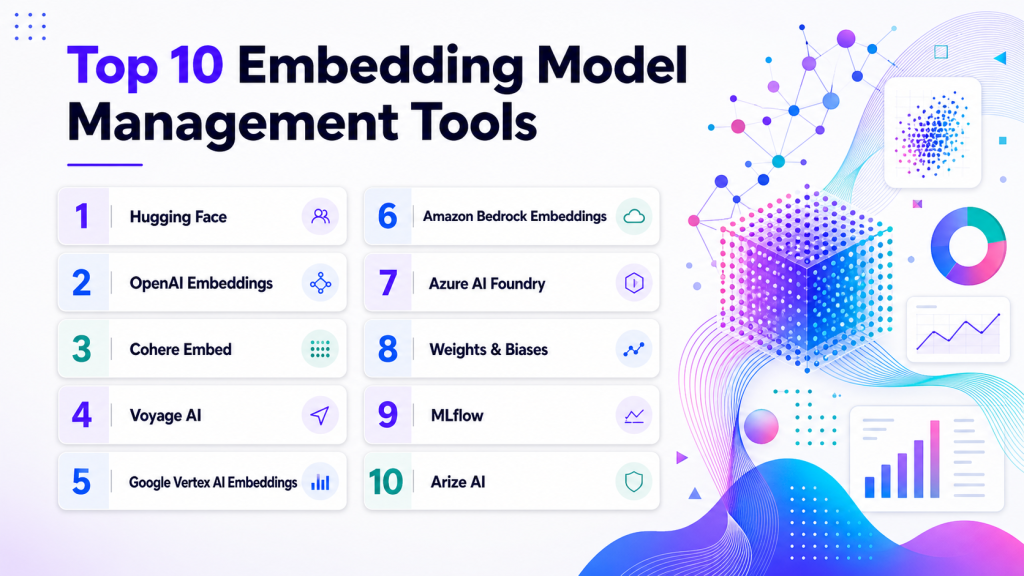
Top 10 Embedding Model Management Tools
1 — Hugging Face
One-line verdict: Best for teams exploring, hosting, comparing, and deploying open-source embedding models.
Short description:
Hugging Face provides a large ecosystem for discovering, testing, sharing, and deploying machine learning models, including embedding models. It is useful for teams that want open-source flexibility, model comparison, self-hosted options, and developer-friendly AI workflows.
Standout Capabilities
- Large catalog of open-source embedding models
- Supports text, multilingual, and multimodal model discovery
- Useful for comparing model families and model cards
- Supports hosted and self-managed deployment patterns depending on setup
- Strong developer ecosystem and community
- Good fit for BYO embedding workflows
- Useful for teams avoiding full dependence on closed APIs
AI-Specific Depth Must Include
- Model support: Open-source, BYO, hosted inference, and custom model workflows depending on deployment
- RAG / knowledge integration: Strong fit for embedding generation used in RAG, semantic search, vector databases, and retrieval pipelines
- Evaluation: Varies / N/A, can be paired with benchmarks, custom retrieval tests, and external evaluation tools
- Guardrails: Varies / N/A, requires application-level controls and security review
- Observability: Model usage, logs, and performance visibility depend on hosting and infrastructure setup
Pros
- Strong open-source model ecosystem
- Good for experimenting with many embedding options
- Useful for privacy-sensitive teams that prefer self-hosting
Cons
- Model quality varies across community models
- Production deployment requires engineering and evaluation discipline
- Security and compliance depend heavily on deployment architecture
Security & Compliance
Security features depend on hosting model, access controls, private model settings, infrastructure, encryption, audit logs, retention, and deployment plan. Certifications are Not publicly stated here.
Deployment & Platforms
- Web-based model hub
- Hosted inference options vary
- Self-hosted and hybrid deployment possible depending on model and infrastructure
- Works across Python and common ML environments
- API and SDK-based workflows
Integrations & Ecosystem
Hugging Face fits teams that want embedding model flexibility and access to a wide open-source ecosystem.
- RAG frameworks
- Vector databases
- Python ML workflows
- Model serving tools
- Evaluation tools
- MLOps platforms
- Open-source AI applications
Pricing Model No exact prices unless confident
Open-source model usage is available. Hosted, enterprise, or infrastructure costs vary by usage, compute, storage, and support needs. Exact pricing is Not publicly stated.
Best-Fit Scenarios
- Comparing open-source embedding models
- Self-hosting embeddings for privacy
- Building flexible RAG and semantic search systems
2 — OpenAI Embeddings
One-line verdict: Best for teams needing easy-to-use hosted embeddings for RAG and semantic search.
Short description :
OpenAI provides hosted embedding models through APIs for converting text into vectors used in semantic search, classification, clustering, and RAG. It is useful for teams that want a simple managed embedding service with strong developer adoption.
Standout Capabilities
- Hosted embedding API experience
- Strong fit for RAG and semantic search use cases
- Developer-friendly API workflow
- Useful for batch and real-time embedding generation
- Works with many vector databases and RAG frameworks
- Reduces infrastructure burden compared with self-hosting
- Good option for teams already using hosted LLM workflows
AI-Specific Depth Must Include
- Model support: Proprietary hosted embedding models
- RAG / knowledge integration: Strong fit for RAG indexing, vector search, semantic retrieval, and document search workflows
- Evaluation: Varies / N/A, requires external retrieval and RAG evaluation tools
- Guardrails: Varies / N/A, application-level safety and data handling required
- Observability: Usage, latency, and cost visibility depend on API logging and surrounding observability setup
Pros
- Easy to integrate into AI applications
- Reduces need to operate embedding infrastructure
- Works well with common RAG and vector database stacks
Cons
- Less control than self-hosted models
- Data handling and retention policies must be reviewed carefully
- Vendor dependency should be considered for large-scale systems
Security & Compliance
Security, retention, privacy, encryption, access control, audit logs, and enterprise features depend on account configuration and service plan. Certifications are Not publicly stated here.
Deployment & Platforms
- Hosted API
- Cloud-based usage
- Self-hosted: N/A
- Works across backend, Python, JavaScript, and API-based applications
- Web/mobile support depends on the application using the API
Integrations & Ecosystem
OpenAI Embeddings fit teams that want simple embedding generation for production RAG and search workflows.
- Vector databases
- RAG frameworks
- Backend APIs
- Document indexing pipelines
- Search applications
- AI assistants
- Observability tools through application integration
Pricing Model No exact prices unless confident
Typically usage-based by input volume or token usage depending on model and service terms. Exact pricing should be verified directly.
Best-Fit Scenarios
- Fast RAG prototype to production workflows
- Managed semantic search applications
- Teams already using hosted AI model APIs
3 — Cohere Embed
One-line verdict: Best for teams needing enterprise-focused embeddings for multilingual search and RAG workflows.
Short description :
Cohere Embed provides hosted embedding models for semantic search, classification, clustering, and RAG. It is useful for teams that need managed embeddings with strong focus on retrieval and enterprise AI use cases.
Standout Capabilities
- Hosted embedding API workflows
- Useful for semantic search and RAG
- Supports multilingual and retrieval-focused use cases depending on model selection
- Works with vector databases and RAG pipelines
- Designed for production AI applications
- Developer-friendly integration patterns
- Useful for teams needing managed embedding infrastructure
AI-Specific Depth Must Include
- Model support: Proprietary hosted embedding models
- RAG / knowledge integration: Strong fit for RAG, semantic search, document retrieval, and vector indexing workflows
- Evaluation: Varies / N/A, requires retrieval testing and external evaluation workflows
- Guardrails: Varies / N/A, application-level controls required
- Observability: Usage, latency, cost, and model behavior tracking depend on service and application instrumentation
Pros
- Strong fit for retrieval-focused AI applications
- Managed API reduces infrastructure work
- Useful for teams needing multilingual or enterprise search workflows
Cons
- Less control than self-hosted embedding models
- Exact feature depth varies by model and service setup
- Governance and monitoring require surrounding tools
Security & Compliance
Security features such as encryption, access control, audit logs, retention, residency, and enterprise controls may vary by plan and deployment. Certifications are Not publicly stated here.
Deployment & Platforms
- Hosted API
- Cloud-based usage
- Self-hosted: Varies / N/A
- Works across backend and developer workflows
- Web/mobile support depends on the application using the API
Integrations & Ecosystem
Cohere Embed fits teams that want managed embeddings for search, RAG, and knowledge retrieval workflows.
- Vector databases
- RAG frameworks
- Search applications
- Backend APIs
- Document indexing pipelines
- Enterprise knowledge systems
- AI evaluation workflows through integration
Pricing Model No exact prices unless confident
Typically usage-based or tiered depending on model usage, volume, and enterprise requirements. Exact pricing is Not publicly stated.
Best-Fit Scenarios
- Enterprise semantic search
- Multilingual RAG workflows
- Managed embedding generation at scale
4 — Voyage AI
One-line verdict: Best for teams comparing specialized embeddings for high-quality retrieval and domain-specific RAG.
Short description :
Voyage AI provides embedding and retrieval-focused models for semantic search, RAG, and domain-specific retrieval tasks. It is useful for teams that need strong retrieval quality and want to compare specialized embedding models against general-purpose alternatives.
Standout Capabilities
- Retrieval-focused embedding model options
- Useful for RAG and semantic search quality testing
- Supports specialized embedding workflows depending on model choice
- Good fit for benchmarking against real query sets
- Works with vector databases and RAG stacks
- Useful for teams tuning relevance and recall
- Supports production API-style workflows depending on setup
AI-Specific Depth Must Include
- Model support: Proprietary hosted embedding models; BYO workflows vary
- RAG / knowledge integration: Strong fit for RAG retrieval, vector search, document similarity, and semantic ranking workflows
- Evaluation: Varies / N/A, best used with custom retrieval evaluation and benchmark datasets
- Guardrails: Varies / N/A
- Observability: Usage, latency, and cost tracking depend on API logs and surrounding monitoring
Pros
- Strong focus on retrieval quality
- Useful for domain-specific embedding comparisons
- Works well in RAG evaluation workflows
Cons
- Less control than self-hosted models
- Enterprise governance details should be verified
- Requires real evaluation data to prove fit
Security & Compliance
Security features such as encryption, access control, audit logs, data retention, and enterprise controls may vary by plan. Certifications are Not publicly stated here.
Deployment & Platforms
- Hosted API-style workflows
- Cloud-based usage
- Self-hosted: Varies / N/A
- Works with backend and indexing pipelines
- Web/mobile support depends on the application using it
Integrations & Ecosystem
Voyage AI fits teams that care deeply about retrieval quality and want embedding models tuned for search and RAG performance.
- Vector databases
- RAG frameworks
- Embedding pipelines
- Retrieval evaluation workflows
- Backend APIs
- Semantic search systems
- Document indexing systems
Pricing Model No exact prices unless confident
Pricing is typically usage-based or plan-based depending on model usage and volume. Exact pricing is Not publicly stated.
Best-Fit Scenarios
- RAG quality optimization
- Domain-specific retrieval systems
- Embedding model bakeoffs and relevance testing
5 — Google Vertex AI Embeddings
One-line verdict: Best for Google Cloud teams managing embeddings inside enterprise AI and RAG workflows.
Short description :
Google Vertex AI provides embedding model access and managed AI workflows within the Google Cloud ecosystem. It is useful for teams that want embeddings connected to cloud data, model operations, RAG workflows, and enterprise infrastructure.
Standout Capabilities
- Managed cloud embedding workflows
- Integration with Google Cloud AI and data services
- Useful for enterprise RAG and semantic search
- Supports batch and application-style embedding patterns depending on setup
- Works with cloud security and operations controls
- Good fit for cloud-standardized teams
- Supports model usage inside broader AI pipelines
AI-Specific Depth Must Include
- Model support: Google hosted embedding models and BYO patterns depending on setup
- RAG / knowledge integration: Strong fit for RAG pipelines, cloud data sources, vector search, and knowledge retrieval workflows
- Evaluation: Varies / N/A, can be paired with custom retrieval and RAG evaluation workflows
- Guardrails: Varies / N/A, requires application and platform-level controls
- Observability: Cloud logging, usage, latency, and operational metrics depend on configuration
Pros
- Strong fit for Google Cloud-centered teams
- Reduces need to operate embedding infrastructure
- Connects well with enterprise cloud data workflows
Cons
- Cloud-specific ecosystem
- Portability should be planned carefully
- Exact costs and controls depend on configuration
Security & Compliance
Security depends on cloud IAM, encryption, logging, networking, retention, data residency, and account configuration. Certifications should be verified directly for required services and regions.
Deployment & Platforms
- Google Cloud platform
- Hosted model access
- Cloud deployment
- Self-hosted: N/A
- API and managed service workflows
Integrations & Ecosystem
Google Vertex AI Embeddings fit teams building AI applications inside Google Cloud data and application environments.
- Google Cloud data services
- RAG pipelines
- Vector search workflows
- AI application backends
- Model monitoring tools
- Data governance workflows
- Cloud identity and operations
Pricing Model No exact prices unless confident
Usage-based cloud pricing depends on model usage, data volume, compute, storage, and related services. Exact pricing varies by workload.
Best-Fit Scenarios
- Google Cloud RAG applications
- Enterprise semantic search over cloud data
- Managed AI pipelines using cloud services
6 — Amazon Bedrock Embeddings
One-line verdict: Best for AWS teams managing embedding generation across enterprise RAG and AI applications.
Short description :
Amazon Bedrock provides access to foundation models, including embedding models, through managed AWS workflows. It is useful for teams building RAG, semantic search, and AI assistants inside AWS-centered environments.
Standout Capabilities
- Managed embedding model access in AWS
- Useful for RAG and semantic retrieval workflows
- Integrates with AWS data and application services
- Supports enterprise cloud security patterns depending on setup
- Useful for teams already using AWS AI infrastructure
- Works with custom indexing and retrieval pipelines
- Fits production AI application development
AI-Specific Depth Must Include
- Model support: Hosted model access through AWS; BYO options vary by architecture
- RAG / knowledge integration: Strong fit for AWS-based RAG, semantic search, vector indexing, and knowledge workflows
- Evaluation: Varies / N/A, requires retrieval and RAG evaluation workflows
- Guardrails: Varies / N/A, platform and application controls required
- Observability: Cloud logs, metrics, usage, latency, and operational visibility depend on setup
Pros
- Strong fit for AWS-centered AI teams
- Managed embedding access reduces infrastructure work
- Integrates with broader AWS operations and data services
Cons
- Cloud-specific ecosystem
- Model and region availability may vary
- Cost and performance should be tested with real workloads
Security & Compliance
Security depends on AWS IAM, encryption, network controls, logging, retention, regional setup, and account configuration. Certifications should be verified directly for required services and regions.
Deployment & Platforms
- AWS cloud platform
- Hosted model access
- Cloud deployment
- Self-hosted: N/A
- API and service-based workflows
Integrations & Ecosystem
Amazon Bedrock Embeddings fit teams building semantic search, RAG, and AI assistants inside AWS application architecture.
- AWS data services
- Vector search targets
- RAG pipelines
- Application backends
- Monitoring and logging workflows
- Identity and access workflows
- AI governance workflows depending on setup
Pricing Model No exact prices unless confident
Usage-based cloud pricing depends on model usage, input volume, workload, region, and related services. Exact pricing varies by configuration.
Best-Fit Scenarios
- AWS-based RAG applications
- Enterprise semantic search in AWS
- Teams using managed foundation model access
7 — Azure AI Foundry
One-line verdict: Best for Microsoft-centered teams managing embedding workflows inside enterprise AI applications.
Short description :
Azure AI Foundry supports building and managing AI applications in Microsoft cloud environments, including workflows that use embedding models. It is useful for teams building RAG, enterprise search, copilots, and AI assistants with Azure services.
Standout Capabilities
- Enterprise AI application development workflows
- Access to embedding and model workflows depending on setup
- Integration with Microsoft cloud and developer ecosystem
- Useful for RAG and search applications
- Supports enterprise identity and admin patterns depending on configuration
- Good fit for Microsoft-aligned organizations
- Works with cloud data and application workflows
AI-Specific Depth Must Include
- Model support: Hosted model access and BYO patterns depending on setup
- RAG / knowledge integration: Strong fit for Azure-based RAG, semantic search, document retrieval, and AI applications
- Evaluation: Varies / N/A, can be paired with custom evaluation and monitoring workflows
- Guardrails: Varies / N/A, platform and application controls required
- Observability: Cloud logs, metrics, model usage, latency, and application traces depend on configuration
Pros
- Strong fit for Microsoft cloud environments
- Useful for enterprise AI application workflows
- Connects well with identity, data, and app services
Cons
- Best value appears inside Azure ecosystem
- Portability requires careful design
- Exact features depend on configuration and services used
Security & Compliance
Security depends on Azure identity, RBAC, encryption, logging, retention, networking, data residency, and account configuration. Certifications should be verified directly for required services and regions.
Deployment & Platforms
- Azure cloud platform
- Hosted model and AI application workflows
- Cloud deployment
- Self-hosted: Varies / N/A
- API and managed service access
Integrations & Ecosystem
Azure AI Foundry fits teams building embeddings into enterprise search, copilots, and AI applications inside the Microsoft ecosystem.
- Azure data services
- Azure AI services
- RAG pipelines
- Enterprise applications
- Identity and access management
- Monitoring workflows
- Developer tools
Pricing Model No exact prices unless confident
Usage-based or service-based pricing depends on model usage, compute, storage, application services, and configuration. Exact pricing is Not publicly stated here.
Best-Fit Scenarios
- Microsoft-centered RAG applications
- Enterprise copilots and semantic search
- Azure AI platform workflows
8 — Weights & Biases
One-line verdict: Best for teams tracking, comparing, and evaluating embedding experiments across AI projects.
Short description :
Weights & Biases helps teams track experiments, artifacts, metrics, and model development workflows. It is useful for embedding model management when teams need to compare embedding quality, version datasets, track retrieval experiments, and collaborate on results.
Standout Capabilities
- Experiment tracking for embedding model comparisons
- Artifact tracking for datasets, indexes, and evaluation outputs
- Dashboarding for retrieval and model metrics
- Useful for benchmarking embedding models
- Collaboration workflows for AI teams
- Integrates with custom pipelines and ML frameworks
- Helps preserve experiment history and decision evidence
AI-Specific Depth Must Include
- Model support: BYO model workflows across hosted and open-source embedding experiments
- RAG / knowledge integration: Can track RAG evaluation datasets, retrieved chunks, embeddings, and experiment artifacts when configured
- Evaluation: Strong fit for custom experiment tracking, retrieval scoring, and model comparison workflows
- Guardrails: Varies / N/A, guardrail testing can be logged as custom metrics
- Observability: Experiment metrics, artifacts, reports, system metrics, and run history depending on setup
Pros
- Strong collaboration and visualization
- Useful for comparing embedding model performance
- Helps create repeatable evaluation evidence
Cons
- Not an embedding model provider by itself
- Requires custom evaluation design
- Enterprise controls should be verified by plan
Security & Compliance
Security features such as SSO, RBAC, audit logs, encryption, retention, and admin controls may vary by plan. Certifications are Not publicly stated here.
Deployment & Platforms
- Web-based platform
- Cloud deployment
- Self-hosted or private deployment: Varies / N/A
- SDK-based workflows
- Works across common ML environments
Integrations & Ecosystem
Weights & Biases fits teams that need to track embedding experiments and retrieval evaluation results over time.
- ML frameworks
- Embedding pipelines
- RAG evaluation workflows
- Vector database experiments
- Artifact storage
- Reports and dashboards
- CI/CD workflows
Pricing Model No exact prices unless confident
Typically tiered or enterprise-oriented depending on seats, usage, storage, and deployment needs. Exact pricing is Varies / N/A.
Best-Fit Scenarios
- Embedding model bakeoffs
- Retrieval experiment tracking
- Collaborative RAG quality evaluation
9 — MLflow
One-line verdict: Best for teams needing open-source tracking and registry workflows for embedding experiments.
Short description :
MLflow supports experiment tracking, artifact logging, model packaging, and registry workflows. It is useful for teams managing embedding experiments, model comparisons, dataset versions, and model lifecycle records in a flexible MLOps stack.
Standout Capabilities
- Experiment tracking for embedding model tests
- Artifact logging for vectors, datasets, and results
- Model registry and lifecycle workflows
- Flexible open-source-friendly deployment
- Works across many ML frameworks
- Useful for reproducibility and lineage
- Can support embedding model version governance
AI-Specific Depth Must Include
- Model support: BYO workflows across hosted and open-source embedding models
- RAG / knowledge integration: Can track RAG indexing, retrieval tests, embedding model versions, and evaluation artifacts through custom logging
- Evaluation: Custom metrics, model comparison, experiment history, and evaluation records
- Guardrails: Varies / N/A
- Observability: Experiment history, parameters, metrics, artifacts, lineage, and registry metadata depending on setup
Pros
- Flexible and open-source-friendly
- Good for model version tracking and reproducibility
- Works well in custom MLOps and RAG pipelines
Cons
- Not an embedding model provider itself
- Collaboration and governance depend on setup
- Advanced RAG evaluation requires custom design
Security & Compliance
Security depends on deployment, identity integration, access controls, artifact storage, encryption, logging, and hosting model. Certifications are Not publicly stated.
Deployment & Platforms
- Open-source and managed options depending on environment
- Cloud, self-hosted, or hybrid
- Web-based tracking UI depending on setup
- Works across Windows, macOS, and Linux development environments
- Integrates with training and deployment workflows
Integrations & Ecosystem
MLflow fits teams that want embedding model experiments to be tracked alongside broader ML lifecycle workflows.
- ML frameworks
- Model registries
- Artifact stores
- RAG pipelines
- Vector database experiments
- CI/CD pipelines
- Model evaluation workflows
Pricing Model No exact prices unless confident
Open-source usage is available. Managed or enterprise pricing varies by provider and deployment model.
Best-Fit Scenarios
- Open-source embedding experiment tracking
- Model registry for embedding variants
- MLOps teams managing embedding lifecycle evidence
10 — Arize AI
One-line verdict: Best for teams monitoring embedding quality, drift, and retrieval behavior in production AI systems.
Short description:
Arize AI provides observability for AI and ML systems, including workflows that monitor embeddings, drift, retrieval behavior, and LLM application quality. It is useful for teams managing production RAG and semantic search systems where embedding quality must be tracked over time.
Standout Capabilities
- AI observability for production systems
- Embedding and drift monitoring patterns
- Useful for RAG and LLM application monitoring
- Helps detect retrieval quality degradation
- Supports model health and performance dashboards
- Useful for production incident investigation
- Connects embedding behavior with model outputs and user impact
AI-Specific Depth Must Include
- Model support: Multi-model workflows across traditional ML and generative AI systems
- RAG / knowledge integration: Supports RAG, retrieval, and embedding monitoring depending on setup
- Evaluation: Monitoring metrics, drift analysis, LLM evaluation workflows, and human review patterns depending on configuration
- Guardrails: Varies / N/A, usually paired with policy and safety tools
- Observability: Embedding drift, traces, latency, retrieval metrics, model quality dashboards, and alerts depending on setup
Pros
- Strong production observability for embeddings and RAG
- Useful for detecting retrieval degradation
- Helps connect embedding changes to model behavior
Cons
- Not an embedding model provider
- Requires integration with production systems
- Governance and access controls depend on configuration
Security & Compliance
Security features such as SSO, RBAC, audit logs, encryption, retention controls, and residency may vary by plan. Certifications are Not publicly stated here.
Deployment & Platforms
- Web-based platform
- Cloud deployment
- Enterprise deployment options: Varies / N/A
- API and SDK-based workflows
- Works with production AI and ML systems through integrations
Integrations & Ecosystem
Arize AI fits teams that need to monitor embedding behavior after deployment, especially in production RAG systems.
- RAG applications
- Vector databases
- LLM applications
- Model serving platforms
- AI monitoring workflows
- Evaluation systems
- Incident management workflows
Pricing Model No exact prices unless confident
Typically tiered or enterprise-oriented depending on usage, model volume, monitoring needs, and support requirements. Exact pricing is Not publicly stated.
Best-Fit Scenarios
- Production embedding monitoring
- RAG retrieval quality observability
- Detecting embedding drift and search degradation
Comparison Table
| Tool Name | Best For | Deployment Cloud/Self-hosted/Hybrid | Model Flexibility Hosted / BYO / Multi-model / Open-source | Strength | Watch-Out | Public Rating |
|---|---|---|---|---|---|---|
| Hugging Face | Open-source embedding models | Cloud, self-hosted, hybrid | Open-source, BYO, hosted varies | Model discovery and flexibility | Quality varies by model | N/A |
| OpenAI Embeddings | Hosted RAG embeddings | Cloud | Proprietary hosted | Easy API adoption | Vendor dependency | N/A |
| Cohere Embed | Enterprise semantic search | Cloud, hybrid varies | Proprietary hosted | Retrieval-focused embeddings | Verify fit with real data | N/A |
| Voyage AI | Specialized retrieval quality | Cloud varies | Proprietary hosted | Embedding quality testing | Needs evaluation data | N/A |
| Google Vertex AI Embeddings | Google Cloud AI workflows | Cloud | Hosted, BYO varies | Cloud AI integration | Cloud-specific | N/A |
| Amazon Bedrock Embeddings | AWS AI workflows | Cloud | Hosted, BYO varies | AWS integration | Region and model availability varies | N/A |
| Azure AI Foundry | Microsoft AI applications | Cloud, hybrid varies | Hosted, BYO varies | Enterprise app integration | Azure-centered | N/A |
| Weights & Biases | Embedding experiments | Cloud, hybrid varies | BYO, multi-model | Tracking and dashboards | Not a model provider | N/A |
| MLflow | Open-source tracking and registry | Cloud, self-hosted, hybrid | BYO, multi-model | Lifecycle tracking | Requires setup | N/A |
| Arize AI | Production embedding monitoring | Cloud, hybrid varies | Multi-model monitoring | Drift and retrieval observability | Needs production integration | N/A |
Scoring & Evaluation Transparent Rubric
| Tool | Core | Reliability/Eval | Guardrails | Integrations | Ease | Perf/Cost | Security/Admin | Support | Weighted Total |
|---|---|---|---|---|---|---|---|---|---|
| Hugging Face | 9 | 7 | 4 | 9 | 7 | 8 | 6 | 9 | 7.45 |
| OpenAI Embeddings | 8 | 6 | 5 | 9 | 9 | 8 | 7 | 8 | 7.55 |
| Cohere Embed | 8 | 6 | 5 | 8 | 8 | 8 | 7 | 8 | 7.30 |
| Voyage AI | 8 | 7 | 4 | 8 | 8 | 8 | 6 | 7 | 7.20 |
| Google Vertex AI Embeddings | 8 | 6 | 5 | 8 | 8 | 8 | 8 | 8 | 7.45 |
| Amazon Bedrock Embeddings | 8 | 6 | 5 | 8 | 8 | 8 | 8 | 8 | 7.45 |
| Azure AI Foundry | 8 | 6 | 5 | 8 | 8 | 8 | 8 | 8 | 7.45 |
| Weights & Biases | 7 | 9 | 4 | 8 | 8 | 7 | 7 | 8 | 7.35 |
| MLflow | 7 | 8 | 4 | 8 | 8 | 7 | 6 | 8 | 7.10 |
| Arize AI | 8 | 8 | 5 | 8 | 7 | 8 | 8 | 8 | 7.65 |
Top 3 for Enterprise
- Arize AI
- Google Vertex AI Embeddings
- Amazon Bedrock Embeddings
Top 3 for SMB
- OpenAI Embeddings
- Cohere Embed
- Hugging Face
Top 3 for Developers
- Hugging Face
- MLflow
- Weights & Biases
Which Embedding Model Management Tool Is Right for You?
Solo / Freelancer
Solo users usually need a simple way to create embeddings, test retrieval quality, and build prototypes without heavy infrastructure. A fully managed API or open-source model is often enough.
Recommended options:
- OpenAI Embeddings for quick API-based RAG projects
- Hugging Face for open-source model exploration
- MLflow for tracking experiments if the project grows
- Weights & Biases for visual comparison of embedding tests
Start with a small evaluation set before embedding a large document collection.
SMB
Small and midsize businesses should prioritize speed, reliability, cost predictability, and simple integration with vector databases.
Recommended options:
- OpenAI Embeddings for fast managed adoption
- Cohere Embed for retrieval-focused enterprise search workflows
- Voyage AI for quality-focused RAG evaluation
- Hugging Face for open-source flexibility
- MLflow or Weights & Biases for tracking comparisons
SMBs should compare models using real business queries, not only generic benchmarks.
Mid-Market
Mid-market teams often manage multiple RAG applications, product search systems, and internal knowledge assistants. They need evaluation, model versioning, cost tracking, and production monitoring.
Recommended options:
- Hugging Face for open-source and BYO model flexibility
- OpenAI Embeddings, Cohere Embed, or Voyage AI for managed model options
- Weights & Biases for experiment tracking
- MLflow for registry and lifecycle tracking
- Arize AI for production embedding monitoring
Mid-market buyers should plan reindexing workflows before switching embedding models.
Enterprise
Enterprises need security, governance, scalability, cost visibility, production monitoring, and cloud integration.
Recommended options:
- Google Vertex AI Embeddings for Google Cloud environments
- Amazon Bedrock Embeddings for AWS environments
- Azure AI Foundry for Microsoft-centered environments
- Arize AI for production observability
- Hugging Face for self-hosted or open-source model control
- Weights & Biases for collaborative evaluation and tracking
Enterprise teams should verify data handling, access controls, retention, private networking, audit logs, and index migration strategy.
Regulated industries finance/healthcare/public sector
Regulated teams need strong control over which embedding models are used, where data is processed, and how embedding outputs are stored.
Important priorities:
- Data residency and retention controls
- Private or self-hosted model options
- Sensitive data handling before embedding
- Access control and audit logs
- Embedding model version tracking
- Retrieval quality evaluation evidence
- Index versioning and rollback
- Monitoring for drift and degraded retrieval
- Human review for high-risk outputs
- Governance workflows for model upgrades
Strong-fit options may include Hugging Face, Google Vertex AI Embeddings, Amazon Bedrock Embeddings, Azure AI Foundry, MLflow, Weights & Biases, and Arize AI, depending on the required level of control and platform alignment.
Budget vs premium
Budget-conscious teams should start with open-source models and lightweight tracking, then move to managed services when reliability and scale matter.
Budget-friendly direction:
- Hugging Face for open-source model access
- MLflow for open-source tracking and registry workflows
- Local embedding inference when privacy and cost control are priorities
- Weights & Biases for tracking if collaboration is needed
Premium direction:
- OpenAI Embeddings for simple managed API usage
- Cohere Embed for retrieval-focused managed workflows
- Voyage AI for specialized quality testing
- Cloud embedding services for enterprise platform alignment
- Arize AI for production monitoring and drift visibility
The right choice depends on whether your main constraint is quality, cost, privacy, speed, governance, or production monitoring.
Build vs buy when to DIY
DIY can work when:
- You have strong ML engineering skills
- You need self-hosted embedding inference
- Your privacy requirements are strict
- You want full control over models and infrastructure
- You can maintain evaluation and monitoring yourself
- You are comfortable managing reindexing and versioning
Buy or use managed services when:
- You need fast time to production
- You do not want to operate inference infrastructure
- Your team has limited ML platform capacity
- You need predictable API workflows
- You want managed scaling and availability
- You need enterprise support
A practical approach is to test both hosted and open-source embeddings on real retrieval tasks before committing to a production stack.
Implementation Playbook 30 / 60 / 90 Days
30 Days: Pilot and success metrics
Start with one RAG or semantic search use case. Avoid selecting an embedding model based only on popularity.
Key tasks:
- Define one clear retrieval use case
- Select a trusted document set
- Choose three to five candidate embedding models
- Create a test set of real user queries
- Define expected relevant documents or chunks
- Generate embeddings for a small sample dataset
- Compare retrieval precision, recall, latency, and cost
- Track embedding model version, dimension, and configuration
- Choose one baseline model
- Document privacy and retention assumptions
AI-specific tasks:
- Build an initial retrieval evaluation harness
- Test hallucination and faithfulness in downstream RAG answers
- Track embedding generation cost
- Test multilingual or multimodal queries if relevant
- Define incident handling for retrieval failures
60 Days: Harden security, evaluation, and rollout
After a model performs well in the pilot, prepare it for production use.
Key tasks:
- Expand evaluation to larger datasets
- Add metadata and filtering tests
- Add batch embedding workflow
- Add index versioning
- Add reindexing and rollback plan
- Review access controls and sensitive data handling
- Add model usage tracking
- Connect model selection to governance records
- Add dashboards for quality, latency, and cost
- Compare hosted and self-hosted deployment options
AI-specific tasks:
- Add retrieval regression tests
- Monitor embedding drift and query distribution changes
- Track prompt, retriever, embedding, and index versions together
- Add red-team checks for sensitive retrieval
- Add human review for high-risk domains
- Convert bad retrieval examples into evaluation tests
90 Days: Optimize cost, latency, governance, and scale
Once embedding management is reliable, standardize it across AI applications.
Key tasks:
- Create approved embedding model catalog
- Define upgrade and migration rules
- Standardize model evaluation templates
- Add cost optimization workflows
- Monitor index size and storage impact
- Add governance review for embedding changes
- Add documentation for model selection decisions
- Automate batch embedding and reindexing workflows
- Review vendor lock-in and export options
- Scale embedding management across applications
AI-specific tasks:
- Add advanced RAG evaluation
- Monitor retrieval quality by domain and language
- Add incident response for retrieval degradation
- Track embedding model lineage
- Connect production feedback to model comparison
- Scale evaluation, monitoring, governance, and security across teams
Common Mistakes & How to Avoid Them
- Choosing embeddings by popularity only: Test models on your real data, queries, languages, and document types.
- Ignoring retrieval evaluation: Embedding quality should be measured through retrieval precision, recall, answer faithfulness, and user satisfaction.
- Changing models without reindex planning: A new embedding model usually requires re-embedding content and rebuilding indexes.
- No version tracking: Always track embedding model, dimension, chunking strategy, index version, and source data version.
- Overlooking cost: Large batch embedding jobs, frequent refreshes, and high-dimensional vectors can become expensive.
- Ignoring latency: Real-time embedding calls can slow user-facing applications if not designed carefully.
- No multilingual testing: A model that works well in one language may fail in mixed-language or cross-language retrieval.
- No metadata strategy: Embeddings alone are not enough; metadata filtering improves relevance, privacy, and governance.
- Using one model for every use case: Search, clustering, recommendations, code retrieval, and multimodal retrieval may need different models.
- Logging sensitive data carelessly: Prompts, documents, and embeddings may contain sensitive information.
- No monitoring after deployment: Retrieval quality can degrade when content, queries, or user behavior changes.
- Ignoring open-source options: Self-hosted embeddings may reduce cost or improve privacy for some teams.
- No rollback path: Teams should be able to return to the previous model and index if quality drops.
- Treating embeddings as invisible infrastructure: Embedding choices directly affect user trust, answer quality, and AI system reliability.
FAQs
1. What is an embedding model?
An embedding model converts text, images, code, or other content into numerical vectors that represent meaning. These vectors power semantic search, RAG, recommendations, and similarity matching.
2. What is embedding model management?
Embedding model management is the process of selecting, testing, versioning, deploying, monitoring, and governing embedding models used in AI applications.
3. Why are embeddings important for RAG?
RAG systems depend on embeddings to retrieve relevant context. If the embedding model performs poorly, the LLM may receive weak context and generate poor answers.
4. Should I use hosted or open-source embedding models?
Use hosted models for simplicity and speed. Use open-source or self-hosted models when privacy, cost control, customization, or deployment control is more important.
5. How do I compare embedding models?
Compare them using real user queries, expected documents, retrieval precision, recall, latency, cost, multilingual performance, and downstream answer quality.
6. Do embedding models support BYO workflows?
Yes. Many teams use BYO embeddings from open-source models or private inference endpoints, then store results in vector databases.
7. Can embedding models be self-hosted?
Yes. Open-source embedding models can often be self-hosted, but teams must manage compute, scaling, monitoring, security, and deployment reliability.
8. How do embeddings affect privacy?
Embeddings are derived from original data and can still represent sensitive information. They should be protected with access controls, encryption, retention rules, and governance processes.
9. What happens when I change embedding models?
You usually need to re-embed documents, rebuild indexes, retest retrieval quality, update version records, and create rollback plans.
10. What is embedding drift?
Embedding drift happens when data, queries, model behavior, or retrieval patterns change over time, causing search quality to degrade.
11. What metrics should I track for embedding quality?
Track retrieval precision, recall, answer faithfulness, latency, cost, index size, query coverage, failed searches, and user feedback.
12. Are bigger embedding models always better?
No. Larger or higher-dimensional models may improve quality for some use cases but can increase storage, cost, and latency. Always test against your real workload.
13. What are alternatives to embedding models?
Alternatives include keyword search, rules-based matching, graph search, relational filters, full-text search, or hybrid search that combines embeddings with lexical search.
14. Can I switch embedding providers later?
Yes, but switching is easier if you track model versions, store source data, preserve metadata, and maintain reindexing workflows.
15. What is the biggest mistake in embedding model management?
The biggest mistake is treating embedding choice as a one-time decision. Embeddings should be evaluated, monitored, versioned, and updated as data and use cases evolve.
Conclusion
Embedding Model Management Tools help teams make better decisions about the models that power RAG, semantic search, recommendations, AI agents, and similarity workflows. The best choice depends on your goals: Hugging Face is strong for open-source flexibility, OpenAI Embeddings and Cohere Embed are strong for managed API workflows, Voyage AI is useful for quality-focused retrieval testing, Google Vertex AI, Amazon Bedrock, and Azure AI Foundry fit cloud-centered enterprises, Weights & Biases and MLflow support experiment tracking and lifecycle evidence, and Arize AI supports production monitoring for embedding drift and retrieval quality. There is no single universal winner because teams differ in privacy needs, latency targets, cost limits, language coverage, deployment strategy, and governance expectations. Start by shortlisting three tools, run a pilot using real queries and documents, verify security, evaluation quality, latency, cost, and reindexing strategy, then scale embedding management across more AI applications.
A well-structured guide that clearly explains how embedding management tools support AI workflows.
It’s especially useful for teams dealing with large-scale vector data and retrieval systems.