Introduction
Hybrid Search Lexical and Vector Tooling combines traditional keyword search with semantic vector search to improve retrieval accuracy. In simple words, lexical search finds exact words, phrases, IDs, codes, product names, and technical terms, while vector search finds meaning-based matches even when users use different wording. Hybrid search blends both approaches so AI systems can find results that are both precise and contextually relevant.
This matters because RAG systems, AI agents, enterprise search, ecommerce search, developer documentation, support portals, and knowledge assistants often fail when they rely on only one retrieval method. Pure keyword search may miss intent. Pure vector search may miss exact identifiers, legal terms, SKUs, error codes, or product names. Hybrid search helps balance recall, precision, relevance, and trust.
Real-world use cases include:
- RAG retrieval for internal knowledge assistants
- Product search using exact terms and semantic intent
- Customer support search across tickets and help articles
- Developer search across docs, code, logs, and issues
- Legal and compliance document discovery
- AI agent retrieval before tool calling or decision-making
Evaluation criteria for buyers:
- Lexical search quality
- Vector search quality
- Hybrid ranking and score blending
- Metadata filtering and permission-aware retrieval
- Reranking and relevance tuning
- RAG framework compatibility
- Embedding model flexibility
- Indexing and freshness controls
- Query analytics and evaluation support
- Latency, scale, and cost control
- Security, RBAC, and auditability
- Deployment flexibility and portability
Best for: AI engineers, search engineers, backend developers, enterprise AI teams, ecommerce teams, support operations teams, product teams, data teams, and organizations building RAG, semantic search, enterprise search, or AI agent retrieval systems.
Not ideal for: teams with very small datasets, simple exact-match lookup needs, or early prototypes where keyword search or a basic vector database is enough. If the use case does not require both exact matching and meaning-based retrieval, hybrid search tooling may add unnecessary complexity.
What’s Changed in Hybrid Search Lexical and Vector Tooling
- Hybrid search is becoming the default retrieval pattern for RAG. Teams increasingly combine lexical and vector search because each method solves different retrieval problems.
- Exact terms still matter. IDs, policy names, product SKUs, error codes, medication names, legal clauses, usernames, and technical strings often require lexical matching.
- Vector search improves intent matching. Users rarely phrase questions exactly like the stored document, so semantic retrieval improves recall and natural-language search quality.
- Reranking is now a major quality layer. Many teams retrieve from keyword and vector systems first, then use a reranker to improve final ordering.
- Permission-aware retrieval is more important. Hybrid search must respect document permissions, user roles, tenants, departments, and data boundaries.
- AI agents need reliable retrieval before action. Poor retrieval can cause agents to call the wrong tool, answer incorrectly, or act on incomplete context.
- Multimodal retrieval is growing. Search pipelines increasingly include PDFs, images, screenshots, tables, transcripts, code, logs, and structured records.
- Evaluation is now essential. Teams need to measure precision, recall, top result quality, answer faithfulness, hallucination risk, and user satisfaction.
- Cost and latency are practical concerns. Running keyword search, vector search, reranking, filtering, and LLM answer generation can increase query cost.
- Indexing pipelines are more strategic. Good hybrid search depends on parsing, chunking, metadata, embeddings, filters, and document freshness.
- Observability is becoming a requirement. Teams need visibility into query text, embedding search results, keyword results, blended scores, reranked results, latency, and failures.
- Governance teams care about retrieval evidence. For regulated or high-risk workflows, teams need to show why a result was retrieved and which sources were used.
Quick Buyer Checklist
Use this checklist to shortlist hybrid search tools quickly:
- Does the platform support both keyword and vector search?
- Can it combine lexical and semantic results in one ranking workflow?
- Does it support metadata filtering and permission-aware retrieval?
- Can it integrate with your RAG framework and vector database strategy?
- Does it support hosted, BYO, and open-source embedding models?
- Can it use rerankers or custom scoring logic?
- Does it support exact matching for IDs, codes, names, and structured fields?
- Can it handle multilingual or multimodal data if required?
- Does it support incremental indexing and document freshness?
- Does it provide relevance testing, query analytics, and feedback loops?
- Can it track latency, cost, query volume, and failed searches?
- Does it support RBAC, SSO, audit logs, and admin controls?
- Can you deploy it in cloud, self-hosted, or hybrid environments?
- Can you export documents, vectors, metadata, and relevance settings?
- Does it reduce vendor lock-in through open APIs or portable architecture?
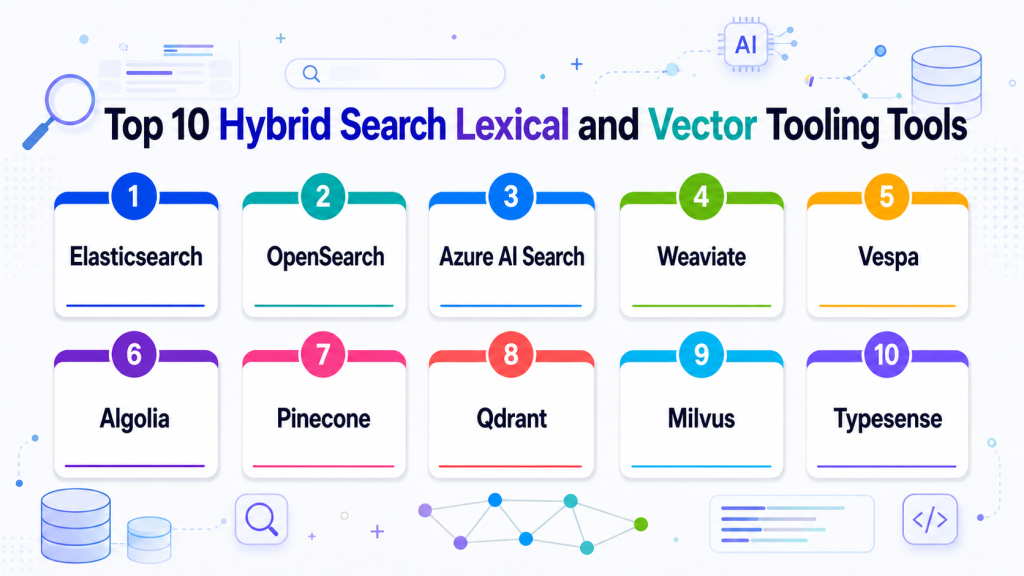
Top 10 Hybrid Search Lexical and Vector Tooling Tools
1 — Elasticsearch
One-line verdict: Best for teams needing mature lexical search with vector and hybrid retrieval capabilities.
Short description :
Elasticsearch is a search and analytics platform used for full-text search, filtering, indexing, observability, and application search. It is useful for teams that want keyword search depth plus vector search patterns for semantic and RAG retrieval.
Standout Capabilities
- Mature full-text lexical search
- Vector search support depending on setup
- Hybrid search patterns for keyword and semantic retrieval
- Strong filtering, indexing, and analytics ecosystem
- Useful for enterprise search and application search
- Flexible query DSL and scoring controls
- Works well for logs, documents, products, and knowledge search
AI-Specific Depth Must Include
- Model support: Model-agnostic, supports embeddings from hosted, BYO, and open-source models
- RAG / knowledge integration: Strong fit for hybrid retrieval, metadata filtering, document search, and RAG pipelines
- Evaluation: Varies / N/A, external retrieval and RAG evaluation workflows are recommended
- Guardrails: Varies / N/A, access control and safety depend on deployment and application design
- Observability: Query metrics, indexing status, logs, latency, dashboards, and operational visibility depending on setup
Pros
- Strong lexical search foundation
- Good hybrid search flexibility
- Mature ecosystem for enterprise search and analytics
Cons
- Tuning relevance can require expertise
- Vector-first simplicity may be lower than dedicated vector databases
- Cost and operations depend heavily on deployment design
Security & Compliance
Security features such as RBAC, SSO, audit logs, encryption, retention, and admin controls may vary by deployment and plan. Certifications are Not publicly stated here.
Deployment & Platforms
- Cloud, self-hosted, or hybrid options vary by setup
- API-based search platform
- Web UI availability depends on deployment
- Works across backend and enterprise search environments
- Supports large-scale search operations
Integrations & Ecosystem
Elasticsearch fits teams that need hybrid retrieval as part of broader search and analytics architecture.
- RAG frameworks
- Data ingestion tools
- Application search
- Enterprise search
- Observability stacks
- Backend APIs
- Dashboards and analytics workflows
Pricing Model No exact prices unless confident
Open-source and commercial or managed options may vary by deployment, storage, compute, usage, and support needs. Exact pricing is Varies / N/A.
Best-Fit Scenarios
- Hybrid enterprise search
- RAG retrieval with keyword precision
- Teams already using Elasticsearch infrastructure
2 — OpenSearch
One-line verdict: Best for teams wanting open-source-friendly search with lexical, vector, and hybrid retrieval options.
Short description :
OpenSearch is an open-source search and analytics suite used for full-text search, log analytics, observability, and application search. It is useful for teams wanting self-managed or cloud-hosted hybrid search with keyword and vector retrieval patterns.
Standout Capabilities
- Open-source-friendly search platform
- Full-text search and filtering
- Vector search support depending on setup
- Hybrid search patterns for RAG and enterprise search
- Useful for logs, documents, product data, and support content
- Integrates with dashboards and analytics workflows
- Good fit for teams wanting deployment control
AI-Specific Depth Must Include
- Model support: Model-agnostic, supports embeddings from hosted, BYO, and open-source models
- RAG / knowledge integration: Strong fit for hybrid document retrieval, semantic search, and RAG pipelines
- Evaluation: Varies / N/A, external retrieval evaluation recommended
- Guardrails: Varies / N/A, application-level and deployment-level controls required
- Observability: Query metrics, cluster health, indexing status, logs, and search performance depending on setup
Pros
- Open-source-friendly search option
- Strong fit for teams needing deployment control
- Good for hybrid search and analytics workflows
Cons
- Operations can be complex at scale
- AI-specific evaluation requires companion tools
- Relevance tuning needs search expertise
Security & Compliance
Security depends on deployment, authentication, authorization, encryption, logging, network controls, and admin configuration. Certifications are Not publicly stated.
Deployment & Platforms
- Cloud, self-hosted, or hybrid depending on setup
- API-based search platform
- Dashboard interface depending on deployment
- Works across backend and analytics workflows
- Container and infrastructure deployment patterns vary
Integrations & Ecosystem
OpenSearch fits teams that want hybrid search in an open-source-friendly search and analytics environment.
- Data ingestion pipelines
- RAG frameworks
- Observability systems
- Application search
- Log analytics
- Vector embedding workflows
- Dashboarding tools
Pricing Model No exact prices unless confident
Open-source usage is available. Managed or enterprise pricing varies by provider, deployment, storage, compute, and support requirements.
Best-Fit Scenarios
- Self-hosted hybrid search
- Enterprise document and log search
- Open-source-friendly RAG retrieval
3 — Azure AI Search
One-line verdict: Best for Microsoft-centered teams building enterprise hybrid search and RAG retrieval workflows.
Short description:
Azure AI Search provides managed search capabilities for text, vector, and hybrid retrieval patterns. It is useful for teams building enterprise search, RAG, and knowledge discovery systems inside Microsoft cloud environments.
Standout Capabilities
- Managed enterprise search in Azure
- Text, vector, and hybrid retrieval patterns depending on setup
- Integration with Azure data and AI services
- Useful for RAG and knowledge search
- Supports indexing pipeline patterns
- Good fit for Microsoft cloud teams
- Works with enterprise application workflows
AI-Specific Depth Must Include
- Model support: Model-agnostic embeddings; hosted and BYO patterns depend on Azure architecture
- RAG / knowledge integration: Strong fit for Azure-based RAG, document retrieval, hybrid search, and enterprise knowledge workflows
- Evaluation: Varies / N/A, custom retrieval and RAG evaluation recommended
- Guardrails: Varies / N/A, platform and application controls required
- Observability: Cloud logs, query metrics, indexing status, latency, and operational monitoring depend on configuration
Pros
- Strong fit for Microsoft cloud environments
- Useful for enterprise RAG and search workflows
- Managed search service reduces infrastructure burden
Cons
- Best suited to Azure-centered teams
- Portability requires planning
- Configuration and cost depend on workload design
Security & Compliance
Security depends on Azure identity, RBAC, encryption, logging, networking, retention, data residency, and account configuration. Certifications should be verified directly for required services and regions.
Deployment & Platforms
- Azure cloud platform
- Managed search service
- Cloud deployment
- Self-hosted: N/A
- API and application integration workflows
Integrations & Ecosystem
Azure AI Search fits teams building hybrid search and RAG on top of Microsoft cloud data and applications.
- Azure data services
- Azure AI services
- RAG pipelines
- Enterprise applications
- Identity and access management
- Monitoring workflows
- Developer tools
Pricing Model No exact prices unless confident
Usage-based or service-based pricing depends on storage, indexes, queries, replicas, partitions, and related cloud services. Exact pricing varies by workload.
Best-Fit Scenarios
- Azure-based RAG systems
- Enterprise document search
- Microsoft-centered application teams
4 — Weaviate
One-line verdict: Best for teams needing open-source-friendly hybrid search with vector retrieval and metadata control.
Short description:
Weaviate is a vector database and semantic search platform that supports vector search, hybrid search, metadata filtering, and RAG workflows. It is useful for teams that want flexible deployment options and strong semantic retrieval support.
Standout Capabilities
- Vector and hybrid search support
- Open-source and managed deployment paths
- Schema and metadata-based organization
- Good fit for RAG and knowledge search
- Works with multiple embedding models depending on setup
- Useful for multimodal and semantic workflows depending on architecture
- Developer-friendly APIs and integrations
AI-Specific Depth Must Include
- Model support: Model-agnostic, supports hosted, BYO, and open-source embeddings depending on setup
- RAG / knowledge integration: Strong support for vector search, hybrid retrieval, metadata filtering, and RAG integrations
- Evaluation: Varies / N/A, retrieval testing and RAG evaluation recommended
- Guardrails: Varies / N/A, application-level controls required
- Observability: Query metrics, index status, operational health, and usage visibility depend on deployment
Pros
- Flexible deployment options
- Good hybrid search support
- Strong fit for RAG and semantic search teams
Cons
- Self-hosting requires operational skill
- Schema planning matters
- Governance features depend on deployment and plan
Security & Compliance
Security features such as authentication, authorization, encryption, RBAC, audit logs, retention, and residency may vary by deployment and plan. Certifications are Not publicly stated here.
Deployment & Platforms
- Cloud, self-hosted, or hybrid options vary by setup
- API-based access
- Container and Kubernetes-friendly patterns
- Backend application integration
- Web console: Varies / N/A
Integrations & Ecosystem
Weaviate fits teams that want semantic and lexical retrieval capabilities in RAG and enterprise search workflows.
- RAG frameworks
- Embedding models
- Backend APIs
- Document indexing pipelines
- Knowledge bases
- Semantic search apps
- Recommendation workflows
Pricing Model No exact prices unless confident
Open-source usage is available. Managed or enterprise pricing varies by usage, deployment, storage, compute, and support requirements.
Best-Fit Scenarios
- Hybrid RAG retrieval
- Open-source-friendly semantic search
- Teams needing flexible vector search deployment
5 — Vespa
One-line verdict: Best for advanced teams building large-scale hybrid search, ranking, and recommendation systems.
Short description :
Vespa is a search, recommendation, and serving platform that supports vector search, lexical search, ranking, and large-scale retrieval workflows. It is useful for teams needing deep ranking control and advanced search architecture.
Standout Capabilities
- Large-scale search and recommendation platform
- Supports lexical, vector, and ranking workflows
- Strong fit for hybrid search and personalization
- Advanced ranking and serving capabilities
- Useful for complex retrieval systems
- Can support real-time serving patterns depending on setup
- Good for teams needing deep search control
AI-Specific Depth Must Include
- Model support: Model-agnostic, supports embeddings and ranking workflows depending on application design
- RAG / knowledge integration: Useful for retrieval, ranking, semantic search, and RAG pipelines
- Evaluation: Varies / N/A, external search and ranking evaluation recommended
- Guardrails: Varies / N/A
- Observability: Query performance, serving metrics, ranking behavior, latency, and operational signals depending on setup
Pros
- Strong for advanced ranking and hybrid retrieval
- Good for recommendation and personalization systems
- More powerful than basic vector-only search
Cons
- Higher learning curve
- Requires engineering expertise
- May be too advanced for smaller search projects
Security & Compliance
Security depends on deployment, authentication, authorization, network controls, encryption, logging, and operational setup. Certifications are Not publicly stated.
Deployment & Platforms
- Cloud, self-hosted, or hybrid options vary by setup
- Search and serving platform
- API-based access
- Backend and large-scale search environments
- Web console: Varies / N/A
Integrations & Ecosystem
Vespa fits organizations where hybrid search is part of a broader ranking and recommendation architecture.
- Search applications
- Recommendation systems
- RAG pipelines
- Ranking models
- Backend APIs
- Real-time serving workflows
- Data ingestion pipelines
Pricing Model No exact prices unless confident
Open-source and managed or commercial options may vary. Costs depend on infrastructure, storage, query volume, serving scale, and support needs.
Best-Fit Scenarios
- Advanced hybrid ranking
- Recommendation and search systems
- Large-scale retrieval workflows
6 — Algolia
One-line verdict: Best for product teams needing managed search, fast UX, and AI-enhanced relevance.
Short description :
Algolia provides hosted search and discovery capabilities for ecommerce, SaaS apps, marketplaces, websites, and product experiences. It is useful for teams that want fast user-facing search with relevance tuning, analytics, and semantic search features depending on setup.
Standout Capabilities
- Fast managed search experience
- Strong front-end and developer tooling
- Relevance tuning and ranking controls
- Search analytics and behavior signals
- Useful for ecommerce and product search
- AI-enhanced semantic workflows may vary by setup
- Good for teams prioritizing search UX
AI-Specific Depth Must Include
- Model support: Hosted and platform-managed AI features; BYO options vary
- RAG / knowledge integration: Useful for search and discovery; RAG usage depends on application design
- Evaluation: Search analytics and relevance testing patterns; custom AI evaluation may be needed
- Guardrails: Varies / N/A, application-level controls required
- Observability: Query analytics, click behavior, latency, search performance, and relevance signals depending on setup
Pros
- Strong user-facing search experience
- Managed platform reduces operations work
- Good relevance tooling for product teams
Cons
- Less infrastructure control than self-hosted options
- Pricing should be tested against usage volume
- Deep RAG governance may require companion tools
Security & Compliance
Security features such as SSO, RBAC, API keys, encryption, audit logs, retention, and admin controls may vary by plan. Certifications are Not publicly stated here.
Deployment & Platforms
- Cloud-managed platform
- API-based integration
- Front-end and backend developer workflows
- Self-hosted: N/A
- Web and mobile app search use cases
Integrations & Ecosystem
Algolia fits product and ecommerce teams that need managed hybrid-style search experiences with strong UX.
- Web applications
- Mobile applications
- Ecommerce platforms
- Product catalogs
- CMS workflows
- Analytics systems
- Front-end frameworks
Pricing Model No exact prices unless confident
Typically usage-based or tiered depending on records, queries, features, and support needs. Exact pricing is Not publicly stated.
Best-Fit Scenarios
- Ecommerce discovery
- SaaS product search
- Customer-facing search experiences
7 — Pinecone
One-line verdict: Best for teams adding vector retrieval to hybrid search and RAG architectures.
Short description :
Pinecone is a managed vector database used for semantic search, similarity search, and RAG retrieval. It is useful in hybrid search architectures where teams pair vector retrieval with lexical search, reranking, or external keyword systems.
Standout Capabilities
- Managed vector search infrastructure
- Strong fit for semantic retrieval and RAG
- Metadata filtering for contextual search
- Developer-friendly APIs
- Useful for production AI applications
- Reduces vector infrastructure operations
- Works with many RAG and AI frameworks
AI-Specific Depth Must Include
- Model support: Model-agnostic, supports embeddings from hosted, BYO, and open-source models
- RAG / knowledge integration: Strong fit for RAG retrieval, vector indexing, semantic search, and metadata filtering
- Evaluation: Varies / N/A, usually paired with retrieval and RAG evaluation tools
- Guardrails: Varies / N/A, requires companion access control and safety design
- Observability: Query metrics, latency, usage, and operational signals vary by setup and plan
Pros
- Managed vector layer reduces operations work
- Strong fit for RAG retrieval
- Useful when semantic retrieval needs to scale quickly
Cons
- Lexical search usually needs companion architecture
- Less self-hosting control
- Costs should be tested with real query and storage volume
Security & Compliance
Security features such as encryption, access controls, private networking, RBAC, audit logs, retention, and residency may vary by plan and deployment. Certifications are Not publicly stated here.
Deployment & Platforms
- Cloud-managed platform
- API-based access
- Self-hosted: Varies / N/A
- Hybrid: Varies / N/A
- Works with backend and AI application workflows
Integrations & Ecosystem
Pinecone fits teams using vector search as the semantic side of a hybrid retrieval stack.
- RAG frameworks
- Embedding model providers
- Document indexing pipelines
- AI assistants
- Backend APIs
- Search applications
- Observability tools through integration
Pricing Model No exact prices unless confident
Typically usage-based or tiered depending on storage, indexes, queries, replicas, and configuration. Exact pricing is Not publicly stated.
Best-Fit Scenarios
- Vector side of hybrid search
- RAG retrieval with metadata filtering
- Managed semantic search infrastructure
8 — Qdrant
One-line verdict: Best for developers needing vector retrieval and filtering in hybrid search architectures.
Short description :
Qdrant is a vector database and search engine focused on similarity search, filtering, and production AI applications. It is useful in hybrid search architectures where semantic retrieval is paired with lexical search, reranking, or application-level ranking logic.
Standout Capabilities
- Vector search with strong filtering patterns
- Open-source and managed deployment options
- Useful for semantic search and recommendations
- Metadata payload filtering
- Developer-friendly APIs
- Good fit for RAG and hybrid retrieval workflows
- Flexible for cloud and self-managed use cases
AI-Specific Depth Must Include
- Model support: Model-agnostic, supports embeddings from hosted, BYO, and open-source models
- RAG / knowledge integration: Strong support for vector retrieval, metadata filters, and RAG framework integrations
- Evaluation: Varies / N/A, external retrieval evaluation recommended
- Guardrails: Varies / N/A, application-level controls required
- Observability: Query metrics, indexing behavior, and operational visibility depend on deployment and tooling
Pros
- Strong filtering for semantic retrieval
- Developer-friendly setup
- Flexible open-source and managed options
Cons
- Lexical side may require companion tooling depending on architecture
- Enterprise governance depends on deployment and plan
- Search quality should be validated with real data
Security & Compliance
Security features such as access control, encryption, RBAC, audit logs, retention, and residency may vary by deployment and plan. Certifications are Not publicly stated here.
Deployment & Platforms
- Cloud, self-hosted, or hybrid options vary by setup
- API-based access
- Container-friendly deployment patterns
- Works with backend applications
- Web console: Varies / N/A
Integrations & Ecosystem
Qdrant fits teams building hybrid retrieval systems where vector filtering and semantic relevance are important.
- RAG frameworks
- Embedding pipelines
- Backend APIs
- Recommendation engines
- Semantic search apps
- AI application platforms
- External lexical search systems
Pricing Model No exact prices unless confident
Open-source usage is available. Managed or enterprise pricing varies by storage, queries, compute, deployment, and support needs.
Best-Fit Scenarios
- Vector retrieval with strong filters
- Developer-led hybrid search systems
- RAG systems needing semantic precision
9 — Milvus
One-line verdict: Best for teams needing scalable vector infrastructure inside large hybrid retrieval systems.
Short description :
Milvus is an open-source vector database designed for large-scale similarity search. It is useful for teams building hybrid retrieval systems where vector search must scale across large collections and pair with lexical or ranking components.
Standout Capabilities
- Large-scale vector search support
- Open-source infrastructure control
- Multiple index patterns depending on configuration
- Useful for high-volume semantic retrieval
- Good fit for multimodal and recommendation workloads
- Integrates with RAG and AI platforms
- Suitable for teams with platform engineering capacity
AI-Specific Depth Must Include
- Model support: Model-agnostic, supports embeddings from hosted, BYO, and open-source models
- RAG / knowledge integration: Strong fit for vector retrieval, semantic search, and RAG framework integration
- Evaluation: Varies / N/A, external relevance and RAG testing required
- Guardrails: Varies / N/A, application-level controls required
- Observability: Cluster health, indexing status, query performance, and operational metrics depend on deployment
Pros
- Strong open-source vector infrastructure
- Good for large-scale semantic retrieval
- Useful where teams need deployment control
Cons
- Operations can be complex
- Lexical retrieval requires companion tooling
- Requires tuning and infrastructure expertise
Security & Compliance
Security depends on deployment, authentication, authorization, network controls, encryption, logging, and operational setup. Certifications are Not publicly stated.
Deployment & Platforms
- Self-hosted and cloud-style options vary by setup
- Container and Kubernetes deployment patterns
- Backend API access
- Cloud, self-hosted, or hybrid depending on architecture
- Web console: Varies / N/A
Integrations & Ecosystem
Milvus fits large-scale hybrid architectures where vector retrieval is one component in a broader search and ranking system.
- RAG frameworks
- Vector search applications
- Recommendation systems
- Multimodal retrieval
- Embedding pipelines
- Kubernetes infrastructure
- AI platform workflows
Pricing Model No exact prices unless confident
Open-source usage is available. Managed or enterprise pricing varies by provider, infrastructure, storage, compute, and support needs.
Best-Fit Scenarios
- Scalable vector retrieval
- Hybrid search architecture at high volume
- Multimodal semantic retrieval systems
10 — Typesense
One-line verdict: Best for teams needing lightweight developer-friendly search with semantic enhancements.
Short description:
Typesense is a developer-friendly search engine focused on fast application search, typo tolerance, relevance controls, and simple operations. It is useful for teams that want lightweight lexical search with semantic or vector-related enhancements depending on setup.
Standout Capabilities
- Fast application search
- Developer-friendly APIs
- Typo tolerance and relevance controls
- Useful for product and documentation search
- Open-source and managed options vary by setup
- Semantic and vector-related workflows may vary
- Easier adoption for smaller teams
AI-Specific Depth Must Include
- Model support: Model-agnostic where vector or semantic workflows are configured
- RAG / knowledge integration: Varies / N/A, can be used as a search layer in retrieval workflows depending on setup
- Evaluation: Varies / N/A, external relevance testing recommended
- Guardrails: Varies / N/A, application-level controls required
- Observability: Query analytics, indexing behavior, and operational metrics depend on deployment
Pros
- Lightweight and developer-friendly
- Good for product and documentation search
- Easier to adopt than heavier search platforms
Cons
- Advanced hybrid depth may vary by setup
- Enterprise governance depends on deployment design
- Deep RAG workflows may require companion tooling
Security & Compliance
Security features such as authentication, access controls, encryption, audit logs, retention, and admin controls may vary by deployment and plan. Certifications are Not publicly stated.
Deployment & Platforms
- Cloud, self-hosted, or hybrid options vary by setup
- API-based search platform
- Works with web and backend applications
- Web console availability depends on deployment
- Developer-friendly integration patterns
Integrations & Ecosystem
Typesense fits teams that want practical application search with the option to explore semantic retrieval.
- Web applications
- Product catalogs
- Documentation sites
- Backend APIs
- CMS workflows
- Search UI components
- AI retrieval workflows depending on setup
Pricing Model No exact prices unless confident
Open-source usage is available. Managed or commercial pricing varies by usage, storage, query load, deployment, and support needs.
Best-Fit Scenarios
- Lightweight hybrid search exploration
- Product and documentation search
- Developer-friendly search implementation
Comparison Table
| Tool Name | Best For | Deployment Cloud/Self-hosted/Hybrid | Model Flexibility Hosted / BYO / Multi-model / Open-source | Strength | Watch-Out | Public Rating |
|---|---|---|---|---|---|---|
| Elasticsearch | Enterprise hybrid search | Cloud, self-hosted, hybrid | Model-agnostic | Mature lexical plus vector search | Relevance tuning complexity | N/A |
| OpenSearch | Open-source-friendly hybrid search | Cloud, self-hosted, hybrid | Model-agnostic | Deployment control | Operations can be complex | N/A |
| Azure AI Search | Azure enterprise RAG search | Cloud | Model-agnostic | Azure integration | Azure-centered | N/A |
| Weaviate | Flexible hybrid RAG retrieval | Cloud, self-hosted, hybrid | Model-agnostic | Open-source semantic search | Schema planning matters | N/A |
| Vespa | Advanced ranking and retrieval | Cloud, self-hosted, hybrid | Model-agnostic | Large-scale ranking control | Higher learning curve | N/A |
| Algolia | Product and ecommerce search | Cloud | Hosted and platform-managed varies | Fast search UX | Less self-hosting control | N/A |
| Pinecone | Vector side of hybrid search | Cloud | Model-agnostic | Managed vector retrieval | Needs lexical companion | N/A |
| Qdrant | Filtered vector retrieval | Cloud, self-hosted, hybrid | Model-agnostic | Metadata filtering | Lexical layer may vary | N/A |
| Milvus | Scalable vector infrastructure | Cloud, self-hosted, hybrid | Model-agnostic | Large-scale vector retrieval | Requires operations skill | N/A |
| Typesense | Lightweight app search | Cloud, self-hosted, hybrid | Model-agnostic varies | Developer simplicity | Advanced hybrid depth varies | N/A |
Scoring & Evaluation Transparent Rubric
| Tool | Core | Reliability/Eval | Guardrails | Integrations | Ease | Perf/Cost | Security/Admin | Support | Weighted Total |
|---|---|---|---|---|---|---|---|---|---|
| Elasticsearch | 9 | 7 | 6 | 9 | 7 | 7 | 8 | 8 | 7.75 |
| OpenSearch | 8 | 6 | 5 | 8 | 6 | 8 | 7 | 8 | 7.10 |
| Azure AI Search | 8 | 6 | 6 | 8 | 8 | 7 | 8 | 8 | 7.40 |
| Weaviate | 9 | 7 | 5 | 9 | 8 | 8 | 7 | 8 | 7.85 |
| Vespa | 9 | 6 | 4 | 8 | 5 | 9 | 7 | 8 | 7.15 |
| Algolia | 8 | 7 | 5 | 8 | 9 | 7 | 8 | 8 | 7.65 |
| Pinecone | 8 | 7 | 5 | 9 | 9 | 8 | 8 | 8 | 7.85 |
| Qdrant | 8 | 6 | 4 | 8 | 8 | 8 | 7 | 8 | 7.30 |
| Milvus | 8 | 6 | 4 | 8 | 6 | 9 | 6 | 8 | 7.05 |
| Typesense | 7 | 5 | 4 | 7 | 9 | 8 | 6 | 7 | 6.70 |
Top 3 for Enterprise
- Elasticsearch
- Weaviate
- Azure AI Search
Top 3 for SMB
- Algolia
- Typesense
- Qdrant
Top 3 for Developers
- Weaviate
- Qdrant
- OpenSearch
Which Hybrid Search Lexical and Vector Tooling Is Right for You?
Solo / Freelancer
Solo users should keep the stack simple. A large enterprise search platform may be unnecessary unless the project needs advanced ranking or large-scale indexing.
Recommended options:
- Typesense for lightweight application search
- Qdrant for vector retrieval with filtering
- Weaviate for open-source-friendly semantic and hybrid search
- Pinecone if managed vector search is preferred
Start with real query testing. If exact terms matter, do not rely on vector search alone.
SMB
Small and midsize businesses should prioritize easy setup, fast relevance improvements, and predictable operations.
Recommended options:
- Algolia for product and ecommerce search
- Typesense for developer-friendly app search
- Qdrant for semantic retrieval and filters
- Weaviate for flexible hybrid RAG workflows
- Pinecone for managed vector infrastructure
SMBs should avoid overengineering and focus on a practical retrieval stack that delivers measurable search quality.
Mid-Market
Mid-market teams often have multiple search surfaces: product search, internal knowledge, help centers, RAG assistants, and developer documentation.
Recommended options:
- Elasticsearch for mature hybrid enterprise search
- Weaviate for RAG and semantic retrieval flexibility
- Azure AI Search for Microsoft-centered teams
- OpenSearch for open-source-friendly control
- Algolia for customer-facing product search
Mid-market buyers should evaluate relevance, permissions, indexing freshness, query analytics, and cost before choosing.
Enterprise
Enterprises need scale, security, governance, auditability, access control, and integration with existing data platforms.
Recommended options:
- Elasticsearch for mature enterprise search and hybrid retrieval
- Azure AI Search for Microsoft cloud environments
- Weaviate for flexible semantic and hybrid search
- OpenSearch for open-source-friendly enterprise control
- Vespa for advanced ranking and recommendation systems
Enterprise teams should verify RBAC, SSO, audit logs, private networking, encryption, data residency, access-aware retrieval, and export options.
Regulated industries finance/healthcare/public sector
Regulated organizations need hybrid search that is accurate, explainable, secure, and auditable.
Important priorities:
- Permission-aware retrieval
- Exact lexical matching for legal, medical, financial, and policy terms
- Semantic retrieval for natural-language queries
- Data residency and retention controls
- Audit logs and search traceability
- Sensitive data filtering
- Index versioning and rollback
- Human review for high-risk results
- Retrieval evaluation and regression testing
- Integration with governance workflows
Strong-fit options may include Elasticsearch, Azure AI Search, OpenSearch, Weaviate, and Vespa, depending on deployment and compliance needs.
Budget vs premium
Budget-conscious teams can start with open-source or self-managed search engines, then upgrade when scale or support requirements increase.
Budget-friendly direction:
- OpenSearch for open-source-friendly search
- Typesense for lightweight app search
- Weaviate for hybrid semantic search
- Qdrant for vector retrieval
- Milvus for scalable vector infrastructure
Premium direction:
- Algolia for managed product search
- Pinecone for managed vector retrieval
- Azure AI Search for cloud-managed enterprise search
- Managed Elasticsearch for enterprise search operations
- Vespa where advanced ranking and scale justify complexity
The best choice depends on whether the main constraint is budget, search quality, engineering capacity, scale, governance, or time to market.
Build vs buy when to DIY
DIY can work when:
- Search volume is small
- Data sources are limited
- The team has strong search engineering skills
- Governance requirements are light
- You can manage relevance tuning and evaluation
- You want maximum control over ranking logic
Buy or use managed tooling when:
- Search is customer-facing or business-critical
- RAG answers depend on retrieval quality
- You need high availability
- You need permission-aware search
- You need analytics, support, and operational reliability
- You need faster implementation
- You lack dedicated search engineering resources
A practical approach is to prototype with open-source or managed search, evaluate retrieval quality, then decide whether to scale the architecture or adopt a managed platform.
Implementation Playbook 30 / 60 / 90 Days
30 Days: Pilot and success metrics
Start with one search use case and a focused dataset.
Key tasks:
- Choose one domain such as support articles, product catalog, developer docs, or internal policies
- Prepare clean source data and metadata
- Define test queries with expected results
- Set up lexical search baseline
- Add vector search using selected embeddings
- Compare lexical, vector, and hybrid results
- Define success metrics such as relevance, recall, precision, latency, and user satisfaction
- Add basic query logging
- Identify exact-match requirements such as IDs, names, SKUs, and codes
- Document ranking and indexing configuration
AI-specific tasks:
- Build an initial retrieval evaluation set
- Test downstream RAG answer quality
- Track embedding model and index versions
- Run prompt-injection tests for retrieved content
- Define incident handling for bad retrieval or unsafe answers
60 Days: Harden security, evaluation, and rollout
After the pilot works, strengthen relevance, permissions, and operational reliability.
Key tasks:
- Tune lexical and vector weighting
- Add metadata filters and access-control rules
- Add reranking if needed
- Add incremental indexing and freshness checks
- Add query analytics dashboards
- Add failed-query review workflows
- Add relevance regression tests
- Add monitoring for latency and errors
- Add role-based access controls
- Expand to more content sources carefully
AI-specific tasks:
- Add hallucination and faithfulness checks for RAG outputs
- Add retrieval precision and recall testing
- Track prompt, retriever, embedding, index, and reranker versions
- Add red-team checks for data leakage
- Monitor cost by query type
- Convert bad search results into test cases
90 Days: Optimize cost, latency, governance, and scale
Once hybrid search is reliable, make it a production retrieval layer.
Key tasks:
- Standardize hybrid ranking templates
- Add index versioning and rollback
- Optimize filters, embeddings, and scoring
- Add governance for source ownership and freshness
- Add executive dashboards for search quality
- Tune infrastructure for latency and cost
- Add incident playbooks for retrieval failures
- Review export and migration paths
- Scale across teams and use cases
- Connect search insights to content improvement workflows
AI-specific tasks:
- Add advanced RAG evaluation
- Monitor retrieval quality over time
- Add guardrail checks for sensitive results
- Connect retrieval failures to AI incident management
- Add human approval for high-risk workflows
- Scale evaluation, observability, governance, and access control across applications
Common Mistakes & How to Avoid Them
- Using only vector search: Vector search may miss exact terms, IDs, codes, and product names. Use lexical search where precision matters.
- Using only keyword search: Keyword search may miss user intent and related concepts. Add vector search for semantic recall.
- No hybrid weighting strategy: Teams should test how lexical and vector scores are blended or reranked.
- Ignoring metadata filters: Metadata improves relevance, access control, routing, and governance.
- No relevance evaluation: Hybrid search should be tested with real queries and expected results.
- Poor indexing quality: Bad parsing, chunking, duplicates, and stale content produce weak results.
- No permission-aware retrieval: Hybrid search must not expose unauthorized documents.
- No query analytics: Failed queries and low-click results reveal relevance problems.
- Ignoring latency: Running lexical search, vector search, and reranking can increase response time.
- No cost visibility: Embeddings, vector storage, replicas, reranking, and AI-generated answers can increase cost.
- Overusing LLM answers before retrieval is reliable: First fix search quality, then add generated answers.
- No fallback behavior: If semantic confidence is low, provide keyword results, filters, or clarifying questions.
- Ignoring multilingual needs: Hybrid search quality should be tested across languages and mixed-language queries.
- No migration planning: Search indexes, vectors, metadata, and ranking rules should be portable where possible.
FAQs
1. What is hybrid search?
Hybrid search combines lexical keyword search with vector semantic search. It helps users find both exact matches and meaning-based results.
2. Why is hybrid search better than keyword search alone?
Keyword search is strong for exact terms but weak for intent. Hybrid search adds semantic matching so users can find relevant results even when wording differs.
3. Why is hybrid search better than vector search alone?
Vector search is strong for meaning but may miss exact names, IDs, SKUs, codes, legal terms, and technical strings. Hybrid search improves precision.
4. What is lexical search?
Lexical search finds results based on exact words, phrases, tokens, and text matching. It is useful for technical, legal, product, and structured search.
5. What is vector search?
Vector search finds results by comparing embeddings that represent meaning. It is useful for natural-language queries and semantic similarity.
6. Does hybrid search help RAG?
Yes. Hybrid search can improve retrieval quality for RAG by combining exact matching with semantic context, which helps the LLM receive better evidence.
7. Can hybrid search reduce hallucinations?
It can reduce hallucination risk by improving retrieved context, but it does not eliminate hallucinations. Evaluation, guardrails, and source traceability are still needed.
8. Does hybrid search require a vector database?
Usually yes, or a search platform with vector support. Some platforms provide keyword and vector search together, while others require separate systems.
9. What is reranking in hybrid search?
Reranking takes candidate results from lexical and vector search and reorders them using another scoring method or model to improve final relevance.
10. Can hybrid search be self-hosted?
Yes. Tools such as Elasticsearch, OpenSearch, Weaviate, Qdrant, Milvus, Vespa, and Typesense may support self-hosted or hybrid patterns depending on setup.
11. How do I evaluate hybrid search quality?
Use real queries, expected results, precision, recall, top result accuracy, click behavior, failed searches, answer faithfulness, and user feedback.
12. What are alternatives to hybrid search?
Alternatives include keyword search only, vector search only, graph search, database queries, rule-based search, managed chatbot builders, or custom retrieval pipelines.
13. Is hybrid search useful for ecommerce?
Yes. Ecommerce search often needs exact product names, SKUs, brands, filters, and semantic intent, making hybrid search very useful.
14. How does hybrid search affect privacy?
Hybrid search may index sensitive documents, embeddings, metadata, and queries. Privacy depends on access controls, encryption, retention, logging, and deployment design.
15. What is the biggest mistake in hybrid search projects?
The biggest mistake is assuming hybrid search automatically improves results without evaluation. Teams must test weighting, filtering, reranking, and content quality.
Conclusion
Hybrid Search Lexical and Vector Tooling is becoming a practical foundation for RAG, enterprise search, product discovery, support search, and AI agent retrieval. The best tool depends on your context: Elasticsearch and OpenSearch are strong for mature lexical plus vector search, Azure AI Search fits Microsoft-centered enterprises, Weaviate supports flexible hybrid semantic retrieval, Vespa is powerful for advanced ranking, Algolia fits product and ecommerce experiences, Pinecone, Qdrant, and Milvus provide strong vector retrieval layers, and Typesense works well for lightweight application search.
Great explanation of hybrid search and how it combines lexical and vector approaches for better accuracy.