Introduction
Prompt Versioning Systems help teams manage prompts the same way software teams manage code: with versions, owners, testing, approvals, rollback, monitoring, and controlled deployment. In plain English, they stop AI prompts from living in scattered documents, spreadsheets, notebooks, chat messages, or hardcoded application files.
They matter now because AI applications are no longer simple demos. Teams are building copilots, agents, RAG assistants, support bots, sales automation, healthcare workflows, finance workflows, and internal knowledge tools where one prompt change can affect accuracy, cost, latency, compliance, and user trust. A proper prompt versioning system gives product, engineering, AI, security, and operations teams a shared workflow for improving prompts safely.
Real-world use cases include:
- Managing production prompts for AI chatbots and copilots
- Testing prompt changes before deployment
- Comparing prompt performance across multiple models
- Tracking cost, latency, tokens, and output quality
- Rolling back unsafe or poor-performing prompt versions
- Supporting AI agents with reusable prompt templates
- Governing prompts used in regulated business workflows
Evaluation criteria for buyers:
- Version history and rollback
- Prompt testing and regression evaluation
- Multi-model support
- RAG and knowledge integration
- Prompt deployment workflow
- Guardrails and safety checks
- Observability for tokens, latency, cost, and traces
- Access control, audit logs, and admin governance
- Collaboration for product and engineering teams
- Environment separation for development, staging, and production
- API and SDK support
- Vendor lock-in risk
Best for: AI product teams, developers, ML engineers, platform teams, customer support automation teams, SaaS companies, enterprises, and regulated organizations building production AI workflows.
Not ideal for: individuals doing casual prompt writing, teams using AI only for basic content generation, or companies that do not yet have production AI applications. In early experimentation, a simple document, notebook, or lightweight evaluation tool may be enough.
What’s Changed in Prompt Versioning Systems
- Prompts are now treated like production assets. Teams increasingly manage prompts with version history, testing, ownership, approval workflows, and rollback instead of editing them directly inside application code.
- AI agents need reusable prompt components. Agentic workflows often use multiple system prompts, tool instructions, retrieval rules, planner prompts, evaluator prompts, and fallback prompts, making version control more important.
- Multimodal prompts are becoming common. Prompt systems now need to support text, images, documents, transcripts, screenshots, structured data, and sometimes audio-driven workflows.
- Evaluation is no longer optional. Buyers expect prompt regression tests, golden datasets, human review, model comparison, and automated scoring before production rollout.
- Guardrails are becoming part of the prompt lifecycle. Teams want checks for jailbreaks, prompt injection, unsafe outputs, privacy leaks, hallucinations, policy violations, and formatting failures.
- Cost and latency are now core buying criteria. Prompt changes can increase token usage, model calls, context length, and tool calls, so versioning tools must help teams monitor cost impact.
- Model routing is more important. Many teams compare hosted models, open-source models, smaller models, and premium frontier models for the same prompt workflow.
- RAG quality depends on prompt discipline. Retrieval instructions, citation rules, context formatting, chunk usage, and fallback behavior need version control to avoid silent quality drops.
- Prompt observability is merging with LLM observability. Modern tools combine prompt history, traces, input-output logs, latency, token metrics, model metadata, and user feedback.
- Security teams want auditability. Enterprises want to know who changed a prompt, when it changed, why it changed, what data it touched, and whether it passed evaluation.
- Prompt deployment needs environment control. Development, staging, and production prompts must be separated so experimental changes do not break live AI workflows.
- Vendor lock-in is a growing concern. Buyers prefer systems that work across models, frameworks, providers, SDKs, and internal AI platforms.
Quick Buyer Checklist
Use this checklist to shortlist Prompt Versioning Systems quickly:
- Does the tool provide clear prompt version history and rollback?
- Can you test prompt changes before publishing them?
- Does it support hosted, BYO, open-source, or multi-model workflows?
- Does it work with your RAG stack, vector database, or knowledge connectors?
- Can it run prompt evaluations against golden datasets?
- Does it support human review, approval, or feedback loops?
- Does it provide guardrails for unsafe outputs, jailbreaks, or prompt injection?
- Can it track latency, tokens, cost, model calls, and traces?
- Does it support API and SDK-based prompt deployment?
- Can you separate development, staging, and production prompts?
- Does it offer RBAC, audit logs, SSO, and admin controls?
- Are data retention and privacy controls clearly documented?
- Can you export prompts and logs to avoid vendor lock-in?
- Does it fit your team type: developer-first, enterprise-first, or open-source-first?
- Is pricing predictable for your expected usage volume?
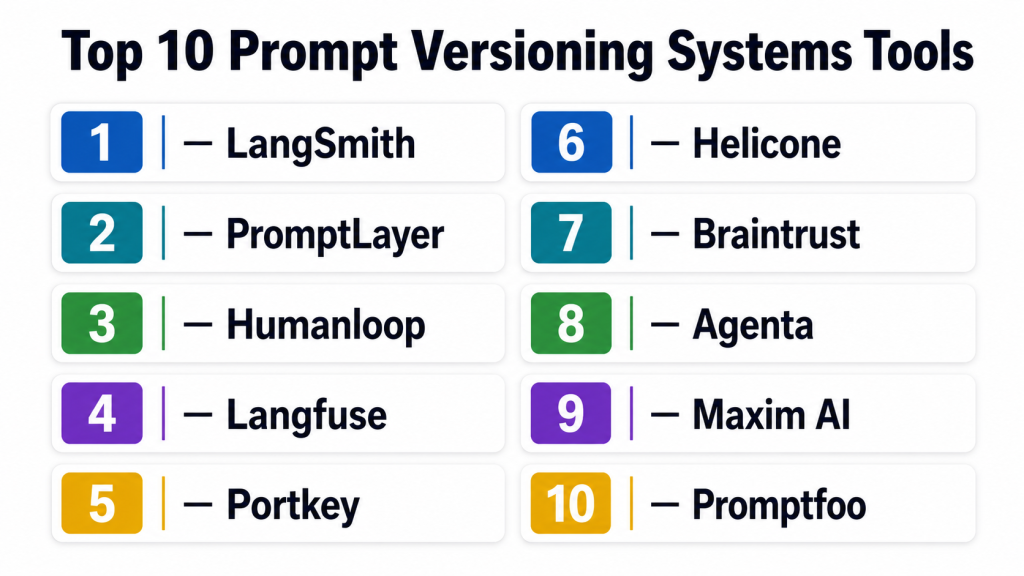
Top 10 Prompt Versioning Systems Tools
1 — LangSmith
One-line verdict: Best for LangChain-heavy teams needing tracing, evaluation, prompt management, and production debugging.
Short description :
LangSmith is a developer-focused platform for building, testing, tracing, and monitoring LLM applications. It is especially useful for teams already working with LangChain or LangGraph and needing prompt versioning tied to evaluations and observability.
Standout Capabilities
- Prompt hub and prompt management for reusable prompt assets
- Strong integration with LangChain and LangGraph workflows
- Tracing for chains, agents, tool calls, and model interactions
- Evaluation workflows for prompt and application quality
- Dataset-based testing for regression control
- Debugging support for complex multi-step LLM applications
- Useful for engineering teams building production AI systems
AI-Specific Depth Must Include
- Model support: Multi-model through supported LLM providers and application integrations
- RAG / knowledge integration: Works well with LangChain-based RAG workflows
- Evaluation: Dataset evaluation, regression testing, human review workflows
- Guardrails: Varies / N/A, usually implemented through application logic or integrations
- Observability: Traces, latency, token usage, run history, model interaction visibility
Pros
- Strong fit for engineering-led LLM applications
- Helpful for debugging chains, agents, and RAG workflows
- Evaluation and observability are closely connected
Cons
- Best value appears when teams already use the LangChain ecosystem
- May feel technical for non-engineering prompt collaborators
- Guardrails may require additional implementation choices
Security & Compliance Only if confidently known
SSO, RBAC, audit logging, data retention controls, and enterprise security features may vary by plan. Certifications are Not publicly stated here because exact current certification coverage should be verified directly before purchase.
Deployment & Platforms
- Web-based platform
- Cloud deployment
- SDK and API-based developer workflows
- Self-hosted availability: Varies / N/A
Integrations & Ecosystem
LangSmith is strongest when used inside LangChain-style development workflows. It fits teams that want prompt versioning to connect directly with traces, datasets, evaluations, and model experimentation.
- LangChain
- LangGraph
- Python and JavaScript workflows
- LLM provider integrations through application code
- RAG pipelines
- Agent workflows
- Evaluation datasets
Pricing Model No exact prices unless confident
Typically tiered and usage-oriented depending on team needs, platform usage, and enterprise requirements. Exact pricing should be verified directly.
Best-Fit Scenarios
- Teams building LangChain or LangGraph AI applications
- Developers needing trace-based prompt debugging
- AI teams needing prompt evaluation before deployment
2 — PromptLayer
One-line verdict: Best for teams needing a dedicated prompt registry with collaboration, versioning, and prompt analytics.
Short description :
PromptLayer focuses on prompt management, prompt registry workflows, version tracking, and collaboration for LLM teams. It helps teams move prompts out of scattered files and into a controlled system with visibility into changes and performance.
Standout Capabilities
- Centralized prompt registry
- Prompt versioning and change tracking
- Prompt templates and reusable prompt assets
- Collaboration between technical and non-technical users
- Logging for LLM requests and responses
- Prompt analytics for production behavior
- Useful for product teams iterating on prompts frequently
AI-Specific Depth Must Include
- Model support: Multi-provider support through API and application integrations
- RAG / knowledge integration: Varies / N/A, usually handled in the application layer
- Evaluation: Prompt testing and comparison workflows, details vary by plan
- Guardrails: Varies / N/A
- Observability: Prompt logs, request history, analytics, token and performance visibility depending on setup
Pros
- Focused specifically on prompt management and versioning
- Useful for teams with frequent prompt iteration
- Friendly for cross-functional collaboration
Cons
- Advanced application observability may require additional tooling
- Guardrail depth may not match specialized safety platforms
- Complex agent workflows may need custom integration work
Security & Compliance Only if confidently known
Security and compliance details such as SSO, RBAC, audit logs, encryption, retention, and certifications should be verified directly. Certifications are Not publicly stated here.
Deployment & Platforms
- Web-based platform
- Cloud-based workflows
- API-based integration
- Self-hosted availability: Varies / N/A
Integrations & Ecosystem
PromptLayer works as a prompt management layer for teams building with multiple LLM providers. It is useful when prompts need to be edited, tracked, reviewed, and reused across projects.
- LLM application APIs
- Prompt templates
- Logging workflows
- Evaluation workflows depending on setup
- Team collaboration features
- Application-level integrations
- Developer SDK workflows
Pricing Model No exact prices unless confident
Typically tiered or usage-based depending on usage volume, team size, and enterprise needs. Exact pricing is Varies / N/A.
Best-Fit Scenarios
- Product teams managing many prompt versions
- AI teams needing a prompt registry
- Companies moving prompts out of code and spreadsheets
3 — Humanloop
One-line verdict: Best for enterprise AI teams needing prompt experimentation, evaluation, feedback, and governance workflows.
Short description :
Humanloop is designed for teams building production LLM applications with prompt management, evaluation, feedback, and deployment workflows. It is useful when product managers, engineers, and domain experts need to collaborate on prompt quality.
Standout Capabilities
- Prompt management and prompt iteration workflows
- Evaluation and feedback collection
- Human review support for quality improvement
- Dataset-driven prompt testing
- Collaboration between AI, product, and subject-matter teams
- Useful for production AI apps that need controlled improvement
- Supports structured experimentation around prompts
AI-Specific Depth Must Include
- Model support: Multi-model workflows depending on configured providers
- RAG / knowledge integration: Varies / N/A, usually connected through application workflows
- Evaluation: Prompt evaluation, human feedback, dataset testing
- Guardrails: Varies / N/A
- Observability: Prompt runs, feedback, evaluation results, usage visibility depending on setup
Pros
- Strong focus on prompt quality and human feedback
- Useful for cross-functional AI product teams
- Good fit for teams that need structured evaluation
Cons
- May be more than needed for simple prompt storage
- Some workflows may require implementation planning
- Exact security and compliance features should be verified by buyers
Security & Compliance Only if confidently known
Enterprise security features such as SSO, RBAC, audit logging, encryption, retention, and data controls may vary by plan. Certifications are Not publicly stated here.
Deployment & Platforms
- Web-based platform
- Cloud deployment
- API-based workflows
- Self-hosted or hybrid: Varies / N/A
Integrations & Ecosystem
Humanloop is well suited to teams that want structured prompt improvement loops. It connects prompt changes with feedback, testing, and production readiness.
- LLM provider workflows
- Evaluation datasets
- Human feedback systems
- Application APIs
- Prompt experimentation workflows
- Team collaboration
- Production AI application pipelines
Pricing Model No exact prices unless confident
Typically enterprise or tiered pricing depending on team size, usage, and advanced requirements. Exact pricing is Not publicly stated.
Best-Fit Scenarios
- AI product teams improving customer-facing assistants
- Enterprises needing prompt governance workflows
- Teams using human feedback to refine LLM behavior
4 — Langfuse
One-line verdict: Best for teams wanting open-source-friendly prompt management with LLM observability and tracing.
Short description :
Langfuse combines LLM observability, tracing, prompt management, and evaluation support. It is popular with teams that want transparent AI application monitoring and the option to use managed or self-hosted deployment patterns.
Standout Capabilities
- Prompt management with version tracking
- LLM tracing and observability
- Open-source-friendly ecosystem
- Support for debugging RAG and agent workflows
- Evaluation and scoring support
- Cost, latency, and token tracking
- Flexible deployment options compared with many hosted-only tools
AI-Specific Depth Must Include
- Model support: Multi-model through instrumentation and application integrations
- RAG / knowledge integration: Works with RAG workflows through tracing and app instrumentation
- Evaluation: Scoring, datasets, feedback, evaluation workflows depending on setup
- Guardrails: Varies / N/A
- Observability: Traces, latency, token usage, cost metrics, input-output logs
Pros
- Strong observability combined with prompt versioning
- Attractive for teams that prefer open-source options
- Useful for cost and latency analysis
Cons
- Requires technical setup for best results
- Non-technical teams may need onboarding
- Guardrails may need separate tools or custom policy logic
Security & Compliance Only if confidently known
SSO, RBAC, audit logs, encryption, retention, and hosting controls may vary between managed and self-hosted setups. Certifications are Not publicly stated here.
Deployment & Platforms
- Web-based interface
- Cloud option
- Self-hosted option
- Developer SDK and API workflows
- Windows, macOS, and Linux usage through development environments
Integrations & Ecosystem
Langfuse fits teams that want prompt management to sit alongside observability. It is useful for debugging how prompts behave in real production traffic.
- Python and JavaScript SDKs
- LLM provider integrations through app instrumentation
- RAG workflows
- Agent traces
- Evaluation datasets
- Cost and token tracking
- Open-source ecosystem
Pricing Model No exact prices unless confident
Open-source plus managed cloud and enterprise-style options. Exact pricing varies by usage and deployment choice.
Best-Fit Scenarios
- Teams wanting self-hosted or open-source-friendly observability
- Developers debugging prompt behavior in production
- Organizations tracking cost, latency, and prompt quality together
5 — Portkey
One-line verdict: Best for teams needing AI gateway, prompt management, model routing, governance, and observability together.
Short description :
Portkey acts as an AI gateway and control layer for LLM applications. It combines prompt management with routing, observability, reliability controls, and governance features for teams using multiple models or providers.
Standout Capabilities
- AI gateway for multi-provider LLM workflows
- Prompt management and versioning
- Model routing and fallback patterns
- Observability for requests, latency, and cost
- Reliability controls for production AI apps
- Governance and access management features depending on plan
- Useful for platform teams standardizing LLM access
AI-Specific Depth Must Include
- Model support: Multi-model and multi-provider routing
- RAG / knowledge integration: Varies / N/A, usually connected through application architecture
- Evaluation: Varies / N/A, may integrate with external evaluation workflows
- Guardrails: Gateway-level policy and control options may vary by plan
- Observability: Request logs, traces, latency, token, cost, and provider-level visibility
Pros
- Good fit for teams using many model providers
- Helps centralize LLM access and governance
- Useful for cost, latency, fallback, and reliability control
Cons
- May be broader than a pure prompt versioning tool
- Requires architecture decisions around gateway adoption
- Evaluation depth may require companion tools
Security & Compliance Only if confidently known
Enterprise security features such as SSO, RBAC, audit logs, encryption, and retention controls may vary by deployment and plan. Certifications are Not publicly stated here.
Deployment & Platforms
- Web-based dashboard
- Cloud workflows
- Gateway and API-based integration
- Self-hosted or hybrid: Varies / N/A
Integrations & Ecosystem
Portkey is useful when prompt versioning is part of a broader AI platform strategy. It helps teams manage model access, reliability, cost, and observability from a centralized layer.
- Multiple LLM providers
- API gateway workflows
- Application SDKs
- Logging and observability tools
- Model routing patterns
- Fallback workflows
- Enterprise AI platform architecture
Pricing Model No exact prices unless confident
Typically usage-based, tiered, or enterprise pricing depending on request volume and platform features. Exact pricing is Varies / N/A.
Best-Fit Scenarios
- Teams using multiple LLM providers
- Platform teams building centralized AI infrastructure
- Companies needing routing, fallback, and governance
6 — Helicone
One-line verdict: Best for developers needing LLM observability, prompt tracking, cost visibility, and fast debugging.
Short description :
Helicone is an LLM observability and monitoring platform that helps teams track requests, prompts, latency, cost, and model behavior. It is useful for teams that want prompt versioning and experimentation tied closely to logs and analytics.
Standout Capabilities
- LLM request logging and monitoring
- Prompt tracking and experimentation support
- Cost and token usage visibility
- Latency and performance analysis
- Developer-first setup for production AI apps
- Useful for debugging model behavior
- Supports practical observability across LLM workloads
AI-Specific Depth Must Include
- Model support: Multi-provider depending on configured integrations
- RAG / knowledge integration: Varies / N/A, observed through application traces and logs
- Evaluation: Varies / N/A, may require external evaluation workflows
- Guardrails: Varies / N/A
- Observability: Request logs, token usage, latency, cost metrics, prompt history
Pros
- Strong for cost and usage monitoring
- Developer-friendly for production debugging
- Useful when teams need fast LLM visibility
Cons
- Prompt governance may be lighter than dedicated enterprise platforms
- Evaluation workflows may need additional tools
- Non-technical prompt collaborators may need support
Security & Compliance Only if confidently known
Security and compliance features such as SSO, RBAC, audit logs, encryption, retention, and certifications should be verified directly. Certifications are Not publicly stated here.
Deployment & Platforms
- Web-based platform
- Cloud workflows
- Self-hosted availability: Varies / N/A
- API-based integration
Integrations & Ecosystem
Helicone is a strong fit when teams want to observe how prompts and LLM calls behave in live systems. It helps identify prompt-related cost spikes, latency problems, and response quality issues.
- LLM provider APIs
- Application instrumentation
- Logging workflows
- Cost tracking
- Prompt analytics
- Developer dashboards
- Observability pipelines
Pricing Model No exact prices unless confident
Usually usage-based or tiered depending on request volume and feature needs. Exact pricing is Varies / N/A.
Best-Fit Scenarios
- Developers monitoring LLM production traffic
- Teams analyzing prompt cost and latency
- Startups needing practical AI observability
7 — Braintrust
One-line verdict: Best for teams prioritizing evaluations, experiment tracking, prompt iteration, and quality measurement.
Short description :
Braintrust focuses heavily on AI evaluation, experiment tracking, prompt testing, and quality workflows. It helps teams compare prompts, models, datasets, and application changes before they reach users.
Standout Capabilities
- Strong AI evaluation workflows
- Experiment tracking for prompts and models
- Dataset-based testing and comparison
- Human review and feedback workflows
- Useful for regression testing
- Quality measurement across prompt versions
- Supports production-minded AI development processes
AI-Specific Depth Must Include
- Model support: Multi-model through app and evaluation workflows
- RAG / knowledge integration: Varies / N/A, can evaluate RAG outputs through datasets and traces
- Evaluation: Strong support for offline evaluation, comparisons, scoring, and review
- Guardrails: Varies / N/A
- Observability: Experiment results, traces, evaluation metrics, output comparisons
Pros
- Excellent fit for evaluation-led AI teams
- Helps prevent prompt regressions before release
- Useful for comparing models and prompt variants
Cons
- Prompt registry needs may differ by workflow
- May require disciplined dataset creation
- Guardrail enforcement may need separate controls
Security & Compliance Only if confidently known
Enterprise security features such as SSO, RBAC, audit logs, encryption, and retention controls may vary by plan. Certifications are Not publicly stated here.
Deployment & Platforms
- Web-based platform
- Cloud workflows
- SDK and API-based workflows
- Self-hosted availability: Varies / N/A
Integrations & Ecosystem
Braintrust is best when prompt versioning is tied to evaluation discipline. It helps teams understand whether a prompt change actually improves reliability, correctness, and business outcomes.
- Evaluation datasets
- Experiment tracking
- LLM application workflows
- Human review workflows
- Model comparison
- RAG output testing
- Developer SDKs
Pricing Model No exact prices unless confident
Typically tiered or usage-based depending on team size and evaluation volume. Exact pricing is Not publicly stated.
Best-Fit Scenarios
- Teams building rigorous AI evaluation pipelines
- Companies comparing prompt versions before release
- AI teams needing regression testing and review
8 — Agenta
One-line verdict: Best for open-source-minded teams needing prompt experimentation, evaluations, and deployment workflows.
Short description :
Agenta is an open-source-oriented platform for prompt engineering, evaluation, experimentation, and LLM app workflows. It is useful for teams that want more control over prompt testing and deployment processes.
Standout Capabilities
- Prompt experimentation workflows
- Evaluation support for LLM applications
- Open-source-friendly approach
- Versioning and comparison of prompt variants
- Human and automated evaluation patterns
- Useful for teams building custom AI systems
- Supports iterative development of prompts and model behavior
AI-Specific Depth Must Include
- Model support: Multi-model depending on configured providers
- RAG / knowledge integration: Varies / N/A
- Evaluation: Prompt evaluation, comparison, and feedback workflows
- Guardrails: Varies / N/A
- Observability: Experiment results, prompt comparisons, evaluation metrics depending on setup
Pros
- Attractive for teams wanting open-source flexibility
- Good for prompt experimentation and testing
- Useful for custom AI development workflows
Cons
- May require more technical setup than hosted-only tools
- Enterprise governance depth should be verified
- Support and maturity may vary by deployment choice
Security & Compliance Only if confidently known
Security controls depend on deployment and configuration. SSO, RBAC, audit logs, encryption, retention, and certifications are Varies / N/A or Not publicly stated.
Deployment & Platforms
- Web-based interface depending on setup
- Open-source/self-hosted-friendly workflows
- Cloud availability: Varies / N/A
- Developer environments on Windows, macOS, and Linux depending on setup
Integrations & Ecosystem
Agenta works well for teams that want hands-on prompt experimentation and evaluation workflows. It is especially useful when teams want to customize how prompts are tested and deployed.
- LLM provider integrations
- Evaluation workflows
- Prompt variant testing
- Developer APIs
- Custom app workflows
- Open-source ecosystem
- Human feedback patterns
Pricing Model No exact prices unless confident
Open-source plus possible hosted or enterprise options depending on deployment. Exact pricing is Varies / N/A.
Best-Fit Scenarios
- Teams preferring open-source prompt tooling
- Developers building custom evaluation workflows
- AI teams comparing prompt versions before rollout
9 — Maxim AI
One-line verdict: Best for AI teams wanting prompt versioning, simulation, evaluation, and production quality workflows.
Short description :
Maxim AI supports prompt management, evaluation, simulation, observability, and collaboration for AI product teams. It is useful for teams that want to test AI behavior before release and monitor it after deployment.
Standout Capabilities
- Prompt versioning and management
- Simulation and testing workflows
- Evaluation support for AI applications
- Collaboration for AI product and engineering teams
- Observability for production AI behavior
- Useful for pre-release validation
- Supports structured quality workflows for LLM apps
AI-Specific Depth Must Include
- Model support: Multi-model workflows depending on configured providers
- RAG / knowledge integration: Varies / N/A
- Evaluation: Prompt tests, simulations, regression-style workflows, review patterns
- Guardrails: Varies / N/A
- Observability: Traces, quality signals, usage visibility, latency and cost visibility depending on setup
Pros
- Strong emphasis on AI product quality
- Helpful for testing before production release
- Supports collaboration across AI teams
Cons
- Exact enterprise compliance details should be verified
- May overlap with existing observability or eval tools
- Best value depends on adoption across the AI workflow
Security & Compliance Only if confidently known
Security features such as SSO, RBAC, audit logs, encryption, data retention controls, and certifications should be verified directly. Certifications are Not publicly stated here.
Deployment & Platforms
- Web-based platform
- Cloud workflows
- API and SDK-based integration
- Self-hosted or hybrid: Varies / N/A
Integrations & Ecosystem
Maxim AI is designed for teams that want prompt quality, evaluation, and observability in one workflow. It supports structured experimentation and release confidence.
- LLM provider workflows
- Prompt testing
- Simulation workflows
- Evaluation datasets
- Observability workflows
- Collaboration tools
- Production AI pipelines
Pricing Model No exact prices unless confident
Typically tiered or enterprise-oriented depending on team size, evaluation volume, and production usage. Exact pricing is Not publicly stated.
Best-Fit Scenarios
- AI product teams validating prompt changes
- Teams needing simulation before release
- Organizations combining evaluation with prompt management
10 — Promptfoo
One-line verdict: Best for developers needing open-source prompt testing, regression checks, and CI-friendly evaluation.
Short description :
Promptfoo is a developer-friendly open-source tool for testing and evaluating prompts. It is especially useful for teams that want prompt regression testing in CI workflows rather than a full hosted prompt management platform.
Standout Capabilities
- Open-source prompt evaluation
- CI-friendly prompt regression testing
- Model comparison workflows
- Test cases for prompt behavior
- Useful for automated quality gates
- Strong fit for developer teams
- Works well as part of a build pipeline
AI-Specific Depth Must Include
- Model support: Multi-model through supported providers and configuration
- RAG / knowledge integration: Varies / N/A, can test outputs from RAG workflows
- Evaluation: Strong CLI-based prompt tests, assertions, regression checks
- Guardrails: Varies / N/A, can test for unsafe or unwanted outputs through assertions
- Observability: N/A for full production observability, stronger for evaluation reports and test results
Pros
- Excellent for automated prompt testing
- Open-source and developer-friendly
- Good fit for CI/CD workflows
Cons
- Not a full enterprise prompt registry by itself
- Non-technical users may find it less accessible
- Production observability requires additional tooling
Security & Compliance Only if confidently known
Security depends on how it is deployed and used. SSO, RBAC, audit logs, encryption, retention controls, and certifications are Varies / N/A or Not publicly stated.
Deployment & Platforms
- CLI and developer workflow
- Open-source
- Works across Windows, macOS, and Linux depending on environment
- Self-managed deployment through development pipelines
- Cloud platform: Varies / N/A
Integrations & Ecosystem
Promptfoo is best when teams want prompt evaluation to behave like software testing. It can run in development environments and CI pipelines to block weak prompt changes.
- CI/CD pipelines
- CLI workflows
- LLM provider configuration
- Test datasets
- Assertion-based checks
- Developer repositories
- Evaluation reports
Pricing Model No exact prices unless confident
Open-source usage is available. Enterprise or managed options, if needed, should be verified directly. Exact pricing is Varies / N/A.
Best-Fit Scenarios
- Developers adding prompt tests to CI/CD
- Teams wanting lightweight regression checks
- Organizations building their own prompt platform
Comparison Table
| Tool Name | Best For | Deployment Cloud/Self-hosted/Hybrid | Model Flexibility Hosted / BYO / Multi-model / Open-source | Strength | Watch-Out | Public Rating |
|---|---|---|---|---|---|---|
| LangSmith | LangChain and LangGraph teams | Cloud, self-hosted varies | Multi-model through integrations | Tracing plus evaluation | Best inside LangChain ecosystem | N/A |
| PromptLayer | Dedicated prompt registry | Cloud, self-hosted varies | Multi-provider through APIs | Prompt versioning focus | May need extra eval or guardrail tools | N/A |
| Humanloop | Enterprise prompt workflows | Cloud, hybrid varies | Multi-model depending on setup | Feedback and evaluation | May be heavy for small teams | N/A |
| Langfuse | Open-source-friendly observability | Cloud and self-hosted | Multi-model through instrumentation | Prompt plus tracing | Requires technical setup | N/A |
| Portkey | AI gateway and routing | Cloud, hybrid varies | Multi-model and multi-provider | Gateway governance | Broader than pure versioning | N/A |
| Helicone | Developer observability | Cloud, self-hosted varies | Multi-provider depending on setup | Cost and request visibility | Evaluation may need companion tools | N/A |
| Braintrust | Evaluation-led teams | Cloud, self-hosted varies | Multi-model through workflows | Evaluation and experiments | Needs strong dataset discipline | N/A |
| Agenta | Open-source experimentation | Self-hosted, cloud varies | Multi-model depending on setup | Prompt testing flexibility | Requires technical ownership | N/A |
| Maxim AI | AI product quality teams | Cloud, hybrid varies | Multi-model depending on setup | Simulation and evaluation | Security details need verification | N/A |
| Promptfoo | CI-based prompt testing | Self-managed, cloud varies | Multi-model through config | Open-source regression tests | Not a full prompt registry alone | N/A |
Scoring & Evaluation Transparent Rubric
| Tool | Core | Reliability/Eval | Guardrails | Integrations | Ease | Perf/Cost | Security/Admin | Support | Weighted Total |
|---|---|---|---|---|---|---|---|---|---|
| LangSmith | 9 | 9 | 6 | 9 | 7 | 8 | 7 | 8 | 8.10 |
| PromptLayer | 9 | 7 | 5 | 7 | 8 | 7 | 6 | 7 | 7.25 |
| Humanloop | 8 | 9 | 6 | 7 | 8 | 7 | 7 | 7 | 7.65 |
| Langfuse | 8 | 8 | 5 | 8 | 7 | 9 | 7 | 8 | 7.75 |
| Portkey | 8 | 7 | 7 | 9 | 7 | 9 | 8 | 7 | 8.00 |
| Helicone | 7 | 6 | 4 | 8 | 8 | 9 | 6 | 7 | 7.10 |
| Braintrust | 8 | 10 | 5 | 8 | 7 | 7 | 7 | 8 | 7.85 |
| Agenta | 7 | 8 | 5 | 7 | 6 | 7 | 5 | 7 | 6.75 |
| Maxim AI | 8 | 9 | 6 | 7 | 8 | 7 | 6 | 7 | 7.55 |
| Promptfoo | 6 | 9 | 5 | 7 | 6 | 7 | 4 | 8 | 6.75 |
Top 3 for Enterprise
- Portkey
- LangSmith
- Humanloop
Top 3 for SMB
- Langfuse
- PromptLayer
- Helicone
Top 3 for Developers
- Promptfoo
- LangSmith
- Langfuse
Which Prompt Versioning Systems Tool Is Right for You?
Solo / Freelancer
Solo users usually do not need a heavy enterprise prompt platform. The best fit is often a lightweight tool that helps test prompt changes, compare outputs, and avoid breaking repeatable workflows.
Recommended options:
- Promptfoo for open-source testing and CI-friendly prompt checks
- Helicone for simple observability and cost tracking
- Langfuse if you want a more complete prompt plus tracing workflow
Avoid overbuying too early. If you are only writing prompts manually for content work, a structured document and test examples may be enough.
SMB
Small and midsize businesses should prioritize ease of use, cost visibility, fast setup, and team collaboration. The tool should help product managers and developers work together without creating unnecessary process.
Recommended options:
- PromptLayer for prompt registry and collaboration
- Langfuse for observability and flexible deployment
- Helicone for monitoring cost, latency, and prompt behavior
- Maxim AI if quality testing and simulation are important
SMBs should focus on tools that provide value quickly without requiring a large AI platform team.
Mid-Market
Mid-market teams often need more structure: environment separation, testing, approvals, dashboards, integrations, and predictable governance. Prompt versioning becomes part of the broader AI delivery lifecycle.
Recommended options:
- LangSmith for LangChain-based engineering teams
- Braintrust for evaluation-heavy AI applications
- Portkey for multi-model routing and AI gateway control
- Humanloop for cross-functional prompt quality workflows
Mid-market buyers should evaluate how well each tool fits existing engineering workflows and future AI platform plans.
Enterprise
Enterprise buyers need security, governance, scalability, admin controls, auditability, evaluation, and integration with existing systems. They also need a way to manage many teams, many prompts, and many models.
Recommended options:
- Portkey for centralized AI gateway and governance
- LangSmith for complex LLM engineering workflows
- Humanloop for structured collaboration and feedback
- Braintrust for evaluation and quality assurance
- Langfuse for teams needing self-hosted or open-source-friendly observability
Enterprises should verify SSO, RBAC, audit logs, data retention, encryption, residency, procurement readiness, support SLAs, and compliance documentation before purchase.
Regulated industries finance/healthcare/public sector
Regulated teams should not choose based only on prompt editing convenience. They should prioritize security controls, auditability, human review, red teaming, evaluation records, and data handling policies.
Recommended priorities:
- Clear data retention settings
- Strong access control and role separation
- Audit logs for prompt changes
- Human approval for high-risk prompts
- Evaluation history for regulated workflows
- Ability to prevent sensitive data from entering logs
- Vendor documentation for privacy and compliance review
Good-fit tools may include Portkey, Humanloop, LangSmith, Braintrust, and Langfuse, depending on deployment requirements.
Budget vs premium
Budget-conscious teams should start with open-source or developer-first tools, then add enterprise workflows later.
Budget-friendly direction:
- Promptfoo for testing
- Langfuse for observability and prompt tracking
- Agenta for experimentation
- Helicone for practical monitoring
Premium direction:
- Portkey for gateway and governance
- Humanloop for collaborative prompt quality workflows
- Braintrust for evaluation depth
- LangSmith for production LLM engineering
The right choice depends on whether your biggest pain is versioning, evaluation, observability, governance, cost control, or model routing.
Build vs buy when to DIY
DIY makes sense when:
- You have a small number of prompts
- Your team already manages prompts in code with strong discipline
- You only need simple version history
- You have internal platform engineers available
- You want full control over data storage and deployment
Buy a tool when:
- Prompt changes affect production users
- Multiple teams edit prompts
- You need rollback and approvals
- You need evaluation before deployment
- You need cost, latency, and quality monitoring
- You need audit trails for security or compliance
- You support multiple models, agents, or RAG workflows
A practical middle path is to use open-source testing tools first, then adopt a managed prompt platform as complexity grows.
Implementation Playbook 30 / 60 / 90 Days
30 Days:
- Select one production or near-production AI use case
- Inventory all prompts used in the workflow
- Move prompts into the selected prompt versioning system
- Define owners for each prompt
- Create development, staging, and production prompt states
- Build a small golden dataset of test cases
- Define success metrics such as accuracy, refusal quality, latency, cost, and user satisfaction
- Run baseline tests against the current prompt
- Create a rollback process
- Document how prompt changes are reviewed and approved
60 Days: Harden security, evaluation, and rollout
- Add role-based permissions where available
- Review data retention and logging settings
- Define rules for sensitive data in prompts and logs
- Expand golden datasets with edge cases
- Add human review for high-risk prompt changes
- Create prompt change request templates
- Add approval workflows for production prompts
- Connect observability metrics to dashboards
- Train product, engineering, and support teams
- Document prompt rollback and escalation steps
90 Days:
- Standardize prompt naming and tagging
- Define prompt lifecycle stages
- Create dashboards for cost, latency, quality, and adoption
- Review model routing choices
- Identify expensive prompts and optimize context length
- Add governance reviews for high-impact prompts
- Expand prompt versioning to more AI workflows
- Establish quarterly prompt audits
- Build reusable prompt templates
- Create internal best practices for agent prompts, RAG prompts, and evaluator prompts
Common Mistakes & How to Avoid Them
- Keeping prompts only in code: Use a prompt registry or versioning workflow so changes are visible and reversible.
- Skipping evaluation: Every important prompt change should be tested against real examples before production rollout.
- Ignoring prompt injection exposure: Add tests for malicious instructions, unsafe context, and tool misuse.
- Logging sensitive data without controls: Review retention, masking, access controls, and privacy policies before storing prompts and outputs.
- No rollback plan: Maintain stable production versions and define who can roll back during incidents.
- Treating all prompts equally: High-risk prompts need stricter review, while low-risk internal prompts can move faster.
- Over-automating without human review: Use human review for regulated, financial, medical, legal, or customer-impacting workflows.
- Not tracking cost impact: Prompt edits can increase tokens, tool calls, retrieval size, and model cost.
- Ignoring latency: A better prompt is not always better if it creates unacceptable response time.
- Using one model forever: Compare models regularly because cost, quality, and latency change quickly.
- No environment separation: Keep experimental prompts away from live production prompts.
- Weak naming conventions: Use clear names, tags, owners, and lifecycle stages to avoid confusion.
- Vendor lock-in without abstraction: Keep prompts exportable and avoid tying all logic to one proprietary workflow.
- No incident process: Define what happens when a prompt causes unsafe, inaccurate, expensive, or broken outputs.
FAQs
1. What is a Prompt Versioning System?
A Prompt Versioning System stores, tracks, tests, and manages prompt changes over time. It helps teams know what changed, who changed it, why it changed, and whether the change improved output quality.
2. Why not just store prompts in code?
Storing prompts in code can work early, but it becomes hard to manage when product, support, compliance, and domain teams need input. A versioning system adds collaboration, testing, approvals, and rollback.
3. Do Prompt Versioning Systems improve AI accuracy?
They do not automatically improve accuracy, but they make improvement measurable. Teams can compare versions, run evaluations, detect regressions, and promote only better-performing prompts.
4. Are these tools useful for RAG applications?
Yes, especially when RAG prompts control retrieval instructions, context formatting, citation behavior, and fallback responses. RAG quality often depends heavily on prompt consistency.
5. Can I use my own model with these systems?
Many tools support multi-model or BYO model workflows through APIs, SDKs, gateways, or application integrations. Exact support varies by tool, so buyers should verify provider and deployment compatibility.
6. Do these systems support self-hosting?
Some tools offer self-hosted or open-source-friendly options, while others are primarily cloud-based. Self-hosting is important for teams with strict data control, residency, or internal platform requirements.
7. How do prompt evaluations work?
Prompt evaluations usually test prompt versions against datasets, expected outputs, scoring rules, model judges, human reviewers, or automated assertions. The goal is to catch quality drops before release.
8. What are guardrails in prompt versioning?
Guardrails are controls that help prevent unsafe, incorrect, private, or policy-breaking outputs. They may include prompt injection checks, output validation, safety filters, refusal rules, and human approval.
9. How do these tools help control cost?
They can track token usage, model calls, latency, and prompt behavior. Teams can identify expensive prompts, reduce unnecessary context, switch models, or add routing strategies.
10. Are public ratings included in the comparison?
No public ratings are included unless confidently known. For this category, ratings can vary by marketplace and change frequently, so the table uses N/A instead of guessing.
11. Can I switch tools later?
Yes, but switching is easier if you keep prompts exportable, use clear naming, avoid proprietary-only workflows, and maintain your own test datasets. Vendor lock-in should be considered early.
12. What is the difference between prompt versioning and LLM observability?
Prompt versioning tracks prompt changes and versions. LLM observability tracks runtime behavior such as traces, latency, cost, tokens, inputs, outputs, and errors. Many modern tools combine both.
13. What is the best open-source option?
Promptfoo is strong for open-source prompt testing, while Langfuse and Agenta are useful for broader open-source-friendly workflows. The best choice depends on whether you need testing, observability, or experimentation.
14. Do small teams need prompt versioning?
Small teams need it when prompts affect production users, revenue, support quality, or compliance. If prompts are only used for internal experiments, a lightweight testing workflow may be enough.
15. What alternatives exist to dedicated prompt versioning tools?
Alternatives include Git repositories, spreadsheets, internal admin panels, feature flag tools, CI test suites, observability platforms, or custom prompt registries. These can work, but they require discipline and engineering ownership.
Conclusion
Prompt Versioning Systems are becoming a core part of production AI operations because prompts now influence accuracy, safety, cost, latency, user experience, and compliance. The best tool depends on your context: LangSmith fits LangChain-heavy engineering teams, PromptLayer fits prompt registry needs, Humanloop fits collaborative AI quality workflows, Langfuse fits open-source-friendly observability, Portkey fits gateway and model routing strategies, Braintrust fits evaluation-led teams, and Promptfoo fits CI-based prompt testing. There is no single universal winner because teams differ in model strategy, deployment requirements, compliance needs, technical maturity, and budget. Start by shortlisting three tools based on your workflow, then run a focused pilot with real prompts and success metrics, then verify security, privacy, evaluation, rollback, and observability before scaling across more AI applications.
This is a useful resource for teams working with LLM applications, prompt management, and AI workflow governance. The structured comparison improves readability and understanding.
I found the structured comparison of workflow integration, prompt tracking, and deployment management features especially helpful. The article provides useful insights for professionals managing production AI environments.