Introduction
Semantic Search Platforms help users find information by meaning, intent, and context rather than only exact keywords. In simple words, semantic search understands that “refund policy,” “money back rules,” and “return eligibility” may refer to related ideas, even if the wording is different. These platforms use embeddings, vector search, natural language processing, hybrid ranking, metadata filters, and sometimes LLM-powered answer generation to deliver more relevant results.
Semantic search matters because modern users expect search to behave like an intelligent assistant. Employees want to find internal documents quickly, customers want accurate help-center answers, developers want searchable code and docs, and AI agents need reliable retrieval before taking action.
Real-world use cases include:
- Enterprise knowledge search across documents and wikis
- Customer support search and self-service help centers
- Product search and recommendations
- RAG retrieval for AI assistants
- Legal, policy, and compliance document discovery
- Developer search across code, tickets, and documentation
Evaluation criteria for buyers:
- Semantic relevance and retrieval quality
- Hybrid keyword plus vector search support
- RAG and LLM integration
- Metadata filtering and access control
- Multilingual and multimodal search support
- Indexing and document ingestion flexibility
- Ranking, reranking, and personalization options
- Query analytics and relevance tuning
- Latency, scalability, and uptime needs
- Security, RBAC, and audit controls
- Deployment flexibility
- Cost predictability and vendor lock-in risk
Best for: AI engineers, search teams, product teams, customer support leaders, enterprise knowledge managers, data teams, SaaS companies, ecommerce teams, IT teams, and organizations building RAG, knowledge search, product discovery, or AI agent retrieval systems.
Not ideal for: small websites or simple internal apps that only need exact keyword search over a small static dataset. In those cases, a traditional database query, basic full-text search, or lightweight search plugin may be enough.
What’s Changed in Semantic Search Platforms
- Semantic search is now tied closely to RAG. Search platforms are no longer just for user-facing search bars; they are also retrieval engines for AI assistants and agents.
- Hybrid search has become a must-have. Pure vector search can miss exact names, IDs, SKUs, codes, and legal terms, so teams increasingly combine keyword and semantic ranking.
- Reranking is more important. Search systems often retrieve a candidate set first, then use rerankers to improve final relevance.
- Access control is now central. Enterprise semantic search must respect document permissions, user roles, tenants, regions, and compliance boundaries.
- Multimodal search is growing. Teams are searching across text, images, audio transcripts, product media, screenshots, PDFs, and structured records.
- Search analytics are becoming AI quality signals. Failed queries, low-click results, low-confidence answers, and repeated searches now feed product and AI improvement.
- Index freshness matters more. Search systems need near-real-time or scheduled updates as documentation, tickets, policies, and product catalogs change.
- Semantic search is becoming agent infrastructure. AI agents need reliable retrieval to make decisions, answer questions, and call tools safely.
- Evaluation is becoming standard. Teams test retrieval quality, recall, precision, answer faithfulness, ranking quality, and user satisfaction.
- Privacy and governance expectations are higher. Search platforms may process sensitive internal documents, customer data, embeddings, and user queries.
- Cost optimization is a real concern. Embeddings, vector indexes, replicas, query traffic, reranking, and LLM-generated answers can increase costs quickly.
- Open-source and managed options both matter. Some teams want full control and self-hosting, while others prefer managed scale and enterprise support.
Quick Buyer Checklist
Use this checklist to shortlist semantic search platforms quickly:
- Does the platform support semantic, keyword, and hybrid search?
- Can it integrate with your data sources and document repositories?
- Does it support vector search and metadata filtering?
- Can it handle permissions and user-level access control?
- Does it support RAG workflows and LLM application retrieval?
- Can it work with hosted, BYO, and open-source embedding models?
- Does it support multilingual or multimodal search if required?
- Does it offer reranking, synonyms, boosting, or ranking controls?
- Can it provide query analytics and relevance feedback?
- Does it support incremental indexing and document freshness?
- Does it provide observability for latency, failed queries, and usage?
- Can it scale to your expected documents and query volume?
- Does it offer RBAC, SSO, audit logs, encryption, and admin controls?
- Can search data and metadata be exported if you switch platforms?
- Is pricing predictable for indexing, storage, queries, and AI features?
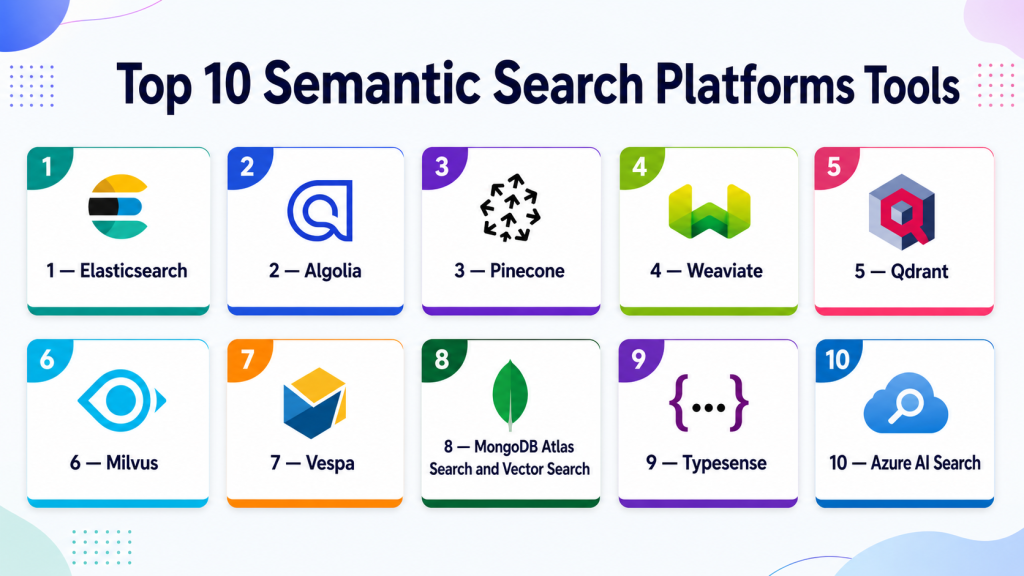
Top 10 Semantic Search Platforms Tools
1 — Elasticsearch
One-line verdict: Best for teams combining mature keyword search, analytics, vector search, and hybrid relevance workflows.
Short description :
Elasticsearch is a widely used search and analytics platform that supports full-text search, filtering, ranking, analytics, and vector search patterns. It is useful for teams that want semantic search alongside mature keyword search and operational search infrastructure.
Standout Capabilities
- Mature full-text search and filtering
- Supports vector search and hybrid search patterns depending on setup
- Strong ecosystem for search, logs, analytics, and observability
- Flexible indexing and query configuration
- Useful for enterprise search, application search, and RAG retrieval
- Supports ranking and relevance tuning workflows
- Works well where keyword precision and semantic relevance both matter
AI-Specific Depth Must Include
- Model support: Model-agnostic, supports embeddings from hosted, BYO, and open-source models
- RAG / knowledge integration: Strong fit for hybrid retrieval, metadata filtering, and RAG search pipelines
- Evaluation: Varies / N/A, external relevance and RAG evaluation workflows are often needed
- Guardrails: Varies / N/A, access control and safety depend on deployment and application design
- Observability: Query metrics, indexing status, latency, logs, dashboards, and operational visibility depending on setup
Pros
- Strong keyword plus semantic search foundation
- Good fit for enterprise search and analytics teams
- Mature ecosystem and broad integration coverage
Cons
- Vector-first simplicity may be lower than dedicated vector databases
- Tuning relevance can require expertise
- Deployment and pricing complexity depend on architecture
Security & Compliance
Security features such as RBAC, SSO, audit logs, encryption, retention, and admin controls may vary by deployment and plan. Certifications are Not publicly stated here.
Deployment & Platforms
- Cloud, self-hosted, or hybrid options vary by setup
- API-based search platform
- Works across backend and enterprise search environments
- Web UI availability depends on deployment
- Supports large-scale search operations
Integrations & Ecosystem
Elasticsearch fits organizations that need semantic search as part of a broader search, analytics, and observability ecosystem.
- Application search
- Enterprise search
- RAG frameworks
- Data ingestion tools
- Observability stacks
- Backend APIs
- Dashboards and analytics workflows
Pricing Model No exact prices unless confident
Open-source and commercial or managed options may vary by deployment, storage, compute, usage, and support needs. Exact pricing is Varies / N/A.
Best-Fit Scenarios
- Hybrid keyword and semantic search
- Enterprise knowledge search
- Teams already using Elasticsearch infrastructure
2 — Algolia
One-line verdict: Best for product teams needing fast user-facing search with semantic and relevance tuning features.
Short description :
Algolia provides hosted search and discovery tools for websites, ecommerce, SaaS apps, marketplaces, and content platforms. It is useful for teams that need fast search experiences, relevance controls, analytics, and semantic capabilities in customer-facing products.
Standout Capabilities
- Fast hosted search experience
- Strong developer APIs and front-end search components
- Relevance tuning and ranking controls
- Useful for ecommerce, SaaS, and marketplace search
- Search analytics and user behavior signals
- Supports semantic and AI-enhanced search workflows depending on setup
- Good fit for product-led search experiences
AI-Specific Depth Must Include
- Model support: Hosted and platform-managed AI features; BYO options vary
- RAG / knowledge integration: Useful for search and discovery; RAG integration depends on application design
- Evaluation: Search analytics and relevance testing patterns; custom AI evaluation may be needed
- Guardrails: Varies / N/A, application-level controls required
- Observability: Query analytics, click behavior, latency, search performance, and relevance signals depending on setup
Pros
- Strong user-facing search experience
- Good relevance controls for product teams
- Reduces infrastructure burden through managed delivery
Cons
- Less infrastructure control than self-hosted search
- Pricing should be tested against query and record volume
- Deep AI governance may require companion tools
Security & Compliance
Security features such as SSO, RBAC, API keys, encryption, audit logs, retention, and admin controls may vary by plan. Certifications are Not publicly stated here.
Deployment & Platforms
- Cloud-managed platform
- API-based integration
- Front-end and backend developer workflows
- Self-hosted: N/A
- Web and mobile app search use cases
Integrations & Ecosystem
Algolia fits product teams that want semantic search inside user-facing applications without operating search infrastructure.
- Web applications
- Mobile applications
- Ecommerce platforms
- Product catalogs
- CMS workflows
- Analytics systems
- Front-end frameworks
Pricing Model No exact prices unless confident
Typically usage-based or tiered depending on records, queries, features, and support needs. Exact pricing is Not publicly stated.
Best-Fit Scenarios
- Ecommerce search
- SaaS product search
- High-speed user-facing semantic discovery
3 — Pinecone
One-line verdict: Best for teams building semantic search and RAG retrieval on a managed vector database.
Short description :
Pinecone is a managed vector database used for similarity search, semantic search, and RAG applications. It is useful for teams that want vector retrieval infrastructure without operating indexes, replicas, or scaling manually.
Standout Capabilities
- Managed vector search infrastructure
- Strong fit for semantic retrieval and RAG
- Metadata filtering for contextual search
- Developer-friendly APIs
- Useful for production AI applications
- Reduces vector infrastructure operations
- Works with many RAG and AI frameworks
AI-Specific Depth Must Include
- Model support: Model-agnostic, supports embeddings from hosted, BYO, and open-source models
- RAG / knowledge integration: Strong fit for RAG retrieval, vector indexing, semantic search, and metadata filtering
- Evaluation: Varies / N/A, usually paired with retrieval and RAG evaluation tools
- Guardrails: Varies / N/A, requires companion access control and safety design
- Observability: Query metrics, latency, usage, and operational signals vary by setup and plan
Pros
- Managed service reduces operational overhead
- Strong fit for vector-first semantic search
- Good for teams building RAG systems quickly
Cons
- Less control than self-hosted vector databases
- Hybrid keyword search may need companion architecture depending on use case
- Costs should be tested with real query and storage volume
Security & Compliance
Security features such as encryption, access controls, private networking, RBAC, audit logs, retention, and residency may vary by plan and deployment. Certifications are Not publicly stated here.
Deployment & Platforms
- Cloud-managed platform
- API-based access
- Self-hosted: Varies / N/A
- Hybrid: Varies / N/A
- Works with backend and AI application workflows
Integrations & Ecosystem
Pinecone fits teams that need a managed vector retrieval layer for semantic search and RAG.
- RAG frameworks
- Embedding model providers
- Document indexing pipelines
- Search applications
- AI assistants
- Backend APIs
- Observability tools through integration
Pricing Model No exact prices unless confident
Typically usage-based or tiered depending on storage, indexes, queries, replicas, and configuration. Exact pricing is Not publicly stated.
Best-Fit Scenarios
- Vector-first semantic search
- RAG application retrieval
- Managed similarity search at production scale
4 — Weaviate
One-line verdict: Best for teams needing open-source-friendly semantic search with hybrid retrieval and vector flexibility.
Short description :
Weaviate is a vector database and semantic search platform that supports vector search, hybrid search, metadata filtering, and AI application workflows. It is useful for teams that want open-source flexibility with managed or self-hosted options.
Standout Capabilities
- Vector and hybrid search support
- Open-source and managed deployment paths
- Metadata filtering and schema-based organization
- Strong fit for RAG and semantic search
- Works with multiple embedding and model workflows
- Useful for multimodal and knowledge search use cases depending on setup
- Good balance of flexibility and developer usability
AI-Specific Depth Must Include
- Model support: Model-agnostic, supports hosted, BYO, and open-source embeddings depending on setup
- RAG / knowledge integration: Strong support for vector search, hybrid retrieval, metadata, and RAG integrations
- Evaluation: Varies / N/A, external retrieval testing and RAG evaluation recommended
- Guardrails: Varies / N/A, application-level controls required
- Observability: Query metrics, indexing status, operational health, and usage visibility depend on deployment
Pros
- Flexible deployment and open-source-friendly model
- Strong hybrid search fit
- Good option for teams needing control over retrieval design
Cons
- Self-hosting requires operational skill
- Schema and indexing design need planning
- Governance features depend on deployment and plan
Security & Compliance
Security features such as authentication, authorization, encryption, RBAC, audit logs, retention, and residency may vary by deployment and plan. Certifications are Not publicly stated here.
Deployment & Platforms
- Cloud, self-hosted, or hybrid options vary by setup
- API-based access
- Container and Kubernetes-friendly patterns
- Backend application integration
- Web console: Varies / N/A
Integrations & Ecosystem
Weaviate fits teams building semantic search across documents, apps, knowledge bases, and AI workflows.
- RAG frameworks
- Embedding models
- Backend APIs
- Document pipelines
- Knowledge bases
- Semantic search apps
- Recommendation workflows
Pricing Model No exact prices unless confident
Open-source usage is available. Managed or enterprise pricing varies by usage, deployment, storage, compute, and support requirements.
Best-Fit Scenarios
- Hybrid semantic search
- Open-source-friendly RAG retrieval
- Teams needing deployment flexibility
5 — Qdrant
One-line verdict: Best for developers needing vector search, strong filtering, and flexible semantic retrieval control.
Short description :
Qdrant is a vector search engine and database focused on similarity search, metadata filtering, and production AI applications. It is useful for teams building semantic search, recommendations, RAG retrieval, and personalization workflows.
Standout Capabilities
- Vector search with strong filtering patterns
- Open-source and managed deployment options
- Useful for semantic search and recommendations
- Payload-based metadata filtering
- Developer-friendly APIs
- Good fit for RAG and search applications
- Flexible for cloud and self-managed use cases
AI-Specific Depth Must Include
- Model support: Model-agnostic, supports embeddings from hosted, BYO, and open-source models
- RAG / knowledge integration: Strong support for vector retrieval, metadata filters, and RAG framework integrations
- Evaluation: Varies / N/A, external retrieval evaluation recommended
- Guardrails: Varies / N/A, application-level controls required
- Observability: Query metrics, indexing behavior, and operational visibility depend on deployment and tooling
Pros
- Strong metadata filtering for precise retrieval
- Developer-friendly vector search workflows
- Flexible deployment options
Cons
- Requires evaluation tooling for semantic quality measurement
- Enterprise governance depends on deployment and plan
- Large-scale architecture needs careful planning
Security & Compliance
Security features such as access control, encryption, RBAC, audit logs, retention, and residency may vary by deployment and plan. Certifications are Not publicly stated here.
Deployment & Platforms
- Cloud, self-hosted, or hybrid options vary by setup
- API-based access
- Container-friendly deployment patterns
- Works with backend applications
- Web console: Varies / N/A
Integrations & Ecosystem
Qdrant fits teams needing flexible vector retrieval and filtering for AI search applications.
- LangChain
- LlamaIndex
- RAG systems
- Embedding pipelines
- Recommendation engines
- Backend APIs
- AI application platforms
Pricing Model No exact prices unless confident
Open-source usage is available. Managed or enterprise pricing varies by storage, queries, compute, deployment, and support needs.
Best-Fit Scenarios
- Semantic search with metadata filters
- Recommendation and personalization workflows
- Developer-led RAG retrieval systems
6 — Milvus
One-line verdict: Best for teams needing large-scale open-source vector search for semantic retrieval workloads.
Short description :
Milvus is an open-source vector database designed for large-scale similarity search. It is useful for teams building semantic search, recommendation, RAG, and multimodal retrieval systems with strong infrastructure control.
Standout Capabilities
- Large-scale vector search support
- Open-source infrastructure control
- Multiple index patterns depending on configuration
- Useful for high-volume semantic retrieval
- Good fit for multimodal and recommendation use cases
- Works with many AI and vector search workflows
- Suitable for teams with platform engineering capacity
AI-Specific Depth Must Include
- Model support: Model-agnostic, supports embeddings from hosted, BYO, and open-source models
- RAG / knowledge integration: Strong fit for vector retrieval, semantic search, and RAG framework integration
- Evaluation: Varies / N/A, external relevance and RAG testing required
- Guardrails: Varies / N/A, application-level controls required
- Observability: Cluster health, indexing status, query performance, and operational metrics depend on deployment
Pros
- Strong open-source vector infrastructure
- Good for large-scale retrieval workloads
- Useful where teams need control over deployment and tuning
Cons
- Operations can be complex
- Requires infrastructure and tuning expertise
- Governance and admin controls depend on setup
Security & Compliance
Security depends on deployment, authentication, authorization, network controls, encryption, logging, and operational setup. Certifications are Not publicly stated.
Deployment & Platforms
- Self-hosted and cloud-style options vary by setup
- Container and Kubernetes deployment patterns
- Backend API access
- Cloud, self-hosted, or hybrid depending on architecture
- Web console: Varies / N/A
Integrations & Ecosystem
Milvus fits teams building semantic search at scale with control over infrastructure and retrieval performance.
- RAG frameworks
- Vector search applications
- Recommendation systems
- Multimodal search
- Embedding pipelines
- Kubernetes infrastructure
- AI platform workflows
Pricing Model No exact prices unless confident
Open-source usage is available. Managed or enterprise pricing varies by provider, infrastructure, storage, compute, and support needs.
Best-Fit Scenarios
- Large-scale semantic search
- Self-hosted vector retrieval
- Multimodal similarity search
7 — Vespa
One-line verdict: Best for advanced teams building search, recommendation, ranking, and semantic retrieval systems.
Short description :
Vespa is a search, recommendation, and serving platform that supports vector search, ranking, and large-scale retrieval. It is useful for teams that need advanced relevance control, ranking logic, and semantic search at scale.
Standout Capabilities
- Large-scale search and recommendation platform
- Supports vector search and advanced ranking workflows
- Strong fit for hybrid search and personalization
- Useful for complex retrieval and ranking systems
- Supports real-time serving patterns depending on setup
- Good for teams needing deep search control
- More than a simple vector store
AI-Specific Depth Must Include
- Model support: Model-agnostic, supports embeddings and ranking workflows depending on application design
- RAG / knowledge integration: Useful for retrieval, ranking, semantic search, and RAG pipelines
- Evaluation: Varies / N/A, external search and ranking evaluation recommended
- Guardrails: Varies / N/A
- Observability: Query performance, serving metrics, ranking behavior, latency, and operational signals depending on setup
Pros
- Strong for advanced ranking and retrieval
- Good for recommendation and personalization search
- Supports complex production search systems
Cons
- Higher learning curve than simpler platforms
- Requires engineering expertise
- May be too advanced for small semantic search projects
Security & Compliance
Security depends on deployment, authentication, authorization, network controls, encryption, logging, and operational setup. Certifications are Not publicly stated.
Deployment & Platforms
- Cloud, self-hosted, or hybrid options vary by setup
- Search and serving platform
- API-based access
- Backend and large-scale search environments
- Web console: Varies / N/A
Integrations & Ecosystem
Vespa fits organizations where semantic search is part of a broader ranking, recommendation, and personalized retrieval architecture.
- Search applications
- Recommendation systems
- RAG pipelines
- Ranking models
- Backend APIs
- Data ingestion pipelines
- Real-time serving workflows
Pricing Model No exact prices unless confident
Open-source and managed or commercial options may vary. Costs depend on infrastructure, storage, query volume, serving scale, and support needs.
Best-Fit Scenarios
- Advanced semantic search ranking
- Personalized recommendations
- Large-scale retrieval systems
8 — MongoDB Atlas Search and Vector Search
One-line verdict: Best for teams adding semantic search to MongoDB-backed applications and document workloads.
Short description :
MongoDB Atlas Search and Vector Search help teams search across document data using text search and vector search patterns. It is useful for application teams already using MongoDB who want semantic retrieval close to their operational data.
Standout Capabilities
- Search over MongoDB document data
- Vector search workflows inside MongoDB Atlas environments
- Useful for RAG over application documents
- Keeps app data and embeddings close together
- Supports metadata-rich document search patterns
- Good fit for developer teams already using MongoDB
- Reduces need to move data to a separate search layer for some use cases
AI-Specific Depth Must Include
- Model support: Model-agnostic, supports embeddings from hosted, BYO, and open-source models
- RAG / knowledge integration: Useful for RAG over document collections, metadata, and embedded content
- Evaluation: Varies / N/A, external retrieval evaluation recommended
- Guardrails: Varies / N/A, application-level controls required
- Observability: Query behavior, database metrics, operational monitoring, and usage signals depend on setup
Pros
- Strong fit for MongoDB application stacks
- Keeps document data and semantic search close together
- Useful for app-native RAG and search workflows
Cons
- Best fit when MongoDB is already part of the architecture
- Specialized search platforms may offer deeper ranking controls
- Exact security and pricing should be verified directly
Security & Compliance
Security features such as encryption, access controls, private networking, audit logs, retention, and residency may vary by plan and deployment. Certifications are Not publicly stated here.
Deployment & Platforms
- MongoDB Atlas cloud platform
- API and database-driver access
- Self-hosted semantic search support: Varies / N/A
- Works with backend applications
- Web console available depending on setup
Integrations & Ecosystem
MongoDB Atlas Search and Vector Search fit teams building semantic search directly on document-based application data.
- MongoDB applications
- RAG frameworks
- Backend APIs
- Embedding pipelines
- Application metadata
- Document collections
- AI assistants
Pricing Model No exact prices unless confident
Typically usage-based or tiered depending on cluster configuration, storage, compute, query load, and related platform services. Exact pricing varies by workload.
Best-Fit Scenarios
- MongoDB-backed semantic search
- RAG over document collections
- Application-native AI search
9 — Typesense
One-line verdict: Best for teams needing developer-friendly search with semantic and keyword search capabilities.
Short description :
Typesense is an open-source search engine focused on fast, developer-friendly search experiences. It is useful for teams building product search, documentation search, and application search with a simpler operational model than heavier enterprise platforms.
Standout Capabilities
- Fast developer-friendly search experience
- Open-source and managed deployment options
- Strong fit for product and site search
- Supports typo tolerance and relevance controls
- Semantic and vector-related workflows may vary by setup
- Useful for lightweight search applications
- Easier adoption for smaller teams
AI-Specific Depth Must Include
- Model support: Model-agnostic where vector or semantic workflows are configured
- RAG / knowledge integration: Varies / N/A, can be used as a search layer in retrieval workflows depending on setup
- Evaluation: Varies / N/A, external relevance testing recommended
- Guardrails: Varies / N/A, application-level controls required
- Observability: Query analytics, indexing behavior, and operational metrics depend on deployment
Pros
- Developer-friendly and lightweight
- Good for product and documentation search
- Easier to operate than some larger search systems
Cons
- Advanced enterprise semantic features may be limited depending on setup
- Deep RAG workflows may require companion vector or AI tools
- Governance and access control depend on deployment design
Security & Compliance
Security features such as authentication, access controls, encryption, audit logs, retention, and admin controls may vary by deployment and plan. Certifications are Not publicly stated.
Deployment & Platforms
- Cloud, self-hosted, or hybrid options vary by setup
- API-based search platform
- Works with web and backend applications
- Web console availability depends on deployment
- Developer-friendly integration patterns
Integrations & Ecosystem
Typesense fits teams that need a clean search layer for product, documentation, or application search with possible semantic enhancements.
- Web applications
- Product catalogs
- Documentation sites
- Backend APIs
- CMS workflows
- Search UI components
- AI retrieval workflows depending on setup
Pricing Model No exact prices unless confident
Open-source usage is available. Managed or commercial pricing varies by usage, storage, query load, deployment, and support needs.
Best-Fit Scenarios
- Developer-friendly site search
- Product and documentation search
- Lightweight semantic search exploration
10 — Azure AI Search
One-line verdict: Best for Microsoft-centered teams building enterprise search, RAG, and knowledge retrieval workflows.
Short description :
Azure AI Search provides search capabilities for enterprise applications, including text search, vector search, and hybrid retrieval patterns depending on setup. It is useful for teams building Microsoft-aligned enterprise search, RAG, and knowledge discovery systems.
Standout Capabilities
- Enterprise search in the Azure ecosystem
- Supports text, vector, and hybrid retrieval patterns depending on setup
- Useful for RAG and knowledge search workflows
- Integrates with Azure data and AI services
- Good fit for enterprise application teams
- Supports indexing and search pipeline patterns
- Useful where Microsoft identity and cloud services are central
AI-Specific Depth Must Include
- Model support: Model-agnostic embeddings; hosted and BYO patterns depend on Azure architecture
- RAG / knowledge integration: Strong fit for Azure-based RAG, document retrieval, and enterprise search workflows
- Evaluation: Varies / N/A, custom retrieval and RAG evaluation recommended
- Guardrails: Varies / N/A, platform and application controls required
- Observability: Cloud logs, query metrics, indexing status, latency, and operational monitoring depend on configuration
Pros
- Strong fit for Microsoft cloud environments
- Useful for enterprise RAG and search
- Integrates with Azure data, identity, and AI workflows
Cons
- Best value appears inside Azure ecosystem
- Portability should be planned carefully
- Configuration and cost depend on workload design
Security & Compliance
Security depends on Azure identity, RBAC, encryption, logging, networking, retention, data residency, and account configuration. Certifications should be verified directly for required services and regions.
Deployment & Platforms
- Azure cloud platform
- API and managed search service
- Cloud deployment
- Self-hosted: N/A
- Works with enterprise application workflows
Integrations & Ecosystem
Azure AI Search fits teams building semantic search and RAG on top of Microsoft cloud data and application services.
- Azure data services
- Azure AI services
- RAG pipelines
- Enterprise applications
- Identity and access management
- Monitoring workflows
- Developer tools
Pricing Model No exact prices unless confident
Usage-based or service-based pricing depends on storage, indexes, queries, replicas, partitions, and related Azure services. Exact pricing varies by workload.
Best-Fit Scenarios
- Azure-based enterprise search
- RAG over business documents
- Microsoft-centered AI application teams
Comparison Table
| Tool Name | Best For | Deployment Cloud/Self-hosted/Hybrid | Model Flexibility Hosted / BYO / Multi-model / Open-source | Strength | Watch-Out | Public Rating |
|---|---|---|---|---|---|---|
| Elasticsearch | Hybrid enterprise search | Cloud, self-hosted, hybrid | Model-agnostic | Mature keyword plus vector search | Tuning can be complex | N/A |
| Algolia | User-facing product search | Cloud | Hosted and platform-managed varies | Fast product search UX | Less self-hosting control | N/A |
| Pinecone | Vector-first semantic search | Cloud | Model-agnostic | Managed vector retrieval | Hybrid needs architecture | N/A |
| Weaviate | Open-source hybrid search | Cloud, self-hosted, hybrid | Model-agnostic | Flexible semantic search | Schema planning needed | N/A |
| Qdrant | Filtered vector retrieval | Cloud, self-hosted, hybrid | Model-agnostic | Strong metadata filtering | Needs evaluation tooling | N/A |
| Milvus | Large-scale vector search | Cloud, self-hosted, hybrid | Model-agnostic | Scale and infrastructure control | Operations can be complex | N/A |
| Vespa | Ranking and recommendations | Cloud, self-hosted, hybrid | Model-agnostic | Advanced ranking | Higher learning curve | N/A |
| MongoDB Atlas Search and Vector Search | MongoDB app search | Cloud | Model-agnostic | App data and search together | Best for MongoDB stacks | N/A |
| Typesense | Lightweight app search | Cloud, self-hosted, hybrid | Model-agnostic varies | Developer simplicity | Advanced AI depth varies | N/A |
| Azure AI Search | Azure enterprise search | Cloud | Model-agnostic | Azure RAG integration | Azure-centered | N/A |
Scoring & Evaluation Transparent Rubric
| Tool | Core | Reliability/Eval | Guardrails | Integrations | Ease | Perf/Cost | Security/Admin | Support | Weighted Total |
|---|---|---|---|---|---|---|---|---|---|
| Elasticsearch | 9 | 7 | 6 | 9 | 7 | 7 | 8 | 8 | 7.75 |
| Algolia | 8 | 7 | 5 | 8 | 9 | 7 | 8 | 8 | 7.65 |
| Pinecone | 9 | 7 | 5 | 9 | 9 | 8 | 8 | 8 | 8.05 |
| Weaviate | 9 | 7 | 5 | 9 | 8 | 8 | 7 | 8 | 7.85 |
| Qdrant | 9 | 6 | 4 | 8 | 8 | 8 | 7 | 8 | 7.50 |
| Milvus | 9 | 6 | 4 | 8 | 6 | 9 | 6 | 8 | 7.25 |
| Vespa | 9 | 6 | 4 | 8 | 5 | 9 | 7 | 8 | 7.15 |
| MongoDB Atlas Search and Vector Search | 8 | 6 | 5 | 8 | 8 | 7 | 8 | 8 | 7.35 |
| Typesense | 7 | 5 | 4 | 7 | 9 | 8 | 6 | 7 | 6.70 |
| Azure AI Search | 8 | 6 | 6 | 8 | 8 | 7 | 8 | 8 | 7.40 |
Top 3 for Enterprise
- Elasticsearch
- Azure AI Search
- Weaviate
Top 3 for SMB
- Algolia
- Qdrant
- Typesense
Top 3 for Developers
- Qdrant
- Weaviate
- Elasticsearch
Which Semantic Search Platform Is Right for You?
Solo / Freelancer
Solo users usually need a simple setup that can search documents, product data, or app content without heavy operations. A fully managed platform or lightweight open-source search engine is usually enough.
Recommended options:
- Typesense for simple app and site search
- Algolia for fast hosted user-facing search
- Qdrant for developer-friendly vector search
- Pinecone for managed vector-first semantic search
Start with a small dataset and test real queries before scaling.
SMB
Small and midsize businesses should prioritize fast implementation, easy relevance tuning, predictable cost, and manageable operations.
Recommended options:
- Algolia for customer-facing search
- Pinecone for RAG and semantic retrieval
- Qdrant for flexible vector search
- Typesense for lightweight app search
- MongoDB Atlas Search and Vector Search if MongoDB is already central
SMBs should avoid overbuilding and choose a platform that fits existing engineering skills.
Mid-Market
Mid-market teams often need semantic search across products, documentation, knowledge bases, support content, and AI assistants. They need stronger analytics, indexing workflows, permissions, and search quality testing.
Recommended options:
- Elasticsearch for hybrid enterprise search
- Weaviate for open-source-friendly semantic and hybrid search
- Pinecone for managed vector retrieval
- Azure AI Search for Microsoft-centered teams
- MongoDB Atlas Search and Vector Search for document-based apps
Mid-market buyers should test metadata filters, latency, indexing refresh, and relevance across real workloads.
Enterprise
Enterprises need semantic search with governance, scalability, access control, auditability, and integration with existing data platforms.
Recommended options:
- Elasticsearch for mature enterprise search and hybrid retrieval
- Azure AI Search for Azure-aligned enterprise applications
- Weaviate for flexible open-source and enterprise deployment paths
- Milvus for large-scale self-managed vector search
- Vespa for advanced ranking and recommendation systems
- Pinecone for managed vector search
Enterprise teams should verify RBAC, SSO, audit logs, encryption, private networking, data residency, access-aware retrieval, and export options.
Regulated industries finance/healthcare/public sector
Regulated organizations need semantic search that respects data privacy, user permissions, audit requirements, and governance controls.
Important priorities:
- Permission-aware retrieval
- Data residency and retention controls
- Encryption in transit and at rest
- Audit logs and query records
- User and tenant isolation
- Sensitive data filtering
- Search result traceability
- Index versioning and rollback
- Human review for high-risk search outcomes
- Integration with governance workflows
Strong-fit options may include Elasticsearch, Azure AI Search, Weaviate, Milvus, Pinecone, and MongoDB Atlas Search and Vector Search, depending on deployment requirements.
Budget vs premium
Budget-conscious teams can begin with open-source or existing database-aligned search systems before adopting premium managed platforms.
Budget-friendly direction:
- Typesense for lightweight search
- Qdrant for open-source-friendly vector retrieval
- Weaviate for flexible semantic search
- Milvus for self-managed scale
- Existing database-native search where practical
Premium direction:
- Algolia for managed product search
- Pinecone for managed vector search
- Elasticsearch managed options for enterprise search
- Azure AI Search for Microsoft cloud teams
- Vespa managed or enterprise support for advanced ranking workloads
The best choice depends on whether the main constraint is cost, latency, relevance, governance, scale, or developer effort.
Build vs buy when to DIY
DIY can work when:
- Search volume is small
- Data sources are simple
- Relevance requirements are basic
- You already have strong engineering capacity
- You can manage indexing and evaluation
- Governance requirements are light
Buy or use a managed platform when:
- Search is customer-facing or business-critical
- You need high availability and scale
- You need strong analytics and relevance tuning
- You need permission-aware retrieval
- Multiple teams depend on search
- You need support and faster time to production
- You need hybrid search, vector search, and ranking controls
A practical approach is to prototype with a lightweight or managed option, evaluate search quality, then choose a production stack based on real query behavior.
Implementation Playbook 30 / 60 / 90 Days
30 Days: Pilot and success metrics
Start with one focused search use case instead of indexing every data source at once.
Key tasks:
- Choose one search domain such as docs, products, tickets, or knowledge base articles
- Define target users and common queries
- Select one or two candidate platforms
- Prepare a clean dataset with metadata
- Add keyword and semantic search where possible
- Create a small relevance evaluation set
- Measure top results, latency, failed searches, and user satisfaction
- Define permissions and data retention assumptions
- Review query logging and analytics needs
- Document indexing and ranking configuration
AI-specific tasks:
- Test semantic retrieval quality for real questions
- Compare vector, keyword, and hybrid search results
- Add RAG answer evaluation if search feeds an LLM
- Track embedding model and index version
- Define incident handling for bad or unsafe retrieval
60 Days: Harden security, evaluation, and rollout
After the pilot works, improve relevance, governance, and operational reliability.
Key tasks:
- Add metadata filters and ranking rules
- Add synonyms, boosts, or reranking where needed
- Add permission-aware retrieval
- Add search analytics and query dashboards
- Add incremental indexing and freshness checks
- Add monitoring for latency and failed queries
- Add access controls and audit review
- Add user feedback collection
- Expand to more data sources carefully
- Run structured relevance testing before rollout
AI-specific tasks:
- Add retrieval precision and recall testing
- Add hallucination and faithfulness checks for RAG outputs
- Test prompt injection risks from retrieved content
- Monitor cost and latency by query type
- Add human review for high-risk search results
- Convert poor results into regression tests
90 Days: Optimize cost, latency, governance, and scale
Once semantic search is reliable, standardize it as a production platform.
Key tasks:
- Create search relevance governance rules
- Add index versioning and rollback
- Optimize ranking and filtering
- Improve cost controls for storage and query volume
- Add executive dashboards for search quality
- Add source ownership and freshness SLAs
- Add export and migration planning
- Add incident playbooks for search failures
- Scale across more teams and applications
- Connect search insights to product and support workflows
AI-specific tasks:
- Monitor retrieval quality over time
- Track embedding and reranker changes
- Add safety checks for sensitive search results
- Connect retrieval failures to AI incident management
- Add advanced RAG evaluation
- Scale observability, evaluation, access control, and governance across search applications
Common Mistakes & How to Avoid Them
- Choosing semantic search without testing real queries: Always test with real users, real content, and expected results.
- Using only vector search: Hybrid search often performs better when exact terms, IDs, SKUs, and technical phrases matter.
- Ignoring metadata: Metadata improves filtering, ranking, permissions, routing, and governance.
- No relevance evaluation: Search quality should be measured with test queries, expected results, user feedback, and analytics.
- Poor indexing strategy: Duplicate, stale, or badly parsed content leads to poor search results.
- Ignoring access control: Semantic search can accidentally surface sensitive content if permissions are not enforced.
- No query analytics: Failed searches and low-click results reveal where content or ranking needs improvement.
- Overusing LLM answers too early: First make retrieval reliable, then add generated answers or summaries.
- No latency testing: Semantic search can become slow if indexes, filters, rerankers, or embeddings are poorly configured.
- No cost monitoring: Vector storage, query traffic, replicas, reranking, and AI features can increase costs.
- No fallback behavior: If semantic search confidence is low, the system should offer filters, clarifying queries, or keyword results.
- Ignoring multilingual needs: Global teams should test search quality across languages and mixed-language queries.
- No index freshness process: Search results must reflect updated products, policies, documents, and permissions.
- Vendor lock-in without export planning: Make sure documents, vectors, metadata, and relevance settings can be migrated if needed.
FAQs
1. What is semantic search?
Semantic search finds results based on meaning and intent instead of only exact keywords. It uses embeddings, vector search, NLP, and ranking methods.
2. How is semantic search different from keyword search?
Keyword search matches exact words or phrases. Semantic search can find related concepts even when users use different wording.
3. What is hybrid search?
Hybrid search combines keyword search with vector or semantic search. It often improves accuracy because it handles both exact terms and meaning-based matches.
4. Why is semantic search important for RAG?
RAG systems need relevant context before generating answers. Semantic search helps retrieve useful context from documents, knowledge bases, or databases.
5. Can semantic search reduce hallucinations?
It can reduce hallucinations by improving retrieved context, but it does not eliminate them. RAG evaluation, guardrails, and source traceability are still needed.
6. Do semantic search platforms support BYO models?
Many platforms are model-agnostic and can use embeddings from hosted, BYO, or open-source models. Exact support varies by platform.
7. Can semantic search be self-hosted?
Yes, several platforms support self-hosting or open-source deployment. Others are cloud-managed only.
8. How does semantic search affect privacy?
Semantic search may index sensitive documents, user queries, and embeddings. Privacy depends on access controls, encryption, retention, logging, and deployment choices.
9. What is metadata filtering?
Metadata filtering restricts results by attributes such as department, tenant, document type, language, region, product, date, or permission level.
10. What is reranking?
Reranking reorders candidate search results using a second model or scoring method to improve final relevance.
11. What should I measure in semantic search?
Measure relevance, precision, recall, click-through rate, failed searches, latency, query volume, cost, answer faithfulness, and user satisfaction.
12. What are alternatives to semantic search platforms?
Alternatives include traditional keyword search, database queries, full-text search engines, vector databases, graph search, managed chatbot platforms, or custom retrieval systems.
13. Can I switch semantic search platforms later?
Yes, but migration is easier if documents, vectors, metadata, schemas, ranking rules, and analytics can be exported.
14. Is semantic search only for AI applications?
No. It is useful for ecommerce, websites, documentation, internal knowledge, support portals, legal search, product discovery, and enterprise search.
15. What is the biggest mistake in semantic search projects?
The biggest mistake is focusing on the search technology while ignoring content quality, metadata, permissions, relevance testing, and user feedback.
Conclusion
Semantic Search Platforms help organizations deliver more meaningful, accurate, and useful discovery experiences across products, documents, knowledge bases, and AI applications. The best platform depends on your needs: Elasticsearch is strong for mature hybrid enterprise search, Algolia fits fast user-facing product search, Pinecone is strong for vector-first RAG retrieval, Weaviate and Qdrant offer flexible vector and hybrid search, Milvus supports large-scale open-source retrieval, Vespa fits advanced ranking and recommendations, MongoDB Atlas Search and Vector Search works well for MongoDB apps, Typesense fits lightweight developer-friendly search, and Azure AI Search fits Microsoft-centered enterprise workflows.
This blog provides a clear and practical overview of semantic search platforms and their growing importance in AI-driven systems.