Introduction
Agentic Customer Support Platforms are AI-powered systems designed to autonomously manage customer interactions across multiple channels, including chat, email, voice, and social media. Unlike traditional customer support tools, these platforms employ AI agents capable of understanding context, making decisions, retrieving knowledge, and executing tasks without constant human supervision. These platforms have become vital for businesses aiming to reduce operational costs, improve response times, and provide 24/7 intelligent support at scale.
The relevance of agentic support platforms has surged due to the increasing complexity of customer expectations and the need for real-time problem resolution. They allow companies to scale support operations efficiently while maintaining quality. Modern platforms now support multimodal inputs, advanced routing, sentiment analysis, and integration with CRMs and enterprise knowledge bases, enabling a seamless customer experience.
Real-world use cases include:
- Automated resolution of common customer inquiries without human intervention.
- Proactive engagement using AI agents to detect and address user issues.
- Multilingual support for global customer bases.
- Intelligent escalation of complex tickets to human agents.
- Integration with CRM systems to provide personalized responses.
- Analytics-driven insights to improve support efficiency and agent performance.
Best for: Customer support teams, enterprise IT departments, and SaaS providers that handle high volumes of interactions and require continuous automation.
Not ideal for: Small businesses with low support volume or organizations preferring manual human-centric support without AI intervention.
What’s Changed in Agentic Customer Support Platforms
- Multi-agent orchestration to handle complex workflows.
- Integration with multimodal inputs: text, voice, images.
- Automated evaluation frameworks to detect hallucinations and ensure response reliability.
- Enhanced guardrails and prompt-injection defense mechanisms.
- Enterprise-grade privacy: data residency and retention control.
- Cost and latency optimization through model routing and BYO model support.
- Observability dashboards for token usage, latency, and workflow tracing.
- Governance and compliance expectations aligned with regulatory requirements.
- Real-time analytics for agent performance monitoring.
- Sentiment and intent analysis to improve response quality.
- Personalized AI-driven recommendations integrated with CRM systems.
- AI-assisted escalation management for complex queries.
Quick Buyer Checklist
- Data privacy & retention policies
- Model choice: hosted, BYO, or open-source
- RAG/knowledge integration with internal databases
- Evaluation & testing framework
- Guardrails for safe and compliant responses
- Latency & cost optimization controls
- Auditability & admin controls (RBAC, SSO, logs)
- Vendor lock-in risk and platform portability
- Integration with CRM, helpdesk, or analytics platforms
- Support and community resources
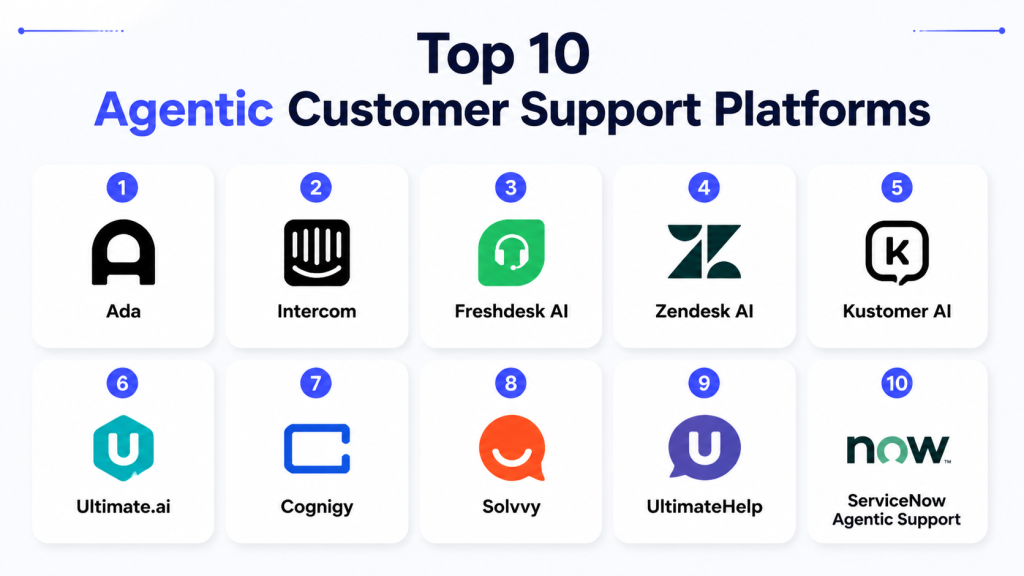
Top 10 Agentic Customer Support Platforms
1 — Ada
One-line verdict: Best for enterprises seeking multilingual AI agents with high automation and seamless CRM integration.
Short description: Ada provides AI agents that automate customer interactions at scale, reducing workload on human agents and improving response speed.
Standout Capabilities
- Multilingual support across channels
- Integration with CRM and ticketing systems
- AI-powered ticket triaging and routing
- Personalized, context-aware responses
- Analytics dashboards for agent performance
- No-code workflow customization
- Continuous learning from human interactions
AI-Specific Depth
- Model support: Proprietary
- RAG / knowledge integration: Connectors to internal knowledge bases
- Evaluation: Prompt testing, human-in-the-loop review
- Guardrails: Policy checks, prompt injection defense
- Observability: Traces, token/cost metrics, latency
Pros
- Reduces human agent workload
- Improves response accuracy and speed
- Scalable across multiple channels
Cons
- Enterprise pricing may be high
- Customization may require technical expertise
- Limited open-source support
Security & Compliance
- SSO/SAML, RBAC, audit logs, encryption: Not publicly stated
Deployment & Platforms
- Web, Cloud
- Varies / N/A
Integrations & Ecosystem
- API and SDK support
- Connectors to Salesforce, Zendesk, and other CRMs
- Analytics and monitoring integrations
Pricing Model
- Tiered subscription, usage-based
Best-Fit Scenarios
- Multilingual global customer support
- Enterprises needing 24/7 automated responses
- CRM-integrated support workflows
2 — Intercom
One-line verdict: Ideal for SMBs and mid-market companies seeking conversational AI with proactive support capabilities.
Short description: Intercom uses AI agents to handle customer interactions, automate workflows, and provide proactive guidance.
Standout Capabilities
- Conversational AI for chat and email
- Automated workflows for lead qualification
- Integration with CRM and support tools
- Proactive outreach and notifications
- Multi-channel support
- Analytics for performance optimization
- AI-assisted ticket escalation
AI-Specific Depth
- Model support: Proprietary
- RAG / knowledge integration: Connectors to FAQs and knowledge bases
- Evaluation: Regression testing and feedback loops
- Guardrails: Policy enforcement for safe automation
- Observability: Token usage, latency, cost metrics
Pros
- Proactive customer engagement
- Seamless workflow automation
- Integrates well with popular CRMs
Cons
- Limited flexibility for highly complex workflows
- Best suited for SMBs, less for enterprise-scale
- Proprietary models only
Security & Compliance
- SSO/SAML, RBAC: Not publicly stated
Deployment & Platforms
- Web, iOS, Android
- Cloud
Integrations & Ecosystem
- APIs and SDKs for support tools
- CRM and analytics integration
- Webhooks for custom workflows
Pricing Model
- Tiered subscription based on active users
Best-Fit Scenarios
- SMBs needing proactive support
- Lead qualification automation
- Multi-channel customer engagement
3 — Freshdesk AI
One-line verdict: Best for enterprises seeking seamless AI automation embedded in existing helpdesk workflows.
Short description: Freshdesk AI automates ticket triaging, routing, and resolution recommendations while integrating with enterprise workflows.
Standout Capabilities
- AI-powered ticket categorization
- Workflow automation with business rules
- Knowledge base integration for automated responses
- Contextual AI suggestions for agents
- Analytics for resolution efficiency
- SLA tracking and reporting
- Multi-channel integration
AI-Specific Depth
- Model support: Proprietary + BYO
- RAG / knowledge integration: Vector DB and knowledge connectors
- Evaluation: Prompt testing, regression, agent feedback loops
- Guardrails: Policy enforcement
- Observability: Token usage, latency metrics
Pros
- Improves agent efficiency
- Reduces response time
- Integrates with enterprise workflows
Cons
- Limited low-code customization
- Complexity for smaller teams
- Pricing varies by feature tier
Security & Compliance
- SSO/SAML, audit logs: Not publicly stated
Deployment & Platforms
- Web, Windows, macOS
- Cloud
Integrations & Ecosystem
- Connectors for CRM, analytics, Slack, Teams
- API/SDK support for custom integration
Pricing Model
- Tiered subscription
Best-Fit Scenarios
- Enterprise helpdesk automation
- Multi-channel ticket resolution
- Knowledge base-driven support
4 — Zendesk AI
One-line verdict: Ideal for enterprises needing integrated AI support with advanced analytics and automated routing.
Short description: Zendesk AI provides agentic support with automation for ticket routing, answer suggestion, and SLA compliance.
Standout Capabilities
- AI-driven ticket classification and routing
- Automated resolution suggestions
- SLA and workflow management
- Analytics dashboards for agent performance
- Multi-channel integration
- Integration with knowledge base and CRMs
- Escalation and prioritization automation
AI-Specific Depth
- Model support: Proprietary
- RAG / knowledge integration: Knowledge base connectors
- Evaluation: Regression testing and human review
- Guardrails: Prompt injection prevention
- Observability: Token usage, latency metrics
Pros
- Efficient ticket handling
- Reduces agent load
- Detailed analytics and insights
Cons
- Pricing for enterprise features can be high
- Requires training for advanced workflows
- Limited BYO support
Security & Compliance
- SSO/SAML, RBAC, audit logs, encryption: Not publicly stated
Deployment & Platforms
- Web, iOS, Android
- Cloud
Integrations & Ecosystem
- APIs for CRM, Slack, Teams
- SDKs for custom workflow integration
- Analytics and reporting tools
Pricing Model
- Tiered subscription
Best-Fit Scenarios
- High-volume enterprise support
- SLA-driven customer service
- Multi-channel engagement automation
5 — Kustomer AI
One-line verdict: Best for mid-market and enterprises needing AI-driven, personalized omnichannel customer support.
Short description: Kustomer AI centralizes customer interactions, automates workflows, and provides personalized recommendations to enhance support efficiency.
Standout Capabilities
- Omnichannel AI agent support
- Workflow automation and escalation rules
- Contextual AI suggestions
- Customer data integration
- Analytics dashboards for performance tracking
- Knowledge base integration
- SLA compliance automation
AI-Specific Depth
- Model support: Proprietary
- RAG / knowledge integration: Connectors for internal knowledge bases
- Evaluation: Prompt tests, regression, human-in-the-loop
- Guardrails: Policy checks and injection prevention
- Observability: Traces, token/cost metrics, latency
Pros
- Personalizes customer support
- Reduces response time
- Centralizes multi-channel support
Cons
- Learning curve for advanced workflows
- Enterprise pricing is high
- Limited open-source options
Security & Compliance
- SSO/SAML, RBAC, audit logs: Not publicly stated
Deployment & Platforms
- Web, iOS, Android
- Cloud
Integrations & Ecosystem
- API/SDK for CRM, analytics, and SaaS tools
- Knowledge base connectors
- Multi-channel workflow integration
Pricing Model
- Tiered subscription
Best-Fit Scenarios
- Personalized enterprise support
- Omnichannel workflow automation
- High-volume ticket management
6 — Ultimate.ai
One-line verdict: Best for enterprises needing AI-driven ticket automation with multilingual support and workflow orchestration.
Short description: Ultimate.ai automates customer interactions at scale, enabling agents to focus on complex queries while AI handles repetitive tasks.
Standout Capabilities
- AI-driven ticket triaging and prioritization
- Multilingual support for global customers
- Integration with CRM and support tools
- Workflow automation and escalation management
- Analytics dashboards for agent performance
- Pre-built templates for enterprise workflows
- Continuous learning from agent and customer interactions
AI-Specific Depth
- Model support: Proprietary
- RAG / knowledge integration: Connectors to internal knowledge bases
- Evaluation: Regression testing, human-in-the-loop validation
- Guardrails: Policy enforcement, prompt injection protection
- Observability: Latency, token usage, and workflow tracing
Pros
- Reduces repetitive ticket handling
- Supports global, multilingual operations
- Improves SLA adherence
Cons
- Premium pricing for enterprise features
- Learning curve for custom workflow creation
- Limited BYO model support
Security & Compliance
- SSO/SAML, RBAC, audit logs: Not publicly stated
Deployment & Platforms
- Web, Cloud
- Hybrid options vary / N/A
Integrations & Ecosystem
- API and SDK support
- Connectors for Salesforce, Zendesk, ServiceNow
- Analytics and reporting integrations
- Extensible workflow automation
Pricing Model
- Tiered subscription
Best-Fit Scenarios
- Multilingual enterprise customer support
- SLA-driven automation workflows
- High-volume ticket management
7 — Cognigy
One-line verdict: Ideal for enterprises requiring low-code conversational AI with omnichannel deployment.
Short description: Cognigy enables automated interactions across chat, email, voice, and social channels with low-code workflow orchestration.
Standout Capabilities
- Low-code, drag-and-drop conversation builder
- Omnichannel deployment: chat, email, voice, social
- AI-driven conversation routing and escalation
- Workflow automation with business rules
- Analytics dashboards for conversation metrics
- Pre-built templates for customer support scenarios
- Integration with knowledge bases and CRMs
AI-Specific Depth
- Model support: Proprietary + BYO
- RAG / knowledge integration: Knowledge connectors and vector DBs
- Evaluation: Regression tests, simulation, human review
- Guardrails: Policy enforcement, injection defenses
- Observability: Token, latency, and cost metrics
Pros
- Easy-to-use low-code interface
- Supports omnichannel interactions
- Scalable across enterprise teams
Cons
- Custom integrations may require technical skills
- Pricing may be high for small teams
- Limited open-source support
Security & Compliance
- SSO/SAML, RBAC, audit logs, encryption: Not publicly stated
Deployment & Platforms
- Web, Cloud, Windows/macOS
- Hybrid support: Varies / N/A
Integrations & Ecosystem
- APIs for CRMs, ERP, and analytics
- SDKs for custom integration
- Connectors for Slack, Teams, Salesforce
- Workflow extensibility and automation
Pricing Model
- Tiered subscription
Best-Fit Scenarios
- Mid-market enterprises
- Omnichannel support operations
- Low-code conversational AI automation
8 — Solvvy
One-line verdict: Best for enterprises wanting self-service AI agents to deflect repetitive support tickets efficiently.
Short description: Solvvy uses AI agents to automate responses for common queries while escalating complex tickets to human agents.
Standout Capabilities
- Self-service AI automation for FAQs
- Ticket deflection analytics
- AI-powered routing and prioritization
- Knowledge base integration for instant answers
- Multi-channel support
- Continuous learning from interactions
- Reporting dashboards for performance insights
AI-Specific Depth
- Model support: Proprietary
- RAG / knowledge integration: Knowledge base connectors
- Evaluation: Regression testing, human review
- Guardrails: Policy enforcement, injection defenses
- Observability: Latency, token usage, and workflow monitoring
Pros
- Reduces ticket volume for support teams
- Improves response time and customer satisfaction
- Supports multi-channel deployment
Cons
- Limited flexibility for complex multi-step workflows
- Pricing may scale with interactions
- Proprietary model only
Security & Compliance
- SSO/SAML, RBAC, audit logs: Not publicly stated
Deployment & Platforms
- Web, Cloud
- Varies / N/A
Integrations & Ecosystem
- API and SDK for CRMs and helpdesk platforms
- Knowledge base connectors
- Reporting and analytics tools
- Integration with workflow automation tools
Pricing Model
- Usage-based subscription
Best-Fit Scenarios
- High-volume customer self-service
- Ticket deflection automation
- Multi-channel support operations
9 — UltimateHelp
One-line verdict: Ideal for large enterprises needing AI agents with advanced analytics and automated escalation workflows.
Short description: UltimateHelp enables AI-powered customer support with workflow automation, advanced analytics, and multi-channel coverage.
Standout Capabilities
- AI-powered ticket triaging
- Multi-channel support: chat, email, voice
- Analytics dashboards for performance monitoring
- Workflow automation and escalation rules
- Knowledge base integration
- SLA compliance tracking
- Multi-agent orchestration
AI-Specific Depth
- Model support: Proprietary + BYO
- RAG / knowledge integration: Vector DB and internal knowledge connectors
- Evaluation: Prompt tests, regression, human review
- Guardrails: Policy enforcement, prompt injection defense
- Observability: Token usage, latency, cost metrics
Pros
- Advanced analytics for agent performance
- Multi-channel AI automation
- Supports enterprise workflows and compliance
Cons
- High complexity
- Enterprise pricing
- Requires training for setup
Security & Compliance
- SSO/SAML, RBAC, audit logs, encryption: Not publicly stated
Deployment & Platforms
- Web, Cloud, Hybrid
- Windows/macOS
Integrations & Ecosystem
- APIs and SDKs for CRM and helpdesk integration
- Vector DB connectors
- Workflow and reporting integrations
Pricing Model
- Tiered enterprise subscription
Best-Fit Scenarios
- Regulated enterprise support
- Multi-agent orchestration
- SLA-driven customer service
10 — ServiceNow Agentic Support
One-line verdict: Best for large enterprises integrating AI agents directly into IT service and customer support workflows.
Short description: ServiceNow provides agentic AI capabilities for automated ticket handling, knowledge retrieval, and multi-step workflow automation.
Standout Capabilities
- Automated ticket triaging and routing
- AI-assisted knowledge base suggestions
- Workflow automation for complex support tasks
- Multi-channel support: chat, email, voice
- Analytics dashboards for performance and SLA monitoring
- Enterprise-grade governance and role management
- Integration with ITSM and CRM platforms
AI-Specific Depth
- Model support: Proprietary
- RAG / knowledge integration: Internal knowledge base, API connectors
- Evaluation: Regression testing, human review
- Guardrails: Policy enforcement, injection prevention
- Observability: Token usage, latency, cost monitoring
Pros
- Fully integrated with enterprise ITSM systems
- Reduces human agent workload
- Scalable for large teams
Cons
- Complexity may be high for SMBs
- Premium enterprise pricing
- Limited flexibility for custom AI models
Security & Compliance
- SSO/SAML, RBAC, audit logs, encryption, retention controls: Not publicly stated
Deployment & Platforms
- Web, Windows/macOS, Cloud
- Hybrid deployment
Integrations & Ecosystem
- APIs and SDKs for CRM and ITSM systems
- Knowledge base and analytics connectors
- Workflow and multi-agent orchestration tools
Pricing Model
- Tiered subscription
Best-Fit Scenarios
- Large-scale enterprise support
- Multi-channel AI automation
- ITSM and customer support integration
Comparison Table
| Tool Name | Best For | Deployment | Model Flexibility | Strength | Watch-Out | Public Rating |
|---|---|---|---|---|---|---|
| Ada | Enterprises | Cloud | Proprietary | Multilingual automation | Enterprise pricing | N/A |
| Intercom | SMB/Mid-market | Cloud | Proprietary | Proactive engagement | Limited enterprise flexibility | N/A |
| Freshdesk AI | Enterprises | Cloud | Proprietary + BYO | Integrated workflow automation | Limited low-code | N/A |
| Zendesk AI | Enterprises | Cloud | Proprietary | Ticket routing & analytics | Premium pricing | N/A |
| Kustomer AI | Mid-market/Enterprise | Cloud | Proprietary | Personalized omnichannel | High learning curve | N/A |
| Ultimate.ai | Enterprises | Cloud | Proprietary | Multilingual automation | Premium pricing | N/A |
| Cognigy | Enterprises | Cloud | Proprietary + BYO | Low-code omnichannel | High pricing | N/A |
| Solvvy | Enterprises | Cloud | Proprietary | Self-service automation | Limited multi-step workflows | N/A |
| UltimateHelp | Enterprise | Cloud/Hybrid | Proprietary + BYO | Advanced analytics & orchestration | Complexity | N/A |
| ServiceNow Agentic Support | Enterprise | Cloud/Hybrid | Proprietary | ITSM & customer support integration | Premium pricing | N/A |
Scoring & Evaluation (Weighted Rubric)
Scoring & Evaluation
Scoring & Evaluation
| Tool | Core | Reliability/Eval | Guardrails | Integrations | Ease | Perf/Cost | Security/Admin | Support | Weighted Total |
|---|---|---|---|---|---|---|---|---|---|
| Ada | 9 | 8 | 8 | 9 | 7 | 8 | 7 | 7 | 8.1 |
| Intercom | 8 | 7 | 7 | 8 | 9 | 7 | 7 | 6 | 7.6 |
| Freshdesk AI | 9 | 8 | 8 | 9 | 7 | 8 | 8 | 7 | 8.2 |
| Zendesk AI | 9 | 8 | 8 | 8 | 7 | 8 | 7 | 7 | 8.0 |
| Kustomer AI | 8 | 8 | 7 | 8 | 8 | 7 | 7 | 6 | 7.5 |
| Ultimate.ai | 9 | 9 | 9 | 8 | 7 | 8 | 8 | 7 | 8.4 |
| Cognigy | 8 | 8 | 8 | 8 | 8 | 7 | 7 | 6 | 7.8 |
| Solvvy | 8 | 7 | 7 | 7 | 8 | 7 | 6 | 6 | 7.0 |
| UltimateHelp | 9 | 9 | 9 | 8 | 7 | 8 | 8 | 7 | 8.4 |
| ServiceNow Agentic Support | 9 | 8 | 8 | 9 | 7 | 8 | 8 |
Top 3 for Enterprise: Ultimate.ai, UltimateHelp, Ada
Top 3 for SMB: Intercom, Cognigy, Solvvy
Top 3 for Developers: Freshdesk AI, Kustomer AI, Cognigy
Which Agentic Customer Support Platform Tool Is Right for You?
Solo / Freelancer
- Intercom or Solvvy for affordable, simple automation of common customer queries.
SMB
- Intercom, Kustomer AI, Cognigy for multi-channel engagement and low-code automation.
Mid-Market
- Freshdesk AI, Ada for integrated workflows and CRM automation.
Enterprise
- Ultimate.ai, UltimateHelp, ServiceNow Agentic Support for scalability, governance, and analytics.
Regulated industries
- Ultimate.ai, UltimateHelp for compliance, audit trails, and secure automation.
Budget vs premium
- Budget: Intercom, Solvvy
- Premium: Ultimate.ai, ServiceNow Agentic Support, Zendesk AI
Build vs buy
- Build: Cognigy or Freshdesk AI for custom workflows
- Buy: Ultimate.ai, ServiceNow Agentic Support for enterprise-ready deployments
Implementation Playbook (30 / 60 / 90 Days)
30 Days: Pilot AI agents in a controlled environment. Define metrics for resolution accuracy, latency, and customer satisfaction. Integrate with ticketing and CRM systems. Set up dashboards for monitoring token usage and workflow performance.
60 Days: Harden security and guardrails. Conduct evaluation of agent performance and red-team prompt-injection testing. Implement multi-agent orchestration and workflow automation. Establish version control and rollback procedures.
90 Days: Optimize cost and latency using model routing. Scale deployment across channels and teams. Enforce governance, audit, and incident response protocols. Continuously monitor agent performance, ticket resolution quality, and workflow efficiency. Train teams on dashboards and incident escalation.
Common Mistakes & How to Avoid Them
- Ignoring prompt injection exposure
- No evaluation or regression testing
- Unmanaged data retention
- Lack of observability
- Unexpected costs
- Over-automation without human review
- Vendor lock-in without abstraction
- Neglecting multi-agent orchestration complexity
- Poor integration with existing workflows
- Weak monitoring of latency or token usage
- Missing alerting for SLA violations
- Insufficient role-based access controls
- Ignoring customer sentiment analysis
FAQs
1. How is customer data handled?
Data is typically anonymized; storage policies differ per platform.
2. Can I use BYO models?
Some platforms support proprietary or BYO models; integration varies.
3. Are there open-source options?
Few platforms support open-source agents; most are proprietary.
4. Can agents integrate with internal APIs?
Yes, via secure connectors and authentication protocols.
5. How are hallucinations mitigated?
Regression testing and human-in-the-loop validation reduce AI errors.
6. Is multi-channel support included?
Most enterprise platforms support chat, email, voice, and social channels.
7. Can I track agent performance?
Yes, dashboards provide token usage, latency, cost, and workflow metrics.
8. How are complex tickets escalated?
Agents automatically escalate based on predefined rules to human agents.
9. How does pricing work?
Pricing is typically usage-based or tiered by agent volume.
10. Are these tools suitable for regulated industries?
Enterprise platforms include governance, audit, and compliance features.
11. Can I test before deployment?
Sandbox environments and staging support pre-production evaluation.
12. How do I switch platforms?
Export workflows if supported; otherwise manual migration may be required.
Conclusion
Agentic Customer Support Platforms offer enterprises scalable, intelligent automation for high-volume customer interactions. The best platform depends on organizational size, workflow complexity, and regulatory requirements. SMBs benefit from low-code solutions, while enterprises require governance, analytics, and multi-agent orchestration. Evaluation criteria include guardrails, observability, model flexibility, integration capabilities, and cost efficiency.