Introduction
LLM Output Quality Monitoring Platforms help teams measure, review, and improve the responses generated by large language model applications. In simple words, these tools check whether AI outputs are accurate, safe, grounded, helpful, consistent, policy-compliant, and cost-efficient after the application goes live.
They matter because LLM applications behave differently from traditional software. A chatbot, AI agent, RAG assistant, support copilot, or internal knowledge assistant may produce fluent but incorrect answers, miss important context, expose sensitive information, call the wrong tool, or become too expensive to operate. Output quality monitoring gives teams visibility into these issues before they damage user trust.
Real-world use cases include:
- Monitoring hallucinations in customer-facing AI assistants
- Checking answer quality in RAG and knowledge-base workflows
- Tracking AI agent failures, tool-call errors, and unsafe outputs
- Reviewing output tone, formatting, and policy compliance
- Measuring latency, token usage, cost, and model reliability
- Converting failed production outputs into evaluation datasets
Evaluation criteria for buyers:
- Output quality scoring and evaluation depth
- Hallucination and faithfulness detection
- RAG and citation monitoring
- Prompt, trace, and response observability
- Human review and feedback workflows
- Guardrails and policy checks
- Prompt injection and jailbreak detection
- Cost, latency, and token tracking
- Multi-model support
- Security and admin controls
- Deployment flexibility
- Integration with existing AI, data, and engineering stacks
Best for: AI engineers, ML teams, product teams, customer support automation teams, AI platform teams, security teams, compliance teams, SaaS companies, enterprises, and any organization running LLM-powered applications in production.
Not ideal for: teams only using AI for casual writing, small internal experiments, or one-off prompt tasks. In those cases, manual review, simple logs, or lightweight prompt tests may be enough before adopting a full monitoring platform.
What’s Changed in LLM Output Quality Monitoring Platforms
- Output quality is now a production reliability metric. Teams no longer monitor only uptime and latency; they also monitor correctness, helpfulness, grounding, policy compliance, and user satisfaction.
- RAG monitoring is a core requirement. Buyers want to know whether answers are based on retrieved context, whether citations are accurate, and whether the assistant is inventing unsupported claims.
- AI agents need deeper monitoring than chatbots. Agent workflows require visibility into planning, tool calls, retries, handoffs, unsafe actions, and multi-step reasoning failures.
- Hallucination detection is becoming more structured. Teams are using LLM judges, rules, reference answers, human review, and groundedness checks to identify unreliable outputs.
- Prompt injection and jailbreak monitoring are more important. Output monitoring now includes checks for unsafe instruction following, context manipulation, data leakage, and policy bypasses.
- Cost and quality are evaluated together. A response may be accurate but too slow or too expensive. Teams now compare quality against tokens, latency, model choice, and routing strategy.
- Feedback loops are becoming operational. Failed responses, user thumbs-downs, review comments, and support escalations are converted into test cases and regression checks.
- Multimodal output quality is expanding. Teams increasingly monitor outputs created from documents, images, screenshots, transcripts, structured data, and mixed input formats.
- Evaluation and observability are merging. Modern platforms combine traces, prompts, responses, retrieval context, model metadata, cost, latency, and quality scores in one workflow.
- Governance expectations are rising. Enterprises want audit trails, role-based access, data retention controls, review workflows, and evidence that outputs are monitored.
- Human review remains essential. Automated scores help scale monitoring, but high-risk workflows still need domain expert review and escalation.
- Vendor lock-in is a serious concern. Buyers prefer platforms that support multiple models, open standards, custom evaluators, APIs, and exportable datasets.
Quick Buyer Checklist
Use this checklist to shortlist tools quickly:
- Does the platform evaluate output correctness, relevance, and helpfulness?
- Can it detect hallucinations and unsupported claims?
- Does it support RAG monitoring, retrieval context, and citation quality checks?
- Can it monitor AI agents, tool calls, and multi-step workflows?
- Does it support hosted, BYO, and open-source model workflows?
- Can it run offline evaluations and production monitoring?
- Does it include human review and feedback workflows?
- Can it track latency, token usage, model calls, and cost?
- Does it support guardrails, policy checks, jailbreak detection, or prompt injection testing?
- Does it provide trace-level observability?
- Can failed outputs become future test cases?
- Does it integrate with your application stack, data stack, and monitoring tools?
- Does it offer RBAC, SSO, audit logs, and admin controls?
- Are privacy, data retention, and residency controls clearly documented?
- Can you export prompts, logs, outputs, and evaluation results?
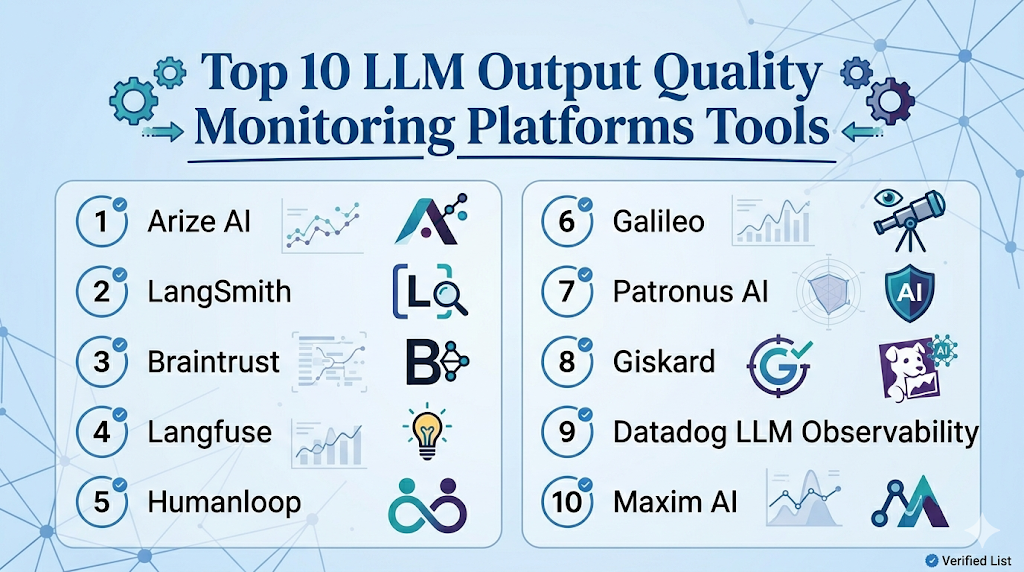
Top 10 LLM Output Quality Monitoring Platforms Tools
1 — Arize AI
One-line verdict: Best for enterprise teams monitoring LLM quality, RAG workflows, and production AI behavior.
Short description :
Arize AI is an AI observability platform that supports monitoring for LLM applications, RAG systems, embeddings, drift, and model quality. It is useful for AI platform teams and MLOps teams that need production visibility across both traditional ML and generative AI workflows.
Standout Capabilities
- LLM observability for prompts, traces, outputs, and evaluations
- RAG monitoring with retrieval and embedding visibility
- Drift and model performance monitoring for broader AI systems
- Root-cause analysis for production quality issues
- Dashboards for quality, cost, latency, and behavior trends
- Feedback and evaluation workflows for AI applications
- Strong fit for teams operating many production AI systems
AI-Specific Depth Must Include
- Model support: Multi-model workflows across LLM and traditional ML systems
- RAG / knowledge integration: Supports RAG, retrieval context, embeddings, and response analysis depending on setup
- Evaluation: LLM evaluation, output quality checks, drift analysis, human review patterns
- Guardrails: Varies / N/A, usually combined with monitoring, alerts, and external policy controls
- Observability: Traces, prompts, outputs, latency, token metrics, cost signals, embeddings, and quality dashboards
Pros
- Strong fit for production-grade AI observability
- Useful for both LLM and traditional ML monitoring
- Helps teams diagnose why output quality changes
Cons
- May be more advanced than small teams need
- Requires integration planning for best results
- Exact pricing and deployment details should be verified directly
Security & Compliance
Security features such as SSO, RBAC, audit logs, encryption, retention controls, and residency may vary by plan. Certifications are Not publicly stated here.
Deployment & Platforms
- Web-based platform
- Cloud deployment
- Hybrid or enterprise deployment: Varies / N/A
- API and SDK-based workflows
- Works with production AI systems through integrations
Integrations & Ecosystem
Arize AI fits teams that need quality monitoring across many AI workflows. It can connect traces, evaluations, embeddings, model metrics, and production feedback into a central observability layer.
- LLM applications
- RAG pipelines
- Model serving platforms
- Data warehouses
- Evaluation datasets
- Embedding workflows
- Alerting and monitoring workflows
Pricing Model No exact prices unless confident
Typically tiered or enterprise-oriented depending on model volume, usage, monitoring scope, and support requirements. Exact pricing is Not publicly stated.
Best-Fit Scenarios
- Enterprises monitoring customer-facing LLM applications
- Teams tracking RAG answer quality and hallucinations
- AI platform teams needing centralized observability
2 — LangSmith
One-line verdict: Best for LangChain teams needing output evaluation, tracing, datasets, and debugging workflows.
Short description :
LangSmith helps teams debug, evaluate, and monitor LLM applications, especially those built with LangChain and LangGraph. It is useful for engineering teams that need traces, datasets, prompt runs, and quality evaluations in one workflow.
Standout Capabilities
- Tracing for chains, agents, prompts, and tool calls
- Dataset-based evaluations for LLM applications
- Online and offline evaluation workflows
- Debugging for RAG and agent systems
- Run history for prompts, inputs, outputs, and metadata
- Human review and feedback patterns
- Strong fit for developer-led LLM operations
AI-Specific Depth Must Include
- Model support: Multi-model through supported providers and application integrations
- RAG / knowledge integration: Strong fit for LangChain-based RAG workflows
- Evaluation: Offline evals, online evals, datasets, regression checks, human review patterns
- Guardrails: Varies / N/A, often handled through application logic or companion tooling
- Observability: Traces, prompts, outputs, token usage, latency, run history, and model metadata
Pros
- Strong for debugging complex LLM workflows
- Useful for agents, tool calls, and RAG applications
- Combines evaluation and trace-level observability
Cons
- Best value appears inside LangChain-style workflows
- May feel technical for non-engineering users
- Guardrail enforcement may require additional tools
Security & Compliance
SSO, RBAC, audit logs, encryption, retention controls, residency, and certifications may vary by plan. Certifications are Not publicly stated here.
Deployment & Platforms
- Web-based platform
- Cloud deployment
- SDK-based developer workflows
- Self-hosted or hybrid: Varies / N/A
- Works with development environments through integrations
Integrations & Ecosystem
LangSmith works best when output monitoring needs to connect directly with application traces. It helps teams inspect failed runs, evaluate responses, and turn production examples into datasets.
- LangChain
- LangGraph
- Python and JavaScript workflows
- RAG applications
- Agent workflows
- Evaluation datasets
- Model provider integrations
Pricing Model No exact prices unless confident
Typically tiered or usage-oriented depending on team size, runs, evaluations, and enterprise needs. Exact pricing should be verified directly.
Best-Fit Scenarios
- Teams building LangChain or LangGraph applications
- Developers debugging poor LLM outputs
- Organizations turning traces into evaluation workflows
3 — Braintrust
One-line verdict: Best for teams prioritizing evaluations, quality scoring, experiments, and production feedback loops.
Short description :
Braintrust focuses on AI evaluation, experiment tracking, output quality measurement, and prompt or model comparison. It is useful for teams that want structured ways to measure whether LLM outputs are improving or regressing.
Standout Capabilities
- Evaluation-first workflow for LLM applications
- Experiment tracking for prompts, models, and datasets
- Human review and feedback workflows
- Dataset-based output quality checks
- Regression testing for prompt and model changes
- Production trace-to-evaluation workflows
- Strong support for measurable AI quality improvement
AI-Specific Depth Must Include
- Model support: Multi-model through provider and workflow integrations
- RAG / knowledge integration: Can evaluate RAG outputs through datasets, traces, and custom scorers
- Evaluation: Strong support for offline evaluation, scoring, regression, experiments, and reviews
- Guardrails: Varies / N/A
- Observability: Experiment results, traces, output comparisons, quality scores, and evaluation dashboards
Pros
- Strong fit for teams serious about measurable output quality
- Helps compare prompt and model changes systematically
- Useful for turning production failures into test cases
Cons
- Requires strong dataset and scoring discipline
- May need implementation planning for complex workflows
- Guardrail enforcement may require companion controls
Security & Compliance
Enterprise controls such as SSO, RBAC, audit logs, encryption, retention, and residency may vary by plan. Certifications are Not publicly stated here.
Deployment & Platforms
- Web-based platform
- Cloud workflows
- SDK and API-based workflows
- Self-hosted or hybrid: Varies / N/A
- Works with production AI applications through instrumentation
Integrations & Ecosystem
Braintrust is useful when teams need to turn subjective output quality into repeatable metrics. It can support review workflows, scoring, model comparison, and regression checks.
- LLM application workflows
- Evaluation datasets
- Human review workflows
- Experiment tracking
- RAG output testing
- Model comparison
- Developer SDKs
Pricing Model No exact prices unless confident
Usually tiered or usage-based depending on evaluation volume, team size, and enterprise needs. Exact pricing is Not publicly stated.
Best-Fit Scenarios
- Teams comparing prompt and model output quality
- AI product teams building evaluation pipelines
- Organizations converting failed outputs into regression tests
4 — Langfuse
One-line verdict: Best for teams wanting open-source-friendly LLM observability, tracing, prompts, and quality monitoring.
Short description :
Langfuse provides LLM observability, tracing, prompt management, evaluation, and feedback workflows. It is useful for teams that want production visibility while keeping flexible deployment options.
Standout Capabilities
- LLM tracing and observability
- Prompt management with version tracking
- Evaluation and scoring workflows
- Token, cost, and latency tracking
- Feedback capture for output quality improvement
- Open-source-friendly deployment options
- Good fit for RAG and agent troubleshooting
AI-Specific Depth Must Include
- Model support: Multi-model through application instrumentation and provider integrations
- RAG / knowledge integration: Supports RAG workflow tracing and evaluation depending on setup
- Evaluation: Scoring, datasets, feedback workflows, prompt comparisons
- Guardrails: Varies / N/A
- Observability: Traces, prompts, outputs, latency, token usage, cost metrics, and quality signals
Pros
- Strong visibility into LLM application behavior
- Open-source-friendly for teams wanting control
- Useful for combining prompt tracking and output monitoring
Cons
- Requires technical setup for best results
- Guardrail testing may need companion tooling
- Non-technical teams may need onboarding
Security & Compliance
SSO, RBAC, audit logs, encryption, retention, residency, and certifications vary by managed or self-hosted setup. Certifications are Not publicly stated here.
Deployment & Platforms
- Web-based interface
- Cloud option
- Self-hosted option
- Developer SDK and API workflows
- Windows, macOS, and Linux through development environments
Integrations & Ecosystem
Langfuse works well when teams want to connect output quality monitoring with traces, prompts, cost, and feedback. It is useful for debugging live LLM behavior.
- Python and JavaScript SDKs
- LLM provider integrations
- RAG workflows
- Agent traces
- Evaluation datasets
- Feedback capture
- Cost and token tracking
Pricing Model No exact prices unless confident
Open-source plus managed cloud and enterprise-style options. Exact pricing varies by usage and deployment choice.
Best-Fit Scenarios
- Teams wanting self-hosted LLM observability
- Developers monitoring prompt and response quality
- Startups combining tracing, evaluation, and cost monitoring
5 — Humanloop
One-line verdict: Best for product teams needing output review, human feedback, evaluation, and prompt improvement loops.
Short description :
Humanloop helps teams manage prompts, collect feedback, run evaluations, and improve LLM output quality. It is useful when product managers, engineers, and domain experts need to collaborate on AI behavior.
Standout Capabilities
- Prompt and output evaluation workflows
- Human feedback and review support
- Dataset-based quality checks
- Collaboration between product, engineering, and domain teams
- Prompt experimentation and improvement loops
- Useful for customer-facing AI applications
- Supports structured AI product quality workflows
AI-Specific Depth Must Include
- Model support: Multi-model depending on configured providers
- RAG / knowledge integration: Varies / N/A, usually connected through application workflows
- Evaluation: Prompt evaluation, output review, dataset testing, human feedback
- Guardrails: Varies / N/A
- Observability: Prompt runs, feedback, evaluation results, usage visibility depending on setup
Pros
- Strong human review and feedback workflow
- Useful for cross-functional AI product teams
- Helps improve output quality through structured iteration
Cons
- May be more than needed for simple technical logging
- Some workflows may require implementation planning
- Exact security and compliance details should be verified
Security & Compliance
Enterprise security features such as SSO, RBAC, audit logs, encryption, retention, and residency may vary by plan. Certifications are Not publicly stated here.
Deployment & Platforms
- Web-based platform
- Cloud deployment
- API-based workflows
- Self-hosted or hybrid: Varies / N/A
- Works with AI product workflows through integration
Integrations & Ecosystem
Humanloop is useful when output quality needs input from product owners, reviewers, and domain experts. It helps teams review AI behavior and improve prompts with feedback.
- LLM provider workflows
- Evaluation datasets
- Human feedback systems
- Prompt experimentation
- Application APIs
- Review workflows
- Production AI applications
Pricing Model No exact prices unless confident
Typically tiered or enterprise-oriented depending on team size, usage, and advanced requirements. Exact pricing is Not publicly stated.
Best-Fit Scenarios
- Teams reviewing customer-facing AI outputs
- Product teams improving assistant quality
- Organizations needing human feedback loops
6 — Galileo
One-line verdict: Best for teams needing LLM evaluation, hallucination analysis, and AI quality workflows.
Short description :
Galileo focuses on AI evaluation, observability, and quality workflows for generative AI and machine learning systems. It is useful for teams that want to monitor output quality, detect failures, and improve AI reliability.
Standout Capabilities
- LLM evaluation and quality monitoring
- Hallucination and response quality analysis
- Dataset-driven evaluation workflows
- Support for AI application review and debugging
- Useful for comparing prompts and models
- Quality dashboards for AI teams
- Helps convert quality issues into improvement workflows
AI-Specific Depth Must Include
- Model support: Multi-model workflows depending on integration
- RAG / knowledge integration: Supports RAG evaluation patterns depending on setup
- Evaluation: Output quality scoring, hallucination analysis, dataset evaluation, review workflows
- Guardrails: Varies / N/A
- Observability: Quality dashboards, traces or run-level visibility depending on setup, evaluation metrics
Pros
- Strong focus on AI output quality
- Useful for hallucination and quality analysis
- Good fit for teams building evaluation maturity
Cons
- Exact deployment and security details should be verified
- May overlap with existing observability platforms
- Custom workflows may need integration planning
Security & Compliance
SSO, RBAC, audit logs, encryption, retention controls, residency, and certifications may vary by plan. Certifications are Not publicly stated here.
Deployment & Platforms
- Web-based platform
- Cloud deployment
- Enterprise deployment options: Varies / N/A
- API and workflow integrations
- Platform support depends on implementation
Integrations & Ecosystem
Galileo fits teams that want quality monitoring and evaluation to be part of AI development and production operations. It can support prompt, model, and dataset quality workflows.
- LLM applications
- Evaluation datasets
- Model comparison workflows
- RAG evaluation patterns
- Review workflows
- Quality dashboards
- AI development pipelines
Pricing Model No exact prices unless confident
Typically tiered or enterprise-oriented depending on product usage, data volume, and team needs. Exact pricing is Not publicly stated.
Best-Fit Scenarios
- Teams monitoring hallucinations and quality issues
- Organizations comparing prompts and models
- AI teams building structured evaluation workflows
7 — Patronus AI
One-line verdict: Best for teams focused on AI evaluation, safety testing, and enterprise LLM reliability.
Short description :
Patronus AI focuses on evaluating and testing LLM systems for reliability, safety, and quality. It is useful for teams that need to detect hallucinations, unsafe outputs, policy failures, and weak model behavior.
Standout Capabilities
- LLM evaluation and testing workflows
- Safety and reliability checks
- Hallucination and policy failure detection
- Enterprise-focused AI quality workflows
- Support for custom evaluation needs
- Useful for regulated or risk-sensitive AI applications
- Helps teams identify weak outputs before they scale
AI-Specific Depth Must Include
- Model support: Multi-model evaluation workflows depending on setup
- RAG / knowledge integration: Varies / N/A, can evaluate RAG outputs through configured workflows
- Evaluation: LLM evaluation, safety testing, hallucination checks, custom evaluators
- Guardrails: Safety and policy testing workflows depending on configuration
- Observability: Evaluation results, quality signals, review outputs; full production tracing may require companion tools
Pros
- Strong focus on LLM safety and reliability
- Useful for teams with high-risk output concerns
- Supports structured evaluation thinking
Cons
- May require integration with observability tools for full production monitoring
- Exact feature coverage should be verified for each use case
- Pricing and deployment details are Not publicly stated here
Security & Compliance
Security controls such as SSO, RBAC, audit logs, encryption, retention, residency, and certifications should be verified directly. Certifications are Not publicly stated here.
Deployment & Platforms
- Web-based and API-driven workflows: Varies / N/A
- Cloud deployment: Varies / N/A
- Self-hosted or hybrid: Varies / N/A
- Works with LLM applications through integration
Integrations & Ecosystem
Patronus AI is useful when output quality monitoring must include safety, policy, and reliability checks. It can fit alongside observability tools and AI application pipelines.
- LLM evaluation workflows
- Safety testing
- Policy checks
- Custom evaluators
- RAG output review
- Enterprise AI workflows
- Application integrations
Pricing Model No exact prices unless confident
Pricing is Not publicly stated. Buyers should verify pricing based on evaluation volume, enterprise needs, and deployment requirements.
Best-Fit Scenarios
- Teams testing LLM outputs for hallucinations
- Enterprises needing safety-focused evaluation
- Organizations validating AI behavior before wider rollout
8 — Giskard
One-line verdict: Best for AI teams needing output quality testing, red teaming, and vulnerability detection.
Short description :
Giskard provides AI testing and security workflows for LLM systems, agents, and machine learning applications. It is useful for teams that want to detect hallucinations, unsafe outputs, jailbreak risks, and quality failures.
Standout Capabilities
- AI red teaming and security testing
- LLM output quality checks
- Hallucination and unsafe behavior testing
- Agent vulnerability detection
- Regression-style testing workflows
- Useful for regulated and risk-sensitive teams
- Helps combine quality and safety monitoring
AI-Specific Depth Must Include
- Model support: Multi-model depending on integration setup
- RAG / knowledge integration: Can test RAG and agent outputs depending on implementation
- Evaluation: Automated tests, hallucination checks, vulnerability testing, regression workflows
- Guardrails: Strong focus on red teaming, jailbreaks, prompt injection, and unsafe behavior testing
- Observability: Varies / N/A, often used with monitoring or evaluation workflows
Pros
- Strong safety and red-team testing focus
- Useful for agent and LLM vulnerability detection
- Good fit for teams with compliance and risk concerns
Cons
- May be more security-focused than general quality monitoring
- Integration planning may be needed
- Exact enterprise features should be verified directly
Security & Compliance
Security features such as SSO, RBAC, audit logs, encryption, retention, residency, and certifications are Not publicly stated here unless verified directly.
Deployment & Platforms
- Web-based and developer workflows depending on setup
- Cloud and self-hosted options: Varies / N/A
- Open-source components may be available depending on use case
- Platform support depends on deployment
Integrations & Ecosystem
Giskard fits teams that want output quality monitoring to include adversarial testing and safety checks. It can be used alongside observability tools to strengthen AI risk controls.
- LLM applications
- Agent testing workflows
- Red-team scenarios
- Security testing
- Evaluation datasets
- Developer integrations
- Risk review workflows
Pricing Model No exact prices unless confident
Pricing may be tiered, enterprise-based, or deployment-dependent. Exact pricing is Not publicly stated.
Best-Fit Scenarios
- Teams testing AI outputs for unsafe behavior
- Regulated organizations validating AI reliability
- Security teams red-teaming LLM applications
9 — Datadog LLM Observability
One-line verdict: Best for engineering teams monitoring LLM output quality inside broader application observability.
Short description :
Datadog LLM Observability helps teams monitor LLM applications alongside infrastructure, logs, traces, and application performance. It is useful for engineering teams that already use Datadog and want AI behavior visibility inside existing operations workflows.
Standout Capabilities
- LLM observability within a broader monitoring platform
- Tracing for AI application workflows
- Latency, error, and performance visibility
- Token and cost tracking depending on setup
- Integration with logs, traces, and incident workflows
- Useful for engineering-led AI operations
- Strong fit for teams already using Datadog
AI-Specific Depth Must Include
- Model support: Multi-model through instrumentation and application integrations
- RAG / knowledge integration: Can observe RAG workflows through traces depending on implementation
- Evaluation: Varies / N/A, may require companion evaluation tooling
- Guardrails: Varies / N/A
- Observability: Traces, logs, latency, errors, cost-related signals, and application context
Pros
- Strong fit for production engineering teams
- Connects AI output issues with app and infrastructure health
- Useful for incident response and operational monitoring
Cons
- Evaluation depth may require companion tools
- Less focused on prompt quality workflows than specialist platforms
- May not fit data science-only teams
Security & Compliance
Security and admin controls depend on configuration and plan. SSO, RBAC, audit logs, encryption, retention, residency, and certifications should be verified directly.
Deployment & Platforms
- Web-based platform
- Cloud-based observability workflows
- Agent and SDK-based instrumentation
- Self-hosted: Varies / N/A
- Works across application and infrastructure environments
Integrations & Ecosystem
Datadog LLM Observability works well when AI monitoring should be part of the same system used for infrastructure, application performance, logs, alerts, and incidents.
- Application performance monitoring
- Logs and traces
- LLM app instrumentation
- Cloud infrastructure
- Alerting workflows
- Dashboards
- Incident response workflows
Pricing Model No exact prices unless confident
Typically usage-based or tiered depending on observability volume, products used, and organization needs. Exact pricing varies by setup.
Best-Fit Scenarios
- Engineering teams already using Datadog
- Production LLM applications needing trace visibility
- Organizations connecting AI issues with system incidents
10 — Maxim AI
One-line verdict: Best for teams needing AI simulation, evaluation, monitoring, and quality workflows together.
Short description :
Maxim AI supports prompt management, simulation, evaluation, observability, and collaboration for AI applications. It is useful for teams that want to test and monitor LLM output quality across development and production workflows.
Standout Capabilities
- Prompt and output quality evaluation
- Simulation workflows for AI behavior testing
- Monitoring and observability for AI applications
- Collaboration for product and engineering teams
- Regression-style quality workflows
- Useful for pre-release and post-release validation
- Supports structured AI product quality management
AI-Specific Depth Must Include
- Model support: Multi-model workflows depending on configured providers
- RAG / knowledge integration: Varies / N/A
- Evaluation: Prompt tests, output evaluation, simulations, regression workflows, review patterns
- Guardrails: Varies / N/A
- Observability: Traces, usage visibility, latency and cost signals depending on setup, quality monitoring
Pros
- Good fit for AI product quality workflows
- Useful for simulation before release
- Supports collaboration across AI development teams
Cons
- Exact security and compliance details should be verified
- May overlap with existing observability or evaluation tools
- Best value depends on team adoption across the AI lifecycle
Security & Compliance
Security features such as SSO, RBAC, audit logs, encryption, retention controls, residency, and certifications should be verified directly. Certifications are Not publicly stated here.
Deployment & Platforms
- Web-based platform
- Cloud workflows
- API and SDK-based integrations
- Self-hosted or hybrid: Varies / N/A
- Works with AI development and production workflows
Integrations & Ecosystem
Maxim AI fits teams that want output quality monitoring to connect with simulation, evaluation, prompt improvement, and collaboration. It supports structured review before and after deployment.
- LLM provider workflows
- Prompt testing
- Simulation workflows
- Evaluation datasets
- Observability workflows
- Collaboration tools
- Production AI pipelines
Pricing Model No exact prices unless confident
Typically tiered or enterprise-oriented depending on team size, evaluation volume, and production usage. Exact pricing is Not publicly stated.
Best-Fit Scenarios
- AI product teams validating output quality
- Teams needing simulation before production release
- Organizations combining evaluation and monitoring workflows
Comparison Table
| Tool Name | Best For | Deployment Cloud/Self-hosted/Hybrid | Model Flexibility Hosted / BYO / Multi-model / Open-source | Strength | Watch-Out | Public Rating |
|---|---|---|---|---|---|---|
| Arize AI | Enterprise LLM observability | Cloud, hybrid varies | Multi-model | Deep production monitoring | Setup planning needed | N/A |
| LangSmith | LangChain output tracing | Cloud, hybrid varies | Multi-model | Traces plus evaluations | Best in LangChain ecosystem | N/A |
| Braintrust | Evaluation-led quality workflows | Cloud, hybrid varies | Multi-model | Experiment and eval depth | Requires dataset discipline | N/A |
| Langfuse | Open-source-friendly observability | Cloud and self-hosted | Multi-model, open-source | Prompt and trace visibility | Needs technical setup | N/A |
| Humanloop | Human review and feedback | Cloud, hybrid varies | Multi-model | Review workflows | May be heavy for simple logs | N/A |
| Galileo | LLM quality analysis | Cloud, hybrid varies | Multi-model | Hallucination and quality focus | Exact features should be verified | N/A |
| Patronus AI | Safety-focused evaluation | Cloud, hybrid varies | Multi-model | Reliability and safety testing | May need companion observability | N/A |
| Giskard | Red teaming and output safety | Cloud, hybrid varies | Multi-model | Security testing | More safety-focused | N/A |
| Datadog LLM Observability | Engineering observability | Cloud | Multi-model | AI plus app monitoring | Eval depth may need add-ons | N/A |
| Maxim AI | Simulation and quality workflows | Cloud, hybrid varies | Multi-model | Simulation plus evaluation | Security details need verification | N/A |
Scoring & Evaluation Transparent Rubric
| Tool | Core | Reliability/Eval | Guardrails | Integrations | Ease | Perf/Cost | Security/Admin | Support | Weighted Total |
|---|---|---|---|---|---|---|---|---|---|
| Arize AI | 9 | 9 | 6 | 9 | 7 | 8 | 8 | 8 | 8.20 |
| LangSmith | 9 | 9 | 6 | 9 | 7 | 8 | 7 | 8 | 8.10 |
| Braintrust | 9 | 10 | 6 | 8 | 7 | 7 | 7 | 8 | 8.05 |
| Langfuse | 8 | 8 | 5 | 8 | 7 | 9 | 7 | 8 | 7.75 |
| Humanloop | 8 | 8 | 6 | 7 | 8 | 7 | 7 | 7 | 7.45 |
| Galileo | 8 | 9 | 6 | 7 | 7 | 7 | 7 | 7 | 7.55 |
| Patronus AI | 8 | 9 | 8 | 7 | 7 | 7 | 7 | 7 | 7.80 |
| Giskard | 8 | 8 | 9 | 7 | 7 | 6 | 7 | 7 | 7.60 |
| Datadog LLM Observability | 7 | 7 | 5 | 9 | 8 | 9 | 8 | 8 | 7.65 |
| Maxim AI | 8 | 8 | 6 | 7 | 8 | 7 | 6 | 7 | 7.35 |
Top 3 for Enterprise
- Arize AI
- Braintrust
- Patronus AI
Top 3 for SMB
- Langfuse
- Humanloop
- Maxim AI
Top 3 for Developers
- LangSmith
- Langfuse
- Braintrust
Which LLM Output Quality Monitoring Platform Is Right for You?
Solo / Freelancer
Solo users usually do not need a heavy enterprise monitoring platform. If you are building a small AI assistant, lightweight tracing, logs, and simple evaluation datasets may be enough.
Recommended options:
- Langfuse for open-source-friendly tracing and quality visibility
- LangSmith if your workflow uses LangChain or LangGraph
- Braintrust if you want structured evaluation and experiment tracking
For casual prompt use, manual review and simple output examples may be enough before investing in a full platform.
SMB
Small and midsize businesses should prioritize fast setup, practical dashboards, cost visibility, and output review workflows. The tool should help teams find hallucinations and poor responses without requiring a large AI operations team.
Recommended options:
- Langfuse for tracing, prompt visibility, and cost tracking
- Humanloop for feedback and review workflows
- Maxim AI for simulation and output validation
- Braintrust for evaluation-focused quality workflows
SMBs should choose platforms that improve quality quickly and integrate with current development workflows.
Mid-Market
Mid-market teams usually run several AI workflows across product, support, operations, and internal tools. They need stronger observability, structured evaluation, production feedback, and ownership workflows.
Recommended options:
- Arize AI for broad AI observability
- Braintrust for evaluation and experiment tracking
- LangSmith for agent and RAG tracing
- Galileo for output quality analysis
- Giskard for safety and red-team testing
Mid-market buyers should focus on platforms that connect output quality with release decisions and incident response.
Enterprise
Enterprises need scalable monitoring, access controls, auditability, security review, governance workflows, and quality visibility across many teams and applications.
Recommended options:
- Arize AI for enterprise-grade observability
- Braintrust for evaluation-first quality workflows
- Patronus AI for safety and reliability testing
- Giskard for red teaming and output risk detection
- Datadog LLM Observability for engineering organizations already using Datadog
Enterprise buyers should verify SSO, RBAC, audit logs, data retention, encryption, residency, procurement readiness, and support expectations before purchase.
Regulated industries finance/healthcare/public sector
Regulated teams should choose platforms that provide strong review evidence, privacy controls, auditability, and output risk detection. Monitoring should cover not only accuracy but also fairness, privacy, unsafe advice, unsupported claims, and escalation workflows.
Important priorities:
- Hallucination and unsupported claim detection
- Human review for high-risk outputs
- Prompt injection and jailbreak testing
- Sensitive data handling controls
- Audit logs and admin permissions
- Evaluation history and review evidence
- Retention and residency settings
- Incident handling and rollback workflows
Strong-fit options may include Arize AI, Patronus AI, Giskard, Braintrust, and Humanloop, depending on deployment and governance needs.
Budget vs premium
Budget-conscious teams can start with open-source-friendly or developer-first tools before adopting a full enterprise platform.
Budget-friendly direction:
- Langfuse for open-source-friendly observability
- LangSmith for developer tracing and evaluation workflows
- Braintrust for focused evaluation workflows depending on usage needs
Premium direction:
- Arize AI for enterprise observability
- Patronus AI for reliability and safety evaluation
- Giskard for red-team and vulnerability testing
- Galileo for output quality analysis
- Datadog LLM Observability for engineering observability teams
The right choice depends on whether your main pain is hallucination monitoring, RAG quality, safety testing, human review, tracing, or cost visibility.
Build vs buy when to DIY
DIY can work when:
- You have one or two small AI workflows
- You only need basic logging and manual review
- Your team can maintain custom evaluation scripts
- You do not need dashboards, governance, or audit trails
- Your outputs are low-risk and internal only
Buy or adopt a dedicated platform when:
- AI outputs affect customers, revenue, support, or regulated decisions
- You need continuous quality monitoring
- You need hallucination and faithfulness checks
- You need prompt, trace, and response visibility
- You need human review and feedback workflows
- You monitor agents, tools, or RAG systems
- You need auditability and incident handling
A practical approach is to start with lightweight logs and evaluations, then move to a dedicated platform when production risk increases.
Implementation Playbook 30 / 60 / 90 Days
30 Days: Pilot and success metrics
Start with one production or near-production LLM workflow where output quality matters. Avoid monitoring everything at once.
Key tasks:
- Select one AI workflow such as support assistant, RAG chatbot, or internal copilot
- Define success metrics such as correctness, groundedness, helpfulness, latency, cost, and escalation rate
- Collect sample prompts, outputs, retrieval context, and user feedback
- Create a small evaluation dataset
- Set up trace logging for prompts, responses, model calls, and metadata
- Add basic hallucination and relevance checks
- Define what counts as a quality incident
- Assign owners for review and escalation
- Build a basic dashboard
- Document rollback or fallback steps
AI-specific tasks:
- Build an initial evaluation harness
- Add red-team examples for unsafe outputs
- Add prompt and response monitoring
- Track token usage, latency, and cost
- Define incident handling for inaccurate, unsafe, or expensive outputs
60 Days: Harden security, evaluation, and rollout
After the pilot shows value, expand quality checks and connect monitoring to release workflows.
Key tasks:
- Add more datasets and edge cases
- Add human review for low-confidence or high-risk outputs
- Add RAG faithfulness and citation checks if relevant
- Add prompt injection and jailbreak test cases
- Create alert thresholds for quality drops and cost spikes
- Review data retention and privacy settings
- Add RBAC and admin workflows where available
- Train product and support teams to review AI outputs
- Convert failed outputs into regression tests
- Expand monitoring to additional workflows
AI-specific tasks:
- Add tool-call monitoring for agents
- Track prompt version changes against output quality
- Add guardrail failure tracking
- Review model routing and fallback behavior
- Build escalation paths for unsafe or unsupported outputs
- Create a review process for production prompt changes
90 Days: Optimize cost, latency, governance, and scale
Once monitoring is stable, turn it into a repeatable AI quality process across teams.
Key tasks:
- Standardize quality scorecards
- Create reusable evaluation templates
- Build dashboards for quality, cost, latency, and user feedback
- Reduce noisy alerts and improve thresholds
- Optimize prompts for cost and speed
- Compare output quality across models
- Add governance reviews for high-impact workflows
- Create an internal AI quality playbook
- Expand monitoring across more AI applications
- Schedule regular quality audits
AI-specific tasks:
- Monitor agent tool usage and failure patterns
- Add advanced red-team coverage
- Add multimodal quality checks where relevant
- Connect output quality to business metrics
- Review vendor lock-in and export options
- Scale evaluation, guardrails, and incident handling across teams
Common Mistakes & How to Avoid Them
- Monitoring only latency and uptime: LLM systems also need quality, grounding, safety, cost, and user feedback monitoring.
- Ignoring hallucinations: Fluent responses can still be wrong. Add groundedness, reference checks, and human review.
- No RAG quality checks: Monitor retrieval relevance, context usage, citation behavior, and unsupported claims.
- Skipping prompt injection testing: Add adversarial prompts, hidden instruction tests, and unsafe context scenarios.
- No human review for risky outputs: High-impact workflows need expert review and clear escalation.
- Relying only on LLM-as-judge: Automated scoring is useful, but it should be calibrated with examples and human validation.
- Ignoring cost surprises: Track tokens, retries, context length, model calls, and routing decisions.
- No trace-level visibility: Without traces, teams struggle to diagnose why a bad output happened.
- Unmanaged data retention: Review what prompts, outputs, logs, and user data are stored and who can access them.
- No feedback loop: Failed outputs should become test cases and improvement opportunities.
- Treating all outputs equally: High-risk outputs need stricter monitoring than casual internal responses.
- Over-automation without fallback: Add human handoff for low-confidence, unsafe, or policy-sensitive cases.
- Vendor lock-in without export planning: Keep prompts, datasets, traces, and evaluation results portable where possible.
- No incident process: Define owners, alerts, rollback steps, and review workflows for output quality failures.
FAQs
1. What is an LLM Output Quality Monitoring Platform?
It is a platform that monitors the responses generated by LLM applications. It helps teams check accuracy, relevance, hallucinations, safety, cost, latency, and user feedback after deployment.
2. Why do LLM outputs need monitoring?
LLM outputs can change based on prompt edits, model behavior, retrieval context, user inputs, or tool calls. Monitoring helps detect poor, unsafe, or costly responses before they create business risk.
3. How is output monitoring different from prompt testing?
Prompt testing checks behavior before release. Output monitoring watches real production responses after release. Strong AI teams usually need both.
4. Can these tools detect hallucinations?
Many platforms can help detect hallucinations using evaluation metrics, groundedness checks, reference answers, retrieval context, LLM judges, or human review. No tool can guarantee perfect detection.
5. Can these platforms monitor RAG systems?
Yes, many can monitor RAG workflows by tracking retrieval context, answer faithfulness, citation behavior, missing context, and unsupported claims. Depth varies by platform and setup.
6. Do they support BYO models?
Many platforms support BYO or multi-model workflows through APIs, SDKs, gateways, or application instrumentation. Exact model support should be verified for each tool.
7. Do these tools support self-hosting?
Some tools offer self-hosted or open-source-friendly options, while others are primarily cloud-based. Self-hosting is important for teams with strict privacy, residency, or security requirements.
8. How do these platforms help with privacy?
They can help control what data is logged, who can access it, how long it is retained, and whether sensitive information is masked. Exact privacy controls vary by vendor.
9. What metrics should I monitor first?
Start with correctness, relevance, hallucination rate, groundedness, refusal quality, latency, token usage, cost, error rate, escalation rate, and user feedback.
10. Can output monitoring reduce AI risk?
Yes, it can reduce risk by detecting unsafe or poor outputs earlier, creating review workflows, supporting alerts, and turning failures into future tests.
11. Are public ratings included in the comparison?
No. Public ratings can change frequently and vary by marketplace. To avoid guessing, the comparison table uses N/A where ratings are not confidently verified.
12. Can I switch platforms later?
Yes, but switching is easier if prompts, datasets, traces, evaluations, and logs are exportable. Avoid storing all quality logic in a system you cannot migrate from.
13. What are alternatives to dedicated monitoring platforms?
Alternatives include custom dashboards, logs, spreadsheets, prompt testing frameworks, general observability tools, manual review workflows, and internal evaluation scripts.
14. Do AI agents need output quality monitoring?
Yes. Agents need monitoring for final outputs, tool calls, planning errors, unsafe actions, retry loops, handoffs, and failures across multi-step workflows.
15. How often should output quality be reviewed?
High-risk production workflows should be monitored continuously with regular human review. Lower-risk internal tools can use scheduled sampling and periodic quality audits.
Conclusion
LLM Output Quality Monitoring Platforms are becoming essential for teams that want AI applications to remain accurate, safe, helpful, and cost-efficient after deployment. The best tool depends on your context: Arize AI is strong for enterprise observability, LangSmith fits LangChain-heavy engineering teams, Braintrust is strong for evaluation workflows, Langfuse offers open-source-friendly monitoring, Humanloop supports human review and feedback, Patronus AI and Giskard focus strongly on safety testing, and Datadog fits engineering teams that want AI monitoring inside broader observability. There is no single universal winner because every organization has different risk levels, model strategies, user needs, compliance expectations, and team maturity. Start by shortlisting three platforms, run a pilot on one real AI workflow, verify security, evaluation, privacy, and output quality coverage, then scale monitoring across more assistants, agents, and production AI systems.
I really liked how the article explains the need for monitoring beyond basic metrics like latency and cost ,
It shows how quality-focused evaluation ensures responses are relevant, factual, and safe.
I found the breakdown of monitoring capabilities, workflow integration, and output validation features especially helpful. The article provides practical insights for teams managing production LLM applications.
This is a valuable resource for teams working with large language models, AI observability, and response quality management. The content is concise, organized, and informative throughout.