Introduction
Model Incident Management Tools help teams detect, triage, investigate, respond to, and learn from AI model failures in production. In simple words, these tools help organizations manage incidents such as model drift, hallucinations, unsafe outputs, degraded accuracy, latency spikes, cost anomalies, broken RAG retrieval, failed inference endpoints, biased predictions, and AI agent misbehavior.
They matter because AI incidents are different from normal software incidents. A service may be technically “up” while the model is producing wrong, unsafe, expensive, or non-compliant outputs. Traditional monitoring can detect uptime and infrastructure errors, but AI teams also need alerts for quality, data drift, prompt failures, hallucination risk, model regressions, and evaluation breakdowns.
Real-world use cases include:
- Responding to sudden model performance degradation
- Investigating hallucinations in LLM applications
- Managing drift incidents in fraud, risk, or recommendation models
- Escalating unsafe AI outputs to human reviewers
- Coordinating rollback of poor model or prompt releases
- Tracking post-incident reviews and corrective actions
Evaluation criteria for buyers:
- AI-specific alerting and incident triggers
- Drift, quality, hallucination, and performance monitoring
- Root-cause analysis across data, model, prompt, and deployment changes
- Integration with on-call, ticketing, and collaboration tools
- Incident timelines, ownership, and escalation workflows
- Model version, prompt version, and data lineage visibility
- RAG and AI agent failure detection
- Cost, latency, and token usage anomaly tracking
- Human review and approval workflows
- Audit logs, RBAC, and admin controls
- Postmortem and corrective action management
- Integration with MLOps, observability, and governance systems
Best for: AI platform teams, MLOps teams, ML engineers, SRE teams, DevOps teams, data science leaders, compliance teams, product teams, and organizations running customer-facing or decision-impacting AI systems in production.
Not ideal for: teams running only low-risk experiments, notebook-only models, or casual AI workflows. In early stages, basic monitoring, manual review, and simple ticketing may be enough before adopting a dedicated model incident management process.
What’s Changed in Model Incident Management Tools
- AI incidents now include quality failures, not only outages. A model can respond quickly while still being wrong, biased, unsafe, hallucinated, or inconsistent.
- LLM incidents are more difficult to detect. Teams must monitor prompts, retrieved context, hallucination risk, refusal behavior, tool calls, and output policy violations.
- AI agents create multi-step incident paths. One failed agent may trigger bad tool calls, repeated retries, incorrect actions, or high-cost loops.
- RAG incidents require context-level investigation. A poor response may come from stale documents, bad chunking, irrelevant retrieval, broken embeddings, or prompt issues.
- Cost anomalies are now production incidents. Token spikes, repeated retries, long context windows, premium model routing, and GPU overload can create urgent business impact.
- Model rollbacks require more evidence. Teams need to know whether the issue came from data drift, prompt changes, model version changes, inference infrastructure, or upstream pipeline failures.
- On-call workflows are becoming AI-aware. AI teams now need escalation paths for ML engineers, domain reviewers, product owners, security teams, and compliance stakeholders.
- Postmortems are becoming more technical and ethical. AI incident reviews often include safety, fairness, privacy, user harm, and governance evidence.
- Monitoring and incident management are converging. Teams want alerts to automatically include traces, model versions, evaluation scores, drift signals, logs, and user impact.
- Regulated industries need audit-ready incident records. Finance, healthcare, insurance, and public sector teams need evidence of detection, response, remediation, and approval.
- Human review is part of the response process. Automated alerts help, but high-risk AI failures often need expert review before closing an incident.
- Governance teams need incident visibility. AI incidents should feed model risk reviews, approval workflows, retraining decisions, and policy updates.
Quick Buyer Checklist
Use this checklist to shortlist model incident management tools quickly:
- Does the tool detect model drift, quality drops, hallucinations, or unsafe outputs?
- Can it trigger alerts based on AI-specific metrics, not only infrastructure health?
- Does it support LLM, RAG, traditional ML, and AI agent workflows?
- Can it connect alerts with model versions, prompt versions, datasets, and deployments?
- Does it support incident ownership, escalation, and on-call routing?
- Can it integrate with Slack, Teams, Jira, PagerDuty, ServiceNow, or other workflows?
- Does it provide incident timelines and postmortem templates?
- Can it track latency, cost, token usage, and inference failures?
- Does it support human review for high-risk outputs?
- Does it provide dashboards for incident trends and recurring model failures?
- Can it connect to model monitoring and observability tools?
- Does it provide RBAC, SSO, audit logs, and admin controls?
- Are data privacy, retention, and sensitive output controls clear?
- Can reports be exported for governance and compliance review?
- Does it reduce alert fatigue through routing, deduplication, or correlation?
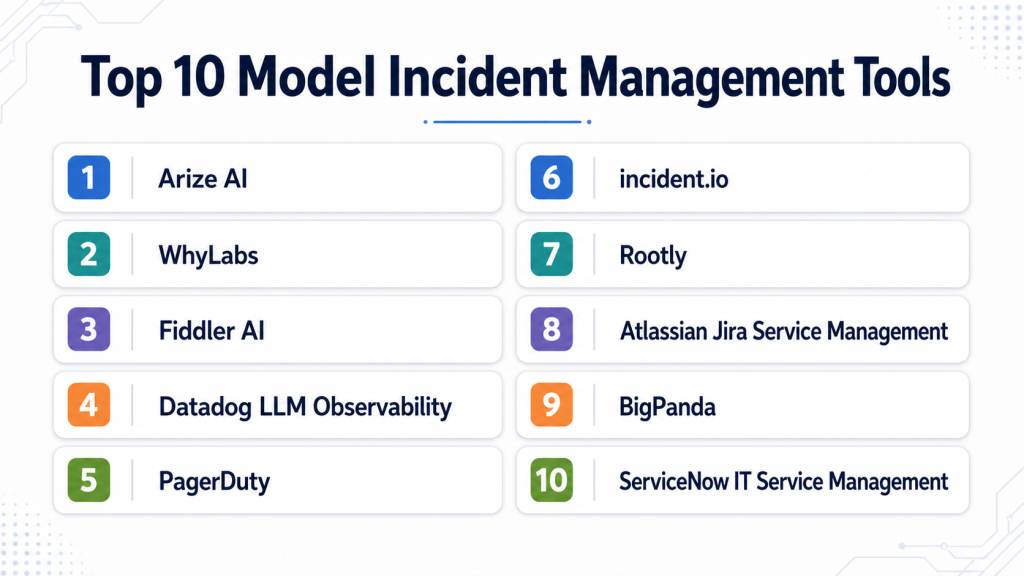
Top 10 Model Incident Management Tools
1 — Arize AI
One-line verdict: Best for AI teams needing model observability, drift alerts, and production issue investigation.
Short description :
Arize AI provides AI observability for monitoring models, embeddings, LLM applications, RAG systems, and production model behavior. It is useful for teams that need to detect model incidents early and investigate root causes across data, model, and output quality signals.
Standout Capabilities
- Model performance monitoring for production AI systems
- Drift detection across data, predictions, and embeddings
- LLM and RAG observability workflows
- Root-cause analysis for quality degradation
- Alerts for model health and production behavior
- Dashboards for performance, latency, quality, and risk signals
- Useful for incident evidence and governance workflows
AI-Specific Depth Must Include
- Model support: Multi-model workflows across traditional ML and generative AI systems
- RAG / knowledge integration: Supports RAG, retrieval, and embedding monitoring depending on setup
- Evaluation: Model monitoring, drift analysis, LLM evaluation patterns, human review workflows depending on configuration
- Guardrails: Varies / N/A, usually paired with separate safety and policy controls
- Observability: Model metrics, drift signals, embeddings, traces, latency, quality dashboards, and alerts
Pros
- Strong AI-specific monitoring depth
- Useful for investigating model quality incidents
- Supports both traditional ML and generative AI workflows
Cons
- Not a full on-call incident platform by itself
- Requires integration with production systems
- Enterprise configuration may require setup planning
Security & Compliance
Security features such as SSO, RBAC, audit logs, encryption, retention controls, and residency may vary by plan. Certifications are Not publicly stated here.
Deployment & Platforms
- Web-based platform
- Cloud deployment
- Enterprise deployment options: Varies / N/A
- API and SDK-based workflows
- Works with production AI and ML systems through integrations
Integrations & Ecosystem
Arize AI fits model incident programs that need strong detection and investigation before routing issues into broader incident workflows.
- ML pipelines
- Model serving platforms
- Data warehouses
- Feature stores
- LLM applications
- RAG pipelines
- Alerting and incident systems through integration
Pricing Model No exact prices unless confident
Typically tiered or enterprise-oriented depending on usage, model volume, monitoring needs, and support requirements. Exact pricing is Not publicly stated.
Best-Fit Scenarios
- Detecting drift and performance incidents
- Investigating RAG or LLM output failures
- Feeding model health alerts into incident workflows
2 — WhyLabs
One-line verdict: Best for teams needing data and model monitoring alerts for proactive incident detection.
Short description :
WhyLabs focuses on data and model observability, helping teams monitor data quality, drift, anomalies, and production behavior. It is useful for AI teams that want early warning signals before model incidents become customer-facing failures.
Standout Capabilities
- Data and model monitoring workflows
- Drift and anomaly detection patterns
- Data quality alerting for production pipelines
- Model health monitoring
- Useful for identifying upstream data issues
- Helps reduce silent model failures
- Supports proactive AI incident detection
AI-Specific Depth Must Include
- Model support: Traditional ML and AI model monitoring workflows depending on setup
- RAG / knowledge integration: Varies / N/A
- Evaluation: Data quality checks, drift monitoring, anomaly signals, model health tracking
- Guardrails: Varies / N/A
- Observability: Data profiles, drift metrics, anomaly alerts, model health dashboards, and monitoring signals
Pros
- Strong data quality and drift focus
- Useful for catching issues before model behavior degrades
- Helps connect upstream data problems to model incidents
Cons
- Not a complete on-call response platform
- LLM-specific incident workflows may require companion tools
- Exact deployment and security details should be verified directly
Security & Compliance
Security features such as SSO, RBAC, audit logs, encryption, retention, and admin controls may vary by plan. Certifications are Not publicly stated here.
Deployment & Platforms
- Web-based platform
- Cloud deployment
- Self-hosted or hybrid: Varies / N/A
- API and SDK workflows
- Works with data and ML monitoring environments
Integrations & Ecosystem
WhyLabs works well when model incidents often originate from upstream data issues, schema changes, missing values, or distribution shifts.
- Data pipelines
- ML monitoring workflows
- Feature pipelines
- Production model systems
- Alerting tools
- Observability dashboards
- Governance workflows through integration
Pricing Model No exact prices unless confident
Typically tiered or enterprise-oriented depending on monitored data volume, models, usage, and deployment needs. Exact pricing is Not publicly stated.
Best-Fit Scenarios
- Data drift incident detection
- Monitoring production data quality
- Triggering alerts from model health changes
3 — Fiddler AI
One-line verdict: Best for teams needing explainability, monitoring, and evidence during model incidents.
Short description :
Fiddler AI helps teams monitor model performance, explain predictions, detect drift, and analyze model behavior. It is useful for incident workflows where teams need to understand why a model changed or produced risky outputs.
Standout Capabilities
- Model performance monitoring
- Drift and data quality tracking
- Explainability for model behavior
- Responsible AI and fairness visibility
- Dashboards for model risk and health
- Useful for regulated model review workflows
- Supports incident investigation with technical evidence
AI-Specific Depth Must Include
- Model support: Multi-model monitoring workflows depending on integration
- RAG / knowledge integration: Varies / N/A
- Evaluation: Performance monitoring, explainability analysis, drift checks, fairness review patterns
- Guardrails: Varies / N/A, focused more on visibility and responsible AI monitoring
- Observability: Model health dashboards, drift metrics, explainability, alerts, and performance trends
Pros
- Strong explainability for incident investigation
- Useful for regulated and high-risk AI workflows
- Helps connect model behavior with governance evidence
Cons
- Not a full incident command platform
- May require companion tools for on-call and postmortems
- Generative AI incident depth should be verified for specific use cases
Security & Compliance
Security controls such as SSO, RBAC, audit logs, encryption, retention, and residency may vary by plan. Certifications are Not publicly stated here.
Deployment & Platforms
- Web-based platform
- Cloud deployment
- Enterprise deployment options: Varies / N/A
- API-based integrations
- Works with production AI and ML systems
Integrations & Ecosystem
Fiddler AI fits teams that need explainability and monitoring evidence during model incident response.
- Model serving systems
- Data pipelines
- ML workflows
- Monitoring dashboards
- Governance workflows
- Risk review processes
- Incident evidence workflows
Pricing Model No exact prices unless confident
Typically enterprise or tiered pricing based on scale, monitoring volume, and deployment needs. Exact pricing is Not publicly stated.
Best-Fit Scenarios
- Investigating model behavior changes
- Explaining high-risk model incidents
- Supporting governance reviews after AI failures
4 — Datadog LLM Observability
One-line verdict: Best for engineering teams connecting AI incidents with full-stack application observability.
Short description :
Datadog LLM Observability helps teams monitor LLM application behavior alongside application performance, logs, traces, and infrastructure metrics. It is useful when AI incidents need to be investigated alongside broader production systems.
Standout Capabilities
- LLM observability inside broader engineering monitoring
- Trace visibility for AI application workflows
- Latency, error, and performance monitoring
- Token and cost signals depending on setup
- Integration with logs, infrastructure, and APM workflows
- Useful for incident response and root-cause analysis
- Strong fit for teams already using Datadog
AI-Specific Depth Must Include
- Model support: Multi-model through instrumentation and application integrations
- RAG / knowledge integration: Can observe RAG workflows through traces depending on implementation
- Evaluation: Varies / N/A, may require companion evaluation tooling
- Guardrails: Varies / N/A
- Observability: Traces, logs, latency, errors, cost-related signals, and application context
Pros
- Strong full-stack incident visibility
- Connects LLM behavior with infrastructure and app issues
- Useful for engineering-led AI operations
Cons
- AI evaluation depth may require companion tools
- Not a dedicated model governance platform
- Model-specific monitoring varies by instrumentation quality
Security & Compliance
Security and admin controls depend on configuration and plan. SSO, RBAC, audit logs, encryption, retention, residency, and certifications should be verified directly.
Deployment & Platforms
- Web-based platform
- Cloud-based observability workflows
- Agent and SDK-based instrumentation
- Self-hosted: Varies / N/A
- Works across application and infrastructure environments
Integrations & Ecosystem
Datadog LLM Observability is useful when AI incidents must be connected with app errors, infrastructure health, logs, traces, and alerting workflows.
- Application performance monitoring
- Logs and traces
- LLM app instrumentation
- Cloud infrastructure
- Alerting workflows
- Dashboards
- Incident response workflows
Pricing Model No exact prices unless confident
Typically usage-based or tiered depending on observability volume, products used, and organization needs. Exact pricing varies by setup.
Best-Fit Scenarios
- LLM latency or error incidents
- AI issues tied to application infrastructure
- Engineering teams already using Datadog
5 — PagerDuty
One-line verdict: Best for teams needing mature on-call, escalation, and incident response around AI alerts.
Short description :
PagerDuty is an incident management and on-call platform for routing alerts, coordinating response, escalating issues, and managing incidents. It is useful for AI teams that need production model alerts to reach the right responders quickly.
Standout Capabilities
- On-call scheduling and escalation policies
- Incident alerting and response workflows
- Integrations with monitoring and observability tools
- Incident timelines and response coordination
- Useful for high-urgency production incidents
- Supports service ownership and responder routing
- Can centralize AI model alerts with broader operations alerts
AI-Specific Depth Must Include
- Model support: Model-agnostic; receives alerts from model monitoring and AI observability tools
- RAG / knowledge integration: N/A
- Evaluation: N/A, depends on connected AI monitoring systems
- Guardrails: N/A, not an AI guardrail tool
- Observability: Incident alerts, timelines, escalation status, response metrics; model metrics require integrations
Pros
- Strong on-call and escalation workflows
- Useful for coordinating urgent AI incidents
- Integrates with many monitoring and operations tools
Cons
- Not AI-specific by default
- Requires model monitoring tools to generate AI alerts
- AI root-cause analysis must come from connected systems
Security & Compliance
Security features such as SSO, RBAC, audit logs, encryption, retention, and admin controls may vary by plan. Certifications are Not publicly stated here.
Deployment & Platforms
- Web-based SaaS platform
- Mobile apps and notification workflows
- Cloud deployment
- Self-hosted: Varies / N/A
- Works across engineering operations environments
Integrations & Ecosystem
PagerDuty fits teams that already have model monitoring but need reliable response coordination and escalation workflows.
- Monitoring tools
- Observability platforms
- Slack and Teams workflows
- Ticketing systems
- Status pages
- Incident response processes
- Automation workflows
Pricing Model No exact prices unless confident
Typically tiered or seat-based depending on users, features, automation, and response workflows. Exact pricing is Not publicly stated.
Best-Fit Scenarios
- Routing model alerts to on-call teams
- Managing urgent production AI incidents
- Coordinating incident response across engineering teams
6 — incident.io
One-line verdict: Best for teams needing collaborative incident workflows, timelines, postmortems, and automation.
Short description :
incident.io helps teams manage incidents through collaboration, automation, ownership, timelines, and post-incident review workflows. It is useful for AI teams that need structured response processes when model failures affect users or business workflows.
Standout Capabilities
- Incident coordination workflows
- Automated timelines and ownership tracking
- Postmortem and follow-up management
- Integrations with collaboration tools
- Useful for cross-functional incident response
- Supports service and team ownership patterns
- Helps standardize incident process maturity
AI-Specific Depth Must Include
- Model support: Model-agnostic; works with AI alerts through integrations
- RAG / knowledge integration: N/A
- Evaluation: N/A, depends on connected AI monitoring and evaluation tools
- Guardrails: N/A
- Observability: Incident timeline, status, communications, follow-ups; AI metrics require connected platforms
Pros
- Strong collaborative incident process
- Useful for postmortems and corrective actions
- Good fit for AI incidents involving multiple teams
Cons
- Not AI monitoring by itself
- Requires integration with model observability tools
- AI-specific analysis must be added through workflows and context
Security & Compliance
Security features such as SSO, RBAC, audit logs, encryption, retention, and admin controls may vary by plan. Certifications are Not publicly stated here.
Deployment & Platforms
- Web-based SaaS platform
- Cloud deployment
- Collaboration platform integrations
- Self-hosted: Varies / N/A
- Works across engineering and operations teams
Integrations & Ecosystem
incident.io fits teams that need model incidents to be handled with clear ownership, timelines, communication, and learning loops.
- Slack and Teams workflows
- Monitoring platforms
- On-call systems
- Ticketing tools
- Status communication
- Postmortem workflows
- Follow-up task management
Pricing Model No exact prices unless confident
Typically tiered or seat-based depending on users, automation, workflows, and enterprise needs. Exact pricing is Not publicly stated.
Best-Fit Scenarios
- Collaborative AI incident response
- Postmortems for model failures
- Cross-functional incidents involving product, AI, and risk teams
7 — Rootly
One-line verdict: Best for teams needing automated incident response workflows and postmortem follow-through.
Short description :
Rootly helps teams automate incident response, coordinate responders, manage timelines, and track postmortem actions. It is useful for AI teams that want structured and automated response workflows for model incidents.
Standout Capabilities
- Incident response automation
- Timeline and communication workflows
- Postmortem and action item management
- Integrations with collaboration and alerting tools
- Useful for standardizing incident procedures
- Can coordinate cross-functional AI incident response
- Helps ensure follow-up work is tracked
AI-Specific Depth Must Include
- Model support: Model-agnostic; receives AI incident alerts from connected tools
- RAG / knowledge integration: N/A
- Evaluation: N/A, depends on connected evaluation systems
- Guardrails: N/A
- Observability: Incident state, timelines, communications, action items; AI metrics require integrations
Pros
- Strong workflow automation for incidents
- Useful for post-incident follow-through
- Good fit for teams with repeatable incident processes
Cons
- Not model monitoring by itself
- AI-specific incident context must come from integrations
- Requires process maturity to get full value
Security & Compliance
Security features such as SSO, RBAC, audit logs, encryption, retention, and admin controls may vary by plan. Certifications are Not publicly stated here.
Deployment & Platforms
- Web-based SaaS platform
- Cloud deployment
- Integrates with collaboration and operations tools
- Self-hosted: Varies / N/A
- Works with engineering incident workflows
Integrations & Ecosystem
Rootly fits organizations that want to automate and standardize how model incidents are escalated, communicated, and reviewed.
- Slack and Teams workflows
- Monitoring tools
- On-call platforms
- Ticketing systems
- Status updates
- Postmortem tools
- Follow-up task systems
Pricing Model No exact prices unless confident
Typically tiered or seat-based depending on users, automation, integrations, and enterprise requirements. Exact pricing is Not publicly stated.
Best-Fit Scenarios
- Automating model incident response
- Tracking postmortem corrective actions
- Coordinating AI, product, and operations teams
8 — Atlassian Jira Service Management
One-line verdict: Best for teams managing model incidents through ITSM, tickets, approvals, and service workflows.
Short description :
Jira Service Management supports incident, problem, change, and service management workflows. It is useful for organizations that want model incidents to connect with formal ITSM, ticketing, approvals, and operational processes.
Standout Capabilities
- Incident and service management workflows
- Ticketing, ownership, and escalation processes
- Change management and approval patterns
- Integration with Jira software workflows
- Useful for enterprise operations and support teams
- Can manage model incident follow-ups and remediation
- Supports cross-team tracking and governance evidence
AI-Specific Depth Must Include
- Model support: Model-agnostic; AI context comes from integrations and custom fields
- RAG / knowledge integration: N/A
- Evaluation: N/A, evaluation evidence can be attached from external systems
- Guardrails: N/A
- Observability: Tickets, timelines, approvals, status, linked issues; model metrics require integrations
Pros
- Strong ticketing and service management foundation
- Useful for formal enterprise workflows
- Good for tracking remediation and approvals
Cons
- Not AI-specific monitoring or analysis
- Can become process-heavy if poorly configured
- Requires integration with AI observability tools
Security & Compliance
Security features such as SSO, RBAC, audit logs, encryption, retention, admin controls, and enterprise governance may vary by plan and deployment. Certifications are Not publicly stated here.
Deployment & Platforms
- Web-based platform
- Cloud deployment
- Enterprise deployment options: Varies / N/A
- Works across ITSM and software workflows
- Mobile and collaboration access depends on setup
Integrations & Ecosystem
Jira Service Management fits teams that need model incidents tracked as part of broader service management and compliance workflows.
- Jira Software
- Monitoring tools
- On-call systems
- Collaboration platforms
- Change management workflows
- Approval processes
- Knowledge base workflows
Pricing Model No exact prices unless confident
Typically tiered or seat-based depending on users, service management features, and enterprise needs. Exact pricing is Not publicly stated.
Best-Fit Scenarios
- Enterprise model incident ticketing
- AI incident approvals and remediation tracking
- Teams connecting AI failures to ITSM processes
9 — BigPanda
One-line verdict: Best for teams needing event correlation and alert noise reduction across complex operations.
Short description :
BigPanda focuses on event correlation, incident intelligence, and reducing alert noise across IT operations. It is useful for organizations where model incidents generate many alerts across infrastructure, applications, data pipelines, and monitoring systems.
Standout Capabilities
- Event correlation and incident intelligence
- Alert noise reduction and deduplication
- Operations-focused incident context
- Integrations with monitoring and ITSM systems
- Useful for complex enterprise environments
- Helps connect related alerts into incidents
- Supports operations teams managing noisy systems
AI-Specific Depth Must Include
- Model support: Model-agnostic; AI alerts come from connected monitoring systems
- RAG / knowledge integration: N/A
- Evaluation: N/A, depends on external AI evaluation tools
- Guardrails: N/A
- Observability: Correlated alerts, incident context, event relationships, alert patterns; model metrics require integrations
Pros
- Strong for reducing alert fatigue
- Useful in complex environments with many monitoring sources
- Helps correlate AI-related issues with infrastructure events
Cons
- Not an AI observability tool by itself
- Requires quality integrations and alert design
- Model root-cause analysis must come from connected tools
Security & Compliance
Security features such as SSO, RBAC, audit logs, encryption, retention, and admin controls may vary by plan. Certifications are Not publicly stated here.
Deployment & Platforms
- Web-based enterprise platform
- Cloud deployment
- Hybrid or enterprise options: Varies / N/A
- Integrates with monitoring and IT operations tools
- Works across large operations environments
Integrations & Ecosystem
BigPanda fits teams where model incidents are part of a larger operational alert ecosystem and alert fatigue is a major issue.
- Monitoring platforms
- ITSM systems
- Observability tools
- Alerting systems
- Infrastructure operations
- Incident management tools
- Automation workflows
Pricing Model No exact prices unless confident
Typically enterprise-oriented pricing depending on event volume, integrations, users, and deployment needs. Exact pricing is Not publicly stated.
Best-Fit Scenarios
- Correlating model alerts with infrastructure issues
- Reducing noisy AI operations alerts
- Enterprise incident intelligence workflows
10 — ServiceNow IT Service Management
One-line verdict: Best for enterprises needing formal incident, problem, change, and governance workflows.
Short description :
ServiceNow IT Service Management supports enterprise incident, problem, change, request, and workflow management. It is useful for large organizations that need AI model incidents to align with formal operational, compliance, and service management processes.
Standout Capabilities
- Enterprise incident and problem management
- Change management and approval workflows
- Service ownership and operational process control
- Useful for regulated enterprise environments
- Workflow automation and reporting
- Can track AI incident remediation and governance actions
- Integrates with enterprise operations systems
AI-Specific Depth Must Include
- Model support: Model-agnostic; AI details come through integrations, custom fields, and workflows
- RAG / knowledge integration: N/A
- Evaluation: N/A, evaluation evidence can be attached from AI monitoring systems
- Guardrails: N/A
- Observability: Incident records, change records, approvals, workflows, service status; AI metrics require integrations
Pros
- Strong enterprise workflow and governance depth
- Useful for regulated incident and change processes
- Fits organizations with mature ITSM operations
Cons
- Not AI-specific by default
- May be heavy for smaller teams
- Requires configuration to reflect model-specific incident workflows
Security & Compliance
Security features such as SSO, RBAC, audit logs, encryption, retention, admin controls, and governance workflows may vary by plan and configuration. Certifications are Not publicly stated here.
Deployment & Platforms
- Web-based enterprise platform
- Cloud deployment
- Enterprise deployment options: Varies / N/A
- Works across ITSM and enterprise workflow environments
- Platform access depends on configuration
Integrations & Ecosystem
ServiceNow ITSM fits large organizations that want model incidents governed through formal service management and compliance processes.
- ITSM workflows
- Monitoring tools
- Change management
- Approval workflows
- Enterprise reporting
- Knowledge base systems
- Governance processes
Pricing Model No exact prices unless confident
Typically enterprise-oriented pricing depending on modules, users, workflows, deployment, and support requirements. Exact pricing is Not publicly stated.
Best-Fit Scenarios
- Enterprise AI incident governance
- Formal change and problem management
- Regulated model incident documentation
Comparison Table
| Tool Name | Best For | Deployment Cloud/Self-hosted/Hybrid | Model Flexibility Hosted / BYO / Multi-model / Open-source | Strength | Watch-Out | Public Rating |
|---|---|---|---|---|---|---|
| Arize AI | AI model incident detection | Cloud, hybrid varies | Multi-model | Model observability depth | Needs on-call integration | N/A |
| WhyLabs | Data and model anomaly alerts | Cloud, hybrid varies | Multi-model varies | Drift and data quality | Not full incident command | N/A |
| Fiddler AI | Explainability in incidents | Cloud, hybrid varies | Multi-model varies | Root-cause evidence | Needs response platform | N/A |
| Datadog LLM Observability | Full-stack AI incidents | Cloud | Multi-model | App and AI observability | Eval needs companion tools | N/A |
| PagerDuty | On-call escalation | Cloud | Model-agnostic | Alert routing | Needs AI monitoring source | N/A |
| incident.io | Collaborative incident response | Cloud | Model-agnostic | Timelines and postmortems | Not AI monitoring alone | N/A |
| Rootly | Incident automation | Cloud | Model-agnostic | Response workflow automation | Requires process maturity | N/A |
| Jira Service Management | ITSM model incidents | Cloud, hybrid varies | Model-agnostic | Ticketing and approvals | Configuration needed | N/A |
| BigPanda | Alert correlation | Cloud, hybrid varies | Model-agnostic | Noise reduction | Needs strong integrations | N/A |
| ServiceNow ITSM | Enterprise incident governance | Cloud, hybrid varies | Model-agnostic | Formal workflows | Heavy for smaller teams | N/A |
Scoring & Evaluation Transparent Rubric
| Tool | Core | Reliability/Eval | Guardrails | Integrations | Ease | Perf/Cost | Security/Admin | Support | Weighted Total |
|---|---|---|---|---|---|---|---|---|---|
| Arize AI | 9 | 9 | 6 | 9 | 7 | 8 | 8 | 8 | 8.20 |
| WhyLabs | 8 | 8 | 5 | 8 | 7 | 8 | 7 | 8 | 7.60 |
| Fiddler AI | 8 | 8 | 6 | 8 | 7 | 7 | 8 | 8 | 7.65 |
| Datadog LLM Observability | 8 | 7 | 5 | 9 | 8 | 9 | 8 | 8 | 7.85 |
| PagerDuty | 8 | 5 | 4 | 9 | 8 | 7 | 8 | 9 | 7.20 |
| incident.io | 8 | 5 | 4 | 8 | 9 | 7 | 7 | 8 | 7.00 |
| Rootly | 8 | 5 | 4 | 8 | 8 | 7 | 7 | 8 | 6.90 |
| Jira Service Management | 7 | 5 | 4 | 8 | 7 | 7 | 8 | 8 | 6.75 |
| BigPanda | 7 | 5 | 4 | 8 | 7 | 8 | 8 | 8 | 6.90 |
| ServiceNow ITSM | 7 | 5 | 4 | 8 | 6 | 7 | 9 | 9 | 6.85 |
Top 3 for Enterprise
- Datadog LLM Observability
- Arize AI
- ServiceNow ITSM
Top 3 for SMB
- incident.io
- PagerDuty
- WhyLabs
Top 3 for Developers
- Arize AI
- Datadog LLM Observability
- Rootly
Which Model Incident Management Tool Is Right for You?
Solo / Freelancer
Solo users usually do not need a large incident management platform unless they are running customer-facing AI applications. For small projects, basic logging, alert emails, and manual checks may be enough.
Recommended options:
- Arize AI if you need model behavior monitoring
- WhyLabs if data quality and drift are the main concerns
- Datadog LLM Observability if you already use engineering observability workflows
For small experiments, start with logs, simple alerts, and a written rollback checklist before investing in a full incident stack.
SMB
Small and midsize businesses should prioritize clear alerts, fast response, and simple postmortems. The best setup usually combines model monitoring with lightweight incident coordination.
Recommended options:
- WhyLabs for drift and data quality alerts
- Arize AI for AI-specific model incident detection
- incident.io for collaborative response and postmortems
- PagerDuty for on-call routing
- Rootly for incident workflow automation
SMBs should avoid overcomplicated ITSM workflows unless customer risk or compliance requirements justify them.
Mid-Market
Mid-market teams often run multiple AI systems across product, support, operations, and analytics. They need AI-specific monitoring plus structured escalation and response.
Recommended options:
- Arize AI for model health and root-cause investigation
- Fiddler AI for explainability and high-risk model evidence
- Datadog LLM Observability for full-stack AI incident context
- PagerDuty for on-call routing
- incident.io or Rootly for incident timelines and postmortems
Mid-market buyers should integrate monitoring, alerting, and post-incident learning rather than treating them as separate systems.
Enterprise
Enterprises need model incident workflows that support risk management, auditability, approvals, service ownership, incident reporting, and regulatory review.
Recommended options:
- Datadog LLM Observability for full-stack technical visibility
- Arize AI for model-specific health and investigation
- Fiddler AI for explainability and responsible AI evidence
- PagerDuty for enterprise on-call routing
- ServiceNow ITSM for formal incident and change workflows
- BigPanda if alert correlation is a major challenge
Enterprise buyers should verify RBAC, SSO, audit logs, retention, incident evidence, integration depth, and executive reporting.
Regulated industries finance/healthcare/public sector
Regulated organizations need model incident management that produces evidence. They must show what failed, who responded, what users were affected, what controls were applied, and how recurrence will be prevented.
Important priorities:
- AI-specific detection for drift, hallucinations, and unsafe outputs
- Incident ownership and escalation workflows
- Audit logs and timeline records
- Human review for high-risk outputs
- Root-cause analysis with model, data, and prompt context
- Remediation and corrective action tracking
- Change management and approval workflows
- Data retention and privacy controls
- Postmortem documentation
- Governance reporting for model risk teams
Strong-fit options may include Arize AI, Fiddler AI, Datadog LLM Observability, PagerDuty, Jira Service Management, and ServiceNow ITSM, depending on existing operations and governance stack.
Budget vs premium
Budget-conscious teams should start with the minimum setup that detects model failures and ensures someone responds.
Budget-friendly direction:
- Use existing logs and alerts for early-stage workflows
- Add WhyLabs or Arize AI when model-specific detection becomes important
- Use existing Jira or ticketing workflows for remediation
- Add lightweight postmortems in collaboration tools
Premium direction:
- Datadog LLM Observability for full-stack AI incident visibility
- PagerDuty for mature on-call operations
- incident.io or Rootly for structured incident response
- ServiceNow ITSM for enterprise governance and change management
- BigPanda for large-scale alert correlation
The right choice depends on whether your biggest challenge is detection, escalation, correlation, postmortems, compliance, or root-cause analysis.
Build vs buy when to DIY
DIY can work when:
- You run a small number of low-risk models
- You already have basic monitoring and ticketing
- Incidents are rare and low-impact
- You can manually review failures
- You do not need formal audit trails
Buy or adopt dedicated tools when:
- AI outputs affect customers or regulated decisions
- Model failures create business risk
- Alerts need on-call escalation
- Drift, hallucinations, or cost spikes must be detected quickly
- Multiple teams must coordinate response
- You need incident timelines and postmortems
- Governance teams need evidence of remediation
A practical approach is to start with AI monitoring and a simple escalation process, then add on-call, incident automation, and ITSM governance as risk and scale grow.
Implementation Playbook 30 / 60 / 90 Days
30 Days: Pilot and success metrics
Start with one production AI system where model failure has clear user or business impact.
Key tasks:
- Select one model, RAG assistant, or LLM workflow
- Define incident types such as drift, hallucination, latency spike, cost anomaly, unsafe output, or prediction failure
- Identify owners for model, data, infrastructure, product, and review
- Add baseline monitoring for quality, latency, cost, and errors
- Define alert thresholds
- Create an incident severity model
- Connect alerts to a responder workflow
- Create a basic rollback or fallback plan
- Document incident response steps
- Define success metrics such as detection time, response time, and recurrence reduction
AI-specific tasks:
- Build an initial evaluation harness
- Add red-team cases for unsafe outputs
- Track prompt version, model version, and data version
- Monitor token usage, latency, and cost
- Define incident handling for hallucinations, drift, and unsafe behavior
60 Days: Harden security, evaluation, and rollout
After the pilot works, connect model incidents with broader engineering, product, and governance workflows.
Key tasks:
- Add incident routing by service, model, or severity
- Add dashboards for incident trends
- Add postmortem templates for model incidents
- Add human review for high-risk outputs
- Add ticketing integration for remediation work
- Add alert deduplication or correlation where needed
- Review access controls and audit logs
- Train responders on AI-specific incident types
- Expand monitoring to more models
- Convert incidents into evaluation and regression tests
AI-specific tasks:
- Add hallucination and faithfulness checks
- Add RAG retrieval failure monitoring
- Track AI agent tool-call failures
- Add guardrail failure metrics
- Review sensitive data in logs and traces
- Add approval workflow for model rollback or redeployment
90 Days: Optimize cost, latency, governance, and scale
Once incident management is reliable for a few AI systems, scale it into a standard AI operations process.
Key tasks:
- Standardize model incident categories
- Create escalation policies by risk level
- Add executive reporting for model incidents
- Connect incident records to model governance reviews
- Add problem management for recurring failures
- Improve alert thresholds to reduce noise
- Add cost anomaly alerts
- Review vendor lock-in and data export options
- Create internal model incident playbooks
- Expand across more AI systems and teams
AI-specific tasks:
- Add advanced red-team and safety incident workflows
- Connect production failures to retraining and prompt updates
- Track model, data, prompt, and evaluator version changes
- Add incident-triggered governance reviews
- Improve fallback and degradation strategies
- Scale evaluation, guardrails, monitoring, and incident response across teams
Common Mistakes & How to Avoid Them
- Monitoring only uptime: AI systems may be available but producing poor, unsafe, or misleading outputs.
- No model-specific incident categories: Drift, hallucination, unsafe output, bias, retrieval failure, and cost spikes need their own response paths.
- No clear owner: Every model should have technical, business, and incident owners.
- Ignoring RAG failures: Bad retrieval, stale documents, broken embeddings, and missing context can all trigger incidents.
- No rollback plan: Teams should know how to revert model, prompt, retrieval, or deployment changes quickly.
- No human review for high-risk outputs: Automated monitoring is not enough for sensitive workflows.
- Too many noisy alerts: Poor thresholds create alert fatigue and missed incidents.
- No postmortem process: Incidents should produce learning, evaluation updates, and corrective actions.
- Ignoring cost anomalies: Token spikes, retry loops, and expensive routing can be serious production incidents.
- No connection to governance: Model incidents should feed risk reviews, approval workflows, and policy updates.
- Missing traceability: Teams need model version, prompt version, data version, and deployment context during response.
- Over-automation without safeguards: Automated rollback or suppression should be carefully tested.
- No privacy review: Incident logs may include prompts, outputs, user data, or sensitive model context.
- Not converting incidents into tests: Every serious incident should become a future evaluation or regression case.
FAQs
1. What is a Model Incident Management Tool?
A Model Incident Management Tool helps teams detect, route, investigate, respond to, and document production AI model failures. It can cover drift, hallucinations, unsafe outputs, latency, cost, and model quality issues.
2. How is a model incident different from a software incident?
A software incident usually involves errors, downtime, or infrastructure failure. A model incident may happen even when the system is online but producing wrong, unsafe, biased, or costly outputs.
3. What are common examples of model incidents?
Common incidents include data drift, prediction quality drops, hallucinations, unsafe LLM responses, broken retrieval, model latency spikes, cost anomalies, biased outputs, and failed model deployments.
4. Do LLM applications need incident management?
Yes. LLM applications need incident workflows for hallucinations, prompt injection, bad retrieval, unsafe outputs, agent tool failures, refusal errors, latency, and token cost spikes.
5. Can traditional incident tools manage AI incidents?
Yes, but they usually need model monitoring tools as alert sources. Traditional tools manage response, while AI observability tools detect model-specific issues.
6. What should be included in a model incident record?
A good record includes incident type, severity, affected model, model version, prompt version, data source, timeline, owner, impact, root cause, remediation, and prevention steps.
7. Can model incident tools support BYO models?
Yes, many tools can support BYO models through monitoring integrations, custom alerts, APIs, or observability instrumentation. Depth varies by platform.
8. Do these tools support self-hosting?
Some AI monitoring and incident platforms may support private or hybrid deployments, while others are cloud-based. Exact deployment support should be verified directly.
9. How do these tools help with privacy?
They can support access controls, retention settings, and audit trails. Teams must also avoid logging sensitive prompts, outputs, or user data without proper controls.
10. What metrics should trigger a model incident?
Useful triggers include drift, accuracy drop, hallucination rate, unsafe output rate, latency spike, cost anomaly, error rate, token surge, retrieval failure, and user complaint rate.
11. What is the role of postmortems in model incidents?
Postmortems help teams understand root cause, user impact, response quality, and prevention steps. They should also update evaluation datasets and monitoring thresholds.
12. Can model incident management reduce AI risk?
Yes. It reduces risk by detecting issues earlier, routing them to owners, coordinating response, documenting evidence, and preventing repeat failures.
13. What are alternatives to model incident tools?
Alternatives include basic logs, manual review, spreadsheets, general ticketing systems, observability alerts, and custom scripts. These can work early but become difficult to scale.
14. Can I switch tools later?
Yes, but switching is easier if incident records, alerts, metrics, logs, and postmortems can be exported or recreated.
15. Do model incident tools replace model monitoring?
No. Monitoring detects issues. Incident management coordinates response. Production AI teams usually need both.
Conclusion
Model Incident Management Tools are essential for teams that want production AI systems to remain reliable, safe, explainable, and accountable. The best setup depends on your maturity and stack: Arize AI, WhyLabs, Fiddler AI, and Datadog LLM Observability help detect and investigate AI-specific failures, while PagerDuty, incident.io, Rootly, Jira Service Management, BigPanda, and ServiceNow ITSM help route, coordinate, document, and resolve incidents. There is no single universal winner because some teams need model observability, others need on-call escalation, and enterprises may need formal ITSM and governance workflows. Start by shortlisting three tools, run a pilot on one real AI system, verify security, evaluation signals, alert routing, rollback, and postmortem quality, then scale incident management across more models, agents, and AI applications.
This blog provides a clear overview of model incident management tools and their importance in AI operations.
This blog presents a well-structured comparison of model incident management tools with useful insights into their features and operational use cases. The pros and cons section makes the evaluation process much easier for readers.
I liked how the blog explains incident management workflows in a simple yet detailed manner without making the content overly technical. The comparison format helps readers evaluate different platforms more effectively.