Introduction
Autonomous Task Automation Platforms are advanced AI systems designed to execute complex, multi-step tasks with minimal human involvement. Unlike traditional automation tools that rely on predefined rules and workflows, these platforms use intelligent AI agents capable of reasoning, planning, and adapting dynamically based on context. They can break down high-level goals into actionable steps, interact with APIs or software tools, and refine their actions in real time based on feedback or changing inputs.
This category has become especially important as businesses move beyond simple chatbots toward fully autonomous workflows that can handle operations, research, customer interactions, and internal processes. With the rise of agentic AI, these platforms now support multi-agent collaboration, decision-making, and continuous optimization.
Common use cases include:
- Automating customer support by resolving tickets, routing queries, and interacting with users across channels without manual intervention
- Conducting deep research tasks such as market analysis, competitor tracking, and report generation end-to-end
- Managing internal workflows like onboarding, payroll processing, or IT support automation
- Running marketing operations including campaign execution, content creation, and performance tracking
- Assisting software development by automating testing, debugging, and deployment processes
- Processing large volumes of documents such as invoices, contracts, and compliance reports
Key evaluation criteria buyers should consider:
- Agent autonomy: How effectively the system can plan and execute tasks without constant human input
- Workflow orchestration: Ability to handle multi-step, branching workflows and complex dependencies
- Integration capabilities: Compatibility with APIs, SaaS tools, databases, and enterprise systems
- Model flexibility: Support for hosted models, open-source models, or bring-your-own-model setups
- Observability: Visibility into agent actions, decision paths, and performance metrics
- Evaluation systems: Built-in tools to measure accuracy, reliability, and output quality
- Guardrails: Safety mechanisms to prevent harmful, incorrect, or non-compliant outputs
- Cost control: Ability to manage token usage, compute costs, and latency
- Data privacy: Control over data storage, retention, and access
- Scalability: Capability to handle growing workloads and enterprise-level demands
- Ease of use: Accessibility for both technical and non-technical users
Best for: CTOs, AI engineers, IT managers, and operations teams in organizations that want to scale automation, reduce manual workload, and build intelligent systems that can operate independently across complex environments.
Not ideal for: Individuals or small teams looking for basic automation or simple chatbot functionality where rule-based tools or scripts can achieve the same outcome with less complexity.
What’s Changed in Autonomous Task Automation Platforms
- From rule-based to agentic workflows: Platforms now rely on AI agents that can reason, adapt, and make decisions rather than simply following static rules
- Tool calling as a core capability: Agents can now interact with APIs, databases, and external tools, making them far more powerful in real-world scenarios
- Rise of multi-agent systems: Complex workflows are increasingly handled by multiple specialized agents working together, each responsible for a specific task
- Improved evaluation and testing: Built-in evaluation systems help reduce hallucinations and improve reliability through structured testing
- Stronger guardrails and safety layers: Platforms are incorporating mechanisms to prevent unsafe outputs and handle adversarial inputs
- Multimodal capabilities: Agents can now process and act on text, images, and structured data within a single workflow
- Enterprise privacy focus: Data residency, retention controls, and compliance features are becoming standard requirements
- Dynamic model routing: Platforms can switch between models to optimize cost, speed, and performance automatically
- Advanced observability: Real-time tracing and monitoring allow teams to understand exactly how agents behave
- CI/CD integration: Automation platforms are increasingly integrated into development pipelines for continuous improvement
- Human-in-the-loop systems: Critical decisions often include human oversight to ensure accuracy and accountability
- Modular architectures: Systems are designed to reduce vendor lock-in and allow flexible component replacement
Quick Buyer Checklist (Scan-Friendly)
- Can the platform handle complex, multi-step workflows with branching logic and dependencies?
- Does it support integration with your existing tech stack, including APIs, databases, and enterprise tools?
- Are there options for model flexibility, such as hosted models, open-source models, or BYO setups?
- Does the platform include evaluation tools to measure accuracy and reliability over time?
- Are guardrails and safety controls in place to prevent incorrect or harmful outputs?
- Can you track performance using observability features like logs, traces, and metrics?
- Are data privacy and retention policies configurable to meet compliance requirements?
- Does it provide cost and latency controls to manage operational expenses effectively?
- Is there support for human-in-the-loop workflows for sensitive or high-risk tasks?
- Can the platform scale to handle enterprise-level workloads and traffic?
- Does it allow flexibility to avoid vendor lock-in, such as modular architecture or open standards?
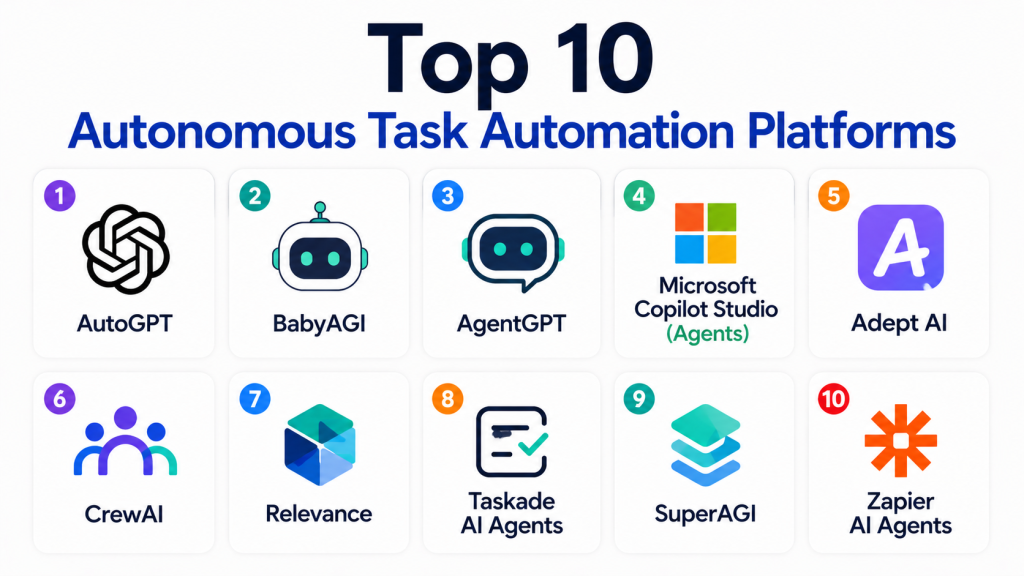
Top 10 Autonomous Task Automation Platforms
1 — AutoGPT
One-line verdict: Best for developers experimenting with fully autonomous agents and flexible, open-ended task execution workflows.
Short description:
AutoGPT is an open-source framework that enables the creation of autonomous AI agents capable of executing tasks independently by breaking down goals into smaller actionable steps. It is widely used for experimentation and prototyping in the AI community.
Standout Capabilities
- Autonomous goal-based execution that allows agents to operate with minimal supervision
- Task decomposition where complex objectives are broken into manageable steps
- Iterative self-improvement loops enabling agents to refine outputs over time
- Plugin-based extensibility for adding new tools and capabilities
- Support for long-running workflows that operate continuously
- Strong community ecosystem with frequent updates and contributions
- Flexible customization for developers
AI-Specific Depth
- Model support: Open-source / BYO model setups allow flexibility in choosing models
- RAG / knowledge integration: Moderate support with external integrations
- Evaluation: Limited built-in evaluation tools; requires external systems
- Guardrails: Limited safety mechanisms; requires additional setup
- Observability: Limited visibility into detailed execution traces
Pros
- Highly customizable for developers with specific requirements
- Strong open-source community support and innovation
- Suitable for experimentation and learning
Cons
- Not production-ready without significant customization
- Limited safety and guardrail features
- Requires technical expertise to deploy and manage
Security & Compliance
- Not publicly stated
Deployment & Platforms
- Self-hosted
Integrations & Ecosystem
AutoGPT integrates with a wide range of tools through plugins and APIs, making it flexible but requiring manual setup.
- APIs for external services
- Plugin ecosystem
- Open-source tools
- Custom integrations
Pricing Model
- Open-source (infrastructure costs apply)
Best-Fit Scenarios
- Experimental projects and prototypes
- Developer-driven automation workflows
- Research and innovation in autonomous agents
2 — BabyAGI
One-line verdict: Best for beginners and developers exploring simple autonomous task loops with minimal setup and logic.
Short description:
BabyAGI is a lightweight autonomous agent framework focused on task creation, prioritization, and execution. It simplifies the concept of autonomous agents into a basic loop, making it easier to understand and experiment with.
Standout Capabilities
- Task queue system that dynamically generates and prioritizes tasks based on objectives
- Simple autonomous execution loop that continuously processes and updates tasks
- Minimal architecture that is easy to modify and extend
- Lightweight design with fewer dependencies compared to larger frameworks
- Clear visibility into task flow and execution logic
- Easy to integrate with basic APIs and tools
- Ideal for learning core agent concepts
AI-Specific Depth
- Model support: Open-source / BYO model
- RAG / knowledge integration: Limited, requires manual integration
- Evaluation: Limited, no built-in evaluation framework
- Guardrails: Limited, relies on external safeguards
- Observability: Basic logging, lacks deep tracing
Pros
- Extremely simple and easy to understand for beginners
- Lightweight and fast to set up
- Great educational tool for learning agent workflows
Cons
- Not suitable for complex or production use cases
- Lacks advanced features like evaluation and guardrails
- Limited scalability
Security & Compliance
- Not publicly stated
Deployment & Platforms
- Self-hosted
Integrations & Ecosystem
- APIs for basic integrations
- Open-source libraries
- Custom scripts and workflows
Pricing Model
- Open-source
Best-Fit Scenarios
- Learning autonomous agent fundamentals
- Small experimental workflows
- Prototyping simple automation ideas
3 — AgentGPT
One-line verdict: Best for non-technical users wanting to quickly create and run autonomous agents in a browser.
Short description:
AgentGPT provides a web-based interface where users can create autonomous AI agents without coding. It simplifies agent creation by offering a no-code or low-code experience.
Standout Capabilities
- Browser-based interface with no installation required
- Simple agent setup using natural language instructions
- Autonomous execution with minimal configuration
- Fast deployment for quick experiments
- Accessible to non-technical users
- Lightweight and responsive UI
- Supports multiple concurrent agents
AI-Specific Depth
- Model support: Hosted
- RAG / knowledge integration: Limited
- Evaluation: Limited
- Guardrails: Limited
- Observability: Basic logs only
Pros
- Very easy to use and beginner-friendly
- No infrastructure setup required
- Ideal for quick experimentation
Cons
- Limited customization and flexibility
- Not suitable for enterprise or complex workflows
- Basic debugging and observability
Security & Compliance
- Not publicly stated
Deployment & Platforms
- Web
Integrations & Ecosystem
- Basic API support
- Limited external integrations
- Web-based tools
Pricing Model
- Tiered
Best-Fit Scenarios
- Quick experimentation
- Non-technical users
- Simple automation tasks
4 — Microsoft Copilot Studio (Agents)
One-line verdict: Best for enterprises building scalable, secure autonomous workflows within business ecosystems.
Short description:
Microsoft Copilot Studio enables organizations to create, deploy, and manage AI agents integrated with enterprise systems, focusing on business automation and governance.
Standout Capabilities
- Enterprise-grade workflow orchestration across departments
- Deep integration with business applications and enterprise tools
- Built-in governance and compliance controls
- Scalable infrastructure for large workloads
- Support for complex workflows with branching logic
- Integration with enterprise data sources
- Role-based access and management
AI-Specific Depth
- Model support: Hosted / Multi-model
- RAG / knowledge integration: Strong with enterprise connectors
- Evaluation: Moderate built-in tools
- Guardrails: Strong policy enforcement
- Observability: Strong with monitoring tools
Pros
- Highly scalable and enterprise-ready
- Strong governance and compliance features
- Deep ecosystem integration
Cons
- Complex setup and configuration
- Dependent on ecosystem
- Pricing not transparent
Security & Compliance
- RBAC, audit logs, encryption (certifications not publicly stated)
Deployment & Platforms
- Cloud
Integrations & Ecosystem
- Enterprise applications
- APIs and SDKs
- Data platforms
- Business tools
Pricing Model
- Usage-based / Tiered
Best-Fit Scenarios
- Enterprise automation
- Business workflows
- Internal operations
5 — Adept AI
One-line verdict: Best for automating real-world software interactions using AI agents that mimic human actions.
Short description:
Adept AI focuses on enabling agents to interact with software interfaces like humans, allowing automation across applications without direct API integrations.
Standout Capabilities
- UI-level interaction with software applications
- Automation of real-world workflows
- Ability to perform tasks across different software environments
- Advanced reasoning for complex interactions
- Flexible task execution across tools
- Focus on human-like automation
- Adaptability to changing interfaces
AI-Specific Depth
- Model support: Proprietary
- RAG / knowledge integration: Moderate
- Evaluation: Limited
- Guardrails: Moderate
- Observability: Limited
Pros
- Unique approach to automation via UI interaction
- Useful for legacy systems without APIs
- Strong real-world applicability
Cons
- Limited public documentation
- Not widely accessible
- Ecosystem still developing
Security & Compliance
- Not publicly stated
Deployment & Platforms
- Varies / N/A
Integrations & Ecosystem
- Software tools
- APIs
- UI automation layers
Pricing Model
- Not publicly stated
Best-Fit Scenarios
- Software automation
- Legacy systems
- UI-based workflows
6 — CrewAI
One-line verdict: Best for orchestrating multiple specialized agents collaborating on complex, multi-step workflows.
Short description:
CrewAI enables multi-agent collaboration where each agent has a specific role, allowing complex workflows to be distributed and executed efficiently.
Standout Capabilities
- Multi-agent orchestration with role-based design
- Collaboration between specialized agents
- Flexible workflow architecture
- Customizable agent roles and responsibilities
- Supports complex task dependencies
- Extensible framework for advanced use cases
- Scalable design for larger workflows
AI-Specific Depth
- Model support: BYO / Multi-model
- RAG / knowledge integration: Moderate
- Evaluation: Limited
- Guardrails: Limited
- Observability: Moderate
Pros
- Strong support for complex workflows
- Flexible and customizable
- Ideal for multi-agent systems
Cons
- Requires technical setup
- Limited built-in guardrails
- Not fully enterprise-ready
Security & Compliance
- Not publicly stated
Deployment & Platforms
- Self-hosted
Integrations & Ecosystem
- APIs
- SDKs
- AI frameworks
- Custom integrations
Pricing Model
- Open-source / Tiered
Best-Fit Scenarios
- Multi-agent systems
- Complex automation workflows
- Research and development
7 — Relevance AI
One-line verdict: Best for data-driven automation workflows with strong integration into analytics and business processes.
Short description:
Relevance AI focuses on building automation workflows powered by data pipelines, enabling businesses to automate insights and operations.
Standout Capabilities
- Data-driven workflow automation
- Integration with structured and unstructured data
- AI-powered analytics pipelines
- Workflow orchestration tools
- Scalable cloud infrastructure
- Business-focused features
- Built-in analytics dashboards
AI-Specific Depth
- Model support: Multi-model
- RAG / knowledge integration: Strong
- Evaluation: Moderate
- Guardrails: Moderate
- Observability: Moderate
Pros
- Strong data integration capabilities
- Suitable for business use cases
- Scalable and flexible
Cons
- Limited customization for developers
- Pricing not fully transparent
- Ecosystem still evolving
Security & Compliance
- Not publicly stated
Deployment & Platforms
- Cloud
Integrations & Ecosystem
- Data platforms
- APIs
- Analytics tools
- AI frameworks
Pricing Model
- Tiered
Best-Fit Scenarios
- Data workflows
- Analytics automation
- Business intelligence
8 — Taskade AI Agents
One-line verdict: Best for teams needing collaborative automation combined with productivity and project management tools.
Short description:
Taskade combines AI agents with team collaboration features, enabling users to automate workflows while managing tasks and projects.
Standout Capabilities
- Built-in collaboration tools
- Task automation with AI agents
- Workflow and project management
- Easy-to-use interface
- Real-time collaboration
- Quick setup and deployment
- Integrated productivity features
AI-Specific Depth
- Model support: Hosted
- RAG / knowledge integration: Limited
- Evaluation: Limited
- Guardrails: Limited
- Observability: Limited
Pros
- Easy to use for teams
- Combines productivity and automation
- Fast onboarding
Cons
- Limited advanced AI capabilities
- Not developer-focused
- Basic automation features
Security & Compliance
- Not publicly stated
Deployment & Platforms
- Web / Mobile
Integrations & Ecosystem
- APIs
- Productivity tools
- Collaboration platforms
Pricing Model
- Tiered
Best-Fit Scenarios
- Team collaboration
- Task management
- Simple automation
9 — SuperAGI
One-line verdict: Best for developers building scalable autonomous agents with open-source flexibility and monitoring tools.
Short description:
SuperAGI is an open-source platform designed to build, deploy, and monitor autonomous agents at scale.
Standout Capabilities
- Autonomous agent framework
- Built-in monitoring and observability
- Workflow automation tools
- Integration with external tools
- Scalable architecture
- Open-source ecosystem
- Customizable pipelines
AI-Specific Depth
- Model support: Open-source / BYO
- RAG / knowledge integration: Moderate
- Evaluation: Limited
- Guardrails: Limited
- Observability: Moderate
Pros
- Open-source flexibility
- Built-in monitoring
- Scalable design
Cons
- Requires setup and expertise
- Limited enterprise features
- Guardrails need improvement
Security & Compliance
- Not publicly stated
Deployment & Platforms
- Self-hosted
Integrations & Ecosystem
- APIs
- SDKs
- Open-source tools
- Custom integrations
Pricing Model
- Open-source
Best-Fit Scenarios
- Developer workflows
- Scalable agent systems
- Automation pipelines
10 — Zapier AI Agents
One-line verdict: Best for non-technical users automating workflows across apps using AI-powered decision-making.
Short description:
Zapier AI Agents extend traditional automation by introducing AI-driven logic into workflows, enabling smarter decision-making across applications.
Standout Capabilities
- No-code automation platform
- Integration with thousands of apps
- AI-powered workflow logic
- Easy setup and deployment
- Scalable automation across teams
- Pre-built templates
- Strong ecosystem
AI-Specific Depth
- Model support: Hosted
- RAG / knowledge integration: Limited
- Evaluation: Limited
- Guardrails: Moderate
- Observability: Limited
Pros
- Extremely easy to use
- Massive integration ecosystem
- Fast implementation
Cons
- Limited deep AI capabilities
- Less control for developers
- Not ideal for complex agents
Security & Compliance
- Not publicly stated
Deployment & Platforms
- Web / Cloud
Integrations & Ecosystem
- SaaS applications
- APIs
- Automation tools
- Business platforms
Pricing Model
- Tiered
Best-Fit Scenarios
- Business automation
- Non-technical users
- Workflow integration
Comparison Table
| Tool Name | Best For | Deployment | Model Flexibility | Strength | Watch-Out | Public Rating |
|---|---|---|---|---|---|---|
| AutoGPT | Developers & experimentation | Self-hosted | BYO / Open-source | Highly flexible automation | Not production-ready | N/A |
| BabyAGI | Beginners & learning | Self-hosted | Open-source | Simplicity & clarity | Limited scalability | N/A |
| AgentGPT | Non-technical users | Web | Hosted | Ease of use | Limited customization | N/A |
| Copilot Studio | Enterprise workflows | Cloud | Multi-model | Enterprise integration | Complex setup | N/A |
| Adept AI | UI-based automation | Varies / N/A | Proprietary | Real-world task execution | Limited public info | N/A |
| CrewAI | Multi-agent systems | Self-hosted | BYO / Multi-model | Agent collaboration | Setup complexity | N/A |
| Relevance AI | Data-driven workflows | Cloud | Multi-model | Strong data integration | Pricing unclear | N/A |
| Taskade | Teams & collaboration | Web / Mobile | Hosted | Productivity + automation | Basic AI depth | N/A |
| SuperAGI | Developers & scaling | Self-hosted | BYO / Open-source | Open-source scalability | Requires expertise | N/A |
| Zapier AI | SMB automation | Cloud | Hosted | Massive integrations | Limited control | N/A |
Scoring & Evaluation (Transparent Rubric)
This scoring model is designed to help compare tools relative to each other across key decision-making factors. It is not an absolute measure but rather a structured way to evaluate strengths and weaknesses based on real-world usage scenarios. Each category is weighted based on its importance in production AI systems.
| Tool | Core | Reliability/Eval | Guardrails | Integrations | Ease | Perf/Cost | Security/Admin | Support | Weighted Total |
|---|---|---|---|---|---|---|---|---|---|
| AutoGPT | 8 | 6 | 5 | 7 | 6 | 7 | 6 | 7 | 6.8 |
| BabyAGI | 6 | 5 | 5 | 6 | 7 | 7 | 5 | 6 | 6.0 |
| AgentGPT | 6 | 5 | 5 | 6 | 8 | 7 | 6 | 6 | 6.4 |
| Copilot Studio | 9 | 8 | 8 | 9 | 6 | 7 | 8 | 8 | 8.2 |
| Adept AI | 8 | 6 | 6 | 7 | 6 | 7 | 6 | 6 | 6.8 |
| CrewAI | 8 | 6 | 5 | 7 | 6 | 7 | 6 | 7 | 6.8 |
| Relevance AI | 8 | 7 | 6 | 8 | 7 | 7 | 7 | 7 | 7.4 |
| Taskade | 6 | 5 | 5 | 7 | 8 | 7 | 6 | 6 | 6.4 |
| SuperAGI | 8 | 6 | 5 | 7 | 6 | 7 | 6 | 7 | 6.8 |
| Zapier AI | 7 | 6 | 6 | 9 | 9 | 7 | 7 | 8 | 7.6 |
Top 3 for Enterprise
- Copilot Studio — strongest in governance, integrations, and scalability
- Relevance AI — excellent for data-driven enterprise workflows
- Zapier AI — ideal for broad automation across business systems
Top 3 for SMB
- Zapier AI — easy, scalable, and integration-rich
- Taskade — combines collaboration with automation
- AgentGPT — simple entry point for non-technical users
Top 3 for Developers
- AutoGPT — flexible and highly customizable
- CrewAI — strong multi-agent orchestration
- SuperAGI — scalable open-source platform
Which Autonomous Task Automation Platform Is Right for You?
Solo / Freelancer
If you’re working alone or running small projects, simplicity and speed matter most. Tools like AgentGPT and Taskade allow you to quickly create and deploy automation workflows without needing deep technical expertise. These platforms are ideal for content creation, small business operations, or personal productivity tasks.
SMB
Small and medium-sized businesses should focus on platforms that balance ease of use with scalability. Zapier AI stands out due to its vast integration ecosystem, allowing businesses to connect multiple tools without heavy development. Taskade is also useful for teams needing collaboration alongside automation.
Mid-Market
Mid-sized organizations often require more flexibility and customization. Platforms like Relevance AI and CrewAI offer a balance between scalability and control, making them suitable for data workflows, internal automation, and multi-agent systems.
Enterprise
Large enterprises need robust governance, security, and scalability. Microsoft Copilot Studio is a strong choice due to its enterprise integrations and compliance features. These platforms are best for handling large-scale operations and mission-critical workflows.
Regulated industries (finance/healthcare/public sector)
In regulated environments, data privacy, auditability, and compliance are critical. Choose platforms with strong governance features, audit logs, and access controls. Enterprise-focused solutions are typically better suited for these requirements.
Budget vs premium
- Budget: Open-source tools like AutoGPT, BabyAGI, and SuperAGI offer flexibility but require more setup and maintenance
- Premium: Enterprise platforms provide reliability, support, and built-in features but come at a higher cost
Build vs buy (when to DIY)
- Build: If you need deep customization, unique workflows, or control over infrastructure
- Buy: If speed, reliability, and ease of deployment are more important than customization
Implementation Playbook (30 / 60 / 90 Days)
30 Days — Pilot & Validation
- Identify high-impact workflows that can benefit from automation
- Define clear success metrics such as accuracy, time savings, and cost reduction
- Launch small pilot projects with limited scope
- Build an initial evaluation framework to measure performance
- Test basic guardrails to prevent errors or unsafe outputs
60 Days — Hardening & Expansion
- Expand automation to additional workflows based on pilot success
- Strengthen evaluation systems with more test cases and edge scenarios
- Implement stronger guardrails and policy controls
- Introduce observability tools to monitor agent behavior
- Begin integrating with core business systems
90 Days — Optimization & Scale
- Optimize cost and latency through model selection and routing
- Scale deployment across teams and departments
- Establish governance frameworks for long-term management
- Implement incident handling and rollback mechanisms
- Continuously improve workflows based on feedback and performance data
Common Mistakes & How to Avoid Them
- Relying too heavily on automation without human oversight, which can lead to critical errors in sensitive workflows
- Skipping proper evaluation frameworks, resulting in unreliable outputs and poor performance
- Ignoring guardrails, increasing the risk of harmful or incorrect actions
- Poor data governance, which can expose sensitive information or violate compliance requirements
- Lack of observability, making it difficult to debug or improve agent behavior
- Underestimating costs, especially with high-volume AI usage
- Overcomplicating workflows instead of starting simple and scaling gradually
- Vendor lock-in due to lack of modular architecture
- Insufficient testing across edge cases and real-world scenarios
- Ignoring latency issues, which can impact user experience
- Not training teams to work effectively with AI systems
- Failing to update and maintain automation workflows over time
FAQs
1. What are autonomous task automation platforms?
They are AI-driven systems that can independently execute complex workflows by breaking tasks into smaller steps and making decisions along the way.
2. How are they different from traditional automation tools?
Traditional tools follow predefined rules, while autonomous platforms can adapt, reason, and handle dynamic scenarios.
3. Do I need coding skills to use them?
Some platforms require technical expertise, while others offer no-code or low-code interfaces for non-technical users.
4. Can I use my own AI models?
Many platforms support bring-your-own-model setups, allowing flexibility in choosing AI models.
5. Are these platforms secure?
Security varies by platform, so it’s important to evaluate data handling, access controls, and compliance features.
6. Do they support evaluation and testing?
Some platforms include built-in evaluation tools, while others require external solutions.
7. Can they scale for enterprise use?
Yes, many platforms are designed to handle large-scale workflows and enterprise-level operations.
8. How much do they cost?
Pricing varies widely depending on features, usage, and deployment model.
9. Will they replace human workers?
No, they are designed to augment human capabilities and improve efficiency rather than replace people entirely.
10. What industries benefit the most?
Industries like SaaS, finance, healthcare, and e-commerce benefit significantly from automation.
11. Are they reliable?
Reliability depends on proper testing, evaluation, and implementation practices.
12. Can I switch platforms later?
Yes, but switching may require reconfiguration and migration of workflows.
Conclusion
Autonomous task automation platforms are reshaping how organizations operate by enabling AI agents to handle complex, multi-step workflows with increasing independence and intelligence. However, the right platform depends heavily on your specific needs, technical capabilities, and scale—there is no universal solution that fits everyone. The best approach is to shortlist a few tools aligned with your goals, run controlled pilot projects using real workflows, and carefully validate evaluation systems, guardrails, and cost efficiency before committing to full-scale deployment.
Very well-structured guide on autonomous task automation platforms. The explanations of agent capabilities, observability, and scalability are especially useful for modern enterprises.