Introduction
Model Canary & A/B Deployment Tools help teams release AI models safely by sending only a small portion of traffic to a new model version before making it fully live. In simple words, these tools let teams compare model versions, test changes with real users, monitor quality, and roll back quickly if something goes wrong.
They matter because AI model releases are risky. A new model, prompt, embedding version, RAG pipeline, or inference runtime can change accuracy, latency, cost, safety, and user experience. Canary and A/B deployment tools reduce that risk by making rollouts gradual, measurable, and reversible.
Real-world use cases include:
- Testing a new LLM version with limited traffic
- Comparing two recommendation models in production
- Rolling out a new RAG retrieval strategy safely
- A/B testing model latency, cost, and quality
- Releasing model updates by region, team, or customer segment
- Rolling back unsafe or low-performing AI behavior quickly
Evaluation criteria for buyers:
- Canary deployment support
- A/B traffic splitting
- Model versioning and rollback
- Experiment tracking and metrics
- Integration with inference endpoints
- Support for batch and real-time models
- Monitoring for latency, cost, quality, and errors
- Human review and approval workflows
- Multi-model and multi-cloud support
- Security, RBAC, and audit logs
- CI/CD and MLOps integration
- Ease of use for engineering and AI teams
Best for: AI platform teams, MLOps teams, ML engineers, DevOps teams, product teams, SaaS companies, enterprises, regulated industries, and organizations deploying production AI models where reliability, safety, and measurable rollout control matter.
Not ideal for: casual AI experiments, notebook-only model development, very low-risk internal prototypes, or teams using only a single hosted model API without custom deployment control. In those cases, basic versioning, manual review, or provider-level testing may be enough.
What’s Changed in Model Canary & A/B Deployment Tools
- AI releases need more than simple traffic splitting. Teams now measure model quality, hallucination risk, safety, latency, cost, and user satisfaction during rollouts.
- LLM applications require canary testing across prompts, models, and retrieval. A rollout may involve a new model, prompt template, embedding model, vector index, reranker, or guardrail policy.
- AI agents make release testing more complex. Agent workflows need canary checks for tool calls, planning quality, retries, unsafe actions, and escalation behavior.
- RAG deployments need controlled experiments. Teams often A/B test retrieval strategies, context size, citation behavior, chunking methods, and answer faithfulness.
- Rollback speed is now critical. If a model starts producing unsafe, costly, or low-quality outputs, teams need fast rollback without waiting for a full engineering release cycle.
- Cost and latency are part of release decisions. A new model version may improve quality but increase token usage, GPU load, or response time, so rollout decisions must include operational metrics.
- Human review is becoming part of rollout gates. High-risk AI outputs often require expert review before wider release.
- Feature flags and model deployment are converging. Teams increasingly combine model endpoints, feature flags, routing rules, and experiment platforms.
- Observability is essential during canaries. Teams need dashboards showing performance by version, user segment, traffic percentage, model provider, and workflow.
- Governance expectations are rising. Enterprises want approvals, audit logs, experiment history, data retention controls, and documented release decisions.
- Multi-model routing is now common. Teams may route traffic between hosted models, BYO models, open-source models, and fallback models.
- Release safety now includes prompt injection and hallucination checks. AI-specific release gates increasingly test security, faithfulness, refusal behavior, and policy compliance.
Quick Buyer Checklist
Use this checklist to shortlist tools quickly:
- Does the tool support canary deployments for model versions?
- Can it split traffic between model A and model B?
- Can rollout rules target users, regions, customers, teams, or environments?
- Does it support fast rollback?
- Can it track quality, latency, cost, errors, and user feedback by model version?
- Does it integrate with your inference serving layer?
- Does it support hosted, BYO, and open-source models?
- Can it work with RAG pipelines and agent workflows?
- Does it support evaluation and regression testing before rollout?
- Can it connect with observability, monitoring, and incident tools?
- Does it provide RBAC, audit logs, and approval workflows?
- Are privacy, retention, and data handling controls clear?
- Does it support CI/CD and GitOps workflows?
- Can it avoid vendor lock-in through APIs and portable deployment patterns?
- Can non-engineering stakeholders understand experiment results?
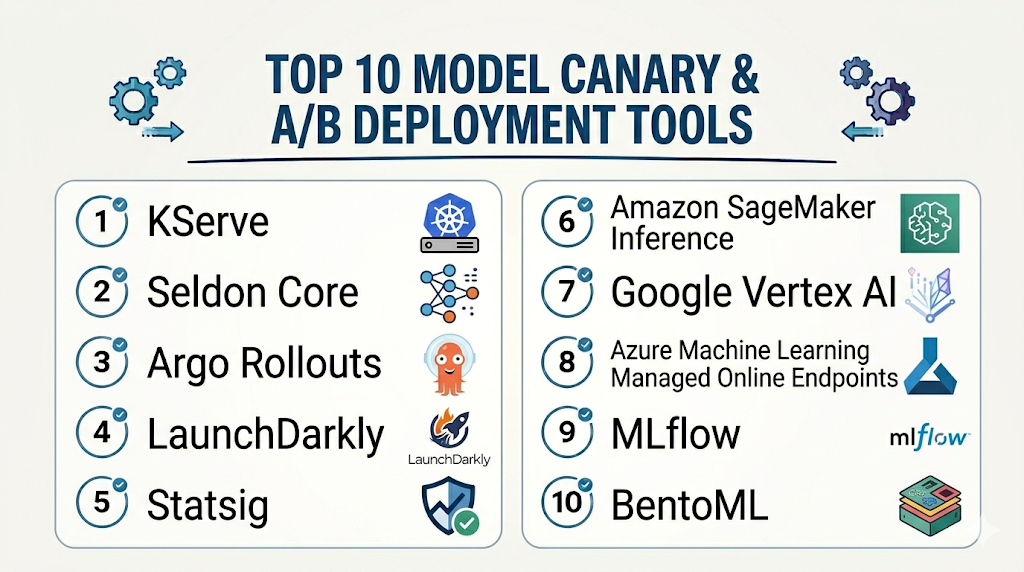
Top 10 Model Canary & A/B Deployment Tools
1 — KServe
One-line verdict: Best for Kubernetes-native teams needing canary traffic splitting and scalable model serving.
Short description :
KServe is a Kubernetes-native model serving platform for deploying and scaling machine learning models. It is useful for teams that want inference services, traffic splitting, rollout control, and autoscaling inside cloud-native infrastructure.
Standout Capabilities
- Kubernetes-native inference service abstraction
- Traffic splitting for canary and rollout workflows
- Autoscaling support through cloud-native patterns
- Support for multiple model runtimes
- Works well with containerized model serving
- Useful for standardized AI platform infrastructure
- Integrates with monitoring and deployment workflows
AI-Specific Depth Must Include
- Model support: BYO models, open-source models, and multiple serving runtimes depending on configuration
- RAG / knowledge integration: N/A, usually handled in application and retrieval layers
- Evaluation: Varies / N/A, commonly paired with external evaluation and monitoring tools
- Guardrails: Varies / N/A, requires companion policy and safety controls
- Observability: Kubernetes metrics, inference metrics, traffic behavior, latency, and runtime metrics depending on setup
Pros
- Strong fit for Kubernetes-based AI platforms
- Supports gradual rollout patterns through traffic splitting
- Flexible foundation for multi-model deployment workflows
Cons
- Requires Kubernetes and platform engineering expertise
- Not a full experiment analytics platform by itself
- AI-specific quality evaluation requires companion tools
Security & Compliance
Security depends on Kubernetes configuration, RBAC, network policies, secrets management, encryption, audit logging, and deployment architecture. Certifications are Not publicly stated.
Deployment & Platforms
- Kubernetes-native
- Cloud, self-hosted, or hybrid depending on cluster setup
- Linux-based container environments
- Web interface: Varies / N/A
- Works with production model-serving infrastructure
Integrations & Ecosystem
KServe fits teams that want model canary releases as part of a cloud-native AI platform. It can connect with CI/CD, monitoring, model registries, and Kubernetes operations workflows.
- Kubernetes
- Container registries
- Model storage systems
- Serving runtimes
- Monitoring tools
- CI/CD pipelines
- GitOps workflows
Pricing Model No exact prices unless confident
Open-source usage is available. Infrastructure cost depends on compute, GPUs, storage, cloud services, operations, and support choices.
Best-Fit Scenarios
- Kubernetes-based model serving platforms
- Teams needing canary rollout for inference services
- Organizations standardizing production model deployments
2 — Seldon Core
One-line verdict: Best for Kubernetes teams needing model canaries, traffic routing, and inference pipeline control.
Short description :
Seldon Core helps teams deploy, scale, and manage machine learning models on Kubernetes. It is useful for production inference pipelines, traffic routing, canary-style releases, and advanced model deployment patterns.
Standout Capabilities
- Kubernetes-based model deployment
- Traffic routing and canary deployment patterns
- Support for inference graphs and model pipelines
- Works with multiple model frameworks
- Useful for MLOps and platform teams
- Integrates with monitoring and service mesh patterns
- Supports controlled rollout workflows
AI-Specific Depth Must Include
- Model support: BYO models and multiple framework runtimes depending on configuration
- RAG / knowledge integration: N/A, usually handled outside the serving layer
- Evaluation: Varies / N/A, paired with external testing and monitoring tools
- Guardrails: Varies / N/A, requires companion safety controls
- Observability: Metrics, logs, request behavior, latency, and Kubernetes monitoring depending on setup
Pros
- Strong Kubernetes-native deployment control
- Useful for inference pipelines and traffic management
- Good fit for teams needing model rollout flexibility
Cons
- Requires Kubernetes and MLOps expertise
- May be complex for small teams
- AI-specific experiment scoring requires companion tools
Security & Compliance
Security depends on cluster RBAC, network controls, secrets management, audit logging, encryption, and deployment policies. Certifications are Not publicly stated.
Deployment & Platforms
- Kubernetes-based
- Cloud, self-hosted, or hybrid
- Linux/container environments
- Web interface: Varies / N/A
- Production platform deployment model
Integrations & Ecosystem
Seldon Core works well for teams that need canary rollout and inference pipeline control inside Kubernetes. It can integrate with broader MLOps and observability stacks.
- Kubernetes
- Docker and container registries
- CI/CD pipelines
- Monitoring and logging tools
- Model storage systems
- Service mesh patterns
- MLOps workflows
Pricing Model No exact prices unless confident
Open-source and commercial or enterprise options may vary. Infrastructure and support costs depend on deployment and scale.
Best-Fit Scenarios
- Kubernetes-based MLOps teams
- Enterprises deploying multiple model versions
- Teams needing traffic splitting and inference graphs
3 — Argo Rollouts
One-line verdict: Best for Kubernetes teams needing progressive delivery, canaries, and rollout automation.
Short description :
Argo Rollouts provides progressive delivery for Kubernetes applications, including canary and blue-green deployment patterns. It is useful for AI teams that deploy model services as Kubernetes applications and need controlled rollout automation.
Standout Capabilities
- Canary and blue-green deployment patterns
- Kubernetes-native progressive delivery
- Traffic management integration patterns
- Automated rollout steps and promotion workflows
- Rollback support based on metrics and analysis
- Useful for GitOps-style AI deployments
- Works well with model services packaged as applications
AI-Specific Depth Must Include
- Model support: BYO models through containerized services and inference applications
- RAG / knowledge integration: N/A, handled in application layer
- Evaluation: Varies / N/A, can integrate with external metrics and analysis workflows
- Guardrails: Varies / N/A, requires companion AI safety tools
- Observability: Rollout metrics, traffic behavior, analysis results, latency and error signals depending on integration
Pros
- Strong progressive delivery control
- Useful for AI services deployed on Kubernetes
- Fits GitOps and platform engineering workflows
Cons
- Not model-specific by default
- Requires Kubernetes and rollout strategy design
- AI quality evaluation must come from companion tools
Security & Compliance
Security depends on Kubernetes RBAC, GitOps controls, network policies, secrets management, audit logging, and cluster governance. Certifications are Not publicly stated.
Deployment & Platforms
- Kubernetes-native
- Cloud, self-hosted, or hybrid
- Containerized deployment environments
- Web visibility depends on Argo ecosystem setup
- Works with inference services deployed as Kubernetes workloads
Integrations & Ecosystem
Argo Rollouts fits teams that want model canaries to behave like disciplined software releases. It can work alongside model servers, service meshes, metrics systems, and GitOps pipelines.
- Kubernetes
- Argo CD
- Service mesh tools
- Ingress controllers
- Monitoring systems
- CI/CD workflows
- Model-serving workloads
Pricing Model No exact prices unless confident
Open-source usage is available. Costs depend on infrastructure, operations, support, and surrounding platform tools.
Best-Fit Scenarios
- Kubernetes AI services needing progressive delivery
- GitOps teams releasing model-serving applications
- Teams wanting metric-based rollout automation
4 — LaunchDarkly
One-line verdict: Best for product teams using feature flags to control AI model exposure and experiments.
Short description :
LaunchDarkly is a feature management platform used to control releases, experiments, and targeted rollouts. It is useful for teams that want to expose new AI models, prompts, or experiences to selected users or segments.
Standout Capabilities
- Feature flags for controlled releases
- Targeted rollouts by user, segment, or environment
- Experimentation and progressive delivery workflows
- Useful for AI feature gating
- Rollback without full redeployment
- Collaboration between engineering and product teams
- Works across many application architectures
AI-Specific Depth Must Include
- Model support: Model-agnostic; controls exposure to hosted, BYO, or open-source model workflows through application logic
- RAG / knowledge integration: N/A, controlled at application level
- Evaluation: Experiment metrics and product analytics patterns; AI-specific evaluation may require companion tools
- Guardrails: Varies / N/A, can gate AI features but does not replace AI safety tooling
- Observability: Feature exposure, rollout state, experiment metrics; AI traces require companion observability platforms
Pros
- Strong for targeted rollouts and fast rollback
- Useful for product-led AI experiments
- Helps separate deployment from release
Cons
- Not an inference-serving platform
- AI quality monitoring requires external tools
- Model routing must be implemented in the application layer
Security & Compliance
Enterprise controls such as SSO, RBAC, audit logs, encryption, retention, and admin workflows may vary by plan. Certifications are Not publicly stated here.
Deployment & Platforms
- Web-based SaaS platform
- SDK-based application integration
- Cloud deployment
- Self-hosted: Varies / N/A
- Works across web, backend, mobile, and service environments through SDKs
Integrations & Ecosystem
LaunchDarkly is useful when AI canary releases need product targeting and business-level experimentation. It works best with model monitoring and AI evaluation platforms.
- Application SDKs
- CI/CD workflows
- Product analytics tools
- Experimentation workflows
- Backend services
- User segmentation systems
- Observability integrations
Pricing Model No exact prices unless confident
Typically tiered or enterprise-oriented based on seats, usage, environments, and feature needs. Exact pricing should be verified directly.
Best-Fit Scenarios
- Product-led AI feature rollouts
- Segment-based model exposure
- Teams needing fast rollback without redeployment
5 — Statsig
One-line verdict: Best for teams combining feature flags, experiments, and product analytics for AI releases.
Short description :
Statsig provides feature management, experimentation, and product analytics workflows. It is useful for teams that want to A/B test AI features, compare model experiences, and connect rollout decisions with product metrics.
Standout Capabilities
- Feature flags and controlled rollouts
- A/B testing and experimentation workflows
- Product analytics for release decisions
- Targeting by user groups and segments
- Useful for AI feature evaluation
- Helps compare product outcomes across variants
- Supports engineering and product collaboration
AI-Specific Depth Must Include
- Model support: Model-agnostic; controls model or prompt variants through application logic
- RAG / knowledge integration: N/A, handled at application level
- Evaluation: Product experimentation metrics; AI-specific evals require companion tools
- Guardrails: Varies / N/A, can gate exposure but does not replace safety controls
- Observability: Experiment metrics, feature exposure, product events; AI traces require companion tools
Pros
- Strong for A/B testing AI user experiences
- Useful for connecting model changes to product metrics
- Good fit for product and growth teams
Cons
- Not model-serving infrastructure
- Needs engineering implementation for model routing
- AI safety and hallucination evaluation require additional tools
Security & Compliance
Security features such as SSO, RBAC, audit logs, encryption, retention, and admin controls may vary by plan. Certifications are Not publicly stated here.
Deployment & Platforms
- Web-based SaaS platform
- SDK-based integration
- Cloud deployment
- Self-hosted: Varies / N/A
- Works across web, backend, and mobile application environments
Integrations & Ecosystem
Statsig fits teams that need to evaluate AI model rollouts through product metrics, user behavior, and controlled experiments.
- Application SDKs
- Product analytics events
- Experimentation workflows
- Feature flag systems
- CI/CD workflows
- Backend services
- Data warehouse workflows depending on setup
Pricing Model No exact prices unless confident
Typically tiered or usage-based depending on events, seats, experiments, and enterprise requirements. Exact pricing is Varies / N/A.
Best-Fit Scenarios
- AI product A/B testing
- Teams comparing model-driven user experiences
- Product teams measuring adoption and satisfaction
6 — Amazon SageMaker Inference
One-line verdict: Best for AWS teams needing managed model deployment, traffic control, and production inference.
Short description :
Amazon SageMaker Inference provides managed model deployment workflows in the AWS ecosystem. It is useful for teams deploying real-time, async, serverless, or batch inference workloads with managed cloud infrastructure.
Standout Capabilities
- Managed model deployment in AWS
- Production inference endpoint workflows
- Support for multiple deployment patterns
- Traffic shifting and rollout patterns depending on configuration
- Integration with AWS monitoring and identity services
- Useful for cloud-native ML operations
- Supports real-time and batch inference scenarios
AI-Specific Depth Must Include
- Model support: BYO models and AWS-managed model workflows depending on configuration
- RAG / knowledge integration: N/A, usually handled in application and data layers
- Evaluation: Varies / N/A, paired with monitoring and evaluation tools
- Guardrails: Varies / N/A, handled through application and platform controls
- Observability: Endpoint metrics, latency, errors, logs, utilization, and cloud monitoring depending on setup
Pros
- Strong fit for AWS-native ML teams
- Managed infrastructure reduces operational burden
- Useful for production model release workflows
Cons
- Cloud-specific environment
- Costs and rollout behavior depend on configuration
- AI quality evaluation requires companion tooling
Security & Compliance
Security depends on AWS account configuration, IAM, encryption, logging, networking, retention, and regional setup. Certifications should be verified directly for required services and regions.
Deployment & Platforms
- AWS cloud platform
- Managed inference endpoints
- Cloud deployment
- Self-hosted: N/A
- API and service-based integrations
Integrations & Ecosystem
SageMaker Inference fits teams already using AWS for model development, deployment, monitoring, and governance.
- AWS storage and data services
- AWS identity and access management
- Cloud monitoring services
- Model training pipelines
- Real-time inference
- Batch inference
- Application backends
Pricing Model No exact prices unless confident
Usage-based cloud pricing depends on endpoint type, instance type, inference volume, compute time, storage, and related services. Exact pricing varies by workload.
Best-Fit Scenarios
- AWS-native ML deployment teams
- Teams needing managed production inference
- Organizations standardizing model rollout inside AWS
7 — Google Vertex AI
One-line verdict: Best for Google Cloud teams needing managed model deployment and controlled prediction workflows.
Short description :
Google Vertex AI provides managed workflows for model training, deployment, prediction, and monitoring inside Google Cloud. It is useful for teams that want model rollout control within a cloud-native AI platform.
Standout Capabilities
- Managed model deployment and prediction endpoints
- Online and batch prediction workflows
- Model version and endpoint management patterns
- Integration with Google Cloud data and monitoring services
- Useful for cloud-native ML operations
- Supports production prediction workflows
- Good fit for Google Cloud-standardized teams
AI-Specific Depth Must Include
- Model support: BYO and Google Cloud model workflows depending on configuration
- RAG / knowledge integration: N/A, usually handled in application and data layers
- Evaluation: Varies / N/A, paired with external evaluation and monitoring tools
- Guardrails: Varies / N/A, handled through application and platform controls
- Observability: Endpoint metrics, prediction metrics, logs, latency, errors, and cloud monitoring depending on setup
Pros
- Strong fit for Google Cloud AI workflows
- Managed endpoints reduce infrastructure overhead
- Useful for teams already using Google Cloud data services
Cons
- Less flexible for non-Google Cloud stacks
- Advanced AI experimentation may need companion tools
- Costs and performance depend on endpoint design
Security & Compliance
Security depends on Google Cloud configuration, IAM, encryption, logging, network controls, retention, and regional setup. Certifications should be verified directly for required services and regions.
Deployment & Platforms
- Google Cloud platform
- Managed prediction endpoints
- Cloud deployment
- Self-hosted: N/A
- API and managed service integrations
Integrations & Ecosystem
Vertex AI fits teams building AI workflows inside Google Cloud and wanting model deployment, prediction, and monitoring connected to the same ecosystem.
- Google Cloud data services
- Vertex AI pipelines
- Cloud monitoring
- IAM and admin workflows
- Online prediction
- Batch prediction
- Application backends
Pricing Model No exact prices unless confident
Usage-based cloud pricing depends on endpoint configuration, compute, prediction volume, storage, and related cloud services. Exact pricing varies by workload.
Best-Fit Scenarios
- Google Cloud-centered ML teams
- Teams deploying models through Vertex AI
- Organizations needing managed cloud prediction workflows
8 — Azure Machine Learning Managed Online Endpoints
One-line verdict: Best for Azure teams needing managed model endpoints, traffic allocation, and enterprise integration.
Short description :
Azure Machine Learning Managed Online Endpoints help teams deploy and manage real-time inference endpoints inside the Azure ecosystem. They are useful for organizations standardizing model deployment within Microsoft cloud environments.
Standout Capabilities
- Managed online inference endpoints
- Deployment and traffic allocation workflows
- Integration with Azure identity and monitoring services
- Useful for real-time model serving
- Supports enterprise cloud operations
- Helps standardize model deployment in Azure
- Good fit for Azure Machine Learning workflows
AI-Specific Depth Must Include
- Model support: BYO models and Azure ML workflows depending on configuration
- RAG / knowledge integration: N/A, usually handled in application and data layers
- Evaluation: Varies / N/A, paired with external evaluation and monitoring tools
- Guardrails: Varies / N/A, handled through application and platform controls
- Observability: Endpoint metrics, logs, latency, traffic, and cloud monitoring depending on setup
Pros
- Strong fit for Azure-standardized enterprises
- Managed endpoints reduce some infrastructure burden
- Useful for controlled deployment and traffic allocation
Cons
- Less flexible for non-Azure environments
- Advanced AI quality monitoring needs companion tools
- Costs depend on endpoint and compute design
Security & Compliance
Security depends on Azure configuration, identity controls, networking, encryption, logging, retention, and regional setup. Certifications should be verified directly for required services and regions.
Deployment & Platforms
- Azure cloud platform
- Managed online endpoints
- Cloud deployment
- Self-hosted: N/A
- API and managed service integrations
Integrations & Ecosystem
Azure managed endpoints fit teams already building with Azure data, identity, DevOps, monitoring, and machine learning services.
- Azure Machine Learning
- Azure identity and access management
- Azure monitoring services
- CI/CD pipelines
- Model deployment workflows
- Real-time inference
- Enterprise cloud applications
Pricing Model No exact prices unless confident
Usage-based cloud pricing depends on compute, endpoint configuration, traffic, storage, and related Azure services. Exact pricing varies by workload.
Best-Fit Scenarios
- Azure-centered ML teams
- Enterprises needing managed inference endpoints
- Organizations standardizing deployment inside Microsoft cloud environments
9 — MLflow
One-line verdict: Best for teams needing model registry, experiment tracking, and deployment workflow coordination.
Short description :
MLflow supports experiment tracking, model packaging, model registry workflows, and deployment coordination. It is useful for teams that want to manage model versions and connect release decisions with tracked experiments.
Standout Capabilities
- Model registry and version tracking
- Experiment tracking for model comparison
- Model packaging and deployment workflow support
- Useful for promotion from staging to production
- Works with many ML frameworks
- Can support deployment integration patterns
- Strong fit for MLOps lifecycle management
AI-Specific Depth Must Include
- Model support: BYO models across many ML frameworks and workflows
- RAG / knowledge integration: N/A, usually handled in application layer
- Evaluation: Experiment tracking and metrics; AI-specific evaluation may require companion tools
- Guardrails: Varies / N/A
- Observability: Model metadata, experiment metrics, registry state; production traces require companion tools
Pros
- Strong model versioning and lifecycle workflow
- Useful for experiment-to-production promotion
- Flexible across many ML stacks
Cons
- Not a canary traffic-splitting platform by itself
- Requires deployment integrations for production rollout
- LLM-specific release monitoring needs additional tools
Security & Compliance
Security depends on deployment, access control, identity integration, artifact storage, logging, encryption, and hosting model. Certifications are Not publicly stated.
Deployment & Platforms
- Open-source and managed options depending on environment
- Cloud, self-hosted, or hybrid
- Web-based tracking UI depending on setup
- Works across Windows, macOS, and Linux development environments
- Integrates with model deployment targets
Integrations & Ecosystem
MLflow fits teams that need model versioning and experiment history before deployment. It often works alongside deployment tools that handle traffic splitting and endpoint rollout.
- ML frameworks
- Model registries
- Artifact stores
- CI/CD pipelines
- Cloud ML platforms
- Experiment tracking workflows
- Deployment integrations
Pricing Model No exact prices unless confident
Open-source usage is available. Managed or enterprise pricing varies by provider and deployment model.
Best-Fit Scenarios
- Teams managing model versions and promotion workflows
- MLOps teams tracking experiments before rollout
- Organizations needing registry-driven deployment governance
10 — BentoML
One-line verdict: Best for teams packaging model services and deploying controlled inference versions flexibly.
Short description :
BentoML helps teams package, deploy, and serve machine learning and AI models. It is useful for developers building model services that need versioned deployment, flexible serving, and integration with rollout infrastructure.
Standout Capabilities
- Model packaging and service creation workflows
- Supports many model types and frameworks
- Useful for building production inference APIs
- Flexible deployment across cloud, container, and self-hosted environments
- Can support versioned model service workflows
- Developer-friendly model serving abstraction
- Works with external traffic management and deployment tools
AI-Specific Depth Must Include
- Model support: BYO model and multi-model workflows depending on setup
- RAG / knowledge integration: N/A, usually handled in application layer
- Evaluation: Varies / N/A, usually paired with external evaluation tools
- Guardrails: Varies / N/A
- Observability: Deployment and serving metrics depend on instrumentation and integrations
Pros
- Flexible model packaging and serving
- Useful for custom deployment workflows
- Good fit for teams that want portability
Cons
- Canary and A/B workflows may require external routing tools
- Requires engineering ownership for production operations
- Not a full experiment analytics platform alone
Security & Compliance
Security depends on deployment architecture, access controls, infrastructure, logging, encryption, and operations practices. Certifications are Not publicly stated here.
Deployment & Platforms
- Developer and deployment framework
- Cloud, self-hosted, or hybrid depending on setup
- Works with containers and server environments
- Windows, macOS, and Linux through development workflows
- Web interface: Varies / N/A
Integrations & Ecosystem
BentoML works well when teams need portable model services that can be promoted, deployed, and routed through external progressive delivery systems.
- Python workflows
- Containerized deployments
- Model serving APIs
- Kubernetes workflows
- Cloud platforms
- CI/CD pipelines
- Monitoring tools through integration
Pricing Model No exact prices unless confident
Open-source and commercial or hosted options may exist depending on deployment choice. Exact pricing is Varies / N/A.
Best-Fit Scenarios
- Teams packaging model APIs for controlled rollout
- Organizations building custom model serving platforms
- Developers needing portable inference services
Comparison Table
| Tool Name | Best For | Deployment Cloud/Self-hosted/Hybrid | Model Flexibility Hosted / BYO / Multi-model / Open-source | Strength | Watch-Out | Public Rating |
|---|---|---|---|---|---|---|
| KServe | Kubernetes model canaries | Cloud, self-hosted, hybrid | BYO, open-source | Traffic splitting | Requires Kubernetes expertise | N/A |
| Seldon Core | Inference routing and pipelines | Cloud, self-hosted, hybrid | BYO, multi-framework | Inference graph control | Operational complexity | N/A |
| Argo Rollouts | Progressive delivery | Cloud, self-hosted, hybrid | BYO through services | Rollout automation | Not model-specific | N/A |
| LaunchDarkly | Feature-flagged AI rollout | Cloud, hybrid varies | Model-agnostic | Targeted release control | Needs AI monitoring tools | N/A |
| Statsig | AI A/B product testing | Cloud, hybrid varies | Model-agnostic | Experiment analytics | Not inference serving | N/A |
| Amazon SageMaker Inference | AWS model deployment | Cloud | BYO, hosted in AWS | Managed inference | Cloud-specific | N/A |
| Google Vertex AI | Google Cloud prediction | Cloud | BYO, hosted in Google Cloud | Managed endpoints | Cloud-specific | N/A |
| Azure ML Managed Online Endpoints | Azure model endpoints | Cloud | BYO, hosted in Azure | Enterprise Azure integration | Cloud-specific | N/A |
| MLflow | Model registry and promotion | Cloud, self-hosted, hybrid | BYO, multi-framework | Version tracking | Not traffic splitting alone | N/A |
| BentoML | Portable model services | Cloud, self-hosted, hybrid | BYO, multi-model | Packaging flexibility | Needs routing layer | N/A |
Scoring & Evaluation Transparent Rubric
| Tool | Core | Reliability/Eval | Guardrails | Integrations | Ease | Perf/Cost | Security/Admin | Support | Weighted Total |
|---|---|---|---|---|---|---|---|---|---|
| KServe | 9 | 6 | 4 | 9 | 6 | 8 | 7 | 8 | 7.35 |
| Seldon Core | 8 | 6 | 4 | 8 | 6 | 8 | 7 | 8 | 7.10 |
| Argo Rollouts | 8 | 6 | 4 | 9 | 7 | 8 | 7 | 8 | 7.35 |
| LaunchDarkly | 8 | 7 | 5 | 8 | 9 | 7 | 8 | 8 | 7.65 |
| Statsig | 8 | 8 | 5 | 8 | 8 | 7 | 7 | 8 | 7.55 |
| Amazon SageMaker Inference | 8 | 6 | 5 | 8 | 8 | 8 | 8 | 8 | 7.60 |
| Google Vertex AI | 8 | 6 | 5 | 8 | 8 | 8 | 8 | 8 | 7.60 |
| Azure ML Managed Online Endpoints | 8 | 6 | 5 | 8 | 8 | 8 | 8 | 8 | 7.60 |
| MLflow | 8 | 7 | 4 | 8 | 7 | 6 | 6 | 8 | 7.00 |
| BentoML | 7 | 5 | 4 | 8 | 7 | 8 | 6 | 8 | 6.90 |
Top 3 for Enterprise
- LaunchDarkly
- Amazon SageMaker Inference
- Google Vertex AI
Top 3 for SMB
- Statsig
- BentoML
- MLflow
Top 3 for Developers
- KServe
- Argo Rollouts
- BentoML
Which Model Canary & A/B Deployment Tool Is Right for You?
Solo / Freelancer
Solo users usually do not need a large deployment experimentation platform. If you are building a small model application, focus first on versioning, manual testing, and simple release control.
Recommended options:
- MLflow for experiment tracking and model version history
- BentoML for packaging model services
- Argo Rollouts if you already deploy services on Kubernetes
- Cloud-managed endpoints if you are already using a major cloud platform
Avoid complex A/B infrastructure unless you have enough traffic to measure meaningful results.
SMB
Small and midsize businesses should prioritize fast rollout control, clear metrics, and simple rollback. The best tool should help teams release AI changes safely without requiring a large platform team.
Recommended options:
- Statsig for product A/B testing and experiment metrics
- LaunchDarkly for feature-flagged AI releases
- BentoML for model service deployment
- MLflow for model version and experiment tracking
- KServe if the team already runs Kubernetes
SMBs should choose tools that match their deployment maturity and help avoid risky all-at-once model releases.
Mid-Market
Mid-market teams often have multiple AI applications, customer segments, and release environments. They need canary controls, rollout dashboards, model comparison, and monitoring integration.
Recommended options:
- KServe for Kubernetes-based canary traffic splitting
- Seldon Core for inference pipelines and model routing
- Argo Rollouts for progressive delivery automation
- LaunchDarkly for targeted AI feature exposure
- Statsig for experiment analytics
Mid-market buyers should combine deployment control with quality monitoring and business outcome measurement.
Enterprise
Enterprises need governance, auditability, approval workflows, user segmentation, observability, and fast rollback across many AI systems and teams.
Recommended options:
- LaunchDarkly for targeted rollouts and enterprise release control
- Statsig for product experimentation and A/B analysis
- Amazon SageMaker Inference for AWS-standardized teams
- Google Vertex AI for Google Cloud-centered teams
- Azure ML Managed Online Endpoints for Azure-centered teams
- KServe or Seldon Core for cloud-neutral Kubernetes platforms
Enterprise buyers should verify RBAC, audit logs, approval workflows, deployment boundaries, monitoring integrations, data retention, and support expectations.
Regulated industries finance/healthcare/public sector
Regulated teams need controlled releases, audit history, human approval, rollback, and measurable evidence that a model change was safe before full deployment.
Important priorities:
- Controlled rollout by user group or environment
- Human approval for high-risk model releases
- Audit logs for deployment and configuration changes
- Monitoring for quality, latency, cost, and unsafe outputs
- Rollback plans for failed releases
- Data retention and privacy controls
- Model version history and experiment records
- Clear ownership for incident response
Strong-fit options may include KServe, Seldon Core, cloud-managed endpoints, LaunchDarkly, Statsig, and MLflow, depending on infrastructure and governance needs.
Budget vs premium
Budget-conscious teams can start with open-source and cloud-native tools, then add feature flag or experimentation platforms when traffic and risk increase.
Budget-friendly direction:
- MLflow for model registry and experiment tracking
- BentoML for packaging and serving
- Argo Rollouts for Kubernetes progressive delivery
- KServe for model traffic splitting on Kubernetes
Premium direction:
- LaunchDarkly for enterprise feature management
- Statsig for product experimentation
- Cloud-managed inference platforms for managed operations
- Seldon Core with enterprise support depending on deployment needs
The right choice depends on whether your main challenge is model versioning, traffic splitting, user targeting, product experimentation, cloud deployment, or governance.
Build vs buy when to DIY
DIY can work when:
- You have low traffic or low-risk AI workflows
- You already have CI/CD and Kubernetes expertise
- You can build routing logic internally
- You only need simple percentage rollouts
- You can manage metrics and rollback manually
Buy or adopt a dedicated tool when:
- AI outputs affect customers or regulated decisions
- You need controlled rollout by segment or environment
- You need experiment results and business metrics
- You need rapid rollback without redeployment
- You manage many models, prompts, or AI features
- You need auditability and approval workflows
- You need rollout decisions tied to quality and safety signals
A practical approach is to start with model versioning and basic canaries, then adopt stronger experimentation and governance tooling as production risk grows.
Implementation Playbook 30 / 60 / 90 Days
30 Days: Pilot and success metrics
Start with one model or AI workflow that needs safer rollout. Avoid applying canary and A/B deployment across every system immediately.
Key tasks:
- Select one production or near-production AI model
- Define success metrics such as accuracy, latency, cost, error rate, conversion, user satisfaction, or escalation rate
- Identify current model version and candidate version
- Create a baseline evaluation dataset
- Decide traffic split strategy
- Define rollback criteria
- Add monitoring for version-specific behavior
- Assign release owners and reviewers
- Document approval and rollback steps
- Review privacy and data retention requirements
AI-specific tasks:
- Build an initial evaluation harness
- Add red-team checks before exposing users
- Track prompt, model, and response differences
- Monitor latency, token usage, and cost
- Define incident handling for unsafe or degraded AI outputs
60 Days: Harden security, evaluation, and rollout
After the pilot works, expand rollout controls and connect them to release governance.
Key tasks:
- Add staged rollout workflows
- Add canary dashboards by model version
- Add A/B metrics for business and product outcomes
- Add human review for high-risk outputs
- Integrate monitoring and alerting tools
- Add approval workflow for production rollout
- Add segment-based rollout rules
- Review access controls and audit logs
- Expand to more AI workflows
- Convert failed rollout cases into regression tests
AI-specific tasks:
- Add hallucination and faithfulness checks
- Add prompt injection and jailbreak tests
- Monitor RAG retrieval changes during rollout
- Track model routing and fallback behavior
- Add guardrail failure monitoring
- Review sensitive data in logs, traces, and experiment records
90 Days: Optimize cost, latency, governance, and scale
Once rollout control is reliable, make it a standard AI release process.
Key tasks:
- Standardize canary rollout templates
- Define release gates for model changes
- Create dashboards for quality, latency, cost, and business impact
- Create governance rules for high-risk AI models
- Add automated rollback triggers where appropriate
- Review experiment validity and sample size practices
- Add documentation for release owners
- Expand across more products and model types
- Review vendor lock-in and export options
- Create an internal AI deployment playbook
AI-specific tasks:
- Monitor agent tool calls and failure patterns during rollout
- Compare model versions across cost and quality
- Add advanced red-team evaluation before wider release
- Improve fallback and degradation strategies
- Connect rollout outcomes to product and risk decisions
- Scale evaluation, guardrails, monitoring, and incident handling across teams
Common Mistakes & How to Avoid Them
- Releasing models all at once: Use canary rollout so failures affect only a small portion of traffic.
- Measuring only accuracy: Track latency, cost, hallucinations, safety, user feedback, and business outcomes too.
- No rollback plan: Define rollback criteria before the rollout starts.
- Ignoring AI-specific risks: Test prompt injection, unsafe refusals, hallucinations, and RAG failures before rollout.
- A/B testing without enough traffic: Low traffic can create misleading results. Use offline evaluation and human review when sample sizes are small.
- Mixing too many changes: Avoid testing a new model, prompt, retrieval pipeline, and UI at the same time unless the experiment is designed for it.
- No segment control: Some model versions should be tested on specific users, teams, regions, or environments first.
- Ignoring cost impact: A model can improve quality but increase token usage, GPU cost, or response time.
- No trace-level observability: Without traces, teams cannot diagnose why a new model version failed.
- No human review for high-risk workflows: Sensitive domains require expert review and escalation paths.
- Weak experiment design: Define success metrics, guardrails, traffic split, and stopping rules before launch.
- No audit trail: Regulated or enterprise environments need records of who approved a rollout and what changed.
- Vendor lock-in without portability: Keep models, deployment definitions, metrics, and evaluation datasets exportable where possible.
- Skipping post-rollout review: Every deployment should end with a review of quality, incidents, cost, and lessons learned.
FAQs
1. What is model canary deployment?
Model canary deployment means sending a small percentage of production traffic to a new model version before full rollout. It helps teams catch quality, latency, or safety issues early.
2. What is model A/B testing?
Model A/B testing compares two or more model versions using real or controlled traffic. Teams measure which version performs better based on quality, cost, user behavior, or business metrics.
3. How is canary deployment different from A/B testing?
Canary deployment focuses on safe gradual rollout and risk reduction. A/B testing focuses on comparing variants to choose the better performer.
4. Do AI models need special canary workflows?
Yes. AI rollouts should track not only errors and latency but also hallucinations, safety, relevance, user feedback, and cost.
5. Can feature flags be used for AI model deployment?
Yes. Feature flags can control which users see a model, prompt, or AI feature. However, model-serving and AI quality monitoring may still require additional tools.
6. Can these tools support BYO models?
Many tools support BYO models directly or indirectly through model-serving platforms, APIs, containers, or application logic. Exact support varies by tool.
7. Do these tools support self-hosting?
Some tools are self-hosted or Kubernetes-native, while others are cloud-based SaaS or managed cloud services. The right choice depends on security and infrastructure needs.
8. How do these tools help with privacy?
They can help limit exposure, control rollout groups, and integrate with secure infrastructure. Buyers should verify logging, retention, encryption, access control, and residency options.
9. What metrics should I track during a model canary?
Track accuracy, relevance, hallucination rate, latency, cost, token usage, error rate, user satisfaction, conversion, escalation rate, and guardrail failures.
10. Can canary deployment reduce AI risk?
Yes. It limits exposure, gives teams time to observe real behavior, and enables rollback before a poor model version affects all users.
11. What is traffic splitting?
Traffic splitting sends a defined percentage of requests to different model versions or services. It is commonly used in canary releases and A/B experiments.
12. What are alternatives to dedicated model canary tools?
Alternatives include manual routing logic, feature flags, cloud-managed endpoints, service mesh routing, CI/CD scripts, or custom experiment frameworks.
13. Can I switch tools later?
Yes, but switching is easier if models, deployment manifests, metrics, experiment data, and traffic rules are portable.
14. How long should a model A/B test run?
It depends on traffic volume, risk level, metric stability, and business impact. Teams should define stopping rules before starting the test.
15. Do canary tools replace model monitoring?
No. Canary tools control rollout, while monitoring tools measure behavior. Production AI teams usually need both.
Conclusion
Model Canary & A/B Deployment Tools help AI teams release models, prompts, and inference changes with less risk and better evidence. The best tool depends on your environment: KServe and Seldon Core fit Kubernetes-based model serving, Argo Rollouts fits progressive delivery, LaunchDarkly and Statsig fit feature-flagged AI experimentation, cloud-managed inference platforms fit teams standardized on major clouds, MLflow supports model version governance, and BentoML helps package portable model services. There is no single universal winner because teams differ in infrastructure maturity, traffic volume, governance needs, product metrics, and AI risk tolerance. Start by shortlisting three tools, run a pilot on one real model rollout, verify security, evaluation, monitoring, rollback, and experiment quality, then scale the rollout process across more models and AI applications.
This blog provides a clear overview of model canary and A/B deployment tools in modern AI systems.
It effectively explains how gradual rollouts help reduce risk and validate model performance in real-world conditions.
This is a useful resource for anyone exploring safe and controlled model deployment practices in AI environments. The article keeps the information concise, organized, and informative throughout.
I found the structured comparison of rollout strategies, observability features, and deployment management especially helpful. The article provides useful insights for professionals managing production AI environments.