Introduction
Vector Search Indexing Pipelines help teams move raw content into a searchable vector index for AI applications. In simple words, these pipelines collect data from documents, databases, websites, tickets, wikis, product catalogs, or logs, clean and parse that content, split it into useful chunks, create embeddings, attach metadata, and push everything into a vector database or search index.
They matter because RAG systems, semantic search, AI agents, recommendation engines, and enterprise knowledge assistants are only as good as their indexed data. If the indexing pipeline is weak, the AI system may retrieve outdated, incomplete, duplicated, poorly chunked, or unauthorized content.
Real-world use cases include:
- Indexing internal knowledge bases for RAG assistants
- Syncing support tickets, docs, and product pages into vector search
- Building semantic search over PDFs, websites, and databases
- Refreshing embeddings when documents change
- Managing document chunking, metadata, and access rules
- Reindexing knowledge sources after model or embedding upgrades
Evaluation criteria for buyers:
- Data connector coverage
- Document parsing and cleaning quality
- Chunking and metadata enrichment flexibility
- Embedding model support
- Vector database compatibility
- Incremental sync and change detection
- Pipeline scheduling and orchestration
- Access control and permission-aware indexing
- Evaluation and retrieval testing support
- Observability, logging, and failure recovery
- Security, RBAC, and auditability
- Cost, latency, and operational complexity
Best for: AI engineers, data engineers, ML engineers, platform teams, backend developers, enterprise AI teams, search teams, SaaS companies, and organizations building production RAG, semantic search, AI agents, and knowledge retrieval systems.
Not ideal for: teams with tiny static datasets, one-off demos, or simple keyword search needs. If your content is small and rarely changes, a manual upload, lightweight script, or basic database search may be enough before investing in a full indexing pipeline.
What’s Changed in Vector Search Indexing Pipelines
- Indexing is now a production workflow, not a one-time script. AI teams need repeatable pipelines that can refresh indexes as documents, policies, product data, and customer content change.
- Chunking quality has become a core retrieval factor. Poor chunking creates weak retrieval, missing context, hallucinations, and unnecessary token cost.
- Incremental indexing is more important. Teams no longer want to reprocess every document for every small update; they need change detection, partial sync, and re-embedding logic.
- Metadata is now critical. Source, owner, department, tenant, timestamp, permissions, document type, language, and version metadata improve relevance and governance.
- Permission-aware indexing is becoming mandatory. Enterprise RAG systems must prevent users from retrieving content they are not allowed to access.
- Hybrid search pipelines are growing. Indexing pipelines increasingly prepare both vector embeddings and keyword-search fields for better retrieval.
- Multimodal indexing is expanding. Teams are indexing PDFs, tables, screenshots, images, transcripts, audio, code, diagrams, and structured records.
- Evaluation is moving into the indexing layer. Teams now test retrieval quality, chunk usefulness, duplicate content, stale documents, and answer faithfulness after indexing.
- Embedding upgrades require reindexing plans. When teams change embedding models, they need controlled reindexing, index versioning, and rollback.
- Data privacy is more visible. Pipelines must handle sensitive documents, masked fields, retention rules, and regulated data carefully.
- Observability is becoming necessary. Teams need logs showing what was indexed, skipped, failed, duplicated, updated, or removed.
- Indexing pipelines are becoming part of AI governance. Source lineage, data ownership, approval status, and index version history matter for audit and model risk review.
Quick Buyer Checklist
Use this checklist to shortlist vector search indexing pipeline tools quickly:
- Does the tool support your key data sources?
- Can it parse PDFs, webpages, Markdown, HTML, CSV, JSON, tables, and documents?
- Does it support custom chunking strategies?
- Can it enrich chunks with metadata?
- Does it support incremental sync and change detection?
- Can it handle deletes, updates, duplicates, and stale content?
- Does it integrate with your vector database?
- Does it support your preferred embedding models?
- Can it support hosted, BYO, and open-source model workflows?
- Does it support permission-aware indexing?
- Does it provide logs, retries, and failure handling?
- Can it run on a schedule or event trigger?
- Does it support evaluation and retrieval testing?
- Does it provide RBAC, audit logs, and admin controls?
- Can you export pipeline outputs to avoid lock-in?
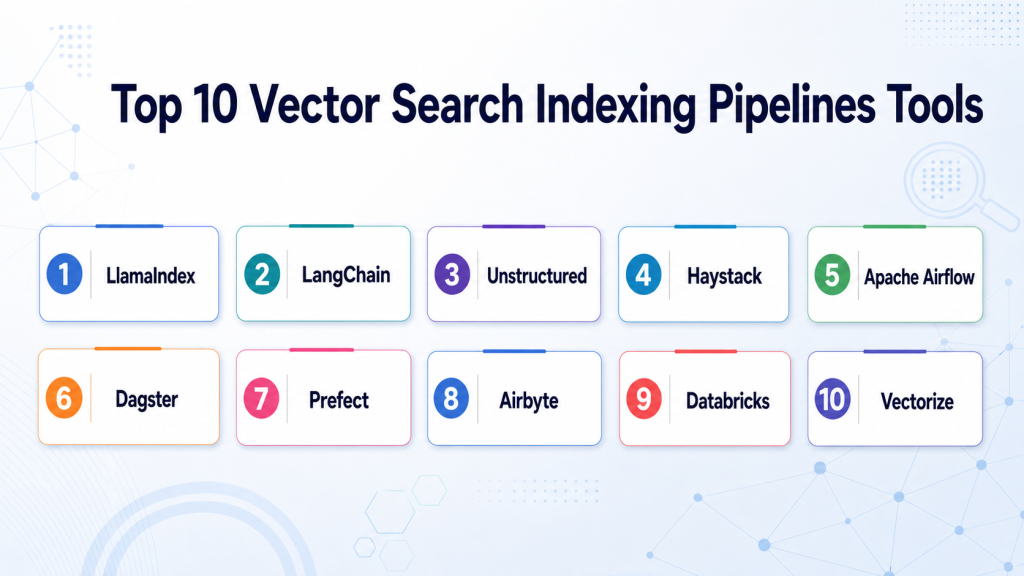
Top 10 Vector Search Indexing Pipelines Tools
1 — LlamaIndex
One-line verdict: Best for data-centric RAG teams needing indexing, ingestion, retrieval, and query workflows.
Short description :
LlamaIndex helps developers connect private data to LLM applications through ingestion, indexing, retrieval, and query workflows. It is especially useful when the hardest part of RAG is preparing, structuring, and retrieving knowledge from many data sources.
Standout Capabilities
- Data ingestion and indexing abstractions for RAG
- Strong support for document and knowledge workflows
- Flexible chunking, parsing, and retrieval patterns
- Integrates with many vector databases and model providers
- Useful for structured and unstructured data
- Supports custom metadata and indexing workflows
- Good fit for enterprise knowledge assistants
AI-Specific Depth Must Include
- Model support: Hosted, BYO, open-source, and multi-model workflows depending on integration
- RAG / knowledge integration: Strong support for connectors, document ingestion, indexing, retrievers, and vector database compatibility
- Evaluation: Evaluation workflows and custom retrieval testing may be configured depending on setup
- Guardrails: Varies / N/A, usually requires application-level controls or companion safety tools
- Observability: Query traces, retrieval metadata, latency, and token or cost signals depend on instrumentation
Pros
- Strong indexing and data-connection focus
- Good fit for document-heavy RAG systems
- Flexible enough for custom enterprise retrieval workflows
Cons
- Production quality depends on pipeline design
- Access control needs careful architecture
- Advanced governance may require companion tools
Security & Compliance
Security depends on deployment, data sources, vector database, identity controls, logging, encryption, retention, and application architecture. Certifications are Not publicly stated.
Deployment & Platforms
- Developer framework
- Cloud, self-hosted, or hybrid depending on application deployment
- Python-based workflows
- Works across common developer environments
- Web and mobile access depends on the application built with it
Integrations & Ecosystem
LlamaIndex fits teams that need flexible indexing and retrieval across many knowledge sources.
- Vector databases
- Embedding models
- LLM providers
- Document loaders
- SQL and structured data systems
- RAG evaluation workflows
- Backend applications
Pricing Model No exact prices unless confident
Open-source usage is available. Managed or enterprise options may vary. Costs depend on infrastructure, embeddings, vector database, model calls, and support needs.
Best-Fit Scenarios
- Enterprise RAG indexing workflows
- Knowledge assistants over private data
- Teams needing advanced data ingestion and retrieval control
2 — LangChain
One-line verdict: Best for developers building flexible vector indexing pipelines inside broader LLM applications.
Short description :
LangChain is a developer framework for building LLM applications, RAG systems, agents, tools, and retrieval workflows. It is useful for teams that want indexing pipelines connected with prompts, agents, retrievers, memory, and custom application logic.
Standout Capabilities
- Broad LLM application development ecosystem
- Document loaders and text splitters for indexing
- Vector store integrations across many platforms
- Useful for agentic RAG and retrieval workflows
- Flexible prompt and chain orchestration
- Supports custom indexing and ingestion pipelines
- Strong developer community and integration coverage
AI-Specific Depth Must Include
- Model support: Hosted, BYO, open-source, and multi-model workflows depending on integration
- RAG / knowledge integration: Strong support for document loaders, text splitters, retrievers, and vector database integrations
- Evaluation: Varies / N/A, can integrate with external evaluation and tracing workflows
- Guardrails: Varies / N/A, guardrails usually require custom logic or companion tools
- Observability: Traces, callbacks, token usage, latency, and run metadata depend on setup
Pros
- Very flexible for custom AI applications
- Large integration ecosystem
- Useful when indexing is part of a broader agent or workflow system
Cons
- Can become complex without strong architecture
- Requires deliberate testing and observability
- Not a turnkey enterprise indexing platform by itself
Security & Compliance
Security depends on application architecture, model providers, vector stores, data sources, access controls, encryption, logging, and retention. Certifications are Not publicly stated.
Deployment & Platforms
- Python and JavaScript development workflows
- Cloud, self-hosted, or hybrid depending on app deployment
- Works across Windows, macOS, and Linux developer environments
- Backend and API deployment patterns
- Web and mobile access depends on the built application
Integrations & Ecosystem
LangChain works well when indexing pipelines are part of custom RAG, agents, or business workflow applications.
- Vector databases
- Document loaders
- Embedding models
- LLM providers
- Agent tools
- Observability tools
- Backend services
Pricing Model No exact prices unless confident
Open-source usage is available. Costs depend on infrastructure, model providers, vector databases, observability tools, and engineering work.
Best-Fit Scenarios
- Custom RAG indexing pipelines
- Agentic AI workflows with retrieval
- Teams needing broad integration flexibility
3 — Unstructured
One-line verdict: Best for teams needing document parsing, cleaning, and preprocessing before vector indexing.
Short description :
Unstructured focuses on extracting and preparing content from complex documents for downstream AI workflows. It is useful when teams need to parse PDFs, documents, tables, presentations, emails, or scanned-like content before creating embeddings and indexes.
Standout Capabilities
- Strong document parsing and preprocessing focus
- Useful for PDFs, office documents, emails, HTML, and mixed content
- Helps convert unstructured content into cleaner elements
- Supports chunking and preparation for RAG pipelines
- Good fit for document-heavy enterprise AI use cases
- Can feed vector databases and RAG frameworks
- Helps reduce messy ingestion work
AI-Specific Depth Must Include
- Model support: Model-agnostic, prepares content for embeddings from hosted, BYO, or open-source models
- RAG / knowledge integration: Strong preprocessing layer for RAG, document ingestion, chunking, and downstream vector indexing
- Evaluation: Varies / N/A, output quality should be validated with retrieval tests
- Guardrails: Varies / N/A, sensitive data handling and policy controls depend on setup
- Observability: Processing logs, document status, parsing outputs, and workflow metrics depend on deployment
Pros
- Excellent fit for messy document ingestion
- Helps improve chunk quality before indexing
- Useful across many document-heavy RAG projects
Cons
- Not a vector database by itself
- Requires connection to embedding and indexing layers
- Exact deployment and enterprise controls should be verified
Security & Compliance
Security depends on deployment, document storage, access controls, encryption, logs, retention, and processing configuration. Certifications are Not publicly stated.
Deployment & Platforms
- Cloud, self-hosted, or hybrid: Varies / N/A
- API and pipeline-based workflows
- Document processing environment
- Works with backend and data workflows
- Platform details depend on setup
Integrations & Ecosystem
Unstructured fits indexing pipelines where high-quality document preparation is the biggest challenge.
- Document repositories
- RAG frameworks
- Vector databases
- Embedding pipelines
- Data processing workflows
- Enterprise document systems
- AI application backends
Pricing Model No exact prices unless confident
Pricing is Not publicly stated here. Open-source, hosted, or enterprise options may vary depending on deployment and usage.
Best-Fit Scenarios
- Parsing complex enterprise documents
- Preparing PDFs and files for RAG
- Improving chunk quality before vector indexing
4 — Haystack
One-line verdict: Best for teams building modular indexing, retrieval, and RAG pipelines with production control.
Short description:
Haystack is a framework for building search, question-answering, and RAG pipelines. It helps teams design modular workflows for document ingestion, indexing, retrieval, ranking, and generation.
Standout Capabilities
- Modular pipeline architecture
- Supports document stores, retrievers, rankers, and generators
- Useful for search and QA-heavy workflows
- Good fit for production-oriented RAG pipelines
- Supports custom indexing and retrieval steps
- Works with multiple backends depending on setup
- Helpful for teams needing clear pipeline structure
AI-Specific Depth Must Include
- Model support: Hosted, BYO, and open-source workflows depending on components and integrations
- RAG / knowledge integration: Strong support for indexing, document stores, retrieval, ranking, and generation pipelines
- Evaluation: Varies / N/A, can support custom evaluation workflows
- Guardrails: Varies / N/A
- Observability: Pipeline logs, retrieval outputs, component-level status, latency, and metrics depend on setup
Pros
- Strong modular design for RAG and search
- Useful for teams needing indexing plus retrieval control
- Good fit for production-style QA applications
Cons
- Requires engineering effort to tune and deploy
- May feel narrower than broader LLM orchestration frameworks
- Governance and guardrails need companion tools
Security & Compliance
Security depends on deployment, document stores, vector databases, access controls, encryption, logging, and infrastructure. Certifications are Not publicly stated.
Deployment & Platforms
- Python framework
- Cloud, self-hosted, or hybrid depending on deployment
- Works across common developer and server environments
- Backend service deployment patterns
- Web or mobile access depends on the application built with it
Integrations & Ecosystem
Haystack fits teams that need indexing and retrieval pipelines with explicit component design.
- Document stores
- Vector databases
- Search engines
- Embedding models
- LLM providers
- Rerankers
- Pipeline workflows
Pricing Model No exact prices unless confident
Open-source usage is available. Costs depend on infrastructure, models, vector stores, search systems, and support or managed services if used.
Best-Fit Scenarios
- Search and QA indexing pipelines
- Modular RAG workflows
- Teams needing controlled retrieval and ranking
5 — Apache Airflow
One-line verdict: Best for teams orchestrating scheduled vector indexing pipelines across data and AI systems.
Short description :
Apache Airflow is a workflow orchestration platform often used to schedule and manage data pipelines. It is useful for vector indexing pipelines that need recurring ingestion, transformation, embedding, indexing, and validation steps.
Standout Capabilities
- Mature workflow scheduling and orchestration
- Strong for batch indexing pipelines
- Flexible Python-based DAG workflows
- Useful for coordinating data extraction, embedding, and indexing
- Integrates with many data systems
- Supports retries, dependencies, and operational visibility
- Good fit for teams already using Airflow
AI-Specific Depth Must Include
- Model support: BYO embedding and model workflows through custom tasks
- RAG / knowledge integration: Can orchestrate RAG indexing, embedding refresh, and vector database updates
- Evaluation: Custom evaluation tasks can be added to DAGs
- Guardrails: Varies / N/A, requires custom validation and policy tasks
- Observability: DAG status, task logs, retries, scheduling history, and operational metrics
Pros
- Mature and widely understood orchestration approach
- Strong for scheduled indexing and reindexing jobs
- Flexible across many source and target systems
Cons
- Not AI-specific by default
- Chunking, embeddings, and retrieval quality must be implemented separately
- Complex DAGs can become hard to maintain
Security & Compliance
Security depends on deployment, authentication, RBAC, secrets backend, logging, encryption, network access, and operational configuration. Certifications are Not publicly stated.
Deployment & Platforms
- Cloud, self-hosted, or hybrid depending on setup
- Python-based workflow definitions
- Web UI for DAG operations
- Linux-heavy production environments
- Managed options may vary by provider
Integrations & Ecosystem
Airflow fits teams that want vector indexing workflows to be part of broader data operations.
- Data warehouses
- Data lakes
- Document stores
- Embedding jobs
- Vector databases
- CI/CD workflows
- Monitoring and alerting tools
Pricing Model No exact prices unless confident
Open-source usage is available. Managed service pricing varies by provider, environment size, compute, and operations.
Best-Fit Scenarios
- Scheduled vector reindexing jobs
- Data teams adding embeddings to existing pipelines
- Organizations already using Airflow for data workflows
6 — Dagster
One-line verdict: Best for teams needing asset-aware indexing pipelines with strong data lineage and orchestration.
Short description:
Dagster is a data orchestration platform focused on software-defined assets, pipelines, lineage, and operational visibility. It is useful for vector indexing workflows where datasets, chunks, embeddings, and indexes need to be treated as governed assets.
Standout Capabilities
- Asset-aware data orchestration
- Strong lineage and dependency modeling
- Useful for indexing pipeline observability
- Supports scheduled and event-driven workflows
- Good fit for data and ML teams
- Helps manage freshness and asset status
- Useful for treating vector indexes as production data assets
AI-Specific Depth Must Include
- Model support: BYO embedding and model workflows through custom assets and operations
- RAG / knowledge integration: Can orchestrate document ingestion, chunking, embedding, indexing, and validation workflows
- Evaluation: Custom retrieval evaluation and validation assets can be added
- Guardrails: Varies / N/A, custom checks and policies required
- Observability: Asset lineage, run status, logs, freshness, failures, and operational metadata
Pros
- Strong asset and lineage model for indexing workflows
- Useful for production data and AI pipelines
- Good visibility into dependencies and freshness
Cons
- Requires data engineering maturity
- AI-specific components must be designed
- May be more than needed for small prototypes
Security & Compliance
Security depends on deployment, identity setup, access controls, secrets handling, encryption, logging, and hosting configuration. Certifications are Not publicly stated.
Deployment & Platforms
- Cloud, self-hosted, or hybrid depending on setup
- Python-based orchestration workflows
- Web UI depending on deployment
- Works across modern data and ML environments
- Backend pipeline execution patterns
Integrations & Ecosystem
Dagster fits teams that need vector indexing pipelines to be reliable, observable, and connected to data lineage.
- Data warehouses
- Data lakes
- Document processing tools
- Embedding tasks
- Vector databases
- Asset lineage workflows
- Monitoring systems
Pricing Model No exact prices unless confident
Open-source usage is available. Managed or enterprise pricing may vary by deployment, users, compute, and support needs.
Best-Fit Scenarios
- Asset-aware vector indexing pipelines
- Teams needing lineage and freshness checks
- Production RAG pipelines managed by data teams
7 — Prefect
One-line verdict: Best for teams needing flexible Python-native orchestration for indexing and embedding workflows.
Short description :
Prefect is a workflow orchestration platform for building, scheduling, and monitoring data workflows. It is useful for vector indexing pipelines that need flexible Python tasks, retries, schedules, and operational visibility.
Standout Capabilities
- Python-native workflow orchestration
- Flexible scheduling and execution patterns
- Useful for document ingestion and embedding jobs
- Supports retries and failure handling
- Good developer experience for data teams
- Works across cloud and self-managed environments depending on setup
- Useful for lightweight to production indexing workflows
AI-Specific Depth Must Include
- Model support: BYO embedding and model workflows through Python tasks
- RAG / knowledge integration: Can orchestrate ingestion, parsing, embedding, indexing, and refresh workflows
- Evaluation: Custom evaluation tasks can be added
- Guardrails: Varies / N/A, requires custom validation and policy logic
- Observability: Workflow status, logs, retries, task history, schedules, and operational signals
Pros
- Flexible and developer-friendly orchestration
- Good for Python-based indexing pipelines
- Easier to adopt than some heavier orchestration stacks
Cons
- AI-specific indexing logic must be implemented
- Governance depends on deployment and process design
- Large enterprise setups may need careful architecture
Security & Compliance
Security depends on deployment, authentication, access controls, secrets management, logging, encryption, and operational practices. Certifications are Not publicly stated.
Deployment & Platforms
- Cloud, self-hosted, or hybrid depending on setup
- Python-based workflows
- Web UI depending on deployment
- Works across common data and AI environments
- Backend pipeline execution patterns
Integrations & Ecosystem
Prefect fits teams that want flexible indexing orchestration without overcomplicating pipeline development.
- Python data workflows
- Document processing jobs
- Embedding APIs
- Vector databases
- Data warehouses
- Cloud storage
- Monitoring and alerting workflows
Pricing Model No exact prices unless confident
Open-source usage is available. Managed or enterprise pricing may vary by users, workflow volume, deployment, and support needs.
Best-Fit Scenarios
- Python-native indexing pipelines
- Teams needing fast orchestration setup
- Scheduled and event-driven embedding refresh workflows
8 — Airbyte
One-line verdict: Best for teams syncing data from many sources into AI indexing and retrieval workflows.
Short description :
Airbyte is a data integration platform for extracting and syncing data from many sources. It is useful for vector indexing pipelines where teams need to move content from SaaS apps, databases, APIs, or files into staging layers before embedding and indexing.
Standout Capabilities
- Broad connector-based data integration
- Useful for syncing operational data into AI pipelines
- Supports batch data movement workflows
- Can feed indexing pipelines with fresh data
- Good fit for source extraction and staging
- Useful for teams with many SaaS and database sources
- Works alongside embedding and vector indexing layers
AI-Specific Depth Must Include
- Model support: N/A directly, model workflows happen downstream
- RAG / knowledge integration: Useful for extracting data sources that feed RAG indexing pipelines
- Evaluation: N/A, requires downstream validation and retrieval evaluation
- Guardrails: Varies / N/A, access and privacy controls depend on setup
- Observability: Sync status, connector logs, failures, freshness, and data movement metrics
Pros
- Strong connector coverage for data extraction
- Useful for feeding AI indexing workflows
- Helps avoid custom source-by-source ingestion scripts
Cons
- Not an embedding or vector indexing tool by itself
- Requires downstream parsing, chunking, embedding, and indexing
- Connector behavior should be tested for each source
Security & Compliance
Security depends on deployment, connector credentials, access controls, encryption, logs, retention, and infrastructure setup. Certifications are Not publicly stated here.
Deployment & Platforms
- Cloud, self-hosted, or hybrid options vary by setup
- Connector-based data integration
- Web UI depending on deployment
- Works with databases, APIs, files, and SaaS tools
- Pipeline target support depends on connectors
Integrations & Ecosystem
Airbyte fits teams that need reliable data movement before vector indexing.
- Databases
- SaaS applications
- APIs
- Data warehouses
- Data lakes
- Cloud storage
- Downstream indexing pipelines
Pricing Model No exact prices unless confident
Open-source usage and managed options may vary. Pricing depends on deployment, sync volume, connectors, compute, and support needs.
Best-Fit Scenarios
- Syncing operational data for RAG
- Feeding indexing pipelines from many sources
- Teams replacing custom ingestion scripts
9 — Databricks
One-line verdict: Best for enterprises indexing large-scale data and embeddings inside lakehouse AI workflows.
Short description :
Databricks provides data engineering, analytics, machine learning, and AI workflows on a lakehouse platform. It is useful for teams that need to prepare large datasets, create embeddings, manage pipelines, and connect data workflows with AI applications.
Standout Capabilities
- Large-scale data processing and transformation
- Strong fit for lakehouse-based AI pipelines
- Useful for batch embedding generation
- Supports scheduled and production data workflows
- Can connect data governance with AI pipeline development
- Useful for structured, semi-structured, and unstructured data preparation
- Good fit for enterprise AI data platforms
AI-Specific Depth Must Include
- Model support: BYO models and platform-supported ML or AI workflows depending on setup
- RAG / knowledge integration: Useful for preparing data, generating embeddings, managing features, and feeding vector search workflows
- Evaluation: Varies / N/A, can support custom evaluation workflows and model lifecycle patterns
- Guardrails: Varies / N/A, governance and policy controls depend on setup
- Observability: Job runs, pipeline status, logs, metrics, data lineage, and operational dashboards depending on configuration
Pros
- Strong for large-scale data preparation
- Good fit for enterprise lakehouse AI workflows
- Useful when indexing depends on heavy transformations
Cons
- May be more platform than smaller teams need
- Costs and complexity depend on architecture
- Vector indexing may require integration with target vector systems
Security & Compliance
Security features such as identity controls, RBAC, audit logs, encryption, data governance, retention, and residency may vary by deployment and plan. Certifications are Not publicly stated here.
Deployment & Platforms
- Cloud-based lakehouse platform
- Hybrid patterns: Varies / N/A
- Notebook, job, and workflow-based development
- API and data pipeline access
- Works across enterprise data and AI environments
Integrations & Ecosystem
Databricks fits organizations where vector indexing starts from large-scale governed data pipelines.
- Lakehouse data
- Data pipelines
- ML workflows
- Embedding generation jobs
- Feature workflows
- Vector search targets
- Governance and lineage workflows
Pricing Model No exact prices unless confident
Typically usage-based depending on compute, storage, jobs, workloads, platform features, and deployment configuration. Exact pricing is Not publicly stated.
Best-Fit Scenarios
- Large-scale embedding generation
- Lakehouse-based RAG data preparation
- Enterprise data-to-AI indexing workflows
10 — Vectorize
One-line verdict: Best for teams wanting a focused platform for connecting data sources to vector indexes.
Short description :
Vectorize focuses on helping teams build and manage vector search indexing workflows by connecting data sources, preparing content, and syncing it into vector databases. It is useful for teams that want a more packaged approach to RAG indexing pipelines.
Standout Capabilities
- Data source to vector index workflows
- Useful for RAG indexing automation
- Helps reduce custom ingestion engineering
- Supports pipeline-style indexing patterns
- Good fit for teams syncing changing content
- Can connect content preparation with vector databases
- Useful for faster RAG production setup
AI-Specific Depth Must Include
- Model support: Hosted, BYO, and open-source embedding workflows may vary by setup
- RAG / knowledge integration: Strong focus on data source connection, indexing, and vector database synchronization
- Evaluation: Varies / N/A
- Guardrails: Varies / N/A, access and policy controls depend on deployment
- Observability: Pipeline status, indexing logs, sync behavior, and operational signals may vary by setup
Pros
- Purpose-built for vector indexing workflows
- Reduces custom data ingestion work
- Useful for teams building RAG systems quickly
Cons
- Exact connector and vector database support should be verified
- May be less flexible than custom orchestration stacks
- Enterprise controls and pricing should be validated directly
Security & Compliance
Security features such as SSO, RBAC, audit logs, encryption, retention, and data residency may vary by plan and deployment. Certifications are Not publicly stated.
Deployment & Platforms
- Cloud or platform-based workflows: Varies / N/A
- Self-hosted or hybrid: Varies / N/A
- Data connector and indexing workflow interface
- API access: Varies / N/A
- Works with vector database targets depending on integration
Integrations & Ecosystem
Vectorize fits teams that want a specialized layer between source data and vector databases.
- Data sources
- Vector databases
- Embedding models
- RAG pipelines
- Document processing workflows
- Sync and refresh workflows
- AI application backends
Pricing Model No exact prices unless confident
Pricing is Not publicly stated here. Buyers should verify pricing based on data volume, connectors, indexing frequency, embedding usage, and deployment requirements.
Best-Fit Scenarios
- Managed vector indexing pipelines
- RAG applications with changing content
- Teams wanting less custom ingestion engineering
Comparison Table
| Tool Name | Best For | Deployment Cloud/Self-hosted/Hybrid | Model Flexibility Hosted / BYO / Multi-model / Open-source | Strength | Watch-Out | Public Rating |
|---|---|---|---|---|---|---|
| LlamaIndex | Data-centric RAG indexing | Cloud, self-hosted, hybrid | Multi-model, BYO, open-source | Indexing and retrieval depth | Access control needs design | N/A |
| LangChain | Flexible indexing in LLM apps | Cloud, self-hosted, hybrid | Multi-model, BYO, open-source | Broad integrations | Can become complex | N/A |
| Unstructured | Document preprocessing | Cloud, self-hosted, hybrid varies | Model-agnostic | Parsing messy documents | Needs downstream vector layer | N/A |
| Haystack | Modular RAG pipelines | Cloud, self-hosted, hybrid | Hosted, BYO, open-source | Pipeline structure | Requires engineering setup | N/A |
| Apache Airflow | Scheduled indexing jobs | Cloud, self-hosted, hybrid | BYO | Mature orchestration | Not AI-specific by default | N/A |
| Dagster | Asset-aware indexing pipelines | Cloud, self-hosted, hybrid | BYO | Lineage and freshness | Needs data engineering maturity | N/A |
| Prefect | Python indexing orchestration | Cloud, self-hosted, hybrid | BYO | Flexible workflow design | AI logic must be custom | N/A |
| Airbyte | Source data sync | Cloud, self-hosted, hybrid | N/A | Connector coverage | Needs downstream processing | N/A |
| Databricks | Large-scale data preparation | Cloud, hybrid varies | BYO, multi-workflow | Lakehouse AI pipelines | May be complex for small teams | N/A |
| Vectorize | Managed vector indexing | Cloud, hybrid varies | Varies / N/A | Purpose-built indexing | Verify connector depth | N/A |
Scoring & Evaluation Transparent Rubric
| Tool | Core | Reliability/Eval | Guardrails | Integrations | Ease | Perf/Cost | Security/Admin | Support | Weighted Total |
|---|---|---|---|---|---|---|---|---|---|
| LlamaIndex | 9 | 8 | 5 | 9 | 8 | 8 | 6 | 8 | 7.95 |
| LangChain | 8 | 7 | 5 | 10 | 7 | 8 | 6 | 9 | 7.70 |
| Unstructured | 8 | 6 | 4 | 8 | 8 | 7 | 6 | 7 | 6.95 |
| Haystack | 8 | 7 | 5 | 8 | 7 | 8 | 6 | 8 | 7.25 |
| Apache Airflow | 7 | 5 | 4 | 9 | 7 | 7 | 7 | 9 | 6.95 |
| Dagster | 8 | 6 | 5 | 8 | 7 | 7 | 7 | 8 | 7.05 |
| Prefect | 7 | 5 | 4 | 8 | 8 | 7 | 6 | 8 | 6.75 |
| Airbyte | 7 | 4 | 4 | 9 | 8 | 7 | 7 | 8 | 6.85 |
| Databricks | 8 | 6 | 6 | 9 | 7 | 7 | 8 | 8 | 7.40 |
| Vectorize | 8 | 6 | 5 | 8 | 8 | 7 | 6 | 7 | 7.00 |
Top 3 for Enterprise
- Databricks
- LlamaIndex
- Dagster
Top 3 for SMB
- LlamaIndex
- Vectorize
- Prefect
Top 3 for Developers
- LangChain
- LlamaIndex
- Haystack
Which Vector Search Indexing Pipelines Tool Is Right for You?
Solo / Freelancer
Solo users usually need a simple and flexible indexing approach. A complex orchestration platform may be unnecessary unless the project has frequent document updates or multiple data sources.
Recommended options:
- LlamaIndex for data-centric RAG indexing
- LangChain for custom retrieval workflows
- Haystack for modular search and QA pipelines
- Prefect for lightweight Python orchestration
Start with a small document set, test chunking quality, and only add orchestration once indexing becomes repeatable.
SMB
Small and midsize businesses should prioritize fast setup, maintainable pipelines, and predictable costs. The ideal tool should reduce custom ingestion work while still allowing control over chunking and metadata.
Recommended options:
- LlamaIndex for RAG-focused indexing
- Vectorize for packaged vector indexing workflows
- Unstructured for document preprocessing
- Prefect for Python-native scheduling
- Airbyte for syncing content from many systems
SMBs should avoid overbuilding and focus on repeatable ingestion, clean metadata, and retrieval evaluation.
Mid-Market
Mid-market teams often have multiple content sources, departments, indexes, and AI applications. They need stronger orchestration, lineage, metadata quality, and monitoring.
Recommended options:
- Dagster for asset-aware indexing and lineage
- Airflow for scheduled data and indexing jobs
- LlamaIndex for RAG indexing logic
- Unstructured for document parsing
- Haystack for modular retrieval pipelines
Mid-market buyers should connect indexing pipelines with vector database monitoring and RAG evaluation.
Enterprise
Enterprises need indexing pipelines that support security, permission-aware retrieval, lineage, auditability, large-scale data processing, and governance.
Recommended options:
- Databricks for large-scale governed data preparation
- Dagster for asset lineage and freshness
- Apache Airflow for mature orchestration
- LlamaIndex for data-centric RAG indexing logic
- Unstructured for complex document preprocessing
- Airbyte for broad data-source extraction
Enterprise teams should verify RBAC, SSO, audit logs, data retention, metadata governance, source ownership, and permission-aware indexing.
Regulated industries finance/healthcare/public sector
Regulated organizations need indexing pipelines that can prove where data came from, who can access it, how it was transformed, and which index version was used.
Important priorities:
- Source lineage and document ownership
- Sensitive-data detection and masking
- Permission-aware indexing
- Audit logs and change history
- Retention and deletion workflows
- Index versioning and rollback
- Evaluation for retrieval accuracy
- Human review for high-risk content
- Secure embedding storage
- Incident handling for bad retrieval
Strong-fit options may include Databricks, Dagster, Airflow, LlamaIndex, Unstructured, and Airbyte, depending on existing data architecture.
Budget vs premium
Budget-conscious teams can start with open-source frameworks and lightweight orchestration, then add managed platforms as indexing complexity grows.
Budget-friendly direction:
- LlamaIndex for indexing logic
- LangChain for custom pipelines
- Haystack for modular RAG workflows
- Prefect for lightweight orchestration
- Airflow if already used internally
Premium direction:
- Databricks for enterprise lakehouse indexing
- Managed Airbyte or Prefect workflows for reduced operations
- Vectorize for purpose-built vector indexing automation
- Enterprise document parsing and governance layers around Unstructured
- Managed orchestration with audit, admin, and support controls
The right choice depends on whether the main constraint is data volume, document complexity, governance, developer time, connector coverage, or operational reliability.
Build vs buy when to DIY
DIY can work when:
- Your content sources are few
- Documents are simple and clean
- Update frequency is low
- You can manually trigger reindexing
- Your team has strong Python and data engineering skills
- Governance requirements are light
Buy or adopt dedicated tools when:
- You have many data sources
- Documents change frequently
- You need incremental sync
- You need permission-aware indexing
- You need audit logs and lineage
- Multiple teams depend on the index
- Retrieval failures create business risk
- You need production monitoring and retries
A practical approach is to start with LlamaIndex, LangChain, or Haystack for the first pipeline, then add orchestration and connector platforms as the workflow becomes production-critical.
Implementation Playbook 30 / 60 / 90 Days
30 Days: Pilot and success metrics
Start with one focused indexing pipeline. Do not ingest every company system before proving retrieval quality.
Key tasks:
- Select one RAG or semantic search use case
- Choose a trusted source dataset
- Define document parsing rules
- Decide chunk size, overlap, and metadata fields
- Choose an embedding model
- Choose a vector database target
- Build the first ingestion and indexing workflow
- Create test queries and expected retrieved chunks
- Measure retrieval relevance, latency, and cost
- Document source, embedding, chunking, and index versions
AI-specific tasks:
- Build an initial retrieval evaluation set
- Add hallucination and faithfulness checks in downstream RAG
- Run prompt injection tests against retrieved content
- Track embedding cost and indexing latency
- Define incident handling for bad or missing retrieval
60 Days: Harden security, evaluation, and rollout
After the pilot works, improve reliability, refresh workflows, and governance controls.
Key tasks:
- Add incremental sync and change detection
- Add duplicate detection and stale content removal
- Add metadata validation checks
- Add access-control metadata
- Add retries and failure handling
- Add indexing logs and pipeline dashboards
- Add reindexing workflow for embedding model changes
- Add backup and rollback strategy
- Expand to additional sources carefully
- Train teams on metadata and source ownership
AI-specific tasks:
- Add retrieval precision and recall tests
- Track prompt, retriever, embedding, and index versions
- Add red-team tests for data leakage
- Monitor cost and latency by source type
- Add human review for high-risk content
- Convert bad retrieval examples into regression tests
90 Days: Optimize cost, latency, governance, and scale
Once indexing is reliable, standardize it as production AI infrastructure.
Key tasks:
- Standardize pipeline templates
- Add source ownership and data-quality rules
- Add scheduled and event-driven refresh
- Add lineage from source to chunk to vector index
- Add governance reporting for indexed content
- Add index versioning and promotion workflows
- Optimize chunking and embedding costs
- Add monitoring for freshness and coverage
- Review vendor lock-in and export paths
- Scale indexing across more AI applications
AI-specific tasks:
- Add advanced retrieval evaluation
- Monitor hallucination patterns linked to indexed content
- Add guardrail checks for risky documents
- Connect retrieval failures to incident management
- Add human approval for sensitive sources
- Scale evaluation, observability, access control, and governance across all indexing pipelines
Common Mistakes & How to Avoid Them
- Indexing everything without curation: Low-quality, duplicate, outdated, or unauthorized content weakens retrieval quality.
- Ignoring document parsing quality: Bad extraction from PDFs, tables, or files creates bad chunks and poor answers.
- Using one chunking strategy for every source: Policies, tickets, code, tables, and manuals often need different chunking methods.
- Missing metadata: Without metadata, filtering, permissions, routing, and governance become difficult.
- No incremental sync: Reprocessing everything wastes compute and can slow updates.
- No delete handling: Removed or outdated documents must be removed from the index.
- No evaluation dataset: Teams cannot improve retrieval without test queries and expected results.
- Ignoring access control: Indexing private content without permission-aware retrieval creates serious risk.
- No observability: Teams need to know which files failed, which chunks were skipped, and when indexes were refreshed.
- No index versioning: Embedding model changes and chunking changes should be versioned for rollback.
- Overlooking cost: Embedding, storage, indexing, retries, and reprocessing can become expensive.
- No ownership model: Every source should have a business or data owner responsible for freshness and correctness.
- Treating indexing as a one-time setup: Production RAG requires ongoing refresh, evaluation, and maintenance.
- No incident plan: Bad retrieval can produce bad AI answers, so teams need response and rollback workflows.
FAQs
1. What is a Vector Search Indexing Pipeline?
A Vector Search Indexing Pipeline collects data, parses content, chunks documents, creates embeddings, adds metadata, and writes everything into a vector database or search index.
2. Why is indexing important for RAG?
RAG depends on retrieving the right context. Poor indexing leads to weak retrieval, missing evidence, irrelevant chunks, hallucinations, and poor user trust.
3. What is chunking?
Chunking splits documents into smaller sections before embedding. Good chunking preserves meaning while keeping context short enough for efficient retrieval.
4. What is metadata enrichment?
Metadata enrichment adds useful attributes such as source, owner, date, department, tenant, permission level, language, document type, or product category.
5. What is incremental indexing?
Incremental indexing updates only the content that changed instead of reprocessing the entire dataset. It saves time, cost, and compute.
6. What is permission-aware indexing?
Permission-aware indexing stores access metadata so retrieval systems can return only the content a user is allowed to see.
7. Can indexing pipelines support BYO models?
Yes. Many pipelines can call hosted, BYO, or open-source embedding models depending on the framework and infrastructure.
8. Can vector indexing pipelines be self-hosted?
Yes. Many frameworks and orchestrators can be self-hosted, while some managed tools are cloud-based. Deployment depends on the selected stack.
9. How do indexing pipelines help with privacy?
They can enforce source controls, metadata policies, masking steps, retention rules, and access-aware indexing. Privacy still depends on correct implementation.
10. What should be evaluated after indexing?
Evaluate retrieval precision, recall, chunk quality, metadata correctness, freshness, duplicate rate, latency, cost, and answer faithfulness in downstream RAG.
11. What are alternatives to indexing pipeline tools?
Alternatives include manual uploads, custom Python scripts, simple cron jobs, database triggers, search crawlers, or managed chatbot ingestion tools.
12. Can I switch indexing tools later?
Yes, but switching is easier if source data, chunks, metadata, embeddings, and index versions are exportable and documented.
13. How often should indexes be refreshed?
Refresh frequency depends on how often content changes. Some sources need near-real-time sync, while static documents may only need periodic refresh.
14. What is the biggest indexing mistake?
The biggest mistake is focusing only on embeddings while ignoring parsing, chunking, metadata, permissions, and evaluation.
15. Do indexing pipelines replace vector databases?
No. Indexing pipelines prepare and load data. Vector databases store and search embeddings. Production RAG systems usually need both.
Conclusion
Vector Search Indexing Pipelines are essential for building reliable RAG, semantic search, AI agents, and enterprise knowledge assistants. The best tool depends on your workflow: LlamaIndex and LangChain are strong for developer-led RAG indexing, Unstructured is strong for document parsing, Haystack supports modular search pipelines, Airflow, Dagster, and Prefect orchestrate repeatable indexing jobs, Airbyte helps sync source data, Databricks supports large-scale governed data preparation, and Vectorize offers a more focused indexing automation layer. There is no single universal winner because teams differ in source complexity, update frequency, governance needs, vector database choice, and engineering maturity. Start by shortlisting three tools, run a pilot on one real content source, verify security, retrieval quality, metadata, latency, and cost, then scale indexing carefully across more sources and AI applications.
This blog provides a clear understanding of vector search indexing pipelines and their role in modern AI systems.