Introduction
Enterprise content connectors for RAG are specialized tools that securely connect internal data sources—like document systems, cloud storage, CRMs, databases, and collaboration tools—to AI models. These connectors ingest, sync, and structure enterprise data so retrieval-augmented generation systems can deliver accurate, context-aware responses grounded in real business knowledge.
As organizations move toward AI agents and knowledge copilots, the biggest challenge is no longer model capability—it’s data access. Without reliable connectors, AI systems operate in isolation and produce generic or incorrect outputs. Modern connectors solve this by enabling real-time or near-real-time access to enterprise content while maintaining strict privacy, governance, and access controls.
Common use cases include:
- Internal knowledge assistants for employees
- Customer support automation using company documents
- AI-powered search across SaaS tools and databases
- Compliance and legal document retrieval
- Sales enablement with CRM-integrated AI
- Cross-platform enterprise data discovery
Key evaluation criteria:
- Supported data sources and SaaS integrations
- Sync frequency and real-time ingestion capability
- Access control and permission mirroring
- Data transformation and normalization
- Compatibility with RAG frameworks and vector databases
- Evaluation and reliability features
- Security, encryption, and governance controls
- Observability including logs and usage tracking
- Latency and cost efficiency
- Vendor lock-in risk and extensibility
Best for: Enterprises, AI engineers, and IT teams building secure, data-aware AI assistants or internal copilots.
Not ideal for: Small teams without complex data ecosystems or those using AI only for general-purpose tasks without internal data integration.
What’s Changed in Enterprise Content Connectors for RAG
- Connectors now support agent-driven workflows that dynamically fetch and update data
- Native support for multimodal enterprise data including images and transcripts
- Increased adoption of real-time syncing and event-based ingestion
- Built-in permission-aware retrieval reflecting enterprise access policies
- Focus on prompt-injection defense at the data layer
- Integration with evaluation frameworks to ensure reliable retrieval
- Advanced data lineage and audit trails for compliance
- Growing demand for data residency and privacy-first architectures
- Use of AI to enrich metadata automatically
- Better observability including token usage and query tracing
- Rise of multi-source aggregation across SaaS tools
- Strong emphasis on cost and latency optimization through smart caching
Quick Buyer Checklist
- Supports major enterprise tools like Google Drive, Slack, SharePoint, and databases
- Provides real-time or scheduled sync options
- Mirrors user permissions and access controls accurately
- Works with vector databases and RAG frameworks
- Supports multi-model or BYO model strategies
- Includes evaluation and testing capabilities
- Offers guardrails against data leakage or prompt injection
- Tracks usage, latency, and cost metrics
- Provides admin controls, audit logs, and monitoring
- Minimizes vendor lock-in through APIs and extensibility
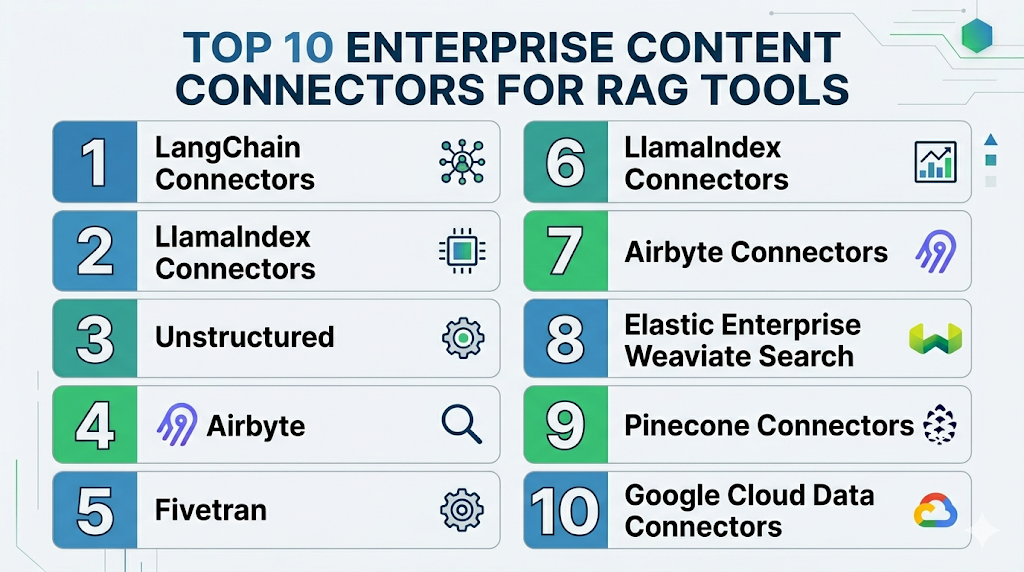
Top 10 Enterprise Content Connectors for RAG Tools
1 — LangChain Connectors
One-line verdict: Best for developers needing flexible, customizable connectors across diverse data sources.
Short description:
LangChain provides a wide range of connectors that allow developers to integrate enterprise data sources into RAG pipelines.
Standout Capabilities
- Extensive library of connectors
- Custom connector development
- Modular ingestion workflows
- Integration with vector databases
- Flexible orchestration
- Open ecosystem
- Strong community support
AI-Specific Depth
- Model support: Multi-model / BYO
- RAG / knowledge integration: Strong
- Evaluation: Basic
- Guardrails: Limited
- Observability: Basic
Pros
- Highly flexible and extensible
- Large ecosystem of integrations
- Ideal for custom pipelines
Cons
- Requires development effort
- Limited enterprise governance features
- Needs additional tools for monitoring
Deployment & Platforms
Cloud, Self-hosted
Integrations & Ecosystem
LangChain supports integration with a wide range of enterprise tools and services
- APIs and SDKs
- Vector databases
- SaaS connectors
- Custom integrations
Pricing Model
Open-source
Best-Fit Scenarios
- Custom RAG pipelines
- Developer-driven environments
- Complex enterprise workflows
2 — LlamaIndex Connectors
One-line verdict: Best for quickly connecting enterprise data to RAG systems with minimal setup.
Short description:
LlamaIndex offers built-in connectors that simplify the process of linking enterprise data sources to AI models.
Standout Capabilities
- Prebuilt connectors for common data sources
- Efficient indexing and retrieval
- Metadata-aware ingestion
- Easy setup and configuration
- Lightweight architecture
AI-Specific Depth
- Model support: Multi-model
- RAG / knowledge integration: Strong
- Evaluation: Basic
- Guardrails: Limited
- Observability: Moderate
Pros
- Easy to implement
- Designed for RAG workflows
- Good performance for structured data
Cons
- Limited enterprise features
- Smaller ecosystem
- Less customization
Deployment & Platforms
Cloud, Local
Integrations & Ecosystem
- Vector databases
- APIs
- Data connectors
- AI frameworks
Pricing Model
Open-source
Best-Fit Scenarios
- Rapid prototyping
- Small to mid-scale systems
- Data-heavy applications
3 — Unstructured
One-line verdict: Best for extracting and preparing enterprise content before connecting to RAG pipelines.
Short description:
Unstructured helps transform raw enterprise data into structured formats suitable for ingestion and retrieval.
Standout Capabilities
- Document parsing across formats
- OCR support
- Data normalization
- Metadata extraction
- Preprocessing pipelines
AI-Specific Depth
- Model support: N/A
- RAG / knowledge integration: Strong preprocessing
- Evaluation: N/A
- Guardrails: N/A
- Observability: Limited
Pros
- Handles messy enterprise data
- Improves retrieval accuracy
- Supports many formats
Cons
- Not a full connector system
- Requires integration
- Limited AI-native features
Deployment & Platforms
Cloud, Self-hosted
Integrations & Ecosystem
- APIs
- Data pipelines
- AI frameworks
- Vector systems
Pricing Model
Varies / N/A
Best-Fit Scenarios
- Document-heavy workflows
- Data preprocessing
- OCR pipelines
4 — Airbyte
One-line verdict: Best for syncing structured enterprise data into AI pipelines using connectors.
Short description:
Airbyte provides connectors for databases and SaaS tools, enabling structured data ingestion into AI systems.
Standout Capabilities
- Extensive connector library
- ETL automation
- Scheduling and syncing
- Scalable ingestion
- Open-source flexibility
AI-Specific Depth
- Model support: N/A
- RAG / knowledge integration: Indirect
- Evaluation: N/A
- Guardrails: N/A
- Observability: Moderate
Pros
- Strong data ingestion
- Flexible deployment
- Large connector ecosystem
Cons
- Not AI-native
- Limited chunking
- Requires integration
Deployment & Platforms
Cloud, Self-hosted
Integrations & Ecosystem
- Databases
- SaaS tools
- APIs
- Data warehouses
Pricing Model
Open-source with paid tiers
Best-Fit Scenarios
- ETL pipelines
- Structured data ingestion
- Data synchronization
5 — Fivetran
One-line verdict: Enterprise-grade connector platform for reliable data ingestion from SaaS applications.
Short description:
Fivetran automates ingestion from multiple enterprise tools, ensuring consistent and reliable data pipelines.
Standout Capabilities
- Fully managed connectors
- Automatic schema updates
- High reliability
- Scalable architecture
- Minimal maintenance
AI-Specific Depth
- Model support: N/A
- RAG / knowledge integration: Indirect
- Evaluation: N/A
- Guardrails: N/A
- Observability: Moderate
Pros
- Easy to use
- Highly reliable
- Scales well
Cons
- Expensive
- Limited customization
- Not AI-specific
Deployment & Platforms
Cloud
Integrations & Ecosystem
- SaaS platforms
- Data warehouses
- APIs
Pricing Model
Usage-based
Best-Fit Scenarios
- Enterprise ingestion
- SaaS data pipelines
- Analytics workflows
6 — Azure Data Factory
One-line verdict: Best for enterprises needing robust, secure data pipelines integrated with AI systems.
Short description:
Azure Data Factory enables large-scale data ingestion and transformation, integrating with enterprise AI workflows.
Standout Capabilities
- Enterprise-grade pipelines
- Data transformation tools
- Secure integrations
- Scheduling and automation
- Scalability
AI-Specific Depth
- Model support: Hosted
- RAG / knowledge integration: Indirect
- Evaluation: N/A
- Guardrails: Moderate
- Observability: Strong
Pros
- Highly scalable
- Strong security features
- Enterprise integration
Cons
- Complex setup
- Cloud dependency
- Less AI-native features
Deployment & Platforms
Cloud
Integrations & Ecosystem
- Azure ecosystem
- APIs
- Data services
- AI tools
Pricing Model
Usage-based
Best-Fit Scenarios
- Enterprise pipelines
- Secure environments
- Large-scale ingestion
7 — Elastic Enterprise Search
One-line verdict: Best for connecting enterprise data with powerful search and retrieval capabilities.
Short description:
Elastic provides connectors that integrate enterprise data sources into a unified search and retrieval system.
Standout Capabilities
- Unified search
- Data connectors
- Real-time indexing
- Scalable architecture
- Strong analytics
AI-Specific Depth
- Model support: Multi-model
- RAG / knowledge integration: Strong
- Evaluation: Limited
- Guardrails: Limited
- Observability: Strong
Pros
- Strong search capabilities
- Scalable
- Real-time indexing
Cons
- Requires setup
- Limited AI-specific features
- Complexity
Deployment & Platforms
Cloud, Self-hosted
Integrations & Ecosystem
- APIs
- Data sources
- AI tools
- Search systems
Pricing Model
Varies / N/A
Best-Fit Scenarios
- Enterprise search
- Data discovery
- AI retrieval systems
8 — Weaviate Connectors
One-line verdict: Best for integrating enterprise data into vector-native AI systems.
Short description:
Weaviate provides ingestion connectors along with vector indexing for AI-driven retrieval systems.
Standout Capabilities
- Vector-native ingestion
- Hybrid search
- Metadata filtering
- Scalable infrastructure
- API-driven architecture
AI-Specific Depth
- Model support: Multi-model
- RAG / knowledge integration: Strong
- Evaluation: Limited
- Guardrails: Limited
- Observability: Moderate
Pros
- Built-in vector capabilities
- Scalable
- Strong semantic search
Cons
- Limited pipeline flexibility
- Requires integration
- Moderate complexity
Deployment & Platforms
Cloud, Self-hosted
Integrations & Ecosystem
- APIs
- AI frameworks
- Data pipelines
- Vector systems
Pricing Model
Varies / N/A
Best-Fit Scenarios
- RAG pipelines
- Semantic search
- AI indexing
9 — Pinecone Connectors
One-line verdict: Best for managed vector ingestion with high performance and scalability.
Short description:
Pinecone provides managed ingestion and indexing capabilities optimized for AI retrieval systems.
Standout Capabilities
- Managed infrastructure
- High performance
- Scalable ingestion
- API-driven workflows
- Reliable performance
AI-Specific Depth
- Model support: BYO
- RAG / knowledge integration: Strong
- Evaluation: Limited
- Guardrails: Limited
- Observability: Moderate
Pros
- High performance
- Easy scaling
- Managed environment
Cons
- Cost considerations
- Limited customization
- Vendor dependency
Deployment & Platforms
Cloud
Integrations & Ecosystem
- APIs
- AI tools
- Data systems
- Vector databases
Pricing Model
Usage-based
Best-Fit Scenarios
- Production AI systems
- Large-scale retrieval
- Managed setups
10 — Google Cloud Data Connectors
One-line verdict: Best for enterprises leveraging cloud-native connectors within a scalable AI ecosystem.
Short description:
Google Cloud offers connectors that integrate enterprise data sources with AI services and analytics tools.
Standout Capabilities
- Cloud-native connectors
- Integration with AI services
- Scalable pipelines
- Data transformation
- Secure architecture
AI-Specific Depth
- Model support: Hosted
- RAG / knowledge integration: Strong
- Evaluation: Limited
- Guardrails: Moderate
- Observability: Strong
Pros
- Strong cloud integration
- Scalable
- Secure
Cons
- Vendor lock-in
- Complexity
- Requires ecosystem adoption
Deployment & Platforms
Cloud
Integrations & Ecosystem
- Cloud services
- APIs
- Data tools
- AI platforms
Pricing Model
Usage-based
Best-Fit Scenarios
- Cloud-native enterprises
- Large-scale AI systems
- Integrated data pipelines
Comparison Table
| Tool | Best For | Deployment | Model Flexibility | Strength | Watch-Out | Public Rating |
|---|---|---|---|---|---|---|
| LangChain | Developers | Hybrid | Multi-model | Flexibility | Complexity | N/A |
| LlamaIndex | RAG pipelines | Hybrid | Multi-model | Ease of use | Limited enterprise features | N/A |
| Unstructured | Data preprocessing | Hybrid | N/A | Data cleaning | Not full pipeline | N/A |
| Airbyte | ETL pipelines | Hybrid | N/A | Connectors | Not AI-native | N/A |
| Fivetran | Enterprise ingestion | Cloud | N/A | Reliability | Cost | N/A |
| Azure Data Factory | Enterprise pipelines | Cloud | Hosted | Scalability | Complexity | N/A |
| Elastic Enterprise Search | Search systems | Hybrid | Multi-model | Search strength | Setup complexity | N/A |
| Weaviate | Vector ingestion | Hybrid | Multi-model | Semantic search | Integration effort | N/A |
| Pinecone | Managed vector DB | Cloud | BYO | Performance | Cost | N/A |
| Google Cloud Connectors | Cloud enterprises | Cloud | Hosted | Integration | Vendor lock-in | N/A |
Scoring & Evaluation
This scoring is comparative and based on how each tool performs across critical enterprise and AI-specific dimensions. Scores reflect practical strengths in real-world deployments rather than exact benchmarks. The weighted total is calculated using factors like core features, reliability, guardrails, integrations, ease of use, performance, security, and support.
| Tool | Core | Reliability/Eval | Guardrails | Integrations | Ease | Perf/Cost | Security/Admin | Support | Weighted Total |
|---|---|---|---|---|---|---|---|---|---|
| LangChain | 9 | 7 | 6 | 9 | 6 | 8 | 7 | 8 | 7.8 |
| LlamaIndex | 8 | 7 | 6 | 8 | 8 | 7 | 7 | 7 | 7.6 |
| Unstructured | 7 | 6 | 5 | 7 | 7 | 7 | 6 | 6 | 6.7 |
| Airbyte | 7 | 6 | 5 | 8 | 7 | 7 | 7 | 7 | 6.9 |
| Fivetran | 8 | 7 | 6 | 8 | 9 | 8 | 8 | 8 | 7.9 |
| Azure Data Factory | 9 | 8 | 7 | 9 | 7 | 8 | 9 | 8 | 8.4 |
| Elastic Enterprise Search | 8 | 7 | 6 | 8 | 7 | 8 | 7 | 7 | 7.5 |
| Weaviate | 8 | 7 | 6 | 8 | 7 | 8 | 7 | 7 | 7.5 |
| Pinecone | 8 | 7 | 6 | 8 | 8 | 9 | 8 | 7 | 7.9 |
| Google Cloud Connectors | 9 | 8 | 7 | 9 | 8 | 8 | 9 | 8 | 8.4 |
Top 3 for Enterprise: Azure Data Factory, Google Cloud Connectors, Fivetran
Top 3 for SMB: LlamaIndex, Weaviate, LangChain
Top 3 for Developers: LangChain, LlamaIndex, Unstructured
Which Enterprise Content Connectors for RAG Tool Is Right for You?
Solo / Freelancer
If you’re working independently or building small AI projects, go with lightweight and flexible tools like LangChain or LlamaIndex. These allow quick setup, low cost, and enough customization without needing heavy infrastructure or enterprise-level configuration.
SMB
Small to mid-sized businesses should focus on tools that balance ease of use and scalability. Solutions like Weaviate or Airbyte help you connect multiple data sources without requiring a large engineering team, while still supporting future growth.
Mid-Market
At this stage, performance and reliability start becoming critical. Tools like Elastic Enterprise Search or Pinecone are better suited because they provide scalable infrastructure, better search capabilities, and improved handling of growing data volumes.
Enterprise
Large organizations need strong governance, security, and integration across multiple systems. Azure Data Factory or Google Cloud connectors are ideal because they offer enterprise-grade access control, compliance support, and seamless integration with large-scale data ecosystems.
Regulated industries (finance, healthcare, public sector)
In regulated environments, priority should be on data security, auditability, and compliance. Choose connectors that support strict access controls, logging, and data residency to ensure sensitive information is handled properly.
Budget vs premium
If budget is limited, open-source or modular tools can provide flexibility and cost savings but may require more setup effort. Premium managed solutions reduce operational overhead and improve reliability but come with higher costs.
Build vs buy (when to DIY)
If your use case requires deep customization or unique workflows, building with frameworks like LangChain makes sense. However, if speed, stability, and lower maintenance are priorities, buying a managed solution is usually the better option.
Implementation Playbook
30 Days
- Identify key data sources
- Build connector prototype
- Define evaluation metrics
- Test data access and permissions
60 Days
- Implement security controls
- Improve retrieval accuracy
- Add monitoring and observability
- Expand integrations
90 Days
- Optimize performance and cost
- Scale across teams
- Implement governance policies
- Automate workflows
Common Mistakes & How to Avoid Them
- Not aligning connectors with access permissions
- Ignoring prompt injection risks
- Lack of evaluation frameworks
- Poor observability and monitoring
- Data leakage risks
- Unexpected cost spikes
- Over-automation without validation
- Vendor lock-in without abstraction
- Weak integration planning
- Ignoring metadata enrichment
FAQs
1. What are enterprise content connectors for RAG?
They connect enterprise data sources to AI systems, enabling accurate and context-aware responses.
2. Why are connectors important for AI?
They allow AI models to access real business data instead of relying only on training data.
3. Do these tools support real-time data?
Some connectors support real-time or near-real-time syncing depending on architecture.
4. Are connectors secure?
Security varies by tool, but enterprise solutions typically include encryption and access controls.
5. Can I use my own AI model?
Many tools support BYO models or multi-model architectures.
6. How do connectors handle permissions?
Advanced connectors mirror user permissions to ensure secure data access.
7. What is vendor lock-in risk?
It refers to difficulty in switching tools due to proprietary systems or integrations.
8. Do connectors support unstructured data?
Yes, many tools support documents, emails, and other unstructured formats.
9. How do I evaluate connector performance?
Measure latency, accuracy, and cost efficiency.
10. Can connectors integrate with vector databases?
Yes, most modern connectors support vector database integration.
11. What industries use these tools?
Finance, healthcare, tech, legal, and enterprise IT commonly use them.
12. Are open-source connectors reliable?
Yes, but they may require more setup and maintenance.
Conclusion
Enterprise content connectors for RAG play a critical role in turning isolated enterprise data into actionable intelligence for AI systems. Without reliable connectors, even the most advanced models fail to deliver accurate, context-aware results. The right tool depends on your data complexity, security requirements, integration needs, and how deeply AI is embedded into your workflows. Organizations should prioritize connectors that not only integrate easily but also maintain strict access controls, support evaluation, and provide strong observability for performance and cost tracking. As AI adoption grows, choosing scalable and governance-ready connectors becomes essential for long-term success.
Next steps:
- Shortlist tools that align with your data sources, required integrations, and security needs so you can narrow down viable options quickly.
- Run a pilot using real enterprise data to test sync reliability, permission handling, retrieval accuracy, and overall performance before committing.
- Verify security, evaluation, and governance by validating access controls, audit logs, data retention policies, and monitoring before scaling across teams and production environments.