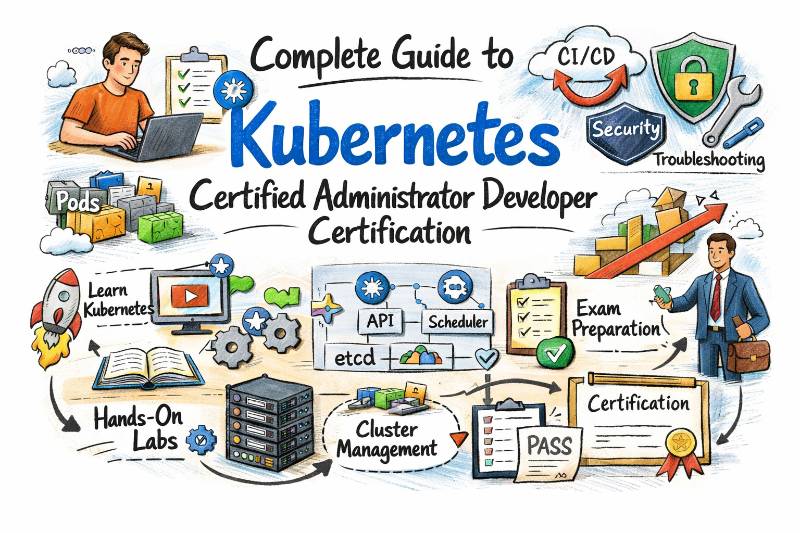
Introduction
Modern applications demand speed, scalability, and reliability, and Kubernetes has become the standard platform that makes this possible. Organizations across the world use Kubernetes to run containerized applications, automate deployments, scale systems, and maintain high availability. Because of this rapid adoption, professionals who understand Kubernetes deeply are in strong demand across DevOps, cloud, and platform engineering roles. The Kubernetes Certified Administrator & Developer (KCAD) certification is designed to validate real-world skills in managing Kubernetes clusters and deploying applications in production environments. It combines both administration and development knowledge, helping professionals understand how to design, operate, secure, and troubleshoot Kubernetes-based systems effectively.
Certification Overview
| Certification | Track | Level | Who it’s for | Prerequisites | Skills Covered | Recommended Order |
|---|---|---|---|---|---|---|
| Kubernetes Certified Administrator & Developer (KCAD) | Kubernetes / Cloud Native | Professional | DevOps Engineers, Developers, Cloud Engineers, Platform Engineers, SREs | Linux basics, Containers, YAML, Networking, Docker | Cluster setup, Workloads, Networking, Storage, Security, Scaling, Monitoring, Troubleshooting, CI/CD | After Docker & Kubernetes fundamentals |
About Kubernetes Certified Administrator & Developer (KCAD)
What it is
The Kubernetes Certified Administrator & Developer (KCAD) is a professional certification that validates your ability to deploy, manage, secure, and troubleshoot Kubernetes clusters and containerized applications in real production environments. It combines both administration (cluster operations) and development (application deployment) skills, making it a complete Kubernetes certification for modern cloud-native engineering. This certification proves that you understand how Kubernetes works internally — including cluster architecture, workloads, networking, storage, scaling, security, and troubleshooting — and that you can apply these skills practically, not just theoretically.
Who should take it
- DevOps Engineers working with container platforms
- Software Developers deploying microservices
- Cloud Engineers managing container infrastructure
- Platform Engineers building internal developer platforms
- System Administrators moving to Kubernetes
- Professionals targeting cloud-native roles
Skills you’ll gain
Cluster Management
- Kubernetes architecture and components
- Control plane and worker node operations
- Cluster setup and configuration
Application Deployment
- Pods, ReplicaSets, Deployments
- StatefulSets and DaemonSets
- Rolling updates and rollbacks
Networking
- Services and service discovery
- Ingress and traffic routing
- DNS and load balancing
Storage
- Persistent volumes and claims
- Storage classes
- Stateful workload storage
Security
- RBAC and service accounts
- Secrets and configuration management
- Pod security and network policies
Operations
- Monitoring and logging
- Troubleshooting failures
- Performance tuning and scaling
Automation
- CI/CD with Kubernetes
- Infrastructure as code integration
Real-world projects you should be able to do after it
- Deploy a full microservices application on Kubernetes
- Build a highly available production cluster
- Configure autoscaling and load balancing
- Secure cluster using RBAC and policies
- Troubleshoot failing pods, networking, and storage
- Implement CI/CD pipeline deploying to Kubernetes
- Run rolling updates without downtime
- Monitor and optimize cluster performance
Preparation Plan
Phase 1 — Core Foundations (Days 1–20)
Goal
Build strong understanding of Kubernetes architecture, basic objects, and cluster operations.
Topics to Cover
- Kubernetes architecture (Control Plane, Node, etcd, Scheduler, API Server)
- Installing Kubernetes (Minikube / Kind / kubeadm)
- kubectl commands and cluster interaction
- Pods, ReplicaSets, Deployments
- Labels, Selectors, and Annotations
- Namespaces and resource isolation
- YAML structure and configuration basics
Daily Practice
- Create and delete Pods manually
- Convert Pods → Deployments
- Perform rolling updates and rollbacks
- Practice kubectl describe, logs, exec, top
- Write YAML from scratch
Outcome
You should be comfortable deploying applications and understanding cluster components.
Phase 2 — Networking, Storage & Scaling (Days 21–40)
Goal
Understand how Kubernetes handles communication, storage, and scaling in real production environments.
Topics to Cover
Networking
- Services (ClusterIP, NodePort, LoadBalancer)
- DNS and service discovery
- Ingress and traffic routing
- Network policies basics
Storage
- Persistent Volumes & Persistent Volume Claims
- Storage classes
- StatefulSets and persistent storage
Scaling
- Horizontal Pod Autoscaler
- Resource requests and limits
- Rolling updates and self-healing
Daily Practice
- Expose apps using Services
- Configure Ingress routing
- Deploy Stateful applications
- Configure persistent storage
- Implement auto-scaling
- Simulate pod failures and recovery
Outcome
You should understand how production apps communicate, store data, and scale automatically.
Phase 3 — Security, Monitoring & Troubleshooting (Days 41–55)
Goal
Build strong operational and debugging skills — critical for KCAD.
Topics to Cover
Security
- RBAC (Roles, RoleBindings, ClusterRoles)
- Service Accounts
- Secrets and ConfigMaps
- Pod security basics
Monitoring & Logging
- Resource usage monitoring
- Logs and events
- Debugging failing pods
Troubleshooting
- CrashLoopBackOff
- Pending pods
- Image pull errors
- Networking issues
- Storage issues
Daily Practice
- Configure RBAC roles and permissions
- Use Secrets and ConfigMaps in workloads
- Debug broken deployments
- Analyze cluster events
- Fix networking and scheduling issues
Outcome
You should be confident diagnosing and fixing Kubernetes problems.
Phase 4 — Advanced Operations & Exam Readiness (Days 56–60)
Goal
Strengthen real production skills and prepare for certification exam scenarios.
Topics to Cover
- Cluster upgrades and maintenance
- Backup and restore basics
- Node management and taints/tolerations
- Helm basics (optional but helpful)
- CI/CD integration concepts
- High availability concepts
Practice Strategy
- Perform full deployment from scratch
- Solve scenario-based labs
- Practice YAML writing without reference
- Simulate real troubleshooting cases
- Attempt mock tests under time pressure
Final Outcome
By Day 60, you should be able to:
- Deploy and manage Kubernetes clusters confidently
- Troubleshoot real production issues
- Configure security and networking
- Handle scaling and storage
- Work like a real Kubernetes engineer
Common Mistakes
- Learning theory without hands-on practice
- Weak understanding of Kubernetes architecture
- Ignoring troubleshooting skills
- Not practicing YAML configuration enough
- Skipping networking and storage topics
- Memorizing instead of understanding concepts
Best Next Certification After KCAD
Same Track
- Advanced Kubernetes Engineering
- Kubernetes Security Specialist
Cross Track
- DevSecOps Certified Professional
- Site Reliability Engineering Certified Professional
Leadership
- DevOps Architect
- Platform Engineering Architect
Choose Your Path
DevOps Path
Focus on automation, CI/CD, container orchestration, and infrastructure automation. Kubernetes becomes the central deployment platform for automated pipelines and modern delivery systems.
DevSecOps Path
Focus on secure cluster configuration, compliance, vulnerability scanning, and runtime security. Kubernetes + DevSecOps ensures secure and compliant cloud-native systems.
SRE Path
Focus on reliability, observability, and scalability. Kubernetes enables highly available and fault-tolerant systems with strong monitoring and automated recovery.
AIOps / MLOps Path
Focus on intelligent automation and ML workload orchestration. Kubernetes is widely used for managing ML pipelines and scalable compute workloads.
DataOps Path
Focus on containerized data pipelines, distributed processing, and scalable data platforms.
FinOps Path
Focus on cost optimization, resource efficiency, and Kubernetes resource management to control cloud expenses.
Role → Recommended Certifications
| Role | Recommended Path |
|---|---|
| DevOps Engineer | Docker → Kubernetes → KCAD → DevOps Professional |
| SRE | Linux → Kubernetes → KCAD → SRE Professional |
| Platform Engineer | Kubernetes → KCAD → Platform Engineering |
| Cloud Engineer | Cloud Fundamentals → Kubernetes → KCAD |
| Security Engineer | DevSecOps → Kubernetes Security → KCAD |
| Data Engineer | Containers → Kubernetes → DataOps + KCAD |
| FinOps Practitioner | Cloud Cost → Kubernetes Optimization → FinOps |
| Engineering Manager | DevOps Foundation → Kubernetes Overview → DevOps Architect |
Next Certifications to Take
Same Track
- Advanced Kubernetes Engineering
- Kubernetes Security Specialist
Cross Track
- DevSecOps Certified Professional
- Site Reliability Engineering Certified Professional
Leadership Track
- DevOps Architect
- Platform Engineering Leadership
Career Benefits of KCAD
- Strong global demand for Kubernetes professionals
- Higher salary opportunities
- Ability to manage production infrastructure
- Cloud-native engineering career growth
- Platform and architecture roles
- Industry recognition and credibility
- Real production troubleshooting capability
Top Institutions Offering Training & Certification Support for Kubernetes Certified Administrator & Developer (KCAD)
DevOpsSchool
DevOpsSchool provides structured and hands-on Kubernetes training designed for real-world engineering. The program focuses on cluster setup, troubleshooting, security, and production-level deployment practices. Learners gain strong practical exposure through labs, guided projects, and certification-oriented preparation, helping them confidently handle Kubernetes in real environments.
Cotocus
Cotocus focuses on enterprise-grade cloud and Kubernetes consulting along with training. Their programs expose learners to real production infrastructure, automation, and modern DevOps practices. The learning approach emphasizes implementation, real troubleshooting, and understanding how Kubernetes operates in large-scale enterprise environments.
ScmGalaxy
ScmGalaxy is known for strong DevOps and automation training with deep Kubernetes fundamentals. The institution focuses on building practical skills, YAML configuration mastery, deployment automation, and cluster management. It helps learners strengthen both conceptual understanding and hands-on engineering capability.
BestDevOps
BestDevOps offers career-oriented Kubernetes and DevOps learning programs with real-world projects and guided certification preparation. Their training focuses on building strong operational skills, understanding production deployment, and preparing learners for real engineering roles rather than only certification exams.
DevSecOpsSchool
DevSecOpsSchool provides Kubernetes training with a strong focus on security, compliance, and secure deployment practices. Learners gain experience in securing clusters, managing RBAC, secrets, and applying DevSecOps principles to containerized environments.
SREschool
SREschool specializes in reliability engineering aligned with Kubernetes. Training focuses on observability, monitoring, incident response, scaling, and building highly available production systems. It prepares learners to manage reliability and performance in Kubernetes environments.
AIOpsSchool
AIOpsSchool integrates Kubernetes with intelligent automation and AI-driven operations. Training covers automated monitoring, predictive scaling, anomaly detection, and operational intelligence within Kubernetes-based platforms.
DataOpsSchool
DataOpsSchool focuses on running scalable data platforms on Kubernetes. The training includes data pipeline orchestration, containerized data workloads, and managing distributed data systems using Kubernetes.
FinOpsSchool
FinOpsSchool focuses on Kubernetes cost optimization and resource efficiency. Training helps learners understand resource management, workload optimization, and financial governance in cloud-native Kubernetes environments, ensuring cost-effective infrastructure operations.
FAQs (General Certification)
1) How difficult is Kubernetes Certified Administrator & Developer (KCAD)?
KCAD is moderate to advanced. It feels easier if you already use Kubernetes at work, and it feels tougher if you are new to troubleshooting, networking, and YAML.
2) How much time do I need to prepare for KCAD?
Most working professionals take 30–60 days with daily hands-on practice. If you already manage clusters, you can prepare in 2–4 weeks with focused revision and labs.
3) What are the basic prerequisites for KCAD?
You should know Linux commands, Docker/containers, YAML basics, and networking fundamentals (ports, DNS, load balancing). Kubernetes basics are strongly recommended.
4) Can a software developer take KCAD without admin experience?
Yes. Developers can do well if they practice deployments, services, ingress, configs, secrets, and debugging pods. The key is to spend enough time on cluster concepts and operations.
5) Do I need cloud knowledge (AWS/Azure/GCP) for KCAD?
Cloud knowledge helps, but it is not mandatory. KCAD focuses more on Kubernetes concepts like workloads, networking, storage, security, and troubleshooting.
6) What is the best learning sequence before KCAD?
A practical sequence is: Linux basics → Docker fundamentals → Kubernetes basics → kubectl + YAML practice → services/ingress → storage → RBAC/security → troubleshooting → KCAD mock tests.
7) If I already have Docker skills, can I start KCAD directly?
You can start preparing, but you should first cover Kubernetes fundamentals for a few days. Docker helps you understand containers, but Kubernetes adds scheduling, networking, storage, and cluster behavior.
8) What makes KCAD valuable in the job market?
KCAD proves you can run Kubernetes in real environments, not just talk about it. Companies value engineers who can deploy safely, scale systems, and fix issues fast.
9) What career outcomes can KCAD unlock?
It supports roles like Kubernetes Engineer, DevOps Engineer, Platform Engineer, Cloud Engineer, and SRE. It can also help you move into senior infrastructure and platform roles faster.
10) Will KCAD help me get a salary hike?
In many cases, yes—because Kubernetes skills are in demand. The strongest salary impact comes when you combine certification with hands-on projects and real troubleshooting capability.
11) What real-world projects should I be able to do after KCAD?
You should be able to:
- Deploy microservices using deployments and services
- Configure ingress routing and TLS basics
- Set up persistent storage for stateful workloads
- Apply RBAC roles and manage secrets/configmaps
- Perform rolling updates and rollbacks safely
- Troubleshoot CrashLoopBackOff, networking failures, and resource issues
12) What are common reasons people fail KCAD?
- Too little hands-on practice
- Weak YAML and kubectl speed
- Skipping networking and storage
- Poor troubleshooting approach
- Not practicing real scenario-based tasks
FAQs — Kubernetes Certified Administrator & Developer (KCAD)
1) What is Kubernetes Certified Administrator & Developer (KCAD)?
KCAD is a professional certification that validates your ability to deploy, manage, secure, and troubleshoot Kubernetes clusters and applications in real production environments.
2) Who should take the KCAD certification?
It is ideal for DevOps Engineers, Cloud Engineers, Platform Engineers, Developers, and SREs who work with containers and Kubernetes-based infrastructure.
3) How difficult is the KCAD certification?
KCAD is moderate to advanced. It becomes manageable if you have strong hands-on practice with Kubernetes, YAML configuration, and troubleshooting.
4) How much time is needed to prepare for KCAD?
Most professionals prepare in 30–60 days with regular hands-on practice. Experienced Kubernetes users may complete preparation faster.
5) What are the prerequisites for KCAD?
You should understand Linux basics, Docker/containers, YAML, networking concepts, and basic Kubernetes fundamentals before starting preparation.
6) What skills will I gain after KCAD?
You will learn cluster management, application deployment, networking, storage, RBAC security, scaling, monitoring, troubleshooting, and CI/CD with Kubernetes.
7) What career opportunities can KCAD unlock?
KCAD can help you move into roles such as DevOps Engineer, Kubernetes Engineer, Cloud Engineer, Platform Engineer, and Site Reliability Engineer (SRE).
8) What should I do after completing KCAD?
You can advance to Advanced Kubernetes, Kubernetes Security, DevSecOps, SRE, or DevOps Architect certifications depending on your career direction.
Conclusion
Kubernetes is now one of the most important technologies in modern software infrastructure. The Kubernetes Certified Administrator & Developer (KCAD) certification helps professionals gain real production skills, strong career growth, and global recognition. With consistent learning, hands-on practice, and the right certification path, you can become a skilled Kubernetes engineer capable of managing scalable, secure, and reliable cloud-native platforms. KCAD is not just a certification — it is a strong step toward mastering modern infrastructure and building a successful engineering career.