Introduction
Data labeling and annotation platforms help teams turn raw data into structured training, evaluation, and monitoring assets for AI systems. In simple terms, these tools help humans, automation workflows, and AI-assisted systems label images, video, audio, text, documents, sensor data, and multimodal datasets so models can learn from high-quality examples.
They matter because AI teams are no longer only training simple classification models. They are building computer vision systems, document AI, autonomous workflows, generative AI applications, RAG systems, agentic tools, and evaluation pipelines that require trusted human feedback. Poor labeling creates unreliable models, weak evaluations, compliance risk, and expensive rework.
Real-World Use Cases
- Computer vision model training: Label images and videos for object detection, segmentation, visual inspection, medical imaging, retail shelf analytics, robotics, and autonomous systems.
- LLM evaluation and human feedback: Review AI-generated answers, rank responses, score helpfulness, check safety, and collect preference data for fine-tuning or evaluation.
- Document AI workflows: Annotate invoices, contracts, claims, forms, receipts, medical documents, and financial records for extraction and classification models.
- Speech and audio AI: Transcribe audio, label speaker turns, tag intent, classify sentiment, and review voice assistant outputs.
- Search and recommendation quality: Label relevance, ranking quality, user intent, product matches, and content quality for search engines and recommendation systems.
- Safety, policy, and moderation review: Classify harmful content, review policy violations, check edge cases, and support safer AI deployment.
- Agentic AI workflow review: Evaluate tool calls, task completion, failed actions, handoff quality, and human escalation points in AI agent systems.
Evaluation Criteria for Buyers
- Data type coverage: Check whether the platform supports image, video, text, audio, document, geospatial, sensor, and multimodal annotation.
- Annotation quality controls: Look for review queues, consensus review, gold-standard tasks, reviewer scoring, and escalation workflows.
- AI-assisted labeling: Evaluate pre-labeling, active learning, auto-segmentation, model-in-the-loop workflows, and human validation options.
- LLM evaluation support: Check whether the tool supports response ranking, rubric scoring, human feedback, preference data, and regression review.
- Security and privacy: Verify SSO, RBAC, audit logs, encryption, retention controls, data residency, and workforce access restrictions.
- Deployment flexibility: Compare cloud, self-hosted, private cloud, and hybrid options based on internal compliance requirements.
- Integration depth: Review APIs, SDKs, webhooks, export formats, cloud storage integrations, and ML pipeline compatibility.
- Workforce options: Decide whether you need internal annotators, vendor-managed teams, expert reviewers, or a hybrid setup.
- Cost control: Measure cost per accepted label, review cost, rework cost, automation savings, and long-term scaling cost.
- Governance and auditability: Ensure label changes, reviewer actions, approval workflows, and dataset versions can be tracked.
What’s Changed in Data Labeling & Annotation Platforms
- Annotation has moved beyond basic labels. Teams now need ranking, preference data, reasoning traces, safety reviews, and human feedback for generative AI systems.
- Multimodal workflows are becoming standard. Leading platforms support images, video, text, audio, documents, geospatial data, and mixed data types in one workflow.
- Human-in-the-loop review is more important. Automation helps speed up labeling, but expert review remains critical for edge cases, ambiguity, safety-sensitive outputs, and regulated data.
- Model-assisted labeling is now expected. Buyers increasingly look for pre-labeling, active learning, auto-segmentation, similarity search, and weak supervision to reduce manual effort.
- AI evaluation is blending with annotation. Platforms are expanding from training data creation into LLM evaluation, response comparison, rubric scoring, and regression review.
- Data governance is a major buying factor. Teams need access controls, audit logs, retention policies, review history, and visibility into who touched what data.
- Privacy expectations are higher. Enterprises increasingly ask about data residency, encryption, secure workforce controls, redaction, and whether sensitive data is used for model training.
- Cost control matters more. Labeling large multimodal datasets can become expensive, so teams need sampling, active learning, automation, QA scoring, and workforce efficiency metrics.
- Agentic workflows need trace labeling. Teams building AI agents need tools to review tool calls, reasoning steps, task outcomes, handoff points, and failure modes.
- Vendor lock-in is a concern. Buyers prefer exportable annotations, open data formats, API access, and the ability to move datasets across training, evaluation, and governance systems.
- Domain expertise matters. Medical, legal, robotics, autonomous driving, and financial AI projects often need expert annotators, not just general-purpose labelers.
Quick Buyer Checklist
Use this checklist to shortlist data labeling and annotation platforms quickly:
- Does the platform support your main data types: image, video, text, audio, documents, geospatial, sensor, or multimodal data?
- Can it manage annotation, review, QA, and approval workflows in one place?
- Does it support model-assisted labeling, pre-labeling, active learning, or automation?
- Can you bring your own workforce, use vendor-managed experts, or combine both?
- Are data privacy, retention controls, encryption, SSO, RBAC, and audit logs clearly available?
- Does the platform support hosted, self-hosted, hybrid, or private deployment if needed?
- Can annotations be exported in common formats without heavy lock-in?
- Does it provide evaluation workflows for LLM outputs, human preference data, or model regression checks?
- Are guardrails available for sensitive data handling, workforce access, review permissions, and quality thresholds?
- Does it offer latency, throughput, labeling cost, reviewer productivity, and quality analytics?
- Are APIs, SDKs, webhooks, and integrations strong enough for your ML pipeline?
- Can the tool scale from a pilot dataset to production-scale labeling and continuous evaluation?
- Is pricing aligned with your workload: seat-based, usage-based, task-based, workforce-based, or enterprise contract?
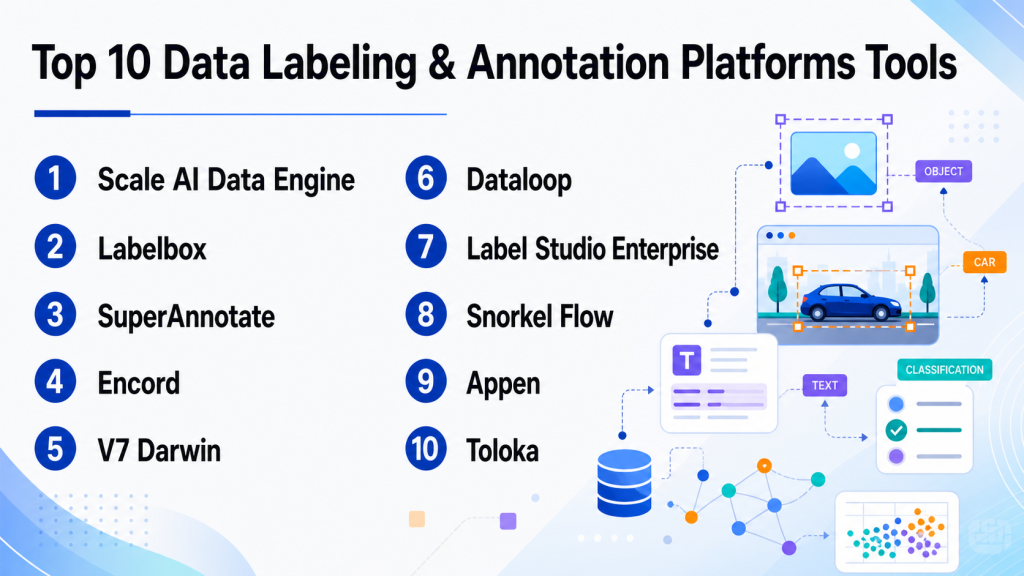
Top 10 Data Labeling & Annotation Platforms Tools
1 — Scale AI Data Engine
One-line verdict: Best for enterprises needing managed expert labeling, complex datasets, and production-scale AI data operations.
Short description:
Scale AI Data Engine focuses on high-quality data labeling, data curation, and human feedback workflows for AI and ML teams. It is commonly used by organizations working on computer vision, autonomous systems, generative AI, and enterprise AI applications.
Standout Capabilities
- Strong focus on enterprise-scale data operations and managed annotation services.
- Supports complex computer vision, text, document, and multimodal labeling workflows.
- Useful for teams that need expert human review rather than only self-serve tooling.
- Can support data pipelines for training, evaluation, and model improvement.
- Helpful for large teams managing high-volume annotation projects.
- Quality workflows can support review, consensus, and escalation patterns.
- Suitable for organizations that need operational support alongside platform capabilities.
AI-Specific Depth
- Model support: Varies / N/A; commonly used alongside proprietary and open-source model workflows.
- RAG / knowledge integration: Varies / N/A.
- Evaluation: Human evaluation and feedback workflows are a core use case.
- Guardrails: Workforce controls and review processes may support safer data handling; detailed guardrail scope varies.
- Observability: Project and quality analytics may be available; token and model-cost observability varies.
Pros
- Strong option for enterprise-scale and high-complexity labeling programs.
- Managed workforce support can reduce operational burden.
- Useful for teams that need both tooling and human data services.
Cons
- May be more than smaller teams need for simple annotation projects.
- Pricing and packaging can vary by project scope.
- Teams seeking fully open-source control may prefer alternatives.
Security & Compliance
Enterprise security features such as access controls, auditability, and data protection are typically expected in this category, but exact certifications, retention controls, residency options, and deployment details should be verified directly. Certifications: Not publicly stated.
Deployment & Platforms
- Web-based platform.
- Cloud and enterprise deployment options may vary.
- Self-hosted availability: Varies / N/A.
Integrations & Ecosystem
Scale AI Data Engine is generally used as part of larger AI data pipelines where teams connect labeled data to training, evaluation, and model improvement workflows. It is best evaluated around API access, export formats, and compatibility with internal ML systems.
- APIs for workflow and data movement may be available.
- Export support varies by use case.
- Can fit into enterprise ML pipelines.
- Often paired with cloud storage and model development environments.
- Workforce operations may be integrated into project delivery.
- Custom workflow support may be available for enterprise buyers.
Pricing Model
Typically enterprise or project-based. Exact pricing is not publicly stated and usually depends on dataset size, task complexity, workforce requirements, quality targets, and contract terms.
Best-Fit Scenarios
- Large-scale computer vision or multimodal annotation projects.
- AI teams that need managed expert labeling and quality operations.
- Enterprises building production AI systems with high data quality requirements.
2 — Labelbox
One-line verdict: Best for AI teams needing a flexible platform for labeling, data curation, and human feedback.
Short description:
Labelbox is a data labeling and AI data platform used by teams building computer vision, NLP, document AI, and generative AI workflows. It combines labeling tools, collaboration features, data curation, and human feedback capabilities.
Standout Capabilities
- Supports multiple annotation use cases across images, text, documents, video, and other data types.
- Offers workflows for data curation, labeling, review, and quality management.
- Useful for teams that want a structured platform rather than disconnected labeling tools.
- Supports collaboration between data scientists, annotators, reviewers, and subject-matter experts.
- Can help teams prioritize data through curation and model-assisted workflows.
- Suitable for both training data creation and AI feedback loops.
- Enterprise-friendly features may be available depending on plan and deployment.
AI-Specific Depth
- Model support: Varies / N/A; can support AI-assisted and model-in-the-loop workflows.
- RAG / knowledge integration: N/A for most labeling workflows; document and text workflows may support related use cases.
- Evaluation: Human feedback and review workflows can support AI evaluation.
- Guardrails: Workflow permissions and review controls may help; prompt-injection defense is N/A unless used in LLM evaluation context.
- Observability: Labeling analytics and workflow metrics may be available; token-level observability varies.
Pros
- Strong general-purpose platform for many data labeling needs.
- Good fit for teams that need collaboration and review workflows.
- Useful across computer vision, NLP, document, and generative AI data workflows.
Cons
- Advanced enterprise features may require higher-tier plans.
- Teams with narrow open-source needs may prefer lighter tools.
- Implementation quality depends on workflow design and reviewer training.
Security & Compliance
Common enterprise features may include role-based permissions and administrative controls, but buyers should verify SSO, SAML, audit logs, encryption, retention controls, residency, and certifications directly. Certifications: Not publicly stated.
Deployment & Platforms
- Web-based platform.
- Cloud deployment.
- Enterprise deployment options: Varies / N/A.
- Desktop and mobile availability: Varies / N/A.
Integrations & Ecosystem
Labelbox is designed to fit into AI data workflows and can be connected with storage systems, ML pipelines, and internal tools through APIs and export options. Buyers should test integration depth during pilot implementation.
- API access may be available.
- Cloud storage integrations may be supported.
- Export formats vary by data type.
- Can support model-assisted labeling workflows.
- May integrate with ML and data science pipelines.
- Collaboration workflows support annotation teams and reviewers.
Pricing Model
Typically tiered, usage-based, or enterprise-based depending on workload and requirements. Exact pricing varies and should be verified directly.
Best-Fit Scenarios
- Teams building computer vision and NLP training datasets.
- Organizations needing human feedback workflows for AI systems.
- Mid-market or enterprise teams wanting structured labeling operations.
3 — SuperAnnotate
One-line verdict: Best for teams needing multimodal annotation, data management, and AI-assisted labeling workflows.
Short description:
SuperAnnotate provides tools for data annotation, curation, QA, and AI data operations. It is often used by teams working on computer vision, multimodal datasets, and production AI workflows that require human review and automation.
Standout Capabilities
- Strong multimodal annotation support across visual and text-heavy workflows.
- Offers project management and quality control capabilities for annotation teams.
- Supports AI-assisted labeling to improve speed and consistency.
- Useful for teams managing large datasets and review pipelines.
- Can support data curation and dataset management workflows.
- Suitable for internal teams and managed annotation operations.
- Designed for production-oriented AI data workflows.
AI-Specific Depth
- Model support: Varies / N/A; model-assisted workflows may be supported.
- RAG / knowledge integration: N/A for most labeling use cases.
- Evaluation: Human review and QA workflows can support evaluation projects.
- Guardrails: Workflow controls and reviewer permissions may help; LLM-specific guardrails vary.
- Observability: Annotation productivity and quality analytics may be available; token-level observability varies.
Pros
- Strong fit for visual and multimodal annotation workflows.
- Helpful project management and QA capabilities.
- Good option for teams that need collaboration and workflow structure.
Cons
- Exact enterprise security and deployment details should be verified.
- May require setup effort for complex workflows.
- Pricing may vary based on volume and team requirements.
Security & Compliance
Security controls may include administrative permissions, user roles, and data protection features, but details such as SSO, audit logs, residency, encryption scope, and certifications should be confirmed directly. Certifications: Not publicly stated.
Deployment & Platforms
- Web-based platform.
- Cloud deployment.
- Self-hosted or private deployment: Varies / N/A.
- Desktop and mobile apps: Varies / N/A.
Integrations & Ecosystem
SuperAnnotate can support AI data workflows through APIs, dataset imports, exports, and integrations with storage or ML environments. Buyers should test how smoothly it fits into their labeling and training pipeline.
- API support may be available.
- Cloud data import and export options may be supported.
- Dataset management features help organize projects.
- Can work with model-assisted annotation flows.
- Supports collaboration between annotators, reviewers, and managers.
- Integration depth varies by plan and setup.
Pricing Model
Typically tiered or enterprise-based, with pricing depending on users, data volume, annotation needs, and service requirements. Exact pricing: Not publicly stated.
Best-Fit Scenarios
- Computer vision annotation for images and videos.
- Multimodal AI data workflows requiring quality review.
- Teams needing a balance of tooling, project management, and automation.
4 — Encord
One-line verdict: Best for computer vision teams needing annotation, data curation, and model evaluation workflows.
Short description:
Encord focuses on annotation, data management, and evaluation workflows for computer vision and AI teams. It is commonly used for images, video, medical data, and visual datasets where quality, review, and curation matter.
Standout Capabilities
- Strong focus on computer vision annotation and visual data workflows.
- Supports image and video annotation use cases.
- Offers tools for data curation, quality management, and review.
- Useful for medical imaging, autonomous systems, and visual AI projects.
- Can support model-assisted labeling and active learning workflows.
- Helps teams manage datasets across labeling and evaluation stages.
- Good fit for teams needing structured visual data operations.
AI-Specific Depth
- Model support: Varies / N/A; model-assisted workflows may be available.
- RAG / knowledge integration: N/A.
- Evaluation: Model evaluation and human review workflows may be supported.
- Guardrails: QA controls and review workflows may help; LLM prompt-injection guardrails are N/A.
- Observability: Dataset and labeling analytics may be available; model token metrics are N/A.
Pros
- Strong option for visual AI and computer vision workflows.
- Useful for teams needing curation plus annotation.
- Good fit for high-quality dataset review and model improvement loops.
Cons
- Less ideal for teams focused only on simple text labeling.
- Advanced workflow setup may require planning.
- Exact pricing and enterprise controls should be verified.
Security & Compliance
Enterprise-grade controls may be available, but buyers should verify SSO, RBAC, audit logs, encryption, retention, data residency, and certifications directly. Certifications: Not publicly stated.
Deployment & Platforms
- Web-based platform.
- Cloud deployment.
- Private or self-hosted options: Varies / N/A.
- Desktop and mobile support: Varies / N/A.
Integrations & Ecosystem
Encord fits best in computer vision workflows where teams need to move data between storage, annotation, review, and model training environments. Integration testing should focus on data import, export, APIs, and dataset versioning needs.
- API support may be available.
- Cloud storage connections may be supported.
- Export options for computer vision formats may be available.
- Model-assisted workflows may be supported.
- Review workflows help connect annotators and ML teams.
- Useful in visual AI pipelines.
Pricing Model
Typically subscription or enterprise-based. Exact pricing depends on usage, data volume, team size, and deployment needs. Exact pricing: Not publicly stated.
Best-Fit Scenarios
- Computer vision teams labeling images and video.
- Medical imaging and visual inspection workflows.
- AI teams needing dataset curation and model evaluation support.
5 — V7 Darwin
One-line verdict: Best for visual AI teams needing image, video, and document annotation with workflow automation.
Short description:
V7 Darwin is a data annotation and workflow platform for computer vision and AI teams. It supports visual labeling, dataset management, review workflows, and automation for teams building production-ready models.
Standout Capabilities
- Strong annotation capabilities for images, video, and visual workflows.
- Supports automation features that can reduce manual labeling effort.
- Useful for dataset management and review pipelines.
- Fits teams working on computer vision, document AI, and visual inspection.
- Can support collaborative labeling and quality assurance.
- Helps organize complex visual AI projects.
- Useful for teams that want a polished annotation interface.
AI-Specific Depth
- Model support: Varies / N/A; AI-assisted annotation may be supported.
- RAG / knowledge integration: N/A.
- Evaluation: Human review and QA workflows may support model evaluation.
- Guardrails: Workflow permissions and review controls may help; LLM-specific guardrails vary.
- Observability: Annotation project metrics may be available; token/cost metrics are N/A.
Pros
- Strong fit for image, video, and visual data labeling.
- Workflow automation can improve labeling speed.
- Useful interface for collaborative annotation teams.
Cons
- May not be the best fit for purely text-heavy labeling workflows.
- Enterprise deployment details should be verified.
- Complex projects still require strong labeling guidelines and QA design.
Security & Compliance
Security controls may include access management and administrative features, but exact SSO, SAML, audit log, residency, retention, and certification details should be confirmed directly. Certifications: Not publicly stated.
Deployment & Platforms
- Web-based platform.
- Cloud deployment.
- Self-hosted or hybrid: Varies / N/A.
- Desktop and mobile: Varies / N/A.
Integrations & Ecosystem
V7 Darwin can fit into visual AI pipelines through dataset import, export, APIs, and review workflows. Buyers should test how well it handles their specific annotation formats and ML workflow requirements.
- API support may be available.
- Visual dataset import and export support may be available.
- Workflow automation can support labeling pipelines.
- Review and QA flows help maintain quality.
- Can connect to model development workflows.
- Integration scope varies by plan.
Pricing Model
Typically subscription or enterprise-based. Exact prices are not publicly stated and may vary by team size, usage, and data volume.
Best-Fit Scenarios
- Visual inspection and computer vision projects.
- Video and image annotation with review workflows.
- Teams needing automation-assisted labeling for visual datasets.
6 — Dataloop
One-line verdict: Best for teams building end-to-end AI data pipelines with annotation, automation, and operations.
Short description:
Dataloop provides a platform for data labeling, data management, automation, and AI data operations. It is used by teams that need annotation workflows connected to larger ML pipelines and production AI systems.
Standout Capabilities
- Supports data annotation and data management in one platform.
- Useful for complex AI data pipelines and automation workflows.
- Can support human-in-the-loop processes for model improvement.
- Fits teams that need operational control across datasets and labeling.
- Offers workflow orchestration capabilities for annotation projects.
- Suitable for visual and multimodal data operations.
- Good fit for teams needing extensibility and pipeline integration.
AI-Specific Depth
- Model support: Varies / N/A; may support model-in-the-loop workflows.
- RAG / knowledge integration: N/A for most labeling use cases.
- Evaluation: Human review and evaluation workflows may be supported.
- Guardrails: Workflow permissions and governance controls may help; LLM-specific guardrails vary.
- Observability: Workflow and project analytics may be available; token-level observability varies.
Pros
- Strong fit for teams needing more than basic annotation.
- Useful for connecting labeling to broader AI data operations.
- Automation workflows can reduce manual effort.
Cons
- May require more setup than lightweight labeling tools.
- Smaller teams may not need the full operational depth.
- Exact pricing and security details should be verified.
Security & Compliance
Enterprise features may include access controls and administrative options, but SSO, audit logs, encryption, retention, residency, and certifications should be verified directly. Certifications: Not publicly stated.
Deployment & Platforms
- Web-based platform.
- Cloud deployment.
- Hybrid or private deployment: Varies / N/A.
- Desktop and mobile: Varies / N/A.
Integrations & Ecosystem
Dataloop is suited for teams that need to connect annotation with datasets, pipelines, automation, and model development workflows. It should be evaluated for API depth and pipeline customization.
- API and SDK capabilities may be available.
- Automation workflows can connect labeling steps.
- Dataset management features support AI pipelines.
- Cloud storage connections may be supported.
- Export formats vary by use case.
- Extensibility can support custom workflows.
Pricing Model
Typically usage-based, subscription-based, or enterprise contract. Exact pricing is not publicly stated.
Best-Fit Scenarios
- AI teams building connected labeling and data pipelines.
- Enterprises needing automation and human-in-the-loop workflows.
- Projects requiring dataset operations beyond simple annotation.
7 — Label Studio Enterprise
One-line verdict: Best for teams wanting open-source flexibility with enterprise annotation and AI evaluation workflows.
Short description:
Label Studio is known for its open-source data labeling foundation and enterprise options. It supports multimodal labeling across text, images, audio, time series, documents, and AI evaluation workflows, making it attractive for technical teams.
Standout Capabilities
- Open-source foundation gives teams flexibility and transparency.
- Supports many data types, including text, images, audio, documents, and time series.
- Useful for LLM evaluation, RLHF-style workflows, and human feedback projects.
- Can be extended and customized by technical teams.
- Good fit for teams that want control over labeling interfaces and workflows.
- Enterprise version may add security, collaboration, and governance features.
- Strong developer appeal due to flexible configuration.
AI-Specific Depth
- Model support: Can be used with proprietary, open-source, and BYO model workflows depending on setup.
- RAG / knowledge integration: Varies / N/A; can support evaluation workflows around retrieved content when configured.
- Evaluation: Supports human review, ranking, comparison, and LLM evaluation workflows.
- Guardrails: N/A by default; can be part of custom review and evaluation processes.
- Observability: Project metrics may be available; token and latency observability usually depends on external systems.
Pros
- Flexible and developer-friendly.
- Open-source option is useful for experimentation and customization.
- Supports broad data types and AI evaluation workflows.
Cons
- Self-managed setups require technical expertise.
- Enterprise features may require paid plans.
- Complex governance may need careful configuration.
Security & Compliance
Enterprise security capabilities may include role controls and administrative features, but buyers should verify SSO, audit logs, encryption, retention, residency, and certifications directly. Certifications: Not publicly stated.
Deployment & Platforms
- Web-based platform.
- Open-source self-hosting option.
- Cloud and enterprise options may be available.
- Desktop and mobile: Varies / N/A.
Integrations & Ecosystem
Label Studio works well for technical teams because it can be customized and connected into ML workflows. It is especially useful when teams need flexible labeling templates or want to avoid fully closed systems.
- Open-source ecosystem.
- API support may be available.
- Custom labeling interfaces can be configured.
- Works with many data types.
- Can connect to internal ML and evaluation workflows.
- Enterprise options may support stronger team management.
Pricing Model
Open-source plus paid enterprise options. Exact enterprise pricing is not publicly stated.
Best-Fit Scenarios
- Teams needing open-source annotation flexibility.
- LLM evaluation and human feedback workflows.
- Technical teams that want self-hosting or customization.
8 — Snorkel Flow
One-line verdict: Best for teams using programmatic labeling and subject-matter expertise to build training datasets faster.
Short description:
Snorkel Flow focuses on programmatic data labeling, weak supervision, and data-centric AI workflows. Instead of labeling every item manually, teams encode expert knowledge into labeling functions and use them to generate training data more efficiently.
Standout Capabilities
- Strong focus on programmatic labeling and weak supervision.
- Helps reduce manual labeling burden through expert-defined rules and signals.
- Useful for text, document, classification, and enterprise data workflows.
- Supports collaboration between data scientists and subject-matter experts.
- Good fit for teams dealing with large volumes of unlabeled data.
- Can help teams iterate quickly on label logic and training datasets.
- Strong data-centric AI approach for improving model quality.
AI-Specific Depth
- Model support: Varies / N/A; commonly used alongside ML and AI model development workflows.
- RAG / knowledge integration: N/A for most annotation workflows.
- Evaluation: Supports iterative review and data development workflows; specific evaluation scope varies.
- Guardrails: N/A for prompt-injection defense; labeling governance depends on workflow design.
- Observability: Data development analytics may be available; token and latency observability are N/A.
Pros
- Reduces dependence on fully manual labeling.
- Strong for enterprise datasets with expert rules or domain knowledge.
- Useful for teams that want scalable, repeatable labeling logic.
Cons
- Requires technical and domain expertise to get full value.
- Not always ideal for pixel-level visual annotation.
- Teams must understand weak supervision concepts.
Security & Compliance
Enterprise controls may be available, but buyers should verify SSO, RBAC, audit logs, encryption, data retention, residency, and certifications directly. Certifications: Not publicly stated.
Deployment & Platforms
- Web-based enterprise platform.
- Cloud or enterprise deployment: Varies / N/A.
- Self-hosted or private deployment: Varies / N/A.
- Desktop and mobile: Varies / N/A.
Integrations & Ecosystem
Snorkel Flow is typically used in data-centric AI workflows where labeling logic, training data, and model development are closely connected. Integration depth should be evaluated around data sources, ML pipelines, and export needs.
- Can connect to enterprise data workflows.
- Supports programmatic labeling logic.
- May integrate with ML model development pipelines.
- Useful for structured and unstructured data workflows.
- Export and pipeline support varies by deployment.
- Collaboration between SMEs and data teams is a key ecosystem strength.
Pricing Model
Typically enterprise-based. Exact pricing is not publicly stated.
Best-Fit Scenarios
- Large text or document datasets where manual labeling is too slow.
- Teams with subject-matter experts who can define labeling logic.
- Enterprises seeking data-centric AI workflows.
9 — Appen
One-line verdict: Best for organizations needing managed human data services across language, speech, text, and multimodal projects.
Short description:
Appen provides AI data services, including data annotation, collection, evaluation, and human feedback. It is commonly considered by teams that need access to distributed human contributors and managed services rather than only software tooling.
Standout Capabilities
- Strong focus on managed data annotation and human data services.
- Useful for language, speech, text, search, relevance, and multimodal AI projects.
- Can support projects needing human judgment at scale.
- Helpful for companies that do not want to build annotation workforces internally.
- May support global and multilingual data workflows.
- Can help with data collection as well as labeling.
- Suitable for teams needing operational support and workforce management.
AI-Specific Depth
- Model support: Varies / N/A; supports data workflows for different model types.
- RAG / knowledge integration: N/A.
- Evaluation: Human evaluation, relevance review, and feedback workflows may be supported.
- Guardrails: Workforce policies and review processes may help; LLM-specific guardrails vary.
- Observability: Project reporting may be available; technical model observability varies.
Pros
- Strong fit for managed annotation and human data projects.
- Useful for multilingual and large-scale human review needs.
- Reduces the burden of recruiting and managing annotators.
Cons
- Less ideal for teams wanting only a lightweight self-serve tool.
- Project quality depends on instructions, QA design, and workforce management.
- Pricing varies by project complexity and service level.
Security & Compliance
Security and compliance details depend on project scope and enterprise agreement. Buyers should verify SSO, RBAC, encryption, retention controls, audit logs, residency, and certifications directly. Certifications: Not publicly stated.
Deployment & Platforms
- Managed service and web-based project workflows.
- Cloud-based service delivery.
- Self-hosted: Varies / N/A.
- Desktop and mobile: Varies / N/A.
Integrations & Ecosystem
Appen is best evaluated as a managed data partner rather than just a software platform. It can fit into AI development processes where human data collection, labeling, evaluation, and feedback are needed at scale.
- Managed workforce ecosystem.
- Project-based annotation workflows.
- May support data import and export formats.
- Useful for language and speech workflows.
- Can support human evaluation tasks.
- Integration depth varies by engagement.
Pricing Model
Typically project-based, enterprise-based, or service-based. Exact pricing is not publicly stated.
Best-Fit Scenarios
- Multilingual annotation and data collection.
- Human evaluation for search, speech, and AI outputs.
- Enterprises needing managed annotation services.
10 — Toloka
One-line verdict: Best for teams needing scalable human-in-the-loop labeling and evaluation with flexible task design.
Short description:
Toloka provides human-in-the-loop data labeling, annotation, and evaluation workflows. It is used for tasks such as classification, search relevance, computer vision labeling, content evaluation, and AI output review.
Standout Capabilities
- Supports scalable human task workflows for annotation and evaluation.
- Useful for classification, content review, search relevance, and AI quality tasks.
- Can combine human judgment with automated workflows.
- Flexible task design can support different annotation needs.
- Useful for teams that need external human review capacity.
- Can help teams collect feedback on model outputs.
- Suitable for projects where review speed and workforce reach matter.
AI-Specific Depth
- Model support: Varies / N/A; supports data tasks for different model workflows.
- RAG / knowledge integration: N/A.
- Evaluation: Human evaluation and review workflows can support AI quality testing.
- Guardrails: Workforce controls and review design may help; LLM-specific guardrails vary.
- Observability: Task analytics may be available; token/cost observability varies.
Pros
- Flexible for many human review and labeling tasks.
- Useful for scalable annotation and evaluation workflows.
- Can support AI output review and feedback collection.
Cons
- Quality depends heavily on task design and reviewer controls.
- May require setup effort for complex or sensitive projects.
- Enterprise security and deployment options should be verified.
Security & Compliance
Buyers should verify security controls directly, including SSO, RBAC, audit logs, encryption, data retention, residency, and certifications. Certifications: Not publicly stated.
Deployment & Platforms
- Web-based platform.
- Cloud-based workflows.
- Self-hosted: Varies / N/A.
- Desktop and mobile: Varies / N/A.
Integrations & Ecosystem
Toloka can be used as part of human-in-the-loop AI pipelines where teams need scalable review and labeling tasks. Integration should be tested around API access, data export, task automation, and internal workflow fit.
- API support may be available.
- Flexible task templates may be supported.
- Human review workflows can support AI evaluation.
- Export options vary by project.
- Can connect with internal ML workflows.
- Useful for large-scale feedback collection.
Pricing Model
Typically task-based, usage-based, or enterprise-based depending on project needs. Exact pricing is not publicly stated.
Best-Fit Scenarios
- Human evaluation of AI outputs.
- Search relevance, classification, and content review.
- Scalable annotation projects with flexible task requirements.
Comparison Table
| Tool Name | Best For | Deployment | Model Flexibility | Strength | Watch-Out | Public Rating |
|---|---|---|---|---|---|---|
| Scale AI Data Engine | Enterprise managed labeling | Cloud / Varies | Hosted / BYO adjacent | Managed expert data operations | May be costly for small teams | N/A |
| Labelbox | Flexible AI data workflows | Cloud / Varies | Hosted / BYO adjacent | Labeling plus curation | Advanced needs may require higher tiers | N/A |
| SuperAnnotate | Multimodal annotation | Cloud / Varies | Hosted / BYO adjacent | Visual and multimodal workflows | Requires workflow setup | N/A |
| Encord | Computer vision teams | Cloud / Varies | Hosted / BYO adjacent | Visual data curation | Less ideal for simple text-only work | N/A |
| V7 Darwin | Visual AI workflows | Cloud / Varies | Hosted / BYO adjacent | Image and video annotation | Enterprise details need verification | N/A |
| Dataloop | AI data operations | Cloud / Hybrid varies | Hosted / BYO adjacent | Pipeline automation | Can be complex for small teams | N/A |
| Label Studio Enterprise | Open-source flexibility | Cloud / Self-hosted / Varies | Open-source / BYO | Customizable multimodal labeling | Requires technical setup | N/A |
| Snorkel Flow | Programmatic labeling | Cloud / Varies | BYO adjacent | Weak supervision | Requires data science expertise | N/A |
| Appen | Managed human data services | Cloud / Managed | Varies / N/A | Global workforce support | Less self-serve | N/A |
| Toloka | Flexible human-in-loop tasks | Cloud | Varies / N/A | Scalable task workflows | Quality depends on task design | N/A |
Scoring & Evaluation
The scoring below is comparative, not absolute. It is designed to help buyers shortlist platforms based on practical AI data needs, not to declare a universal winner. Scores reflect general platform fit, category relevance, flexibility, quality workflow strength, and buyer usefulness. Your final score may differ depending on dataset type, compliance requirements, internal expertise, workforce needs, and budget. Always validate shortlisted tools using a pilot dataset, real annotators, actual review rules, and your preferred export pipeline.
| Tool | Core | Reliability/Eval | Guardrails | Integrations | Ease | Perf/Cost | Security/Admin | Support | Weighted Total |
|---|---|---|---|---|---|---|---|---|---|
| Scale AI Data Engine | 9 | 9 | 8 | 8 | 7 | 7 | 8 | 9 | 8.20 |
| Labelbox | 9 | 8 | 7 | 8 | 8 | 8 | 8 | 8 | 8.10 |
| SuperAnnotate | 8 | 8 | 7 | 8 | 8 | 8 | 7 | 8 | 7.85 |
| Encord | 8 | 8 | 7 | 8 | 8 | 8 | 7 | 8 | 7.85 |
| V7 Darwin | 8 | 7 | 7 | 7 | 8 | 8 | 7 | 7 | 7.50 |
| Dataloop | 8 | 8 | 7 | 9 | 7 | 8 | 7 | 7 | 7.85 |
| Label Studio Enterprise | 8 | 8 | 6 | 8 | 7 | 9 | 7 | 8 | 7.75 |
| Snorkel Flow | 8 | 8 | 6 | 8 | 6 | 9 | 7 | 7 | 7.55 |
| Appen | 8 | 8 | 7 | 6 | 7 | 7 | 7 | 8 | 7.35 |
| Toloka | 7 | 7 | 6 | 7 | 7 | 8 | 6 | 7 | 7.00 |
Top 3 for Enterprise
- Scale AI Data Engine
- Labelbox
- Dataloop
Top 3 for SMB
- Labelbox
- SuperAnnotate
- Encord
Top 3 for Developers
- Label Studio Enterprise
- Snorkel Flow
- Dataloop
Which Data Labeling & Annotation Platform Is Right for You?
Solo / Freelancer
Solo users usually do not need a heavy enterprise platform unless they are working with large datasets or client annotation projects. Label Studio is often the best starting point because it offers flexibility, broad data type support, and self-hosting options. If you need a polished interface with less setup, consider a cloud-first tool such as Labelbox, SuperAnnotate, Encord, or V7 Darwin depending on your data type.
For very small projects, a spreadsheet, lightweight open-source tool, or custom script may be enough. Do not overbuy a platform if you only need a few hundred labeled examples.
SMB
Small and mid-sized businesses should prioritize ease of use, cost control, annotation quality, and export flexibility. Labelbox, SuperAnnotate, Encord, and V7 Darwin are strong candidates if the team needs a managed workspace for annotation and review. Label Studio is attractive when the team has technical talent and wants open-source control.
SMBs should avoid platforms that require heavy implementation unless the labeling problem is complex enough to justify it. A good pilot should measure annotation speed, reviewer agreement, export quality, and model improvement.
Mid-Market
Mid-market teams often need a balance of workflow automation, QA, access control, and integration depth. Labelbox, SuperAnnotate, Encord, Dataloop, and V7 Darwin can work well depending on whether the core data is visual, text-heavy, document-heavy, or multimodal.
At this stage, the most important questions are: Can the platform integrate with your ML pipeline? Can your team manage reviewers effectively? Can you track quality and cost? Can you reuse labeled data for evaluation and model monitoring?
Enterprise
Enterprises should prioritize governance, security, auditability, workforce controls, data residency, SSO, RBAC, and operational scalability. Scale AI Data Engine, Labelbox, Dataloop, Appen, and Snorkel Flow are often strong candidates for enterprise programs depending on whether the organization needs managed services, programmatic labeling, or pipeline integration.
Enterprise buyers should run a structured pilot with security review, legal review, data handling review, annotation QA, export testing, and model impact measurement. The lowest sticker price may not be the lowest total cost if rework, poor QA, or vendor lock-in increases operational burden.
Regulated industries: finance, healthcare, and public sector
Regulated teams should treat annotation platforms as part of the data governance stack. Look for clear controls around encryption, access permissions, audit logs, retention, residency, reviewer access, and sensitive data handling. Healthcare teams labeling medical images or clinical documents should also verify whether the vendor can support domain experts and restricted data workflows.
Use “Not publicly stated” as a red flag only when the vendor cannot provide details during procurement. In regulated workflows, claims must be verified contractually, not assumed from marketing material.
Budget vs premium
Budget-conscious teams should start with Label Studio, CVAT-style open-source workflows, or lower-cost cloud tools when the annotation need is simple. Premium platforms become more valuable when the team needs managed workforce support, advanced QA, automation, data governance, or high-volume multimodal labeling.
The right question is not “Which tool is cheapest?” The better question is “Which tool produces usable labels at the lowest total cost, including review, rework, security, integration, and model performance impact?”
Build vs buy
DIY makes sense when your workflow is highly custom, your data volume is modest, your engineering team is strong, and you need full control over data handling. Open-source tools can be a good foundation for this path.
Buying makes sense when you need speed, collaboration, QA workflows, workforce management, compliance support, managed services, or production-scale annotation. For most growing AI teams, the best path is hybrid: use a platform for workflow and governance, while keeping data formats and pipelines portable.
Implementation Playbook: 30 / 60 / 90 Days
30 Days: Pilot and Success Metrics
- Select two or three platforms based on data type, budget, security needs, and workflow complexity.
- Choose a real pilot dataset with edge cases, ambiguous examples, and representative production data.
- Define label taxonomy, annotation instructions, review rules, and escalation paths.
- Create success metrics such as label accuracy, reviewer agreement, throughput, cost per accepted label, rework rate, and model performance lift.
- Test data import, annotation workflow, QA workflow, export format, and integration with your training pipeline.
- Include a small group of annotators, reviewers, ML engineers, and domain experts.
- Build a basic evaluation harness to compare model performance before and after using labeled data.
- Document prompt/version control if the workflow includes LLM output review, preference ranking, or AI-assisted labeling.
- Run a basic red-team review for sensitive data leakage, incorrect labels, and workflow misuse.
60 Days: Harden Security, Evaluation, and Rollout
- Review SSO, RBAC, audit logs, data retention, encryption, and reviewer access controls.
- Confirm whether sensitive data is stored, reused, retained, or processed by third-party systems.
- Expand labeling guidelines with edge cases, negative examples, and quality examples.
- Build gold-standard tasks to measure annotator accuracy.
- Add reviewer queues, consensus review, and escalation workflows.
- Track annotation quality by project, label type, reviewer, and data source.
- Integrate annotation exports into training, evaluation, or fine-tuning pipelines.
- Set up incident handling for mislabeled data, sensitive data exposure, and failed review workflows.
- Create a repeatable process for dataset versioning and label taxonomy changes.
90 Days: Optimize Cost, Latency, Governance, and Scale
- Use active learning or sampling to avoid labeling data that does not improve model performance.
- Introduce model-assisted pre-labeling where it reduces cost without lowering quality.
- Compare internal annotators, vendor-managed teams, and expert reviewers.
- Track cost per usable label, cost per model improvement, and rework cost.
- Create governance rules for who can create projects, change labels, approve data, and export datasets.
- Build dashboards for labeling throughput, QA scores, review delays, and dataset readiness.
- Standardize dataset versioning, annotation formats, and export pipelines.
- Run periodic red-team reviews for annotation bias, unsafe outputs, and hidden quality failures.
- Scale only after security, quality, cost, and integration metrics are stable.
Common Mistakes & How to Avoid Them
- Starting without a clear label taxonomy: Define labels, edge cases, examples, and rejection rules before annotation begins.
- Skipping evaluation: Measure whether labels actually improve model performance, not just whether tasks are completed.
- Ignoring reviewer agreement: Track disagreement between annotators to find unclear guidelines or difficult data.
- Over-automating without human review: Use AI-assisted labeling carefully and review uncertain or high-risk outputs.
- Failing to control data retention: Confirm how long data is stored and whether it can be deleted or restricted.
- Not checking sensitive data exposure: Redact or restrict private, financial, medical, or confidential data before labeling.
- Using general annotators for expert tasks: Medical, legal, financial, and safety-critical workflows often need domain experts.
- Missing observability: Track throughput, cost, quality, rework, reviewer accuracy, and model impact.
- Forgetting export portability: Make sure annotations can be exported in usable formats without vendor lock-in.
- Choosing by interface alone: A clean UI is useful, but QA, governance, integration, and review workflows matter more.
- Not planning for label drift: As products, models, and policies change, labels and guidelines need version control.
- No incident handling process: Create a plan for mislabeled data, privacy issues, reviewer misuse, and failed evaluations.
- Underestimating cost surprises: Large video, document, and multimodal projects can become expensive quickly.
- Treating annotation as a one-time task: Production AI needs continuous feedback, evaluation, review, and dataset improvement.
FAQs
1. What is a data labeling and annotation platform?
A data labeling and annotation platform helps teams mark raw data so AI models can learn from it. This can include drawing boxes around objects, tagging text, transcribing audio, reviewing documents, or ranking AI responses.
2. Why do AI teams need data labeling tools?
AI models depend on high-quality examples. Labeling tools help teams create, review, manage, and improve those examples in a structured way instead of relying on scattered spreadsheets or manual files.
3. What data types can these platforms support?
Common data types include images, videos, text, documents, audio, speech, geospatial data, sensor data, and multimodal datasets. Exact support varies by platform.
4. Are these tools only for computer vision?
No. Many platforms support NLP, document AI, speech, LLM evaluation, human feedback, and multimodal workflows. Some tools are stronger for computer vision, while others are better for text or programmatic labeling.
5. Can data labeling platforms support generative AI?
Yes, many platforms now support human feedback, response ranking, rubric-based review, preference data, safety evaluation, and LLM output assessment. Exact capabilities vary by vendor.
6. Do these platforms train models directly?
Some platforms focus only on labeling and workflow management, while others support model-assisted labeling, evaluation, or pipeline integration. Full model training support varies and should be verified.
7. Can I bring my own model?
Some platforms support model-assisted labeling or BYO model workflows, while others require custom integration. If BYO model support is important, test it during the pilot.
8. Do I need self-hosting?
Self-hosting is useful when data is highly sensitive, regulated, or restricted by internal policies. Cloud platforms may be enough for many teams, but regulated industries should verify security and residency requirements.
9. How do these platforms handle privacy?
Privacy controls may include encryption, access permissions, audit logs, retention settings, and reviewer restrictions. Buyers should verify these directly because details vary by platform and plan.
10. What are guardrails in annotation workflows?
Guardrails include review rules, access controls, data handling policies, quality thresholds, escalation workflows, and restrictions that prevent unsafe or incorrect labeling practices.
11. How do I measure annotation quality?
Use reviewer agreement, gold-standard tasks, QA sampling, expert review, rework rate, label consistency, and model performance improvement. Completion volume alone is not a quality metric.
12. Are open-source labeling tools good enough?
Open-source tools can be excellent for technical teams, prototypes, and custom workflows. Enterprises may still need paid features for governance, collaboration, support, security, and scale.
13. How much do data labeling platforms cost?
Pricing varies widely. Some tools are open-source, some are seat-based, some are usage-based, and some are project-based with managed services. Exact pricing should be verified directly.
Conclusion
Data labeling and annotation platforms are now core infrastructure for serious AI teams. The best choice depends on your data type, workflow complexity, security needs, budget, workforce strategy, and whether you are building classic ML, computer vision, document AI, multimodal systems, or generative AI evaluation pipelines. Scale AI Data Engine, Labelbox, SuperAnnotate, Encord, V7 Darwin, Dataloop, Label Studio Enterprise, Snorkel Flow, Appen, and Toloka all serve different buyer needs, so there is no single universal winner.
Next steps:
- Shortlist: Choose 3 tools based on data type, deployment, security, and budget.
- Pilot: Test with real data, clear labeling rules, QA review, and success metrics.
- Verify and scale: Check security, evaluation quality, export flexibility, and cost before wider rollout.