Introduction
AI Ticket Triage & Routing Systems are intelligent platforms designed to automatically classify, prioritize, and route incoming support tickets to the most appropriate agent or team. Leveraging AI, natural language processing, and machine learning models, these systems analyze the content of each ticket, detect urgency, and assign tasks efficiently, reducing human error and improving response times.
In today’s business environment, where customer expectations are higher and ticket volumes continue to grow across multiple channels such as email, chat, voice, and social media, manual triage is no longer sustainable. AI Ticket Triage & Routing Systems not only reduce workload but also ensure that tickets are consistently handled by the most qualified agent, improving service quality and satisfaction scores.
Why It Matters
- Reduces Response Time: AI routing ensures tickets reach the right agent instantly, cutting resolution delays.
- Improves SLA Compliance: Prioritizes critical tickets and enforces escalation rules to maintain service standards.
- Increases Accuracy: Minimizes misrouting and human errors in classification.
- Enhances Agent Efficiency: Reduces manual workload, allowing agents to focus on complex or high-value cases.
- Supports Multi-Channel Management: Handles tickets from email, chat, voice, and social media in one system.
- Provides Actionable Analytics: Tracks recurring issues, bottlenecks, and ticket trends for proactive improvements.
- Scales with Business Needs: Efficiently manages high volumes of tickets across large teams or multiple locations.
- Boosts Customer Experience: Ensures faster, accurate responses, increasing satisfaction and loyalty.
Real-world use cases:
- Automatic routing of IT, HR, or customer service tickets to relevant teams
- Prioritization of high-impact or urgent tickets for rapid resolution
- Tagging and categorization of tickets for analytics and reporting
- Integration with CRM, helpdesk, and workflow platforms
- Detecting repeated issues or patterns for proactive intervention
- Assigning complex or escalated tickets to specialized agents
Evaluation criteria for buyers:
- Routing accuracy and AI model reliability
- Channel coverage (email, chat, voice, social media)
- Integration with CRM, ITSM, and workflow tools
- Customization and scalability
- Automated priority assignment and escalation rules
- Analytics dashboards and reporting capabilities
- Data privacy, retention, and compliance
- Cost, latency, and performance efficiency
Best for: IT teams, customer support managers, operations teams, enterprise helpdesks, and SaaS companies handling high ticket volumes.
Not ideal for: Small support teams with minimal ticket volume or companies with simple manual ticket workflows.
What’s Changed in AI Ticket Triage & Routing Systems
- Multi-channel ticket processing across chat, email, voice, and social media
- AI-driven priority scoring and SLA enforcement
- Agent recommendation and skill-based routing
- Guardrails for data privacy and sensitive information detection
- BYO model support and model routing for latency optimization
- Observability dashboards for latency, ticket coverage, and agent workload
- Real-time automation of ticket categorization and escalation
- Integration with CRM, ITSM, and workflow tools
- Continuous learning from agent feedback and historical tickets
- Enhanced compliance and audit features for regulated industries
Quick Buyer Checklist
- Routing accuracy and prioritization performance
- Channel support and workflow coverage
- Integration with CRM, ITSM, or helpdesk platforms
- AI evaluation and human-in-the-loop calibration
- Guardrails for sensitive data and privacy compliance
- SLA enforcement and escalation capabilities
- Latency and performance monitoring
- Customization, scalability, and reporting capabilities
- Cost efficiency and usage tracking
- Vendor lock-in and API extensibility
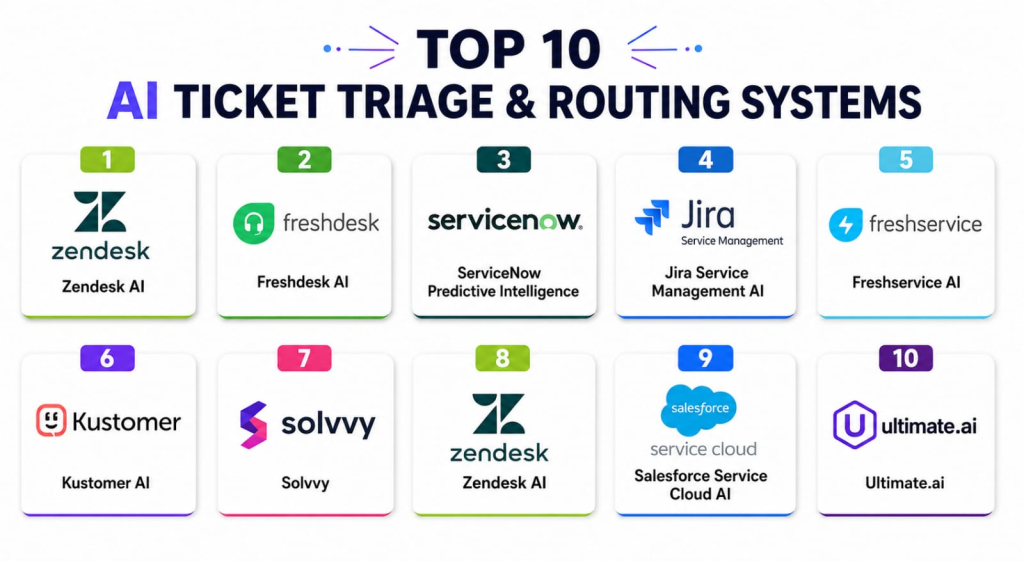
Top 10 AI Ticket Triage & Routing Systems Tools
1 — Zendesk AI
One-line verdict: Best for enterprise helpdesks seeking automated ticket routing and priority-based assignment.
Short description :
Zendesk AI automatically categorizes and routes incoming tickets to the right team based on content and urgency. It integrates seamlessly with Zendesk workflows, allowing enterprises to reduce response times and improve customer satisfaction. Commonly used by IT, HR, and customer service teams for large-scale ticket management.
Standout Capabilities
- AI-based categorization and routing
- Priority assignment and SLA management
- Integration with Zendesk CRM workflows
- Escalation rules for critical tickets
- Reporting and analytics dashboards
- Multi-channel support
AI-Specific Depth
- Model support: Proprietary
- RAG / knowledge integration: Zendesk knowledge base connectors
- Evaluation: Human-in-loop validation
- Guardrails: Policy checks, sensitive data masking
- Observability: Ticket coverage, latency metrics
Pros
- Reduces manual triage workload
- Improves ticket handling speed
- Supports multi-channel tickets
Cons
- Limited to Zendesk ecosystem
- Premium features required for advanced AI
- May require configuration for complex workflows
Security & Compliance
- SSO, RBAC, audit logs, encryption
- Certifications: Not publicly stated
Deployment & Platforms
- Web, Windows, macOS, iOS, Android
- Cloud
Integrations & Ecosystem
- CRM and helpdesk platforms
- API for workflow automation
- Knowledge base connectors
- Reporting and analytics dashboards
Pricing Model
- Subscription-based tiers
- Not publicly stated
Best-Fit Scenarios
- Enterprise helpdesks with high ticket volumes
- IT and HR ticket management
- Multi-channel support operations
2 — Freshdesk AI
One-line verdict: Ideal for SMBs and mid-market teams needing AI-driven ticket classification and assignment.
Short description :
Freshdesk AI automatically classifies and routes support tickets to appropriate agents or teams. SMBs and mid-market companies use it to optimize ticket resolution speed and maintain SLA compliance. Integrates with email, chat, and voice channels.
Standout Capabilities
- AI ticket categorization and routing
- Skill-based agent assignment
- SLA monitoring and alerts
- Integration with Freshdesk CRM workflows
- Analytics dashboards for ticket trends
- Multi-channel ticket support
AI-Specific Depth
- Model support: Proprietary
- RAG / knowledge integration: Freshdesk knowledge base connectors
- Evaluation: Human review optional
- Guardrails: Sensitive ticket handling
- Observability: Dashboard metrics
Pros
- Reduces ticket backlog
- Improves SLA adherence
- Multi-channel support
Cons
- Advanced AI features require higher-tier plans
- Limited custom model support
- Smaller integration ecosystem than enterprise-grade tools
Security & Compliance
- Encryption, SSO, RBAC
- Certifications: Not publicly stated
Deployment & Platforms
- Web, iOS, Android
- Cloud
Integrations & Ecosystem
- Email, chat, phone, social media
- CRM connectors
- Reporting and analytics dashboards
- API access
Pricing Model
- Tiered subscription
- Not publicly stated
Best-Fit Scenarios
- SMB support teams
- IT and HR ticket automation
- Multi-channel customer service
3 — ServiceNow Predictive Intelligence
One-line verdict: Suited for enterprises needing AI-assisted ticket routing and automated assignment at scale.
Short description :
ServiceNow Predictive Intelligence automatically classifies, prioritizes, and routes incoming tickets based on historical data and agent skills. Widely adopted in IT and customer support for large-scale automation and workflow optimization.
Standout Capabilities
- AI-based ticket classification
- Skill-based routing
- SLA and priority management
- Integration with ServiceNow ITSM modules
- Trend analysis and reporting dashboards
- Multi-channel support
AI-Specific Depth
- Model support: Proprietary
- RAG / knowledge integration: ITSM knowledge base connectors
- Evaluation: Offline evaluation and human review
- Guardrails: Policy checks, sensitive ticket handling
- Observability: Dashboard metrics
Pros
- Optimizes enterprise workflows
- Automates repetitive tasks
- Enhances SLA compliance
Cons
- Enterprise pricing can be high
- Requires ServiceNow ecosystem
- Customization may need technical expertise
Security & Compliance
- Encryption, RBAC, SSO, audit logs
- Certifications: Not publicly stated
Deployment & Platforms
- Web
- Cloud / Hybrid
Integrations & Ecosystem
- ITSM modules
- Knowledge bases
- Workflow automation APIs
- Reporting dashboards
Pricing Model
- Subscription-based
- Not publicly stated
Best-Fit Scenarios
- Enterprise IT support
- Multi-department ticket routing
- High-volume customer support
4 — Jira Service Management AI
One-line verdict: Best for technical teams using Jira to automate ticket triage and assignment.
Short description :
Jira Service Management AI classifies tickets and assigns them to the right team or agent using AI models trained on historical tickets. IT, DevOps, and engineering teams rely on it to reduce manual ticket routing and speed up resolution.
Standout Capabilities
- AI ticket classification and routing
- SLA and priority management
- Integration with Jira workflows
- Analytics dashboards
- Multi-channel support
AI-Specific Depth
- Model support: Proprietary
- RAG / knowledge integration: Jira knowledge base
- Evaluation: Human review optional
- Guardrails: Sensitive ticket handling
- Observability: Metrics dashboards
Pros
- Reduces manual triage effort
- Improves workflow efficiency
- Integrates with Jira environment
Cons
- Limited outside Jira ecosystem
- Custom AI models require configuration
- Some analytics require premium plans
Security & Compliance
- SSO, RBAC, encryption
- Certifications: Not publicly stated
Deployment & Platforms
- Web
- Cloud / Hybrid
Integrations & Ecosystem
- Jira modules
- CRM connectors
- Reporting and dashboards
- API automation
Pricing Model
- Subscription-based
- Not publicly stated
Best-Fit Scenarios
- IT/DevOps teams
- Jira-based workflows
- SLA-driven ticket triage
5 — Freshservice AI
One-line verdict: Ideal for IT service teams seeking AI-assisted ticket prioritization and routing.
Short description :
Freshservice AI automatically classifies and routes IT tickets, predicting priority and assigning to skilled agents. It is widely used by IT support teams to reduce resolution time and improve SLA compliance.
Standout Capabilities
- AI classification and routing
- Skill-based agent assignment
- SLA monitoring
- Integration with ITSM modules
- Analytics dashboards
AI-Specific Depth
- Model support: Proprietary
- RAG / knowledge integration: Knowledge base connectors
- Evaluation: Human review optional
- Guardrails: Policy-based handling
- Observability: Dashboard metrics
Pros
- Improves IT response time
- Reduces manual effort
- SLA tracking and reporting
Cons
- Limited customization for complex workflows
- Enterprise features require subscription
- May need technical setup
Security & Compliance
- Encryption, RBAC, SSO
- Certifications: Not publicly stated
Deployment & Platforms
- Web
- Cloud
Integrations & Ecosystem
- ITSM modules
- CRM connectors
- Reporting dashboards
- API access
Pricing Model
- Tiered subscription
- Not publicly stated
Best-Fit Scenarios
- IT service teams
- Multi-channel ticket triage
- SLA-driven prioritization
6 — Kustomer AI
One-line verdict: Best for customer service teams requiring automated ticket routing and contextual agent suggestions.
Short description :
Kustomer AI analyzes incoming tickets, prioritizes based on urgency, and routes them to the best-qualified agent. Customer service and support teams use it to reduce resolution time and maintain SLA compliance. Integrates with multi-channel support platforms.
Standout Capabilities
- AI-based ticket classification and routing
- Priority scoring and SLA management
- Multi-channel support: email, chat, social media
- Contextual agent suggestions
- Analytics dashboards for ticket trends
AI-Specific Depth
- Model support: Proprietary
- RAG / knowledge integration: CRM and knowledge base connectors
- Evaluation: Human review optional
- Guardrails: Data privacy and policy enforcement
- Observability: Ticket coverage, latency metrics
Pros
- Reduces manual triage effort
- Speeds up high-priority ticket resolution
- Improves agent efficiency
Cons
- Enterprise pricing may be high
- Integration complexity with legacy systems
- Learning curve for dashboard usage
Security & Compliance
- Encryption, SSO, RBAC, audit logs
- Certifications: Not publicly stated
Deployment & Platforms
- Web, iOS, Android
- Cloud
Integrations & Ecosystem
- CRM and helpdesk platforms
- Collaboration tools
- Reporting dashboards
- API support
Pricing Model
- Subscription-based
- Not publicly stated
Best-Fit Scenarios
- Enterprise customer support
- Multi-channel ticket triage
- SLA-critical support workflows
7 — Solvvy
One-line verdict: Ideal for automated ticket deflection and routing in mid-market support teams.
Short description :
Solvvy uses AI to triage tickets, resolve common issues automatically, and route complex cases to agents. Customer support teams adopt it to reduce agent workload and improve first-contact resolution. Integrates with popular helpdesk and CRM platforms.
Standout Capabilities
- Automated ticket deflection
- AI-powered routing and classification
- First-contact resolution analytics
- Knowledge base integration
- Multi-channel support
AI-Specific Depth
- Model support: Proprietary
- RAG / knowledge integration: Knowledge base connectors
- Evaluation: Human review for edge cases
- Guardrails: Sensitive content detection
- Observability: Dashboard metrics
Pros
- Reduces repetitive ticket handling
- Improves agent productivity
- Tracks performance metrics
Cons
- Focused on mid-market teams
- Customization limited without enterprise plan
- Integration setup may require IT support
Security & Compliance
- Encryption and access control
- Certifications: Not publicly stated
Deployment & Platforms
- Web
- Cloud
Integrations & Ecosystem
- CRM and helpdesk connectors
- Knowledge bases
- Reporting and analytics dashboards
Pricing Model
- Subscription-based
- Not publicly stated
Best-Fit Scenarios
- Ticket deflection for high-volume teams
- Mid-market support automation
- Customer success and support teams
8 — Zendesk AI
One-line verdict: Best for organizations already using Zendesk wanting seamless AI ticket routing.
Short description :
Zendesk AI automatically categorizes tickets, prioritizes urgent cases, and routes them to the right agent. Enterprises use it to maintain SLA compliance, improve response times, and reduce manual triage across email, chat, and voice channels.
Standout Capabilities
- AI ticket classification and routing
- SLA monitoring and alerts
- Skill-based agent assignment
- Integration with Zendesk CRM and workflows
- Reporting dashboards for trend analysis
AI-Specific Depth
- Model support: Proprietary
- RAG / knowledge integration: Zendesk knowledge base
- Evaluation: Human calibration optional
- Guardrails: Policy-based sensitive content detection
- Observability: Coverage and latency metrics
Pros
- Seamless integration with Zendesk
- Improves routing efficiency
- Reduces backlog
Cons
- Limited outside Zendesk ecosystem
- Advanced AI features require premium plan
- Configuration may require IT support
Security & Compliance
- SSO, encryption, audit logs
- Certifications: Not publicly stated
Deployment & Platforms
- Web, iOS, Android
- Cloud
Integrations & Ecosystem
- Zendesk CRM workflows
- Helpdesk tools
- Reporting and analytics
- API support
Pricing Model
- Tiered subscription
- Not publicly stated
Best-Fit Scenarios
- Zendesk-powered enterprises
- SLA-driven support
- Multi-channel ticket triage
9 — Salesforce Service Cloud AI
One-line verdict: Suited for Salesforce users needing intelligent ticket routing with CRM integration.
Short description :
Salesforce Service Cloud AI automates ticket triage, assigns priority, and routes cases to the most qualified agent. IT, support, and customer success teams use it to streamline workflows and reduce resolution time. Fully integrated with Salesforce CRM.
Standout Capabilities
- AI-driven ticket classification and routing
- SLA and priority automation
- Integration with Salesforce workflows
- Analytics and trend dashboards
- Multi-channel support
AI-Specific Depth
- Model support: Proprietary
- RAG / knowledge integration: Salesforce knowledge base
- Evaluation: Human review optional
- Guardrails: Data privacy and compliance
- Observability: Ticket coverage metrics
Pros
- Deep CRM integration
- Speeds up high-priority ticket handling
- Reduces manual triage
Cons
- Limited outside Salesforce ecosystem
- Enterprise subscription required
- Setup may require technical resources
Security & Compliance
- SSO, RBAC, encryption
- Certifications: Not publicly stated
Deployment & Platforms
- Web, iOS, Android
- Cloud
Integrations & Ecosystem
- Salesforce CRM
- Collaboration tools
- Reporting dashboards
- API access
Pricing Model
- Subscription-based
- Not publicly stated
Best-Fit Scenarios
- Salesforce-based enterprises
- Multi-channel support teams
- SLA-critical workflows
10 — Ultimate.ai
One-line verdict: Best for multilingual support teams needing AI-driven ticket routing and automation.
Short description :
Ultimate.ai classifies tickets, prioritizes urgent issues, and routes them to the appropriate agent using AI. Ideal for customer support teams operating across multiple languages and channels. Integrates with CRMs, helpdesk platforms, and collaboration tools.
Standout Capabilities
- AI ticket triage and routing
- Multilingual support
- SLA and escalation management
- Integration with CRM and helpdesk systems
- Analytics dashboards and reporting
AI-Specific Depth
- Model support: Proprietary
- RAG / knowledge integration: CRM connectors
- Evaluation: Human-in-loop validation
- Guardrails: Data privacy and sensitive content detection
- Observability: Dashboard metrics and usage analytics
Pros
- Supports global and multilingual teams
- Reduces manual triage workload
- Integrates with multiple platforms
Cons
- Enterprise subscription required for full features
- Integration setup may need technical resources
- Some advanced analytics limited
Security & Compliance
- Encryption, SSO, RBAC
- Certifications: Not publicly stated
Deployment & Platforms
- Web, iOS, Android
- Cloud
Integrations & Ecosystem
- CRM and helpdesk systems
- Collaboration platforms
- API access
- Analytics dashboards
Pricing Model
- Subscription-based
- Not publicly stated
Best-Fit Scenarios
- Multilingual customer support teams
- High-volume ticket triage
- SLA-driven enterprise workflows
Comparison Table
| Tool Name | Best For | Deployment | Model Flexibility | Strength | Watch-Out | Public Rating |
|---|---|---|---|---|---|---|
| Zendesk AI | Enterprise support | Cloud | Proprietary | Seamless Zendesk integration | Limited outside ecosystem | N/A |
| Freshdesk AI | SMB/mid-market support | Cloud | Proprietary | Easy AI routing | Premium required for advanced AI | N/A |
| ServiceNow Predictive Intelligence | Enterprise IT support | Cloud/Hybrid | Proprietary | Scalable workflows | Requires ServiceNow ecosystem | N/A |
| Jira Service Management AI | DevOps & IT teams | Cloud/Hybrid | Proprietary | Jira integration | Limited outside Jira | N/A |
| Freshservice AI | IT support | Cloud | Proprietary | SLA-driven triage | Limited customization | N/A |
| Kustomer AI | Enterprise CS teams | Cloud | Proprietary | Contextual agent suggestions | Integration complexity | N/A |
| Solvvy | Mid-market support | Cloud | Proprietary | Automated ticket deflection | Customization limited | N/A |
| Zendesk AI | Enterprise | Cloud | Proprietary | Multi-channel routing | Premium features | N/A |
| Salesforce Service Cloud AI | Salesforce users | Cloud | Proprietary | Deep CRM integration | Setup complexity | N/A |
| Ultimate.ai | Multilingual support | Cloud | Proprietary | Multilingual routing | Enterprise subscription needed | N/A |
Scoring & Evaluation (Transparent Rubric)
Scoring reflects comparative performance across core capabilities, AI reliability, integrations, and operational efficiency. Scores are directional; the right tool depends on team size, ticket volume, and workflow complexity.
| Tool | Core | Reliability/Eval | Guardrails | Integrations | Ease | Perf/Cost | Security/Admin | Support | Weighted Total |
|---|---|---|---|---|---|---|---|---|---|
| Zendesk AI | 9 | 8 | 8 | 9 | 8 | 8 | 8 | 8 | 8.3 |
| Freshdesk AI | 8 | 8 | 8 | 8 | 8 | 8 | 8 | 8 | 8.0 |
| ServiceNow Predictive Intelligence | 9 | 9 | 9 | 8 | 7 | 7 | 8 | 8 | 8.0 |
| Jira Service Management AI | 8 | 8 | 8 | 8 | 8 | 7 | 8 | 8 | 7.9 |
| Freshservice AI | 8 | 8 | 8 | 8 | 8 | 7 | 8 | 8 | 7.9 |
| Kustomer AI | 8 | 8 | 8 | 8 | 8 | 7 | 8 | 8 | 7.9 |
| Solvvy | 7 | 7 | 7 | 7 | 8 | 7 | 7 | 7 | 7.3 |
| Zendesk AI | 8 | 8 | 8 | 8 | 8 | 7 | 8 | 8 | 7.9 |
| Salesforce Service Cloud AI | 8 | 8 | 8 | 8 | 7 | 7 | 8 | 8 | 7.8 |
| Ultimate.ai | 8 | 8 | 8 | 8 | 7 | 7 | 8 | 8 | 7.8 |
Top 3 for Enterprise: Zendesk AI, ServiceNow Predictive Intelligence, Kustomer AI
Top 3 for SMB: Freshdesk AI, Freshservice AI, Solvvy
Top 3 for Developers: Jira Service Management AI, Ultimate.ai, Solvvy
Which AI Ticket Triage & Routing System Is Right for You?
Solo / Freelancer
- Small support teams with low ticket volume can start with Freshdesk AI or Solvvy.
- Focus on ease of use and low-cost automation.
SMB
- Teams needing structured triage, SLA monitoring, and basic analytics.
- Freshservice AI, Freshdesk AI, or Ultimate.ai fit well.
- Integration with email, chat, and simple CRMs is key.
Mid-Market
- Require multi-channel coverage, reporting, and moderate workflow automation.
- Zendesk AI and Jira Service Management AI are good options.
Enterprise
- High-volume, SLA-critical support across multiple teams.
- Zendesk AI, ServiceNow Predictive Intelligence, and Kustomer AI provide scalability, governance, and analytics.
Regulated industries (finance/healthcare/public sector)
- Prioritize encryption, audit logs, RBAC, and retention policies.
- Zendesk AI, ServiceNow Predictive Intelligence, and Salesforce Service Cloud AI preferred.
Budget vs premium
- SMBs: Freshdesk AI, Solvvy for low-cost entry.
- Enterprise: Zendesk AI, ServiceNow, Kustomer AI for full-featured routing and compliance.
Build vs buy
- DIY feasible only with in-house AI/NLP expertise.
- Buying is recommended for reliability, integrations, and compliance assurance.
Implementation Playbook (30 / 60 / 90 Days)
30 Days – Pilot & Setup
- Select sample channels or ticket types for pilot testing.
- Import historical tickets to validate AI routing accuracy.
- Define success metrics: routing precision, SLA compliance, agent workload balance.
- Configure user roles, retention policies, and permissions.
- Calibrate AI with human-in-loop reviews.
- Test integration with CRM/helpdesk systems.
60 Days – Optimization & Expansion
- Expand AI routing to additional channels or regions.
- Refine classification rules and priority thresholds.
- Automate escalation and SLA alerts.
- Gather agent feedback to improve model performance.
- Monitor performance metrics: latency, coverage, and cost.
- Conduct red-team tests for compliance and data sensitivity.
90 Days – Scaling & Governance
- Deploy AI routing across all teams and channels.
- Establish dashboards for SLA, agent efficiency, and workload monitoring.
- Implement governance policies: audit logs, retention, and data compliance.
- Track trends to optimize routing rules.
- Evaluate cost and latency optimization.
- Schedule periodic AI model updates and recalibration.
Common Mistakes & How to Avoid Them
- Skipping pilot testing and human calibration
- Ignoring SLA and priority rules
- Overloading AI with unstructured or noisy ticket data
- Not monitoring false positives/negatives in routing
- Weak access controls or audit logging
- Ignoring multi-channel ticket coverage
- Over-automation without human oversight
- Failing to integrate with CRM or helpdesk platforms
- Not tracking actionable follow-up completion
- Ignoring agent feedback to refine AI
FAQs
1. What are AI Ticket Triage & Routing Systems?
These systems automatically categorize and assign incoming tickets to the most appropriate agent or team. They use AI models to detect ticket type, urgency, and required expertise, reducing manual work and improving resolution speed for high-volume customer support operations.
2. Can they fully replace human triage?
No. While AI can handle most tickets efficiently, human review is essential for complex, sensitive, or escalated cases. Combining AI automation with human oversight ensures both speed and accuracy in support operations.
3. Are they secure for customer data?
Yes, leading tools provide encryption, access control, RBAC, and audit logging. However, security features vary by vendor, so it’s important to verify data retention, residency, and compliance certifications for regulated industries.
4. Do they work across multiple channels?
Most AI systems support email, chat, voice, and social media tickets. Multi-channel support ensures that all customer requests, regardless of origin, are automatically triaged and assigned to the correct agent.
5. Can AI prioritize urgent tickets?
Yes, AI models analyze ticket content and metadata to assign priority automatically. This enables support teams to resolve high-impact or time-sensitive tickets first, maintaining SLA compliance.
6. Do they integrate with CRM or helpdesk platforms?
Yes, AI routing tools integrate with major CRM and helpdesk platforms like Salesforce, Zendesk, and Freshdesk. This allows seamless workflow automation, ticket logging, and consistent tracking across systems.
7. Are these systems customizable?
Most tools allow configuration of routing rules, priority thresholds, escalation protocols, and team assignment criteria. This ensures the AI aligns with your organization’s workflow and operational policies.
8. Can AI learn from agent feedback?
Yes, AI routing systems improve over time by incorporating human-in-loop feedback, historical ticket data, and agent corrections, leading to more accurate categorization and better prioritization.
9. Do they provide analytics dashboards?
Yes, dashboards provide insights into ticket trends, agent performance, SLA compliance, and routing efficiency. These analytics help managers identify bottlenecks and optimize workflows.
10. Are multilingual tickets supported?
Some tools support multiple languages, detecting ticket content and routing correctly regardless of language. This is essential for global teams handling diverse customer bases.
11. Can tickets be escalated automatically?
Yes, AI can escalate tickets based on urgency, SLA thresholds, or content triggers, ensuring critical issues are addressed promptly without human intervention.
12. How can I avoid vendor lock-in?
Ensure the system has API access, export options, and workflow portability. This allows switching vendors or integrating AI routing with existing systems without losing historical data.
Conclusion
AI Ticket Triage & Routing Systems automate ticket classification, prioritize urgent issues, and assign tickets to the right agent for faster resolution. Selecting the best tool depends on ticket volume, workflow complexity, multi-channel needs, and compliance requirements. Start with a pilot to validate AI accuracy, integrate with your CRM/helpdesk, and refine workflows. Scale gradually while monitoring SLA compliance, agent efficiency, and cost.
Next steps: shortlist tools for your team size and channels, pilot using real tickets with human oversight, verify AI accuracy and governance, then scale across all teams.
This blog provides valuable insights into how AI can streamline ticket management and improve support team productivity. The comparisons were practical and easy to understand.