Introduction
GPU Scheduling for Inference Platforms are AI infrastructure solutions designed to efficiently allocate, manage, and optimize GPU resources for machine learning and large language model (LLM) inference workloads.
As AI applications grow, organizations increasingly depend on GPUs to run complex models. However, GPU resources are expensive, limited, and often difficult to manage efficiently. Poor GPU scheduling can lead to resource waste, higher cloud costs, slow response times, and reduced application performance.
GPU scheduling platforms help organizations intelligently manage:
- GPU allocation
- Model workloads
- Inference requests
- Hardware utilization
- Multi-tenant AI environments
- Real-time AI services
These platforms help teams:
- Improve GPU utilization
- Reduce inference costs
- Increase model throughput
- Support multiple AI workloads
- Maintain low latency
- Scale AI infrastructure efficiently
GPU Scheduling for Inference Platforms are used by:
- MLOps engineers
- AI infrastructure teams
- Cloud architects
- Machine learning engineers
- DevOps teams
- Enterprise AI organizations
Modern GPU scheduling solutions provide capabilities such as:
- GPU resource allocation
- Workload prioritization
- Dynamic scheduling
- Multi-model serving
- GPU sharing
- Autoscaling
- Load balancing
- Monitoring
- Queue management
- Hardware optimization
The goal of GPU Scheduling for Inference Platforms is to maximize GPU efficiency while delivering fast, reliable, and cost-effective AI inference.
What Is GPU Scheduling for Inference?
GPU scheduling is the process of automatically assigning GPU resources to AI workloads based on demand, priority, and performance requirements.
During inference, different AI applications compete for GPU resources.
Example:
A company runs:
- Customer chatbot
- Recommendation engine
- Image recognition system
A GPU scheduler decides:
- Which workload gets GPU access
- How much GPU memory is allocated
- Which requests run first
- How resources are shared
This ensures efficient hardware usage and better AI performance.
Why Organizations Need GPU Scheduling Platforms
Modern AI workloads create several challenges:
- Expensive GPU infrastructure
- Increasing model sizes
- Multiple AI applications
- Variable user traffic
- Limited hardware availability
Without proper scheduling, organizations experience:
- Low GPU utilization
- Increased operational costs
- Slow inference responses
- Resource conflicts
GPU scheduling platforms help organizations:
- Optimize expensive hardware
- Improve AI application performance
- Support more workloads
- Reduce infrastructure waste
How GPU Scheduling for Inference Works
Workload Detection
The system identifies:
- Incoming requests
- Model requirements
- Hardware needs
Resource Analysis
The scheduler evaluates:
- GPU availability
- Memory usage
- Compute requirements
- Priority levels
Scheduling Decision
The system assigns:
- GPU resources
- Execution priority
- Processing location
Model Execution
Inference workloads run on optimized GPU resources.
Monitoring
The platform tracks:
- GPU utilization
- Latency
- Throughput
- Cost
Continuous Optimization
The scheduler adjusts resources based on workload changes.
Key Components of GPU Scheduling Platforms
GPU Resource Manager
Handles:
- GPU allocation
- Resource tracking
- Hardware management
Scheduling Engine
Controls:
- Workload placement
- Priority management
- Queue handling
Inference Runtime Integration
Supports:
- Model serving
- AI frameworks
- Deployment systems
Multi-Tenant Management
Allows:
- Multiple teams
- Shared GPU environments
- Resource isolation
Monitoring Dashboard
Tracks:
- GPU usage
- Performance
- Costs
Autoscaling System
Manages:
- GPU expansion
- Resource reduction
- Demand changes
Types of GPU Scheduling Solutions
Kubernetes GPU Scheduling
Designed for:
- Cloud-native AI workloads
- Container environments
Examples:
- Kubernetes Device Plugins
- NVIDIA GPU Operator
- Volcano Scheduler
AI Inference Platforms
Designed for:
- Production model serving
Examples:
- NVIDIA Triton
- Ray Serve
Cloud GPU Management Platforms
Designed for:
- Managed AI infrastructure
Examples:
- AWS
- Google Cloud
- Azure
Distributed AI Scheduling Systems
Designed for:
- Large-scale AI workloads
Examples:
- Ray
- Slurm
Key Features of GPU Scheduling Platforms
Dynamic GPU Allocation
Automatically assigns GPUs based on workload needs.
Benefits:
- Better utilization
- Lower costs
GPU Sharing
Allows multiple workloads to use GPU resources efficiently.
Supports:
- MIG
- Time sharing
- Partitioning
Priority Scheduling
Manages:
- Critical workloads
- Background jobs
- Enterprise applications
Workload Isolation
Provides:
- Security
- Resource protection
- Tenant separation
Load Balancing
Distributes:
- Requests
- Models
- GPU workloads
Performance Monitoring
Tracks:
- GPU utilization
- Memory usage
- Inference speed
Common Use Cases
Large Language Model Serving
Managing:
- LLM inference requests
- Multiple model versions
AI Chatbots
Supporting:
- High-volume conversations
- Real-time responses
Computer Vision
Managing:
- Image processing workloads
- Video analytics
Recommendation Systems
Optimizing:
- Real-time predictions
- User personalization
Enterprise AI Platforms
Supporting:
- Multiple AI applications
- Shared infrastructure
Research Environments
Managing:
- Experimental models
- GPU resources
Why GPU Scheduling Platforms Matter
Higher GPU Utilization
Organizations use hardware more efficiently.
Lower Infrastructure Costs
Reduced GPU waste decreases expenses.
Faster AI Applications
Better scheduling improves response times.
Enterprise Scalability
Teams can run more AI workloads.
Improved Resource Management
AI infrastructure becomes easier to operate.
Evaluation Criteria for Buyers
GPU Efficiency
Evaluate:
- Utilization improvement
- Resource optimization
Scheduling Intelligence
Consider:
- Dynamic allocation
- Priority handling
- Workload awareness
AI Framework Support
Look for:
- LLM platforms
- ML frameworks
- Inference engines
Deployment Flexibility
Evaluate:
- Cloud
- Kubernetes
- On-premise
Monitoring Capabilities
Consider:
- Metrics
- Dashboards
- Alerts
Security
Evaluate:
- Isolation
- Access management
- Compliance
Key Trends
LLM GPU Optimization
Organizations are optimizing GPU usage for large language models.
AI Infrastructure Automation
GPU management is becoming increasingly automated.
Multi-Tenant AI Clouds
Companies are sharing GPU resources efficiently.
GPU Virtualization Growth
Hardware sharing technologies are expanding.
Serverless AI Inference
Organizations are moving toward demand-based GPU usage.
Intelligent Scheduling
AI is being used to optimize AI infrastructure.
Methodology
The following GPU Scheduling for Inference Platforms were evaluated based on:
- GPU management capabilities
- Scheduling efficiency
- AI workload support
- Scalability
- Integration ecosystem
- Performance
- Security
- Developer experience
- Enterprise readiness
- Value
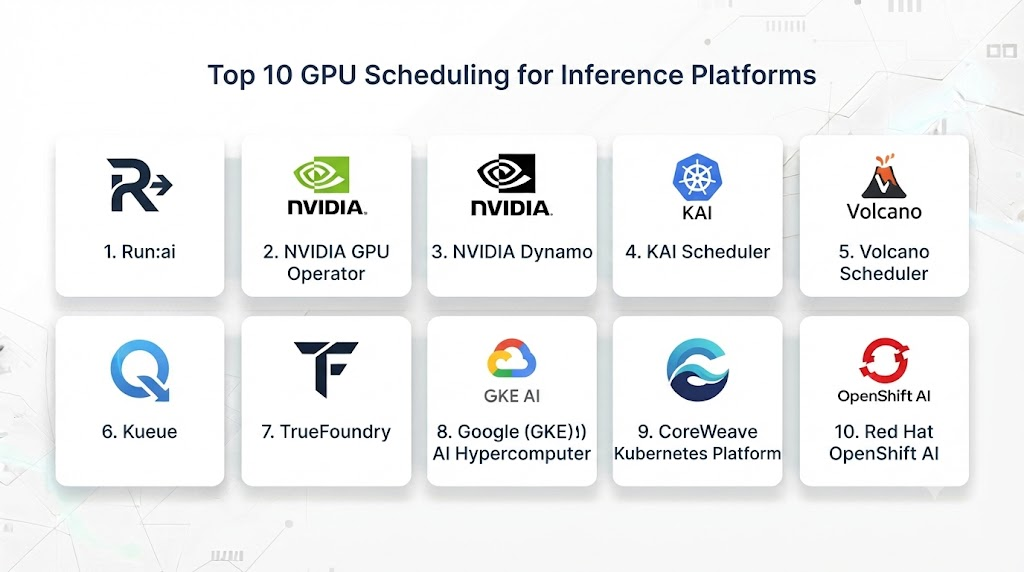
Top 10 GPU Scheduling for Inference Platforms
1. NVIDIA GPU Operator
NVIDIA GPU Operator automates GPU management in Kubernetes environments.
Key Features
- GPU provisioning
- Driver management
- Kubernetes integration
- GPU monitoring
- Resource allocation
- Container support
- GPU sharing
- Hardware management
- AI workload optimization
- Enterprise deployment
Pros
- Official NVIDIA solution
- Strong GPU support
- Enterprise-ready
- Kubernetes integration
- Reliable performance
Cons
- NVIDIA hardware dependency
- Requires Kubernetes knowledge
- Complex setup
Platforms
Kubernetes environments.
Deployment or Support
Enterprise AI infrastructure.
Security & Compliance
Enterprise controls.
Integrations & Ecosystem
NVIDIA ecosystem.
Support & Community
Large developer community.
2. Kubernetes GPU Scheduling
Kubernetes provides native GPU scheduling through device plugins.
Key Features
- GPU resource allocation
- Container scheduling
- Workload management
- Resource limits
- Node management
- Autoscaling support
- Multi-tenant support
- Cloud integration
- Hardware scheduling
- Container orchestration
Pros
- Open source
- Widely adopted
- Flexible
- Large ecosystem
- Cloud compatible
Cons
- Requires expertise
- Manual configuration
- Complex AI optimization
Platforms
Cloud and on-premise environments.
Deployment or Support
AI platform teams.
Security & Compliance
Kubernetes security model.
Integrations & Ecosystem
Cloud-native ecosystem.
Support & Community
Large community.
3. Volcano Scheduler
Volcano is a Kubernetes-native batch and AI workload scheduler.
Key Features
- GPU scheduling
- AI workload management
- Queue scheduling
- Gang scheduling
- Resource optimization
- Multi-tenant support
- Batch processing
- Kubernetes integration
- Priority management
- Cluster optimization
Pros
- AI workload focused
- Open source
- Kubernetes compatible
- Good scheduling capabilities
- Flexible
Cons
- Requires Kubernetes skills
- Complex configuration
- Smaller ecosystem
Platforms
Kubernetes environments.
Deployment or Support
AI infrastructure teams.
Security & Compliance
Kubernetes security.
Integrations & Ecosystem
Cloud-native tools.
Support & Community
Open-source community.
4. NVIDIA Triton Inference Server
Triton provides optimized inference serving with GPU management features.
Key Features
- GPU acceleration
- Dynamic batching
- Model scheduling
- Multi-model serving
- Performance optimization
- Request management
- Monitoring
- API serving
- Hardware optimization
- Production deployment
Pros
- High performance
- Enterprise proven
- GPU optimized
- Strong AI support
- Scalable
Cons
- NVIDIA focused
- Requires expertise
- Complex deployment
Platforms
Cloud and enterprise environments.
Deployment or Support
Production AI systems.
Security & Compliance
Enterprise controls.
Integrations & Ecosystem
NVIDIA AI ecosystem.
Support & Community
Developer community.
5. Ray Serve
Ray Serve supports scalable AI model serving and workload management.
Key Features
- Distributed inference
- GPU resource management
- Autoscaling
- Request routing
- Model deployment
- Load balancing
- Python APIs
- Multi-model serving
- Cloud support
- Performance optimization
Pros
- Flexible
- Developer-friendly
- Scalable
- Open source
- Distributed AI support
Cons
- Requires Ray knowledge
- Infrastructure complexity
- Learning curve
Platforms
Cloud and local environments.
Deployment or Support
AI engineering teams.
Security & Compliance
Implementation dependent.
Integrations & Ecosystem
Ray ecosystem.
Support & Community
Developer community.
6. KubeRay
KubeRay manages Ray clusters on Kubernetes.
Key Features
- Ray workload scheduling
- Kubernetes integration
- GPU support
- Cluster management
- Autoscaling
- AI workload orchestration
- Resource management
- Model serving
- Distributed computing
- Cloud deployment
Pros
- Strong Kubernetes integration
- AI-focused
- Open source
- Scalable
- Flexible
Cons
- Requires Kubernetes expertise
- Complex deployment
- Learning curve
Platforms
Kubernetes environments.
Deployment or Support
AI infrastructure teams.
Security & Compliance
Kubernetes security.
Integrations & Ecosystem
Ray and Kubernetes.
Support & Community
Open-source community.
7. Slurm Workload Manager
Slurm provides large-scale workload scheduling.
Key Features
- GPU scheduling
- Cluster management
- Job scheduling
- Resource allocation
- Priority queues
- Large-scale computing
- Monitoring
- Multi-user support
- HPC integration
- Distributed workloads
Pros
- Proven at scale
- Strong scheduling
- Research adoption
- Reliable
- Flexible
Cons
- Less cloud-native
- Complex management
- Requires expertise
Platforms
HPC and enterprise environments.
Deployment or Support
Research and AI infrastructure.
Security & Compliance
Enterprise controls.
Integrations & Ecosystem
HPC ecosystem.
Support & Community
Large community.
8. Apache YuniKorn
Apache YuniKorn provides advanced resource scheduling.
Key Features
- Kubernetes scheduling
- Queue management
- Resource fairness
- Multi-tenant scheduling
- GPU workload support
- Policy management
- Cluster optimization
- Resource allocation
- Cloud-native deployment
- Enterprise scheduling
Pros
- Open source
- Flexible scheduling
- Kubernetes integration
- Multi-tenant support
- Scalable
Cons
- Requires expertise
- Smaller ecosystem
- Configuration complexity
Platforms
Kubernetes environments.
Deployment or Support
Enterprise AI platforms.
Security & Compliance
Kubernetes security.
Integrations & Ecosystem
Cloud-native ecosystem.
Support & Community
Open-source community.
9. Run:ai
Run:ai provides GPU orchestration and optimization for AI workloads.
Key Features
- GPU virtualization
- Resource scheduling
- GPU sharing
- Workload prioritization
- AI infrastructure management
- Monitoring
- Multi-team support
- Cost optimization
- Kubernetes integration
- Enterprise controls
Pros
- AI-focused
- Strong GPU optimization
- Enterprise-ready
- Good resource sharing
- Cost management
Cons
- Commercial platform
- Pricing complexity
- Enterprise focused
Platforms
Cloud and enterprise environments.
Deployment or Support
Large AI organizations.
Security & Compliance
Enterprise controls.
Integrations & Ecosystem
Kubernetes and AI platforms.
Support & Community
Enterprise support.
10. SkyPilot
SkyPilot manages AI workloads across cloud infrastructure.
Key Features
- Cloud GPU scheduling
- Multi-cloud support
- Resource optimization
- Job management
- Cost optimization
- AI workload deployment
- GPU availability management
- Cloud automation
- Cluster management
- Developer workflows
Pros
- Multi-cloud support
- Cost optimization
- Developer-friendly
- Flexible
- Open source
Cons
- Cloud focused
- Requires configuration
- Smaller ecosystem
Platforms
Cloud environments.
Deployment or Support
AI developers.
Security & Compliance
Implementation dependent.
Integrations & Ecosystem
Cloud platforms.
Support & Community
Developer community.
Comparison Table
| Tool Name | Best For | Platform(s) Supported | Deployment | Standout Feature | Public Rating |
|---|---|---|---|---|---|
| NVIDIA GPU Operator | GPU management | Kubernetes | Enterprise | GPU automation | |
| Kubernetes GPU Scheduling | Cloud-native AI | Kubernetes | Flexible | Native scheduling | |
| Volcano Scheduler | AI workloads | Kubernetes | Enterprise | Gang scheduling | |
| NVIDIA Triton | Inference serving | Cloud/Enterprise | Production | GPU optimization | |
| Ray Serve | Distributed AI | Cloud/Local | Flexible | Scaling | |
| KubeRay | Ray workloads | Kubernetes | Enterprise | Ray orchestration | |
| Slurm | Large clusters | HPC | Enterprise | Job scheduling | |
| Apache YuniKorn | Multi-tenant scheduling | Kubernetes | Flexible | Fair scheduling | |
| Run:ai | GPU optimization | Cloud/Kubernetes | Enterprise | GPU sharing | |
| SkyPilot | Cloud GPU workloads | Cloud | Flexible | Multi-cloud |
Weighted Evaluation
| Tool Name | Core Features 25% | Ease of Use 15% | Integrations & Ecosystem 15% | Security & Compliance 10% | Performance & Reliability 10% | Support & Community 10% | Price/Value 15% | Total |
|---|---|---|---|---|---|---|---|---|
| NVIDIA GPU Operator | 25 | 13 | 15 | 10 | 10 | 10 | 13 | 96 |
| Kubernetes GPU Scheduling | 24 | 12 | 15 | 10 | 10 | 10 | 15 | 96 |
| Volcano Scheduler | 24 | 12 | 14 | 10 | 10 | 10 | 15 | 95 |
| NVIDIA Triton | 25 | 13 | 15 | 10 | 10 | 10 | 13 | 96 |
| Ray Serve | 24 | 14 | 14 | 10 | 10 | 10 | 15 | 97 |
| KubeRay | 24 | 13 | 14 | 10 | 10 | 10 | 15 | 96 |
| Slurm | 24 | 11 | 14 | 10 | 10 | 10 | 14 | 93 |
| Apache YuniKorn | 23 | 12 | 14 | 10 | 10 | 10 | 15 | 94 |
| Run:ai | 25 | 14 | 14 | 10 | 10 | 10 | 12 | 95 |
| SkyPilot | 23 | 15 | 14 | 10 | 10 | 10 | 15 | 97 |
Which GPU Scheduling Platform Is Right for You?
Choose NVIDIA GPU Operator for Kubernetes GPU management.
Choose Kubernetes GPU Scheduling for cloud-native AI infrastructure.
Choose Volcano Scheduler for AI-focused Kubernetes workloads.
Choose NVIDIA Triton for optimized inference serving.
Choose Ray Serve for distributed AI applications.
Choose KubeRay for Ray workloads on Kubernetes.
Choose Slurm for large-scale AI research clusters.
Choose Apache YuniKorn for multi-tenant scheduling.
Choose Run:ai for enterprise GPU optimization.
Choose SkyPilot for multi-cloud GPU management.
Implementation Playbook
Phase 1: Analyze GPU Requirements
- Measure workload demand
- Identify GPU requirements
- Understand latency goals
Phase 2: Design Scheduling Strategy
- Define priorities
- Configure resource limits
- Plan workload isolation
Phase 3: Deploy Scheduler
- Integrate infrastructure
- Configure GPU resources
- Connect inference workloads
Phase 4: Monitor Performance
- Track utilization
- Measure latency
- Analyze costs
Phase 5: Optimize Continuously
- Improve scheduling policies
- Reduce resource waste
- Scale AI operations
Common Mistakes
- Poor GPU allocation strategy
- Over-provisioning GPUs
- Ignoring workload priorities
- No monitoring
- Manual GPU management
- Lack of resource isolation
- Poor cost optimization
FAQs
1. What are GPU Scheduling for Inference Platforms?
They are systems that manage and allocate GPU resources for AI inference workloads.
2. Why is GPU scheduling important?
It improves hardware utilization and reduces AI infrastructure costs.
3. Can GPU schedulers support LLM workloads?
Yes, many support large language model inference.
4. What is GPU sharing?
GPU sharing allows multiple workloads to use the same GPU resources efficiently.
5. Who uses GPU scheduling platforms?
MLOps teams, AI engineers, and enterprise infrastructure teams use them.
6. Do GPU schedulers work with Kubernetes?
Yes, many modern solutions integrate with Kubernetes.
7. How do GPU schedulers reduce costs?
They improve utilization and prevent unused GPU capacity.
8. Can GPU scheduling improve latency?
Yes, efficient resource allocation helps maintain faster inference.
9. Are open-source GPU scheduling tools available?
Yes, Kubernetes, Volcano, Ray, and YuniKorn provide open-source options.
10. What is the future of GPU scheduling?
GPU scheduling will become more intelligent with automated AI infrastructure management.
Conclusion
GPU Scheduling for Inference Platforms are becoming critical components of modern AI infrastructure. They help organizations maximize GPU utilization, reduce costs, and deliver reliable AI applications at scale.Solutions such as NVIDIA GPU Operator, Kubernetes GPU Scheduling, NVIDIA Triton, Ray Serve, Run:ai, and SkyPilot provide powerful capabilities for managing AI workloads efficiently.As demand for generative AI and large-scale machine learning continues to grow, intelligent GPU scheduling will play a key role in building scalable, cost-efficient, and high-performance AI systems.