Introduction
AI Call Summarization Tools are platforms that automatically analyze and generate concise summaries of customer interactions from voice calls, meetings, or virtual conversations. These tools leverage speech-to-text, natural language processing, and AI-driven summarization models to create structured, actionable outputs that help teams quickly understand what was discussed without manually reviewing entire conversations.
Why It Matters
- Saves time: Automatically generates call summaries, reducing manual note-taking.
- Improves accuracy: Minimizes human errors in capturing conversation highlights.
- Enhances CRM records: Automatically logs structured insights for better data consistency.
- Supports compliance: Flags sensitive or regulatory content within conversations.
- Enables coaching: Provides actionable summaries to train and improve agent performance.
- Scales easily: Processes large call volumes without additional resources.
- Boosts customer experience: Ensures follow-ups are accurate and timely.
- Facilitates analytics: Summaries can be analyzed for trends, product feedback, or recurring issues.
Real-world use cases:
- Automatically generating notes for sales and customer success calls
- Creating executive summaries from customer support interactions
- Tracking key topics, action items, and decisions from meetings
- Enhancing CRM records with structured conversation data
- Monitoring compliance and sensitive topics without manual review
- Enabling AI-assisted coaching for agents based on call summaries
Evaluation criteria for buyers:
- Accuracy of transcription and summarization
- Ability to extract action items and key insights
- Integration with CRM, helpdesk, and communication tools
- Multilingual support and domain adaptability
- Privacy and data governance controls
- Real-time versus post-call summarization
- Scalability for high-volume calls
- Cost efficiency and latency
- AI model reliability and guardrails
Best for: Sales teams, customer success managers, support leaders, call center QA teams, and knowledge workers needing concise conversation insights.
Not ideal for: Organizations with low call volume or minimal need for automated documentation where manual notes suffice.
What’s Changed in AI Call Summarization Tools
- Multimodal summarization: voice + text + meeting slides
- Real-time summarization during calls for immediate insights
- Enhanced AI evaluation for accuracy and reliability
- Guardrails for sensitive content and data privacy
- BYO model support and model routing for latency optimization
- Improved observability: token usage, call coverage, summary quality metrics
- Integrated with CRM, helpdesk, and workflow tools
- Stronger compliance and audit reporting features
- Adaptive AI for domain-specific jargon and context
- Summaries linked to actionable insights, tasks, or follow-ups
Quick Buyer Checklist
- Transcription and summarization accuracy
- Action item extraction and key insights detection
- Integration with CRM, helpdesk, and communication tools
- Real-time vs post-call summarization capability
- Support for multilingual conversations
- Privacy and data retention features
- Scalability for high-volume calls
- AI evaluation, guardrails, and observability
- Latency and cost optimization
- Ease of user adoption and dashboard reporting
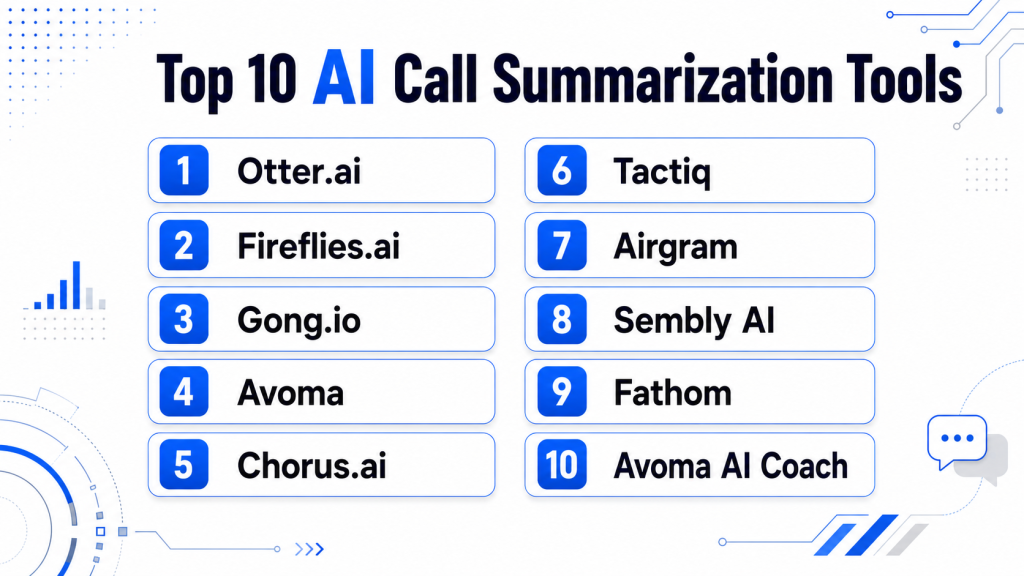
Top 10 AI Call Summarization Tools
1 — Otter.ai
One-line verdict: Best for teams needing accurate AI-generated notes for meetings, calls, and cross-platform collaboration.
Short description :
Otter.ai transcribes calls and meetings into structured, searchable summaries, highlighting key points and timestamps. Teams in sales, support, and remote collaboration use it to save time on note-taking. Integrates with Zoom, Teams, and Google Meet, and logs insights for CRM and follow-ups.
Standout Capabilities
- Real-time transcription and AI-generated summaries
- Speaker identification and timestamps
- Keyword extraction and highlight creation
- Searchable history for past calls
- Integration with Zoom, Teams, Google Meet
- Export summaries to CRM and collaboration platforms
- Collaboration features for team review
AI-Specific Depth
- Model support: Proprietary
- RAG / knowledge integration: N/A
- Evaluation: Optional human review
- Guardrails: Data privacy and retention controls
- Observability: Usage metrics and coverage analytics
Pros
- Saves significant time on manual note-taking
- Easy integration with popular meeting platforms
- Accessible for all team sizes
Cons
- Limited advanced analytics
- Premium features require subscription
- Customization options are moderate
Security & Compliance
- Encryption, SSO, and access control
- Certifications: Not publicly stated
Deployment & Platforms
- Web, Windows, macOS, iOS, Android
- Cloud
Integrations & Ecosystem
- Zoom, Teams, Google Meet
- CRM and collaboration tools
- API access for workflow automation
Pricing Model
- Tiered subscription; enterprise pricing available
- Not publicly stated
Best-Fit Scenarios
- Remote sales and support teams
- Customer success call documentation
- Meeting note generation for management
2 — Fireflies.ai
One-line verdict: Ideal for businesses wanting automated meeting notes with task tracking and CRM integrations.
Short description :
Fireflies.ai records calls, generates summaries, and captures action items automatically. Sales, support, and operations teams rely on it for faster post-call follow-ups. Integrates with CRMs, calendars, and collaboration platforms for structured workflows.
Standout Capabilities
- Action item detection and task tracking
- Multi-channel meeting transcription
- Real-time and post-call summaries
- Searchable conversation archive
- CRM integration for automated logging
- Collaboration and annotation features
AI-Specific Depth
- Model support: Proprietary
- RAG / knowledge integration: CRM connectors
- Evaluation: Human review optional
- Guardrails: Privacy and retention controls
- Observability: Summary metrics and usage dashboards
Pros
- Reduces manual follow-up work
- Captures actionable insights
- Multi-platform support
Cons
- Accuracy may vary with noisy audio
- Limited advanced customization
- Premium features require subscription
Security & Compliance
- Encryption and access control
- Certifications: Not publicly stated
Deployment & Platforms
- Web, iOS, Android
- Cloud
Integrations & Ecosystem
- CRM: Salesforce, HubSpot
- Video conferencing: Zoom, Teams
- Slack and collaboration platforms
Pricing Model
- Subscription-based
- Not publicly stated
Best-Fit Scenarios
- Sales call documentation
- Customer success follow-ups
- Team collaboration across meetings
3 — Gong.io
One-line verdict: Suited for revenue and sales teams needing AI call summaries with conversation intelligence.
Short description :
Gong.io provides AI-driven call analysis and summarization for sales and support teams. Captures key insights, objections, and action items, logging them in CRMs automatically. Used by sales managers to coach teams and monitor deal health.
Standout Capabilities
- Call transcription and summarization
- Sentiment and objection detection
- Speaker identification and timestamps
- Integration with CRM platforms
- Analytics dashboards for team performance
- Trend insights for coaching
AI-Specific Depth
- Model support: Proprietary
- RAG / knowledge integration: CRM connectors
- Evaluation: Regression testing and human review
- Guardrails: Policy compliance monitoring
- Observability: Interaction analytics dashboards
Pros
- Excellent for sales intelligence
- Automates CRM logging
- Provides coaching insights
Cons
- Focused on sales, not general meetings
- Learning curve for complex dashboards
- Enterprise pricing can be high
Security & Compliance
- SSO, encryption, and RBAC
- Certifications: Not publicly stated
Deployment & Platforms
- Web, iOS, Android
- Cloud
Integrations & Ecosystem
- Salesforce, HubSpot CRM
- Zoom, Teams
- Slack, email notifications
Pricing Model
- Subscription-based
- Not publicly stated
Best-Fit Scenarios
- Sales team call documentation
- Deal review and coaching
- CRM auto-logging
4 — Avoma
One-line verdict: Best for teams needing automated call notes with AI coaching and CRM integrations.
Short description :
Avoma transcribes calls and meetings, generating AI summaries and action items. Sales, product, and customer success teams use it for efficient documentation. Integrates with CRMs, calendars, and collaboration platforms for seamless follow-ups.
Standout Capabilities
- AI-generated summaries and action items
- Real-time transcription
- CRM and calendar integrations
- Team collaboration and annotation
- Coaching and performance insights
AI-Specific Depth
- Model support: Proprietary
- RAG / knowledge integration: CRM connectors
- Evaluation: Human review optional
- Guardrails: Privacy and compliance monitoring
- Observability: Dashboard metrics
Pros
- Saves time on manual documentation
- Highlights actionable items automatically
- Integrates well with team workflows
Cons
- Advanced analytics require premium plans
- Setup may require initial configuration
- AI insights may need calibration
Security & Compliance
- Encryption and access controls
- Certifications: Not publicly stated
Deployment & Platforms
- Web, iOS, Android
- Cloud
Integrations & Ecosystem
- CRMs and calendars
- Collaboration platforms
- API support
Pricing Model
- Subscription-based
- Not publicly stated
Best-Fit Scenarios
- Sales and CS teams
- Post-call follow-ups
- Coaching and QA integration
5 — Chorus.ai
One-line verdict: Ideal for sales and customer success teams seeking AI-generated insights and call summaries.
Short description :
Chorus.ai records, transcribes, and summarizes calls while highlighting sentiment, objections, and key insights. Used for agent coaching, deal tracking, and CRM logging. Dashboards analyze trends, helping teams improve performance and follow-ups.
Standout Capabilities
- AI transcription and summary generation
- Sentiment and objection detection
- Action item extraction
- CRM logging and analytics dashboards
- Coaching insights
AI-Specific Depth
- Model support: Proprietary
- RAG / knowledge integration: CRM connectors
- Evaluation: Human review optional
- Guardrails: Compliance monitoring
- Observability: Dashboard metrics
Pros
- Captures actionable insights automatically
- Strong analytics for sales teams
- Reduces manual note-taking
Cons
- Enterprise pricing may be high
- Focused on sales calls
- Learning curve for dashboards
Security & Compliance
- SSO, encryption
- Certifications: Not publicly stated
Deployment & Platforms
- Web, iOS, Android
- Cloud
Integrations & Ecosystem
- CRM: Salesforce, HubSpot
- Video conferencing
- Collaboration tools
Pricing Model
- Subscription-based
- Not publicly stated
Best-Fit Scenarios
- Sales call documentation
- CRM integration
- Coaching and performance tracking
6 — Tactiq
One-line verdict: Suited for teams needing live transcription and meeting summary capture for video and audio calls.
Short description :
Tactiq captures live transcripts and generates AI summaries for virtual meetings and calls. Highlights key points, decisions, and action items for team collaboration. Integrates with CRM and collaboration tools for workflow efficiency.
Standout Capabilities
- Real-time transcription and summarization
- Action item detection
- Integration with Zoom, Teams, and Google Meet
- Searchable conversation archives
- Multi-platform support for voice and video
AI-Specific Depth
- Model support: Proprietary
- RAG / knowledge integration: N/A
- Evaluation: Human review optional
- Guardrails: Data privacy features
- Observability: Dashboard metrics
Pros
- Real-time summarization
- Saves manual note-taking
- Highlights actionable items
Cons
- Limited advanced analytics
- Requires platform integration
- Accuracy may vary in noisy environments
Security & Compliance
- Encryption, access control
- Certifications: Not publicly stated
Deployment & Platforms
- Web, iOS, Android
- Cloud
Integrations & Ecosystem
- Video conferencing: Zoom, Teams
- CRM and collaboration integrations
- API support for workflow automation
Pricing Model
- Subscription-based
- Not publicly stated
Best-Fit Scenarios
- Real-time meeting notes
- Remote team collaboration
- Sales or CS call tracking
7 — Airgram
One-line verdict: Best for remote and hybrid teams needing AI meeting notes with actionable insights.
Short description:
Airgram transcribes audio and video calls and generates concise AI summaries. Highlights decisions, tasks, and key discussion points. Integrates with calendars, CRMs, and collaboration platforms for seamless workflow.
Standout Capabilities
- Summarizes meetings and calls automatically
- Detects action items and decisions
- Multi-platform integration
- Searchable conversation archive
- Collaboration and annotation features
AI-Specific Depth
- Model support: Proprietary
- RAG / knowledge integration: N/A
- Evaluation: Human review optional
- Guardrails: Data privacy controls
- Observability: Dashboard metrics
Pros
- Efficient post-call follow-ups
- Action items easily extracted
- Supports remote teams
Cons
- Accuracy may vary with accents
- Limited analytics depth
- Requires calendar/CRM integration
Security & Compliance
- Encryption and access control
- Certifications: Not publicly stated
Deployment & Platforms
- Web, iOS, Android
- Cloud
Integrations & Ecosystem
- Calendar tools, CRMs
- Collaboration platforms
- API support
Pricing Model
- Subscription-based
- Not publicly stated
Best-Fit Scenarios
- Remote/hybrid teams
- Meeting documentation
- Cross-team collaboration
8 — Sembly AI
One-line verdict: Ideal for teams wanting AI-generated call summaries and multi-channel conversation insights.
Short description :
Sembly AI records and summarizes calls, meetings, and webinars. Extracts action items and highlights conversation trends. Teams use it to streamline knowledge sharing and follow-ups.
Standout Capabilities
- AI-powered call and meeting summaries
- Action item detection
- Conversation trend analysis
- Multi-channel support
- Exportable and searchable archives
AI-Specific Depth
- Model support: Proprietary
- RAG / knowledge integration: CRM connectors
- Evaluation: Human review optional
- Guardrails: Privacy and compliance monitoring
- Observability: Dashboard metrics
Pros
- Improves team knowledge sharing
- Automates follow-up tracking
- Supports multi-channel interactions
Cons
- Requires integration for full value
- Advanced analytics limited
- Accuracy can vary with noisy calls
Security & Compliance
- Encryption and access control
- Certifications: Not publicly stated
Deployment & Platforms
- Web, iOS, Android
- Cloud
Integrations & Ecosystem
- CRMs, collaboration platforms
- Calendar integrations
- API support
Pricing Model
- Subscription-based
- Not publicly stated
Best-Fit Scenarios
- Multi-channel QA and support teams
- Meeting follow-ups and notes
- Knowledge management
9 — Fathom
One-line verdict: Suited for knowledge workers needing automated meeting summaries and highlight extraction.
Short description:
Fathom records calls and virtual meetings, generating concise AI summaries. Highlights key discussion points, decisions, and action items. Integrates with calendars and collaboration tools for efficient knowledge capture.
Standout Capabilities
- AI meeting summaries
- Action item extraction
- Highlights key points and decisions
- Integration with calendars and CRM
- Searchable meeting archives
AI-Specific Depth
- Model support: Proprietary
- RAG / knowledge integration: N/A
- Evaluation: Human review optional
- Guardrails: Data privacy
- Observability: Dashboard metrics
Pros
- Efficient post-meeting summaries
- Easy sharing and archiving
- Supports decision tracking
Cons
- Limited analytics beyond summaries
- Integration required for CRM logging
- Accuracy can vary in noisy calls
Security & Compliance
- Encryption and access control
- Certifications: Not publicly stated
Deployment & Platforms
- Web, iOS, Android
- Cloud
Integrations & Ecosystem
- Calendars, CRM, collaboration platforms
- Searchable archives
- API support
Pricing Model
- Subscription-based
- Not publicly stated
Best-Fit Scenarios
- Knowledge management
- Remote team collaboration
- Action item tracking
10 — Avoma AI Coach
One-line verdict: Best for teams needing AI call summarization combined with coaching insights and analytics.
Short description :
Avoma AI Coach transcribes calls, generates summaries, and surfaces actionable coaching insights. Used by sales, customer success, and support teams to improve agent performance. Integrates with CRM and meeting platforms for follow-ups and analytics.
Standout Capabilities
- AI call summarization
- Coaching and agent performance insights
- Action item extraction
- CRM integration
- Multi-channel support
AI-Specific Depth
- Model support: Proprietary
- RAG / knowledge integration: CRM connectors
- Evaluation: Human review optional
- Guardrails: Privacy and compliance
- Observability: Analytics dashboards
Pros
- Combines summaries with coaching insights
- Improves agent performance
- Supports multi-channel workflows
Cons
- Premium subscription required for full features
- Learning curve for dashboards
- Integration setup needed
Security & Compliance
- Encryption, SSO, and access controls
- Certifications: Not publicly stated
Deployment & Platforms
- Web, iOS, Android
- Cloud
Integrations & Ecosystem
- CRMs and collaboration tools
- Meeting platform integration
- API support
Pricing Model
- Subscription-based
- Not publicly stated
Best-Fit Scenarios
- Sales and CS coaching
- Multi-channel call summarization
- Workflow automation for meetings
Comparison Table
| Tool Name | Best For | Deployment | Model Flexibility | Strength | Watch-Out | Public Rating |
|---|---|---|---|---|---|---|
| Otter.ai | Remote teams & meetings | Cloud | Proprietary | Accurate summaries | Limited advanced analytics | N/A |
| Fireflies.ai | Sales & CS call follow-ups | Cloud | Proprietary | Actionable insights | Accuracy with noisy audio | N/A |
| Gong.io | Sales & revenue teams | Cloud | Proprietary | Conversation intelligence | Sales-focused, costly | N/A |
| Avoma | Sales, product, CS teams | Cloud | Proprietary | Action items + coaching | Premium features required | N/A |
| Chorus.ai | Sales & CS teams | Cloud | Proprietary | Insight dashboards | Enterprise pricing high | N/A |
| Tactiq | Video & audio meetings | Cloud | Proprietary | Real-time summaries | Requires platform integration | N/A |
| Airgram | Remote/hybrid teams | Cloud | Proprietary | Action item extraction | Limited analytics | N/A |
| Sembly AI | Multi-channel calls & webinars | Cloud | Proprietary | Summaries + trends | Integration required | N/A |
| Fathom | Knowledge workers & meetings | Cloud | Proprietary | Actionable meeting summaries | Accuracy may vary in noisy calls | N/A |
| Avoma AI Coach | Sales & CS teams | Cloud | Proprietary | Summaries + coaching | Premium subscription needed | N/A |
Scoring & Evaluation (Transparent Rubric)
Scoring reflects a comparative assessment of how each tool fits common AI call summarization requirements: accuracy, coverage, integrations, usability, AI reliability, compliance, cost, and support. It is directional, and the right tool may vary based on your team size, workflow, and channels.
| Tool | Core | Reliability/Eval | Guardrails | Integrations | Ease | Perf/Cost | Security/Admin | Support | Weighted Total |
|---|---|---|---|---|---|---|---|---|---|
| Otter.ai | 9 | 8 | 8 | 8 | 9 | 8 | 8 | 8 | 8.2 |
| Fireflies.ai | 8 | 8 | 8 | 8 | 8 | 8 | 8 | 8 | 8.0 |
| Gong.io | 9 | 9 | 8 | 8 | 7 | 7 | 8 | 8 | 8.0 |
| Avoma | 8 | 8 | 8 | 8 | 8 | 8 | 8 | 8 | 8.0 |
| Chorus.ai | 9 | 8 | 8 | 8 | 7 | 7 | 8 | 8 | 7.9 |
| Tactiq | 8 | 7 | 7 | 8 | 8 | 7 | 7 | 7 | 7.4 |
| Airgram | 8 | 7 | 7 | 8 | 8 | 7 | 7 | 7 | 7.4 |
| Sembly AI | 8 | 7 | 7 | 8 | 8 | 7 | 7 | 7 | 7.4 |
| Fathom | 8 | 7 | 7 | 8 | 8 | 7 | 7 | 7 | 7.4 |
| Avoma AI Coach | 8 | 8 | 8 | 8 | 8 | 8 | 8 | 8 | 8.0 |
Top 3 for Enterprise: Gong.io, Otter.ai, Chorus.ai
Top 3 for SMB: Fireflies.ai, Avoma, Avoma AI Coach
Top 3 for Developers: Tactiq, Sembly AI, Fathom
Which AI Call Summarization Tool Is Right for You?
Solo / Freelancer
- Likely only need lightweight transcription and summaries.
- Otter.ai or Tactiq are simple to adopt with minimal setup.
- Focus on ease of use, low cost, and CRM export options.
SMB
- Require structured summaries, action items, and CRM integration.
- Fireflies.ai, Avoma, and Avoma AI Coach fit teams needing automation with human oversight.
- Focus on multi-channel coverage without heavy enterprise complexity.
Mid-Market
- Need scalable workflows, coaching, and analytics dashboards.
- Gong.io, Chorus.ai, and Airgram provide integrated analytics and CRM automation.
- Evaluate integrations with your helpdesk, telephony, and collaboration platforms.
Enterprise
- Prioritize scalability, governance, compliance, and advanced analytics.
- Otter.ai, Gong.io, Chorus.ai, and Avoma AI Coach fit enterprise requirements.
- Ensure multi-language support, data residency, and robust audit trails.
Regulated industries (finance/healthcare/public sector)
- Must enforce data security, encryption, RBAC, and retention policies.
- Tools like Gong.io, Otter.ai, and Chorus.ai are preferred for compliance-heavy environments.
Budget vs premium
- SMBs can start with Otter.ai, Fireflies.ai, or Tactiq.
- Enterprises may justify premium tools for advanced analytics and coaching integration.
Build vs buy
- DIY feasible only if you have in-house AI and NLP expertise.
- Buying is recommended for reliable transcription, summarization, and workflow integration.
Implementation Playbook (30 / 60 / 90 Days)
30 Days – Pilot & Setup
- Select 1–2 channels or call types for initial pilot.
- Import sample calls to test AI accuracy and summary quality.
- Define success metrics: coverage, accuracy, action items detected.
- Set up admin roles, retention policies, and permissions.
- Configure initial scorecards or summary format.
- Calibrate AI output with human review.
- Document areas needing manual oversight.
60 Days – Integration & Optimization
- Expand pilot to additional channels, languages, or teams.
- Integrate with CRM, helpdesk, telephony, and collaboration tools.
- Refine AI evaluation rules and summary templates.
- Run red-team tests for edge cases and compliance scenarios.
- Train supervisors on AI insights for actionable follow-ups.
- Monitor token usage, latency, and costs.
- Gather feedback for AI model fine-tuning.
90 Days – Scale & Governance
- Roll out AI summarization across all relevant channels.
- Implement governance: audit logs, access control, retention rules.
- Track metrics: coverage, accuracy, agent performance, follow-up completion.
- Monitor false positives/negatives and refine workflows.
- Use dashboards for trend analysis and coaching impact.
- Establish periodic review and continuous improvement cycles.
- Plan for future channels (voice bots, AI agents).
Common Mistakes & How to Avoid Them
- Automating without defining quality and success metrics
- Ignoring human calibration
- Not monitoring false positives/negatives
- Skipping multi-channel coverage
- Failing to update templates or rules regularly
- Weak access controls and audit logging
- Ignoring cost and token usage for high volumes
- Over-relying on AI for compliance decisions
- Poor integration with CRM and workflow tools
- Not tracking actionable follow-up completion
FAQs
1. What are AI Call Summarization Tools?
AI Call Summarization Tools automatically transcribe, summarize, and extract key points from calls or meetings to save time and improve accuracy.
2. Can they replace human note-taking completely?
No. Humans are still needed to review summaries for sensitive, complex, or nuanced discussions.
3. Are these tools secure for customer data?
Most provide encryption, RBAC, and retention policies. Always verify vendor-specific security features.
4. Do they support multi-channel calls?
Yes, leading tools cover voice, video, and messaging channels, though coverage may vary by tool.
5. Can AI detect action items automatically?
Yes, most tools highlight tasks, follow-ups, and decisions, making post-call workflows more efficient.
6. Do they integrate with CRMs?
Yes. Popular integrations include Salesforce, HubSpot, and other sales/support platforms.
7. How accurate are summaries?
Accuracy depends on audio quality, transcription model, and domain-specific terminology. Calibration improves reliability.
8. Can they summarize AI agent conversations?
Yes, most tools handle human and AI-agent interactions for consistent insights.
9. Are there multilingual capabilities?
Some tools offer multilingual support, though language coverage varies.
10. Do they provide analytics dashboards?
Yes, dashboards track trends, sentiment, action items, and team performance.
11. Can summaries be exported?
Most tools allow export to CRM, collaboration platforms, or document storage.
12. How to avoid vendor lock-in?
Ensure API access, data export, and workflow portability before selecting a tool.
Conclusion
AI Call Summarization Tools help teams automate transcription, extract actionable insights, and improve follow-ups while saving time. Choosing the best tool depends on team size, interaction volume, compliance needs, and integration requirements. Start with a pilot to validate accuracy and workflow alignment, then scale gradually. Focus on human calibration, governance, and cost controls to ensure long-term success.
Next steps: shortlist tools based on channels and workflow needs, pilot using real conversations with human benchmarks, verify AI reliability and security, then scale across teams.
Very well-structured article with practical insights into AI-powered call analytics and summarization tools. The pros and limitations were explained effectively.