Introduction
Prompt Testing & Regression Suites help teams test AI prompts before they reach users. In simple words, these tools check whether a prompt change improves quality, breaks expected behavior, increases hallucinations, creates security risks, or raises cost and latency. They are especially important for AI agents, RAG assistants, chatbots, copilots, support automation, and internal knowledge systems where small prompt changes can create large output changes.
These suites matter because AI applications are non-deterministic. A prompt may work well in one example but fail on edge cases, unsafe inputs, long context, tool-calling flows, or multilingual queries. Prompt testing tools bring structure through datasets, test cases, assertions, scoring, red teaming, human review, and regression tracking.
Real-world use cases include:
- Testing prompt changes before production release
- Detecting hallucinations in RAG workflows
- Evaluating AI agents and tool-calling behavior
- Comparing prompts across multiple models
- Running jailbreak and prompt-injection tests
- Monitoring regressions after model or prompt updates
Evaluation criteria for buyers:
- Prompt regression testing depth
- Dataset and test case management
- LLM-as-judge and rule-based scoring
- Support for RAG and agent workflows
- Guardrail and red-team testing
- Multi-model support
- CI/CD integration
- Observability for traces, latency, tokens, and cost
- Human review workflows
- Security, access control, and auditability
- Deployment flexibility
- Ease of adoption for developers and product teams
Best for: AI engineers, ML teams, product teams, platform teams, security teams, enterprises, SaaS companies, support automation teams, and organizations building customer-facing AI applications.
Not ideal for: casual prompt writers, small teams doing one-off content tasks, or teams still experimenting without production AI workflows. For very early usage, simple manual testing, spreadsheets, or lightweight scripts may be enough.
What’s Changed in Prompt Testing & Regression Suites
- Prompt tests are becoming part of release pipelines. Teams increasingly treat prompt changes like code changes, with automated checks before production deployment.
- Regression testing is now essential for AI reliability. A prompt that performs well once may fail after model upgrades, dataset changes, tool updates, or retrieval changes.
- Agent testing is more complex than chatbot testing. AI agents need tests for planning, tool selection, multi-step reasoning, function calls, retries, and failure handling.
- RAG evaluation is now a major use case. Teams need to test retrieval quality, answer faithfulness, citation behavior, missing context handling, and hallucination risk.
- Security testing is moving earlier. Prompt injection, jailbreaks, data leakage, unsafe tool calls, and policy bypasses are now tested during development instead of after incidents.
- Multi-model comparison is becoming normal. Teams compare prompts across hosted models, open-source models, smaller models, and premium models to balance quality, cost, and latency.
- LLM-as-judge is widely used but needs calibration. Automated scoring is useful, but teams still need human review, reference examples, and consistent evaluation rules.
- Cost and latency are part of prompt quality. A prompt is not successful if it improves output slightly but doubles tokens, slows responses, or increases tool calls.
- Observability and evaluation are converging. Teams want production traces to become test cases, and failed user interactions to become regression checks.
- Governance expectations are rising. Enterprises want audit logs, owners, approval workflows, retention controls, and evidence that AI behavior was tested before release.
- Multimodal testing is expanding. Teams increasingly test prompts involving documents, images, screenshots, structured data, and mixed input formats.
- Open-source testing frameworks are gaining traction. Developer teams often start with open-source tools, then add enterprise platforms when collaboration, governance, and scale become more important.
Quick Buyer Checklist
Use this checklist to shortlist tools quickly:
- Does the tool support prompt regression testing?
- Can it run tests automatically in CI/CD?
- Does it support datasets, golden examples, and edge cases?
- Can it compare prompt versions across multiple models?
- Does it support hosted, BYO, and open-source model workflows?
- Can it test RAG outputs for faithfulness and relevance?
- Does it support agent and tool-calling evaluation?
- Does it include red teaming or prompt-injection testing?
- Can it measure hallucination, correctness, refusal quality, and formatting?
- Does it track latency, token usage, and cost?
- Does it support human review and feedback?
- Can failed production traces become test cases?
- Does it provide RBAC, audit logs, and admin controls?
- Are data retention and privacy controls clear?
- Can you export datasets, prompts, and test results to reduce lock-in?
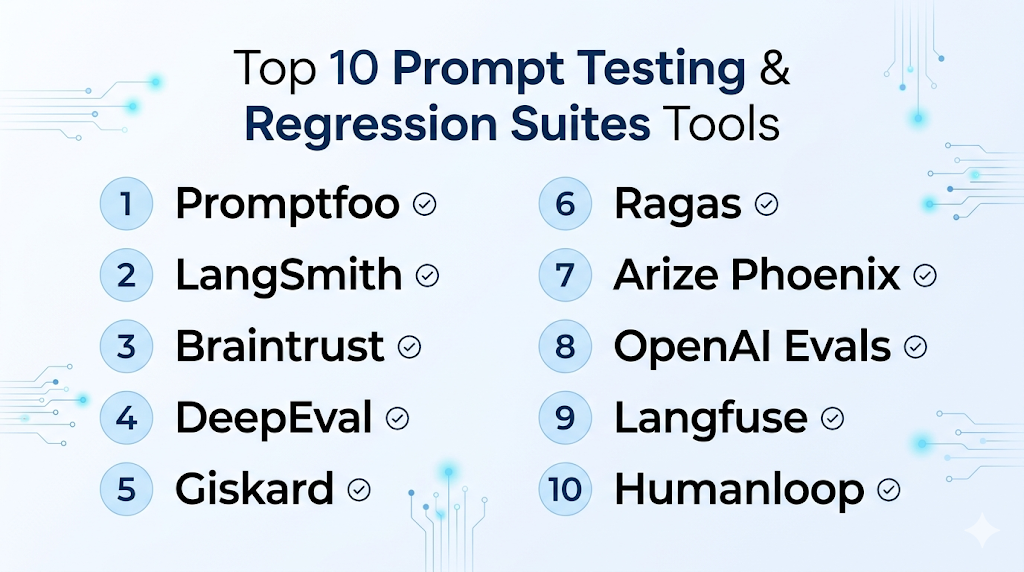
Top 10 Prompt Testing & Regression Suites Tools
1 — Promptfoo
One-line verdict: Best for developers needing open-source prompt regression testing and AI red-team checks.
Short description :
Promptfoo is a developer-first suite for testing, evaluating, and red-teaming LLM applications. It is especially useful for teams that want prompt tests in CI/CD pipelines and repeatable checks before release.
Standout Capabilities
- Open-source-friendly prompt testing workflow
- CLI-based testing for developer teams
- Prompt regression checks for release pipelines
- Red-team testing for jailbreak and injection risks
- Support for testing LLM apps, RAG flows, and agents
- Assertion-based evaluation patterns
- Useful for automated quality gates
AI-Specific Depth Must Include
- Model support: Multi-model through provider configuration and integrations
- RAG / knowledge integration: Can test RAG outputs through application-level test cases
- Evaluation: Prompt tests, regression checks, assertions, red-team evaluations
- Guardrails: Jailbreak, injection, and vulnerability-style testing depending on configuration
- Observability: Test reports and evaluation output; full production observability may need companion tools
Pros
- Strong fit for engineering teams and CI/CD workflows
- Useful for repeatable prompt regression testing
- Good open-source option for early and advanced teams
Cons
- Less suitable for non-technical users without developer support
- Not a complete observability platform by itself
- Enterprise governance may require additional tooling
Security & Compliance Only if confidently known
Security depends on deployment and configuration. SSO, RBAC, audit logs, encryption, retention controls, residency, and certifications are Varies / N/A or Not publicly stated.
Deployment & Platforms
- CLI and developer workflow
- Windows, macOS, and Linux through development environments
- Self-managed and open-source-friendly
- Cloud or enterprise options: Varies / N/A
Integrations & Ecosystem
Promptfoo fits well into software engineering workflows where prompt tests should run like unit tests. It can be connected to build pipelines, model providers, and internal test datasets.
- CI/CD pipelines
- LLM provider configurations
- Test datasets
- Assertion-based checks
- Red-team test suites
- Developer repositories
- Reporting workflows
Pricing Model No exact prices unless confident
Open-source usage is available. Enterprise or managed options may vary by feature needs and deployment model. Exact pricing is Varies / N/A.
Best-Fit Scenarios
- Developer teams adding prompt tests to CI/CD
- AI teams needing automated regression checks
- Security-minded teams testing jailbreak and prompt injection risks
2 — LangSmith
One-line verdict: Best for LangChain teams needing evaluations, traces, datasets, and production regression monitoring.
Short description :
LangSmith helps teams debug, evaluate, and monitor LLM applications. It is especially useful for teams building with LangChain or LangGraph and needing structured evaluations tied to traces and datasets.
Standout Capabilities
- Offline and online evaluation workflows
- Dataset-based testing for prompt and agent behavior
- Tracing for chains, agents, and tool calls
- Prompt and model comparison workflows
- Production monitoring for quality signals
- Strong debugging for complex LLM applications
- Useful for RAG and agentic workflows
AI-Specific Depth Must Include
- Model support: Multi-model through supported providers and app integrations
- RAG / knowledge integration: Strong fit for LangChain-based RAG workflows
- Evaluation: Offline evals, online evals, datasets, regression testing, human review patterns
- Guardrails: Varies / N/A, often handled through application logic or companion tools
- Observability: Traces, latency, token usage, run history, production quality signals
Pros
- Strong evaluation and tracing combination
- Excellent for complex chains, agents, and RAG systems
- Useful for both development and production monitoring
Cons
- Best value appears inside LangChain-style workflows
- May feel technical for business-only prompt teams
- Guardrail enforcement may require additional layers
Security & Compliance Only if confidently known
SSO, RBAC, audit logs, encryption, data retention controls, residency, and certifications may vary by plan. Certifications are Not publicly stated here.
Deployment & Platforms
- Web-based platform
- Cloud deployment
- SDK-based developer workflows
- Self-hosted or hybrid: Varies / N/A
Integrations & Ecosystem
LangSmith is strongest when evaluation needs to connect with app traces. Teams can use it to turn real examples into datasets, compare runs, and investigate failures.
- LangChain
- LangGraph
- Python and JavaScript workflows
- RAG pipelines
- Agent workflows
- Dataset management
- Evaluation dashboards
Pricing Model No exact prices unless confident
Typically tiered or usage-oriented depending on team needs and platform usage. Exact pricing should be verified directly.
Best-Fit Scenarios
- LangChain or LangGraph application teams
- Teams testing complex AI agents
- Developers needing traces and regression evaluation together
3 — Braintrust
One-line verdict: Best for AI teams prioritizing evals, experiments, prompt comparisons, and quality release workflows.
Short description :
Braintrust focuses on AI evaluations, experiment tracking, prompt testing, and quality measurement. It is useful for teams that need structured workflows to compare prompts, models, and datasets before release.
Standout Capabilities
- Evaluation-focused AI development workflow
- Prompt and model experiment tracking
- Dataset-based test management
- Human review and feedback workflows
- Regression testing for AI behavior
- Production trace-to-eval workflows
- Strong support for quality-driven releases
AI-Specific Depth Must Include
- Model support: Multi-model through provider and workflow integrations
- RAG / knowledge integration: Can evaluate RAG outputs through datasets and traces
- Evaluation: Strong support for experiments, scoring, regression testing, and reviews
- Guardrails: Varies / N/A
- Observability: Experiment results, traces, evaluation metrics, output comparisons
Pros
- Strong fit for evaluation-led teams
- Helps compare prompts and models systematically
- Useful for turning production failures into test cases
Cons
- Requires disciplined dataset and scorer design
- May need setup effort for non-technical teams
- Guardrail enforcement may require external controls
Security & Compliance Only if confidently known
Enterprise controls such as SSO, RBAC, audit logs, encryption, retention, and residency may vary by plan. Certifications are Not publicly stated here.
Deployment & Platforms
- Web-based platform
- Cloud workflows
- SDK and API-based workflows
- Self-hosted or hybrid: Varies / N/A
Integrations & Ecosystem
Braintrust is useful when teams want to make AI quality measurable. It connects experiments, prompts, models, datasets, and review workflows into a repeatable evaluation loop.
- LLM provider workflows
- Evaluation datasets
- Experiment tracking
- Human review
- Model comparison
- RAG output testing
- Developer SDKs
Pricing Model No exact prices unless confident
Usually tiered or usage-based depending on team size, evaluation volume, and enterprise needs. Exact pricing is Not publicly stated.
Best-Fit Scenarios
- Teams comparing prompt and model versions
- AI product teams needing release confidence
- Organizations building structured evaluation workflows
4 — DeepEval
One-line verdict: Best for developers wanting pytest-style LLM evaluation with ready-made metrics.
Short description :
DeepEval is an open-source LLM evaluation framework designed for testing LLM applications. It is especially useful for teams that want code-based test cases, metrics, and regression checks for AI outputs.
Standout Capabilities
- Open-source LLM evaluation framework
- Pytest-like testing experience for developers
- Metrics for hallucination, relevance, correctness, and task success
- Useful for testing RAG, chatbots, and agents
- Supports component-level and end-to-end evaluation
- Fits automated testing workflows
- Can be extended for custom evaluation needs
AI-Specific Depth Must Include
- Model support: Multi-model depending on configuration
- RAG / knowledge integration: Strong fit for evaluating RAG outputs and retrieval-based answers
- Evaluation: Test cases, metrics, datasets, LLM-as-judge, regression checks
- Guardrails: Varies / N/A, can test unsafe outputs through custom metrics
- Observability: Evaluation results and test reports; production observability may require companion tools
Pros
- Developer-friendly testing style
- Strong metric coverage for LLM applications
- Good open-source option for automated evals
Cons
- Requires technical implementation
- Business users may need dashboards or companion platforms
- Enterprise governance depends on surrounding infrastructure
Security & Compliance Only if confidently known
Security controls depend on how it is deployed and integrated. SSO, RBAC, audit logs, encryption, retention, and certifications are Varies / N/A or Not publicly stated.
Deployment & Platforms
- Open-source framework
- Works in developer environments across Windows, macOS, and Linux
- Self-managed deployment
- Cloud platform options: Varies / N/A
Integrations & Ecosystem
DeepEval fits teams that want to bring LLM testing closer to software testing. It is useful when developers want test cases, metrics, and repeatable checks in code.
- Python workflows
- CI/CD pipelines
- LLM provider configurations
- Custom metrics
- RAG evaluation
- Agent evaluation
- Test reporting workflows
Pricing Model No exact prices unless confident
Open-source usage is available. Managed or enterprise options may vary. Exact pricing is Varies / N/A.
Best-Fit Scenarios
- Developers building LLM test suites
- Teams needing metric-based regression checks
- AI teams evaluating RAG and chatbot outputs
5 — Giskard
One-line verdict: Best for teams focused on AI security testing, red teaming, and vulnerability detection.
Short description :
Giskard provides AI testing and security workflows for LLM systems and agents. It is useful for organizations that want to detect hallucinations, unsafe behavior, security weaknesses, and regression risks before deployment.
Standout Capabilities
- AI red teaming and security testing
- Testing for hallucination and unsafe behavior
- Continuous testing for LLM agents
- Vulnerability detection workflows
- Useful for regulated or risk-sensitive teams
- Supports evaluation checks for AI systems
- Helps teams combine quality and safety testing
AI-Specific Depth Must Include
- Model support: Multi-model depending on integration setup
- RAG / knowledge integration: Can test RAG and agent outputs depending on implementation
- Evaluation: Automated tests, security checks, hallucination testing, regression-style workflows
- Guardrails: Strong focus on red teaming, vulnerabilities, jailbreaks, and unsafe behavior
- Observability: Varies / N/A, may require integration with monitoring tools
Pros
- Strong fit for AI safety and security testing
- Helpful for agent vulnerability detection
- Useful for teams with compliance and risk concerns
Cons
- May be more security-focused than general prompt testing tools
- Integration planning may be needed for complex workflows
- Exact enterprise controls should be verified directly
Security & Compliance Only if confidently known
Security features such as SSO, RBAC, audit logs, encryption, retention, data residency, and certifications are Not publicly stated here unless verified directly.
Deployment & Platforms
- Web-based and developer workflows depending on product choice
- Cloud and self-hosted options: Varies / N/A
- Open-source components may be available depending on use case
- Platform support depends on deployment setup
Integrations & Ecosystem
Giskard is best when prompt regression testing must include safety and attack resistance. It fits teams that want automated checks for risks beyond simple answer quality.
- LLM application workflows
- Agent testing
- Red-team scenarios
- Security checks
- Evaluation datasets
- Developer integrations
- Risk review workflows
Pricing Model No exact prices unless confident
Pricing may be tiered, enterprise-based, or deployment-dependent. Exact pricing is Not publicly stated.
Best-Fit Scenarios
- Security teams testing AI agents
- Regulated organizations validating AI safety
- Teams needing red-team testing before rollout
6 — Ragas
One-line verdict: Best for teams specifically evaluating RAG quality, faithfulness, and retrieval behavior.
Short description :
Ragas is an open-source framework focused on evaluating RAG applications. It helps teams measure answer quality, context relevance, faithfulness, and other retrieval-driven behaviors.
Standout Capabilities
- RAG-focused evaluation framework
- Metrics for faithfulness and context relevance
- Useful for testing retrieval and generation quality
- Supports systematic evaluation loops
- Helps reduce informal “vibe check” testing
- Open-source-friendly for technical teams
- Works well alongside observability and prompt platforms
AI-Specific Depth Must Include
- Model support: Multi-model depending on configuration
- RAG / knowledge integration: Strong RAG evaluation focus
- Evaluation: RAG metrics, datasets, answer quality scoring, retrieval evaluation
- Guardrails: Varies / N/A
- Observability: Evaluation outputs; full production tracing may require companion tools
Pros
- Strong specialist option for RAG evaluation
- Useful for measuring groundedness and context quality
- Open-source-friendly and flexible
Cons
- Not a full prompt management or observability suite alone
- Less focused on general chatbot or agent testing
- Requires technical setup and evaluation design
Security & Compliance Only if confidently known
Security depends on deployment and data handling choices. SSO, RBAC, audit logs, retention, residency, and certifications are Varies / N/A or Not publicly stated.
Deployment & Platforms
- Open-source framework
- Works in developer environments across Windows, macOS, and Linux
- Self-managed workflows
- Cloud or hosted option: Varies / N/A
Integrations & Ecosystem
Ragas is best used as part of a broader RAG quality workflow. It can complement tracing, prompt management, and application monitoring tools.
- RAG pipelines
- Evaluation datasets
- LLM providers through configuration
- Vector search workflows
- Notebook workflows
- CI/CD workflows
- Observability platforms through custom integration
Pricing Model No exact prices unless confident
Open-source usage is available. Managed or enterprise pricing is Varies / N/A.
Best-Fit Scenarios
- Teams evaluating RAG assistants
- Developers measuring answer faithfulness
- Organizations improving retrieval and generation quality
7 — Arize Phoenix
One-line verdict: Best for teams needing open-source LLM tracing, evaluation, and troubleshooting workflows.
Short description :
Arize Phoenix is an open-source AI observability and evaluation platform for tracing, experimenting, and troubleshooting LLM applications. It is useful when teams need visibility into why AI outputs fail.
Standout Capabilities
- Open-source LLM tracing and evaluation
- Useful for debugging RAG and agent workflows
- Evaluation workflows for hallucination and correctness
- Experimentation support for AI application improvement
- Helps connect traces with quality analysis
- Supports observability-oriented development
- Good fit for technical AI teams
AI-Specific Depth Must Include
- Model support: Multi-model through instrumentation and integrations
- RAG / knowledge integration: Strong fit for tracing and evaluating RAG workflows
- Evaluation: LLM evaluations, correctness checks, hallucination analysis, experiment workflows
- Guardrails: Varies / N/A
- Observability: Traces, spans, latency, evaluation results, troubleshooting dashboards
Pros
- Strong open-source observability foundation
- Helpful for understanding failures in AI pipelines
- Useful for RAG and agent troubleshooting
Cons
- May require technical setup and instrumentation
- Prompt versioning may need companion tooling
- Enterprise governance depends on deployment choice
Security & Compliance Only if confidently known
Security controls vary by deployment. SSO, RBAC, audit logs, encryption, retention, residency, and certifications are Varies / N/A or Not publicly stated.
Deployment & Platforms
- Open-source platform
- Self-hosted workflows
- Cloud or managed options: Varies / N/A
- Developer environments across Windows, macOS, and Linux depending on setup
Integrations & Ecosystem
Phoenix works well for teams that need to see inside AI applications. It is useful when evaluation must be connected to traces, spans, and real application behavior.
- OpenTelemetry-style instrumentation
- RAG workflows
- Agent workflows
- LLM provider integrations
- Evaluation workflows
- Debugging dashboards
- Experiment tracking patterns
Pricing Model No exact prices unless confident
Open-source usage is available. Managed or enterprise pricing depends on deployment and vendor packaging. Exact pricing is Varies / N/A.
Best-Fit Scenarios
- Teams debugging RAG failures
- Developers needing trace-based evaluation
- Organizations wanting open-source AI observability
8 — OpenAI Evals
One-line verdict: Best for teams building around OpenAI models and needing structured evaluation workflows.
Short description :
OpenAI Evals provides a way to evaluate prompts, model behavior, and application outputs using structured tests. It is useful for teams that want evaluation workflows close to OpenAI-based development.
Standout Capabilities
- Evaluation framework for LLM systems
- Useful for prompt regression checks
- Supports private use-case-specific evaluations
- Helpful for comparing prompt and model behavior
- Can support task-oriented evaluation workflows
- Strong fit for OpenAI-centered applications
- Useful for experimentation and model selection
AI-Specific Depth Must Include
- Model support: Primarily OpenAI-centered; broader support may vary by implementation
- RAG / knowledge integration: Can evaluate RAG application outputs through custom evals
- Evaluation: Prompt regression tests, custom evals, task-based evaluation
- Guardrails: Varies / N/A
- Observability: Evaluation outputs; production observability may require other tools
Pros
- Strong fit for OpenAI-based teams
- Useful for structured prompt regression checks
- Supports custom evaluations for specific workflows
Cons
- May not be ideal for model-agnostic teams
- Requires technical setup and evaluation design
- Full governance and observability may need companion tools
Security & Compliance Only if confidently known
Security and compliance depend on how evaluations are configured and where data is processed. SSO, RBAC, audit logs, retention, residency, and certifications are Varies / N/A or Not publicly stated.
Deployment & Platforms
- Developer and API-based workflows
- Cloud-based model ecosystem
- Local development workflows may vary
- Self-hosted platform: Varies / N/A
Integrations & Ecosystem
OpenAI Evals is useful for teams already building with OpenAI APIs. It can help compare prompt behavior, check regressions, and evaluate task-specific outputs.
- OpenAI API workflows
- Custom eval datasets
- Prompt experimentation
- Model comparison
- Regression testing
- Developer tooling
- Application-level evaluation scripts
Pricing Model No exact prices unless confident
Pricing depends on API usage, evaluation volume, and model usage. Exact costs vary by model and workload.
Best-Fit Scenarios
- Teams using OpenAI models heavily
- Developers building custom prompt evaluations
- Organizations checking prompt regressions in OpenAI workflows
9 — Langfuse
One-line verdict: Best for teams combining prompt testing, tracing, observability, and open-source deployment flexibility.
Short description :
Langfuse provides LLM observability, tracing, prompt management, and evaluation workflows. It is useful for teams that want production traces, prompt behavior, costs, and evaluation results in one workflow.
Standout Capabilities
- LLM tracing and observability
- Prompt management with version tracking
- Evaluation workflows and scoring support
- Cost, token, and latency tracking
- Open-source-friendly deployment options
- Useful for RAG and agent debugging
- Strong fit for technical teams needing visibility
AI-Specific Depth Must Include
- Model support: Multi-model through application instrumentation
- RAG / knowledge integration: Works with RAG workflows through traces and evaluation
- Evaluation: Scoring, datasets, feedback, prompt comparison workflows
- Guardrails: Varies / N/A
- Observability: Traces, latency, token usage, cost, input-output logs
Pros
- Combines prompt tracking with observability
- Useful for production monitoring and debugging
- Flexible for teams wanting open-source-friendly options
Cons
- Requires technical setup for best results
- Guardrail testing may need companion tools
- Non-technical users may need onboarding
Security & Compliance Only if confidently known
SSO, RBAC, audit logs, encryption, retention, residency, and certifications vary by managed or self-hosted setup. Certifications are Not publicly stated here.
Deployment & Platforms
- Web-based interface
- Cloud option
- Self-hosted option
- Developer SDK and API workflows
- Windows, macOS, and Linux through development environments
Integrations & Ecosystem
Langfuse is useful when teams want prompt evaluation to connect with real application traces. It helps teams identify which prompt changes affect cost, latency, and quality.
- Python and JavaScript SDKs
- LLM provider integrations
- RAG workflows
- Agent traces
- Evaluation datasets
- Cost and token tracking
- Feedback workflows
Pricing Model No exact prices unless confident
Open-source plus managed cloud and enterprise-style options. Exact pricing varies by usage and deployment choice.
Best-Fit Scenarios
- Teams needing self-hosted LLM observability
- Developers testing prompt behavior from traces
- Companies combining prompt management with evaluation
10 — Humanloop
One-line verdict: Best for teams needing prompt evaluation, feedback workflows, and collaborative quality review.
Short description :
Humanloop helps teams manage prompts, collect feedback, run evaluations, and improve LLM application quality. It is useful when product, engineering, and subject-matter experts need to collaborate on AI behavior.
Standout Capabilities
- Prompt experimentation and evaluation
- Human feedback collection
- Dataset-based quality workflows
- Collaboration for product and engineering teams
- Prompt improvement loops
- Useful for production AI applications
- Supports structured review and release decisions
AI-Specific Depth Must Include
- Model support: Multi-model depending on configured providers
- RAG / knowledge integration: Varies / N/A, usually connected through application workflows
- Evaluation: Prompt evaluation, feedback, dataset testing, human review
- Guardrails: Varies / N/A
- Observability: Prompt runs, feedback, evaluation results, usage visibility depending on setup
Pros
- Strong fit for human review and feedback loops
- Useful for cross-functional AI product teams
- Helps make prompt quality improvement repeatable
Cons
- May be more than needed for simple technical testing
- Some workflows may require implementation planning
- Exact security and compliance details should be verified
Security & Compliance Only if confidently known
Enterprise security features such as SSO, RBAC, audit logs, encryption, retention, residency, and certifications may vary by plan. Certifications are Not publicly stated here.
Deployment & Platforms
- Web-based platform
- Cloud deployment
- API-based workflows
- Self-hosted or hybrid: Varies / N/A
Integrations & Ecosystem
Humanloop is useful when evaluation is not only technical but also collaborative. It helps teams involve domain experts, reviewers, and product owners in prompt quality decisions.
- LLM provider workflows
- Evaluation datasets
- Human feedback
- Prompt experimentation
- Application APIs
- Team collaboration
- Production AI workflows
Pricing Model No exact prices unless confident
Typically tiered or enterprise-oriented depending on team size, usage, and advanced requirements. Exact pricing is Not publicly stated.
Best-Fit Scenarios
- Teams needing human review of prompt outputs
- AI product teams improving customer-facing assistants
- Organizations creating collaborative prompt quality workflows
Comparison Table
| Tool Name | Best For | Deployment Cloud/Self-hosted/Hybrid | Model Flexibility Hosted / BYO / Multi-model / Open-source | Strength | Watch-Out | Public Rating |
|---|---|---|---|---|---|---|
| Promptfoo | Developer regression testing | Self-hosted, cloud varies | Multi-model, open-source | CI-friendly testing | Less non-technical friendly | N/A |
| LangSmith | LangChain app evaluation | Cloud, hybrid varies | Multi-model | Traces plus evals | Best in LangChain ecosystem | N/A |
| Braintrust | Evaluation-led AI teams | Cloud, hybrid varies | Multi-model | Experiments and quality workflows | Requires dataset discipline | N/A |
| DeepEval | Code-based LLM testing | Self-managed, cloud varies | Multi-model, open-source | Pytest-style evals | Needs technical setup | N/A |
| Giskard | AI security testing | Cloud, hybrid varies | Multi-model | Red teaming focus | Broader setup needed | N/A |
| Ragas | RAG evaluation | Self-managed, cloud varies | Multi-model, open-source | RAG quality metrics | Narrower scope | N/A |
| Arize Phoenix | Trace-based evaluation | Self-hosted, cloud varies | Multi-model, open-source | Observability plus evals | Requires instrumentation | N/A |
| OpenAI Evals | OpenAI-centered testing | Cloud and developer workflows | Hosted, limited BYO varies | Custom task evals | Less model-agnostic | N/A |
| Langfuse | Prompt and trace observability | Cloud and self-hosted | Multi-model, open-source | Cost and trace visibility | Guardrails need add-ons | N/A |
| Humanloop | Collaborative eval workflows | Cloud, hybrid varies | Multi-model | Human feedback loops | May be heavy for simple tests | N/A |
Scoring & Evaluation Transparent Rubric
This scoring is comparative, not absolute. It reflects how well each tool fits prompt testing and regression workflows across practical buyer criteria. A higher score does not mean the tool is always better for every organization. Some teams need developer-first testing, while others need red teaming, RAG metrics, human review, or enterprise governance. Buyers should validate the scores against their own architecture, data sensitivity, model strategy, team size, and budget.
| Tool | Core | Reliability/Eval | Guardrails | Integrations | Ease | Perf/Cost | Security/Admin | Support | Weighted Total |
|---|---|---|---|---|---|---|---|---|---|
| Promptfoo | 9 | 9 | 8 | 8 | 7 | 7 | 6 | 8 | 8.00 |
| LangSmith | 9 | 9 | 6 | 9 | 7 | 8 | 7 | 8 | 8.10 |
| Braintrust | 9 | 10 | 6 | 8 | 7 | 7 | 7 | 8 | 8.05 |
| DeepEval | 8 | 9 | 6 | 7 | 7 | 7 | 5 | 8 | 7.40 |
| Giskard | 8 | 8 | 9 | 7 | 7 | 6 | 7 | 7 | 7.60 |
| Ragas | 7 | 9 | 4 | 7 | 6 | 7 | 5 | 7 | 6.80 |
| Arize Phoenix | 8 | 8 | 5 | 8 | 7 | 8 | 6 | 8 | 7.40 |
| OpenAI Evals | 7 | 8 | 5 | 7 | 6 | 7 | 6 | 7 | 6.90 |
| Langfuse | 8 | 8 | 5 | 8 | 7 | 9 | 7 | 8 | 7.75 |
| Humanloop | 8 | 8 | 6 | 7 | 8 | 7 | 7 | 7 | 7.45 |
Top 3 for Enterprise
- LangSmith
- Braintrust
- Giskard
Top 3 for SMB
- Promptfoo
- Langfuse
- DeepEval
Top 3 for Developers
- Promptfoo
- DeepEval
- LangSmith
Which Prompt Testing & Regression Suites Tool Is Right for You?
Solo / Freelancer
Solo users should avoid overly complex platforms unless they are building production AI applications. A lightweight framework is usually enough for testing prompts, comparing outputs, and preventing obvious regressions.
Recommended options:
- Promptfoo for CLI-based prompt testing
- DeepEval for code-based LLM evaluation
- Ragas for RAG-specific quality checks
If you are only using prompts for content creation or research, a spreadsheet of test cases may be enough at the beginning.
SMB
Small and midsize businesses should prioritize speed, ease of adoption, and cost control. The best tool should help developers create tests quickly without creating a heavy governance burden.
Recommended options:
- Promptfoo for automated prompt regression checks
- Langfuse for prompt testing plus observability
- DeepEval for developer-friendly metric-based testing
- Humanloop if product teams need feedback workflows
SMBs should focus on tools that provide measurable improvement without requiring a large AI operations team.
Mid-Market
Mid-market teams usually need stronger workflows because multiple products, teams, and prompts are involved. Testing should include datasets, regression checks, security scenarios, and production trace review.
Recommended options:
- LangSmith for app tracing and evaluation
- Braintrust for experiment tracking and evaluation workflows
- Giskard for safety and red-team testing
- Arize Phoenix for trace-based evaluation and troubleshooting
Mid-market buyers should select tools that integrate with current development, monitoring, and release processes.
Enterprise
Enterprises need auditability, access control, evaluation history, red-team evidence, and scalable workflows across many teams. The best choice depends on whether the priority is engineering, security, governance, or evaluation maturity.
Recommended options:
- LangSmith for complex LLM app and agent evaluation
- Braintrust for structured quality workflows
- Giskard for AI security and red-team testing
- Langfuse or Arize Phoenix for observability-focused teams
- Humanloop for collaborative feedback and review
Enterprises should verify SSO, RBAC, audit logs, data retention, encryption, residency, support, and compliance documentation before adoption.
Regulated industries finance/healthcare/public sector
Regulated teams should not rely on manual prompt checks. They need documented evaluation, human review, security testing, and clear evidence that AI behavior was tested before deployment.
Important priorities:
- Prompt injection testing
- Data leakage testing
- Human review for high-risk outputs
- Audit logs for test changes
- Evaluation history for compliance review
- Retention and privacy controls
- Clear incident response process
Strong-fit options may include Giskard, Braintrust, LangSmith, Humanloop, and Langfuse, depending on deployment and compliance requirements.
Budget vs premium
Budget-conscious teams can start with open-source or developer-first tools and add enterprise platforms later.
Budget-friendly direction:
- Promptfoo for regression testing
- DeepEval for metric-based testing
- Ragas for RAG evaluation
- Arize Phoenix for open-source tracing and evaluation
- Langfuse for open-source-friendly observability
Premium direction:
- LangSmith for integrated tracing and evaluation
- Braintrust for evaluation workflows and experiment tracking
- Giskard for security testing and red teaming
- Humanloop for collaborative quality workflows
The right choice depends on whether your biggest pain is testing, observability, security, RAG quality, or team collaboration.
Build vs buy when to DIY
DIY can work when:
- You have a small number of prompts
- Your team already uses strong software testing practices
- You only need simple assertions and small datasets
- You have developers who can maintain evaluation scripts
- You do not need enterprise dashboards or governance
Buy or adopt a dedicated tool when:
- AI outputs affect customers or regulated workflows
- You need repeatable regression testing
- You need red-team testing
- Multiple teams manage prompts and evaluations
- You need trace-to-eval workflows
- You need dashboards, approvals, and auditability
- You support agents, RAG, multiple models, or complex workflows
A practical approach is to start with lightweight tests, then scale into a platform as AI usage grows.
Implementation Playbook 30 / 60 / 90 Days
30 Days: Pilot and success metrics
Start with one important AI workflow. Choose a prompt or agent where quality issues are visible and business impact is clear.
Key tasks:
- Select one AI use case for testing
- Collect real examples and edge cases
- Build a small golden dataset
- Define success metrics such as correctness, faithfulness, refusal quality, latency, and cost
- Create baseline prompt tests
- Add tests for common failure modes
- Compare current prompt performance against alternatives
- Decide what score is required before release
- Create a simple rollback plan
- Assign prompt and test owners
AI-specific tasks:
- Build an evaluation harness
- Add prompt regression checks
- Add basic red-team tests
- Track tokens, latency, and cost
- Define incident handling for failed prompt releases
60 Days: Harden security, evaluation, and rollout
Once the pilot works, expand testing coverage and make it part of the release workflow.
Key tasks:
- Add CI/CD testing for important prompts
- Expand datasets with edge cases and real failures
- Add human review for sensitive outputs
- Test multiple models for quality and cost
- Add structured output validation
- Add RAG faithfulness checks if relevant
- Review data retention and privacy settings
- Create an approval workflow for production prompt changes
- Train developers and product owners on evaluation rules
- Document testing standards
AI-specific tasks:
- Add prompt injection scenarios
- Add jailbreak tests
- Add tool-calling failure tests for agents
- Add hallucination and citation checks
- Convert production failures into regression tests
- Add escalation paths for unsafe outputs
90 Days: Optimize cost, latency, governance, and scale
After the testing process is stable, turn it into a repeatable AI quality system.
Key tasks:
- Standardize evaluation templates
- Create reusable test datasets
- Add dashboards for quality, cost, and latency
- Review prompt performance across models
- Optimize expensive prompts
- Add governance reviews for high-risk workflows
- Expand testing to more AI applications
- Schedule regular evaluation audits
- Create internal testing playbooks
- Connect evaluation results to product decisions
AI-specific tasks:
- Add advanced red-team coverage
- Test multimodal and long-context workflows where relevant
- Add agent planning and tool-use evaluations
- Monitor behavior drift over time
- Define release gates based on test performance
- Review vendor lock-in and export options
Common Mistakes & How to Avoid Them
- Testing only happy paths: Add edge cases, adversarial inputs, vague questions, missing context, and user mistakes.
- Skipping regression tests: Every prompt change should be tested against prior expected behavior.
- Ignoring prompt injection exposure: Include malicious instructions, hidden context attacks, and unsafe tool-use scenarios.
- Relying only on manual review: Human review is valuable, but it should be supported by repeatable automated tests.
- Using weak datasets: Build datasets from real user queries, production failures, and domain-specific examples.
- Not testing RAG faithfulness: Check whether answers are grounded in retrieved context instead of relying on fluent text.
- Ignoring cost impact: Track tokens, retries, model calls, and context size for every important prompt change.
- Ignoring latency: A prompt may be accurate but too slow for real users.
- No human review for sensitive workflows: Finance, healthcare, legal, security, and public-sector outputs need stronger review.
- No production feedback loop: Failed user interactions should become future regression tests.
- Over-trusting LLM-as-judge: Automated judges need calibration, reference examples, and occasional human validation.
- No rollback process: Keep previous prompt versions and release criteria ready for quick recovery.
- Vendor lock-in without export strategy: Keep datasets, prompts, and test results portable where possible.
- No owner for evaluation quality: Assign responsibility for maintaining tests, metrics, and release standards.
FAQs
1. What is a Prompt Testing & Regression Suite?
It is a tool or platform that tests prompt behavior before and after changes. It helps teams catch quality drops, hallucinations, unsafe outputs, formatting failures, cost increases, and model-related regressions.
2. Why do prompt changes need regression testing?
Prompt outputs can change unexpectedly even after small edits. Regression testing checks whether a new prompt still passes important examples, edge cases, and business rules.
3. How is prompt testing different from prompt versioning?
Prompt versioning tracks prompt changes over time. Prompt testing checks whether those changes improve or break AI behavior. The best workflows often use both together.
4. Can these tools test RAG applications?
Yes, many can test RAG outputs for relevance, faithfulness, context usage, hallucination, and answer quality. Ragas is especially focused on RAG evaluation.
5. Can I use my own model?
Many tools support BYO or multi-model workflows through configuration, SDKs, APIs, or app instrumentation. Exact support varies by tool, so buyers should verify their target models.
6. Do these tools support self-hosting?
Some tools are open-source or self-hosted-friendly, while others are primarily cloud-based. Self-hosting is important when data control, privacy, or internal platform standards are strict.
7. What is LLM-as-judge evaluation?
LLM-as-judge uses a model to score outputs based on criteria such as correctness, relevance, tone, or faithfulness. It is useful at scale but should be calibrated with human review.
8. How do these suites help with guardrails?
They can test whether guardrails work by sending unsafe, adversarial, or policy-breaking inputs. Some tools focus strongly on jailbreak, prompt injection, and vulnerability testing.
9. Can prompt testing reduce AI hallucinations?
It can help detect and reduce hallucinations by testing against known facts, retrieved context, and expected answers. It does not eliminate hallucinations by itself.
10. Are prompt testing tools expensive?
Costs vary by tool, usage volume, model calls, hosted features, and enterprise requirements. Open-source options can reduce platform cost but may require more engineering time.
11. What should be included in a test dataset?
A good dataset includes common user queries, edge cases, adversarial inputs, domain-specific examples, failed production cases, multilingual examples if relevant, and expected behavior rules.
12. Can these tools test AI agents?
Yes, some tools can evaluate agent workflows, tool calls, multi-step behavior, planning quality, and failure handling. Agent testing usually requires more detailed test design than chatbot testing.
13. What happens if a model provider changes behavior?
Regression tests help detect whether model behavior changes break your prompts. Teams should re-run tests after model upgrades, routing changes, or major application updates.
14. Can I switch tools later?
Yes, but switching is easier when prompts, datasets, results, and test definitions are exportable. Avoid locking all evaluation logic into a system you cannot migrate from.
15. What are alternatives to dedicated prompt testing tools?
Alternatives include custom scripts, spreadsheets, Git-based test cases, internal dashboards, general observability tools, and manual review. These can work early but become harder to scale.
Conclusion
Prompt Testing & Regression Suites are essential for teams that want AI applications to behave reliably after prompt changes, model updates, RAG adjustments, or agent workflow changes. The best option depends on the team’s primary need: Promptfoo and DeepEval are strong for developer-first testing, LangSmith and Braintrust are strong for evaluation workflows, Giskard is strong for AI security testing, Ragas is focused on RAG quality, and Langfuse or Arize Phoenix are useful when testing must connect with observability. There is no single universal winner because every organization has different risk levels, model strategies, team skills, and deployment requirements. Start by shortlisting three tools, run a pilot on one real AI workflow, verify evaluation quality and security controls, then scale the testing process across more prompts, agents, and production AI systems.
This is a valuable resource for teams working with LLM quality assurance and prompt reliability testing. The content is concise, organized, and focused on real-world AI workflow challenges.
The blog does a good job of covering automation, testing accuracy, and workflow integration capabilities across multiple platforms. The explanations are practical and easy to follow for technical readers.