What this is
The third habit (after CLAUDE.md and spec.md) when working with Claude on real features: always make Claude propose a written plan before writing any code, and review it before approving.
This is the single biggest quality multiplier for non-trivial work. It also happens to be the habit humans forget most often — so this tutorial covers not just what to do, but how to enforce it so it happens automatically.
Why this matters
Claude is fast. That’s a problem.
If you say “implement the spec,” Claude will happily produce 400 lines of code in one shot — and often something is wrong: wrong library, wrong folder, misread edge case, over-built. Now you’re reviewing a giant diff and arguing with code instead of with ideas.
A plan is cheap to change. Code is expensive to change. Always argue at the cheap layer first.
What “a plan” actually means
When you ask Claude to plan, you want it to produce — in writing, not in code:
- Files it will create or modify — exact paths
- Approach — which library, pattern, or technique it’ll use, and why
- Steps in order — what gets built first, second, third
- Open questions — things the spec didn’t answer that Claude is making assumptions about
- Risks or trade-offs — what could go wrong, what it’s deliberately not handling
If the plan doesn’t include open questions, that’s a red flag — Claude is guessing and not telling you.
How to ask for a plan
A simple, reliable prompt:
“Read
docs/features/login/spec.md. Propose an implementation plan covering files to change, approach, ordered steps, open questions, and risks. Do not write code yet.”
The phrase “do not write code yet” matters. Without it, Claude often slips into code mode halfway through.
What to do with the plan
Three options after reading it:
- Approve — “Looks good, proceed with step 1 only. Stop and show me the result.”
- Refine — “Drop step 3, swap library X for Y, answer open question 2 with [your answer], then revise the plan.”
- Reject and re-spec — if the plan reveals the spec was wrong or incomplete, go fix the spec first. Don’t patch a bad spec with a clever plan.
Then implement one step at a time: have Claude do step 1, show the diff, run tests, confirm — then step 2. Small steps mean small diffs, easy review, and easy rollback when something goes sideways.
Enforcing the habit — three layers
Humans forget. The plan-first habit needs to be made nearly automatic so skipping it requires conscious effort. Three layers, weakest to strongest:
Layer 1 — Document the rule in CLAUDE.md (always do this)
Add this section to your root CLAUDE.md:
## Workflow Rules (MUST FOLLOW)

When asked to implement any feature or non-trivial change:

1. ALWAYS read the relevant spec file first (docs/features/<name>/spec.md)
2. ALWAYS propose a written plan before writing code. The plan must include:
   - Files to create or modify (exact paths)
   - Approach and key library/pattern choices
   - Ordered implementation steps
   - Open questions and assumptions
   - Risks and trade-offs
3. WAIT for explicit approval ("approved", "proceed", "go ahead") before writing code
4. Implement ONE step at a time, show the diff, then pause
5. If no spec exists, STOP and ask the user to create one first

Do not write code in the same response as the plan, even if it seems obvious.
Do not skip the plan for "small" changes — let the user decide what's small.
Claude reads this every session. It’s the foundation and handles most cases.
Layer 2 — Use Plan Mode in Claude Code (strongest built-in option)
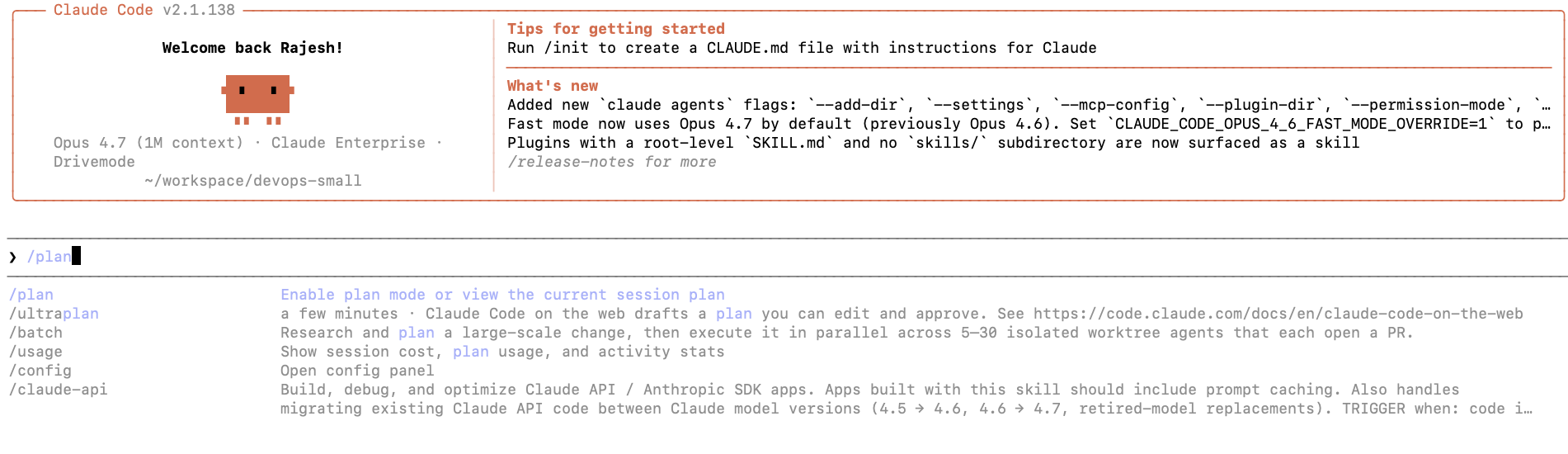
Claude Code has a built-in Plan Mode designed exactly for this. When active, Claude is structurally prevented from making file edits or running write commands — it can only read, analyze, and propose. You explicitly exit Plan Mode to authorize execution.
Enter it by pressing Shift+Tab to cycle through modes until you see Plan Mode in the UI. Because the mode is visible, you can’t accidentally forget you’re in it.
This is the closest thing to real enforcement — a tool-level guardrail, not just a prompt-level instruction. Use it whenever you start work on a feature.
Layer 3 — Hooks (the nuclear option, for teams)
Claude Code supports hooks — scripts that run before or after Claude attempts certain actions. You can write a PreToolUse hook that blocks file-write tools (str_replace, create_file, write-capable bash commands) unless a marker file like .claude/plan-approved exists in the workspace.
Workflow becomes:
- Claude proposes plan → no
.claude/plan-approvedfile → write tools blocked - You review the plan and run
touch .claude/plan-approved - Claude can now write code
- After the feature ships, delete the file to reset
Overkill for solo work, powerful for teams who want a hard guarantee. Adopt later if Layers 1 + 2 aren’t enough.
Recommended setup
Start with Layer 1 + Layer 2 together:
- Put the workflow rules in
CLAUDE.md— forms the habit, covers all chat-based interactions - Use Plan Mode in Claude Code when starting any feature — catches the moments you forget
That combination handles 99% of cases without needing hooks. Graduate to Layer 3 only if you’re still slipping past the plan step after a few weeks.
One more practical tip — trigger phrases
Add this line to your CLAUDE.md:
When I say “plan it” — produce a plan only, never code. When I say “ship it” — that’s approval to proceed with the next step.
Now your verbal shortcuts carry the discipline. You don’t have to remember to write “propose a plan first, don’t write code yet” every time — two words do it.
The full rhythm so far
You now have the three-beat working pattern:
spec.md— what to build (durable, written down)- Plan — how to build it (reviewed before any code)
- Code — one step at a time, reviewed as you go
The point isn’t perfect enforcement — it’s making the right path the easy path. Both for Claude and for you. The speed of working with Claude comes from fewer wrong turns, not from typing faster.
Quick start checklist
- Add the Workflow Rules section to your root
CLAUDE.md - Add the trigger phrases line (“plan it” / “ship it”) to the same file
- Learn the Plan Mode shortcut (Shift+Tab) in Claude Code
- For your next feature: write the spec → enter Plan Mode → ask Claude to plan → review → exit Plan Mode → implement one step at a time
- Revisit hooks (Layer 3) only if the habit still slips after a few weeks
Great overview of how developers can use Claude more efficiently by focusing on design before implementation.The examples make the planning workflow easier to apply in real projects.
Great job covering the importance of structured planning in Claude-based coding workflows. The article feels informative, developer-focused, and easy to follow.
Smart and practical guide on the “plan-first” workflow with Claude. It clearly shows how structured planning can improve coding accuracy, productivity, and overall development quality.