Introduction
AI Technical Writing Assistants are specialized AI tools designed to help professionals create clear, structured, and high-quality technical content efficiently. They combine natural language understanding, domain-specific knowledge, and content-generation capabilities to assist in drafting manuals, guides, API documentation, SOPs, and internal knowledge bases.
These tools are crucial because modern enterprises produce vast volumes of technical content at scale. Organizations need speed, consistency, and compliance, and AI assistants can reduce manual effort while improving quality. They help teams maintain accuracy, adhere to style guides, and integrate multimodal inputs, including diagrams and code snippets.
Real-world use cases:
- Writing API documentation for developer portals.
- Generating internal SOPs for IT and operational teams.
- Creating knowledge base articles for customer support.
- Drafting regulatory compliance and policy documents.
- Preparing technical reports for engineering and research teams.
- Converting complex research papers into simplified internal summaries.
Evaluation criteria for buyers :
- Content accuracy: How well the AI preserves technical correctness.
- Domain adaptability: Ability to adjust to industry-specific jargon.
- Multimodal support: Handling images, code blocks, tables.
- Integration capabilities: API, CMS, and team collaboration integration.
- Compliance features: Support for privacy, retention, and auditability.
- Ease of use: Minimal learning curve for non-AI experts.
- Cost efficiency: Licensing, usage-based pricing, and operational costs.
- Evaluation & observability: Tools for testing, reviewing, and tracing AI outputs.
- Guardrails & safety: Preventing hallucinations, prompt injections, or sensitive data leaks.
- Collaboration support: Multi-user editing, workflow management, versioning.
Best for: Technical writers, product managers, developer teams, mid-to-large enterprises producing structured documentation.
Not ideal for: Casual writers, marketers, or small teams with minimal technical documentation needs; simpler general-purpose writing tools may suffice.
What’s Changed in AI Technical Writing Assistants
- Adoption of agentic workflows allowing AI to autonomously manage drafts and revisions.
- Multimodal input support, integrating diagrams, tables, and code into technical documentation.
- Advanced hallucination detection and output evaluation tools for reliable content.
- Prompt injection defense and guardrails for secure corporate environments.
- Enterprise-grade privacy and data residency controls, ensuring sensitive information stays in-house.
- BYO model support and model routing for specialized industry requirements.
- Latency and cost optimization for high-volume documentation tasks.
- Enhanced observability dashboards showing token usage, costs, and content audit trails.
- Improved governance and compliance features, aligning with ISO, SOC, or internal audit standards.
- Integration with version control and collaboration platforms to support distributed teams.
- AI tools now provide recommendation engines for style, clarity, and conciseness improvements.
- Support for real-time translation and localization in multilingual documentation.
Quick Buyer Checklist
- Evaluate data privacy and retention controls.
- Check model choice: hosted, open-source, or BYO.
- Ensure integration with CMS, documentation platforms, or knowledge bases.
- Look for evaluation capabilities: hallucination checks, human review workflows.
- Guardrails to prevent prompt injection and sensitive data leaks.
- Monitor latency and cost controls for high-volume content.
- Verify auditability and admin control for compliance and governance.
- Assess vendor lock-in risks and portability of content.
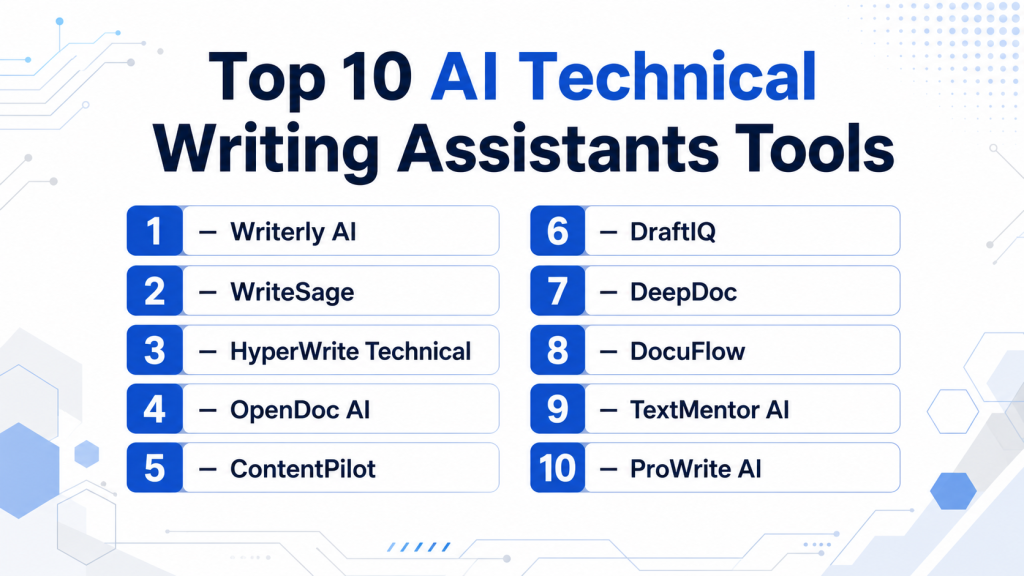
Top 10 AI Technical Writing Assistants Tools
1 — Writerly AI
One-line verdict: Ideal for enterprise teams needing fast, accurate, and style-consistent technical documentation.
Short description : Writerly AI automates technical content creation for enterprise teams. It integrates with CMS and developer portals, helping IT and engineering teams produce standardized, high-quality documentation.
Standout Capabilities
- Automated structuring and formatting of technical content
- Generates API documentation directly from codebases
- Supports multimodal content: text, tables, diagrams
- Collaboration tools with version control
- Hallucination detection and output evaluation
- Integration with knowledge bases and CMS
- BYO model support for domain-specific content
AI-Specific Depth
- Model support: Proprietary + BYO
- RAG / knowledge integration: CMS and vector DB connectors
- Evaluation: Regression tests, human review
- Guardrails: Prompt injection defense, policy checks
- Observability: Token usage, latency, cost metrics
Pros
- Fast, structured documentation
- Enterprise-grade compliance
- Strong collaboration support
Cons
- Learning curve for smaller teams
- Advanced multimodal features may be overkill
- High cost for small-scale projects
Security & Compliance
- SSO/SAML, RBAC, audit logs, encryption, data retention
- Certifications: Not publicly stated
Deployment & Platforms
- Web, Windows, macOS
- Cloud / Hybrid
Integrations & Ecosystem
Writerly AI integrates with CMS, Slack, Jira, GitHub, and internal knowledge bases:
- REST API & SDKs
- Knowledge base connectors
- Code repository integration
- Team collaboration platforms
Pricing Model
- Usage-based tiers, enterprise license
- Not publicly stated
Best-Fit Scenarios
- Enterprise API documentation
- Internal IT knowledge bases
- Compliance-heavy documentation workflows
2 — WriteSage
One-line verdict: Best for developer-focused teams needing AI-powered technical drafts integrated with code repositories.
Short description: WriteSage assists engineers in generating API references, internal guides, and README files. It supports GitHub and other developer tools for seamless workflow integration.
Standout Capabilities
- Automated README and API reference generation
- Integrates with GitHub, GitLab, Bitbucket
- Supports markdown and code formatting
- Provides style recommendations for consistency
- Customizable templates for internal guides
- Tracks changes with versioning
- Human-in-the-loop evaluation
AI-Specific Depth
- Model support: Proprietary + Open-source
- RAG / knowledge integration: Git repositories, code DBs
- Evaluation: Regression tests, human review
- Guardrails: Prompt injection prevention
- Observability: Token metrics, latency logs
Pros
- Developer-centric workflow integration
- Fast documentation updates
- Code-aware AI formatting
Cons
- Limited enterprise-level compliance
- Learning curve for non-developers
- Less robust multimodal support
Security & Compliance
- RBAC, audit logs
- Certifications: Not publicly stated
Deployment & Platforms
- Web, Windows, macOS
- Cloud
Integrations & Ecosystem
- GitHub, GitLab, Bitbucket
- Jira and project management tools
- Markdown & API documentation templates
- Slack notifications for updates
Pricing Model
- Tiered subscription per user
- Not publicly stated
Best-Fit Scenarios
- Developer team README and docs
- Code repository integration
- Continuous documentation pipelines
3 — HyperWrite Technical
One-line verdict: Suited for engineering teams needing rapid technical content generation with AI-assisted style recommendations.
Short description: HyperWrite Technical automates technical report creation, SOPs, and API docs. It helps teams reduce manual writing while maintaining consistent terminology.
Standout Capabilities
- AI-assisted report drafting
- Style and terminology consistency checks
- Code snippet and diagram integration
- Collaboration with commenting
- Supports multiple programming languages
- API-driven content automation
- Human-in-the-loop corrections
AI-Specific Depth
- Model support: Proprietary
- RAG / knowledge integration: N/A
- Evaluation: Prompt tests, regression checks
- Guardrails: Policy enforcement
- Observability: Latency tracking, token usage
Pros
- Fast content generation
- Terminology and style consistency
- API integration support
Cons
- Limited RAG capabilities
- Less suitable for non-engineering teams
- Smaller ecosystem of integrations
Security & Compliance
- SSO, encryption
- Certifications: Not publicly stated
Deployment & Platforms
- Web, Windows, macOS
- Cloud
Integrations & Ecosystem
- Slack, Jira, GitHub
- REST API and webhooks
- Collaboration dashboards
- Template libraries
Pricing Model
- Subscription-based
- Not publicly stated
Best-Fit Scenarios
- Engineering SOPs and reports
- API reference documentation
- Code-heavy documentation
4 — OpenDoc AI
One-line verdict: Open-source solution for organizations needing full customization and self-hosted AI documentation capabilities.
Short description: OpenDoc AI enables companies to fully control AI technical writing workflows, deployable on-premises, and integrates with internal knowledge repositories.
Standout Capabilities
- Fully customizable AI pipelines
- Self-hosting for data privacy
- API and vector database integrations
- Multi-user editing and version control
- Supports markdown and LaTeX
- Plug-in architecture for extensions
- Community-supported updates
AI-Specific Depth
- Model support: Open-source
- RAG / knowledge integration: Vector DB connectors
- Evaluation: Offline evaluation, human review
- Guardrails: Policy enforcement configurable
- Observability: Logs and metrics available
Pros
- Maximum customization and privacy
- Strong community support
- Self-hosted control
Cons
- Requires technical expertise to deploy
- Limited commercial support
- Manual tuning may be required
Security & Compliance
- Data remains in-house
- Certifications: Varies / N/A
Deployment & Platforms
- Web, Linux
- Self-hosted / Hybrid
Integrations & Ecosystem
- Vector DB connectors
- API integrations
- CMS plug-ins
- Internal knowledge base integration
Pricing Model
- Free (open-source)
- Optional paid support
Best-Fit Scenarios
- Highly regulated industries
- Custom AI workflows
- On-premises documentation pipelines
5 — ContentPilot
One-line verdict: Designed for compliance-heavy enterprises needing structured documentation with enforceable style guidelines.
Short description: ContentPilot automates SOPs, regulatory documents, and technical content with built-in compliance checks and style guide enforcement.
Standout Capabilities
- Compliance and style enforcement
- Structured content templates
- Multimodal support for diagrams and tables
- Collaboration workflow with approval stages
- Version history and audit logs
- Role-based access and permissions
- Integration with enterprise CMS
AI-Specific Depth
- Model support: Proprietary
- RAG / knowledge integration: CMS, vector DB
- Evaluation: Regression testing, human review
- Guardrails: Policy and prompt injection checks
- Observability: Token usage, latency metrics
Pros
- Ensures regulatory compliance
- Streamlined workflow approvals
- Robust content structuring
Cons
- Higher cost
- Complex configuration
- Steeper learning curve
Security & Compliance
- SSO/SAML, audit logs, encryption
- Certifications: Not publicly stated
Deployment & Platforms
- Web, macOS, Windows
- Cloud / Hybrid
Integrations & Ecosystem
- Enterprise CMS
- Slack and Jira notifications
- Version control integrations
- Template libraries
Pricing Model
- Tiered enterprise subscription
- Not publicly stated
Best-Fit Scenarios
- SOPs and compliance documents
- Regulated industries
- Structured technical content pipelines
6 — DraftIQ
One-line verdict: Mid-market solution for teams seeking AI-assisted document drafting without enterprise overhead.
Short description: DraftIQ provides cloud-first AI writing automation for internal guides, technical instructions, and knowledge base content for small to medium teams.
Standout Capabilities
- Draft generation for internal guides
- Team collaboration tools
- Style suggestion engine
- Lightweight CMS integration
- Multimodal support for basic diagrams
- Version tracking
- API access for automation
AI-Specific Depth
- Model support: Proprietary
- RAG / knowledge integration: Limited
- Evaluation: Human review, prompt testing
- Guardrails: Basic policy enforcement
- Observability: Usage metrics
Pros
- Cost-efficient
- Quick deployment
- Easy to learn
Cons
- Fewer integrations
- Limited evaluation capabilities
- Less advanced multimodal features
Security & Compliance
- Encryption, RBAC
- Certifications: Not publicly stated
Deployment & Platforms
- Web
- Cloud
Integrations & Ecosystem
- API access
- Slack notifications
- Knowledge base plug-ins
- Collaboration features
Pricing Model
- Subscription-based
- Not publicly stated
Best-Fit Scenarios
- Mid-market technical teams
- Knowledge base content
- Internal guides
7 — DeepDoc
One-line verdict: Best for teams needing multimodal documentation with diagrams, tables, and code snippets integrated.
Short description: DeepDoc excels at generating rich technical content combining text, code, and visual elements for internal documentation and API guides.
Standout Capabilities
- Multimodal content generation
- Code snippet integration
- Diagram embedding
- Collaboration and versioning
- Evaluation and human review
- Template-based content creation
- API connectivity
AI-Specific Depth
- Model support: Proprietary
- RAG / knowledge integration: CMS and vector DB
- Evaluation: Regression testing, human review
- Guardrails: Prompt injection defense
- Observability: Token and latency monitoring
Pros
- Supports complex technical content
- Collaboration features
- Evaluation tools for reliability
Cons
- High learning curve
- Premium pricing
- Integration setup can be complex
Security & Compliance
- Encryption, RBAC
- Certifications: Not publicly stated
Deployment & Platforms
- Web, Windows, macOS
- Cloud / Hybrid
Integrations & Ecosystem
- CMS connectors
- Slack, Jira, GitHub
- Template and style libraries
- API-based automation
Pricing Model
- Tiered subscription
- Not publicly stated
Best-Fit Scenarios
- Rich technical documentation
- Multimodal content
- Developer knowledge bases
8 — DocuFlow
One-line verdict: API-driven assistant for technical teams managing workflows and automated documentation pipelines.
Short description: DocuFlow helps mid-market teams automate SOPs, internal guides, and API documentation with workflow orchestration.
Standout Capabilities
- API-driven content automation
- Workflow orchestration
- Collaboration with approvals
- Version control and logging
- Style enforcement
- Template-based generation
- Team notifications
AI-Specific Depth
- Model support: BYO / Proprietary
- RAG / knowledge integration: Connectors to vector DBs
- Evaluation: Human review, regression tests
- Guardrails: Policy checks
- Observability: Token usage, latency tracking
Pros
- Workflow automation
- Integration flexibility
- Version tracking
Cons
- Complex setup
- Less intuitive UI
- Limited advanced multimodal support
Security & Compliance
- SSO, RBAC, encryption
- Certifications: Not publicly stated
Deployment & Platforms
- Web
- Cloud
Integrations & Ecosystem
- CMS and knowledge base connectors
- Slack and Jira notifications
- API-based integration
- Workflow dashboards
Pricing Model
- Usage-based / subscription
- Not publicly stated
Best-Fit Scenarios
- Automated internal guides
- API documentation pipelines
- SOP workflow management
9 — TextMentor AI
One-line verdict: Lightweight AI assistant for small technical teams needing quick content generation and formatting.
Short description: TextMentor AI simplifies the creation of internal documentation, readme files, and technical notes for small teams with minimal overhead.
Standout Capabilities
- Quick text drafting
- Markdown formatting
- Simple collaboration
- Template-based generation
- Basic evaluation tools
- Style suggestions
- Lightweight UI
AI-Specific Depth
- Model support: Hosted proprietary
- RAG / knowledge integration: N/A
- Evaluation: Human review
- Guardrails: Basic policy checks
- Observability: Token usage
Pros
- Simple and fast
- Minimal learning curve
- Affordable
Cons
- Limited features
- Not enterprise-grade
- No multimodal support
Security & Compliance
- Encryption
- Certifications: Not publicly stated
Deployment & Platforms
- Web
- Cloud
Integrations & Ecosystem
- Slack
- GitHub basic integration
- Template libraries
Pricing Model
- Tiered subscription
- Not publicly stated
Best-Fit Scenarios
- Small technical teams
- Quick internal documentation
- Lightweight projects
10 — ProWrite AI
One-line verdict: Multilingual documentation assistant for global teams producing high-quality technical content across languages.
Short description: ProWrite AI focuses on producing consistent multilingual manuals, SOPs, and guides with automated formatting and translation suggestions.
Standout Capabilities
- Multilingual support
- Style and terminology consistency
- Code snippet and table integration
- Collaboration with versioning
- Templates for SOPs
- AI evaluation and feedback
- CMS integration
AI-Specific Depth
- Model support: Hosted proprietary
- RAG / knowledge integration: CMS connectors
- Evaluation: Human review, regression tests
- Guardrails: Prompt injection defense
- Observability: Token and latency metrics
Pros
- Multilingual support
- Ensures content consistency
- Collaboration features
Cons
- Premium pricing
- Limited open-source support
- Setup can be complex
Security & Compliance
- SSO/SAML, encryption
- Certifications: Not publicly stated
Deployment & Platforms
- Web, Windows, macOS
- Cloud
Integrations & Ecosystem
- CMS connectors
- Slack and Jira
- Template libraries
- API access
Pricing Model
- Tiered subscription
- Not publicly stated
Best-Fit Scenarios
- Global documentation teams
- Multilingual manuals
- Internal SOPs
Comparison Table
| Tool Name | Best For | Deployment | Model Flexibility | Strength | Watch-Out | Public Rating |
|---|---|---|---|---|---|---|
| Writerly AI | Enterprise docs | Cloud / Hybrid | Proprietary / BYO | Structured, scalable | High cost | N/A |
| WriteSage | Developer docs | Cloud | Proprietary / Open-source | GitHub integration | Limited styling | N/A |
| HyperWrite Technical | Engineering teams | Cloud | Proprietary | Speed | Setup complexity | N/A |
| OpenDoc AI | Customizable AI | Self-hosted / Hybrid | Open-source | Full control | Manual tuning | N/A |
| ContentPilot | Compliance-heavy | Cloud | Proprietary | Style enforcement | Steep learning curve | N/A |
| DraftIQ | Mid-market teams | Cloud | Proprietary | Lightweight automation | Limited integrations | N/A |
| DeepDoc | Multimodal docs | Cloud / Hybrid | Proprietary | Diagram + code support | Cost & complexity | N/A |
| DocuFlow | Workflow automation | Cloud | BYO / Proprietary | API-driven automation | UI complexity | N/A |
| TextMentor AI | Small teams | Cloud | Hosted | Quick drafting | Feature limitations | N/A |
| ProWrite AI | Global teams | Cloud | Hosted | Multilingual support | Premium pricing | N/A |
Scoring & Evaluation (Transparent Rubric)
Scoring is comparative, showing relative strengths across multiple criteria. Scores are 1–10, weighted for buyer priorities:
| Tool | Core | Reliability/Eval | Guardrails | Integrations | Ease | Perf/Cost | Security/Admin | Support | Weighted Total |
|---|---|---|---|---|---|---|---|---|---|
| Writerly AI | 9 | 8 | 8 | 9 | 7 | 7 | 9 | 8 | 8.3 |
| WriteSage | 8 | 7 | 7 | 8 | 8 | 8 | 8 | 7 | 7.7 |
| HyperWrite Technical | 8 | 7 | 6 | 7 | 7 | 7 | 7 | 6 | 7.0 |
| OpenDoc AI | 7 | 7 | 7 | 7 | 6 | 6 | 6 | 6 | 6.6 |
| ContentPilot | 8 | 8 | 8 | 8 | 7 | 7 | 8 | 7 | 7.7 |
| DraftIQ | 7 | 6 | 6 | 7 | 7 | 7 | 6 | 6 | 6.7 |
| DeepDoc | 8 | 8 | 7 | 8 | 7 | 7 | 7 | 7 | 7.5 |
| DocuFlow | 7 | 7 | 7 | 8 | 6 | 6 | 7 | 6 | 6.7 |
| TextMentor AI | 6 | 6 | 6 | 6 | 8 | 7 | 6 | 6 | 6.5 |
| ProWrite AI | 8 | 7 | 7 | 8 | 7 | 7 | 7 | 7 | 7.3 |
Top 3 for Enterprise: Writerly AI, ContentPilot, DeepDoc
Top 3 for SMB: WriteSage, DraftIQ, DocuFlow
Top 3 for Developers: WriteSage, HyperWrite Technical, OpenDoc AI
Which AI Technical Writing Assistant Tool Is Right for You?
Solo / Freelancer
Lightweight tools like TextMentor AI or HyperWrite Technical help freelancers quickly generate technical drafts with minimal setup.
SMB
DraftIQ or WriteSage balance affordability, ease of use, and basic integration for small to medium teams producing technical guides and internal SOPs.
Mid-Market
Teams benefit from DocuFlow or DeepDoc for workflow management, collaboration, and handling multimodal documentation including code and diagrams.
Enterprise
Writerly AI and ContentPilot provide enterprise-grade governance, compliance checks, style enforcement, and scalable documentation pipelines.
Regulated industries (finance / healthcare / public sector)
Prioritize auditability, guardrails, and encryption. Writerly AI, ContentPilot, and OpenDoc AI (self-hosted) are recommended.
Budget vs premium
Open-source or lightweight options like OpenDoc AI and TextMentor AI reduce costs, while enterprise tools like Writerly AI provide more features at higher investment.
Build vs buy
DIY is viable if you have strong engineering teams and security requirements. Buy for rapid deployment, dedicated support, and enterprise-grade integrations.
Implementation Playbook (30 / 60 / 90 Days)
30 Days
- Pilot a selected AI assistant with one or two documentation projects
- Define success metrics: speed, accuracy, style compliance
- Configure basic guardrails and team access
60 Days
- Integrate with CMS, GitHub, or knowledge bases
- Harden security and access controls
- Evaluate AI outputs with regression tests and human review
- Begin full team training
90 Days
- Optimize for cost, latency, and model routing
- Implement governance and compliance tracking
- Roll out AI assistant organization-wide
- Set up dashboards for observability and auditing
- Review and refine guardrails, prompts, and evaluation processes
Common Mistakes & How to Avoid Them
- Over-reliance on AI without human review
- Ignoring hallucinations or inaccuracies
- Unmanaged data retention and sensitive information exposure
- Lack of observability for token usage and latency
- Unexpected costs in high-volume usage
- Over-automation without workflow validation
- Vendor lock-in without content portability
- Skipping evaluation and regression testing
- Poor integration with CMS or collaboration tools
- Failure to enforce guardrails
- Not leveraging multimodal content effectively
- Insufficient team training
- Neglecting compliance and privacy policies
- Ignoring performance optimization for latency and cost
FAQs
1. Can AI Technical Writing Assistants replace human writers?
No, they augment human expertise by accelerating drafts and ensuring consistency; human review is essential for accuracy.
2. Are these tools secure for confidential documents?
Most enterprise-grade assistants have encryption, SSO, RBAC, and audit logs; always verify specific compliance requirements.
3. Can I use my own AI models?
Some platforms support BYO models for domain-specific customization or on-premises deployment.
4. How do these tools integrate with existing documentation systems?
Via APIs, SDKs, and CMS connectors; common integrations include Jira, Slack, GitHub, and internal knowledge bases.
5. How accurate is the AI output?
Accuracy depends on model quality, prompt design, and evaluation; top tools provide regression testing and human-in-the-loop review.
6. Are there guardrails to prevent hallucinations?
Yes, leading tools have prompt injection defenses, policy enforcement, and configurable output monitoring.
7. How is pricing structured?
Options include subscription-based, tiered, usage-based, or open-source with optional paid support.
8. Can small teams benefit from these tools?
Yes, lightweight assistants like TextMentor AI help small teams maintain quality documentation efficiently.
9. How do I evaluate which tool is best?
Use scoring metrics: core features, evaluation, guardrails, integrations, ease of use, cost/performance, security, support.
10. Can these tools handle multilingual documentation?
Yes, some platforms like ProWrite AI provide translation and localization capabilities for global teams.
11. Can these tools manage versioning for collaborative documentation?
Yes, most enterprise tools include version control, change tracking, and audit logs for collaborative teams.
12. Are these assistants suitable for regulatory compliance documentation?
Yes, enterprise-focused tools like Writerly AI and ContentPilot provide style enforcement, auditability, and policy checks.
Conclusion
AI Technical Writing Assistants significantly improve efficiency, accuracy, and consistency in technical documentation. Selection depends on team size, security needs, content complexity, and integration requirements. Start by shortlisting tools based on core features and AI capabilities, pilot with real documentation projects, and validate outputs for accuracy, security, and compliance. Once proven, scale adoption to streamline workflows, enhance productivity, and maintain high-quality technical content across teams.