Introduction
AI Multilingual Support Translation Tools are software solutions designed to automatically translate, localize, and manage content across multiple languages in real-time. These tools leverage advanced AI models to help customer support teams, enterprises, and developers communicate effectively with global audiences without language barriers.
Why it Matters
- Global customer expectations: Customers expect immediate, accurate support in their native language.
- High-volume multilingual support: Enterprises often handle hundreds of languages across chat, email, and voice.
- Efficiency and productivity: Automated translations reduce repetitive human translation and speed up resolution times.
- Consistency across communication: AI ensures consistent terminology and style across regions and channels.
- Compliance and security: Tools now include data privacy, encryption, and region-specific retention controls.
- Cost and latency optimization: AI-driven translation reduces outsourcing costs while maintaining SLA compliance.
Real-world use cases include:
- Real-time translation of chat and email support for global customers.
- Document and knowledge base localization across multiple regions.
- AI-assisted ticket triage with language detection and automated routing.
- Voice translation in call centers and multilingual customer calls.
- Multilingual chatbot and voice assistant responses.
- Consistency checks and automated style guides for global communication.
Evaluation criteria for buyers:
- Accuracy and context preservation across languages.
- Support for multiple languages and dialects.
- Integration with CRM, helpdesk, and communication platforms.
- Real-time latency performance.
- AI reliability, evaluation, and hallucination mitigation.
- Security, data privacy, and compliance capabilities.
- Scalability for high-volume support interactions.
- Guardrails to prevent misinterpretation or offensive translations.
- Deployment flexibility: cloud, hybrid, or on-premise.
- Cost optimization and usage monitoring.
Best for: global enterprises, SaaS providers, multilingual call centers, e-commerce platforms, and support teams handling international clients.
Not ideal for: small teams with low language diversity or organizations already using human translation workflows with minimal digital support.
What’s Changed in AI Multilingual Support Translation Tools
- Support for multimodal inputs: text, voice, video, and screenshots.
- Improved real-time translation with lower latency for live chat and calls.
- Integration with knowledge bases and ticketing systems for contextual translations.
- Advanced evaluation pipelines to detect hallucinations and ensure accuracy.
- Guardrails to prevent offensive, biased, or unsafe translations.
- Enterprise-grade privacy: on-prem, regional clouds, and strict retention policies.
- BYO model support to integrate custom or open-source translation models.
- Observability dashboards: token usage, latency, cost metrics, and translation accuracy tracking.
- Multilingual sentiment analysis for customer experience insights.
- Automated content localization with style consistency across languages.
- Integration with AI agent assists and chatbots for multilingual workflows.
- Scalability improvements for high-volume global operations.
Quick Buyer Checklist
- ✅ Accuracy across languages and dialects.
- ✅ Context preservation and cultural nuance handling.
- ✅ Real-time latency performance for live chat or voice.
- ✅ Integration with CRMs, ticketing systems, and knowledge bases.
- ✅ Data privacy & retention controls.
- ✅ Model choice: hosted, BYO, or open-source.
- ✅ RAG/connectors for knowledge integration.
- ✅ Guardrails to prevent unsafe, offensive, or biased translations.
- ✅ Human-in-loop review capabilities.
- ✅ Observability dashboards (usage, latency, cost, translation accuracy).
- ✅ SLA adherence and high-volume scaling capabilities.
- ✅ Customization of terminology, glossaries, and style guides.
- ✅ Support for batch and document translation workflows.
- ✅ Multi-channel support (chat, email, voice, social media).
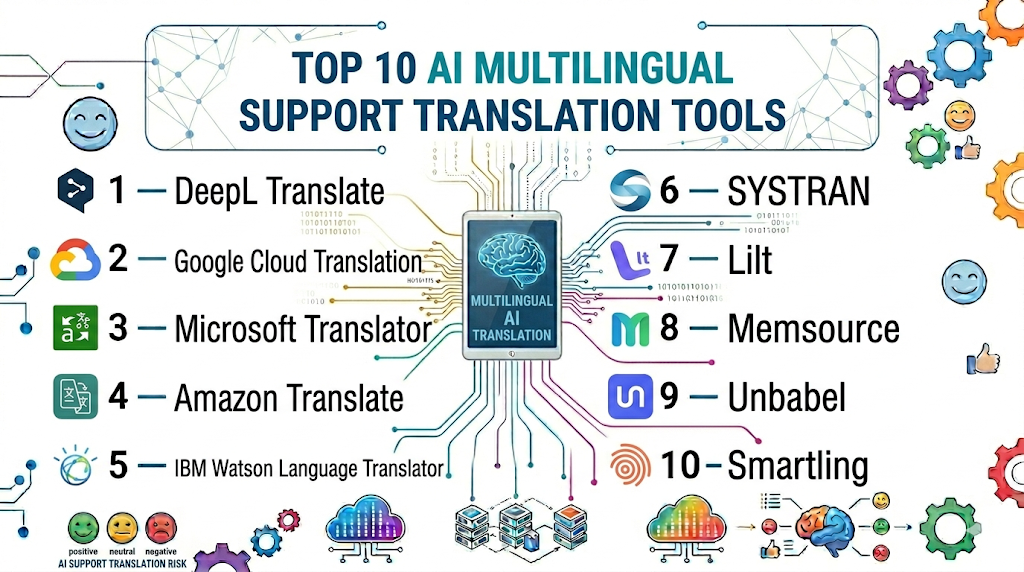
Top 10 AI Multilingual Support Translation Tools
1 — DeepL Translate
One-line verdict: Best for enterprises seeking highly accurate AI-driven translations with context-sensitive suggestions.
Short description: DeepL provides neural machine translation for support tickets, documents, and chat, serving international teams efficiently.
Standout Capabilities
- Context-aware translation engine.
- Real-time chat and email translation.
- Document translation (Word, PDF, Excel).
- Glossary and style guide enforcement.
- API and plugin integrations for CRMs.
- Supports 30+ languages.
AI-Specific Depth
- Model support: Proprietary neural network.
- RAG / knowledge integration: N/A
- Evaluation: Offline and human-in-loop testing.
- Guardrails: Policy checks and content filtering.
- Observability: Usage and latency metrics.
Pros
- Highly accurate translations.
- Preserves context and tone.
- Easy integration via API.
Cons
- Limited custom model options.
- Enterprise features require subscription.
- Smaller language coverage for rare dialects.
Security & Compliance
SSO/SAML, encryption; Not publicly stated certifications.
Deployment & Platforms
Web, Windows, macOS, Cloud.
Integrations & Ecosystem
- API and SDKs for CRM integration.
- Slack/Teams plugins.
- Zapier support.
- Document processing pipelines.
Pricing Model
Subscription-based tiers; enterprise licensing.
Best-Fit Scenarios
- Global support teams handling tickets in multiple languages.
- Document localization workflows.
- AI-assisted chat translation for live support.
2 — Google Cloud Translation
One-line verdict: Ideal for large-scale enterprises requiring API-driven, multilingual support translation with advanced AI features.
Short description: Cloud-based translation services for text, documents, and websites, supporting over 100 languages.
Standout Capabilities
- Real-time API translation.
- Batch translation for documents.
- Neural Machine Translation with context.
- Glossary and model tuning options.
- Integration with Google Workspace and CRMs.
- Multi-language speech-to-text translation.
AI-Specific Depth
- Model support: Proprietary neural networks.
- RAG / knowledge integration: API connectors.
- Evaluation: Regression testing and feedback loop.
- Guardrails: Content moderation policies.
- Observability: Metrics and usage dashboards.
Pros
- Broad language coverage.
- Scalable for high-volume support.
- Supports speech and text.
Cons
- Can be costly at high volume.
- Cloud dependency may limit offline use.
- Requires technical integration expertise.
Security & Compliance
SSO/SAML, encryption, audit logs; Not publicly stated certifications.
Deployment & Platforms
Web, Cloud, API integration.
Integrations & Ecosystem
- Google Workspace.
- CRM systems via API.
- Analytics dashboards.
- Custom workflow connectors.
Pricing Model
Usage-based API; enterprise tiers available.
Best-Fit Scenarios
- Large enterprises with high-volume multilingual support.
- API-driven document translation.
- Speech translation for global call centers.
3 — Microsoft Translator
One-line verdict: Best for Microsoft ecosystem users needing live translation and contextual support in multiple languages.
Short description: Offers AI-powered translation across Microsoft products, including Teams, Outlook, and Dynamics, with enterprise-grade integration.
Standout Capabilities
- Real-time chat translation in Teams.
- Document translation via Office apps.
- Supports 100+ languages.
- Customizable translation models.
- Contextual and industry-specific translations.
AI-Specific Depth
- Model support: Proprietary Microsoft models.
- RAG / knowledge integration: Dynamics 365 connectors.
- Evaluation: Human-in-loop and offline testing.
- Guardrails: Policy enforcement and content filtering.
- Observability: Translation metrics dashboards.
Pros
- Seamless Microsoft integration.
- Scalable enterprise solution.
- Real-time chat translation.
Cons
- Limited flexibility outside Microsoft ecosystem.
- Advanced customization may be complex.
- Subscription-based licensing.
Security & Compliance
SSO/SAML, RBAC, encryption; Not publicly stated certifications.
Deployment & Platforms
Web, Windows, macOS, Cloud.
Integrations & Ecosystem
- Teams, Outlook, Dynamics 365.
- Custom API connectors.
- Workflow automation support.
- Enterprise CRM integration.
Pricing Model
Subscription per user; enterprise licensing.
Best-Fit Scenarios
- Microsoft Office-centric enterprises.
- Real-time chat and email translation.
- Global remote workforce support.
4 — Amazon Translate
One-line verdict: Suited for high-volume, cloud-first teams needing scalable translation API support.
Short description: Provides real-time and batch text translation with customizable terminology and scalable API endpoints.
Standout Capabilities
- Supports 70+ languages.
- Real-time and batch translation.
- Custom terminology management.
- Integration with AWS ecosystem.
- Automatic language detection.
AI-Specific Depth
- Model support: Proprietary.
- RAG / knowledge integration: N/A
- Evaluation: Automated and human review.
- Guardrails: Content filtering available.
- Observability: Latency and cost monitoring.
Pros
- Highly scalable.
- Deep integration with AWS services.
- Automated workflows for multi-channel support.
Cons
- Requires AWS familiarity.
- Customization options limited.
- Cost can scale quickly at high volume.
Security & Compliance
Encryption; Not publicly stated certifications.
Deployment & Platforms
Cloud/Web.
Integrations & Ecosystem
- AWS Lambda / API Gateway.
- CRM connectors via API.
- Slack/Teams integration.
- Analytics dashboards.
Pricing Model
Usage-based API pricing.
Best-Fit Scenarios
- High-volume support environments.
- Cloud-native enterprises.
- API-driven document translation.
5 — IBM Watson Language Translator
One-line verdict: Ideal for enterprises needing domain-specific translations with AI customization capabilities.
Short description: Provides AI translations optimized for specific industries, with batch and real-time capabilities.
Standout Capabilities
- Industry-specific model tuning.
- Real-time chat and document translation.
- Glossary and style guide enforcement.
- Supports 50+ languages.
- Integration with Watson services.
AI-Specific Depth
- Model support: Proprietary IBM models.
- RAG / knowledge integration: N/A
- Evaluation: Regression and human-in-loop testing.
- Guardrails: Content filters.
- Observability: Latency and translation metrics.
Pros
- Industry-specific translations.
- Integration with Watson AI ecosystem.
- Flexible deployment options.
Cons
- Limited non-IBM ecosystem integration.
- Requires setup expertise.
- Premium licensing.
Security & Compliance
SSO, encryption; Not publicly stated certifications.
Deployment & Platforms
Cloud/Web.
Integrations & Ecosystem
- Watson APIs.
- CRM connectors.
- Document processing pipelines.
- Slack/Teams integration.
Pricing Model
Subscription-based, enterprise tiers.
Best-Fit Scenarios
- Finance, healthcare, or legal translation.
- Large document localization projects.
- AI-assisted multilingual customer support.
6 — SYSTRAN
One-line verdict: Perfect for localization teams needing domain-adapted translations and multi-channel support.
Short description: Offers neural machine translation with domain customization and automated workflows for enterprise localization.
Standout Capabilities
- Domain-adapted models.
- Glossary and style enforcement.
- Multi-channel translation support.
- Batch document translation.
- API and workflow integrations.
AI-Specific Depth
- Model support: Proprietary.
- RAG / knowledge integration: N/A
- Evaluation: Human review and testing.
- Guardrails: Content filtering.
- Observability: Latency and usage dashboards.
Pros
- High domain accuracy.
- Supports batch and live translation.
- Flexible API integrations.
Cons
- Limited small team focus.
- Learning curve for customization.
- Enterprise pricing.
Security & Compliance
Encryption; Not publicly stated certifications.
Deployment & Platforms
Cloud/Hybrid.
Integrations & Ecosystem
- CRM connectors.
- API for automation.
- Slack/Teams.
- Document management integrations.
Pricing Model
Subscription; enterprise tiers.
Best-Fit Scenarios
- Localization for enterprise content.
- Multi-channel multilingual support.
- Industry-specific translation projects.
7 — Lilt
One-line verdict: Best for translation teams combining AI and human-in-loop edits for high accuracy.
Short description: Provides AI translation augmented by human editors to ensure quality across multiple languages.
Standout Capabilities
- Human-in-loop editing.
- Real-time translation suggestions.
- Glossary and style guide enforcement.
- Supports 50+ languages.
- API and platform integration.
AI-Specific Depth
- Model support: Proprietary + BYO options.
- RAG / knowledge integration: N/A
- Evaluation: Human-in-loop reviews.
- Guardrails: Content filters.
- Observability: Metrics dashboards.
Pros
- High translation quality.
- Combines AI and human expertise.
- Flexible workflow integration.
Cons
- Premium cost.
- Requires training of editors.
- Small teams may underutilize features.
Security & Compliance
Encryption, RBAC; Not publicly stated certifications.
Deployment & Platforms
Cloud/Web.
Integrations & Ecosystem
- CRM connectors.
- Slack/Teams.
- API access.
- Workflow integration tools.
Pricing Model
Subscription; enterprise tiers.
Best-Fit Scenarios
- Translation teams with human oversight.
- Multilingual documentation projects.
- High-quality marketing content localization.
8 — Memsource
One-line verdict: Ideal for enterprises managing structured multilingual content workflows with automation.
Short description: Translation management platform offering AI-assisted translations with workflow automation and quality control.
Standout Capabilities
- Workflow automation.
- Quality assurance metrics.
- Glossary and style enforcement.
- Multi-language translation support.
- API integrations.
AI-Specific Depth
- Model support: Proprietary.
- RAG / knowledge integration: N/A
- Evaluation: Automated and human review.
- Guardrails: Policy enforcement.
- Observability: Latency and usage dashboards.
Pros
- Automates translation workflows.
- High-quality control metrics.
- Supports enterprise content pipelines.
Cons
- Setup complexity.
- Premium pricing.
- Requires team training.
Security & Compliance
Encryption; Not publicly stated certifications.
Deployment & Platforms
Cloud/Hybrid.
Integrations & Ecosystem
- API for CRM.
- Document management connectors.
- Slack/Teams.
- Analytics dashboards.
Pricing Model
Subscription; enterprise tiers.
Best-Fit Scenarios
- Enterprise localization workflows.
- Multi-language content pipelines.
- High-volume translation operations.
9 — Unbabel
One-line verdict: Best for customer support teams needing AI translations with human post-editing for accuracy.
Short description: Combines AI and human translations for multilingual support tickets, chat, and emails.
Standout Capabilities
- AI + human review hybrid model.
- Real-time translation for chat and email.
- Workflow automation integration.
- Quality metrics and reporting.
- API access for CRM integration.
AI-Specific Depth
- Model support: Proprietary.
- RAG / knowledge integration: N/A
- Evaluation: Human-in-loop QA.
- Guardrails: Content moderation.
- Observability: Usage and latency dashboards.
Pros
- High translation accuracy.
- Reduces agent workload.
- Supports multi-channel interactions.
Cons
- Enterprise cost.
- Dependence on human editors.
- Less suitable for fully automated workflows.
Security & Compliance
SSO, encryption; Not publicly stated certifications.
Deployment & Platforms
Cloud/Web.
Integrations & Ecosystem
- CRM connectors.
- Slack/Teams.
- API integration.
- Workflow automation tools.
Pricing Model
Subscription; enterprise tiers.
Best-Fit Scenarios
- Customer support automation.
- Multilingual ticket management.
- Teams requiring AI + human review.
10 — Smartling
One-line verdict: Ideal for marketing, content, and enterprise localization requiring end-to-end translation management.
Short description: Translation management platform with AI-powered translation, content workflow, and localization tools.
Standout Capabilities
- Translation workflow management.
- AI-assisted translations with style enforcement.
- Quality assurance metrics.
- Supports 100+ languages.
- API and CMS integrations.
AI-Specific Depth
- Model support: Proprietary.
- RAG / knowledge integration: N/A
- Evaluation: Automated and human QA.
- Guardrails: Policy enforcement.
- Observability: Latency, usage, and quality dashboards.
Pros
- End-to-end translation management.
- High-volume and multi-language support.
- Integration with CMS and marketing tools.
Cons
- Premium enterprise pricing.
- Requires setup and training.
- Complex for small teams.
Security & Compliance
SSO, encryption; Not publicly stated certifications.
Deployment & Platforms
Cloud/Web.
Integrations & Ecosystem
- CMS connectors.
- API access.
- Workflow automation tools.
- Analytics dashboards.
Pricing Model
Subscription; enterprise tiers.
Best-Fit Scenarios
- Enterprise localization teams.
- Marketing and content translation.
- High-volume document workflows.
Comparison Table
| Tool Name | Best For | Deployment | Model Flexibility | Strength | Watch-Out | Public Rating |
|---|---|---|---|---|---|---|
| DeepL Translate | Enterprises seeking accuracy | Cloud/Web | Proprietary | Context-aware | Limited dialects | N/A |
| Google Cloud Translation | Large-scale multilingual APIs | Cloud | Proprietary | Broad coverage | Cost at scale | N/A |
| Microsoft Translator | Microsoft ecosystem | Cloud/Web | Proprietary | Seamless integration | Microsoft-centric | N/A |
| Amazon Translate | High-volume support | Cloud | Proprietary | Scalable API | Customization complexity | N/A |
| IBM Watson Language Translator | Enterprise applications | Cloud | Proprietary | Industry-specific | Setup complexity | N/A |
| SYSTRAN | Localization teams | Cloud/Hybrid | Proprietary | Domain adaptation | Limited UI | N/A |
| Lilt | Translation teams | Cloud | Proprietary/BYO | Human-in-loop | Premium cost | N/A |
| Memsource | Localization & global ops | Cloud/Hybrid | Proprietary | Workflow management | Learning curve | N/A |
| Unbabel | Customer support automation | Cloud | Proprietary | AI+human review | Subscription cost | N/A |
| Smartling | Marketing & content teams | Cloud | Proprietary | Translation management | Enterprise pricing | N/A |
Scoring & Evaluation
| Tool | Core | Reliability/Eval | Guardrails | Integrations | Ease | Perf/Cost | Security/Admin | Support | Weighted Total |
|---|---|---|---|---|---|---|---|---|---|
| DeepL Translate | 9 | 8 | 8 | 8 | 9 | 8 | 7 | 8 | 8.2 |
| Google Cloud Translation | 8 | 8 | 8 | 9 | 8 | 7 | 7 | 8 | 8.0 |
| Microsoft Translator | 8 | 8 | 8 | 9 | 8 | 7 | 8 | 8 | 8.1 |
| Amazon Translate | 8 | 7 | 7 | 8 | 8 | 8 | 7 | 7 | 7.6 |
| IBM Watson Translator | 8 | 7 | 7 | 8 | 8 | 7 | 7 | 7 | 7.5 |
| SYSTRAN | 7 | 7 | 7 | 7 | 8 | 7 | 7 | 7 | 7.2 |
| Lilt | 8 | 7 | 8 | 8 | 8 | 7 | 7 | 7 | 7.6 |
| Memsource | 8 | 7 | 7 | 8 | 8 | 7 | 7 | 7 | 7.5 |
| Unbabel | 8 | 8 | 8 | 8 | 8 | 7 | 7 | 7 | 7.7 |
| Smartling | 8 | 8 | 8 | 8 | 8 | 7 | 7 | 7 | 7.7 |
Top 3 for Enterprise: Google Cloud Translation, Microsoft Translator, Smartling
Top 3 for SMB: DeepL Translate, Amazon Translate, Unbabel
Top 3 for Developers: DeepL Translate, Lilt, Memsource
Which AI Multilingual Support Translation Tool Is Right for You?
Solo / Freelancer
- DeepL Translate for individual projects or small-scale chat/email support.
- Lilt for human-in-loop translations requiring high context accuracy.
- Focus on ease of use and quick adoption.
SMB
- Google Cloud Translation for API-driven multilingual ticket handling.
- Unbabel for combining AI translations with human post-editing.
- Automate common tickets and monitor translation quality metrics.
Mid-Market
- Microsoft Translator for Teams/email integration.
- Memsource for structured document localization workflows.
- Implement guardrails, monitor latency, and enforce style consistency.
Enterprise
- Smartling, Google Cloud Translation, Microsoft Translator for global multilingual operations.
- Focus on observability, enterprise compliance, SLA adherence, and employee training.
Regulated industries
- Microsoft Translator and Google Cloud Translation for audit logs, encryption, and regional compliance.
- Implement strict data retention and policy enforcement.
Budget vs Premium
- Budget: DeepL Translate or open-source/BYO models for cost-effective workflows.
- Premium: Smartling, Microsoft, Google Cloud for full enterprise features.
Build vs Buy
- DIY: BYO models for specialized localization workflows (Lilt, Memsource).
- Buy: SaaS tools for immediate deployment, compliance, and enterprise integrations.
Implementation Playbook (30 / 60 / 90)
30 Days: Pilot & Metrics
- Select 1–2 languages or channels for translation pilot.
- Define KPIs: accuracy, latency, customer satisfaction.
- Integrate AI translation into CRM, chat, or ticketing system.
- Monitor usage, errors, and latency.
- Train staff on prompt use, style guides, and human-in-loop review.
- Document initial findings for optimization.
60 Days: Harden & Integrate
- Implement guardrails for sensitive or offensive content.
- Connect AI translation to knowledge bases and RAG pipelines.
- Introduce evaluation pipeline: regression tests, offline human review.
- Expand pilot to additional languages and channels.
- Refine glossary and style guide enforcement.
- Add dashboards for monitoring latency, token usage, and cost.
90 Days: Optimize & Scale
- Fine-tune AI prompts and translation workflows.
- Scale pilot to full agent teams and global languages.
- Integrate translation outputs with analytics for performance improvement.
- Track cost and SLA adherence, adjust model routing.
- Red-team test for prompt injection and content safety.
- Update glossaries and style guides dynamically.
Common Mistakes & How to Avoid Them
- Prompt injection exposure in translations.
- No evaluation pipeline for accuracy and context.
- Unmanaged data retention or privacy risks.
- Lack of observability for latency and cost.
- Unexpected cost spikes from high-volume translations.
- Over-automation without human review.
- Vendor lock-in without integration flexibility.
- Poor staff onboarding for multilingual workflows.
- Ignoring rare dialects or region-specific language nuances.
- Neglecting style guide and glossary enforcement.
- Overlooking real-time latency for live chat translation.
FAQs
- How do these tools handle sensitive data?
Most enterprise tools provide encryption, RBAC, and logging. Always verify compliance with local privacy regulations. - Can I use my own translation models?
Tools like Lilt or Memsource allow BYO models, whereas SaaS offerings are usually proprietary. - Are these tools suitable for small teams?
Yes, DeepL Translate and similar solutions provide quick setup for small-scale translation workflows. - How do these tools integrate with CRMs or ticketing platforms?
Integration is done via APIs, SDKs, or native connectors for platforms like Salesforce, Zendesk, and Teams. - Do these tools require constant monitoring?
Yes, to ensure translation accuracy, latency performance, and guardrails compliance. - Can I measure translation quality?
Evaluation pipelines, human-in-loop reviews, and offline tests ensure consistent, high-quality outputs. - Are guardrails available for offensive or sensitive content?
Most tools include content filters, glossaries, and policy checks to enforce safe translations. - How is latency handled for live translations?
Optimizations include model routing, caching, and edge deployment to reduce delays. - Do these tools support voice translation?
Many now provide speech-to-text and voice translation for call centers and conferencing. - Can I switch vendors easily?
Open standards and APIs reduce lock-in; proprietary ecosystems may complicate migration. - Do these tools support multiple dialects?
Coverage varies; premium tools provide better regional dialect and localization support. - Is staff training required?
Yes, proper onboarding ensures teams can leverage AI effectively for multilingual support.
Conclusion
AI Multilingual Support Translation Tools are critical for global enterprises to deliver fast, accurate, and consistent multilingual customer support. Selection depends on language coverage, platform integration, team size, and regulatory requirements. Enterprises benefit from observability, compliance, and SLA assurance, while SMBs and developers can adopt cost-effective and flexible solutions. Prioritize guardrails, accuracy, latency, and integration when evaluating tools.
Next steps:
- Shortlist tools based on language needs, workflow integration, and compliance.
- Pilot translation workflows, monitor metrics, and refine prompts.
- Validate evaluation, guardrails, and security before scaling across teams.
Really informative article with a well-balanced comparison of multilingual AI platforms. I especially liked how the pros and cons were explained in a simple and professional way.