Introduction
Autoscaling Inference Orchestrators help teams run AI models in production while automatically adjusting compute resources based on traffic, latency, queue depth, GPU usage, and workload demand. In simple words, they make sure models have enough resources when demand rises and do not waste expensive infrastructure when demand drops.
They matter because AI workloads are unpredictable. A chatbot may receive sudden traffic spikes, a document AI system may process large batch jobs, an AI agent may trigger multiple model calls, and a multimodal application may require GPUs only during peak usage. Without autoscaling, teams either overpay for idle infrastructure or risk slow responses and failed requests.
Real-world use cases include:
- Scaling LLM inference endpoints during traffic spikes
- Running image, speech, and multimodal models on GPU clusters
- Serving multiple models across Kubernetes environments
- Optimizing batch and real-time inference workloads
- Scaling AI agents with tool-calling and retry behavior
- Reducing idle compute cost for production AI applications
Evaluation criteria for buyers:
- Autoscaling depth and trigger flexibility
- GPU and accelerator support
- Real-time and batch inference support
- Multi-model serving capability
- Kubernetes and cloud-native compatibility
- Latency and throughput optimization
- Queue management and request batching
- Model rollout, rollback, and canary deployment
- Observability and metrics integration
- Security, RBAC, and admin controls
- BYO model and open-source model support
- Operational complexity and required platform skills
Best for: AI platform teams, ML engineers, MLOps teams, DevOps teams, infrastructure teams, enterprises, SaaS companies, AI startups, and organizations serving models at variable or growing traffic levels.
Not ideal for: teams running small prototypes, low-volume demos, or simple hosted API calls without infrastructure ownership. In those cases, managed model APIs or basic cloud endpoints may be enough before adopting a full autoscaling orchestrator.
What’s Changed in Autoscaling Inference Orchestrators
- Autoscaling now includes GPU-aware scheduling. Teams need orchestrators that understand GPU memory, utilization, batching, model size, and accelerator availability rather than only CPU or request count.
- LLM inference has changed serving patterns. Long context windows, streaming responses, KV cache usage, and high token throughput make autoscaling more complex than traditional REST services.
- AI agents create bursty traffic. Agent workflows can trigger multiple model calls, tool calls, retries, retrieval steps, and function calls from one user request.
- Multimodal models increase infrastructure complexity. Image, audio, video, document, and text workloads may require different compute types and scaling patterns.
- Cost optimization is now central. Autoscaling is not just about uptime; it is also about reducing idle GPUs, right-sizing endpoints, and balancing performance with spend.
- Model routing and autoscaling are converging. Teams increasingly route requests to different endpoints or models based on cost, latency, quality, and availability.
- Queue-based scaling is becoming more important. Batch inference, async jobs, and event-driven workloads need scaling based on queue depth and processing backlog.
- Observability is expected by default. Teams need metrics for throughput, latency, GPU usage, queue time, request errors, model load time, and cost signals.
- Canary and rollback workflows matter more. Model changes should be released gradually, monitored carefully, and rolled back quickly when latency or quality degrades.
- Self-hosted inference is growing. More teams run open-source models on their own infrastructure, making orchestration, batching, and GPU utilization critical.
- Enterprise governance is increasing. Buyers want access controls, auditability, policy enforcement, data retention clarity, and workload isolation.
- Hybrid deployment is becoming common. Many teams mix cloud-managed endpoints, Kubernetes clusters, self-hosted GPU nodes, and hosted model APIs.
Quick Buyer Checklist
Use this checklist to shortlist autoscaling inference orchestrators quickly:
- Does the tool support real-time and batch inference?
- Can it autoscale based on request rate, queue depth, latency, GPU usage, or custom metrics?
- Does it support GPU and accelerator scheduling?
- Can it serve multiple models on shared infrastructure?
- Does it support model versioning, canary rollout, and rollback?
- Can it optimize batching, streaming, throughput, and cold starts?
- Does it support hosted, BYO, and open-source models?
- Does it work with Kubernetes, containers, and cloud-native environments?
- Can it integrate with RAG systems, AI agents, and backend services?
- Does it provide metrics for latency, cost, errors, throughput, and utilization?
- Does it support isolation between teams, tenants, or workloads?
- Does it offer RBAC, audit logs, and admin controls?
- Are privacy, retention, and deployment boundaries clear?
- Can it reduce vendor lock-in through open APIs and portable deployments?
- Can your team operate it without excessive platform complexity?
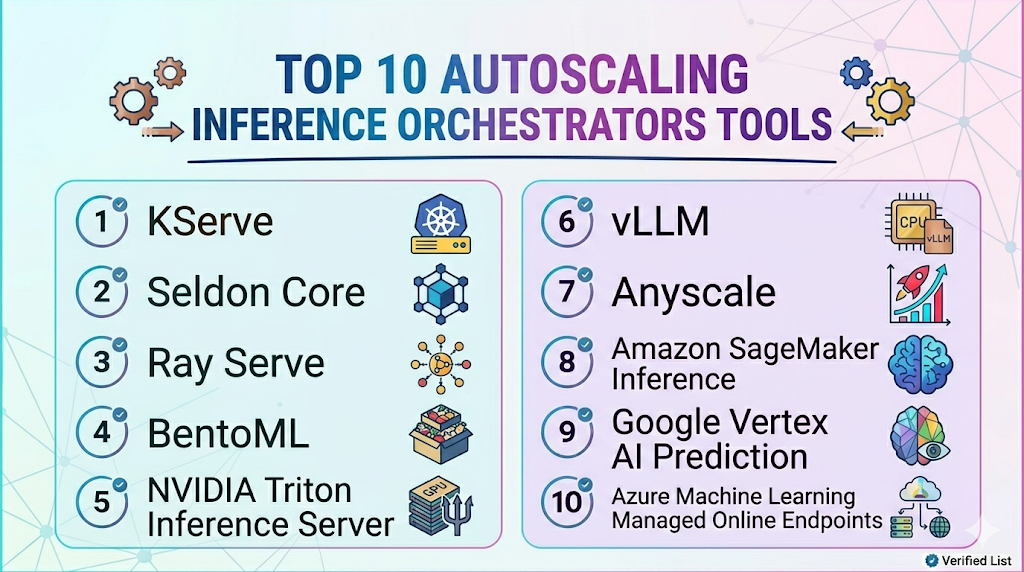
Top 10 Autoscaling Inference Orchestrators Tools
1 — KServe
One-line verdict: Best for Kubernetes-native teams needing scalable, standardized, cloud-native model inference.
Short description :
KServe is a Kubernetes-native model serving platform designed for deploying and scaling machine learning models. It is useful for platform teams that want standardized inference services, autoscaling, traffic management, and production model deployment workflows.
Standout Capabilities
- Kubernetes-native inference service abstraction
- Autoscaling for model serving workloads
- Support for multiple ML frameworks and runtimes
- Traffic splitting for canary and rollout workflows
- Serverless-style serving patterns depending on setup
- Integrates with cloud-native monitoring and deployment stacks
- Strong fit for platform teams building shared AI infrastructure
AI-Specific Depth Must Include
- Model support: BYO models, open-source models, and multiple serving runtimes depending on configuration
- RAG / knowledge integration: N/A, usually handled in application and retrieval layers
- Evaluation: Varies / N/A, usually paired with external evaluation and monitoring tools
- Guardrails: Varies / N/A, requires companion policy and safety controls
- Observability: Kubernetes metrics, inference metrics, latency, traffic, and runtime metrics depending on setup
Pros
- Strong Kubernetes-native serving foundation
- Useful for standardized model deployment across teams
- Supports scalable inference architecture without tying everything to one cloud provider
Cons
- Requires Kubernetes and platform engineering expertise
- May be too complex for small teams or simple use cases
- Evaluation, guardrails, and business dashboards require companion tools
Security & Compliance
Security depends on Kubernetes configuration, network policies, identity management, RBAC, secrets handling, encryption, logging, and deployment architecture. Certifications are Not publicly stated.
Deployment & Platforms
- Kubernetes-native
- Cloud, self-hosted, or hybrid depending on cluster setup
- Works with Linux-based container environments
- Web interface: Varies / N/A
- Suitable for production infrastructure teams
Integrations & Ecosystem
KServe fits cloud-native AI platforms where model serving needs to align with Kubernetes, containers, CI/CD, and shared infrastructure practices.
- Kubernetes
- Container registries
- Model storage systems
- Serving runtimes
- Monitoring tools
- CI/CD pipelines
- Cloud and on-prem clusters
Pricing Model No exact prices unless confident
Open-source usage is available. Infrastructure cost depends on compute, GPUs, storage, operations, and support choices.
Best-Fit Scenarios
- Teams standardizing model serving on Kubernetes
- Organizations running multiple ML models across clusters
- Platform teams needing autoscaling inference as shared infrastructure
2 — Seldon Core
One-line verdict: Best for Kubernetes teams needing model deployment, scaling, traffic control, and inference graphs.
Short description :
Seldon Core is a Kubernetes-based platform for deploying, scaling, and managing machine learning models. It is useful for teams that need production inference pipelines, traffic routing, explainability integrations, and model deployment control.
Standout Capabilities
- Kubernetes-native model deployment
- Autoscaling support through Kubernetes ecosystem
- Support for inference graphs and model pipelines
- Canary deployment and traffic management patterns
- Works with multiple model frameworks
- Useful for MLOps and platform engineering teams
- Integrates with monitoring and service mesh patterns
AI-Specific Depth Must Include
- Model support: BYO models and multiple framework runtimes depending on configuration
- RAG / knowledge integration: N/A, usually handled outside the serving layer
- Evaluation: Varies / N/A, commonly paired with external testing and monitoring tools
- Guardrails: Varies / N/A, requires companion controls
- Observability: Metrics, logs, request behavior, latency, and Kubernetes monitoring depending on setup
Pros
- Strong for production ML serving on Kubernetes
- Supports advanced inference pipeline patterns
- Useful for teams needing deployment and routing control
Cons
- Requires Kubernetes and MLOps expertise
- May be heavy for small or low-volume deployments
- LLM-specific optimization may require additional serving components
Security & Compliance
Security depends on cluster configuration, RBAC, secrets management, network controls, audit logging, encryption, and deployment policies. Certifications are Not publicly stated.
Deployment & Platforms
- Kubernetes-based
- Cloud, self-hosted, or hybrid
- Linux/container environments
- Web interface: Varies / N/A
- Production platform deployment model
Integrations & Ecosystem
Seldon Core fits teams that want a Kubernetes-first inference orchestration layer with control over traffic, deployments, and model pipelines.
- Kubernetes
- Docker and container registries
- CI/CD pipelines
- Monitoring and logging tools
- Model storage systems
- Service mesh patterns
- MLOps workflows
Pricing Model No exact prices unless confident
Open-source and commercial or enterprise options may vary. Infrastructure and support costs depend on deployment and scale.
Best-Fit Scenarios
- Kubernetes-based MLOps teams
- Enterprises deploying multiple model services
- Teams needing traffic management and inference pipelines
3 — Ray Serve
One-line verdict: Best for teams scaling Python-native AI inference, LLM services, and distributed workloads.
Short description :
Ray Serve is a scalable model serving library built on Ray for deploying Python-based ML and AI applications. It is useful for teams that need distributed serving, flexible scaling, model composition, and custom inference logic.
Standout Capabilities
- Python-native model serving
- Scales across distributed Ray clusters
- Supports complex inference pipelines
- Useful for LLM, batch, and real-time workloads
- Handles multi-model and composed deployments
- Good fit for custom AI application logic
- Can integrate with broader Ray distributed workflows
AI-Specific Depth Must Include
- Model support: BYO and open-source model workflows depending on deployment
- RAG / knowledge integration: N/A, handled in application layer
- Evaluation: Varies / N/A, usually paired with external evaluation tools
- Guardrails: Varies / N/A, requires companion controls
- Observability: Ray metrics, service metrics, latency, throughput, and cluster-level signals depending on setup
Pros
- Strong for custom Python AI serving workflows
- Good fit for distributed inference and model composition
- Useful when inference logic is more than a simple endpoint
Cons
- Requires Ray and distributed systems expertise
- Operational maturity is needed for production scale
- Enterprise governance depends on surrounding platform choices
Security & Compliance
Security depends on cluster deployment, network design, access control, secrets management, logging, encryption, and infrastructure policies. Certifications are Not publicly stated.
Deployment & Platforms
- Ray-based distributed serving
- Cloud, self-hosted, or hybrid depending on infrastructure
- Works across Linux-focused server environments
- Kubernetes integration possible depending on setup
- Web interface: Varies / N/A
Integrations & Ecosystem
Ray Serve fits teams already using Ray or building distributed AI systems that require flexible serving, batching, model composition, and scaling.
- Ray ecosystem
- Python ML workflows
- Kubernetes deployments
- Cloud compute
- Model serving APIs
- Batch and real-time inference
- Monitoring tools through instrumentation
Pricing Model No exact prices unless confident
Open-source usage is available. Managed or enterprise costs may vary depending on infrastructure, hosting, and support choices.
Best-Fit Scenarios
- Teams using Ray for AI workloads
- Custom inference services with complex logic
- Organizations scaling distributed model serving
4 — BentoML
One-line verdict: Best for teams packaging, deploying, and scaling AI models across flexible environments.
Short description :
BentoML helps teams package, deploy, and serve machine learning and AI models in production. It is useful for teams that need a developer-friendly way to build model services and deploy them across cloud, container, and self-managed environments.
Standout Capabilities
- Model packaging and service creation workflows
- Supports multiple model types and frameworks
- Useful for containerized model deployment
- Flexible serving patterns for production inference
- Can fit both real-time and batch workloads
- Developer-friendly model service abstraction
- Supports custom infrastructure and deployment strategies
AI-Specific Depth Must Include
- Model support: BYO model and multi-model workflows depending on setup
- RAG / knowledge integration: N/A, usually handled in the application layer
- Evaluation: Varies / N/A, commonly paired with external evaluation tools
- Guardrails: Varies / N/A
- Observability: Deployment and serving metrics depend on instrumentation and integrations
Pros
- Flexible for packaging and deploying AI models
- Useful for teams building custom inference services
- Supports broad model-serving use cases beyond only LLMs
Cons
- Autoscaling depth depends on deployment environment
- Requires engineering ownership for production operations
- Not a full monitoring or governance suite by itself
Security & Compliance
Security depends on deployment architecture, infrastructure controls, access policies, encryption, logging, and operations practices. Certifications are Not publicly stated here.
Deployment & Platforms
- Developer and deployment framework
- Cloud, self-hosted, or hybrid depending on setup
- Works with containers and server environments
- Windows, macOS, and Linux through development workflows
- Web interface: Varies / N/A
Integrations & Ecosystem
BentoML works well when teams want control over packaging and serving while keeping deployment flexible across environments.
- Python workflows
- Containerized deployments
- Model serving APIs
- Kubernetes workflows
- Cloud platforms
- CI/CD pipelines
- Monitoring tools through integration
Pricing Model No exact prices unless confident
Open-source and commercial or hosted options may exist depending on deployment choice. Exact pricing is Varies / N/A.
Best-Fit Scenarios
- Teams packaging models as production services
- Organizations building internal inference platforms
- Developers needing flexible model deployment workflows
5 — NVIDIA Triton Inference Server
One-line verdict: Best for teams optimizing high-performance inference across GPUs, CPUs, and multiple model frameworks.
Short description :
NVIDIA Triton Inference Server is an inference serving system designed for high-performance model deployment across multiple frameworks. It is useful for teams that need throughput, dynamic batching, GPU acceleration, and production-grade inference serving.
Standout Capabilities
- High-performance inference serving
- Supports multiple model frameworks
- GPU and CPU inference support
- Dynamic batching and concurrency features
- Useful for real-time and batch inference
- Supports model repositories and versioned deployment patterns
- Strong fit for performance-sensitive AI infrastructure
AI-Specific Depth Must Include
- Model support: BYO models across supported frameworks and runtimes
- RAG / knowledge integration: N/A, handled by application layer
- Evaluation: N/A, usually paired with external evaluation and monitoring tools
- Guardrails: N/A, requires companion safety controls
- Observability: Serving metrics, inference latency, throughput, GPU-related metrics depending on instrumentation
Pros
- Strong performance and throughput capabilities
- Useful for GPU-heavy production inference
- Supports many model types and deployment patterns
Cons
- Requires infrastructure and serving expertise
- Not a complete orchestration or governance platform alone
- Autoscaling depends on surrounding infrastructure such as Kubernetes or cloud systems
Security & Compliance
Security depends on deployment environment, access controls, network isolation, secrets handling, encryption, logging, and operational configuration. Certifications are Not publicly stated.
Deployment & Platforms
- Self-hosted inference server
- Cloud, on-prem, or hybrid depending on infrastructure
- Works in Linux-focused server environments
- Containerized deployment patterns
- Web interface: Varies / N/A
Integrations & Ecosystem
Triton fits teams that need optimized inference serving and can build orchestration around it. It commonly works with container platforms, GPU infrastructure, and monitoring tools.
- GPU infrastructure
- Model repositories
- Kubernetes deployments
- Container platforms
- Monitoring systems
- Application backends
- ML pipelines
Pricing Model No exact prices unless confident
Software usage and infrastructure cost vary depending on deployment, GPUs, hosting, support, and operations. Exact pricing is Varies / N/A.
Best-Fit Scenarios
- Teams serving GPU-heavy AI models
- Organizations optimizing inference throughput
- Platforms supporting multiple model frameworks
6 — vLLM
One-line verdict: Best for technical teams optimizing open-source LLM serving throughput and token generation efficiency.
Short description :
vLLM is an open-source inference serving framework focused on efficient LLM serving. It is useful for teams self-hosting open-source LLMs and needing better throughput, batching, and GPU utilization.
Standout Capabilities
- Open-source LLM serving framework
- Efficient inference serving patterns
- High-throughput token generation workflows
- Useful for self-hosted open-source LLMs
- Supports serving APIs depending on deployment
- Fits platform teams optimizing GPU usage
- Works well with custom AI infrastructure
AI-Specific Depth Must Include
- Model support: Open-source model serving depending on supported architectures and configuration
- RAG / knowledge integration: N/A, handled by application layer
- Evaluation: N/A, usually paired with external evaluation tools
- Guardrails: N/A, requires companion controls
- Observability: Serving metrics and logs depend on deployment and instrumentation
Pros
- Strong for efficient LLM inference
- Useful for reducing serving cost through throughput gains
- Flexible for technical teams running open-source models
Cons
- Requires infrastructure and engineering expertise
- Not a full orchestration, evaluation, or governance platform by itself
- Security and admin controls depend on deployment architecture
Security & Compliance
Security depends on the user’s deployment, network controls, access policies, encryption, logging, and infrastructure design. Certifications are Not publicly stated.
Deployment & Platforms
- Open-source serving framework
- Self-hosted deployment
- Linux-heavy server environments
- Cloud, on-prem, or hybrid depending on infrastructure
- Web interface: N/A unless built by the team
Integrations & Ecosystem
vLLM fits teams building their own LLM serving layer and optimizing GPU utilization. It can be used with gateways, orchestration systems, and monitoring platforms.
- Open-source LLMs
- GPU infrastructure
- Kubernetes workflows
- Model serving APIs
- Application backends
- Monitoring tools through instrumentation
- AI platform infrastructure
Pricing Model No exact prices unless confident
Open-source usage is available. Infrastructure cost depends on compute, GPUs, hosting, operations, and engineering effort.
Best-Fit Scenarios
- Teams self-hosting open-source LLMs
- Platform teams optimizing token throughput
- Organizations building custom inference infrastructure
7 — Anyscale
One-line verdict: Best for teams scaling Ray-based AI workloads, distributed inference, and production serving.
Short description :
Anyscale provides a managed platform and ecosystem around Ray-based distributed workloads. It is useful for teams scaling inference, batch jobs, model serving, and custom AI infrastructure with distributed compute.
Standout Capabilities
- Ray-based distributed workload scaling
- Supports inference and batch processing workflows
- Useful for distributed AI applications
- Helps manage compute-intensive workloads
- Fits teams using Ray for model serving or pipelines
- Supports scalable Python-native AI infrastructure
- Useful for advanced platform engineering teams
AI-Specific Depth Must Include
- Model support: BYO and open-source model workflows depending on deployment
- RAG / knowledge integration: N/A, handled in application layer
- Evaluation: Varies / N/A, usually paired with external evaluation tools
- Guardrails: Varies / N/A
- Observability: Workload, cluster, and inference metrics depending on setup and integrations
Pros
- Strong for distributed AI workloads
- Useful for scaling inference and batch jobs
- Good fit for Ray-based teams
Cons
- Requires platform engineering maturity
- Not a simple plug-and-play inference endpoint for all teams
- Exact pricing and deployment options should be verified directly
Security & Compliance
Security controls such as SSO, RBAC, audit logs, encryption, retention, residency, and certifications should be verified directly. Certifications are Not publicly stated here.
Deployment & Platforms
- Managed and distributed infrastructure workflows: Varies / N/A
- Cloud and hybrid patterns depending on setup
- Ray-based workloads
- Works with developer and production environments
- Platform support depends on deployment
Integrations & Ecosystem
Anyscale is useful when autoscaling inference is part of a larger distributed AI architecture. It fits workloads that require flexible compute scaling and Ray-based orchestration.
- Ray ecosystem
- Distributed Python workloads
- Model serving workflows
- Batch inference
- Cloud infrastructure
- ML pipelines
- AI application backends
Pricing Model No exact prices unless confident
Typically enterprise, usage-based, or infrastructure-related depending on deployment and workload scale. Exact pricing is Not publicly stated.
Best-Fit Scenarios
- Teams scaling Ray-based inference
- Organizations running distributed AI workloads
- Platform teams optimizing compute-intensive pipelines
8 — Amazon SageMaker Inference
One-line verdict: Best for AWS-centered teams needing managed autoscaling endpoints and production inference workflows.
Short description :
Amazon SageMaker Inference provides managed model deployment options for teams building inside the AWS ecosystem. It is useful for deploying real-time, serverless, async, and batch inference workflows with managed infrastructure patterns.
Standout Capabilities
- Managed model deployment in AWS
- Autoscaling endpoint patterns depending on configuration
- Support for real-time and batch inference workflows
- Serverless and asynchronous inference options depending on use case
- Integration with AWS identity, monitoring, and storage services
- Useful for cloud-native ML teams
- Strong fit for AWS-standardized organizations
AI-Specific Depth Must Include
- Model support: BYO models and AWS-managed model workflows depending on configuration
- RAG / knowledge integration: N/A, handled in application and data layers
- Evaluation: Varies / N/A, usually paired with monitoring and evaluation tools
- Guardrails: Varies / N/A, handled through application and platform controls
- Observability: Endpoint metrics, latency, errors, utilization, logs, and cloud monitoring depending on setup
Pros
- Strong fit for AWS-native ML deployment
- Managed infrastructure reduces some operational burden
- Supports multiple inference patterns for different workloads
Cons
- Less flexible for non-AWS environments
- Costs depend heavily on configuration and workload design
- Advanced LLM serving may need custom architecture decisions
Security & Compliance
Security depends on AWS account configuration, IAM, encryption, logging, networking, retention, and regional setup. Certifications should be verified directly for required services and regions.
Deployment & Platforms
- AWS cloud platform
- Managed inference endpoints
- Cloud deployment
- Self-hosted: N/A
- API and service-based integrations
Integrations & Ecosystem
SageMaker Inference is suitable when teams already use AWS for data, training, deployment, monitoring, and governance.
- AWS storage and data services
- AWS identity and access management
- Cloud monitoring services
- Model training pipelines
- Real-time inference
- Batch inference
- Application backends
Pricing Model No exact prices unless confident
Usage-based cloud pricing depends on endpoint type, instance type, inference volume, compute time, storage, and related services. Exact pricing varies by workload.
Best-Fit Scenarios
- AWS-native ML teams
- Organizations needing managed inference endpoints
- Teams using cloud-managed autoscaling patterns
9 — Google Vertex AI Prediction
One-line verdict: Best for Google Cloud teams needing managed prediction endpoints and cloud-native AI deployment.
Short description :
Google Vertex AI Prediction provides managed model deployment and prediction workflows inside Google Cloud. It is useful for teams that want cloud-native endpoints, scaling patterns, and integration with the broader Google Cloud AI ecosystem.
Standout Capabilities
- Managed prediction endpoints
- Cloud-native deployment workflows
- Support for online and batch prediction patterns
- Integration with Google Cloud data and monitoring services
- Useful for teams standardized on Vertex AI
- Managed infrastructure for model serving
- Supports production ML workflows inside Google Cloud
AI-Specific Depth Must Include
- Model support: BYO and Google Cloud model workflows depending on configuration
- RAG / knowledge integration: N/A, usually handled in application and data layers
- Evaluation: Varies / N/A, paired with evaluation and monitoring tools
- Guardrails: Varies / N/A, handled through application and platform controls
- Observability: Endpoint metrics, prediction metrics, latency, errors, and cloud monitoring depending on setup
Pros
- Strong fit for Google Cloud and Vertex AI users
- Managed model deployment reduces infrastructure burden
- Useful for teams already using Google Cloud data services
Cons
- Less flexible for non-Google Cloud stacks
- Costs and performance depend on endpoint design
- Advanced self-hosted LLM optimization may need other tools
Security & Compliance
Security depends on Google Cloud configuration, IAM, encryption, logging, network controls, retention, and regional setup. Certifications should be verified directly for required services and regions.
Deployment & Platforms
- Google Cloud platform
- Managed prediction endpoints
- Cloud deployment
- Self-hosted: N/A
- API and managed service integrations
Integrations & Ecosystem
Vertex AI Prediction fits teams building inside Google Cloud and wanting deployment, prediction, and monitoring workflows connected to the same ecosystem.
- Google Cloud data services
- Vertex AI pipelines
- Cloud monitoring
- IAM and admin workflows
- Online prediction
- Batch prediction
- Application backends
Pricing Model No exact prices unless confident
Usage-based cloud pricing depends on endpoint configuration, compute, prediction volume, storage, and related cloud services. Exact pricing varies by workload.
Best-Fit Scenarios
- Google Cloud-centered ML teams
- Teams deploying models through Vertex AI
- Organizations wanting managed prediction endpoints
10 — Azure Machine Learning Managed Online Endpoints
One-line verdict: Best for Microsoft Azure teams needing managed inference endpoints and enterprise cloud integration.
Short description :
Azure Machine Learning Managed Online Endpoints help teams deploy and manage real-time model inference inside the Azure ecosystem. They are useful for organizations already using Azure for machine learning, data, identity, and enterprise operations.
Standout Capabilities
- Managed online inference endpoints
- Deployment and traffic allocation workflows
- Integration with Azure identity and monitoring services
- Useful for real-time model serving
- Supports enterprise cloud operations
- Helps standardize model deployment in Azure
- Fits teams using Azure Machine Learning workflows
AI-Specific Depth Must Include
- Model support: BYO models and Azure ML workflows depending on configuration
- RAG / knowledge integration: N/A, usually handled in application and data layers
- Evaluation: Varies / N/A, paired with evaluation and monitoring tools
- Guardrails: Varies / N/A, handled through application and platform controls
- Observability: Endpoint metrics, logs, latency, traffic, and cloud monitoring depending on setup
Pros
- Strong fit for Azure-standardized organizations
- Managed endpoints reduce some infrastructure burden
- Useful for enterprise identity and cloud integration patterns
Cons
- Less flexible for non-Azure environments
- Costs depend on endpoint and compute design
- Advanced open-source LLM serving may need additional tooling
Security & Compliance
Security depends on Azure configuration, identity controls, networking, encryption, logging, retention, and regional setup. Certifications should be verified directly for required services and regions.
Deployment & Platforms
- Azure cloud platform
- Managed online endpoints
- Cloud deployment
- Self-hosted: N/A
- API and managed service integrations
Integrations & Ecosystem
Azure managed endpoints fit teams already building with Azure data, identity, DevOps, monitoring, and machine learning services.
- Azure Machine Learning
- Azure identity and access management
- Azure monitoring services
- CI/CD pipelines
- Model deployment workflows
- Real-time inference
- Enterprise cloud applications
Pricing Model No exact prices unless confident
Usage-based cloud pricing depends on compute, endpoint configuration, traffic, storage, and related Azure services. Exact pricing varies by workload.
Best-Fit Scenarios
- Azure-centered ML teams
- Enterprises needing managed inference endpoints
- Organizations standardizing deployment inside Microsoft cloud environments
Comparison Table
| Tool Name | Best For | Deployment Cloud/Self-hosted/Hybrid | Model Flexibility Hosted / BYO / Multi-model / Open-source | Strength | Watch-Out | Public Rating |
|---|---|---|---|---|---|---|
| KServe | Kubernetes-native inference | Cloud, self-hosted, hybrid | BYO, open-source | Standardized serving | Kubernetes expertise needed | N/A |
| Seldon Core | Kubernetes model pipelines | Cloud, self-hosted, hybrid | BYO, multi-framework | Inference graphs | Operational complexity | N/A |
| Ray Serve | Distributed Python serving | Cloud, self-hosted, hybrid | BYO, open-source | Custom scaling logic | Requires Ray expertise | N/A |
| BentoML | Model packaging and serving | Cloud, self-hosted, hybrid | BYO, multi-model | Flexible deployment | Autoscaling depends on setup | N/A |
| NVIDIA Triton Inference Server | GPU inference performance | Self-hosted, hybrid | BYO, multi-framework | High-throughput serving | Needs infrastructure skill | N/A |
| vLLM | Open-source LLM throughput | Self-hosted, hybrid | Open-source | Efficient LLM serving | Not full orchestration alone | N/A |
| Anyscale | Ray-based scaling | Cloud, hybrid varies | BYO, open-source | Distributed workload scaling | Advanced platform setup | N/A |
| Amazon SageMaker Inference | AWS managed endpoints | Cloud | BYO, hosted in AWS | Managed AWS inference | Cloud-specific | N/A |
| Google Vertex AI Prediction | Google Cloud prediction | Cloud | BYO, hosted in Google Cloud | Managed Vertex endpoints | Cloud-specific | N/A |
| Azure ML Managed Online Endpoints | Azure managed inference | Cloud | BYO, hosted in Azure | Azure enterprise integration | Cloud-specific | N/A |
Scoring & Evaluation Transparent Rubric
| Tool | Core | Reliability/Eval | Guardrails | Integrations | Ease | Perf/Cost | Security/Admin | Support | Weighted Total |
|---|---|---|---|---|---|---|---|---|---|
| KServe | 9 | 6 | 4 | 9 | 6 | 8 | 7 | 8 | 7.35 |
| Seldon Core | 8 | 6 | 4 | 8 | 6 | 8 | 7 | 8 | 7.10 |
| Ray Serve | 8 | 5 | 4 | 8 | 6 | 9 | 6 | 8 | 7.05 |
| BentoML | 8 | 5 | 4 | 8 | 7 | 8 | 6 | 8 | 7.10 |
| NVIDIA Triton Inference Server | 9 | 4 | 3 | 8 | 5 | 10 | 6 | 8 | 7.15 |
| vLLM | 8 | 4 | 3 | 7 | 5 | 10 | 5 | 8 | 6.75 |
| Anyscale | 8 | 5 | 4 | 8 | 6 | 9 | 7 | 8 | 7.25 |
| Amazon SageMaker Inference | 8 | 6 | 5 | 8 | 8 | 8 | 8 | 8 | 7.60 |
| Google Vertex AI Prediction | 8 | 6 | 5 | 8 | 8 | 8 | 8 | 8 | 7.60 |
| Azure ML Managed Online Endpoints | 8 | 6 | 5 | 8 | 8 | 8 | 8 | 8 | 7.60 |
Top 3 for Enterprise
- Amazon SageMaker Inference
- Google Vertex AI Prediction
- Azure ML Managed Online Endpoints
Top 3 for SMB
- BentoML
- KServe
- Ray Serve
Top 3 for Developers
- vLLM
- Ray Serve
- BentoML
Which Autoscaling Inference Orchestrator Is Right for You?
Solo / Freelancer
Solo users usually do not need a complex inference orchestrator unless they are building a serious AI product. For small workloads, managed APIs or simple hosted endpoints are often enough.
Recommended options:
- BentoML for packaging models into services
- vLLM for self-hosting open-source LLMs with technical control
- Cloud-managed endpoints if you already use one major cloud platform
Avoid running Kubernetes-heavy orchestration unless you have the skills and workload volume to justify it.
SMB
Small and midsize businesses should prioritize ease of operation, predictable costs, and enough scaling flexibility to support growth. The best option depends on whether the team wants managed cloud services or more infrastructure control.
Recommended options:
- BentoML for flexible model packaging and deployment
- Ray Serve for custom Python inference services
- KServe if the team already runs Kubernetes
- Cloud-managed endpoints for teams wanting less operational burden
SMBs should choose tools that match their team’s infrastructure maturity.
Mid-Market
Mid-market teams often run several models across product features, support workflows, internal tools, and batch jobs. They need better rollout control, autoscaling, monitoring, and workload isolation.
Recommended options:
- KServe for Kubernetes-standardized model serving
- Seldon Core for inference graphs and deployment control
- Ray Serve for distributed Python serving
- NVIDIA Triton Inference Server for GPU-heavy performance workloads
- Managed cloud endpoints if cloud standardization is already in place
Mid-market buyers should evaluate operational complexity as carefully as feature depth.
Enterprise
Enterprises need platform standardization, workload isolation, security controls, auditability, observability, and support for many teams and model types.
Recommended options:
- Amazon SageMaker Inference for AWS-standardized organizations
- Google Vertex AI Prediction for Google Cloud-centered teams
- Azure ML Managed Online Endpoints for Azure-centered enterprises
- KServe for cloud-neutral Kubernetes platforms
- NVIDIA Triton Inference Server for performance-sensitive inference
- Anyscale for Ray-based distributed workloads
Enterprise teams should verify identity, network controls, audit logs, data handling, regional deployment, operational support, and integration with existing cloud governance.
Regulated industries finance/healthcare/public sector
Regulated teams need more than autoscaling. They need controlled deployment, workload isolation, access controls, auditability, model version history, and clear incident handling.
Important priorities:
- Private networking and secure deployment
- Role-based access and audit logs
- Regional and residency controls
- Model versioning and rollback
- Human approval for high-risk deployments
- Observability for latency, errors, and usage
- Clear data retention policies
- Incident response and fallback workflows
Strong-fit options may include managed cloud endpoints for organizations standardized on a cloud provider, or KServe, Seldon Core, and Triton for teams building controlled self-hosted environments.
Budget vs premium
Budget-conscious teams should avoid overbuilding. Start with the simplest serving approach that meets latency and reliability needs.
Budget-friendly direction:
- BentoML for flexible model packaging
- vLLM for efficient self-hosted LLM serving
- Ray Serve for Python-native distributed serving
- KServe if Kubernetes is already available
Premium direction:
- Managed cloud inference endpoints for reduced operational overhead
- Anyscale for Ray-based distributed scaling
- NVIDIA Triton Inference Server for high-performance GPU serving
- KServe or Seldon Core with enterprise platform support and observability layers
The right choice depends on whether your main constraint is team skill, latency, throughput, GPU cost, compliance, or cloud strategy.
Build vs buy when to DIY
DIY can work when:
- You have platform engineering expertise
- You already operate Kubernetes or GPU clusters
- You need full control over model serving
- Your workloads are specialized
- You can maintain monitoring, security, and scaling policies
Buy or use managed services when:
- You want faster deployment
- You do not want to manage infrastructure
- You need enterprise support
- Your team is small
- Cloud integration matters more than portability
- Governance and operations need to be standardized quickly
A practical approach is to start with managed endpoints or a simple serving framework, then move to deeper orchestration when traffic, cost, and model complexity increase.
Implementation Playbook 30 / 60 / 90 Days
30 Days: Pilot and success metrics
Start with one inference workload that has clear performance or cost pressure. Do not begin with every model in the organization.
Key tasks:
- Select one real-time or batch inference workload
- Measure baseline latency, throughput, error rate, GPU utilization, and cost
- Define success metrics for response time, availability, cost, and scaling behavior
- Choose a serving runtime and deployment pattern
- Set initial autoscaling rules
- Add basic metrics and logs
- Test model loading and cold start behavior
- Define rollback and fallback process
- Assign service owners and escalation contacts
- Review data handling and network boundaries
AI-specific tasks:
- Build an initial evaluation harness
- Add prompt or output monitoring if LLMs are involved
- Run basic red-team checks before exposing user traffic
- Track latency, cost, and token throughput where relevant
- Define incident handling for slow, failed, or degraded inference
60 Days: Harden security, evaluation, and rollout
After the pilot works, improve operational readiness and expand carefully.
Key tasks:
- Add canary deployment or traffic splitting
- Tune autoscaling thresholds and queue behavior
- Add GPU utilization and memory monitoring
- Add request batching where appropriate
- Add service-level objectives for latency and availability
- Review access control and secrets handling
- Integrate alerts with incident workflows
- Add dashboards for platform and product teams
- Test failure scenarios and fallback behavior
- Expand to additional models or endpoints
AI-specific tasks:
- Add model version tracking
- Add output quality evaluation before rollout
- Add prompt injection or unsafe output tests for LLM workloads
- Monitor agent tool-call spikes if relevant
- Track cost changes after autoscaling adjustments
- Convert production incidents into regression checks
90 Days: Optimize cost, latency, governance, and scale
Once autoscaling is stable, turn inference orchestration into a repeatable platform capability.
Key tasks:
- Standardize deployment templates
- Create workload classes for real-time, async, batch, and GPU-heavy inference
- Optimize batching, concurrency, and cold starts
- Review idle compute and right-size infrastructure
- Add cost dashboards by team, model, and workflow
- Define governance for production model releases
- Add regular performance testing
- Review vendor lock-in and portability
- Create internal inference operations playbooks
- Scale the platform across more AI applications
AI-specific tasks:
- Monitor LLM token throughput and queue time
- Optimize routing between endpoints or model sizes
- Add advanced red-team and evaluation workflows
- Improve incident handling for degraded model behavior
- Add governance review for high-risk models
- Scale evaluation, guardrails, autoscaling, and observability across teams
Common Mistakes & How to Avoid Them
- Scaling only on CPU metrics: AI inference often needs GPU, memory, queue depth, and latency-based scaling.
- Ignoring cold starts: Large models can take time to load, so autoscaling should account for warm capacity and model startup time.
- Overprovisioning GPUs: Idle GPUs are expensive. Use right-sizing, batching, and autoscaling to reduce waste.
- No latency budget: Define acceptable response time by use case before tuning autoscaling rules.
- Forgetting batch workloads: Batch inference may need queue-based scaling rather than real-time request scaling.
- No model version strategy: Production serving needs versioning, canary rollout, rollback, and traffic splitting.
- Ignoring LLM token throughput: Request count alone does not capture long responses, context size, or token generation load.
- No observability: Without metrics and traces, teams cannot diagnose slow or expensive inference.
- Treating all workloads the same: Real-time chat, document processing, image inference, and batch scoring need different scaling patterns.
- Skipping security controls: Inference endpoints need access control, secrets management, network isolation, and auditability.
- No fallback plan: If an endpoint fails or overloads, teams need fallback models, queues, or degraded modes.
- Ignoring cost during performance tuning: Faster serving can be more expensive if infrastructure is oversized.
- Vendor lock-in without portability planning: Keep model packaging, deployment definitions, and observability portable where possible.
- No evaluation after scaling changes: Performance improvements should not reduce output quality or safety.
FAQs
1. What is an Autoscaling Inference Orchestrator?
It is a system that deploys AI models and automatically adjusts compute resources based on demand. It helps keep inference fast, reliable, and cost-efficient.
2. Why is autoscaling important for AI inference?
AI traffic can be unpredictable, and GPUs are expensive. Autoscaling helps handle spikes while reducing idle infrastructure during low-demand periods.
3. What metrics should drive autoscaling?
Common metrics include request rate, latency, queue depth, GPU utilization, memory usage, token throughput, error rate, and custom business metrics.
4. Can these tools run LLMs?
Yes, many can serve or orchestrate LLM workloads directly or through serving runtimes. LLM support depends on model size, hardware, runtime, and deployment architecture.
5. What is the difference between model serving and inference orchestration?
Model serving exposes the model for prediction. Inference orchestration also manages scaling, traffic routing, rollout, monitoring, workload placement, and operational behavior.
6. Do these tools support BYO models?
Most orchestrators support BYO models, especially Kubernetes-based and self-hosted tools. Managed cloud platforms also support custom model deployment depending on format and configuration.
7. Do these tools support self-hosting?
Several tools support self-hosting, especially KServe, Seldon Core, Ray Serve, BentoML, Triton, and vLLM. Managed cloud endpoints are usually cloud-hosted.
8. How do these tools help with privacy?
Self-hosted and private cloud deployments can keep inference inside controlled environments. Buyers should verify logging, retention, encryption, access control, and network isolation.
9. Are managed cloud endpoints easier than open-source orchestrators?
Usually yes, because cloud providers handle more infrastructure operations. However, open-source orchestrators can provide more portability and customization for skilled platform teams.
10. What is GPU-aware autoscaling?
GPU-aware autoscaling considers GPU utilization, memory, model size, batch behavior, and inference load. This is important because AI workloads may not scale well using only CPU metrics.
11. Can autoscaling reduce AI cost?
Yes, if configured correctly. It can reduce idle compute, improve utilization, and align infrastructure with demand, but poor configuration can still increase cost.
12. What are alternatives to autoscaling inference orchestrators?
Alternatives include hosted model APIs, fixed-size endpoints, manual scaling, batch processing, serverless functions, simple container services, or fully managed cloud ML platforms.
13. Can I switch tools later?
Yes, but switching is easier if models are packaged portably, deployment logic is not deeply proprietary, and metrics or configuration can be exported.
14. What is the best option for Kubernetes teams?
KServe and Seldon Core are strong Kubernetes-native choices, while Ray Serve, BentoML, Triton, and vLLM can also run in Kubernetes-based architectures.
15. What is the best option for open-source LLM serving?
vLLM is a strong option for efficient open-source LLM serving, while Ray Serve, BentoML, and Triton can support broader serving and orchestration patterns depending on the architecture.
Conclusion
Autoscaling Inference Orchestrators are essential for teams that need AI models to serve users reliably without wasting expensive compute. The best choice depends on your stack and operating model: KServe and Seldon Core fit Kubernetes-native platforms, Ray Serve and Anyscale fit distributed AI workloads, BentoML fits flexible model packaging, NVIDIA Triton and vLLM fit performance-focused inference, and managed cloud endpoints fit teams standardized on AWS, Google Cloud, or Azure. There is no single universal winner because each organization has different cloud strategy, model types, traffic patterns, latency goals, compliance needs, and platform maturity. Start by shortlisting three tools, run a pilot on one real inference workload, verify security, evaluation, latency, cost, and rollback behavior, then scale the platform across more models and AI applications.
The breakdown of features, pros, and cons is very useful for evaluating different orchestration tools.
It gives a balanced perspective on scalability, efficiency, and operational complexity.
The blog does a good job of covering scalability, workload balancing, and orchestration capabilities across multiple platforms. The explanations are concise, informative, and easy to follow.
The blog does a good job of covering workload balancing, scalability, and orchestration capabilities across multiple platforms. The explanations are practical and easy to follow for technical readers.