Introduction
Model Registry & Artifact Stores help AI and machine learning teams store, version, approve, track, and reuse models and related files in a controlled way. In simple terms, they work like a trusted library for AI assets, including trained models, checkpoints, datasets, prompts, embeddings, evaluation reports, configuration files, and deployment packages.
They matter now because AI teams are not only managing small experiments anymore. Modern AI projects include agents, multimodal models, RAG pipelines, fine-tuned models, private datasets, evaluation workflows, and production deployment systems. Without a proper registry, teams can lose control of which model is approved, which artifact belongs to which experiment, who changed a model, and whether a model is safe enough for production.
Real-world use cases include:
- Managing production-ready AI and ML models
- Tracking model versions, approvals, and ownership
- Storing checkpoints, datasets, prompts, embeddings, and configuration files
- Connecting training, evaluation, deployment, and monitoring workflows
- Supporting rollback when a model performs poorly
- Creating audit-ready records for governance and compliance reviews
Evaluation Criteria for Buyers
- Model versioning: Check whether the tool can register, compare, promote, archive, and roll back models.
- Artifact support: Make sure it supports models, datasets, checkpoints, prompts, configs, metrics, and evaluation files.
- Lineage tracking: Buyers should verify whether the tool links models with data, code, parameters, training runs, and owners.
- Evaluation workflow: Look for support for benchmark results, regression testing, model comparison, and review notes.
- Governance controls: The tool should support approval stages, lifecycle status, ownership, and release control.
- Security: Check SSO, RBAC, encryption, audit logs, retention controls, and admin permissions.
- Deployment fit: Confirm compatibility with your cloud, CI/CD, notebooks, Kubernetes, and ML pipelines.
- Model flexibility: Prefer tools that support BYO models, open-source models, cloud-hosted models, and multiple frameworks.
- Observability: Check whether model versions can connect with latency, cost, drift, performance, and production incidents.
- Cost control: Review pricing risks around storage, users, artifact volume, API calls, and enterprise features.
- Ease of use: The platform should be simple enough for data science, engineering, and governance teams.
- Vendor lock-in: Prefer tools with APIs, SDKs, export options, open formats, and flexible storage backends.
Best for: AI platform teams, ML engineers, data scientists, CTOs, MLOps teams, AI governance teams, and enterprises managing multiple AI models across production systems. These tools are especially useful for SaaS, finance, healthcare, retail, manufacturing, public sector, and AI-native businesses.
Not ideal for: solo learners, very small teams with only one or two experiments, or companies that do not deploy AI models into production. In those cases, Git, cloud storage, simple experiment folders, or lightweight file management may be enough.
What’s Changed in Model Registry & Artifact Stores
- Model registries now support more than traditional ML models, including LLM artifacts, prompts, adapters, embeddings, and evaluation outputs.
- AI agents have increased the need for stronger artifact tracking because agents depend on models, prompts, tools, policies, memory, and knowledge sources.
- Evaluation evidence is now a core requirement before production release, especially for high-risk AI workflows.
- RAG systems require better lineage across embedding models, vector indexes, documents, retrievers, prompts, and final model versions.
- Multimodal AI workflows need support for text, image, audio, video, and mixed-format artifacts.
- Buyers expect stronger governance features such as approval stages, ownership, release gates, and audit history.
- Security-by-design is now important, including access controls, encryption, retention policies, and admin visibility.
- Cost and latency are becoming part of model lifecycle decisions, not just deployment decisions.
- BYO model support is more important because teams use a mix of open-source, cloud-hosted, fine-tuned, and proprietary models.
- Platform lock-in is a bigger concern, so APIs, export options, and open formats matter more.
- Observability is becoming connected to registries, allowing teams to link production behavior back to registered model versions.
- Artifact stores are now used to manage complete AI system components, not only model binaries.
Quick Buyer Checklist Scan-Friendly
Use this checklist to shortlist tools quickly:
- Check if the tool supports model versioning and lifecycle stages.
- Confirm support for artifacts such as datasets, checkpoints, prompts, metrics, and configs.
- Review whether it supports BYO models, open-source models, and cloud-hosted models.
- Check if evaluation results can be linked to model versions.
- Confirm support for approval workflows and governance gates.
- Review access controls such as SSO, RBAC, and audit logs.
- Check if it integrates with notebooks, pipelines, CI/CD, and deployment tools.
- Confirm support for cloud, self-hosted, or hybrid deployment needs.
- Check whether observability data can connect back to model versions.
- Review storage, user, usage, and enterprise pricing risks.
- Confirm export options to reduce vendor lock-in.
- Check whether the tool fits your team’s skill level and workflow maturity.
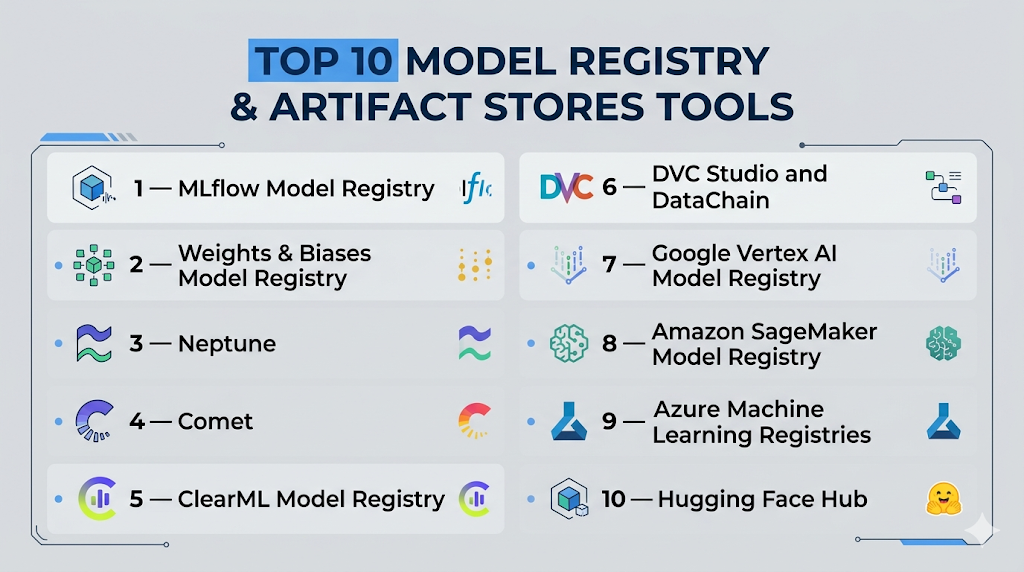
Top 10 Model Registry & Artifact Stores Tools
1 — MLflow Model Registry
One-line verdict: Best for teams needing flexible open-source model lifecycle management across many AI workflows.
Short description :
MLflow Model Registry helps teams register, version, track, and manage models from experimentation to production. It is widely used by ML engineers, data scientists, and MLOps teams that want flexible lifecycle control without being locked into one framework.
Standout Capabilities
- Centralized model registry
- Model versioning and lifecycle tracking
- Experiment tracking connection
- Artifact storage support
- Metadata and metrics tracking
- Flexible APIs for automation
- Works with many ML frameworks
- Strong open-source ecosystem
AI-Specific Depth Must Include
- Model support: Open-source, BYO model, multi-framework
- RAG / knowledge integration: Indirect through custom pipelines
- Evaluation: Metrics, experiment comparison, regression workflows through integrations
- Guardrails: Varies / N/A
- Observability: Experiment metrics and metadata, production observability through integrations
Pros
- Flexible and widely adopted
- Good fit for open MLOps stacks
- Strong connection between experiments and model registry
Cons
- Requires setup and maintenance planning
- Advanced governance depends on deployment setup
- LLM guardrails are not its core strength
Security & Compliance Only if confidently known
Security depends on deployment and hosting environment. SSO, RBAC, audit logs, encryption, data retention, and residency are Varies / N/A. Certifications are Not publicly stated for the open-source project itself.
Deployment & Platforms
- Web interface when deployed
- Linux, macOS, and Windows development environments
- Cloud, self-hosted, or hybrid depending on setup
Integrations & Ecosystem
MLflow works well with notebooks, pipelines, cloud storage, ML frameworks, and deployment systems. It is often used as a central registry layer in custom MLOps architecture.
- Python APIs
- REST APIs
- Cloud object storage
- Databricks ecosystem
- CI/CD workflows
- Kubernetes workflows
- Common ML libraries
Pricing Model No exact prices unless confident
Open-source core is available. Managed and enterprise pricing varies by vendor and deployment. Exact pricing is Varies / N/A.
Best-Fit Scenarios
- Teams building open MLOps platforms
- Organizations needing flexible model versioning
- ML teams connecting experiments to production deployment
2 — Weights & Biases Model Registry
One-line verdict: Best for collaborative AI teams that need experiment tracking, artifact versioning, and model promotion.
Short description :
Weights & Biases provides model registry and artifact tracking as part of a broader AI developer platform. It is useful for teams that run many experiments and need visibility, collaboration, and reproducible model records.
Standout Capabilities
- Model registry workflows
- Artifact versioning
- Experiment tracking
- Dataset and checkpoint lineage
- Collaboration dashboards
- Model promotion stages
- Reports and visual comparisons
- Automation through APIs and workflows
AI-Specific Depth Must Include
- Model support: BYO model, open-source, multi-framework
- RAG / knowledge integration: Varies / N/A
- Evaluation: Metrics, reports, comparison workflows, human review support through workflows
- Guardrails: Varies / N/A
- Observability: Training metrics, artifacts, system metrics, production observability through integrations
Pros
- Strong collaboration experience
- Excellent experiment and artifact visibility
- Useful for fast-moving AI teams
Cons
- May be more than needed for simple registry use
- Cost can grow with usage and team size
- Advanced governance needs careful configuration
Security & Compliance Only if confidently known
SSO, RBAC, audit logs, encryption, retention controls, and residency vary by plan and deployment. Certifications are Not publicly stated unless verified for a specific agreement.
Deployment & Platforms
- Web platform
- SDK-based development workflows
- Cloud-based usage common
- Self-hosted availability is Varies / N/A
Integrations & Ecosystem
Weights & Biases fits naturally into AI experimentation, training, and collaboration workflows. It supports developer-friendly integrations across common ML environments.
- Python SDK
- PyTorch workflows
- TensorFlow workflows
- Jupyter notebooks
- CI/CD workflows
- Reports and dashboards
- API automation
Pricing Model No exact prices unless confident
Typically tiered and influenced by users, usage, and enterprise needs. Exact pricing is Varies / N/A.
Best-Fit Scenarios
- Research teams running many experiments
- AI teams needing artifact lineage
- Organizations wanting registry and experiment tracking together
3 — Neptune
One-line verdict: Best for teams that need structured metadata, model comparison, and organized experiment history.
Short description :
Neptune helps teams track experiments, metadata, models, datasets, and artifacts in a structured way. It is useful for teams that need reproducibility, comparison, and organized lifecycle documentation.
Standout Capabilities
- Experiment metadata tracking
- Model and artifact organization
- Run comparison
- Dataset and metric tracking
- Collaboration workflows
- API-first automation
- Clean experiment history
- Useful model recordkeeping
AI-Specific Depth Must Include
- Model support: BYO model, multi-framework
- RAG / knowledge integration: Varies / N/A
- Evaluation: Metrics, comparisons, experiment review, model performance tracking
- Guardrails: Varies / N/A
- Observability: Experiment metadata observability, production tracing through integrations
Pros
- Strong metadata management
- Good for reproducibility
- Useful for comparing many model runs
Cons
- Not a full deployment platform
- Guardrails are not a primary focus
- Enterprise details depend on plan
Security & Compliance Only if confidently known
SSO, RBAC, audit logs, encryption, retention, and residency vary by plan and configuration. Certifications are Not publicly stated unless confirmed by the vendor.
Deployment & Platforms
- Web application
- SDK workflows
- Cloud deployment common
- Self-hosted availability is Varies / N/A
Integrations & Ecosystem
Neptune connects well with training workflows, notebooks, pipelines, and experiment tracking patterns. It is useful when teams need clean records and repeatable comparisons.
- Python SDK
- Jupyter notebooks
- ML framework integrations
- Pipeline tools
- Metadata APIs
- Cloud workflows
- Team collaboration workflows
Pricing Model No exact prices unless confident
Typically tiered by usage, users, and enterprise requirements. Exact pricing is Varies / N/A.
Best-Fit Scenarios
- Teams tracking many experiments
- ML groups needing metadata discipline
- Organizations requiring model comparison records
4 — Comet
One-line verdict: Best for AI teams that need visual experiment management and collaborative model tracking.
Short description :
Comet provides experiment tracking, model management, artifact tracking, and collaboration features. It helps teams compare model runs and maintain visibility across the model lifecycle.
Standout Capabilities
- Experiment tracking
- Model management workflows
- Visual performance comparison
- Artifact tracking
- Metadata capture
- Collaboration dashboards
- API-driven workflows
- Framework integrations
AI-Specific Depth Must Include
- Model support: BYO model, open-source frameworks, multi-framework
- RAG / knowledge integration: Varies / N/A
- Evaluation: Metrics, comparison, review workflows
- Guardrails: Varies / N/A
- Observability: Training and experiment observability, production observability through integrations
Pros
- Strong experiment visibility
- Good collaboration features
- Useful for model comparison
Cons
- May need other tools for deployment governance
- Guardrails are not the main focus
- Enterprise controls vary by plan
Security & Compliance Only if confidently known
Security features such as SSO, RBAC, audit logs, encryption, retention, and residency are plan dependent. Certifications are Not publicly stated unless verified.
Deployment & Platforms
- Web platform
- SDK-based workflows
- Cloud deployment common
- Private deployment is Varies / N/A
Integrations & Ecosystem
Comet integrates with common AI development frameworks and supports teams that need experiment visibility and model tracking.
- Python SDK
- Notebook workflows
- ML framework integrations
- Pipeline tools
- API automation
- Dashboards
- Team workflows
Pricing Model No exact prices unless confident
Typically tiered by plan, users, and usage. Exact pricing is Varies / N/A.
Best-Fit Scenarios
- AI teams comparing many models
- Data science groups needing experiment dashboards
- Organizations wanting collaborative model development visibility
5 — ClearML Model Registry
One-line verdict: Best for teams wanting open-source-friendly tracking, registry, datasets, and automation in one stack.
Short description :
ClearML provides experiment tracking, model registry, dataset management, pipeline orchestration, and automation. It is useful for teams that want a connected MLOps environment with reproducibility and artifact lineage.
Standout Capabilities
- Model registry
- Experiment tracking
- Dataset versioning
- Pipeline automation
- Artifact lineage
- Metadata tracking
- Self-hosting flexibility
- Open-source-friendly ecosystem
AI-Specific Depth Must Include
- Model support: BYO model, open-source frameworks, multi-framework
- RAG / knowledge integration: Varies / N/A
- Evaluation: Metrics, experiment comparison, pipeline-driven evaluation
- Guardrails: Varies / N/A
- Observability: Experiment and pipeline observability, production tracing through integrations
Pros
- Good balance of registry and automation
- Strong fit for technical MLOps teams
- Flexible deployment options
Cons
- Requires technical setup
- May feel complex for non-engineering users
- LLM guardrails are not the core use case
Security & Compliance Only if confidently known
SSO, RBAC, audit logs, encryption, retention, and residency vary by edition and deployment. Certifications are Not publicly stated unless verified for a specific plan.
Deployment & Platforms
- Web interface
- SDK workflows
- Cloud, self-hosted, or hybrid depending on setup
- Works across common development environments
Integrations & Ecosystem
ClearML connects experiment tracking, datasets, models, pipelines, and automation into one MLOps workflow. It works best for teams comfortable with technical setup.
- Python SDK
- ML framework integrations
- Dataset workflows
- Pipeline automation
- CI/CD workflows
- Cloud infrastructure integrations
- APIs
Pricing Model No exact prices unless confident
Open-source and enterprise-style options are common. Exact pricing depends on plan and deployment. Use Varies / N/A.
Best-Fit Scenarios
- Technical teams needing flexible MLOps workflows
- Organizations wanting artifact lineage and automation
- Teams preferring open-source-friendly deployment
6 — DVC Studio and DataChain
One-line verdict: Best for Git-native teams that need reproducible data, model, and artifact versioning.
Short description :
DVC helps teams version datasets, models, and artifacts using Git-like workflows. DVC Studio and related tooling help organize projects, compare experiments, and manage reproducible ML pipelines.
Standout Capabilities
- Git-style model and data versioning
- Large file tracking
- Remote storage support
- Reproducible pipelines
- Artifact lineage
- Experiment comparison
- Storage backend flexibility
- Developer-friendly workflows
AI-Specific Depth Must Include
- Model support: BYO model, open-source, file-based artifacts
- RAG / knowledge integration: Indirect through data and artifact versioning
- Evaluation: Metrics tracking and pipeline-driven evaluation
- Guardrails: Varies / N/A
- Observability: Version and pipeline visibility, production observability through integrations
Pros
- Strong for reproducibility
- Good fit for Git-based teams
- Helps avoid heavy platform lock-in
Cons
- Requires workflow discipline
- Less polished as an enterprise governance platform
- Deployment workflows need additional tools
Security & Compliance Only if confidently known
Security depends on Git, storage backend, access permissions, and deployment choices. SSO, RBAC, audit logs, encryption, retention, and residency are Varies / N/A.
Deployment & Platforms
- CLI and developer tooling
- Linux, macOS, and Windows environments
- Cloud storage or self-managed storage
- Studio options vary by plan
Integrations & Ecosystem
DVC works well with Git, CI/CD, cloud object storage, and pipeline-driven machine learning workflows. It is a strong option when reproducibility matters more than a full platform UI.
- Git workflows
- Cloud object storage
- CI/CD pipelines
- Python workflows
- Data pipeline tools
- Remote storage
- Experiment tracking workflows
Pricing Model No exact prices unless confident
Open-source tooling is available. Commercial features vary by plan. Exact pricing is Varies / N/A.
Best-Fit Scenarios
- Teams versioning data and models together
- Developers using Git-first workflows
- Organizations avoiding deep vendor lock-in
7 — Google Vertex AI Model Registry
One-line verdict: Best for Google Cloud teams managing models from registration to endpoint deployment.
Short description :
Google Vertex AI Model Registry is a managed model registry for organizing, tracking, versioning, and deploying models in the Google Cloud ecosystem. It is useful for teams already using Vertex AI for training and deployment.
Standout Capabilities
- Managed model registry
- Model versioning
- Endpoint deployment connection
- Custom model support
- Cloud-native lifecycle management
- Integration with Vertex AI workflows
- Centralized model overview
- Useful for enterprise cloud governance
AI-Specific Depth Must Include
- Model support: Hosted, BYO custom models, Google Cloud ecosystem
- RAG / knowledge integration: Indirect through Vertex AI ecosystem
- Evaluation: Available through broader Vertex AI workflows, varies by setup
- Guardrails: Varies through Google Cloud and Vertex AI services
- Observability: Cloud monitoring and Vertex AI workflow integrations
Pros
- Strong fit for Google Cloud users
- Managed service reduces infrastructure work
- Good connection between registry and deployment
Cons
- Less useful outside Google Cloud
- Platform lock-in risk
- Cloud cost planning is required
Security & Compliance Only if confidently known
Security is managed through Google Cloud identity, IAM, encryption, audit logging, and cloud controls. Certifications, residency, and retention vary by service, region, and contract.
Deployment & Platforms
- Cloud managed service
- Web console
- SDK and API workflows
- Self-hosted is not the typical model
Integrations & Ecosystem
Vertex AI Model Registry fits into Google Cloud AI, data, monitoring, and deployment workflows. It is best when the broader architecture already runs on Google Cloud.
- Vertex AI endpoints
- Google Cloud storage
- BigQuery ML workflows
- Cloud IAM
- Pipeline workflows
- SDKs and APIs
- Cloud monitoring
Pricing Model No exact prices unless confident
Typically cloud usage based and service dependent. Exact pricing is Varies / N/A.
Best-Fit Scenarios
- Google Cloud-native AI teams
- Enterprises using Vertex AI pipelines
- Teams deploying registered models to managed endpoints
8 — Amazon SageMaker Model Registry
One-line verdict: Best for AWS teams needing governed model approval and production promotion workflows.
Short description :
Amazon SageMaker Model Registry helps teams catalog models, manage versions, track metadata, and control approval status. It is useful for teams building production ML workflows on AWS.
Standout Capabilities
- Model cataloging
- Model version management
- Approval status tracking
- Metadata association
- Lineage visibility
- SageMaker pipeline integration
- Production workflow support
- Cloud-native governance alignment
AI-Specific Depth Must Include
- Model support: Hosted, BYO model, AWS ecosystem
- RAG / knowledge integration: Indirect through AWS AI and data services
- Evaluation: Pipeline-based evaluation, varies by implementation
- Guardrails: Varies through AWS services and custom workflows
- Observability: AWS monitoring and SageMaker integrations
Pros
- Strong fit for AWS-first teams
- Supports approval and production promotion
- Good for repeatable ML pipelines
Cons
- Less portable outside AWS
- Can be complex for smaller teams
- Cloud cost governance is important
Security & Compliance Only if confidently known
Security depends on AWS IAM, encryption, logging, networking, and account configuration. Certifications, retention, and residency vary by service scope and customer setup.
Deployment & Platforms
- AWS managed cloud service
- Web console
- SDK workflows
- Self-hosted is not the standard model
Integrations & Ecosystem
SageMaker Model Registry fits deeply into AWS machine learning, data, monitoring, and deployment workflows. It works best for teams already committed to AWS.
- SageMaker pipelines
- SageMaker endpoints
- Amazon S3
- AWS IAM
- Monitoring workflows
- CI/CD pipelines
- AWS SDKs
Pricing Model No exact prices unless confident
Typically usage-based through AWS services and infrastructure. Exact pricing is Varies / N/A.
Best-Fit Scenarios
- AWS-native ML teams
- Enterprises needing approval gates
- Teams using SageMaker pipelines and endpoints
9 — Azure Machine Learning Registries
One-line verdict: Best for Microsoft Azure teams managing reusable models, environments, components, and assets.
Short description :
Azure Machine Learning Registries help teams organize and share models, components, environments, and related assets across Azure ML workspaces. It is useful for enterprises standardized on Microsoft cloud and identity workflows.
Standout Capabilities
- Model asset registration
- Reusable components
- Cross-workspace sharing
- Environment management
- Azure ML pipeline connection
- Cloud governance alignment
- Enterprise identity integration
- SDK and CLI workflows
AI-Specific Depth Must Include
- Model support: Hosted, BYO model, Azure ecosystem
- RAG / knowledge integration: Indirect through Azure AI ecosystem
- Evaluation: Pipeline and Azure ML workflows, varies by setup
- Guardrails: Varies through Azure AI and custom controls
- Observability: Azure monitoring and ML workflow integrations
Pros
- Strong fit for Azure enterprises
- Useful for reusable ML assets
- Aligns with Microsoft identity and admin models
Cons
- Less useful outside Azure
- May require cloud platform expertise
- Lock-in risk for Azure-specific workflows
Security & Compliance Only if confidently known
Security depends on Azure identity, RBAC, encryption, audit logging, networking, and customer configuration. Certifications, residency, and retention vary by service and region.
Deployment & Platforms
- Azure cloud managed service
- Web portal
- CLI and SDK workflows
- Self-hosted is not the typical model
Integrations & Ecosystem
Azure ML Registries integrate with Microsoft’s AI, data, security, identity, and cloud services. They are best for companies already using Azure ML at scale.
- Azure ML workspaces
- Azure storage
- Azure pipelines
- Microsoft identity workflows
- SDKs and CLI
- Model deployment workflows
- Monitoring integrations
Pricing Model No exact prices unless confident
Typically tied to Azure service usage and infrastructure consumption. Exact pricing is Varies / N/A.
Best-Fit Scenarios
- Azure-first enterprises
- Teams sharing reusable ML components
- Organizations standardizing AI assets across workspaces
10 — Hugging Face Hub
One-line verdict: Best for open-source AI teams managing models, datasets, demos, and collaborative AI assets.
Short description :
Hugging Face Hub is a collaborative platform for storing, sharing, discovering, and versioning models, datasets, and AI applications. It is especially useful for LLM, transformer, embedding, and multimodal workflows.
Standout Capabilities
- Large open-source model ecosystem
- Model repository versioning
- Dataset hosting and sharing
- Support for LLM and multimodal assets
- Private and organization workflows depending on plan
- Strong community discovery
- SDK and Git-style workflows
- Useful for model distribution and collaboration
AI-Specific Depth Must Include
- Model support: Open-source, BYO model, hosted repositories
- RAG / knowledge integration: Indirect through datasets, embeddings, and model ecosystem
- Evaluation: Varies through ecosystem tools and external workflows
- Guardrails: Varies / N/A
- Observability: Varies / N/A, production observability usually requires external tools
Pros
- Excellent for open-source AI
- Strong model discovery and collaboration
- Useful for LLM and multimodal workflows
Cons
- Not a full enterprise governance platform alone
- Production approval workflows may require additional tools
- Compliance needs require careful review
Security & Compliance Only if confidently known
Private repositories, access permissions, organization controls, and enterprise options vary by plan. SSO, RBAC, audit logs, retention, residency, and certifications are Not publicly stated unless verified.
Deployment & Platforms
- Web platform
- Git-style model repositories
- SDK and API workflows
- Cloud-hosted collaboration platform
- Self-hosted options are Varies / N/A
Integrations & Ecosystem
Hugging Face Hub has a broad AI ecosystem and is commonly used with training, fine-tuning, evaluation, deployment, and model discovery workflows.
- Transformers library
- Datasets workflows
- Model repositories
- Python SDK
- Git-based workflows
- Inference integrations
- Community collaboration
Pricing Model No exact prices unless confident
Typically includes free, team, and enterprise-style options depending on usage. Exact pricing is Varies / N/A.
Best-Fit Scenarios
- Teams using open-source AI models
- Developers sharing model repositories
- Organizations working with LLMs, embeddings, and multimodal assets
Comparison Table
| Tool Name | Best For | Deployment Cloud/Self-hosted/Hybrid | Model Flexibility Hosted / BYO / Multi-model / Open-source | Strength | Watch-Out | Public Rating |
|---|---|---|---|---|---|---|
| MLflow Model Registry | Open MLOps teams | Cloud / Self-hosted / Hybrid | BYO / Open-source / Multi-framework | Flexible lifecycle management | Setup maturity needed | N/A |
| Weights & Biases Model Registry | Collaborative AI teams | Cloud / Varies | BYO / Multi-framework | Experiment and artifact visibility | Cost can scale | N/A |
| Neptune | Metadata-focused teams | Cloud / Varies | BYO / Multi-framework | Structured experiment records | Not full deployment platform | N/A |
| Comet | Visual experiment teams | Cloud / Varies | BYO / Multi-framework | Model comparison dashboards | Governance may need add-ons | N/A |
| ClearML Model Registry | Technical MLOps teams | Cloud / Self-hosted / Hybrid | BYO / Open-source | Registry plus automation | Technical setup required | N/A |
| DVC Studio and DataChain | Git-native teams | Cloud / Self-managed / Hybrid | BYO / Open-source | Data and artifact versioning | Requires workflow discipline | N/A |
| Google Vertex AI Model Registry | Google Cloud teams | Cloud | Hosted / BYO | Registry to endpoint flow | Cloud lock-in risk | N/A |
| Amazon SageMaker Model Registry | AWS teams | Cloud | Hosted / BYO | Approval workflows | AWS complexity | N/A |
| Azure Machine Learning Registries | Azure enterprises | Cloud | Hosted / BYO | Reusable assets | Azure lock-in risk | N/A |
| Hugging Face Hub | Open-source AI teams | Cloud / Varies | Open-source / BYO | Model discovery | Not full governance alone | N/A |
Scoring & Evaluation Transparent Rubric
| Tool | Core | Reliability/Eval | Guardrails | Integrations | Ease | Perf/Cost | Security/Admin | Support | Weighted Total |
|---|---|---|---|---|---|---|---|---|---|
| MLflow Model Registry | 9 | 8 | 5 | 9 | 7 | 8 | 7 | 9 | 7.85 |
| Weights & Biases Model Registry | 8 | 9 | 5 | 8 | 9 | 7 | 7 | 8 | 7.75 |
| Neptune | 8 | 8 | 5 | 7 | 8 | 7 | 7 | 7 | 7.20 |
| Comet | 8 | 8 | 5 | 7 | 8 | 7 | 7 | 7 | 7.20 |
| ClearML Model Registry | 8 | 7 | 5 | 8 | 7 | 8 | 7 | 7 | 7.25 |
| DVC Studio and DataChain | 8 | 7 | 4 | 8 | 7 | 8 | 6 | 8 | 7.10 |
| Google Vertex AI Model Registry | 8 | 8 | 6 | 8 | 8 | 7 | 9 | 8 | 7.80 |
| Amazon SageMaker Model Registry | 8 | 8 | 6 | 8 | 7 | 7 | 9 | 8 | 7.70 |
| Azure Machine Learning Registries | 8 | 8 | 6 | 8 | 7 | 7 | 9 | 8 | 7.70 |
| Hugging Face Hub | 8 | 6 | 4 | 9 | 9 | 8 | 6 | 10 | 7.25 |
Top 3 for Enterprise
- Google Vertex AI Model Registry
- Amazon SageMaker Model Registry
- Azure Machine Learning Registries
Top 3 for SMB
- MLflow Model Registry
- Weights & Biases Model Registry
- Neptune
Top 3 for Developers
- MLflow Model Registry
- DVC Studio and DataChain
- Hugging Face Hub
Which Model Registry & Artifact Stores Tool Is Right for You?
Solo / Freelancer
Solo users should avoid overly complex enterprise platforms unless they are building production systems for clients. MLflow is a strong starting point for flexible tracking and registry workflows. DVC is useful if the main need is versioning data and models with Git-like discipline. Hugging Face Hub is best for open-source model discovery and sharing.
Best options:
- MLflow for flexible registry workflows
- DVC for reproducible data and model versioning
- Hugging Face Hub for open-source AI projects
SMB
SMBs need collaboration, simple adoption, and enough governance to avoid model confusion. Weights & Biases, Neptune, Comet, ClearML, and MLflow are practical options depending on team maturity. The focus should be ease of use, repeatable workflows, and cost predictability.
Best options:
- Weights & Biases for collaboration
- Neptune for structured metadata
- MLflow for flexible lifecycle management
- ClearML for technical teams needing automation
Mid-Market
Mid-market teams usually need stronger model governance, evaluation tracking, and integration with pipelines. They should choose tools that support approval workflows, lineage, and deployment handoff. Cloud-native teams can use managed registries, while platform teams may prefer flexible tools like MLflow or ClearML.
Best options:
- MLflow for portability
- ClearML for registry plus automation
- Vertex AI, SageMaker, or Azure ML for cloud-native teams
- Weights & Biases or Neptune for experiment-heavy teams
Enterprise
Enterprises should prioritize governance, auditability, security, access control, admin visibility, and deployment integration. Cloud-native registries are strong when the organization already uses Google Cloud, AWS, or Azure. Hybrid organizations may prefer MLflow, ClearML, or a layered architecture.
Best options:
- Vertex AI Model Registry for Google Cloud enterprises
- SageMaker Model Registry for AWS enterprises
- Azure Machine Learning Registries for Azure enterprises
- MLflow or ClearML for hybrid MLOps strategies
Regulated industries finance/healthcare/public sector
Regulated teams should focus on audit trails, model lineage, approval workflows, access control, retention policies, and rollback readiness. The best tool is not always the easiest tool; it is the one that can prove model safety, ownership, and change history.
Best options:
- Cloud-native registries with strong enterprise controls
- MLflow or ClearML for customized private deployments
- Weights & Biases, Neptune, or Comet after security review
Budget vs premium
Budget-conscious teams can start with MLflow, DVC, or Hugging Face Hub. Premium tools are better when teams need collaboration, managed infrastructure, enterprise support, admin controls, and governance workflows.
Budget direction:
- MLflow
- DVC
- Hugging Face Hub
Premium direction:
- Weights & Biases
- Neptune
- Comet
- Vertex AI
- SageMaker
- Azure Machine Learning
Build vs buy when to DIY
Building your own registry makes sense only when your team has strong platform engineering skills and unique governance requirements. Buying is better when you need faster adoption, managed infrastructure, support, and standard workflows.
Build when:
- You need deep internal customization
- You have dedicated MLOps engineers
- You need custom compliance workflows
Buy when:
- You need faster rollout
- You want managed features
- You need collaboration and governance quickly
Implementation Playbook 30 / 60 / 90 Days
30 Days: Pilot and Success Metrics
Start with a small pilot using one real AI project. Define what counts as a model, artifact, prompt, dataset, checkpoint, and evaluation result. Register existing models and connect them with metadata, owners, metrics, and lifecycle status.
Key tasks:
- Choose two or three tools for evaluation
- Register sample models and artifacts
- Define lifecycle stages
- Add owners and metadata
- Link evaluation results to model versions
- Create success metrics
- Test rollback from a previous version
- Review basic access controls
60 Days: Harden Security, Evaluation, and Rollout
Move from pilot to controlled rollout. Add security controls, approval workflows, evaluation requirements, and team training. Make sure models cannot move to production without basic validation.
Key tasks:
- Configure SSO and RBAC where available
- Define approval gates
- Add regression testing
- Create prompt and version control practices
- Add human review for risky models
- Connect registry workflows to CI/CD
- Document incident handling
- Train teams on naming and metadata standards
90 Days: Optimize Cost, Latency, Governance, and Scale
At this stage, focus on scaling the registry across teams and connecting it to production monitoring. The registry should become a reliable source of truth for model versions, approvals, and rollback.
Key tasks:
- Connect production metrics to model versions
- Track cost, latency, drift, and incidents
- Review artifact storage usage
- Archive stale models
- Add governance dashboards
- Standardize model cards
- Expand tracking to prompts and embeddings
- Create quarterly lifecycle reviews
Common Mistakes & How to Avoid Them
- Treating the registry as simple file storage instead of a governance system.
- Registering models without metadata, owner, or business context.
- Promoting models without evaluation results.
- Ignoring prompt injection and unsafe output risks for LLM workflows.
- Not tracking training data and code lineage.
- Allowing sensitive artifacts to remain unmanaged.
- Forgetting retention policies and cleanup rules.
- Using too many lifecycle stages and confusing users.
- Not connecting production incidents back to model versions.
- Ignoring cost and latency when choosing production models.
- Failing to define rollback procedures.
- Assuming security certifications without verification.
- Locking into one platform without export planning.
- Not including prompts, embeddings, and RAG artifacts in lifecycle tracking.
FAQs
1. What is a Model Registry & Artifact Store?
It is a system for storing, versioning, approving, and tracking AI models and related artifacts.
2. Why do AI teams need a model registry?
It helps teams know which model is approved, who owns it, and whether it is ready for production.
3. Is a model registry the same as experiment tracking?
No. Experiment tracking records runs and metrics, while a registry manages approved model versions and lifecycle stages.
4. What artifacts should be stored?
Models, checkpoints, datasets, prompts, configs, metrics, embeddings, adapters, and evaluation reports.
5. Can model registries support LLMs?
Yes, many workflows can track LLMs, fine-tuned models, prompts, adapters, and evaluation outputs.
6. Do these tools support BYO models?
Many tools support BYO models, but exact support depends on the platform and deployment workflow.
7. Can I self-host a model registry?
Yes, tools like MLflow, ClearML, and DVC-based workflows can support self-hosted or hybrid setups.
8. How do registries help with privacy?
They control access, track ownership, manage retention, and document how sensitive artifacts are used.
9. What security features should buyers verify?
Check SSO, RBAC, audit logs, encryption, retention controls, admin permissions, and data residency.
10. How should teams evaluate models before registration?
Use regression tests, benchmark results, safety checks, cost review, and human approval where needed.
11. Do model registries provide guardrails?
Some support governance workflows, but full guardrails often require separate AI safety tools.
12. How do artifact stores help with rollback?
They preserve earlier model versions and metadata so teams can restore a safer version quickly.
13. Are public ratings useful?
They can help, but buyers should prioritize security, workflow fit, integrations, and governance needs.
14. What are alternatives to model registries?
Alternatives include Git, cloud storage, internal file systems, metadata databases, and custom portals.
15. How can teams avoid vendor lock-in?
Choose tools with APIs, export options, open formats, flexible storage, and clear migration paths.
16. Which tool is best for open-source AI teams?
MLflow, DVC, ClearML, and Hugging Face Hub are strong choices for open-source AI workflows.
Conclusion
Model Registry & Artifact Stores are now essential for teams that want reliable, secure, and scalable AI operations. They help connect experiments, artifacts, evaluation results, approvals, and production deployment into one governed lifecycle. The best tool depends on your context: cloud-native enterprises may prefer Vertex AI, SageMaker, or Azure Machine Learning, while developer-first teams may choose MLflow, DVC, ClearML, or Hugging Face Hub. Collaboration-heavy teams may benefit from Weights & Biases, Neptune, or Comet. Start by shortlisting tools that fit your stack, run a focused pilot with real model artifacts, verify security and evaluation workflows, and then scale with governance, rollback, and cost controls in place.
This is a useful resource for teams working with MLOps, model lifecycle management, and AI deployment workflows. The content is concise, organized, and focused on operational needs.
This article provides a clear and informative comparison of model registry and artifact storage platforms used in modern AI workflows. The structured explanation of features and limitations makes the content practical and easy to understand.