Introduction
Responsible AI Tooling helps teams build, deploy, monitor, and govern AI systems in a safer, more transparent, and more accountable way. These tools support model risk management, bias testing, hallucination evaluation, policy enforcement, prompt security, audit logging, explainability, and AI governance workflows. As AI moves deeper into customer support, finance, healthcare, software development, HR, legal, and operations, organizations need more than model performance; they need trust, control, documentation, and oversight.
Responsible AI tools are useful for teams managing generative AI apps, machine learning models, AI agents, RAG systems, internal copilots, automated decision workflows, and third-party AI vendors.
Real-world use cases:
- Evaluating AI outputs for bias, toxicity, hallucinations, and unsafe responses
- Monitoring AI systems for drift, errors, cost spikes, and reliability issues
- Enforcing policies for sensitive data, prompt injection, and unsafe automation
- Creating audit-ready documentation for AI governance and risk reviews
- Managing model approvals, ownership, compliance workflows, and human review
Evaluation Criteria for Buyers:
- AI governance workflow depth
- Bias and fairness testing
- Guardrails and policy enforcement
- Prompt injection and jailbreak defense
- Evaluation and regression testing
- Model observability and monitoring
- Audit logs and documentation
- Enterprise security controls
- Integration with existing AI stacks
- Ease of adoption for technical and non-technical teams
Best for: AI teams, risk leaders, compliance teams, enterprise architects, product teams, and security teams building or managing AI systems at scale.
Not ideal for: teams running very small experiments, basic chatbots, or internal prototypes with no sensitive data, no automation, and no compliance exposure.
What’s Changed in Responsible AI Tooling
- AI governance is moving from policy documents into active operational workflows.
- Teams now need guardrails for AI agents, not just static model outputs.
- Prompt injection defense has become a major requirement for RAG and tool-calling systems.
- Evaluation is shifting from one-time testing to continuous regression checks.
- Multimodal AI introduces new safety needs for text, image, audio, and document inputs.
- Enterprises want stronger data retention, privacy, and audit controls.
- Cost and latency visibility now matter because AI systems can become expensive quickly.
- Human review workflows are becoming essential for high-risk decisions.
- Model flexibility is more important as teams mix proprietary, open-source, and hosted models.
- Responsible AI tools increasingly connect with observability, security, GRC, and MLOps platforms.
Quick Buyer Checklist
- Check whether the tool supports your model types and AI workflows.
- Confirm data privacy, retention, encryption, and access control options.
- Look for prompt injection, jailbreak, toxicity, and sensitive data protections.
- Evaluate whether the platform supports offline and live model evaluation.
- Review audit logs, documentation workflows, and governance reporting.
- Confirm integrations with cloud, MLOps, LLMOps, SIEM, GRC, and data systems.
- Check whether the tool works for both technical and compliance teams.
- Validate cost monitoring, latency tracking, and usage controls.
- Avoid tools that lock you into one model or deployment pattern too early.
- Run a pilot with real prompts, real users, and realistic risk scenarios.
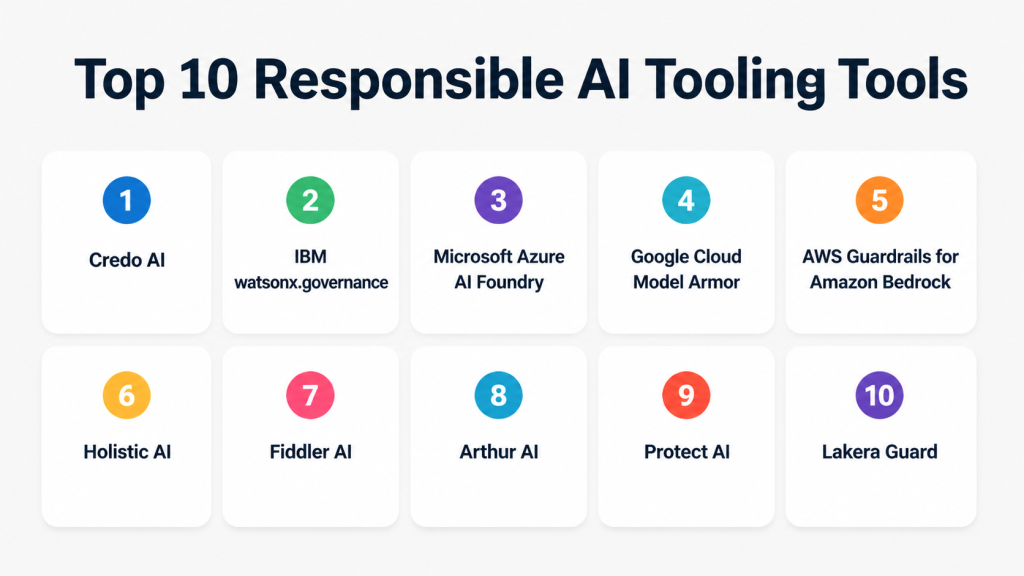
Top 10 Responsible AI Tooling Tools
1 — Credo AI
One-line verdict: Best for enterprises that need structured AI governance, policy mapping, and risk oversight.
Short description: Credo AI helps organizations manage AI governance, risk, compliance, and accountability across AI initiatives. It is commonly used by risk, compliance, legal, data science, and AI governance teams that need clear oversight.
Standout Capabilities
- AI governance workflow management
- Risk and policy mapping
- AI system inventory support
- Compliance documentation support
- Cross-functional review workflows
- Enterprise-focused accountability features
AI-Specific Depth
- Model support: Varies / N/A
- RAG / knowledge integration: Varies / N/A
- Evaluation: Governance and risk review focused
- Guardrails: Policy and compliance workflow focused
- Observability: Governance visibility, not deep technical tracing
Pros
- Strong fit for enterprise AI governance programs
- Useful for policy, risk, and compliance teams
- Helps create repeatable AI review workflows
Cons
- Less developer-first than technical evaluation platforms
- May require governance maturity to get full value
- Deep model observability may need another tool
Security & Compliance
Security features vary by plan. SSO, RBAC, audit controls, and enterprise governance options may be available. Certifications are not publicly stated.
Deployment & Platforms
- Web-based platform
- Cloud deployment
- Enterprise deployment details vary
Integrations & Ecosystem
Credo AI fits well into governance-heavy AI programs where documentation, accountability, and review workflows are important.
- AI inventory workflows
- Governance and policy mapping
- Risk management processes
- Enterprise review workflows
- Compliance documentation support
Pricing Model
Not publicly stated. Typically enterprise-oriented and quote-based.
Best-Fit Scenarios
- Enterprise AI governance programs
- AI risk review and policy mapping
- Cross-functional AI approval workflows
2 — IBM watsonx.governance
One-line verdict: Best for enterprises needing AI governance tied to model lifecycle, risk, and compliance workflows.
Short description: IBM watsonx.governance helps teams govern AI models, monitor risks, manage compliance workflows, and improve transparency. It is suited for organizations already using IBM’s AI and data ecosystem.
Standout Capabilities
- AI governance and lifecycle oversight
- Model risk management support
- Explainability and transparency workflows
- Compliance documentation support
- Integration with IBM AI ecosystem
- Enterprise-grade governance orientation
AI-Specific Depth
- Model support: IBM ecosystem and external model governance options
- RAG / knowledge integration: Varies / N/A
- Evaluation: Model risk and governance evaluation support
- Guardrails: Governance and policy controls
- Observability: Model lifecycle and risk visibility
Pros
- Strong enterprise governance capabilities
- Suitable for regulated organizations
- Works well for structured AI model oversight
Cons
- Best value may come inside IBM ecosystem
- Can feel complex for smaller teams
- Pricing details are not simple or public
Security & Compliance
Enterprise security features may include access controls, auditability, and governance workflows. Specific certifications should be verified directly.
Deployment & Platforms
- Cloud and enterprise deployment options
- Web-based platform
- Ecosystem integration with IBM AI tools
Integrations & Ecosystem
IBM watsonx.governance is strongest when used with broader IBM data, AI, and governance tooling.
- IBM watsonx ecosystem
- Model lifecycle workflows
- Governance and risk workflows
- Enterprise AI operations
- Compliance reporting processes
Pricing Model
Varies / N/A. Enterprise pricing should be confirmed directly.
Best-Fit Scenarios
- Regulated AI governance
- Enterprise model risk management
- AI lifecycle documentation
3 — Microsoft Azure AI Foundry
One-line verdict: Best for teams building governed AI apps inside the Microsoft cloud ecosystem.
Short description: Azure AI Foundry supports development, evaluation, deployment, and governance of AI applications. It is useful for teams already using Microsoft cloud services and enterprise identity controls.
Standout Capabilities
- AI app development workflows
- Model evaluation support
- Responsible AI and safety tooling
- Enterprise cloud integration
- Strong identity and admin ecosystem
- Useful for developers and enterprise teams
AI-Specific Depth
- Model support: Hosted and multi-model options
- RAG / knowledge integration: Available through Azure ecosystem
- Evaluation: AI evaluation workflows available
- Guardrails: Safety and content filtering options
- Observability: Monitoring and application insights through cloud ecosystem
Pros
- Strong fit for Microsoft-centric organizations
- Combines development and governance workflows
- Useful for enterprise AI application teams
Cons
- Best fit depends on Azure adoption
- Can require cloud engineering expertise
- Pricing and configuration can be complex
Security & Compliance
Microsoft cloud security controls may include identity, access management, encryption, logging, and admin controls. Specific compliance requirements should be verified directly.
Deployment & Platforms
- Cloud-based
- Web and API-based workflows
- Integrated with Microsoft cloud services
Integrations & Ecosystem
Azure AI Foundry works across Microsoft’s broader cloud, data, identity, developer, and monitoring ecosystem.
- Azure AI services
- Microsoft identity tools
- Developer APIs
- Monitoring services
- Data and search integrations
- Enterprise admin controls
Pricing Model
Usage-based and service-dependent. Exact pricing varies by configuration.
Best-Fit Scenarios
- Enterprise AI app development
- Microsoft cloud AI governance
- AI evaluation and deployment workflows
4 — Google Cloud Model Armor
One-line verdict: Best for teams needing prompt and response protection in Google Cloud AI workflows.
Short description: Google Cloud Model Armor helps protect AI applications from unsafe inputs, prompt injection, harmful outputs, and sensitive data exposure. It is especially relevant for teams building AI systems on Google Cloud.
Standout Capabilities
- Prompt and response protection
- Safety filtering for AI applications
- Sensitive data risk reduction
- Prompt injection defense support
- Integration with Google Cloud workflows
- Useful for AI security and app teams
AI-Specific Depth
- Model support: Google Cloud AI ecosystem
- RAG / knowledge integration: Varies / N/A
- Evaluation: Safety-focused checks
- Guardrails: Prompt and response safety controls
- Observability: Varies / N/A
Pros
- Strong fit for Google Cloud AI users
- Useful for prompt security and content safety
- Helps reduce risky AI inputs and outputs
Cons
- Best value depends on Google Cloud usage
- Not a full AI governance platform by itself
- Broader compliance workflows may need other tools
Security & Compliance
Security capabilities align with Google Cloud’s enterprise platform controls. Specific certifications and deployment details should be verified directly.
Deployment & Platforms
- Google Cloud-based
- API-oriented
- Cloud deployment
Integrations & Ecosystem
Model Armor is most useful inside Google Cloud AI and application architectures.
- Google Cloud AI services
- Application security workflows
- API-based protection
- Cloud-native deployment
- AI app safety workflows
Pricing Model
Varies / N/A. Pricing depends on cloud usage and configuration.
Best-Fit Scenarios
- Prompt injection protection
- Google Cloud AI safety controls
- AI app security workflows
5 — AWS Guardrails for Amazon Bedrock
One-line verdict: Best for AWS teams adding safety controls to generative AI applications.
Short description: AWS Guardrails for Amazon Bedrock helps teams apply safety, content, topic, and policy controls to AI applications built on Bedrock. It is suited for cloud teams that want guardrails close to their model execution layer.
Standout Capabilities
- AI application safety controls
- Topic and content filtering
- Bedrock ecosystem integration
- Policy-based response controls
- Useful for enterprise cloud AI apps
- Supports governed generative AI deployment
AI-Specific Depth
- Model support: Amazon Bedrock model ecosystem
- RAG / knowledge integration: Varies / N/A
- Evaluation: Guardrail testing and policy checks
- Guardrails: Strong policy and content guardrails
- Observability: AWS ecosystem monitoring options
Pros
- Strong fit for AWS-native AI apps
- Practical for production guardrail enforcement
- Integrates with cloud security and operations workflows
Cons
- Best suited to Bedrock-based deployments
- Not a complete governance platform alone
- Requires AWS architecture knowledge
Security & Compliance
Security depends on AWS account configuration, IAM, logging, encryption, and service controls. Specific compliance claims should be verified directly.
Deployment & Platforms
- AWS cloud
- Integrated with Amazon Bedrock
- API and cloud console workflows
Integrations & Ecosystem
AWS Guardrails works best when paired with Bedrock, cloud security, monitoring, and application services.
- Amazon Bedrock
- AWS identity and access controls
- Cloud monitoring workflows
- API-based AI applications
- Enterprise cloud governance patterns
Pricing Model
Usage-based and service-dependent. Exact pricing varies by configuration.
Best-Fit Scenarios
- AWS-based AI applications
- Guardrails for customer-facing AI
- Enterprise generative AI safety controls
6 — Holistic AI
One-line verdict: Best for organizations needing AI risk, compliance, and governance management.
Short description: Holistic AI focuses on AI governance, risk management, compliance support, and model assurance. It is useful for enterprises that want structured oversight of AI systems across business functions.
Standout Capabilities
- AI risk management workflows
- Governance and compliance support
- Bias and fairness assessment support
- AI system documentation
- Policy alignment workflows
- Enterprise risk reporting
AI-Specific Depth
- Model support: Varies / N/A
- RAG / knowledge integration: Varies / N/A
- Evaluation: Risk, fairness, and governance evaluation
- Guardrails: Governance and policy guardrails
- Observability: Governance-level visibility
Pros
- Strong governance and compliance focus
- Useful for enterprise AI oversight
- Supports non-technical stakeholders
Cons
- May not replace technical monitoring tools
- Requires clear internal ownership
- Pricing is not publicly transparent
Security & Compliance
Enterprise security features may vary by plan. Certifications are not publicly stated.
Deployment & Platforms
- Web-based platform
- Cloud deployment
- Enterprise options vary
Integrations & Ecosystem
Holistic AI fits governance teams that need documentation, risk review, and policy alignment.
- AI risk workflows
- Compliance documentation
- Fairness assessment workflows
- Governance reporting
- Enterprise stakeholder collaboration
Pricing Model
Not publicly stated. Likely enterprise-oriented.
Best-Fit Scenarios
- AI governance programs
- Risk and compliance reviews
- Fairness and accountability workflows
7 — Fiddler AI
One-line verdict: Best for teams that need model monitoring, explainability, and AI observability.
Short description: Fiddler AI helps teams monitor model performance, explain predictions, detect drift, and understand AI behavior. It is valuable for production AI systems where reliability and transparency matter.
Standout Capabilities
- Model monitoring
- Explainability workflows
- Drift detection
- Performance tracking
- AI observability
- Production model visibility
AI-Specific Depth
- Model support: Varies / N/A
- RAG / knowledge integration: Varies / N/A
- Evaluation: Model performance and reliability monitoring
- Guardrails: Varies / N/A
- Observability: Strong monitoring and explainability focus
Pros
- Strong observability and explainability
- Useful for production AI systems
- Helps teams detect model issues early
Cons
- Less focused on policy governance
- Setup may require technical integration
- Pricing details vary
Security & Compliance
Enterprise security controls may be available. Specific certifications should be verified directly.
Deployment & Platforms
- Cloud and enterprise deployment options may vary
- Web-based platform
- API integrations
Integrations & Ecosystem
Fiddler AI fits technical AI teams that need monitoring and transparency across models.
- Model monitoring workflows
- Data science pipelines
- AI observability stacks
- APIs and dashboards
- Enterprise reporting workflows
Pricing Model
Not publicly stated. Typically enterprise or usage-based.
Best-Fit Scenarios
- Production model monitoring
- Explainability for AI systems
- Drift and performance tracking
8 — Arthur AI
One-line verdict: Best for monitoring and evaluating AI systems with reliability and risk visibility.
Short description: Arthur AI supports AI monitoring, evaluation, explainability, and performance management. It is useful for teams deploying AI models and generative AI systems that need visibility into behavior and quality.
Standout Capabilities
- AI performance monitoring
- Evaluation support
- Explainability workflows
- Drift and quality tracking
- Generative AI monitoring support
- Risk visibility for AI systems
AI-Specific Depth
- Model support: Varies / N/A
- RAG / knowledge integration: Varies / N/A
- Evaluation: Model and generative AI evaluation support
- Guardrails: Varies / N/A
- Observability: Strong AI monitoring focus
Pros
- Strong for AI monitoring and quality tracking
- Useful for technical AI teams
- Helps identify reliability issues
Cons
- Not primarily a compliance workflow platform
- Integration effort may be needed
- Pricing is not publicly stated
Security & Compliance
Enterprise controls may vary by plan. Certifications are not publicly stated.
Deployment & Platforms
- Web-based platform
- Cloud and enterprise options may vary
- API-based integrations
Integrations & Ecosystem
Arthur AI fits teams that need monitoring, evaluation, and explainability around AI systems.
- Model monitoring
- AI evaluation workflows
- APIs
- Data science workflows
- Reporting dashboards
Pricing Model
Not publicly stated.
Best-Fit Scenarios
- AI model monitoring
- Generative AI quality checks
- Production reliability tracking
9 — Protect AI
One-line verdict: Best for AI security teams protecting models, pipelines, and AI supply chains.
Short description: Protect AI focuses on AI and machine learning security, including model scanning, AI supply chain risk, and vulnerability management. It is useful for organizations treating AI systems as security-critical assets.
Standout Capabilities
- AI security posture support
- Model and pipeline risk visibility
- AI supply chain security
- Vulnerability detection workflows
- Security-first AI governance
- Useful for security and platform teams
AI-Specific Depth
- Model support: Varies / N/A
- RAG / knowledge integration: N/A
- Evaluation: Security-focused assessment
- Guardrails: AI security controls
- Observability: Security visibility, not full model observability
Pros
- Strong AI security focus
- Useful for model and pipeline protection
- Good fit for security-led AI programs
Cons
- Not a full governance suite by itself
- Less focused on fairness or business policy review
- Requires security maturity to maximize value
Security & Compliance
Security-focused platform. Specific enterprise controls and certifications should be verified directly.
Deployment & Platforms
- Cloud and enterprise options may vary
- Security platform workflows
- API and scanning workflows may be available
Integrations & Ecosystem
Protect AI fits organizations that want to secure AI models, pipelines, dependencies, and deployment workflows.
- AI security workflows
- Model scanning
- Pipeline risk review
- Security team processes
- Vulnerability management workflows
Pricing Model
Not publicly stated. Likely enterprise-oriented.
Best-Fit Scenarios
- AI supply chain security
- Model vulnerability management
- Security-first AI governance
10 — Lakera Guard
One-line verdict: Best for protecting generative AI apps from prompt injection and unsafe outputs.
Short description: Lakera Guard helps teams protect AI applications from prompt injection, jailbreak attempts, data leakage, and unsafe responses. It is especially useful for teams building customer-facing LLM applications.
Standout Capabilities
- Prompt injection protection
- Jailbreak detection
- Unsafe content filtering
- LLM application security
- API-based guardrails
- Useful for generative AI app teams
AI-Specific Depth
- Model support: Multi-model LLM app protection
- RAG / knowledge integration: Varies / N/A
- Evaluation: Security and safety checks
- Guardrails: Strong LLM guardrail focus
- Observability: Varies / N/A
Pros
- Strong prompt security focus
- Practical for production LLM apps
- Useful for customer-facing AI products
Cons
- Not a full AI governance platform
- Broader monitoring may require another tool
- Enterprise details vary
Security & Compliance
Security features vary by plan. Certifications are not publicly stated.
Deployment & Platforms
- API-based
- Cloud deployment
- Integration details vary
Integrations & Ecosystem
Lakera Guard fits AI apps that need a protection layer around LLM inputs and outputs.
- LLM app APIs
- Prompt security workflows
- Guardrail enforcement
- AI app development stacks
- Customer-facing AI workflows
Pricing Model
Not publicly stated. Likely tiered or enterprise-based.
Best-Fit Scenarios
- Prompt injection defense
- Customer-facing LLM applications
- AI app safety controls
Comparison Table
| Tool Name | Best For | Deployment | Model Flexibility | Strength | Watch-Out | Public Rating |
|---|---|---|---|---|---|---|
| Credo AI | AI governance | Cloud | Varies / N/A | Governance workflows | Less technical observability | N/A |
| IBM watsonx.governance | Enterprise model governance | Cloud / Enterprise | Varies / N/A | Model risk management | Best within IBM ecosystem | N/A |
| Microsoft Azure AI Foundry | Azure AI apps | Cloud | Multi-model | AI development and governance | Requires Azure expertise | N/A |
| Google Cloud Model Armor | Google Cloud AI safety | Cloud | Hosted | Prompt protection | Not full governance | N/A |
| AWS Guardrails for Amazon Bedrock | Bedrock AI apps | Cloud | Hosted | Guardrail enforcement | Bedrock-centric | N/A |
| Holistic AI | AI risk management | Cloud | Varies / N/A | Compliance support | May need technical tools | N/A |
| Fiddler AI | AI observability | Cloud / Varies | Varies / N/A | Explainability and monitoring | Less policy-focused | N/A |
| Arthur AI | AI monitoring | Cloud / Varies | Varies / N/A | Reliability tracking | Integration effort | N/A |
| Protect AI | AI security | Cloud / Varies | Varies / N/A | AI supply chain security | Security-focused scope | N/A |
| Lakera Guard | LLM app security | Cloud / API | Multi-model | Prompt injection defense | Not full governance | N/A |
Scoring & Evaluation
This scoring is comparative, not absolute. It is based on practical buyer needs such as governance, reliability, guardrails, integrations, usability, cost control, security, and ecosystem maturity. Scores should be treated as directional guidance, not a replacement for a hands-on pilot. A tool with a lower total may still be the best fit for a specific use case, especially if your main priority is security, compliance, or prompt protection.
| Tool | Core | Reliability/Eval | Guardrails | Integrations | Ease | Perf/Cost | Security/Admin | Support | Weighted Total |
|---|---|---|---|---|---|---|---|---|---|
| Microsoft Azure AI Foundry | 9 | 8 | 8 | 9 | 8 | 8 | 9 | 9 | 8.45 |
| IBM watsonx.governance | 9 | 8 | 8 | 8 | 7 | 7 | 9 | 8 | 8.10 |
| Credo AI | 9 | 7 | 8 | 8 | 8 | 7 | 8 | 8 | 7.95 |
| AWS Guardrails for Amazon Bedrock | 8 | 7 | 9 | 8 | 8 | 8 | 9 | 8 | 8.05 |
| Google Cloud Model Armor | 8 | 7 | 9 | 8 | 8 | 8 | 9 | 8 | 8.05 |
| Holistic AI | 8 | 7 | 8 | 7 | 8 | 7 | 8 | 7 | 7.45 |
| Fiddler AI | 8 | 9 | 6 | 8 | 7 | 8 | 8 | 8 | 7.85 |
| Arthur AI | 8 | 8 | 6 | 8 | 7 | 8 | 8 | 8 | 7.70 |
| Protect AI | 8 | 7 | 8 | 7 | 7 | 7 | 9 | 7 | 7.55 |
| Lakera Guard | 7 | 7 | 9 | 7 | 8 | 8 | 8 | 7 | 7.65 |
Top 3 for Enterprise
- Microsoft Azure AI Foundry
- IBM watsonx.governance
- Credo AI
Top 3 for SMB
- Lakera Guard
- Fiddler AI
- Arthur AI
Top 3 for Developers
- AWS Guardrails for Amazon Bedrock
- Google Cloud Model Armor
- Lakera Guard
Which Responsible AI Tooling Tool Is Right for You?
Solo / Freelancer
Solo users usually do not need a heavy governance platform unless they are building client-facing AI systems. For simple experimentation, start with lightweight guardrails, manual testing, and basic documentation. If you are building LLM apps, Lakera Guard can be useful for prompt security.
SMB
SMBs should prioritize ease of use, clear guardrails, and monitoring without overcomplicating governance. Fiddler AI, Arthur AI, and Lakera Guard are good fits depending on whether the main need is monitoring, evaluation, or LLM safety.
Mid-Market
Mid-market teams usually need a balanced mix of governance, evaluation, and security. Credo AI, Holistic AI, Fiddler AI, and Arthur AI can help structure AI oversight while still supporting practical deployment needs.
Enterprise
Enterprises should focus on governance workflows, admin controls, auditability, integrations, and cross-functional ownership. Microsoft Azure AI Foundry, IBM watsonx.governance, Credo AI, AWS Guardrails, and Google Cloud Model Armor are strong options depending on the existing cloud ecosystem.
Regulated industries
Finance, healthcare, insurance, and public sector teams should prioritize audit logs, governance workflows, access controls, human review, risk documentation, and security testing. IBM watsonx.governance, Credo AI, Holistic AI, and Microsoft Azure AI Foundry are strong candidates for structured oversight.
Budget vs premium
Budget-focused teams should start with a narrow use case such as prompt security, model monitoring, or governance documentation. Premium buyers should look for enterprise-grade access control, audit trails, workflow automation, support, policy mapping, and integration with GRC systems.
Build vs buy
Build your own responsible AI layer only if you have strong internal AI, security, compliance, and platform engineering teams. Buy when you need auditability, faster rollout, vendor support, reusable workflows, and cross-functional visibility.
Implementation Playbook
30 Days: Pilot and Success Metrics
- Select one AI use case with real risk exposure.
- Define success metrics for safety, accuracy, latency, cost, and user trust.
- Create an AI system inventory and identify owners.
- Run baseline tests for hallucination, bias, prompt injection, and unsafe outputs.
- Document data sources, model choices, and user interaction patterns.
- Decide which risks require human review.
- Build a simple evaluation harness with reusable test prompts.
- Compare at least two shortlisted tools using the same scenarios.
60 Days: Security, Evaluation, and Rollout
- Add role-based access controls and approval workflows.
- Create prompt and model version control practices.
- Run red-team testing against jailbreaks and unsafe outputs.
- Add evaluation checks before production release.
- Define incident handling for harmful AI behavior.
- Connect monitoring dashboards to engineering and governance teams.
- Review data retention and privacy settings.
- Train users on safe AI usage and escalation paths.
90 Days: Optimize, Govern, and Scale
- Expand governance workflows across multiple AI systems.
- Track cost, latency, quality, and risk trends over time.
- Add recurring review cycles for high-impact AI use cases.
- Improve model routing and guardrail policies.
- Create reusable templates for risk assessment and approval.
- Integrate responsible AI reporting with security or compliance workflows.
- Build executive-level dashboards for AI risk and adoption.
- Scale only after security, evaluation, and ownership are clear.
Common Mistakes & How to Avoid Them
- Launching AI systems without clear ownership.
- Treating responsible AI as a one-time checklist.
- Ignoring prompt injection and jailbreak risks.
- Skipping evaluation before production rollout.
- Relying only on model accuracy and ignoring safety.
- Allowing unmanaged data retention.
- Not tracking cost, latency, and token usage.
- Over-automating decisions without human review.
- Failing to document model changes and prompt updates.
- Using tools without audit logs or access controls.
- Assuming one guardrail solves every AI risk.
- Not testing AI systems with real user behavior.
- Choosing a tool only because it fits the current cloud stack.
- Forgetting to review third-party AI vendor risks.
FAQs
1. What is Responsible AI Tooling?
Responsible AI Tooling helps teams make AI systems safer, more transparent, and easier to govern. It includes tools for evaluation, guardrails, monitoring, compliance, security, and documentation.
2. Why do companies need responsible AI tools?
Companies need these tools because AI systems can produce wrong, biased, unsafe, or non-compliant outputs. Responsible AI tools help reduce risk and improve trust before AI is used at scale.
3. Are responsible AI tools only for large enterprises?
No. Smaller teams can also benefit, especially when they build customer-facing AI apps or handle sensitive data. Enterprises usually need deeper governance, audit, and compliance features.
4. Do these tools prevent hallucinations completely?
No tool can fully eliminate hallucinations. Good responsible AI tooling helps detect, reduce, measure, and manage hallucination risk through evaluation, guardrails, monitoring, and human review.
5. Can responsible AI tools protect private data?
Some tools help reduce private data exposure through filtering, access control, retention settings, and policy checks. Buyers should verify privacy controls directly before deployment.
6. What is the difference between guardrails and governance?
Guardrails control AI behavior during input and output handling. Governance manages ownership, policy, approvals, documentation, audit trails, and long-term accountability.
7. Do I need model observability and governance together?
Many organizations need both. Observability helps technical teams monitor performance and reliability, while governance helps business, risk, and compliance teams manage accountability.
8. Can these tools work with open-source models?
Some tools support open-source or BYO model workflows, while others are tied to a cloud ecosystem. Buyers should confirm model compatibility before choosing a platform.
9. What should I test during a pilot?
Test unsafe prompts, hallucinations, sensitive data handling, latency, cost, access controls, audit logs, workflow usability, and integration with your current AI stack.
10. Are public ratings reliable for responsible AI tools?
Public ratings can be useful but should not be the main decision factor. Responsible AI needs depend heavily on risk level, industry, deployment model, and governance maturity.
11. What are the best tools for prompt injection defense?
Lakera Guard, Google Cloud Model Armor, and AWS Guardrails for Amazon Bedrock are strong options for prompt and response protection, depending on your AI architecture.
12. What are the best tools for AI governance?
Credo AI, IBM watsonx.governance, Holistic AI, and Microsoft Azure AI Foundry are strong choices for governance-oriented workflows, depending on organization size and ecosystem fit.
Conclusion
Responsible AI Tooling is no longer optional for teams building AI systems that affect customers, employees, operations, or regulated workflows. The best tool depends on whether your priority is governance, prompt security, model monitoring, compliance documentation, cloud-native guardrails, or AI supply chain security. Enterprises may prefer platforms like Microsoft Azure AI Foundry, IBM watsonx.governance, and Credo AI, while developer and security teams may lean toward AWS Guardrails, Google Cloud Model Armor, Protect AI, or Lakera Guard.
Next steps: first, shortlist tools based on your highest-risk AI use cases and existing cloud or model stack. Second, run a controlled pilot with real prompts, real evaluation checks, and clear success metrics. Third, verify security, privacy, guardrails, observability, and governance workflows before scaling across more teams and AI systems.
This blog clearly explains how responsible AI tools help ensure fairness, transparency, and compliance in real-world systems. The comparison makes it easier to understand which tools fit different organizational needs.
This blog effectively explains how bias and fairness testing tools help build more trustworthy AI systems. The structured comparison makes the content easy to follow and apply.
Responsible AI is becoming very important, and this guide clearly explains how organizations can build trustworthy and ethical AI systems using proper tooling.