Introduction
AI governance platforms help organizations manage the risks, policies, approvals, documentation, monitoring, and accountability around AI systems. In simple words, these tools help teams answer important questions: who owns an AI model, what data was used, how it was tested, whether it is safe, whether it is compliant, and whether it should be approved for production use.
AI governance matters because companies are now using AI across customer support, analytics, hiring, finance, healthcare, software development, marketing, security, and internal operations. As AI agents, LLMs, RAG systems, automated decisions, and multimodal models become more common, teams need stronger controls for privacy, fairness, explainability, hallucination risk, security, cost, auditability, and human oversight.
Real-World Use Cases
- AI model inventory: Track all AI models, LLM apps, agents, prompts, datasets, owners, versions, and business use cases.
- Risk assessment: Evaluate bias, privacy, explainability, safety, security, and regulatory exposure before deployment.
- LLM and GenAI governance: Manage prompt risks, RAG risks, hallucination checks, guardrails, evaluations, and human review workflows.
- Model approval workflows: Route high-risk AI systems through legal, compliance, privacy, security, and business approvals.
- Monitoring and audit readiness: Keep evidence of testing, incidents, performance, drift, policy checks, and model changes.
- Third-party AI governance: Assess vendor AI tools, embedded AI features, and external model providers.
- Responsible AI reporting: Produce documentation for internal governance boards, executives, auditors, and risk teams.
Evaluation Criteria for Buyers
- AI inventory management: Check whether the platform tracks models, prompts, datasets, agents, RAG apps, owners, and lifecycle stages.
- Risk framework support: Look for configurable risk assessments, model cards, impact assessments, and policy templates.
- LLM governance: Evaluate support for hallucination checks, prompt risks, RAG controls, agent workflows, guardrails, and evaluation records.
- Model monitoring: Review support for drift, bias, performance, explainability, quality, safety, and production incidents.
- Workflow automation: Check approval routing, task assignment, evidence collection, escalations, and audit trails.
- Privacy and security controls: Verify data retention, access control, encryption, logging, vendor risk, and sensitive data handling.
- Explainability and fairness: Look for tools that help teams assess model behavior, bias, feature influence, and decision impact.
- Integration depth: Review APIs, MLOps tools, model registries, data platforms, cloud AI services, ticketing tools, and GRC systems.
- Auditability: Confirm that evidence, approvals, tests, decisions, and version history can be exported and reviewed.
- Deployment flexibility: Compare SaaS, cloud, private deployment, hybrid, and self-hosted options.
- Scalability: Test whether the platform works across many teams, many models, and different risk levels.
- Usability: Ensure legal, compliance, risk, data science, security, and business users can all participate.
Best for: enterprises, regulated industries, AI platform teams, risk leaders, data science teams, compliance teams, privacy teams, legal teams, security teams, and organizations deploying AI systems across multiple business units.
Not ideal for: very small teams with one low-risk prototype, simple internal experiments, or projects that only need basic model tracking. In those cases, lightweight documentation, spreadsheets, checklists, and model registry notes may be enough at the start.
What’s Changed in AI Governance Platforms
- Governance now includes GenAI and AI agents. Teams need controls for prompts, tools, agent actions, memory, retrieval data, and generated outputs.
- AI inventories are becoming mandatory for serious organizations. Companies need one place to track where AI is used, who owns it, and what risks it creates.
- LLM evaluation is now part of governance. Hallucination checks, retrieval quality, safety tests, red-team results, and human review records are now key governance evidence.
- Third-party AI risk is growing. Buyers must assess AI features inside SaaS products, APIs, embedded tools, and vendor-provided models.
- RAG governance is more important. Teams must track data sources, permissions, freshness, privacy, retrieval behavior, and output quality.
- Security-by-design is expected. Governance platforms increasingly connect with security reviews, access controls, prompt-injection testing, and incident handling.
- Cost and latency governance are now practical concerns. AI leaders need to monitor model usage, token costs, workload behavior, and routing policies.
- Human oversight is becoming more structured. High-risk AI systems need clear approval paths, reviewer roles, escalation rules, and accountability.
- Governance must support multimodal systems. Text, image, audio, video, documents, code, and sensor data may all need policy review.
- Audit evidence matters more. Teams need proof of testing, approval, monitoring, remediation, and change management.
- Operational governance is replacing static policy documents. Buyers want workflows, dashboards, alerts, and integrations, not just policy templates.
- Business users are now part of AI governance. Product, legal, compliance, privacy, security, and executives need understandable views of AI risk.
Quick Buyer Checklist
- Does the platform maintain a complete inventory of AI systems, models, prompts, datasets, agents, and owners?
- Can it classify AI systems by risk level and business impact?
- Does it support LLM, RAG, agent, and traditional ML governance?
- Can teams run risk assessments, impact assessments, and approval workflows?
- Does it capture testing evidence for bias, fairness, privacy, hallucination, safety, and security?
- Can it integrate with model registries, MLOps tools, data catalogs, cloud AI services, and ticketing tools?
- Does it provide audit logs, role-based access, approval history, and exportable reports?
- Can it support human review, escalation, and exception handling?
- Does it monitor production model behavior, drift, performance, and incidents?
- Can it govern third-party AI tools and vendor-provided models?
- Does it support policy templates but also allow customization?
- Can it track data retention, sensitive data usage, and privacy controls?
- Does it avoid vendor lock-in through APIs and exportable records?
- Can business, legal, risk, and technical teams all use it effectively?
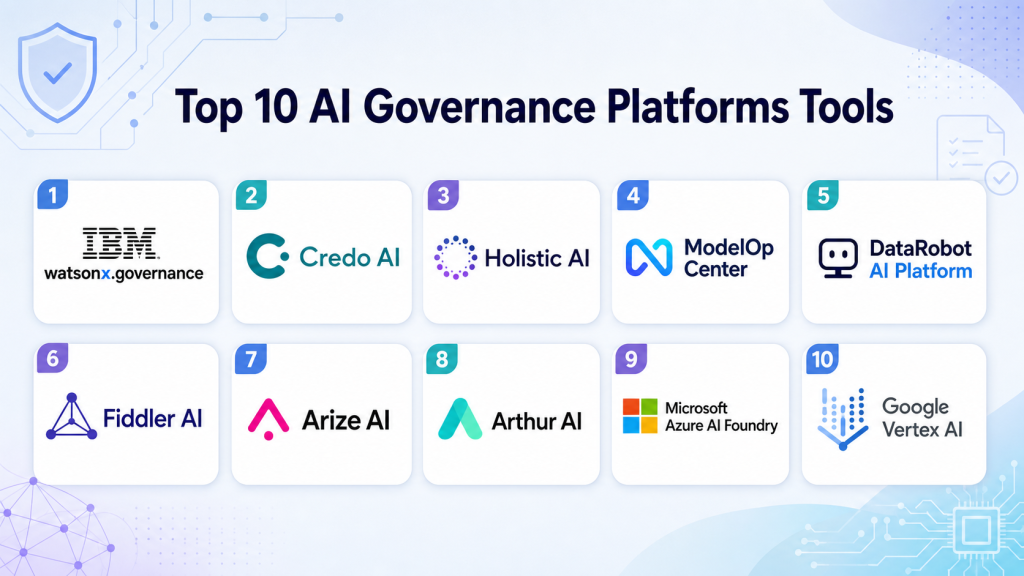
Top 10 AI Governance Platforms Tools
1 — IBM watsonx.governance
One-line verdict: Best for enterprises needing structured AI governance across traditional ML, GenAI, risk, compliance, and lifecycle workflows.
Short description:
IBM watsonx.governance helps organizations manage AI risk, documentation, model lifecycle evidence, and governance workflows. It is designed for teams that need visibility, accountability, and controls across AI systems, including enterprise AI and GenAI use cases.
Standout Capabilities
- Supports AI lifecycle governance and model documentation.
- Useful for tracking AI use cases, models, risks, and governance evidence.
- Can support traditional ML and GenAI governance workflows.
- Helps teams align AI development with risk and compliance processes.
- Provides structured workflows for monitoring and accountability.
- Useful for enterprises with multiple AI teams and business units.
- Can support model factsheets, risk views, and audit-oriented records.
- Good fit for organizations already using IBM AI or enterprise governance tools.
AI-Specific Depth
- Model support: Proprietary, BYO, and enterprise AI workflows may be supported depending on setup.
- RAG / knowledge integration: Varies / N/A; governance can apply to RAG systems through documentation and workflow controls.
- Evaluation: May support governance evidence for model testing, quality, and risk assessments.
- Guardrails: Policy, approval, and risk controls may support governance guardrails.
- Observability: Model lifecycle visibility and monitoring workflows may be available; token-level metrics vary.
Pros
- Strong enterprise governance orientation.
- Useful for risk, compliance, and AI lifecycle documentation.
- Good fit for organizations with mature AI programs.
Cons
- May be too heavy for small teams.
- Implementation can require governance process maturity.
- Exact capabilities should be validated against internal workflows.
Security & Compliance
Enterprise security controls may be available, but buyers should verify SSO, RBAC, audit logs, encryption, retention controls, residency, and certifications directly. Certifications: Not publicly stated.
Deployment & Platforms
- Enterprise platform workflow.
- Cloud and private deployment options: Varies / N/A.
- Web-based administration may be available.
- Desktop and mobile: Varies / N/A.
Integrations & Ecosystem
IBM watsonx.governance fits enterprise AI environments where governance must connect with AI development, risk management, model lifecycle controls, and reporting.
- IBM AI ecosystem integrations may be available.
- Model lifecycle and governance workflow support.
- Risk and compliance reporting workflows.
- Enterprise AI platform alignment.
- API and integration options should be verified.
- Data and model workflow fit depends on architecture.
Pricing Model
Typically enterprise or subscription-based. Exact pricing is not publicly stated.
Best-Fit Scenarios
- Enterprise AI governance programs.
- Traditional ML and GenAI risk management.
- Audit-ready AI lifecycle documentation.
2 — Credo AI
One-line verdict: Best for organizations needing practical responsible AI governance, risk assessments, policy workflows, and oversight.
Short description:
Credo AI focuses on responsible AI governance, risk management, policy alignment, and AI oversight workflows. It is useful for organizations that need structured governance across business, legal, risk, compliance, and technical teams.
Standout Capabilities
- Strong focus on responsible AI governance.
- Supports AI risk assessments and oversight workflows.
- Helps teams manage policies, controls, and approvals.
- Useful for documenting AI systems and their risks.
- Can support cross-functional governance collaboration.
- Good fit for organizations building AI governance programs.
- Helps translate AI risk into business-readable workflows.
- Useful for both internal and third-party AI governance.
AI-Specific Depth
- Model support: Varies / N/A; governance can apply across different model types and vendors.
- RAG / knowledge integration: Varies / N/A; governance workflows can document RAG risks and controls.
- Evaluation: Supports evidence collection and risk review; technical testing depth depends on integrations.
- Guardrails: Policy and control workflows can support governance guardrails.
- Observability: Governance dashboards and workflow tracking may be available; technical traces vary.
Pros
- Strong responsible AI governance focus.
- Useful for cross-functional risk and compliance workflows.
- Good fit for policy-driven AI oversight.
Cons
- Technical monitoring depth should be verified.
- May need integrations for advanced model observability.
- Pricing and deployment details should be confirmed.
Security & Compliance
Buyers should verify SSO, RBAC, audit logs, encryption, retention controls, data residency, and certifications directly. Certifications: Not publicly stated.
Deployment & Platforms
- SaaS or cloud-based governance platform.
- Private or hybrid options: Varies / N/A.
- Web-based workflows may be available.
- Desktop and mobile: Varies / N/A.
Integrations & Ecosystem
Credo AI fits organizations that need to connect AI risk policies, business workflows, and technical evidence into a practical governance operating model.
- AI risk assessment workflows.
- Policy and control management support.
- Cross-functional approval workflows.
- Third-party AI governance support may be available.
- Integration with technical systems may vary.
- Reporting and audit workflows may be supported.
Pricing Model
Typically enterprise or subscription-based. Exact pricing is not publicly stated.
Best-Fit Scenarios
- Responsible AI governance programs.
- Cross-functional AI risk reviews.
- Policy-driven AI approval workflows.
3 — Holistic AI
One-line verdict: Best for teams needing AI risk management, compliance workflows, assurance, and governance documentation.
Short description:
Holistic AI provides AI governance, risk, and compliance capabilities for organizations deploying AI systems. It is useful for teams that need assessments, documentation, monitoring support, and structured controls around AI risk.
Standout Capabilities
- Focuses on AI governance, risk, and compliance.
- Supports assessments for AI systems and use cases.
- Useful for documenting AI risks and governance evidence.
- Helps organizations structure responsible AI workflows.
- Can support AI assurance and oversight programs.
- Good fit for regulated or risk-sensitive organizations.
- Supports cross-functional governance collaboration.
- Useful for building repeatable AI compliance processes.
AI-Specific Depth
- Model support: Varies / N/A; governance workflows can apply across model types.
- RAG / knowledge integration: Varies / N/A; RAG systems can be documented and assessed through governance workflows.
- Evaluation: Risk and compliance assessments may be supported; technical testing depends on setup.
- Guardrails: Governance controls and policy workflows may support AI guardrails.
- Observability: Risk dashboards and governance tracking may be available; technical traces vary.
Pros
- Strong AI risk and compliance focus.
- Useful for assurance and governance documentation.
- Good fit for organizations formalizing AI oversight.
Cons
- Technical MLOps integrations should be validated.
- May require governance maturity to get full value.
- Exact deployment and pricing details should be verified.
Security & Compliance
Enterprise controls may be available, but buyers should verify SSO, RBAC, audit logs, encryption, retention controls, residency, and certifications directly. Certifications: Not publicly stated.
Deployment & Platforms
- Cloud/SaaS governance workflows.
- Private or hybrid deployment: Varies / N/A.
- Web-based administration may be available.
- Desktop and mobile: Varies / N/A.
Integrations & Ecosystem
Holistic AI fits risk, compliance, and governance programs where teams need structured AI assessments and governance documentation.
- AI risk assessment workflows.
- Governance documentation support.
- Policy and control management may be available.
- Reporting workflows may be supported.
- Integration depth should be verified.
- Technical monitoring fit depends on architecture.
Pricing Model
Typically enterprise or subscription-based. Exact pricing is not publicly stated.
Best-Fit Scenarios
- AI risk management programs.
- Compliance and assurance workflows.
- Governance documentation for high-risk AI systems.
4 — ModelOp Center
One-line verdict: Best for enterprises needing model governance, lifecycle controls, inventory, approvals, and operational oversight.
Short description:
ModelOp Center focuses on model governance and lifecycle management for enterprise AI and ML systems. It helps teams manage model inventory, risk controls, monitoring processes, approvals, and governance evidence.
Standout Capabilities
- Strong focus on enterprise model governance.
- Supports model inventory and lifecycle controls.
- Useful for approvals, reviews, and governance workflows.
- Helps manage model risk and operational oversight.
- Can support monitoring and compliance evidence workflows.
- Good fit for regulated model management environments.
- Useful for teams with many models and owners.
- Supports governance across production and non-production models.
AI-Specific Depth
- Model support: BYO model and enterprise model workflows may be supported.
- RAG / knowledge integration: Varies / N/A; governance can document RAG systems where configured.
- Evaluation: Supports governance evidence and review workflows; testing depth depends on integrations.
- Guardrails: Approval workflows and lifecycle controls may support governance guardrails.
- Observability: Model oversight, lifecycle visibility, and monitoring workflows may be available.
Pros
- Strong enterprise model governance focus.
- Useful for regulated model lifecycle management.
- Good fit for large model inventories.
Cons
- May be more governance-heavy than small teams need.
- Implementation requires model risk process maturity.
- GenAI-specific depth should be validated during pilot.
Security & Compliance
Buyers should verify SSO, RBAC, audit logs, encryption, retention controls, residency, and certifications directly. Certifications: Not publicly stated.
Deployment & Platforms
- Enterprise platform workflow.
- Cloud, private, or hybrid: Varies / N/A.
- Web-based administration may be available.
- Desktop and mobile: Varies / N/A.
Integrations & Ecosystem
ModelOp Center fits enterprises where model lifecycle governance must connect with risk teams, model owners, validation teams, and production monitoring workflows.
- Model inventory workflows.
- Approval and review processes.
- Monitoring integration may be available.
- Governance reporting support.
- MLOps integration should be verified.
- Enterprise workflow support may vary.
Pricing Model
Typically enterprise-based. Exact pricing is not publicly stated.
Best-Fit Scenarios
- Enterprise model inventory governance.
- Model risk management workflows.
- Lifecycle approvals for production AI systems.
5 — DataRobot AI Platform
One-line verdict: Best for teams needing AI development, monitoring, governance, and model lifecycle support in one platform.
Short description:
DataRobot AI Platform supports AI development, model operations, monitoring, and governance workflows. It is useful for teams that want model building and governance capabilities connected within a broader AI platform.
Standout Capabilities
- Combines AI development and governance-oriented workflows.
- Supports model monitoring and lifecycle management depending on setup.
- Useful for teams managing models from build to production.
- Can support explainability and performance tracking workflows.
- Helps centralize model management for business and technical teams.
- Suitable for organizations seeking an integrated AI platform.
- Can support governance evidence around model behavior.
- Useful when model operations and governance need to connect.
AI-Specific Depth
- Model support: Platform-native and BYO model workflows may be supported depending on setup.
- RAG / knowledge integration: Varies / N/A.
- Evaluation: Model evaluation and monitoring workflows may be available.
- Guardrails: Governance, monitoring, and approval workflows may support AI controls.
- Observability: Model monitoring and performance visibility may be available.
Pros
- Strong fit for end-to-end AI platform users.
- Useful for connecting model operations and governance.
- Good for teams that want fewer disconnected tools.
Cons
- May be more platform than governance-only buyers need.
- Exact GenAI governance depth should be verified.
- Pricing and deployment details should be confirmed.
Security & Compliance
Enterprise controls may be available, but buyers should verify SSO, RBAC, audit logs, encryption, retention controls, residency, and certifications directly. Certifications: Not publicly stated.
Deployment & Platforms
- Cloud and enterprise platform workflows.
- Private or hybrid deployment: Varies / N/A.
- Web-based interface may be available.
- Desktop and mobile: Varies / N/A.
Integrations & Ecosystem
DataRobot fits organizations that want AI development, deployment, monitoring, and governance closer together.
- Model development workflow support.
- Monitoring and model operations may be available.
- Data and MLOps integrations may be supported.
- Governance reporting workflows may be available.
- BYO model support should be verified.
- Enterprise ecosystem details vary by plan.
Pricing Model
Typically enterprise or subscription-based. Exact pricing is not publicly stated.
Best-Fit Scenarios
- Teams seeking AI platform plus governance.
- Model monitoring with governance evidence.
- Centralized model lifecycle management.
6 — Fiddler AI
One-line verdict: Best for teams needing model monitoring, explainability, bias analysis, and AI observability for governance.
Short description:
Fiddler AI focuses on model monitoring, explainability, bias detection, and AI observability. It is useful for organizations that need technical evidence to support AI governance, especially around model behavior and production risk.
Standout Capabilities
- Strong focus on AI observability and explainability.
- Supports monitoring of model behavior depending on setup.
- Useful for bias, drift, performance, and transparency workflows.
- Helps provide technical evidence for governance reviews.
- Good fit for production AI monitoring programs.
- Can support both risk and data science stakeholders.
- Useful for model health dashboards and incident detection.
- Supports responsible AI operations when connected to governance workflows.
AI-Specific Depth
- Model support: BYO and production model workflows may be supported.
- RAG / knowledge integration: Varies / N/A.
- Evaluation: Monitoring, explainability, and bias analysis may support governance evidence.
- Guardrails: Model behavior monitoring can support operational guardrails.
- Observability: Strong focus on AI observability, drift, performance, and explainability.
Pros
- Strong for explainability and monitoring.
- Useful for production governance evidence.
- Good fit for technical AI risk teams.
Cons
- Not a full policy governance platform by itself.
- Requires instrumentation and model integration.
- Deployment and pricing details should be verified.
Security & Compliance
Buyers should verify SSO, RBAC, audit logs, encryption, retention controls, residency, and certifications directly. Certifications: Not publicly stated.
Deployment & Platforms
- Cloud and enterprise workflows may be available.
- Private or hybrid options: Varies / N/A.
- Web-based dashboards may be supported.
- Desktop and mobile: Varies / N/A.
Integrations & Ecosystem
Fiddler AI fits organizations that need technical monitoring and explainability evidence for AI governance programs.
- Model monitoring workflows.
- Explainability and bias analysis may be available.
- Drift and performance tracking may be supported.
- MLOps integration should be verified.
- Reporting and dashboards may be available.
- Governance integration depends on architecture.
Pricing Model
Typically subscription or enterprise-based. Exact pricing is not publicly stated.
Best-Fit Scenarios
- Production AI monitoring.
- Explainability and bias governance.
- Technical evidence for model risk reviews.
7 — Arize AI
One-line verdict: Best for ML and LLM teams needing observability, evaluation, tracing, and production AI monitoring.
Short description:
Arize AI provides AI observability and evaluation workflows for ML and LLM applications. It is useful for teams that need to monitor model quality, traces, evaluations, drift, and production behavior as part of governance operations.
Standout Capabilities
- Supports AI observability for ML and LLM systems.
- Useful for monitoring drift, performance, and quality issues.
- Can support LLM evaluation and tracing workflows depending on setup.
- Helps teams diagnose model and data problems.
- Useful for production AI incident detection.
- Can provide evidence for governance and review workflows.
- Good fit for technical MLOps and LLMOps teams.
- Helps connect evaluation and monitoring with operational AI risk.
AI-Specific Depth
- Model support: BYO model and LLM workflows may be supported.
- RAG / knowledge integration: RAG evaluation and tracing workflows may be supported depending on setup.
- Evaluation: Supports model and LLM evaluation workflows depending on configuration.
- Guardrails: Monitoring and evaluation can support operational guardrails; policy controls vary.
- Observability: Strong focus on traces, drift, quality, and production monitoring.
Pros
- Strong fit for LLM and ML observability.
- Useful for evaluation evidence and incident diagnosis.
- Good for technical AI teams managing production systems.
Cons
- Not a complete legal or policy governance platform alone.
- Requires integration with applications and pipelines.
- Security and deployment details should be verified.
Security & Compliance
Buyers should verify SSO, RBAC, audit logs, encryption, retention controls, residency, and certifications directly. Certifications: Not publicly stated.
Deployment & Platforms
- Cloud and enterprise workflows may be available.
- Self-hosted or private options: Varies / N/A.
- Web-based dashboards may be supported.
- Desktop and mobile: Varies / N/A.
Integrations & Ecosystem
Arize AI fits MLOps and LLMOps teams that need monitoring, tracing, evaluation, and production AI observability.
- ML monitoring integrations may be available.
- LLM tracing workflows may be supported.
- Evaluation workflows may be available.
- Data and model pipeline integrations vary.
- Dashboards and alerting may be supported.
- Governance workflows depend on integration design.
Pricing Model
Typically subscription or enterprise-based. Exact pricing is not publicly stated.
Best-Fit Scenarios
- LLM application monitoring.
- RAG and model evaluation workflows.
- Production AI quality and incident tracking.
8 — Arthur AI
One-line verdict: Best for teams needing AI performance monitoring, model evaluation, and risk visibility across production systems.
Short description:
Arthur AI focuses on monitoring, evaluation, and risk management for AI systems. It is useful for teams that need visibility into model performance, drift, bias, and production behavior to support governance decisions.
Standout Capabilities
- Supports AI performance monitoring workflows.
- Useful for drift, bias, quality, and model behavior tracking.
- Can help teams identify production AI risks.
- Supports evaluation evidence for governance reviews.
- Good fit for regulated or high-impact AI systems.
- Helps connect technical monitoring with governance needs.
- Useful for production model oversight.
- Can support responsible AI operations depending on setup.
AI-Specific Depth
- Model support: BYO and production model workflows may be supported.
- RAG / knowledge integration: Varies / N/A.
- Evaluation: Model evaluation and monitoring workflows may be available.
- Guardrails: Monitoring and risk visibility may support operational guardrails.
- Observability: AI performance, drift, and behavior monitoring may be supported.
Pros
- Strong for production AI monitoring.
- Useful for risk and governance evidence.
- Good fit for high-impact AI systems.
Cons
- Not primarily a policy management platform.
- Requires model integration and monitoring design.
- Exact GenAI governance depth should be tested.
Security & Compliance
Enterprise security controls may be available, but buyers should verify SSO, RBAC, audit logs, encryption, retention controls, residency, and certifications directly. Certifications: Not publicly stated.
Deployment & Platforms
- Cloud and enterprise workflows may be available.
- Private or hybrid options: Varies / N/A.
- Web-based dashboards may be supported.
- Desktop and mobile: Varies / N/A.
Integrations & Ecosystem
Arthur AI fits teams that need technical monitoring and model risk visibility for production AI systems.
- Model monitoring workflows.
- Drift and performance analysis may be available.
- Bias and risk visibility may be supported.
- Data pipeline integration varies.
- Reporting workflows may be available.
- Governance integration should be validated.
Pricing Model
Typically enterprise or subscription-based. Exact pricing is not publicly stated.
Best-Fit Scenarios
- Production model risk monitoring.
- AI performance and drift governance.
- High-impact AI oversight workflows.
9 — Microsoft Azure AI Foundry
One-line verdict: Best for Microsoft cloud teams needing AI development, evaluation, safety, and governance-adjacent workflows.
Short description:
Microsoft Azure AI Foundry supports building, evaluating, deploying, and managing AI applications in the Microsoft cloud ecosystem. It is useful for teams that want AI development workflows connected with safety, evaluation, monitoring, and enterprise controls.
Standout Capabilities
- Strong fit for Microsoft Azure AI environments.
- Supports AI app development and lifecycle workflows.
- Can support evaluation and safety workflows depending on setup.
- Useful for teams building GenAI and enterprise AI applications.
- Connects with Azure identity, security, and cloud services depending on configuration.
- Good fit for organizations standardized on Microsoft cloud.
- Can support governance-adjacent workflows around deployment and monitoring.
- Useful when AI builders and platform teams share one ecosystem.
AI-Specific Depth
- Model support: Hosted, BYO, and multi-model workflows may be supported depending on Azure setup.
- RAG / knowledge integration: RAG and knowledge workflows may be supported depending on configuration.
- Evaluation: AI evaluation workflows may be available depending on setup.
- Guardrails: Safety and policy controls may be available through Microsoft ecosystem capabilities.
- Observability: Monitoring and operational visibility may be available through Azure services.
Pros
- Strong fit for Microsoft cloud users.
- Useful for AI app development and evaluation workflows.
- Can align with enterprise identity and security controls.
Cons
- Best value for Azure-centered teams.
- Governance depth may require multiple Azure services and processes.
- Exact capabilities should be tested with real workflows.
Security & Compliance
Security depends on Azure configuration. Buyers should verify identity controls, RBAC, audit logs, encryption, retention controls, residency, and certifications directly. Certifications: Not publicly stated.
Deployment & Platforms
- Cloud-based Azure platform workflow.
- API, studio, and developer workflows may be available.
- Self-hosted: Varies / N/A.
- Desktop and mobile: Varies / N/A.
Integrations & Ecosystem
Azure AI Foundry fits Microsoft-centered enterprises building AI applications that need evaluation, safety, deployment, and governance-adjacent workflows.
- Azure AI ecosystem support.
- Model and app development workflows.
- Evaluation and deployment integration may be available.
- Identity and security integrations depend on setup.
- RAG workflow support may be available.
- Monitoring integration through Azure services may be possible.
Pricing Model
Typically cloud usage-based and service-dependent. Exact costs vary by configuration and usage.
Best-Fit Scenarios
- Azure-based AI application governance.
- GenAI development with evaluation workflows.
- Enterprise AI deployment in Microsoft cloud.
10 — Google Vertex AI
One-line verdict: Best for Google Cloud teams needing AI development, model management, monitoring, and governance-adjacent controls.
Short description:
Google Vertex AI supports building, deploying, managing, and monitoring machine learning and generative AI systems in Google Cloud. It is useful for teams that want AI development and operational controls within a cloud-native AI platform.
Standout Capabilities
- Strong fit for Google Cloud AI and ML workflows.
- Supports model development, deployment, and monitoring depending on setup.
- Can support GenAI and traditional ML workflows.
- Useful for teams managing production AI systems in one cloud ecosystem.
- Connects with Google Cloud data and security services depending on architecture.
- Can support evaluation and model management workflows.
- Good fit for teams already using BigQuery and Google Cloud data services.
- Useful for governance-adjacent AI lifecycle operations.
AI-Specific Depth
- Model support: Hosted, BYO, and Google Cloud model workflows may be supported.
- RAG / knowledge integration: RAG and knowledge workflows may be supported depending on setup.
- Evaluation: Model and GenAI evaluation workflows may be available depending on configuration.
- Guardrails: Safety and policy controls may be available through Google Cloud ecosystem capabilities.
- Observability: Model monitoring and cloud logging may be available depending on setup.
Pros
- Strong fit for Google Cloud AI teams.
- Useful for model lifecycle and monitoring workflows.
- Can connect with data and cloud security services.
Cons
- Best suited to Google Cloud environments.
- Governance program workflows may need complementary tools.
- Exact capabilities should be validated with real use cases.
Security & Compliance
Security depends on Google Cloud configuration. Buyers should verify IAM, RBAC, audit logs, encryption, retention controls, residency, and certifications directly. Certifications: Not publicly stated.
Deployment & Platforms
- Cloud-based Google Cloud platform workflow.
- API, console, and notebook workflows may be available.
- Self-hosted: Varies / N/A.
- Desktop and mobile: Varies / N/A.
Integrations & Ecosystem
Google Vertex AI fits organizations building and managing AI systems within Google Cloud data, model, and application workflows.
- Google Cloud AI ecosystem support.
- BigQuery and data platform adjacency.
- Model deployment and monitoring workflows.
- GenAI development workflows may be available.
- Security and identity integration depends on setup.
- Governance workflows may require complementary systems.
Pricing Model
Typically cloud usage-based and service-dependent. Exact costs vary by configuration and usage.
Best-Fit Scenarios
- Google Cloud AI lifecycle management.
- Model deployment and monitoring workflows.
- AI governance-adjacent controls in cloud environments.
Comparison Table
| Tool Name | Best For | Deployment | Model Flexibility | Strength | Watch-Out | Public Rating |
|---|---|---|---|---|---|---|
| IBM watsonx.governance | Enterprise AI governance | Cloud / Hybrid / Varies | Hosted / BYO adjacent | Governance lifecycle | Can be complex | N/A |
| Credo AI | Responsible AI governance | Cloud / SaaS / Varies | Varies / N/A | Policy and risk workflows | Technical monitoring varies | N/A |
| Holistic AI | AI risk and compliance | Cloud / SaaS / Varies | Varies / N/A | Assurance workflows | Verify integrations | N/A |
| ModelOp Center | Model governance and inventory | Cloud / Hybrid / Varies | BYO adjacent | Lifecycle controls | Governance-heavy | N/A |
| DataRobot AI Platform | AI platform plus governance | Cloud / Hybrid / Varies | Hosted / BYO | Model lifecycle support | Platform scope may be broad | N/A |
| Fiddler AI | Explainability and monitoring | Cloud / Hybrid / Varies | BYO | AI observability | Not full policy governance | N/A |
| Arize AI | LLM and ML observability | Cloud / Varies | BYO | Evaluation and tracing | Needs instrumentation | N/A |
| Arthur AI | AI monitoring and risk visibility | Cloud / Hybrid / Varies | BYO | Production risk monitoring | Verify GenAI depth | N/A |
| Microsoft Azure AI Foundry | Azure AI lifecycle workflows | Cloud | Hosted / BYO / Multi-model | Microsoft ecosystem | Best for Azure users | N/A |
| Google Vertex AI | Google Cloud AI lifecycle | Cloud | Hosted / BYO / Multi-model | Cloud AI operations | Best for Google users | N/A |
Scoring & Evaluation
The scoring below is comparative, not absolute. It helps buyers compare AI governance platforms based on governance workflows, reliability and evaluation support, safety controls, integrations, usability, cost management, security, and support. Scores may change depending on risk level, cloud stack, AI maturity, regulatory exposure, and whether the organization needs policy governance, technical monitoring, or both. A high score does not mean one universal winner. Always validate platforms with real AI use cases, risk workflows, model evidence, and stakeholder reviews.
| Tool | Core | Reliability/Eval | Guardrails | Integrations | Ease | Perf/Cost | Security/Admin | Support | Weighted Total |
|---|---|---|---|---|---|---|---|---|---|
| IBM watsonx.governance | 9 | 8 | 9 | 8 | 7 | 7 | 9 | 8 | 8.25 |
| Credo AI | 9 | 8 | 9 | 8 | 8 | 7 | 8 | 8 | 8.20 |
| Holistic AI | 8 | 8 | 9 | 7 | 8 | 7 | 8 | 8 | 7.90 |
| ModelOp Center | 9 | 8 | 8 | 8 | 7 | 7 | 9 | 8 | 8.05 |
| DataRobot AI Platform | 8 | 8 | 8 | 8 | 8 | 7 | 8 | 8 | 7.90 |
| Fiddler AI | 8 | 9 | 8 | 8 | 7 | 8 | 8 | 8 | 8.05 |
| Arize AI | 8 | 9 | 8 | 9 | 7 | 8 | 8 | 8 | 8.20 |
| Arthur AI | 8 | 8 | 8 | 8 | 7 | 8 | 8 | 8 | 7.90 |
| Microsoft Azure AI Foundry | 8 | 8 | 8 | 9 | 8 | 8 | 9 | 8 | 8.30 |
| Google Vertex AI | 8 | 8 | 8 | 9 | 8 | 8 | 9 | 8 | 8.30 |
Top 3 for Enterprise
- IBM watsonx.governance
- Credo AI
- ModelOp Center
Top 3 for SMB
- Credo AI
- Arize AI
- DataRobot AI Platform
Top 3 for Developers
- Arize AI
- Microsoft Azure AI Foundry
- Google Vertex AI
Which AI Governance Platform Is Right for You?
Solo / Freelancer
Solo users usually do not need a full AI governance platform unless they are building AI systems for clients in regulated or high-risk industries. A simple governance workflow with model documentation, evaluation notes, prompt testing, data records, and approval checklists may be enough.
If the work involves production AI, customer data, or automated decisions, start with lightweight monitoring and documentation tools. Arize AI, Fiddler AI, or cloud-native platform controls may help when technical evidence is needed.
SMB
SMBs should focus on practical governance that does not slow down AI delivery. Credo AI can help with policy and risk workflows, Arize AI can support monitoring and evaluation evidence, and DataRobot may fit teams that want AI development and governance closer together.
SMBs should avoid overly complex governance programs at the start. Begin with inventory, risk tiering, evaluation evidence, and approval workflows for high-impact AI systems.
Mid-Market
Mid-market teams need structured governance, technical monitoring, ownership, risk reviews, and cross-functional workflows. Credo AI, Holistic AI, ModelOp Center, Fiddler AI, Arize AI, and DataRobot can fit depending on whether the focus is policy, monitoring, lifecycle governance, or platform operations.
At this stage, governance should include model inventory, data review, evaluation evidence, human oversight, vendor AI review, and incident handling.
Enterprise
Enterprises should prioritize auditability, lifecycle governance, enterprise controls, integration depth, risk workflows, and board-level visibility. IBM watsonx.governance, Credo AI, ModelOp Center, Holistic AI, DataRobot, Azure AI Foundry, and Google Vertex AI can fit different enterprise needs.
Enterprises should connect AI governance with security, privacy, legal, compliance, model risk, data governance, and business ownership. The platform should support both technical teams and non-technical stakeholders.
Regulated industries: finance/healthcare/public sector
Regulated teams need stronger documentation, explainability, validation evidence, human review, access controls, and audit trails. Finance may need model risk controls, healthcare may need privacy and safety checks, and public sector teams may need transparency and accountability.
AI governance should not be limited to policy documents. It should include model inventory, approval workflows, monitoring, issue tracking, data governance, and incident response.
Budget vs premium
Budget-conscious teams can start with internal checklists, model cards, open-source monitoring, cloud-native controls, and lightweight risk registers. This works for early-stage teams with limited high-risk AI use.
Premium governance platforms make sense when AI is business-critical, regulated, multi-team, vendor-heavy, or customer-facing. The value comes from reducing risk, improving audit readiness, and preventing uncontrolled AI deployment.
Build vs buy
Build your own governance workflow when AI use is limited, risk is low, and teams can manage documentation and approvals manually. Internal templates and model registry notes may be enough at first.
Buy a platform when AI use spans many teams, risk levels, vendors, models, and workflows. Dedicated platforms help centralize accountability, evidence, approvals, monitoring, and reporting.
Implementation Playbook: 30 / 60 / 90 Days
30 Days: Pilot and Success Metrics
- Create an inventory of current AI systems, models, prompts, agents, datasets, and owners.
- Classify AI systems by risk level, business impact, data sensitivity, and user exposure.
- Select one or two high-impact AI use cases for the governance pilot.
- Define success metrics such as inventory completeness, approval speed, risk visibility, and evidence quality.
- Create risk assessment templates for privacy, bias, explainability, security, and model reliability.
- Gather existing evaluation results, prompt tests, model cards, and data documentation.
- Assign owners for AI governance, model validation, privacy review, and incident response.
- Test the selected platform with real governance workflows.
- Document gaps in data, evaluation, monitoring, and approval processes.
60 Days: Harden Security, Evaluation, and Rollout
- Add role-based access, audit logs, approval workflows, and exception handling.
- Connect governance records to model registries, MLOps tools, LLMOps tools, and data catalogs where possible.
- Define mandatory checks for high-risk AI systems.
- Add evaluation evidence for hallucination, fairness, privacy, safety, robustness, and performance.
- Create red-team testing workflows for GenAI, RAG, and agent systems.
- Add prompt and version control for LLM applications.
- Build human review and escalation paths for risky outputs or decisions.
- Create vendor AI review workflows for third-party tools.
- Start reporting governance status to business and risk leaders.
90 Days: Optimize Cost, Latency, Governance, and Scale
- Standardize governance templates by AI use case and risk level.
- Automate evidence collection where possible.
- Monitor model incidents, drift, performance, cost, latency, and policy exceptions.
- Build dashboards for executives, risk teams, AI teams, and business owners.
- Create reusable controls for RAG, AI agents, fine-tuning, and third-party AI.
- Track unresolved risks, overdue approvals, and policy exceptions.
- Review vendor lock-in and exportability of governance evidence.
- Expand governance to more teams and business units.
- Scale only after ownership, controls, evidence, and monitoring are stable.
Common Mistakes & How to Avoid Them
- No AI inventory: Start by tracking every AI system, owner, dataset, model, and use case.
- Treating governance as paperwork only: Connect policies with real evaluations, monitoring, approvals, and incidents.
- Ignoring GenAI-specific risks: Include hallucinations, prompt injection, RAG data quality, unsafe outputs, and agent actions.
- No evaluation evidence: Require test results before approving AI systems for production use.
- Weak human oversight: Define who reviews high-risk outputs, escalations, and exceptions.
- Unmanaged data retention: Track what data is used, where it is stored, and how long it is retained.
- Lack of observability: Monitor drift, performance, latency, cost, safety, and production incidents.
- Cost surprises: Track model usage, token costs, compute workloads, and monitoring overhead.
- Over-automation without review: Keep humans involved for sensitive, regulated, or high-impact decisions.
- Vendor lock-in: Keep governance records, policies, evidence, and reports exportable.
- No third-party AI review: Assess vendor AI tools, embedded AI features, and external model providers.
- Ignoring security testing: Include prompt injection, data leakage, access control, and model abuse testing.
- No incident response: Define what happens when an AI system fails, leaks data, or produces harmful output.
- One-size-fits-all governance: Use risk-tiered workflows so low-risk tools do not get the same process as high-risk systems.
FAQs
1. What is an AI governance platform?
An AI governance platform helps teams track, assess, approve, monitor, and document AI systems. It supports safer, more accountable AI use.
2. Why do companies need AI governance?
Companies need governance to manage privacy, bias, security, reliability, compliance, and business risk. It also helps teams prove responsible AI practices.
3. Is AI governance only for regulated industries?
No. Any company using AI in customer-facing, employee-facing, or decision-making workflows can benefit from governance. Regulated industries simply need stricter controls.
4. Can AI governance platforms support GenAI?
Many platforms support GenAI workflows directly or through integrations. Teams should verify support for prompts, RAG, agents, evaluations, and guardrails.
5. Do these platforms support BYO models?
Some platforms support BYO model governance, while others focus on platform-native models or workflow documentation. Exact support varies by vendor.
6. Can AI governance tools monitor production models?
Some tools include monitoring, while others focus on policy and approvals. Many organizations combine governance platforms with observability tools.
7. What are guardrails in AI governance?
Guardrails are policies, checks, approvals, monitoring, and technical controls that reduce unsafe AI behavior. They help manage risk before and after deployment.
8. How do governance platforms help with audits?
They store evidence such as risk assessments, approvals, test results, model documentation, incidents, and change history. This makes audits easier.
9. How much do AI governance platforms cost?
Pricing varies by vendor, users, models, integrations, deployment, and enterprise needs. Exact pricing should be verified directly.
10. Can small teams use AI governance?
Yes, but small teams may start with lightweight documentation and monitoring. A full platform is more useful when AI use becomes broader or higher risk.
11. What is the difference between AI governance and MLOps?
MLOps focuses on building, deploying, and monitoring models. AI governance focuses on risk, accountability, compliance, approvals, and responsible use.
12. Can governance platforms manage third-party AI tools?
Some platforms support third-party AI risk review and vendor assessment workflows. Buyers should verify this if they use external AI services.
13. What alternatives exist to AI governance platforms?
Alternatives include spreadsheets, model cards, GRC tools, internal checklists, model registries, monitoring tools, and custom workflows. These may work at small scale.
14. How can teams switch platforms later?
Keep inventories, policies, risk assessments, reports, model cards, and evidence exportable. Avoid locking governance logic into one system.
15. How should teams start with AI governance?
Start by creating an AI inventory, classifying risk, choosing high-impact pilots, collecting evaluation evidence, and defining approval workflows.
Conclusion
AI governance platforms help organizations manage AI risk, accountability, monitoring, approvals, documentation, and responsible use across traditional ML, GenAI, RAG, and agentic systems. The best choice depends on company size, risk level, cloud stack, regulatory exposure, and whether the team needs policy governance, technical monitoring, or both. IBM watsonx.governance, Credo AI, Holistic AI, ModelOp Center, DataRobot, Fiddler AI, Arize AI, Arthur AI, Azure AI Foundry, and Google Vertex AI each fit different governance needs.
Next steps:
- Shortlist: Pick 3 platforms based on AI risk level, governance maturity, cloud stack, and monitoring needs.
- Pilot: Test with real AI systems, risk assessments, evaluation evidence, approvals, and stakeholder workflows.
- Verify and scale: Confirm security, auditability, integrations, reporting, cost, and governance fit before rollout.
An insightful article that connects governance principles with practical tools and workflows. The structured comparison makes it more useful and actionable.
I appreciated how the blog connects AI governance with real regulatory frameworks and industry needs.It shows practical relevance across different sectors.
The guide also highlights why continuous monitoring and documentation are necessary to ensure AI systems remain safe, fair, and compliant over time.