Introduction
PII detection and redaction for training data tools help AI teams find, classify, mask, remove, tokenize, or anonymize personal information before data is used for model training, fine-tuning, RAG pipelines, analytics, testing, or evaluation. In simple words, these tools prevent sensitive details like names, emails, phone numbers, addresses, account numbers, payment information, health records, credentials, and private conversations from entering AI systems.
These tools matter because AI teams often work with customer tickets, support chats, call transcripts, internal documents, product logs, emails, forms, knowledge bases, and operational datasets. If private information enters prompts, embeddings, vector databases, fine-tuning files, traces, or model outputs, it can create privacy, security, compliance, and brand trust risks.
Real-World Use Cases
- LLM fine-tuning preparation: Remove names, contact details, account IDs, and private customer data before training or fine-tuning models.
- RAG pipeline protection: Redact sensitive information before documents are embedded and stored in vector databases.
- Customer support data cleanup: Mask personal details from tickets, chat logs, email threads, and support transcripts.
- Healthcare and financial privacy: Detect PHI, payment details, policy numbers, patient IDs, claims data, and account identifiers.
- AI evaluation safety: Clean evaluation prompts, test datasets, reviewer notes, and model responses before quality testing.
- Prompt and log protection: Detect PII in prompts, outputs, traces, API logs, and observability platforms.
- Document redaction: Remove sensitive fields from PDFs, scanned forms, onboarding records, contracts, and claims documents.
Evaluation Criteria for Buyers
- Entity coverage: Check support for names, emails, phone numbers, addresses, IDs, payment data, health data, credentials, IP addresses, and custom identifiers.
- Data type support: Evaluate text, PDFs, scanned documents, forms, tables, transcripts, logs, emails, and multimodal content.
- Custom recognizers: Look for custom rules, regex patterns, dictionaries, domain-specific identifiers, and confidence scoring.
- Redaction methods: Compare masking, deletion, replacement, pseudonymization, tokenization, encryption, and reversible transformation.
- AI workflow fit: Confirm compatibility with RAG ingestion, fine-tuning, vector databases, prompt pipelines, logs, and evaluation datasets.
- Accuracy testing: Measure false positives, false negatives, reviewer agreement, and domain-specific detection quality.
- Security controls: Check RBAC, SSO, audit logs, encryption, retention settings, data residency, and admin controls.
- Human review: Ensure uncertain detections can be routed to privacy, legal, compliance, or domain experts.
- Integration depth: Review APIs, SDKs, batch jobs, ETL support, cloud storage connectors, and automation options.
- Performance and cost: Test scanning speed, latency, batch volume, processing limits, and pricing predictability.
- Governance: Look for policy rules, approval workflows, audit-ready reports, and dataset lineage.
- Vendor flexibility: Confirm that redacted data, policies, reports, and logs can be exported without lock-in.
Best for: AI engineers, ML teams, data privacy teams, compliance teams, security teams, data governance leaders, healthcare organizations, financial services firms, SaaS companies, public sector teams, and enterprises preparing sensitive data for AI workflows.
Not ideal for: very small non-sensitive projects, public datasets with no personal information, or teams that only need simple one-time manual masking. In low-risk cases, lightweight scripts or basic anonymization may be enough.
What’s Changed in PII Detection & Redaction for Training Data
- PII now appears across the full AI lifecycle. Sensitive data can enter prompts, embeddings, model traces, fine-tuning files, logs, evaluation datasets, and generated outputs.
- RAG systems need earlier redaction. Once private information enters a vector database, removing it later can be difficult and risky.
- AI agents create new privacy risks. Agent memory, tool calls, workflow traces, browser actions, and task logs may all contain personal or confidential data.
- Multimodal redaction is becoming important. Teams need to detect sensitive data in text, PDFs, images, forms, screenshots, tables, and transcripts.
- Custom entity detection matters more. Generic PII detection may miss patient IDs, employee numbers, policy IDs, internal case numbers, and regional identifiers.
- Real-time scanning is becoming common. Teams need to inspect prompts, retrieved context, outputs, and logs before sensitive data reaches users or storage.
- Privacy and model utility must be balanced. Over-redaction can destroy training value, while under-redaction creates serious security and compliance risk.
- Human review is now part of safer redaction. Ambiguous or high-risk detections often need review by privacy, compliance, or domain experts.
- Observability is expanding into privacy workflows. Teams want visibility into where PII was found, how it was handled, and whether leakage occurred.
- Governance expectations are stronger. Buyers need audit logs, policy rules, approval workflows, retention settings, and role-based access.
- Open-source tools are popular for technical teams. Developers often begin with flexible libraries before adding enterprise security and governance layers.
- Security-by-design is now expected. PII detection should be built into ingestion, preprocessing, retrieval, training, evaluation, monitoring, and incident response.
Quick Buyer Checklist
- Does the tool detect common and custom PII entities?
- Does it support text, PDFs, logs, transcripts, tables, and scanned documents?
- Can it clean data before fine-tuning, RAG ingestion, vectorization, or analytics?
- Does it support custom rules, regex, dictionaries, recognizers, and confidence thresholds?
- Can it mask, delete, tokenize, pseudonymize, replace, or encrypt sensitive values?
- Does it support human review for uncertain detections?
- Can it process both batch datasets and real-time requests?
- Does it integrate with storage, warehouses, databases, ETL, and ML pipelines?
- Does it support hosted, self-hosted, private cloud, or hybrid deployment?
- Are RBAC, SSO, audit logs, encryption, and retention controls available?
- Can it monitor PII leakage in prompts, outputs, embeddings, logs, and traces?
- Does it provide audit-ready reports for privacy and compliance teams?
- Can redacted datasets and reports be exported without lock-in?
- Is the cost predictable at production data volume?
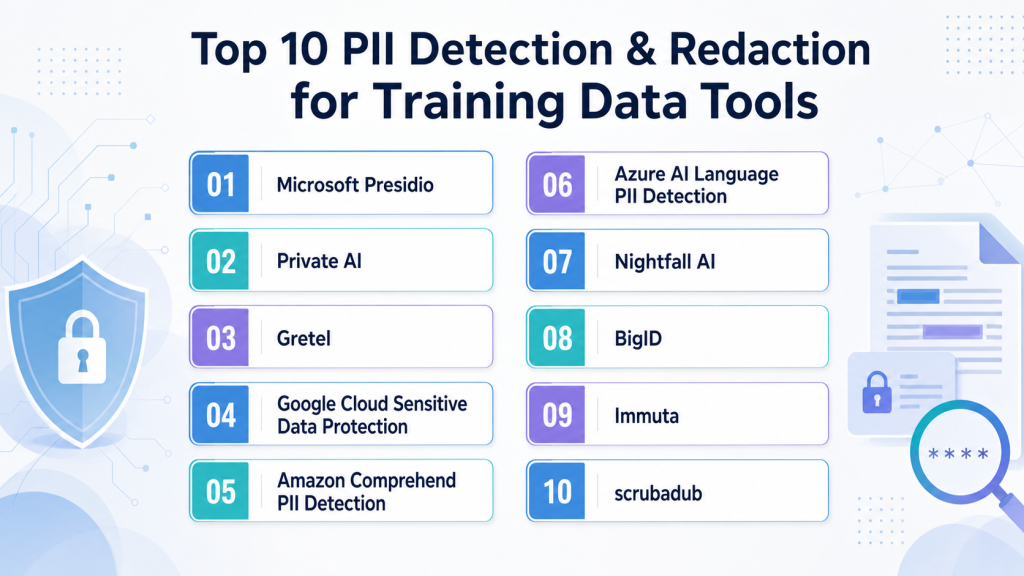
Top 10 PII Detection & Redaction for Training Data Tools
1 — Microsoft Presidio
One-line verdict: Best for developers needing open-source PII detection, anonymization, and customizable privacy pipelines.
Short description:
Microsoft Presidio is an open-source framework for detecting and anonymizing sensitive information in text workflows. It is useful for engineering teams that want control over recognizers, anonymization logic, and deployment.
Standout Capabilities
- Open-source framework for PII detection and anonymization.
- Supports custom recognizers for domain-specific entities.
- Can combine rule-based, regex-based, and NLP-based detection.
- Useful for preprocessing datasets before AI training or analytics.
- Developer-friendly for internal privacy engineering workflows.
- Can support masking, redaction, replacement, and anonymization.
- Flexible for custom data pipelines and internal tools.
- Good fit for teams that need local control.
AI-Specific Depth
- Model support: Open-source and BYO model workflows can be configured.
- RAG / knowledge integration: Can be used before RAG ingestion and vectorization.
- Evaluation: Custom evaluation datasets can be created; built-in eval depth varies.
- Guardrails: Useful as a privacy guardrail before prompts, logs, training, and retrieval.
- Observability: Requires custom logging and dashboards for advanced visibility.
Pros
- Highly flexible for engineering teams.
- Strong choice for custom entity detection.
- Can be self-hosted and adapted to internal requirements.
Cons
- Requires technical setup and maintenance.
- Enterprise governance features are not automatic.
- Accuracy depends on recognizer quality and validation.
Security & Compliance
Security depends on how the tool is deployed. SSO, RBAC, audit logs, encryption, retention controls, and residency must be handled by the user’s environment. Certifications: Not publicly stated.
Deployment & Platforms
- Python-based and service-oriented workflows.
- Self-hosted and local deployment possible.
- Cloud deployment depends on user setup.
- Windows, macOS, and Linux support depends on environment.
Integrations & Ecosystem
Presidio fits well into custom AI preprocessing pipelines where teams need to scan and anonymize data before it reaches models, vector databases, or analytics systems.
- Python ecosystem support.
- REST-style service deployment possible.
- Custom recognizers and anonymizers.
- ETL pipeline integration through custom code.
- Text-heavy dataset processing.
- Internal privacy workflow customization.
Pricing Model
Open-source. Commercial support, hosting, and implementation costs vary by provider or internal team.
Best-Fit Scenarios
- Custom PII redaction before LLM fine-tuning.
- Self-hosted privacy pipelines for sensitive datasets.
- Developer-led AI preprocessing workflows.
2 — Private AI
One-line verdict: Best for teams needing AI-focused privacy redaction across training data, prompts, and logs.
Short description:
Private AI focuses on detecting, redacting, and de-identifying sensitive information in AI and data workflows. It is useful for teams that need privacy controls before model training, prompting, logging, or document ingestion.
Standout Capabilities
- Focuses on privacy-first PII detection and de-identification.
- Useful for training data, prompts, logs, and unstructured content.
- Can support real-time and batch redaction workflows.
- Relevant for enterprises handling sensitive AI data.
- Helps reduce exposure before data reaches models or storage systems.
- Useful for document and text-heavy privacy workflows.
- Supports safer AI data preparation.
- Deployment options should be verified directly.
AI-Specific Depth
- Model support: Varies / N/A; can be used before proprietary, open-source, or BYO models.
- RAG / knowledge integration: Can help clean documents before RAG ingestion.
- Evaluation: Detection quality should be tested with domain-specific data.
- Guardrails: Strong fit as a privacy guardrail for prompts, logs, training, and retrieval.
- Observability: Reporting and monitoring may be available; exact scope varies.
Pros
- Strong focus on AI privacy workflows.
- Useful for real-time and batch redaction.
- Good fit for sensitive enterprise data.
Cons
- Exact deployment details should be verified.
- Accuracy should be tested with real internal samples.
- Complex workflows may require integration effort.
Security & Compliance
Buyers should verify SSO, RBAC, audit logs, encryption, data retention controls, residency, and certifications directly. Certifications: Not publicly stated.
Deployment & Platforms
- API and platform workflows.
- Cloud, private, or on-premises options may vary.
- Web-based management: Varies / N/A.
- Desktop and mobile: Varies / N/A.
Integrations & Ecosystem
Private AI can fit into training data preparation, RAG ingestion, AI logging, and prompt safety pipelines. Teams should test API latency, entity coverage, and redaction quality during pilots.
- API integration may be available.
- Batch and real-time workflows may be supported.
- RAG document cleaning support may be possible.
- Custom entity detection may be available.
- Pipeline integration with AI systems.
- Enterprise integration scope varies.
Pricing Model
Typically commercial or enterprise-based. Exact pricing is not publicly stated.
Best-Fit Scenarios
- Redacting PII before LLM training.
- Cleaning documents before RAG ingestion.
- Protecting prompts, logs, and AI traces.
3 — Gretel
One-line verdict: Best for developers needing privacy transformation, synthetic replacement, and AI-safe data preparation.
Short description:
Gretel provides tools for data transformation, synthetic data, and privacy-focused workflows. It is useful for teams that need to detect, transform, replace, or generate safer data before AI and analytics use.
Standout Capabilities
- API-first approach for privacy and synthetic data workflows.
- Useful for transforming sensitive datasets before AI training.
- Can support masking, replacement, and synthetic data generation.
- Fits data engineering and ML pipelines.
- Helpful when teams want automation and repeatability.
- Useful for structured and semi-structured data workflows depending on setup.
- Can help preserve utility while reducing privacy exposure.
- Suitable for developer-led AI data preparation.
AI-Specific Depth
- Model support: BYO and downstream AI workflows can use transformed data.
- RAG / knowledge integration: Varies / N/A; can support preprocessing before ingestion.
- Evaluation: Data quality and privacy evaluation may be supported.
- Guardrails: Useful as a data privacy guardrail before training and testing.
- Observability: Job and workflow reporting may be available; exact depth varies.
Pros
- Developer-friendly APIs and automation.
- Useful when redaction and synthetic data are both needed.
- Good fit for modern data engineering workflows.
Cons
- Requires technical implementation for best results.
- Exact PII detection coverage should be validated.
- Pricing and deployment details may vary.
Security & Compliance
Enterprise controls may be available, but buyers should verify SSO, RBAC, audit logs, encryption, retention controls, residency, and certifications directly. Certifications: Not publicly stated.
Deployment & Platforms
- API and developer workflows.
- Cloud deployment.
- Self-hosted or private deployment: Varies / N/A.
- Windows, macOS, and Linux support depends on SDK environment.
Integrations & Ecosystem
Gretel fits into AI data pipelines where teams need to transform, anonymize, or generate privacy-safe datasets before model use.
- APIs and SDKs may be available.
- Data engineering workflow support.
- Database and storage integrations may be available.
- Synthetic data and privacy transformation workflows.
- Automated preprocessing options.
- Export and integration details should be tested.
Pricing Model
Typically usage-based, subscription-based, or enterprise-based. Exact pricing is not publicly stated.
Best-Fit Scenarios
- Privacy-safe training data preparation.
- Replacing sensitive values with synthetic alternatives.
- Developer-led redaction and transformation pipelines.
4 — Google Cloud Sensitive Data Protection
One-line verdict: Best for cloud teams needing managed sensitive data discovery, classification, and de-identification.
Short description:
Google Cloud Sensitive Data Protection helps teams discover, classify, inspect, and de-identify sensitive data across cloud and data workflows. It is useful for teams preparing data before analytics, AI training, RAG ingestion, or application use.
Standout Capabilities
- Managed sensitive data inspection and de-identification.
- Supports common PII and sensitive data categories.
- Useful for cloud-native data governance workflows.
- Can inspect structured and unstructured data.
- Supports masking, tokenization, and transformation workflows depending on setup.
- Fits teams already using Google Cloud services.
- Useful for large-scale privacy scanning.
- Can support batch and pipeline-based processing.
AI-Specific Depth
- Model support: Varies / N/A; can be used before downstream AI workflows.
- RAG / knowledge integration: Can help clean data before AI ingestion.
- Evaluation: Detection outputs can be tested; AI evaluation is not the primary focus.
- Guardrails: Strong fit as a data privacy and preprocessing guardrail.
- Observability: Cloud logging and reporting may be available depending on configuration.
Pros
- Strong option for Google Cloud environments.
- Useful for large-scale data inspection.
- Managed service reduces infrastructure burden.
Cons
- Best value for Google Cloud users.
- Cross-cloud workflows may need extra setup.
- Usage-based costs should be monitored.
Security & Compliance
Cloud security controls depend on configuration. Buyers should verify IAM, audit logs, encryption, retention, residency, and certifications directly. Certifications: Not publicly stated.
Deployment & Platforms
- Cloud-based service.
- API and console workflows.
- Self-hosted: N/A.
- Works through cloud and developer integrations.
Integrations & Ecosystem
This tool fits into Google Cloud data and AI workflows where teams need to inspect, classify, and de-identify data before ML or application use.
- API support may be available.
- Cloud storage and data system integrations.
- Batch and pipeline processing depending on setup.
- Cloud IAM and logging integration.
- Governance workflow support.
- Transformation options vary by workflow.
Pricing Model
Typically usage-based cloud pricing. Exact costs vary by processing volume and configuration.
Best-Fit Scenarios
- Google Cloud data privacy workflows.
- De-identifying datasets before AI training.
- Cloud-scale sensitive data inspection.
5 — Amazon Comprehend PII Detection
One-line verdict: Best for AWS teams needing managed text PII detection in AI and data pipelines.
Short description:
Amazon Comprehend includes PII detection capabilities for text-based workflows. It is useful for teams using AWS who need to identify sensitive information in documents, support tickets, transcripts, logs, or datasets before AI processing.
Standout Capabilities
- Managed PII detection for text.
- Strong fit for AWS-native applications.
- Can identify common sensitive entities in unstructured text.
- Useful for preprocessing before analytics or AI.
- API-based service reduces custom NLP work.
- Helpful for support data, documents, logs, and transcripts.
- Can support batch-style workflows depending on setup.
- Fits cloud-native AI pipelines.
AI-Specific Depth
- Model support: Hosted AWS-managed NLP service.
- RAG / knowledge integration: Can be used before indexing documents for RAG.
- Evaluation: Detection outputs should be tested with domain-specific samples.
- Guardrails: Useful as a privacy preprocessing guardrail.
- Observability: Cloud logs and metrics depend on AWS configuration.
Pros
- Good fit for AWS-centric teams.
- Managed service with API access.
- Useful for text-heavy preprocessing.
Cons
- Mostly focused on text PII detection.
- Custom domain entities may need additional logic.
- Costs and limits depend on usage.
Security & Compliance
Security depends on AWS account configuration. Buyers should verify IAM, encryption, audit logging, retention, residency, and certifications directly. Certifications: Not publicly stated.
Deployment & Platforms
- Cloud-based AWS service.
- API and SDK workflows.
- Self-hosted: N/A.
- Works across developer and backend applications.
Integrations & Ecosystem
Amazon Comprehend PII Detection fits naturally into AWS data lakes, document workflows, support pipelines, and AI preprocessing jobs.
- AWS SDK support.
- API-based text inspection.
- Cloud storage workflow integration.
- Serverless workflow compatibility.
- Batch processing options.
- Broader AWS governance and logging support.
Pricing Model
Typically usage-based cloud pricing. Exact costs vary by text volume and configuration.
Best-Fit Scenarios
- AWS-native PII detection.
- Cleaning support tickets before AI use.
- Text preprocessing for RAG and analytics.
6 — Azure AI Language PII Detection
One-line verdict: Best for Microsoft cloud teams needing managed text PII detection and redaction workflows.
Short description:
Azure AI Language includes PII detection and redaction capabilities for text. It is useful for Microsoft cloud teams that need to identify and redact sensitive information in unstructured content before AI workflows.
Standout Capabilities
- Managed PII detection for text workflows.
- Useful for documents, messages, support records, and transcripts.
- Can support redaction through cloud APIs.
- Fits Microsoft Azure environments.
- Supports common entity categories depending on configuration.
- Useful before AI training, RAG indexing, or analytics.
- Reduces need to build custom NLP systems.
- Works well in Azure-based enterprise pipelines.
AI-Specific Depth
- Model support: Hosted Azure-managed NLP service.
- RAG / knowledge integration: Can help clean documents before RAG ingestion.
- Evaluation: Detection quality should be tested with internal datasets.
- Guardrails: Useful as a privacy guardrail for AI data ingestion.
- Observability: Azure monitoring and logging may be available depending on setup.
Pros
- Strong fit for Azure-based teams.
- Managed API reduces engineering burden.
- Useful for text redaction and preprocessing.
Cons
- Mostly text-focused.
- Custom domain detection may require extra setup.
- Pricing and limits depend on usage.
Security & Compliance
Security depends on Azure configuration. Buyers should verify identity controls, RBAC, audit logs, encryption, retention, residency, and certifications directly. Certifications: Not publicly stated.
Deployment & Platforms
- Cloud-based Azure service.
- API and SDK workflows.
- Self-hosted: N/A.
- Works through Azure and developer integrations.
Integrations & Ecosystem
Azure AI Language PII Detection works well in Microsoft-centric data, document, support, and AI workflows.
- API and SDK support may be available.
- Azure data workflow integration.
- AI ingestion preprocessing.
- Document and support text pipeline support.
- Azure identity and logging integration depending on setup.
- Batch processing options vary by workflow.
Pricing Model
Typically usage-based cloud pricing. Exact costs vary by processing volume and configuration.
Best-Fit Scenarios
- Azure-native text redaction.
- Cleaning documents before AI indexing.
- Microsoft ecosystem privacy workflows.
7 — Nightfall AI
One-line verdict: Best for security teams needing sensitive data discovery, monitoring, and leakage prevention.
Short description:
Nightfall AI focuses on sensitive data discovery and protection across SaaS, cloud, and data workflows. It is useful for organizations that need to detect PII, monitor exposure, and reduce leakage risk across modern business systems.
Standout Capabilities
- Focuses on sensitive data discovery and monitoring.
- Useful across SaaS, cloud, and collaboration environments.
- Helps identify exposed PII across business workflows.
- Supports security and privacy operations.
- Can reduce sensitive data entering unsafe locations.
- Complements AI training data governance.
- Useful for ongoing monitoring beyond one dataset.
- Helpful for security-led privacy workflows.
AI-Specific Depth
- Model support: Varies / N/A; can support governance around AI data flows.
- RAG / knowledge integration: Varies / N/A; can help identify sensitive data before ingestion.
- Evaluation: Detection results can support privacy risk review.
- Guardrails: Strong fit for sensitive data guardrails and leakage prevention.
- Observability: Monitoring and alerting may be available; AI trace metrics vary.
Pros
- Strong for sensitive data monitoring.
- Useful for security and privacy teams.
- Can reduce accidental data exposure.
Cons
- Not only focused on training data pipelines.
- AI workflow fit should be validated.
- Pricing and integration scope vary.
Security & Compliance
Buyers should verify SSO, RBAC, audit logs, encryption, retention controls, residency, and certifications directly. Certifications: Not publicly stated.
Deployment & Platforms
- Cloud-based platform.
- SaaS and cloud integrations may be available.
- Self-hosted: Varies / N/A.
- Desktop and mobile: Varies / N/A.
Integrations & Ecosystem
Nightfall AI is useful where sensitive data may spread across SaaS tools, cloud storage, logs, and AI-related workflows.
- SaaS integrations may be available.
- API workflows may be supported.
- DLP-style patterns may be supported.
- Sensitive information exposure monitoring.
- AI governance pipeline support.
- Integration details should be validated.
Pricing Model
Typically subscription or enterprise-based. Exact pricing is not publicly stated.
Best-Fit Scenarios
- Monitoring PII exposure across SaaS tools.
- Preventing sensitive data leakage before AI use.
- Security-led AI privacy governance.
8 — BigID
One-line verdict: Best for enterprises needing data discovery, privacy intelligence, and sensitive data governance.
Short description:
BigID helps organizations discover, classify, inventory, and govern sensitive data across enterprise environments. It is useful for privacy, security, governance, and AI teams that need visibility into where PII lives before it is used.
Standout Capabilities
- Enterprise-wide sensitive data discovery.
- Useful for data inventory and privacy governance.
- Can support structured and unstructured data discovery.
- Helps teams understand where PII exists before AI projects.
- Supports broader data governance programs.
- Useful for privacy, risk, and compliance workflows.
- Can complement AI training data approval processes.
- Strong fit for large data environments.
AI-Specific Depth
- Model support: Varies / N/A; supports governance before downstream AI workflows.
- RAG / knowledge integration: Can help identify sensitive data before knowledge ingestion.
- Evaluation: Discovery and classification reports support risk evaluation.
- Guardrails: Strong fit for data governance and privacy guardrails.
- Observability: Data inventory and risk visibility may be available; token metrics are N/A.
Pros
- Strong enterprise data discovery and governance.
- Useful for privacy and compliance teams.
- Helps map sensitive data before AI work begins.
Cons
- Broader platform may be too much for small teams.
- Not a lightweight developer redaction library.
- AI pipeline-specific integration should be tested.
Security & Compliance
Enterprise security features may be available, but buyers should verify SSO, RBAC, audit logs, encryption, retention controls, residency, and certifications directly. Certifications: Not publicly stated.
Deployment & Platforms
- Enterprise platform.
- Cloud, hybrid, or private deployment: Varies / N/A.
- Web-based administration.
- Desktop and mobile: Varies / N/A.
Integrations & Ecosystem
BigID fits enterprise data governance environments where teams need to locate, classify, and manage sensitive data before allowing it into AI workflows.
- Data source integrations may be available.
- Enterprise discovery support.
- Privacy and governance workflows.
- Approval and inventory process support.
- API and automation capabilities may be available.
- Integration depth varies by environment.
Pricing Model
Typically enterprise-based. Exact pricing is not publicly stated.
Best-Fit Scenarios
- Enterprise PII discovery before AI training.
- Data governance and privacy inventory programs.
- Sensitive data mapping across large environments.
9 — Immuta
One-line verdict: Best for enterprises needing governed data access, masking policies, and privacy controls.
Short description:
Immuta focuses on data access governance, policy enforcement, and privacy controls. It is useful when teams need to control who can access sensitive training data and how data is masked, filtered, or governed before AI use.
Standout Capabilities
- Strong focus on data access governance.
- Useful for privacy-aware analytics and AI access.
- Can support masking, filtering, and policy-based controls.
- Helps reduce unauthorized access to sensitive datasets.
- Fits enterprise data platforms and governance programs.
- Useful for controlled AI data preparation.
- Supports centralized policy management patterns.
- Helps enforce consistent privacy rules.
AI-Specific Depth
- Model support: Varies / N/A; supports governed access before downstream model workflows.
- RAG / knowledge integration: Can help govern source data access before RAG ingestion.
- Evaluation: Policy reporting may support governance review.
- Guardrails: Strong fit for access and privacy guardrails.
- Observability: Access logs and policy visibility may be available; token metrics are N/A.
Pros
- Strong for governed access to sensitive data.
- Useful for enterprise data platforms.
- Helps enforce privacy rules before AI usage.
Cons
- Not primarily a standalone PII redaction engine.
- Requires data governance maturity.
- Deployment and pricing details vary.
Security & Compliance
Buyers should verify SSO, RBAC, audit logs, encryption, retention controls, residency, and certifications directly. Certifications: Not publicly stated.
Deployment & Platforms
- Enterprise data governance platform.
- Cloud and hybrid options: Varies / N/A.
- Web-based administration.
- Desktop and mobile: Varies / N/A.
Integrations & Ecosystem
Immuta fits data environments where access control, masking, and policy enforcement are needed before data reaches analysts, ML engineers, or AI systems.
- Data platform integrations may be available.
- Policy enforcement workflows.
- Data masking and access controls may be supported.
- AI data governance support.
- Audit and approval workflow support.
- Integration scope depends on environment.
Pricing Model
Typically enterprise-based. Exact pricing is not publicly stated.
Best-Fit Scenarios
- Governing access to training datasets.
- Policy-based masking before analytics or AI use.
- Enterprise privacy controls across data platforms.
10 — scrubadub
One-line verdict: Best for developers needing lightweight open-source text PII scrubbing in Python workflows.
Short description:
scrubadub is an open-source Python library for detecting and removing sensitive information from text. It is useful for lightweight preprocessing, prototypes, and developer-led redaction workflows.
Standout Capabilities
- Open-source Python library for text scrubbing.
- Useful for lightweight PII removal in scripts.
- Can detect common sensitive entities depending on setup.
- Developer-friendly for simple preprocessing tasks.
- Useful for prototypes and internal tools.
- Can be extended with custom detectors.
- Good starting point for small workflows.
- Works well when enterprise controls are not required.
AI-Specific Depth
- Model support: Open-source and BYO workflows through custom implementation.
- RAG / knowledge integration: Can be used before text ingestion into RAG pipelines.
- Evaluation: Detection accuracy must be evaluated manually with custom data.
- Guardrails: Useful as a basic privacy guardrail in preprocessing.
- Observability: Requires custom logging and monitoring.
Pros
- Lightweight and easy for Python users.
- Open-source and flexible for prototypes.
- Useful for simple text redaction tasks.
Cons
- Not a full enterprise privacy platform.
- Limited governance and administration features.
- Accuracy and coverage require careful testing.
Security & Compliance
Security depends on user deployment. SSO, RBAC, audit logs, encryption, retention, residency, and certifications are not publicly stated for open-source self-managed use.
Deployment & Platforms
- Python library.
- Local or self-managed deployment.
- Windows, macOS, and Linux depending on Python environment.
- Cloud deployment depends on user implementation.
Integrations & Ecosystem
scrubadub fits simple Python-based preprocessing workflows where teams need to remove common PII before data is stored, shared, or used in AI workflows.
- Python ecosystem support.
- Scripts and notebook workflows.
- Custom detector support may be available.
- Text workflow support.
- ETL job integration through custom code.
- Enterprise integrations require custom work.
Pricing Model
Open-source. Commercial support: Varies / N/A.
Best-Fit Scenarios
- Lightweight PII removal from text.
- Prototypes and internal preprocessing scripts.
- Small AI training data cleanup tasks.
Comparison Table
| Tool Name | Best For | Deployment | Model Flexibility | Strength | Watch-Out | Public Rating |
|---|---|---|---|---|---|---|
| Microsoft Presidio | Open-source redaction pipelines | Self-hosted / Local / Cloud | Open-source / BYO | Custom recognizers | Requires engineering | N/A |
| Private AI | AI privacy redaction workflows | Cloud / Private / Varies | Hosted / BYO adjacent | AI-focused de-identification | Verify deployment details | N/A |
| Gretel | Privacy transformation pipelines | Cloud / Varies | BYO / API-first | Synthetic and privacy workflows | Technical setup needed | N/A |
| Google Cloud Sensitive Data Protection | Cloud-scale data inspection | Cloud | Hosted | Managed de-identification | Best for Google Cloud | N/A |
| Amazon Comprehend PII Detection | AWS text PII detection | Cloud | Hosted | AWS-native text detection | Text-focused | N/A |
| Azure AI Language PII Detection | Azure text redaction | Cloud | Hosted | Microsoft ecosystem fit | Text-focused | N/A |
| Nightfall AI | Sensitive data monitoring | Cloud / Varies | Varies / N/A | DLP and monitoring | Not training-only | N/A |
| BigID | Enterprise data discovery | Cloud / Hybrid / Varies | Varies / N/A | Data inventory | Broader platform | N/A |
| Immuta | Data access governance | Cloud / Hybrid / Varies | Varies / N/A | Policy enforcement | Not standalone redaction | N/A |
| scrubadub | Lightweight Python scrubbing | Self-hosted / Local | Open-source / BYO | Simple text cleanup | Limited enterprise features | N/A |
Scoring & Evaluation
The scoring below is comparative, not absolute. It helps buyers compare tools based on PII detection depth, redaction readiness, AI workflow fit, governance, integration strength, usability, and operational value. Scores may change depending on your data type, cloud environment, entity patterns, internal expertise, and privacy requirements. A high score does not mean one universal winner. Always validate tools using your own sensitive data samples, custom identifiers, human review, and downstream AI tests.
| Tool | Core | Reliability/Eval | Guardrails | Integrations | Ease | Perf/Cost | Security/Admin | Support | Weighted Total |
|---|---|---|---|---|---|---|---|---|---|
| Microsoft Presidio | 8 | 7 | 8 | 8 | 6 | 9 | 6 | 7 | 7.55 |
| Private AI | 9 | 8 | 9 | 8 | 8 | 7 | 8 | 8 | 8.25 |
| Gretel | 8 | 8 | 8 | 9 | 7 | 8 | 7 | 8 | 8.00 |
| Google Cloud Sensitive Data Protection | 9 | 8 | 9 | 9 | 8 | 7 | 8 | 8 | 8.35 |
| Amazon Comprehend PII Detection | 8 | 7 | 8 | 8 | 8 | 8 | 8 | 8 | 7.85 |
| Azure AI Language PII Detection | 8 | 7 | 8 | 8 | 8 | 8 | 8 | 8 | 7.85 |
| Nightfall AI | 8 | 8 | 9 | 8 | 8 | 7 | 8 | 8 | 8.05 |
| BigID | 9 | 8 | 9 | 8 | 7 | 7 | 9 | 8 | 8.20 |
| Immuta | 8 | 7 | 9 | 8 | 7 | 8 | 9 | 8 | 7.95 |
| scrubadub | 6 | 6 | 6 | 7 | 8 | 9 | 4 | 6 | 6.55 |
Top 3 for Enterprise
- Google Cloud Sensitive Data Protection
- Private AI
- BigID
Top 3 for SMB
- Amazon Comprehend PII Detection
- Azure AI Language PII Detection
- Gretel
Top 3 for Developers
- Microsoft Presidio
- scrubadub
- Gretel
Which PII Detection & Redaction for Training Data Tool Is Right for You?
Solo / Freelancer
Solo developers should start with lightweight and flexible options such as Microsoft Presidio or scrubadub. These tools are useful for small AI projects, local preprocessing, simple RAG cleanup, and experiments where custom control matters more than enterprise dashboards.
For very small datasets, manual review may still be acceptable. But if data is going into an LLM, vector database, training file, or shared evaluation set, automated scanning is safer.
SMB
SMBs should focus on easy setup, predictable usage, strong APIs, and reliable detection for common sensitive fields. Amazon Comprehend PII Detection can fit AWS teams, Azure AI Language PII Detection can fit Microsoft teams, and Gretel can support privacy transformation workflows.
SMBs should avoid overbuilding at the start. Begin with one dataset, test detection accuracy, review false positives and false negatives, then expand into production workflows.
Mid-Market
Mid-market teams usually need stronger workflow control, batch processing, API integration, reviewer approval, and reporting. Private AI, Gretel, Google Cloud Sensitive Data Protection, Nightfall AI, and BigID may fit depending on whether the focus is AI pipelines, cloud data, SaaS monitoring, or enterprise discovery.
At this level, PII redaction should become a repeatable pipeline control. It should be connected to data governance, RAG ingestion, evaluation workflows, and incident handling.
Enterprise
Enterprises should prioritize governance, deployment flexibility, auditability, data residency, access controls, scale, and integration with privacy and security systems. Google Cloud Sensitive Data Protection, BigID, Private AI, Nightfall AI, Immuta, and Gretel can fit different enterprise needs.
Enterprise buyers should test custom entity coverage, false negative rates, redaction quality, retention settings, admin controls, and workflow automation before scaling.
Regulated industries: finance/healthcare/public sector
Regulated teams should treat PII redaction as a core AI governance requirement. Healthcare teams may need PHI handling, financial teams may need payment and account detection, and public sector teams may need regional identifier support.
Do not rely only on generic detection. Build custom entity libraries, reviewer workflows, audit trails, approval steps, and retention rules for sensitive AI datasets.
Budget vs premium
Budget-conscious teams can start with open-source tools such as Presidio or scrubadub. These options are strong when the team has engineering skills and needs local control.
Premium platforms make sense when teams need managed scale, dashboards, policy enforcement, support, SaaS integrations, monitoring, and audit-ready reporting.
Build vs buy
Build your own workflow when you need local processing, custom entity detection, and deep pipeline control. Open-source tools are good foundations for this approach.
Buy a platform when you need enterprise integrations, governance, dashboards, admin controls, managed infrastructure, reporting, and support. Many mature teams combine both approaches.
Implementation Playbook: 30 / 60 / 90 Days
30 Days: Pilot and Success Metrics
- Select one high-risk source such as support tickets, chat logs, documents, or transcripts.
- Define sensitive entity types that must be detected and redacted.
- Add custom patterns for customer IDs, patient IDs, account numbers, or internal case IDs.
- Run a pilot scan on representative data.
- Measure false positives, false negatives, speed, and redaction quality.
- Review output with privacy, security, legal, and AI teams.
- Create a small test dataset with known PII examples.
- Test redacted data in one AI workflow such as RAG or fine-tuning.
- Document approval rules, escalation steps, and redaction policies.
60 Days: Harden Security, Evaluation, and Rollout
- Add access controls, audit logs, and retention rules.
- Create human review workflows for uncertain detections.
- Expand scanning to more sources and file types.
- Add custom recognizers for industry-specific identifiers.
- Build regression tests for PII detection accuracy.
- Add prompt and version control for AI workflows using redacted data.
- Run red-team tests for hidden PII, prompt injection, and leakage.
- Connect redaction to ETL, RAG, labeling, and model evaluation pipelines.
- Create incident handling steps for missed PII or over-redaction.
90 Days: Optimize Cost, Latency, Governance, and Scale
- Automate scanning before training, retrieval, evaluation, or analytics.
- Monitor PII leakage in prompts, outputs, logs, embeddings, and traces.
- Track processing cost, latency, detection accuracy, and review workload.
- Standardize privacy policies across AI teams.
- Build dashboards for privacy, compliance, and AI platform owners.
- Create reusable redaction rules for different data types.
- Review export options and vendor lock-in risks.
- Expand the workflow across additional teams and datasets.
- Scale only after quality, privacy, governance, and cost metrics are stable.
Common Mistakes & How to Avoid Them
- Assuming generic PII detection is enough: Add custom recognizers for internal and industry-specific identifiers.
- Ignoring false negatives: Missed sensitive data is often more dangerous than over-redaction.
- Over-redacting useful data: Use masking, pseudonymization, or replacement when full deletion harms utility.
- Scanning after vectorization: Redact before data enters embeddings, indexes, training files, or logs.
- No evaluation dataset: Build test sets with known sensitive examples and edge cases.
- No human review: Route uncertain or high-risk detections to privacy or domain experts.
- Unmanaged data retention: Define how raw, redacted, and flagged data is stored and deleted.
- Lack of observability: Track what was detected, where it appeared, and how it was handled.
- Cost surprises: Monitor batch volume, API calls, storage, review effort, and reprocessing.
- Prompt injection exposure: Scan prompts and retrieved content for hidden sensitive data and malicious instructions.
- Vendor lock-in: Keep redacted datasets, reports, policies, and logs exportable.
- Ignoring multilingual data: Test detection across languages, local formats, and regional identifiers.
- Treating redaction as one-time cleanup: Make detection continuous across ingestion, training, evaluation, and monitoring.
- No incident response plan: Define what happens if sensitive data reaches a model, log, vector store, or output.
FAQs
1. What is PII detection and redaction for training data?
It means finding and removing or masking personal information before data is used for AI training, RAG, analytics, or evaluation. It helps reduce privacy and compliance risk.
2. What types of PII should AI teams detect?
Teams should detect names, emails, phone numbers, addresses, IDs, payment data, health data, credentials, IP addresses, and account numbers. Custom business identifiers should also be included.
3. Why is PII redaction important for LLM training?
Sensitive data in training files can leak into prompts, logs, embeddings, outputs, or evaluation records. Redaction lowers the chance of privacy exposure.
4. Can PII tools work with BYO models?
Yes, many workflows can clean data before it reaches a BYO model. Open-source tools can also be embedded directly into custom pipelines.
5. Do these tools support self-hosting?
Some tools are open-source or self-hosted, while others are cloud-managed. Sensitive teams should verify deployment options before selection.
6. Can these tools clean RAG knowledge bases?
Yes, they can scan and redact documents before ingestion into a RAG system. This is important because removing PII after vectorization can be harder.
7. What is the difference between masking and redaction?
Masking hides sensitive values, while redaction removes or replaces them. Tokenization and pseudonymization can preserve more utility in some workflows.
8. Can PII detection tools prevent all privacy leaks?
No tool is perfect. Teams should combine automated scanning with custom rules, human review, monitoring, and incident response.
9. How do these tools help with evaluation?
They help create safer evaluation datasets and test whether prompts, outputs, logs, or retrieved context contain sensitive data. This improves AI governance.
10. Do PII tools detect health or payment data?
Some tools detect health and payment-related entities, but coverage varies. Regulated teams should verify support with real examples.
11. How much do PII detection tools cost?
Pricing varies by vendor, usage, deployment, support, and enterprise features. Exact pricing should be verified directly.
12. What are guardrails in PII redaction workflows?
Guardrails include scanning before ingestion, blocking unsafe data, redacting sensitive fields, routing uncertain cases, and monitoring leakage.
13. What alternatives exist to PII redaction tools?
Alternatives include manual review, regex scripts, masking, tokenization, synthetic data, secure enclaves, and restricted access controls. These can work for simpler cases.
14. How can teams switch tools later?
Keep redaction policies, datasets, reports, and logs exportable. Avoid storing critical privacy logic only inside one vendor system.
15. How should teams start?
Start with one sensitive dataset, define PII categories, test tools, review errors, and connect the best workflow into AI pipelines. Scale after quality is proven.
Conclusion
PII detection and redaction for training data is essential for safer AI because sensitive information can enter prompts, embeddings, logs, evaluation sets, fine-tuning files, and model outputs if it is not controlled early. The best tool depends on data type, cloud environment, deployment needs, custom entity requirements, security standards, and AI workflow. Developer teams may prefer Microsoft Presidio or scrubadub, AI privacy teams may consider Private AI or Gretel, cloud-native teams may use Google Cloud, AWS, or Azure services, and enterprise governance teams may evaluate Nightfall AI, BigID, or Immuta.
Next steps:
- Shortlist: Pick 3 tools based on data type, deployment needs, entity coverage, and privacy risk.
- Pilot: Test with real training data, custom PII examples, human review, and accuracy metrics.
- Verify and scale: Confirm security, redaction quality, auditability, cost, and pipeline fit before rollout.