Introduction
AI Photo Organization with Auto-Tagging uses artificial intelligence to automatically analyze, classify, label, and organize large photo collections. Instead of manually creating folders or adding keywords to thousands of images, AI can recognize people, places, objects, events, scenes, documents, and other visual characteristics and make photos easier to search.
This category is becoming increasingly useful as smartphone cameras, cloud storage, social media, professional photography, and AI-generated images continue to produce enormous personal and business photo libraries. Modern photo-management systems can go beyond basic chronological sorting by understanding what is actually visible in an image.
Typical use cases include finding photos of specific people, organizing family memories, searching for locations, identifying objects, grouping events, managing professional photography libraries, locating screenshots and documents, and removing duplicate or unwanted images.When evaluating these tools, consider recognition accuracy, automatic tagging quality, face grouping, object detection, semantic search, duplicate detection, privacy, cloud versus local processing, metadata support, cross-device synchronization, RAW support, editing integration, search speed, export options, and long-term control over your photo li Individuals with large personal libraries, families, photographers, content creators, businesses, marketing teams, media organizations, and anyone who has accumulated thousands of unorganized imag Users with very small photo collections, organizations requiring highly specialized archival metadata without customization, or privacy-sensitive users who are uncomfortable with cloud-based image analysis.
What’s Changed in AI Photo Organization with Auto-Tagging
- AI photo search increasingly understands natural-language descriptions instead of requiring exact filenames.
- Visual recognition can identify objects, scenes, activities, pets, landmarks, food, documents, and other image characteristics.
- Face recognition can automatically group photos containing the same person.
- Semantic search allows users to search for concepts rather than manually assigned tags.
- Multimodal AI can combine visual information with metadata such as dates, locations, filenames, and captions.
- Automatic categorization reduces the need to maintain large folder structures manually.
- AI-assisted duplicate and near-duplicate detection is becoming more important as users store multiple versions of similar photos.
- Local AI processing is increasingly attractive to users concerned about privacy.
- Cloud-based systems can provide more scalable processing and synchronization across devices.
- Professional photographers increasingly need AI-assisted keywording to reduce repetitive metadata work.
- AI-generated images create a new organization challenge because synthetic images can look similar to photographs.
- Privacy and consent are increasingly important when systems analyze faces and other personally identifiable visual information.
- Users increasingly expect AI search to work across multiple devices and storage locations.
- Better semantic understanding makes it possible to search for situations such as “photos from beach vacations” rather than only “beach.”
- Organizations need stronger controls around retention, access, metadata ownership, and AI processing.
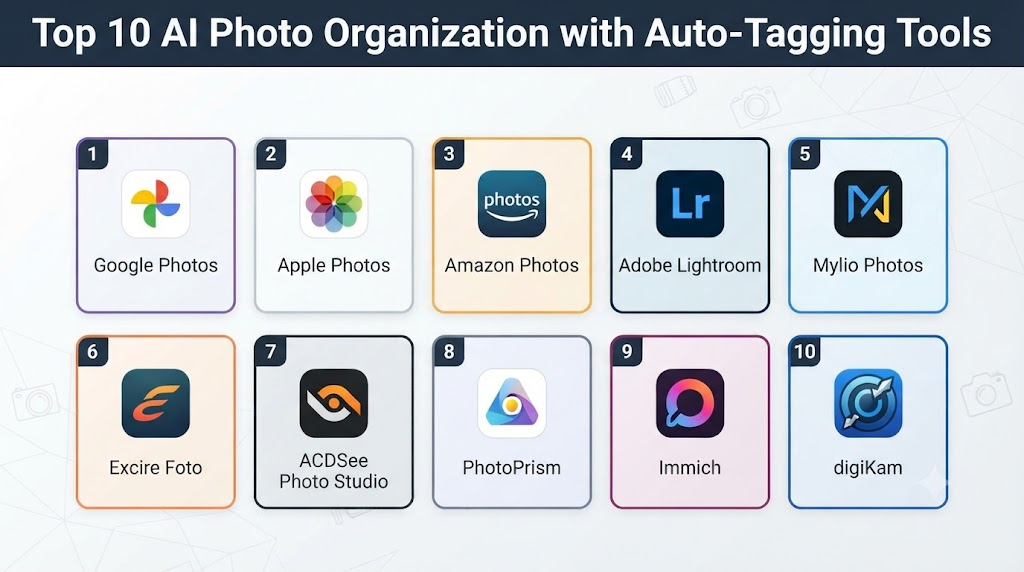
Top 10 AI Photo Organization with Auto-Tagging Tools
1. Google Photos
One-line verdict: Best overall for effortless AI-powered photo search, automatic organization, face grouping, and large personal libraries.
Short description:
Google Photos combines cloud photo storage with AI-assisted organization and search. It can automatically recognize people, objects, places, activities, and other visual characteristics, making large collections significantly easier to explore.
Standout Capabilities
- Automatic photo categorization
- Face grouping
- Object and scene recognition
- Natural-language photo search
- Location-based organization
- Automatic memories
- Screenshot and document organization
- Cross-device photo access
AI-Specific Depth
- Model support: Google’s proprietary AI systems; exact models vary by feature.
- RAG / knowledge integration: Primarily photo content, metadata, and Google’s photo-search infrastructure.
- Evaluation: Detailed photo-recognition evaluation methodology is not publicly stated for every feature.
- Guardrails: Platform-level privacy and safety controls; detailed AI guardrail architecture is not publicly stated.
- Observability: User-facing search and organization features; internal AI observability is not publicly stated.
Pros
- Excellent automatic organization
- Strong natural-language search
- Convenient for large personal collections
Cons
- Cloud storage creates privacy considerations
- Advanced functionality depends on Google’s ecosystem
- Exact recognition behavior can vary between images
Security & Compliance
Google provides security and privacy controls across its services. Detailed AI-specific certifications and processing controls vary by service and are not all publicly stated.
Deployment & Platforms
- Web
- Android
- iOS
- Cloud-based
Integrations & Ecosystem
Google Photos integrates naturally with the wider Google ecosystem.
- Google account
- Google Photos mobile apps
- Google One storage
- Google Lens-related functionality
- Device photo libraries
Pricing Model
Storage and service availability vary by account and plan.
Best-Fit Scenarios
- Personal photo libraries
- Family collections
- Smartphone users with large cloud libraries
2. Apple Photos
One-line verdict: Best for Apple users who want integrated AI-assisted photo search and organization across their personal devices.
Short description:
Apple Photos provides intelligent photo organization across Apple’s ecosystem. Its search and categorization capabilities can identify people, places, objects, scenes, and other visual information while integrating closely with Apple devices.
Standout Capabilities
- Intelligent photo search
- People and pet recognition
- Object recognition
- Location organization
- Memories
- Visual search capabilities
- Device synchronization
- Apple ecosystem integration
AI-Specific Depth
- Model support: Apple’s proprietary machine-learning technologies; exact models vary.
- RAG / knowledge integration: Photo library metadata and visual content.
- Evaluation: Detailed consumer-facing evaluation methodology is not publicly stated.
- Guardrails: Apple privacy and safety mechanisms; detailed AI guardrail architecture is not publicly stated.
- Observability: User-facing organization and search; internal AI observability is not publicly stated.
Pros
- Excellent Apple ecosystem integration
- Strong privacy-oriented design approach
- Convenient automatic organization
Cons
- Best experience is within Apple’s ecosystem
- Cross-platform workflows are less flexible
- Advanced functionality may vary by device and operating system
Security & Compliance
Apple emphasizes on-device processing and privacy for many intelligent photo features, though exact processing varies by feature.
Deployment & Platforms
- macOS
- iOS
- iPadOS
- Apple ecosystem
Integrations & Ecosystem
- iPhone
- iPad
- Mac
- iCloud Photos
- Apple sharing features
- Apple editing tools
Pricing Model
Photo management is included with Apple’s platforms; cloud storage availability depends on the selected iCloud plan.
Best-Fit Scenarios
- Apple households
- iPhone photographers
- Users prioritizing integrated device workflows
3. Adobe Lightroom
One-line verdict: Best for photographers who need AI-assisted organization alongside professional photo editing and metadata workflows.
Short description:
Adobe Lightroom combines professional photo management with editing tools and AI-assisted capabilities. It is particularly valuable for photographers who need to organize large collections while maintaining a serious editing and metadata workflow.
Standout Capabilities
- AI-assisted photo search
- Photo categorization
- Facial recognition
- Keyword and metadata workflows
- Professional editing
- RAW support
- Catalog management
- AI-assisted editing features
AI-Specific Depth
- Model support: Adobe proprietary AI technologies; exact model configuration varies.
- RAG / knowledge integration: Photo metadata and image content; external knowledge integration varies.
- Evaluation: Detailed AI evaluation methodology is not publicly stated for every feature.
- Guardrails: Adobe safety and content controls apply to relevant AI functionality.
- Observability: Editing and workflow metrics are available in some contexts; detailed AI tracing is not generally exposed.
Pros
- Excellent for professional photographers
- Combines organization and editing
- Strong RAW and metadata workflows
Cons
- More complex than consumer photo apps
- Subscription-based ecosystem
- Requires learning for advanced workflows
Security & Compliance
Adobe provides enterprise security and administrative capabilities across its products. Exact controls depend on the product and subscription.
Deployment & Platforms
- Windows
- macOS
- Mobile
- Cloud-based features
Integrations & Ecosystem
- Adobe Photoshop
- Adobe Lightroom ecosystem
- Camera RAW workflows
- Cloud photo libraries
- Metadata workflows
- Adobe Creative Cloud
Pricing Model
Subscription-based, with different plans and product bundles.
Best-Fit Scenarios
- Professional photographers
- Creative agencies
- Large RAW photo collections
4. Mylio Photos
One-line verdict: Best for privacy-conscious users who want AI-assisted organization across devices without relying entirely on cloud storage.
Short description:
Mylio Photos focuses on organizing photo libraries across devices and storage locations. Its AI-assisted capabilities can help users search and categorize images while maintaining a strong emphasis on personal photo management.
Standout Capabilities
- AI-powered photo organization
- Face recognition
- Object recognition
- Photo search
- Cross-device synchronization
- Local library management
- Metadata handling
- Duplicate management
AI-Specific Depth
- Model support: Proprietary AI features; exact model architecture is not publicly stated.
- RAG / knowledge integration: Photo libraries and metadata; specific retrieval architecture is not publicly stated.
- Evaluation: Detailed AI evaluation methodology is not publicly stated.
- Guardrails: Detailed AI guardrail implementation is not publicly stated.
- Observability: Detailed AI telemetry is not publicly stated.
Pros
- Strong photo-library management
- Useful for distributed collections
- Privacy-oriented approach
Cons
- Some advanced features require learning
- Exact AI architecture is not publicly stated
- Workflow can be more involved than simple cloud photo apps
Security & Compliance
Specific certifications and detailed AI security controls are not publicly stated.
Deployment & Platforms
- Windows
- macOS
- Mobile
- Local and cloud-connected workflows
Integrations & Ecosystem
- Local storage
- Mobile devices
- External drives
- Cloud storage services
- Photo libraries
- Metadata workflows
Pricing Model
Subscription and plan options vary.
Best-Fit Scenarios
- Privacy-conscious photographers
- Large personal archives
- Users with photos spread across multiple devices
5. Excire Foto
One-line verdict: Best for photographers seeking local AI-powered image search, face recognition, and automatic photo categorization.
Short description:
Excire Foto is designed specifically for photo organization using AI. It can analyze image collections and help users find images through visual characteristics, people, and other automatically recognized attributes.
Standout Capabilities
- AI photo search
- Face recognition
- Automatic categorization
- Semantic image search
- Local photo organization
- Photographer-oriented workflows
- Keyword assistance
- Large-library management
AI-Specific Depth
- Model support: Proprietary AI models; exact models are not publicly stated.
- RAG / knowledge integration: Primarily local photo-library information.
- Evaluation: Detailed evaluation methodology is not publicly stated.
- Guardrails: Detailed AI guardrail information is not publicly stated.
- Observability: Detailed AI observability is not publicly stated.
Pros
- Designed specifically for photo organization
- Useful for large collections
- Local-processing approach can benefit privacy
Cons
- More specialized than general photo apps
- Platform availability is narrower than some cloud ecosystems
- Professional workflows may require additional tools
Security & Compliance
Specific certifications are not publicly stated.
Deployment & Platforms
- Desktop
- Local processing
- Windows/macOS availability varies by product version
Integrations & Ecosystem
- Local photo libraries
- Photo editing workflows
- Metadata
- File-system storage
- Professional photography workflows
Pricing Model
Typically software-license or product-based pricing; exact pricing varies.
Best-Fit Scenarios
- Professional photographers
- Offline/local photo libraries
- Privacy-focused photo organization
6. ACDSee Photo Studio
One-line verdict: Best for photographers who want advanced desktop photo management with AI-assisted categorization, search, and editing capabilities.
Short description:
ACDSee Photo Studio combines photo management, editing, metadata tools, and AI-assisted functionality. It is suited to users who need more control than a basic consumer photo application provides.
Standout Capabilities
- Photo cataloging
- AI-assisted organization
- Face recognition
- Keyword management
- Metadata tools
- RAW processing
- Photo editing
- Large-library management
AI-Specific Depth
- Model support: Proprietary AI capabilities; exact models vary by feature.
- RAG / knowledge integration: Photo metadata and image content.
- Evaluation: Detailed AI evaluation methodology is not publicly stated.
- Guardrails: Detailed AI guardrail architecture is not publicly stated.
- Observability: Detailed AI observability is not publicly stated.
Pros
- Strong desktop workflow
- Good combination of organization and editing
- Useful metadata controls
Cons
- Learning curve for new users
- Some advanced functionality varies by edition
- Desktop-focused experience may not suit cloud-first users
Security & Compliance
Specific AI certifications are not publicly stated.
Deployment & Platforms
- Windows
- macOS
- Desktop-focused
Integrations & Ecosystem
- Local file systems
- RAW formats
- Metadata
- Photo editing workflows
- External storage
Pricing Model
License and subscription options vary by product and edition.
Best-Fit Scenarios
- Desktop photographers
- Large local libraries
- Users needing metadata control
7. PhotoPrism
One-line verdict: Best for technically capable users who want self-hosted photo organization with automated recognition and privacy control.
Short description:
PhotoPrism is an open-source photo-management platform designed for organizing personal photo libraries. Its self-hosted approach gives technically capable users greater control over where their photo data is stored and processed.
Standout Capabilities
- Automatic photo organization
- Object recognition
- Face recognition
- Search
- Metadata management
- Self-hosting
- Web-based library management
- Privacy-oriented deployment
AI-Specific Depth
- Model support: Uses machine-learning components; exact supported models depend on implementation and version.
- RAG / knowledge integration: Photo metadata and indexed visual information.
- Evaluation: Detailed standardized AI evaluation is not publicly stated.
- Guardrails: Application-level controls; detailed AI safety architecture is not publicly stated.
- Observability: Server and application monitoring can be implemented by administrators; dedicated AI tracing varies.
Pros
- Self-hosting provides strong data control
- Open-source approach
- Suitable for technically capable users
Cons
- Requires technical setup and maintenance
- Hardware requirements vary
- Not as simple as consumer cloud photo applications
Security & Compliance
Security depends significantly on the user’s hosting environment, configuration, authentication, backups, and network exposure. Specific enterprise certifications are not publicly stated.
Deployment & Platforms
- Linux/server environments
- Docker-based deployments
- Self-hosted
- Web interface
Integrations & Ecosystem
- Local storage
- NAS systems
- Docker
- File systems
- Metadata
- Self-hosted infrastructure
Pricing Model
Open-source software; infrastructure and hosting costs depend on the deployment.
Best-Fit Scenarios
- Privacy-conscious users
- Self-hosting enthusiasts
- Technical users with large personal archives
8. Immich
One-line verdict: Best for self-hosted users seeking a modern Google Photos-style experience with automated photo organization and strong privacy control.
Short description:
Immich is an open-source, self-hosted photo and video management platform. It provides automatic organization and AI-assisted capabilities while allowing users to maintain control over their own infrastructure.
Standout Capabilities
- Automatic photo organization
- Face recognition
- Machine-learning search
- Mobile photo backup
- Self-hosted storage
- Video support
- Timeline-based organization
- Web and mobile access
AI-Specific Depth
- Model support: Uses machine-learning components; exact model availability depends on the implementation.
- RAG / knowledge integration: Indexed photo and metadata information.
- Evaluation: Detailed AI benchmark methodology is not publicly stated.
- Guardrails: Application-level controls; detailed AI guardrail architecture is not publicly stated.
- Observability: Infrastructure monitoring is possible; specialized AI tracing is not publicly stated.
Pros
- Strong privacy and ownership model
- Modern user experience
- Open-source ecosystem
Cons
- Self-hosting requires technical knowledge
- Maintenance is the user’s responsibility
- Hardware and storage costs depend on the deployment
Security & Compliance
Security depends on how the user configures the server, authentication, network access, backups, and storage. Enterprise certifications are not publicly stated.
Deployment & Platforms
- Linux/server
- Docker
- Web
- Android
- iOS
- Self-hosted
Integrations & Ecosystem
- Mobile apps
- Docker
- Local storage
- NAS
- Self-hosted servers
- APIs and developer ecosystem
Pricing Model
Open-source software; hosting and infrastructure costs vary.
Best-Fit Scenarios
- Self-hosted photo libraries
- Privacy-focused households
- Technical users
9. Photoprism-based AI Photo Workflows
One-line verdict: Best for organizations and technical users building customized self-hosted photo organization workflows around open infrastructure.
Short description:
Self-hosted photo-management ecosystems can be extended with additional AI and metadata workflows. This approach is useful when standard consumer applications do not provide enough control over storage, processing, search, or automation.
Standout Capabilities
- Custom photo pipelines
- Local image analysis
- Metadata processing
- Automated classification
- Custom storage architecture
- API-oriented workflows
- Privacy control
- Infrastructure customization
AI-Specific Depth
- Model support: Varies by implementation.
- RAG / knowledge integration: Can be built around indexed image metadata and external knowledge systems.
- Evaluation: Custom evaluation is possible but must be implemented by the operator.
- Guardrails: Customizable but dependent on deployment architecture.
- Observability: Can be implemented using infrastructure and application monitoring tools.
Pros
- Highly customizable
- Strong control over data
- Suitable for specialized workflows
Cons
- Requires technical expertise
- Maintenance burden is higher
- AI quality depends on the selected components
Security & Compliance
Security is deployment-dependent. Certifications are not automatically inherited from open-source components.
Deployment & Platforms
- Self-hosted
- Linux
- Containers
- Private infrastructure
Integrations & Ecosystem
- Object storage
- NAS
- Databases
- APIs
- AI models
- Metadata systems
Pricing Model
Software may be open-source, but infrastructure and AI processing can create costs.
Best-Fit Scenarios
- Custom enterprise photo systems
- Research environments
- Privacy-sensitive deployments
10. DigiKam
One-line verdict: Best for advanced desktop users who want powerful local photo management, metadata control, and extensible organization workflows.
Short description:
digiKam is an open-source photo-management application focused on local libraries, cataloging, metadata, tagging, and professional-style organization. It is particularly useful for users who want detailed control over their photo archive.
Standout Capabilities
- Photo tagging
- Metadata management
- Face recognition capabilities
- Image categorization
- Local library management
- RAW support
- Batch processing
- Open-source extensibility
AI-Specific Depth
- Model support: Machine-learning functionality varies by implementation and version.
- RAG / knowledge integration: Primarily local photo metadata and image collections.
- Evaluation: Detailed AI evaluation methodology is not publicly stated.
- Guardrails: Detailed AI guardrail architecture is not publicly stated.
- Observability: Detailed AI observability is not publicly stated.
Pros
- Open-source
- Strong metadata capabilities
- Good for large local archives
Cons
- Interface can feel complex to beginners
- AI capabilities are less centralized than cloud-first platforms
- Requires more manual configuration than consumer apps
Security & Compliance
Local processing provides control over storage and access, but security depends on the user’s computer and backup infrastructure. Certifications are not publicly stated.
Deployment & Platforms
- Windows
- macOS
- Linux
- Local/self-hosted
Integrations & Ecosystem
- Local file systems
- RAW files
- Metadata
- External storage
- Open-source ecosystem
- Photo editing applications
Pricing Model
Open-source and free to use.
Best-Fit Scenarios
- Large local archives
- Open-source enthusiasts
- Users requiring extensive metadata control
Comparison Table
| Tool Name | Best For | Deployment | Model Flexibility | Strength | Watch-Out | Public Rating |
|---|---|---|---|---|---|---|
| Google Photos | Personal cloud libraries | Cloud | Proprietary AI | Excellent search | Cloud privacy | N/A |
| Apple Photos | Apple users | Cloud / Local | Proprietary AI | Ecosystem integration | Apple ecosystem | N/A |
| Adobe Lightroom | Professional photographers | Cloud / Desktop | Proprietary AI | Editing + organization | Subscription | N/A |
| Mylio Photos | Privacy-conscious users | Local / Cloud-connected | Proprietary AI | Library control | Learning curve | N/A |
| Excire Foto | Local AI organization | Local | Proprietary AI | Photo search | Specialized workflow | N/A |
| ACDSee Photo Studio | Desktop photographers | Local / Desktop | Proprietary AI | Management + editing | Complexity | N/A |
| PhotoPrism | Self-hosting | Self-hosted | Configurable | Privacy | Technical setup | N/A |
| Immich | Private photo clouds | Self-hosted | Configurable | Modern self-hosted UX | Maintenance | N/A |
| Custom AI Photo Workflows | Specialized deployments | Self-hosted | Open / BYO | Customization | Engineering effort | N/A |
| digiKam | Open-source archives | Local | Open / configurable | Metadata control | Steeper learning curve | N/A |
Scoring & Evaluation
The scoring below is comparative rather than absolute. Consumer cloud platforms generally score well for ease of use, while local and self-hosted tools can score higher for privacy and control. Professional applications tend to perform better for metadata and advanced photography workflows.
The weighted criteria are:
- Core features – 20%
- AI reliability & evaluation – 15%
- Guardrails & safety – 10%
- Integrations & ecosystem – 15%
- Ease of use – 10%
- Performance & cost controls – 15%
- Security & admin – 10%
- Support & community – 5%
| Tool | Core | Reliability/Eval | Guardrails | Integrations | Ease | Perf/Cost | Security/Admin | Support | Weighted Total |
|---|---|---|---|---|---|---|---|---|---|
| Google Photos | 9 | 9 | 9 | 10 | 10 | 9 | 9 | 10 | 9.35 |
| Apple Photos | 9 | 9 | 9 | 10 | 10 | 9 | 9 | 10 | 9.35 |
| Adobe Lightroom | 10 | 9 | 9 | 10 | 8 | 8 | 9 | 10 | 9.15 |
| Mylio Photos | 9 | 8 | 8 | 9 | 9 | 9 | 9 | 8 | 8.70 |
| Excire Foto | 9 | 9 | 8 | 7 | 8 | 9 | 9 | 8 | 8.45 |
| ACDSee Photo Studio | 9 | 8 | 8 | 8 | 8 | 9 | 8 | 9 | 8.40 |
| PhotoPrism | 9 | 8 | 8 | 8 | 7 | 9 | 10 | 8 | 8.35 |
| Immich | 9 | 8 | 8 | 9 | 9 | 9 | 10 | 8 | 8.85 |
| Custom AI Workflows | 10 | 8 | 9 | 10 | 5 | 7 | 10 | 6 | 8.35 |
| digiKam | 9 | 8 | 8 | 8 | 7 | 10 | 10 | 8 | 8.45 |
Top 3 for Enterprise
- Adobe Lightroom
- Custom AI Photo Workflows
- Mylio Photos
Top 3 for SMB
- Adobe Lightroom
- ACDSee Photo Studio
- Google Photos
Top 3 for Developers
- Immich
- PhotoPrism
- digiKam
Which AI Photo Organization with Auto-Tagging Tool Is Right for You?
Solo / Freelancer
For individual users, simplicity is usually more important than advanced administration.
Google Photos and Apple Photos are strong choices for everyday collections. Photographers who need professional metadata and editing should consider Lightroom, while technically capable users may prefer Immich or PhotoPrism.
SMB
Small businesses should focus on collaboration, metadata, access control, backup, and search quality.
Good evaluation criteria include:
- Shared libraries
- Permission management
- Metadata support
- Search accuracy
- Storage costs
- Export capabilities
- Integration with creative applications
Mid-Market
Mid-market organizations often need more control over their photo libraries.
Prioritize:
- Centralized storage
- User permissions
- Metadata standards
- Search quality
- Retention policies
- Backup strategy
- API availability
- Auditability
Enterprise
Enterprise organizations should consider whether AI photo organization will involve proprietary images, customer photographs, employee images, marketing assets, or regulated information.
Prioritize:
- Identity management
- RBAC
- Audit logs
- Encryption
- Data residency
- Retention controls
- AI processing transparency
- Model governance
- Metadata ownership
- Export and migration capabilities
Regulated Industries
Healthcare, public-sector, legal, and other regulated organizations should carefully evaluate where images are processed.
If photos contain identifiable individuals, documents, medical information, or other sensitive material, local processing or controlled private infrastructure may be preferable to sending images to an external AI service.
Budget vs Premium
Free consumer photo tools can be excellent for ordinary personal libraries.
Premium professional applications become more valuable when photographers need RAW management, advanced metadata, editing, batch operations, or sophisticated search.
Self-hosted open-source options may reduce software licensing costs but introduce infrastructure, storage, backup, and maintenance expenses.
Build vs Buy
Building a custom photo organization system makes sense when an organization has specialized requirements.
Build when you need:
- Custom object taxonomies
- Proprietary visual categories
- Custom metadata standards
- Private AI processing
- Enterprise DAM integration
- Specialized search
- Custom retention policies
- Proprietary image datasets
Buy when your requirements are primarily standard photo search, tagging, duplicate detection, and library organization.
Implementation Playbook
First 30 Days: Pilot + Success Metrics
- Inventory the photo library.
- Estimate the number of images.
- Identify supported file types.
- Define tagging requirements.
- Create representative test collections.
- Test face recognition.
- Test object recognition.
- Test semantic search.
- Test duplicate detection.
- Measure search accuracy.
- Identify false-positive tags.
- Establish privacy requirements.
Days 31–60: Security + Evaluation + Rollout
- Define access permissions.
- Review cloud-processing policies.
- Establish retention rules.
- Test metadata preservation.
- Create an AI evaluation dataset.
- Test recognition accuracy.
- Test edge cases.
- Evaluate sensitive images.
- Perform privacy testing.
- Establish backup procedures.
- Test exports and migration.
- Document AI-assisted workflows.
Days 61–90: Optimization + Governance + Scale
- Optimize indexing performance.
- Improve tagging taxonomies.
- Remove low-value tags.
- Monitor storage consumption.
- Optimize AI processing costs.
- Review duplicate detection.
- Establish metadata standards.
- Implement governance policies.
- Create periodic AI-quality reviews.
- Expand the system to additional users.
- Test disaster recovery.
- Review vendor lock-in risks.
Common Mistakes & How to Avoid Them
- Assuming automatic tags are always correct.
- Treating face recognition as perfect.
- Uploading sensitive images without understanding data processing.
- Failing to preserve original metadata.
- Not maintaining independent backups.
- Relying completely on cloud storage.
- Ignoring duplicate and near-duplicate images.
- Creating thousands of unnecessary tags.
- Failing to establish a consistent tagging taxonomy.
- Ignoring RAW and professional file requirements.
- Not testing AI search against real-world examples.
- Forgetting to evaluate false positives.
- Losing metadata when migrating between applications.
- Failing to consider long-term exportability.
- Ignoring local-processing alternatives.
- Allowing AI-generated images and photographs to become mixed without meaningful classification.
- Giving excessive access to shared photo libraries.
- Failing to establish retention policies.
- Assuming AI-generated captions or tags are factual.
- Not maintaining a human review process for business-critical image archives.
FAQs
What is AI Photo Organization with Auto-Tagging?
It is the use of artificial intelligence to automatically analyze photos and assign useful categories, tags, descriptions, people, objects, locations, or other searchable attributes.
How does automatic photo tagging work?
AI analyzes visual characteristics within an image and identifies patterns associated with objects, people, scenes, activities, or other categories. Some systems combine this with metadata such as dates and locations.
Can AI recognize people in photos?
Yes. Many modern photo-management applications can detect faces and group images containing the same person. Accuracy varies depending on image quality and the system.
Can AI organize photos without cloud storage?
Yes. Local and self-hosted applications can perform some or much of their analysis on your own computer or server.
Is local AI photo organization more private?
It can provide greater control because images do not necessarily need to leave your own infrastructure. However, security still depends on device configuration, backups, authentication, and network security.
Can AI search photos using natural language?
Yes. Some systems can interpret searches describing objects, people, scenes, activities, or combinations of visual concepts.
Can AI identify duplicate photos?
Some photo-management applications provide duplicate or similarity detection. The exact method and accuracy vary.
Can AI organize RAW photographs?
Professional applications such as Lightroom and other photography-focused tools support RAW workflows. Support varies across applications.
Does AI photo tagging modify the original image?
Usually, organization and tagging systems do not need to modify the original image itself. Tags may be stored in databases or metadata, depending on the application.
Can AI-generated images be organized automatically?
Yes, but separating AI-generated images from conventional photographs may require dedicated metadata, file naming, application support, or custom classification workflows.
Can AI organize screenshots?
Some photo platforms can identify screenshots or categorize them separately. Capabilities vary by platform.
Can AI identify locations in photos?
AI may infer visual locations such as landmarks or scenes, while GPS metadata can provide a more direct location source when available.
Can businesses use AI photo organization?
Yes. Businesses can use AI organization for marketing assets, product photography, media libraries, event photography, archival collections, and creative workflows.
What should I do if AI assigns incorrect tags?
Use manual correction tools where available and establish a tagging structure that allows users to remove or modify incorrect classifications.
Should I trust AI-generated photo descriptions?
AI-generated descriptions should be treated as helpful metadata rather than authoritative facts, particularly when they are used for legal, archival, medical, or business-critical purposes.
Can I migrate my photo library between AI photo organizers?
Usually, but migration quality depends on whether the application preserves original files, metadata, tags, face information, albums, edits, and other organizational data.
Which is better: cloud or self-hosted photo organization?
Cloud platforms generally offer easier setup and synchronization. Self-hosted systems provide greater control but require more technical knowledge, maintenance, backups, and infrastructure.
Is AI photo organization useful for professional photographers?
Yes. It can significantly reduce the time spent searching, keywording, categorizing, and managing large collections, especially when combined with professional metadata and editing workflows.
Can AI automatically create albums?
Some applications can automatically group photos into albums or collections based on people, events, locations, dates, and visual similarities.
What is the biggest limitation of AI photo organization?
Accuracy. AI can misidentify people, objects, locations, and scenes, so automated tags should be reviewed when accuracy matters.
What are alternatives to AI photo organization?
Alternatives include traditional folder structures, manual tagging, digital asset management platforms, professional photo cataloging software, network-attached storage, and manual metadata management.
Conclusion
AI Photo Organization with Auto-Tagging can transform the way people manage large image collections. Instead of spending hours creating folders and manually adding keywords, users can rely on AI to recognize visual information and make their libraries searchable.Google Photos and Apple Photos are particularly convenient for everyday users who want automatic organization with minimal setup. Adobe Lightroom and ACDSee are better suited to photographers who need professional editing, RAW support, and metadata workflows. Mylio Photos and Excire Foto are useful for users who want stronger control over their libraries, while PhotoPrism, Immich, and digiKam offer compelling options for people who prefer local or open-source approaches.There is no universal best solution. The right choice depends on the size of the library, privacy requirements, professional workflow, preferred devices, budget, AI capabilities, and level of technical expertise.