Introduction
AI personal assistants are software tools that use artificial intelligence to help people manage information, communication, planning, research, writing, and everyday digital tasks. Modern assistants can go beyond simple question answering by understanding natural language, working with files, summarizing information, generating content, searching connected data, and in some cases taking actions across applications.
The category is becoming more useful as AI systems gain better reasoning, multimodal understanding, memory, tool use, and agentic capabilities. Instead of manually switching between email, calendars, documents, browsers, task managers, and communication apps, users can increasingly delegate parts of these workflows to an AI assistant.
Best for: Professionals, students, executives, entrepreneurs, researchers, creators, developers, remote workers, and anyone who regularly handles large amounts of digital information.
Not ideal for: Highly sensitive workflows without appropriate privacy controls, fully autonomous decision-making in high-risk situations, or users who only need simple reminders and basic search.
When choosing an AI personal assistant, evaluate reasoning quality, multimodal capabilities, memory, privacy, integrations, automation, model flexibility, response speed, reliability, security, data controls, ease of use, and total cost.
What’s Changed in AI Personal Assistants
- Agentic workflows are becoming more important: Assistants can increasingly perform multi-step tasks rather than simply answer individual questions.
- Tool calling is expanding: Modern assistants can interact with applications, files, calendars, search systems, and other tools when appropriate.
- Multimodal interaction is becoming standard: Text, images, documents, voice, and other inputs can increasingly be handled within one assistant.
- Memory is becoming more useful: Assistants can use relevant information from previous interactions to provide more contextual responses.
- Personal knowledge management is improving: Users can increasingly ask questions about their documents, conversations, projects, and stored information.
- Privacy is a bigger buying criterion: Data retention, training policies, permissions, enterprise controls, and access boundaries matter more as assistants gain access to personal information.
- AI assistants are becoming workflow interfaces: Instead of opening individual applications, users can increasingly describe what they want to accomplish.
- Human approval remains important: High-impact actions should generally include confirmation rather than unrestricted autonomy.
- Model choice is expanding: Some assistants provide access to multiple models or allow organizations to choose models according to task requirements.
- Latency and cost matter more: Frequent AI usage makes response speed and usage limits important practical considerations.
- AI search and research are converging: Assistants increasingly combine reasoning with web research, document analysis, and information synthesis.
- Personalization is becoming a competitive advantage: The ability to understand a user’s preferred workflows can make one assistant considerably more useful than another.
- Security boundaries are increasingly important: Assistants that can access multiple systems need strong permission management and careful handling of untrusted instructions.
- AI-generated actions need better verification: As assistants become more autonomous, users need clearer visibility into what the system actually did.
- Cross-device experiences are improving: Personal assistants increasingly operate across desktop, web, and mobile environments.
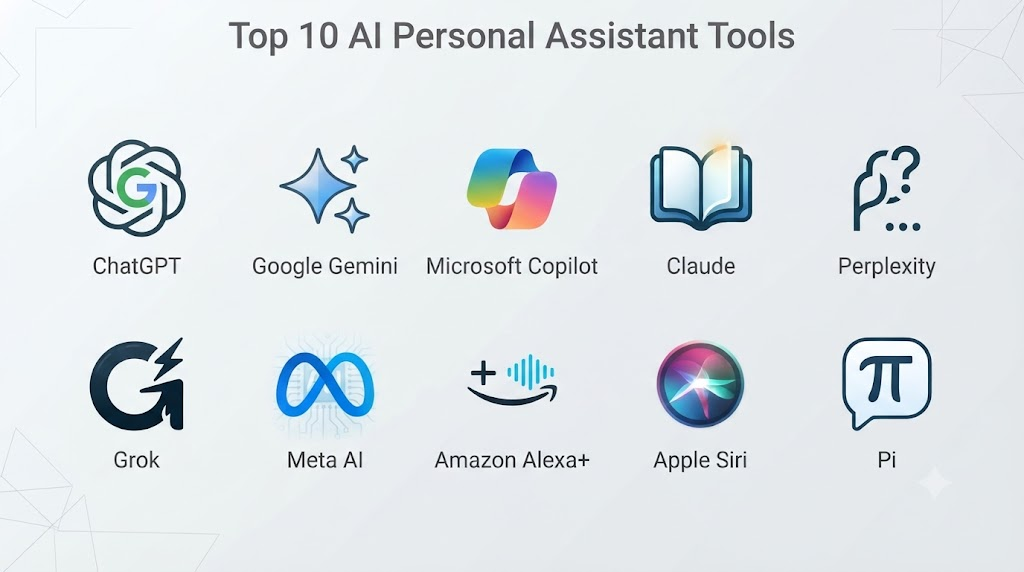
Top 10 AI Personal Assistant Tools
1. ChatGPT
One-line verdict: Best overall AI personal assistant for general-purpose reasoning, writing, research, multimodal work, and everyday productivity.
Short description:
ChatGPT is a general-purpose AI assistant designed for conversations, research, writing, analysis, coding, document work, and a broad range of productivity tasks. Its capabilities make it suitable for both casual personal use and sophisticated professional workflows.
Standout Capabilities
- General-purpose AI assistance
- Advanced reasoning
- Document analysis
- Multimodal interaction
- Writing and editing
- Research workflows
- Coding assistance
- Customizable workflows and assistants
AI-Specific Depth
- Model support: Multiple OpenAI model configurations depending on product and plan.
- RAG / knowledge integration: File-based and connected-data workflows are available in supported environments.
- Evaluation: Model evaluation and feedback mechanisms are integrated into the broader platform.
- Guardrails: Built-in safety systems and policy enforcement.
- Observability: Usage and interaction information varies by product context and account configuration.
Pros
- Extremely broad range of use cases.
- Strong multimodal capabilities.
- Useful for both simple and advanced workflows.
Cons
- Capability and usage limits vary by plan.
- Responses still require verification for important decisions.
- Some advanced workflows can have a learning curve.
Security & Compliance
Security and administrative capabilities vary by product and plan. Enterprise-level controls are available in applicable offerings. Specific certifications should be verified for the exact plan and deployment.
Deployment & Platforms
- Web
- Desktop
- Mobile
- Cloud-based
Integrations & Ecosystem
ChatGPT can support a broad ecosystem of tools and workflows depending on account configuration.
- Files
- Applications and connectors
- Custom GPT-style workflows
- APIs
- Productivity workflows
- Developer tools
- External services
Pricing Model
Free and paid subscription options exist, with capabilities varying by plan. Enterprise pricing is typically customized.
Best-Fit Scenarios
- General productivity
- Research and writing
- Professional knowledge work
2. Claude
One-line verdict: Best for thoughtful writing, document analysis, long-context work, and professionals handling complex knowledge tasks.
Short description:
Claude is an AI assistant focused on conversation, writing, analysis, coding, and document-based workflows. It is particularly useful for users who regularly work with long documents and complex written material.
Standout Capabilities
- Long-context analysis
- Writing assistance
- Document processing
- Coding support
- Reasoning
- Research assistance
- Professional workflows
- Enterprise AI capabilities
AI-Specific Depth
- Model support: Anthropic model family.
- RAG / knowledge integration: Supported through document and connected-workflow capabilities depending on deployment.
- Evaluation: Evaluation capabilities vary by product and developer environment.
- Guardrails: Strong emphasis on AI safety and responsible model behavior.
- Observability: Developer and enterprise observability capabilities vary by environment.
Pros
- Strong writing quality.
- Excellent for long documents.
- Useful for professional analysis.
Cons
- Usage limits can vary.
- Some integrations depend on plan or environment.
- Autonomous capabilities may require additional configuration.
Security & Compliance
Enterprise security and administrative features vary by offering. Specific certifications should be verified against the current service documentation.
Deployment & Platforms
- Web
- Desktop
- Mobile
- API/cloud
Integrations & Ecosystem
- API
- Developer tools
- Enterprise applications
- Files
- Productivity workflows
- Coding environments
Pricing Model
Subscription and API usage models vary.
Best-Fit Scenarios
- Long-document analysis
- Professional writing
- Software development
3. Google Gemini
One-line verdict: Best for users deeply invested in Google’s ecosystem, multimodal workflows, research, and productivity applications.
Short description:
Gemini is Google’s family of generative AI assistants and models. Its ecosystem integration makes it particularly useful for users who already work extensively with Google’s productivity, search, communication, and cloud services.
Standout Capabilities
- Multimodal AI
- Google ecosystem integration
- Research assistance
- Writing
- Document analysis
- Image understanding
- Coding
- Productivity workflows
AI-Specific Depth
- Model support: Google Gemini model family.
- RAG / knowledge integration: Google ecosystem and connected-data capabilities vary by product.
- Evaluation: Developer and enterprise evaluation capabilities vary.
- Guardrails: Google’s AI safety systems.
- Observability: Product-dependent.
Pros
- Strong ecosystem integration.
- Multimodal capabilities.
- Useful for productivity and research.
Cons
- Best experience may depend on Google ecosystem usage.
- Features vary across products.
- Some advanced functionality can have availability restrictions.
Security & Compliance
Enterprise controls depend on the Google product and subscription. Specific certifications should be verified for the relevant service.
Deployment & Platforms
- Web
- Mobile
- Google ecosystem
- Cloud
Integrations & Ecosystem
- Google Workspace
- Search
- Cloud services
- Android
- Developer APIs
- Productivity applications
Pricing Model
Free and paid options exist. Enterprise and API pricing varies.
Best-Fit Scenarios
- Google Workspace users
- Research
- Multimodal productivity
4. Microsoft Copilot
One-line verdict: Best for professionals and organizations heavily invested in Microsoft 365, Windows, and enterprise productivity workflows.
Short description:
Microsoft Copilot is a family of AI assistants integrated across Microsoft’s ecosystem. Depending on the product, it can assist with writing, meetings, documents, presentations, data analysis, search, coding, and organizational workflows.
Standout Capabilities
- Microsoft 365 integration
- Enterprise productivity
- Document assistance
- Meeting support
- Writing
- Data analysis
- Coding
- Organizational workflows
AI-Specific Depth
- Model support: Microsoft AI systems and models from multiple sources depending on product.
- RAG / knowledge integration: Strong integration with organizational data in supported Microsoft environments.
- Evaluation: Enterprise and developer evaluation capabilities vary.
- Guardrails: Enterprise security and AI governance controls.
- Observability: Administrative and usage reporting varies by product.
Pros
- Excellent Microsoft ecosystem integration.
- Strong enterprise orientation.
- Useful for workplace productivity.
Cons
- Product naming and capabilities can be complex.
- Best value is often tied to Microsoft ecosystem adoption.
- Enterprise configuration can require administrative expertise.
Security & Compliance
Microsoft provides enterprise security and administration capabilities across applicable products. Exact controls and certifications depend on the specific service and subscription.
Deployment & Platforms
- Web
- Windows
- Mobile
- Microsoft 365
- Cloud
Integrations & Ecosystem
- Microsoft 365
- Teams
- Outlook
- Word
- Excel
- PowerPoint
- GitHub
- Microsoft Azure
Pricing Model
Varies by product, subscription, and enterprise agreement.
Best-Fit Scenarios
- Microsoft-centric organizations
- Enterprise productivity
- Office and collaboration workflows
5. Perplexity
One-line verdict: Best for research-oriented users who want AI answers combined with web search, source discovery, and information synthesis.
Short description:
Perplexity focuses strongly on AI-powered search and research. It can help users investigate questions, summarize information, compare topics, and explore sources through conversational search experiences.
Standout Capabilities
- AI search
- Research workflows
- Source discovery
- Web information synthesis
- Follow-up questions
- Summarization
- Research reports
- Multimodal search capabilities
AI-Specific Depth
- Model support: Multiple model options depending on product and plan.
- RAG / knowledge integration: Strong retrieval-oriented architecture.
- Evaluation: Search and answer quality can be evaluated through research workflows; dedicated enterprise evaluation varies.
- Guardrails: Search and AI safety controls.
- Observability: Usage and account-level information varies.
Pros
- Excellent for research.
- Search and AI reasoning are tightly connected.
- Convenient source discovery.
Cons
- AI-generated research still requires source verification.
- Advanced capabilities can require paid access.
- Not a complete replacement for specialized productivity software.
Security & Compliance
Controls vary by plan and product. Certifications are Not publicly stated here without verifying the exact offering.
Deployment & Platforms
- Web
- Mobile
- Cloud
Integrations & Ecosystem
- Web search
- Research workflows
- File uploads
- APIs
- Browser-based workflows
- AI models
Pricing Model
Free and paid plans are available; advanced usage varies by plan.
Best-Fit Scenarios
- Research
- Market intelligence
- Information discovery
6. Amazon Q
One-line verdict: Best for organizations using AWS that want AI assistance connected to enterprise data, development, and cloud workflows.
Short description:
Amazon Q is an AI assistant ecosystem designed for business and developer use cases. It is particularly relevant to organizations operating within AWS and seeking assistance with software development, enterprise information, and cloud-related workflows.
Standout Capabilities
- Developer assistance
- AWS support
- Enterprise information
- Coding
- Troubleshooting
- Cloud workflows
- Business productivity
- Organizational search
AI-Specific Depth
- Model support: AWS-managed AI models and capabilities vary by product.
- RAG / knowledge integration: Enterprise data integration is a major use case.
- Evaluation: Developer and enterprise evaluation capabilities vary.
- Guardrails: AWS security and AI governance mechanisms.
- Observability: AWS-oriented monitoring capabilities vary by service.
Pros
- Strong AWS ecosystem integration.
- Useful for developers.
- Enterprise-oriented architecture.
Cons
- Most valuable for AWS-heavy organizations.
- Product capabilities vary by Q offering.
- Cloud expertise may be required for advanced deployment.
Security & Compliance
AWS provides extensive security and administrative capabilities across its cloud ecosystem. Exact certifications and controls depend on the service and region.
Deployment & Platforms
- Web
- AWS
- Cloud
- Developer environments
Integrations & Ecosystem
- AWS services
- IDEs
- Code repositories
- Enterprise data
- APIs
- Cloud infrastructure
Pricing Model
Varies by product and usage model.
Best-Fit Scenarios
- AWS organizations
- Developers
- Enterprise cloud operations
7. Grok
One-line verdict: Best for users seeking a conversational AI assistant with strong emphasis on current information and interactive exploration.
Short description:
Grok is an AI assistant developed by xAI. It provides conversational assistance, reasoning, writing, research, and other general-purpose AI capabilities.
Standout Capabilities
- Conversational assistance
- Reasoning
- Current-information workflows
- Writing
- Research
- Coding
- Multimodal capabilities
- Interactive exploration
AI-Specific Depth
- Model support: xAI model family.
- RAG / knowledge integration: Retrieval capabilities vary by product.
- Evaluation: AI evaluation capabilities are product-dependent.
- Guardrails: Platform-level safety controls.
- Observability: User-facing observability is limited compared with developer platforms.
Pros
- Strong conversational experience.
- Useful for current-information workflows.
- Broad general-purpose functionality.
Cons
- Feature availability can change.
- Enterprise controls vary by offering.
- Not necessarily the best choice for every professional workflow.
Security & Compliance
Specific enterprise controls and certifications should be verified for the applicable offering.
Deployment & Platforms
- Web
- Mobile
- Cloud
Integrations & Ecosystem
- Search
- AI models
- Developer APIs
- Mobile platforms
- Web workflows
Pricing Model
Subscription and API models vary.
Best-Fit Scenarios
- General AI assistance
- Current-information exploration
- Conversational research
8. Meta AI
One-line verdict: Best for users who want AI assistance integrated into consumer communication and social applications.
Short description:
Meta AI provides conversational AI capabilities across Meta’s ecosystem and supported experiences. It focuses heavily on everyday assistance, creative tasks, information discovery, and conversational interaction.
Standout Capabilities
- Conversational AI
- Image-related capabilities
- Creative assistance
- Everyday questions
- Social application integration
- Multimodal interaction
- Personalized assistance
- Consumer accessibility
AI-Specific Depth
- Model support: Meta AI model family and related systems.
- RAG / knowledge integration: Product-dependent.
- Evaluation: Internal and developer evaluation varies.
- Guardrails: Platform safety systems.
- Observability: Consumer-facing observability is limited.
Pros
- Convenient consumer access.
- Strong social ecosystem integration.
- Multimodal capabilities.
Cons
- Less suitable for complex enterprise workflows.
- Privacy considerations are important when using connected consumer services.
- Advanced developer controls vary.
Security & Compliance
Privacy and security depend on the specific Meta product and configuration. Enterprise certifications are Not publicly stated for the general consumer assistant.
Deployment & Platforms
- Mobile
- Web
- Meta applications
Integrations & Ecosystem
- Meta applications
- Social platforms
- AI services
- Consumer devices
- Developer ecosystem
Pricing Model
Consumer access and feature availability vary.
Best-Fit Scenarios
- Everyday assistance
- Creative tasks
- Social workflows
9. Pi
One-line verdict: Best for conversational personal support, brainstorming, reflection, and users who prefer a friendly assistant experience.
Short description:
Pi is an AI assistant designed around natural conversation and personal interaction. It focuses on approachable dialogue, brainstorming, advice-style conversations, and everyday assistance.
Standout Capabilities
- Conversational assistance
- Brainstorming
- Personal discussions
- Writing
- Everyday questions
- Voice-oriented experiences
- Natural dialogue
- Personalized interactions
AI-Specific Depth
- Model support: Proprietary AI systems.
- RAG / knowledge integration: Varies / N/A.
- Evaluation: Not broadly exposed as a user-facing evaluation framework.
- Guardrails: Platform safety controls.
- Observability: Varies / N/A.
Pros
- Natural conversational style.
- Easy for casual users.
- Useful for brainstorming.
Cons
- Less enterprise-focused.
- Fewer advanced integrations than some competitors.
- Not designed primarily for complex agentic automation.
Security & Compliance
Specific enterprise certifications are Not publicly stated.
Deployment & Platforms
- Web
- Mobile
- Voice-enabled experiences
Integrations & Ecosystem
- Mobile
- Web
- Voice
- Conversational AI interfaces
Pricing Model
Consumer access and feature availability vary.
Best-Fit Scenarios
- Personal brainstorming
- Conversational assistance
- Everyday planning
10. Siri with Apple Intelligence
One-line verdict: Best for Apple users who want AI-enhanced assistance integrated into their existing devices and everyday workflows.
Short description:
Apple’s Siri experience is evolving through Apple Intelligence capabilities that enhance language understanding, device interaction, and personal productivity. The focus is particularly strong on integrating assistance into Apple’s hardware and software ecosystem.
Standout Capabilities
- Device assistance
- Voice interaction
- Personal productivity
- Natural-language interaction
- Apple ecosystem integration
- On-device processing in supported scenarios
- App interactions
- Context-aware assistance
AI-Specific Depth
- Model support: Apple Intelligence models and related technologies.
- RAG / knowledge integration: Personal and device context where supported.
- Evaluation: Apple-managed evaluation processes; detailed user-facing evaluation capabilities vary.
- Guardrails: Apple’s privacy and safety architecture.
- Observability: Limited consumer-facing observability.
Pros
- Excellent Apple ecosystem integration.
- Strong device-level convenience.
- Privacy-focused architecture in supported workflows.
Cons
- Primarily useful within Apple’s ecosystem.
- Feature availability varies by device, language, and region.
- Less flexible than developer-oriented AI platforms.
Security & Compliance
Apple emphasizes privacy protections and on-device processing for supported AI functionality. Exact capabilities vary by feature and device.
Deployment & Platforms
- iPhone
- iPad
- Mac
- Apple ecosystem
Integrations & Ecosystem
- Apple apps
- Siri
- iOS
- macOS
- iPadOS
- Apple Intelligence
- Supported third-party apps
Pricing Model
Included with supported Apple devices and software experiences; hardware requirements apply.
Best-Fit Scenarios
- Apple users
- Device automation
- Voice-based personal assistance
Comparison Table
| Tool | Best For | Deployment | Model Flexibility | Strength | Watch-Out | Public Rating |
|---|---|---|---|---|---|---|
| ChatGPT | General AI productivity | Cloud | Multi-model | Broad capabilities | Usage limits vary | N/A |
| Claude | Long documents and writing | Cloud | Proprietary | Reasoning and writing | Integration availability | N/A |
| Google Gemini | Google ecosystem | Cloud/Mobile | Multi-model | Workspace integration | Ecosystem dependency | N/A |
| Microsoft Copilot | Enterprise productivity | Cloud/Desktop/Mobile | Multi-model | Microsoft integration | Product complexity | N/A |
| Perplexity | AI research | Cloud/Mobile | Multi-model | Search and synthesis | Verify sources | N/A |
| Amazon Q | AWS organizations | Cloud | Multi-model | AWS integration | AWS-centric | N/A |
| Grok | Conversational AI | Cloud/Mobile | Proprietary | Current-information workflows | Product changes | N/A |
| Meta AI | Consumer assistance | Cloud/Mobile | Proprietary | Social integration | Limited enterprise depth | N/A |
| Pi | Conversational support | Cloud/Mobile | Proprietary | Natural dialogue | Limited automation | N/A |
| Siri + Apple Intelligence | Apple users | Device/Cloud | Proprietary | Device integration | Apple ecosystem | N/A |
Scoring & Evaluation
The following scores are comparative estimates based on general-purpose personal-assistant usefulness. They are not official vendor scores and should be validated against your specific workflow.
| Tool | Core | Reliability/Eval | Guardrails | Integrations | Ease | Perf/Cost | Security/Admin | Support | Weighted Total |
|---|---|---|---|---|---|---|---|---|---|
| ChatGPT | 9.5 | 9.2 | 9.0 | 9.2 | 9.5 | 8.5 | 9.0 | 9.2 | 9.1 |
| Claude | 9.3 | 9.3 | 9.2 | 8.7 | 9.2 | 8.5 | 9.0 | 9.0 | 9.0 |
| Google Gemini | 9.3 | 9.0 | 8.8 | 9.5 | 9.2 | 8.7 | 9.0 | 9.2 | 9.1 |
| Microsoft Copilot | 9.2 | 8.8 | 9.0 | 9.7 | 9.0 | 8.2 | 9.5 | 9.2 | 9.1 |
| Perplexity | 8.8 | 8.8 | 8.3 | 8.5 | 9.4 | 8.5 | 8.0 | 8.5 | 8.6 |
| Amazon Q | 8.8 | 8.7 | 9.0 | 9.4 | 8.3 | 8.2 | 9.5 | 9.0 | 8.9 |
| Grok | 8.7 | 8.2 | 7.8 | 8.0 | 9.0 | 8.5 | 7.5 | 8.2 | 8.3 |
| Meta AI | 8.2 | 8.0 | 8.0 | 8.5 | 9.2 | 9.0 | 7.8 | 8.2 | 8.3 |
| Pi | 7.8 | 7.8 | 8.2 | 6.8 | 9.4 | 8.8 | 7.5 | 8.0 | 8.0 |
| Siri + Apple Intelligence | 8.5 | 8.2 | 9.0 | 9.2 | 9.5 | 9.0 | 9.2 | 9.0 | 8.9 |
Top 3 for Enterprise
- Microsoft Copilot
- ChatGPT
- Google Gemini
Top 3 for SMB
- ChatGPT
- Google Gemini
- Claude
Top 3 for Developers
- ChatGPT
- Claude
- Amazon Q
Which AI Personal Assistant Is Right for You?
Solo / Freelancer
Choose an assistant that provides broad capabilities without requiring complicated administration.
ChatGPT, Claude, Gemini, and Perplexity are strong choices depending on whether your priorities are general productivity, writing, Google integration, or research.
Prioritize:
- Reasoning quality
- Writing
- File analysis
- Research
- Cost
- Ease of use
- Personalization
SMB
SMBs should choose an assistant that fits their existing software ecosystem.
A company using Microsoft 365 may benefit from Copilot, while a Google Workspace organization may prefer Gemini.
For independent knowledge work across multiple applications, a general-purpose assistant can be more flexible.
Mid-Market
Mid-market companies should focus on governance as much as raw model quality.
Consider:
- User permissions
- Data access
- Administration
- Integration boundaries
- Auditability
- Data retention
- Employee training
- AI usage policies
Enterprise
Enterprises should evaluate AI assistants as organizational platforms rather than simple chatbots.
Important requirements include:
- Identity management
- Role-based access
- Data governance
- Enterprise search
- Application integrations
- Auditability
- Security
- Model governance
- Human approval
- AI evaluation
Regulated Industries
Organizations handling financial, healthcare, government, or other sensitive information should evaluate data handling carefully.
Do not assume that an AI assistant is appropriate for sensitive information simply because it offers enterprise features.
Review:
- Data retention
- Data processing
- Access controls
- Encryption
- Data residency
- Administrative controls
- Audit capabilities
- Contractual protections
Budget vs Premium
Free assistants can be sufficient for basic writing, brainstorming, summarization, and general questions.
Premium plans become more attractive when users need:
- Higher usage limits
- Advanced models
- Larger context
- File processing
- Research features
- Better integrations
- Enterprise administration
The cheapest plan is not always the lowest-cost option if employees waste time working around its limitations.
Build vs Buy
Building a personal AI assistant can make sense when an organization needs highly specialized workflows.
Build when:
- Data must remain in a controlled environment.
- Workflows are highly specialized.
- Existing assistants cannot provide required integrations.
- The organization needs custom model routing.
- The company has strong AI engineering capabilities.
Buy when:
- Productivity is the primary goal.
- Time-to-value matters.
- Standard integrations are sufficient.
- The organization does not want to maintain AI infrastructure.
A hybrid approach can work well: use a commercial assistant for general productivity while building specialized internal agents for sensitive or domain-specific workflows.
Implementation Playbook
First 30 Days: Pilot + Success Metrics
Select a small group of users.
Start with low-risk workflows:
- Email drafting
- Document summarization
- Meeting notes
- Research
- Brainstorming
- Internal knowledge queries
Measure:
- Time saved
- Task completion rate
- User satisfaction
- Correction rate
- Hallucination rate
- Cost per user
Days 31–60: Security + Evaluation
Create an AI evaluation process.
Test:
- Factual accuracy
- Instruction following
- Privacy behavior
- Prompt injection resistance
- Sensitive-data handling
- Tool-use accuracy
- Output consistency
Create approved workflows and define when human review is mandatory.
Version important prompts and instructions rather than allowing every team to create completely uncontrolled AI workflows.
Days 61–90: Optimization + Governance
Expand successful use cases.
Monitor:
- AI usage
- Cost
- Latency
- Error rates
- Security incidents
- User adoption
- Workflow performance
Create governance rules covering:
- Approved AI tools
- Sensitive data
- External sharing
- Human approval
- Account management
- Incident response
- AI-generated content
Common Mistakes & How to Avoid Them
- Treating AI output as automatically correct: Important information should be verified.
- Giving assistants excessive permissions: Use least-privilege access.
- Ignoring prompt injection: Connected assistants can encounter untrusted instructions in documents, websites, and messages.
- Uploading sensitive information without understanding data policies: Review privacy and retention controls first.
- Skipping evaluation: Test assistants against realistic tasks before broad deployment.
- Automating high-impact decisions: Keep humans involved where mistakes can cause meaningful harm.
- Ignoring model changes: AI systems can change over time, so recurring evaluation is useful.
- Focusing only on benchmark scores: Real workflows matter more than generic benchmark performance.
- Ignoring usage costs: High-frequency AI usage can become expensive.
- Failing to monitor latency: Slow assistants can reduce productivity.
- Creating too many disconnected AI tools: Tool sprawl increases security and administrative complexity.
- Ignoring vendor lock-in: Keep important data and workflows portable where practical.
- Assuming every integration is equally secure: Review permissions for each connected application.
- Allowing uncontrolled AI-generated communications: Human approval may be appropriate for external messages.
- Ignoring employee training: Users need clear guidance on appropriate AI usage.
- Not measuring productivity: Establish baseline metrics before deploying an assistant.
- Confusing personalization with unlimited memory: Users should understand what information the assistant can retain or access.
- Using one assistant for every task: Specialized tools can outperform general-purpose assistants in certain workflows.
FAQs
What is an AI personal assistant?
An AI personal assistant is software that uses AI to help with tasks such as answering questions, writing, research, planning, summarization, information retrieval, and digital workflows.
Can AI personal assistants access my files?
Some can analyze uploaded files or access connected information when the relevant feature and permissions are available. Users should review exactly what information is accessible.
Do AI assistants remember previous conversations?
Some products offer memory or personalization features. The behavior, controls, and retention policies vary significantly between products.
Can I use my own AI model?
Some developer-oriented platforms support custom or externally hosted models, while consumer assistants generally provide a more controlled model-selection experience.
Can AI personal assistants automate tasks?
Yes, some assistants can perform multi-step workflows or interact with connected tools. The level of autonomy varies considerably.
Are AI personal assistants private?
Privacy varies by provider, product, plan, and configuration. Always review data usage, retention, training, access, and enterprise controls before using sensitive information.
Can AI assistants work offline?
Some AI capabilities can run partly or fully on-device, particularly on supported hardware. Many advanced assistants still depend on cloud infrastructure.
Are AI assistants suitable for businesses?
Yes. They can support writing, research, customer service, software development, document processing, meeting productivity, and internal knowledge workflows.
What is BYO model support?
BYO model means an organization can bring or select its own AI model rather than relying exclusively on a provider’s default model.
What are AI guardrails?
Guardrails are controls designed to restrict unsafe, inappropriate, unauthorized, or unreliable AI behavior. They can include policy checks, permissions, content filters, and tool-use restrictions.
How should I evaluate an AI assistant?
Use realistic tasks from your workflow. Measure accuracy, time savings, reliability, cost, latency, privacy, security, and user satisfaction.
Can AI assistants replace human workers?
They can automate portions of many workflows, but they do not eliminate the need for human judgment in many complex, sensitive, or high-impact situations.
Which AI assistant is best for research?
Research-oriented tools such as Perplexity can be particularly useful for information discovery, while general-purpose assistants can provide broader analysis and writing capabilities.
Which AI assistant is best for Microsoft users?
Microsoft Copilot is particularly relevant for organizations deeply invested in Microsoft 365 and related Microsoft products.
Which AI assistant is best for Google users?
Gemini is particularly relevant for people who rely heavily on Google’s productivity and cloud ecosystem.
Which AI assistant is best for Apple users?
Siri enhanced by Apple Intelligence is particularly useful for users who want AI assistance integrated directly into supported Apple devices and applications.
Can AI assistants access email and calendars?
Some products can connect to productivity applications when supported and authorized. The exact capabilities depend on the assistant and account configuration.
Are free AI assistants good enough?
Free plans can be sufficient for basic questions, writing, brainstorming, and summarization. Premium plans generally become more useful for heavier workloads and advanced features.
What is the biggest risk of AI personal assistants?
One major risk is giving an AI system access to information or tools without appropriate permissions, verification, monitoring, and human oversight.
Conclusion
AI personal assistants are evolving from simple conversational interfaces into broader productivity and workflow platforms. The most useful systems increasingly combine reasoning, multimodal understanding, memory, search, document processing, application integrations, and agentic capabilities.There is no single best assistant for everyone.ChatGPT is a strong general-purpose choice, Claude is particularly useful for long-form analysis and writing, Gemini fits users deeply invested in Google, Microsoft Copilot is highly relevant to Microsoft-centric organizations, and Perplexity stands out for research-oriented workflows. Amazon Q is particularly useful for AWS environments, while Siri with Apple Intelligence is compelling for Apple users who prioritize device integration.