Introduction
AI Grammar & Writing Coaches are intelligent writing tools that help users improve grammar, spelling, punctuation, clarity, vocabulary, sentence structure, tone, readability, and overall communication quality. Unlike traditional spell checkers, modern AI writing coaches can analyze larger sections of text, explain potential problems, rewrite sentences, suggest alternative wording, and adapt writing to different audiences.
These tools are useful for students, professionals, marketers, researchers, developers, content creators, job seekers, business teams, and anyone who writes frequently. Modern platforms increasingly combine grammar checking with generative AI, allowing users to move from simple error correction to full writing improvement.
Common use cases include:
- Correcting grammar and spelling
- Improving sentence clarity and readability
- Rewriting professional emails
- Simplifying complex writing
- Adjusting tone and formality
- Improving academic and business writing
- Creating clearer marketing content
- Detecting repetitive wording
- Improving vocabulary and word choice
- Coaching non-native English writers
Best for: Students, professionals, marketers, writers, researchers, customer-support teams, businesses, educators, and anyone who wants continuous assistance while writing.
Not ideal for: Users who only need occasional basic spell checking or people working with highly sensitive information without first reviewing the tool’s privacy and data-handling policies. AI suggestions should also not replace expert editing for legal, medical, academic, or other high-stakes content.
When comparing AI grammar and writing coaches, buyers should evaluate grammar accuracy, writing quality, rewriting capabilities, supported languages, tone controls, integrations, privacy, document compatibility, personalization, AI transparency, collaboration, cost, and how much control users have over suggested changes.
What’s Changed in AI Grammar & Writing Coaches
- Grammar correction is becoming contextual: Modern systems increasingly evaluate sentences in context instead of treating every sentence as an isolated grammar problem.
- Generative rewriting is becoming standard: Users can ask AI to shorten, expand, simplify, formalize, or restructure text instead of accepting only fixed grammar corrections.
- Tone adaptation is more important: Writing coaches increasingly help users adjust writing for professional, friendly, persuasive, academic, concise, or conversational audiences.
- AI is becoming an active writing partner: Instead of waiting for an error, some tools can help brainstorm, draft, reorganize, and refine content.
- Document-level editing is expanding: AI can analyze longer documents and identify broader problems involving consistency, structure, clarity, and flow.
- Personal writing styles are becoming more useful: Some platforms can adapt suggestions to preferred vocabulary, tone, and communication patterns.
- AI writing tools are moving into productivity applications: Grammar and writing assistance increasingly appears inside email, word processors, browsers, collaboration tools, and other everyday software.
- Multimodal writing workflows are emerging: Users can increasingly combine documents, images, files, and other contextual information with writing assistance.
- Privacy is becoming a major consideration: Writing tools may process emails, business documents, research material, and other sensitive content, making data handling important.
- Human control remains essential: Strong writing coaches should make suggestions understandable and editable rather than automatically replacing the user’s voice.
- AI evaluation is becoming more important: Users should test whether suggestions actually improve writing instead of assuming that every AI rewrite is better.
- Writing quality is broader than grammar: The best tools increasingly address clarity, conciseness, organization, tone, and audience suitability alongside traditional grammar.
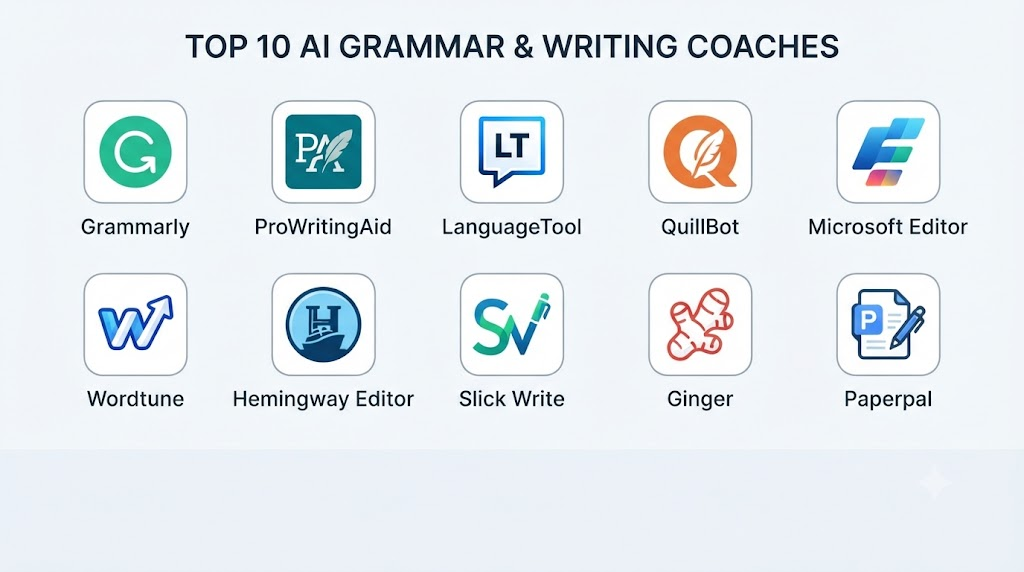
Top 10 AI Grammar & Writing Coaches
1. Grammarly
One-line verdict: Best overall for everyday grammar correction, rewriting, tone improvement, and AI-assisted professional communication.
Short description
Grammarly is one of the best-known AI writing assistants, combining grammar and spelling correction with broader writing assistance. It can help users improve emails, documents, messages, and other written communication.
Its modern feature set goes beyond traditional proofreading, including AI-powered rewriting and suggestions intended to improve the substance and style of communication.
Standout Capabilities
- Grammar and spelling correction
- Sentence rewriting
- Tone suggestions
- Clarity improvements
- Conciseness recommendations
- AI-assisted content generation
- Vocabulary improvement
- Writing assistance across multiple applications
AI-Specific Depth
- Model support: Provider-managed AI models and writing technologies.
- RAG / knowledge integration: Context-aware writing workflows; specific RAG architecture is not publicly stated.
- Evaluation: Provider-managed quality evaluation; detailed model-evaluation methodology varies.
- Guardrails: Provider-managed AI safety and content controls.
- Observability: User-facing writing analytics and usage capabilities vary by product.
Pros
- Very accessible for everyday writers.
- Strong combination of grammar and generative writing features.
- Useful across professional communication workflows.
Cons
- Advanced features may require a paid plan.
- AI rewrites can sometimes change the writer’s intended voice.
- Users should review suggestions rather than automatically accepting everything.
Security & Compliance
Security and administrative controls vary by product and plan. Organizations should verify current SSO, RBAC, audit, retention, encryption, and data-processing requirements before deploying the tool for sensitive information.
Certifications: Not publicly stated here.
Deployment & Platforms
- Web
- Browser extensions
- Desktop workflows
- Mobile
- Cloud
Integrations & Ecosystem
Grammarly is designed to work across many common writing environments.
- Web browsers
- Documents
- Productivity applications
- Business communication
- Writing workflows
- Developer/API-related capabilities where supported
Pricing Model
Free and paid subscription models are available. Business and advanced capabilities may use different plans.
Best-Fit Scenarios
- Professional emails
- Everyday business writing
- General-purpose proofreading
2. ProWritingAid
One-line verdict: Best for detailed writing analysis, long-form editing, style improvement, and writers who want deeper feedback.
Short description
ProWritingAid focuses heavily on detailed writing analysis. Rather than limiting itself to individual grammar corrections, it provides broader feedback on style, readability, sentence construction, repetition, and other characteristics of written content.
It is particularly useful for authors, bloggers, students, and professionals working with longer documents.
Standout Capabilities
- Grammar checking
- Style analysis
- Readability analysis
- Repetition detection
- Sentence-level suggestions
- Long-form editing
- Writing reports
- AI-assisted rewriting
AI-Specific Depth
- Model support: Provider-managed AI capabilities.
- RAG / knowledge integration: N/A for standard grammar workflows.
- Evaluation: Multiple writing-analysis reports; detailed AI evaluation methodology is not publicly stated.
- Guardrails: Provider-managed controls.
- Observability: Writing reports and analysis provide useful user-facing feedback.
Pros
- Strong for long-form writing.
- Detailed analysis beyond basic grammar.
- Useful for writers who want to learn from editing feedback.
Cons
- Can feel more complex than simple grammar checkers.
- Some users may find the number of suggestions overwhelming.
- Advanced AI features may depend on plan and usage.
Security & Compliance
Specific enterprise security and compliance capabilities should be verified according to the selected plan.
Certifications: Not publicly stated here.
Deployment & Platforms
- Web
- Desktop
- Browser extensions
- Cloud
Integrations & Ecosystem
- Word-processing workflows
- Browser extensions
- Writing applications
- Long-form editing
- AI writing tools
- Document workflows
Pricing Model
Free and paid plans are available, with additional capabilities depending on the selected subscription.
Best-Fit Scenarios
- Authors and bloggers
- Long-form content
- Detailed writing improvement
3. LanguageTool
One-line verdict: Best for multilingual grammar checking, privacy-conscious users, and people seeking an alternative to larger commercial writing assistants.
Short description
LanguageTool provides grammar, spelling, punctuation, and style assistance across multiple languages. It is particularly attractive to multilingual writers who want more than English-only proofreading.
Its broader language orientation makes it useful for international users, students, professionals, and organizations working across languages.
Standout Capabilities
- Grammar checking
- Spelling correction
- Punctuation checking
- Style suggestions
- Multilingual support
- Personal dictionary
- Writing style improvements
- Browser-based editing
AI-Specific Depth
- Model support: Provider-managed language technologies; exact model architecture varies.
- RAG / knowledge integration: N/A for standard grammar checking.
- Evaluation: Automated language-quality testing and provider-managed evaluation; detailed methodology varies.
- Guardrails: Provider-managed controls.
- Observability: User-facing writing feedback rather than detailed AI tracing.
Pros
- Strong multilingual orientation.
- Useful for grammar and style.
- Suitable for users who want an alternative to mainstream writing assistants.
Cons
- AI generation capabilities may be less extensive than some general AI assistants.
- Suggestion quality varies by language.
- Advanced functionality may require a paid plan.
Security & Compliance
Security and privacy capabilities depend on the service and plan. Organizations should verify retention and processing requirements before entering confidential content.
Certifications: Not publicly stated here.
Deployment & Platforms
- Web
- Browser extensions
- Desktop-related workflows
- Mobile capabilities may vary
- Cloud
Integrations & Ecosystem
- Browsers
- Word processors
- Writing applications
- Multilingual workflows
- Personal dictionaries
- Productivity environments
Pricing Model
Free and premium subscription options are available.
Best-Fit Scenarios
- Multilingual writing
- Students
- Privacy-conscious users
4. Microsoft Editor
One-line verdict: Best for Microsoft 365 users who want integrated grammar, spelling, clarity, conciseness, and style assistance.
Short description
Microsoft Editor provides grammar, spelling, and writing assistance within Microsoft’s broader productivity environment. It can identify grammar and spelling problems and provide suggestions for clarity, conciseness, formality, and vocabulary. (Microsoft Support)
It is particularly convenient for users already working in Word, Outlook, and related Microsoft environments.
Standout Capabilities
- Grammar correction
- Spelling correction
- Clarity suggestions
- Conciseness suggestions
- Formality recommendations
- Vocabulary suggestions
- Custom dictionary
- Word and Outlook integration
AI-Specific Depth
- Model support: Microsoft-managed AI and language technologies.
- RAG / knowledge integration: Context from supported Microsoft applications; specific RAG architecture is not publicly stated.
- Evaluation: Provider-managed evaluation.
- Guardrails: Microsoft-managed security and safety controls.
- Observability: Writing suggestions and editing feedback; detailed AI tracing is not a typical consumer feature.
Pros
- Excellent integration with Microsoft productivity tools.
- Convenient for Word and Outlook users.
- Supports multiple languages.
Cons
- Best experience is tied closely to the Microsoft ecosystem.
- Some advanced capabilities require Microsoft 365.
- Not primarily designed as a standalone professional editing environment.
Security & Compliance
Security controls depend on the Microsoft product and organizational configuration. Microsoft documents specific data-processing behavior for different Editor experiences. (Microsoft Support)
Certifications: Verify applicable Microsoft 365 certifications and service scope before procurement.
Deployment & Platforms
- Windows
- macOS
- Web
- iOS
- Android
- Microsoft 365
Integrations & Ecosystem
- Microsoft Word
- Outlook
- Microsoft Edge
- Microsoft 365
- Web writing
- Business documents
Pricing Model
Basic Editor functionality is available without purchasing Editor separately, while advanced functionality is associated with Microsoft 365. (Microsoft)
Best-Fit Scenarios
- Microsoft 365 organizations
- Business documents
- Professional email
5. QuillBot
One-line verdict: Best for paraphrasing, rewriting, summarizing, and improving sentence structure while retaining the original meaning.
Short description
QuillBot combines grammar checking with paraphrasing and other AI writing tools. It is especially useful when users already have a draft but want to express the same idea more clearly or differently.
Students, content creators, researchers, and professionals can use it for rewriting and editing workflows.
Standout Capabilities
- Grammar checking
- Paraphrasing
- Sentence rewriting
- Summarization
- Vocabulary alternatives
- Tone-oriented rewriting
- Citation-related writing features
- Translation capabilities
AI-Specific Depth
- Model support: Provider-managed AI models.
- RAG / knowledge integration: Limited relevance for standard rewriting.
- Evaluation: Provider-managed evaluation; detailed methodology is not publicly stated.
- Guardrails: Provider-managed safety systems.
- Observability: Limited user-facing AI observability.
Pros
- Strong paraphrasing functionality.
- Useful for restructuring existing drafts.
- Combines multiple writing tools in one platform.
Cons
- Rewrites can sometimes alter nuance.
- Users need to verify factual and technical content after rewriting.
- Some advanced capabilities are restricted by plan.
Security & Compliance
Review current privacy and data-processing policies before entering confidential documents.
Certifications: Not publicly stated here.
Deployment & Platforms
- Web
- Browser extensions
- Desktop/mobile workflows may vary
- Cloud
Integrations & Ecosystem
- Writing tools
- Browser extensions
- Document workflows
- Paraphrasing
- Summarization
- Grammar checking
Pricing Model
Free and paid subscription options are available.
Best-Fit Scenarios
- Rewriting drafts
- Content improvement
- Students and researchers
6. Hemingway Editor
One-line verdict: Best for making writing simpler, clearer, more concise, and easier for readers to understand.
Short description
Hemingway Editor focuses on readability and clear writing rather than acting solely as a grammar checker. It helps users identify complex sentences, excessive adverbs, passive constructions, and other characteristics that can make writing harder to understand.
It is particularly useful for web content, business writing, blogs, and educational material.
Standout Capabilities
- Readability analysis
- Sentence complexity detection
- Passive voice identification
- Adverb detection
- Conciseness improvement
- Formatting support
- AI-assisted rewriting
- Clear-writing guidance
AI-Specific Depth
- Model support: AI capabilities are provider-managed.
- RAG / knowledge integration: N/A.
- Evaluation: Readability metrics and provider-managed AI evaluation.
- Guardrails: Provider-managed controls.
- Observability: Readability-oriented feedback.
Pros
- Excellent for concise writing.
- Easy to understand recommendations.
- Useful for improving reader accessibility.
Cons
- Not as comprehensive as some grammar-focused platforms.
- Readability recommendations can sometimes oversimplify sophisticated writing.
- Advanced AI capabilities may vary by product version.
Security & Compliance
Enterprise security capabilities should be verified according to the specific product configuration.
Certifications: Not publicly stated here.
Deployment & Platforms
- Web
- Desktop
- Cloud
Integrations & Ecosystem
- Long-form writing
- Blogs
- Business content
- Editing workflows
- Readability analysis
- AI rewriting
Pricing Model
Free editing capabilities and paid AI-oriented functionality may be available depending on the product.
Best-Fit Scenarios
- Blog writing
- Plain-language content
- Business communication
7. Ginger
One-line verdict: Best for straightforward grammar correction, sentence improvement, and writing assistance for everyday users.
Short description
Ginger provides grammar, spelling, punctuation, and sentence-rephrasing capabilities. It is designed to help users identify common writing mistakes and improve sentence construction.
It can be useful for students, professionals, and non-native English writers.
Standout Capabilities
- Grammar checking
- Spelling correction
- Sentence rephrasing
- Punctuation assistance
- Vocabulary improvement
- Writing suggestions
- Mobile writing support
- Browser-oriented assistance
AI-Specific Depth
- Model support: Provider-managed AI and language technologies.
- RAG / knowledge integration: N/A.
- Evaluation: Detailed public AI evaluation methodology is not stated.
- Guardrails: Provider-managed controls.
- Observability: Limited user-facing AI observability.
Pros
- Easy to use.
- Useful for everyday grammar problems.
- Helpful sentence-rephrasing functionality.
Cons
- Less comprehensive than full enterprise writing platforms.
- Advanced functionality may require payment.
- Language support is more limited than some multilingual alternatives.
Security & Compliance
Review applicable privacy and security policies before using the service for confidential material.
Certifications: Not publicly stated here.
Deployment & Platforms
- Web
- Browser
- Desktop
- Mobile
Integrations & Ecosystem
- Browsers
- Writing applications
- Mobile keyboards
- Grammar checking
- Rewriting workflows
Pricing Model
Free and premium options are available.
Best-Fit Scenarios
- Everyday writing
- Students
- Non-native English writers
8. Google Docs with Gemini
One-line verdict: Best for Google Workspace users who want AI-assisted drafting, editing, rewriting, summarization, and contextual document improvement.
Short description
Gemini in Google Docs combines writing assistance with the broader Google Workspace environment. Users can ask Gemini to rewrite, shorten, elaborate, summarize, adjust tone, and improve documents. It can also use information from eligible files and Workspace sources as context. (Google Help)
This makes it particularly useful when writing assistance needs to work directly inside collaborative documents.
Standout Capabilities
- AI drafting
- Grammar correction
- Rewriting
- Summarization
- Tone adjustment
- Conciseness improvement
- Document-context assistance
- File-based contextual editing
AI-Specific Depth
- Model support: Google-managed Gemini models.
- RAG / knowledge integration: Can use eligible Workspace files and connected contextual sources.
- Evaluation: Provider-managed evaluation and user feedback mechanisms.
- Guardrails: Google-managed AI safety and Workspace controls.
- Observability: Workspace administration and AI usage capabilities vary by plan.
Pros
- Excellent Google Docs integration.
- Can understand document context.
- Strong for collaborative business writing.
Cons
- Availability depends on eligible Google Workspace or AI plans.
- AI suggestions still require human review.
- Best experience is tied to the Google ecosystem.
Security & Compliance
Security and administrative controls depend on the Google Workspace configuration and subscription.
Certifications: Verify current Workspace compliance scope for your organization.
Deployment & Platforms
- Web
- Google Workspace
- Cloud
- Mobile Workspace ecosystem
Integrations & Ecosystem
- Google Docs
- Google Drive
- Gmail
- Google Workspace
- Collaborative documents
- Organizational files
Pricing Model
Gemini writing features depend on eligible Google Workspace or Google AI plans. (Google Help)
Best-Fit Scenarios
- Google Workspace teams
- Collaborative documents
- Business writing
9. Wordtune
One-line verdict: Best for rewriting, sentence refinement, tone adjustment, and finding clearer ways to express existing ideas.
Short description
Wordtune focuses heavily on rewriting and improving written expression. Instead of simply identifying mistakes, it helps users explore alternative ways to communicate the same idea.
It is useful for professionals, students, marketers, and content creators who frequently revise drafts.
Standout Capabilities
- Sentence rewriting
- Paraphrasing
- Tone adjustment
- Conciseness improvement
- Expansion
- Vocabulary refinement
- Writing suggestions
- Content improvement
AI-Specific Depth
- Model support: Provider-managed generative AI models.
- RAG / knowledge integration: Contextual writing capabilities; specific architecture varies.
- Evaluation: Provider-managed AI evaluation.
- Guardrails: Provider-managed safety controls.
- Observability: Limited user-facing AI observability.
Pros
- Strong rewriting experience.
- Useful for improving professional language.
- Helps users experiment with alternative phrasing.
Cons
- Not primarily a traditional grammar checker.
- Rewrites may occasionally change nuance.
- Advanced usage may require a paid plan.
Security & Compliance
Security and privacy capabilities depend on the selected service and plan.
Certifications: Not publicly stated here.
Deployment & Platforms
- Web
- Browser extensions
- Cloud
- Productivity workflows
Integrations & Ecosystem
- Browsers
- Documents
- Writing applications
- Content creation
- Professional communication
Pricing Model
Free and premium subscription options are available.
Best-Fit Scenarios
- Professional rewriting
- Marketing content
- Improving existing drafts
10. ChatGPT
One-line verdict: Best for flexible grammar coaching, detailed explanations, rewriting, brainstorming, tone control, and personalized writing feedback.
Short description
ChatGPT can function as a broader AI writing coach rather than a dedicated grammar checker. Users can provide text and request grammar correction, explanations, alternative wording, tone adjustments, structural feedback, or detailed coaching.
This flexibility is especially useful when users want to understand why something is incorrect rather than simply receiving an automatic correction.
Standout Capabilities
- Grammar correction
- Detailed explanations
- Sentence rewriting
- Tone adjustment
- Style transformation
- Brainstorming
- Long-form editing
- Personalized writing coaching
AI-Specific Depth
- Model support: Provider-managed models, with capabilities varying by product configuration.
- RAG / knowledge integration: File and contextual workflows can support document-based writing tasks where available.
- Evaluation: Provider-managed model evaluation and safety testing.
- Guardrails: Built-in safety and instruction-following mechanisms.
- Observability: Usage and administration capabilities vary by plan and environment.
Pros
- Extremely flexible.
- Can explain grammar instead of only correcting it.
- Useful for both writing improvement and content creation.
Cons
- It can occasionally make unnecessary changes.
- AI-generated suggestions should be reviewed for factual accuracy and intended meaning.
- Dedicated grammar tools can be faster for continuous inline proofreading.
Security & Compliance
Security and data controls depend on the product and plan. Organizations should review applicable privacy, retention, access-control, and data-processing requirements before using confidential content.
Deployment & Platforms
- Web
- Windows
- macOS
- iOS
- Android
- Cloud
Integrations & Ecosystem
- Documents
- File workflows
- Custom writing workflows
- Business applications
- APIs
- Multimodal capabilities
Pricing Model
Free and paid plans are available, with separate usage-based options for developer/API workflows.
Best-Fit Scenarios
- Personalized writing coaching
- Complex rewriting
- Grammar explanations and learning
Comparison Table
| Tool Name | Best For | Deployment | Model Flexibility | Strength | Watch-Out | Public Rating |
|---|---|---|---|---|---|---|
| Grammarly | General writing | Cloud/Web/Desktop/Mobile | Hosted | All-round writing assistance | Advanced features may require paid plan | N/A |
| ProWritingAid | Long-form editing | Cloud/Desktop/Web | Hosted | Deep writing analysis | Can be detailed for casual users | N/A |
| LanguageTool | Multilingual writing | Cloud/Desktop/Web | Hosted | Multilingual grammar | Quality varies by language | N/A |
| Microsoft Editor | Microsoft users | Cloud/Desktop/Mobile | Hosted | Microsoft integration | Ecosystem dependency | N/A |
| QuillBot | Paraphrasing | Cloud/Web | Hosted | Rewriting | Meaning can shift after paraphrasing | N/A |
| Hemingway Editor | Readability | Web/Desktop | Hosted | Clear, concise writing | May oversimplify complex prose | N/A |
| Ginger | Everyday grammar | Web/Desktop/Mobile | Hosted | Simple correction | Fewer advanced workflows | N/A |
| Gemini in Docs | Google Workspace | Cloud/Web | Hosted | Document context | Plan availability varies | N/A |
| Wordtune | Rewriting | Cloud/Web | Hosted | Alternative phrasing | Not primarily grammar-first | N/A |
| ChatGPT | Flexible writing coaching | Cloud/Desktop/Mobile | Hosted/Multi-model | Highly customizable | Requires careful review | N/A |
Scoring & Evaluation
The scoring below is a comparative editorial framework, not an official benchmark from the vendors.
Scores are based on the overall usefulness of each platform for grammar correction, AI writing assistance, rewriting, integrations, ease of use, cost considerations, security, and support.
Actual results can differ significantly depending on language, writing type, document size, industry, and user workflow.
| Tool | Core | Reliability/Eval | Guardrails | Integrations | Ease | Perf/Cost | Security/Admin | Support | Weighted Total |
|---|---|---|---|---|---|---|---|---|---|
| Grammarly | 9.6 | 9.2 | 8.8 | 9.6 | 9.7 | 8.8 | 8.9 | 9.2 | 9.3 |
| ProWritingAid | 9.3 | 9.1 | 8.6 | 8.8 | 8.8 | 8.7 | 8.6 | 8.8 | 8.9 |
| LanguageTool | 9.0 | 8.8 | 8.5 | 8.9 | 9.1 | 9.1 | 8.7 | 8.7 | 8.8 |
| Microsoft Editor | 9.2 | 8.9 | 9.1 | 9.7 | 9.6 | 9.0 | 9.3 | 9.2 | 9.2 |
| QuillBot | 9.1 | 8.7 | 8.4 | 8.6 | 9.3 | 8.9 | 8.3 | 8.7 | 8.7 |
| Hemingway Editor | 8.5 | 8.6 | 8.2 | 8.0 | 9.4 | 9.2 | 8.1 | 8.4 | 8.5 |
| Ginger | 8.4 | 8.4 | 8.1 | 8.2 | 9.1 | 8.8 | 8.0 | 8.4 | 8.4 |
| Gemini in Docs | 9.3 | 9.0 | 9.0 | 9.8 | 9.4 | 8.7 | 9.2 | 9.2 | 9.2 |
| Wordtune | 8.9 | 8.7 | 8.3 | 8.4 | 9.2 | 8.6 | 8.2 | 8.5 | 8.6 |
| ChatGPT | 9.6 | 9.0 | 9.1 | 9.5 | 9.5 | 8.5 | 8.9 | 9.2 | 9.1 |
Top 3 for Enterprise
- Microsoft Editor — particularly strong for Microsoft-centric organizations.
- Grammarly — strong cross-application writing assistance.
- Gemini in Docs — strong option for Google Workspace environments.
Top 3 for SMB
- Grammarly
- ChatGPT
- Microsoft Editor
Top 3 for Developers
- ChatGPT
- Grammarly
- LanguageTool
Which AI Grammar & Writing Coach Is Right for You?
Solo / Freelancer
Individual writers should focus on usability, writing quality, integrations, and price.
Recommended options include:
- Grammarly for everyday writing.
- ChatGPT for personalized coaching.
- QuillBot for rewriting.
- Hemingway Editor for readability.
- LanguageTool for multilingual writing.
SMB
Small businesses should prioritize:
- Email writing
- Document editing
- Brand tone
- Collaboration
- Data privacy
- Productivity integrations
- Cost predictability
Grammarly, Microsoft Editor, ChatGPT, and Gemini in Docs are particularly useful starting points.
Mid-Market
Mid-market organizations should evaluate writing assistants using real company documents.
Test:
- Sales emails
- Customer support responses
- Marketing copy
- Internal documents
- Reports
- Product documentation
- Executive communications
The goal should be consistent improvement without making every employee’s writing sound identical.
Enterprise
Enterprise organizations should evaluate:
- SSO
- RBAC
- Administrative controls
- Data retention
- Encryption
- Auditability
- Workspace integrations
- User provisioning
- AI governance
- Brand-style controls
- Sensitive-data handling
The most important question is not simply whether the AI can correct grammar. It is whether the organization can safely deploy it at scale.
Regulated Industries
Healthcare, financial services, government, legal organizations, and other regulated industries should carefully evaluate what information is submitted to writing assistants.
Before deployment, verify:
- Data processing
- Data retention
- Encryption
- Access controls
- Data residency
- Administrative policies
- Model-training policies
- Audit capabilities
High-stakes documents should continue to receive professional review.
Budget vs Premium
Free tools can handle basic grammar, spelling, and occasional rewriting.
Premium tools become more valuable when you need:
- Advanced rewriting
- Tone analysis
- Long-form editing
- Team management
- Enterprise controls
- Higher usage limits
- Advanced integrations
- Brand consistency
Build vs Buy
Building a custom writing coach may make sense for organizations that need proprietary terminology, highly specialized language models, private deployment, or deep integration with internal knowledge.
For most teams, buying an established writing assistant is simpler and faster.
Implementation Playbook
First 30 Days: Pilot + Success Metrics
Start with a small group of users.
Create a representative evaluation set containing:
- Emails
- Reports
- Marketing content
- Technical writing
- Customer messages
- Academic-style writing
- Common grammar mistakes
Measure:
- Correction accuracy
- False-positive rate
- User acceptance rate
- Editing time
- Writing quality
- Rewriting usefulness
- User satisfaction
Do not measure success solely by the number of corrections.
A tool that makes thousands of unnecessary suggestions is not necessarily better.
Days 31–60: Security + Evaluation
Create a structured AI evaluation process.
Test:
- Grammar errors
- Ambiguous sentences
- Industry terminology
- Acronyms
- Proper names
- Non-native writing
- Long documents
- Tone changes
- Rewriting
- Sensitive content
Also test whether the system changes factual meaning when rewriting.
For example, if the original sentence contains a specific number, deadline, medical term, legal requirement, or technical specification, verify that the AI does not unintentionally modify it.
Days 61–90: Optimization + Governance
Establish:
- Approved writing guidelines
- Brand terminology
- Prompt templates
- AI usage policies
- Review procedures
- Privacy requirements
- Approved applications
- User training
- Incident reporting
Create a feedback process so users can report incorrect or inappropriate suggestions.
Common Mistakes & How to Avoid Them
- Treating every AI suggestion as correct: Always review important changes.
- Allowing AI to rewrite without preserving meaning: Compare the original and revised text.
- Ignoring privacy: Never assume every writing assistant handles confidential information the same way.
- Using one writing style for everyone: Preserve individual and organizational voice.
- Overcorrecting casual language: Not every informal phrase is a mistake.
- Ignoring cultural differences: Writing recommendations can vary by region and audience.
- Using AI for high-stakes content without review: Professional oversight remains important.
- Failing to test industry terminology: General-purpose tools may misunderstand specialized vocabulary.
- Ignoring false positives: Excessive unnecessary corrections can reduce productivity.
- Measuring only grammar accuracy: Evaluate clarity, meaning preservation, tone, and usefulness too.
- Not creating a custom dictionary: Names, products, technical terms, and internal terminology may need special handling.
- Ignoring document context: Sentence-level correction can miss broader structural problems.
- Overusing generative rewriting: Excessive AI editing can make writing generic.
- Skipping AI governance: Organizations should define where and how employees can use writing assistants.
- Ignoring vendor lock-in: Consider export options and alternative workflows before making a writing assistant deeply embedded in business processes.
FAQs
What is an AI Grammar & Writing Coach?
An AI Grammar & Writing Coach uses artificial intelligence to identify writing problems and suggest improvements to grammar, spelling, clarity, tone, vocabulary, sentence structure, and style.
Are AI grammar checkers accurate?
They can be highly useful, but no AI writing system is perfect. Accuracy depends on context, language, writing style, domain terminology, and sentence complexity.
What is the best AI grammar tool?
Grammarly is a strong general-purpose choice, while Microsoft Editor, LanguageTool, ProWritingAid, and other platforms may be better for particular workflows.
Can ChatGPT replace a grammar checker?
ChatGPT can perform grammar correction and provide detailed explanations, but dedicated grammar tools may provide more convenient continuous inline checking.
Can AI writing coaches improve writing skills?
Yes. Tools that explain why a sentence is incorrect or unclear can help users learn patterns instead of simply accepting corrections.
Are AI writing tools useful for students?
They can be useful for grammar, clarity, organization, and language learning. Students should follow their institution’s rules concerning AI-assisted writing.
Can AI writing coaches help non-native English speakers?
Yes. They can provide grammar corrections, vocabulary suggestions, alternative phrasing, and explanations that can help non-native writers communicate more naturally.
Can AI writing tools rewrite an entire document?
Many modern AI writing tools can rewrite substantial portions of documents. However, large-scale rewriting should be reviewed carefully to ensure the original meaning and factual details remain intact.
Can AI writing assistants change the tone of text?
Yes. Many tools can make writing more formal, casual, concise, friendly, persuasive, or professional.
Are AI writing coaches private?
Privacy varies significantly between services. Users should review how text is transmitted, stored, retained, and potentially used before submitting sensitive information.
Can businesses use AI grammar tools?
Yes. Businesses commonly use writing assistants for emails, reports, marketing, customer support, internal communication, and documentation.
Should businesses allow employees to use any AI writing tool?
No. Organizations should establish approved tools and clear policies covering sensitive data, confidential information, acceptable use, and human review.
Can AI writing coaches detect plagiarism?
Some platforms provide similarity or plagiarism-related functionality, but grammar checking and plagiarism detection are different capabilities. Users should evaluate the specific detection methodology separately.
Can AI writing tools work with Google Docs?
Yes. Google Docs has built-in grammar and spelling capabilities, while eligible Google Workspace users can also use Gemini to draft and refine documents. (Google Help)
Can AI writing tools work with Microsoft Word?
Yes. Microsoft Editor is integrated into supported Word environments and can provide grammar, spelling, clarity, conciseness, and style suggestions. (Microsoft Support)
Which tool is best for long-form writing?
ProWritingAid and Hemingway Editor are particularly useful for long-form analysis, while Grammarly, ChatGPT, and other AI assistants can provide broader rewriting and editing capabilities.
Which tool is best for multilingual writing?
LanguageTool is a strong option for multilingual grammar assistance, while the best choice ultimately depends on the exact languages and writing scenarios involved.
Can AI writing coaches preserve my writing style?
Some tools provide style or tone controls, but users should still review rewritten content. A technically correct rewrite can sound very different from the original author.
Are free AI grammar tools enough?
Free tools can be sufficient for basic spelling and grammar. Premium plans become more useful when advanced rewriting, tone analysis, long-form editing, team features, or higher usage limits are needed.
What should I test before buying an AI writing assistant?
Use your own writing samples. Test grammar, rewriting, terminology, tone, privacy requirements, integrations, false positives, and how well the system preserves meaning.
Can AI grammar tools make writing worse?
Yes. AI can sometimes make unnecessary edits, remove nuance, change tone, or introduce awkward wording. Human judgment remains essential.
Conclusion
AI Grammar & Writing Coaches are evolving from simple spelling and grammar checkers into broader communication assistants. The most useful platforms can now help with grammar, clarity, rewriting, tone, vocabulary, structure, and overall communication quality.Grammarly remains a strong all-around choice for everyday professional writing. ProWritingAid is particularly useful for detailed long-form analysis, while LanguageTool is attractive for multilingual writing. Microsoft Editor is a natural choice for Microsoft 365 users, and Gemini in Google Docs is particularly useful for organizations already working inside Google Workspace.QuillBot and Wordtune are especially useful when rewriting and paraphrasing are central to the workflow. Hemingway Editor is valuable for improving readability and concise communication, while ChatGPT provides highly flexible writing coaching and explanations.The best tool depends on what you actually need. A student may prioritize learning and explanations, a marketer may care about tone and brand voice, an author may need long-form editing, and an enterprise may prioritize security, administration, integrations, and governance.The smartest approach is to evaluate AI writing coaches with your real writing rather than generic demonstration