Introduction
AI simulation-to-real transfer toolkits help robotics and autonomous systems move models, policies, and behaviors developed in simulated environments into physical machines. The goal is to reduce the gap between what works in simulation and what actually works on real hardware.
Simulation is attractive because robots can perform thousands or millions of trials without damaging equipment, waiting for physical setup, or consuming expensive hardware time. However, simulated environments rarely reproduce every real-world detail. Sensor noise, friction, latency, actuator behavior, lighting, collisions, calibration errors, and unexpected environmental conditions can cause a model that performs well in simulation to fail in reality.
Sim-to-real tooling addresses this gap through techniques such as domain randomization, system identification, synthetic data generation, reinforcement learning, physics simulation, sensor simulation, transfer learning, and hardware-in-the-loop testing.
Best for: Robotics researchers, AI engineers, autonomous-systems teams, industrial automation companies, universities, simulation engineers, and organizations developing robots that need large amounts of training data or reinforcement-learning experience.
Not ideal for: Simple robotic applications that already have reliable rule-based control, very small projects with limited simulation requirements, or systems where physical testing is inexpensive and the simulation environment provides little additional value.
When evaluating sim-to-real platforms, consider physics fidelity, GPU acceleration, sensor simulation, domain randomization, reinforcement-learning support, robotics middleware compatibility, synthetic-data capabilities, model export, real-hardware integration, APIs, debugging tools, scalability, deployment options, reproducibility, and safety controls.
What’s Changed in AI Simulation-to-Real Transfer Toolkits
- Foundation models are entering robotics: Vision-language and multimodal models can increasingly participate in simulated robotic workflows.
- Domain randomization is becoming more sophisticated: Instead of randomizing only colors and textures, teams can vary physics, sensor characteristics, object properties, lighting, latency, and environmental conditions.
- Synthetic data is becoming a major training resource: Simulation can generate large datasets for perception models without requiring extensive physical data collection.
- GPU-accelerated simulation is changing training economics: Faster simulation allows reinforcement-learning systems to perform significantly more trials.
- Digital twins are becoming more connected to production systems: Simulation environments increasingly represent actual robots, workcells, sensors, and operational conditions.
- Simulation and real-world telemetry are increasingly combined: Physical robot data can be used to improve simulation parameters and retrain policies.
- Sim-to-real is moving toward continuous iteration: Instead of treating transfer as a final deployment stage, teams increasingly alternate between simulation and real-world testing.
- Multimodal sensor simulation is expanding: Cameras, depth sensors, lidar, radar, IMUs, force sensors, and other modalities can be represented in simulated environments.
- Agentic robotics introduces new transfer challenges: Autonomous agents may need to transfer not only control policies but also planning strategies, tool usage, and perception behaviors.
- Safety testing is becoming more important: Simulation provides an opportunity to test dangerous or unusual scenarios before exposing physical systems to them.
- Model compression matters at deployment: Policies developed in simulation may need optimization before running on embedded hardware.
- Hardware differences remain a major challenge: A policy trained for one actuator, sensor, or robot configuration may not transfer cleanly to another.
- Evaluation is becoming more rigorous: Teams increasingly need standardized simulation benchmarks and physical validation rather than relying on simulated reward alone.
- Reproducibility is becoming essential: Simulation parameters, random seeds, physics engines, assets, environments, model versions, and hardware configurations can all affect results.
- Privacy can improve through simulation: Synthetic environments can reduce dependence on sensitive real-world data, although synthetic data should still be validated carefully.
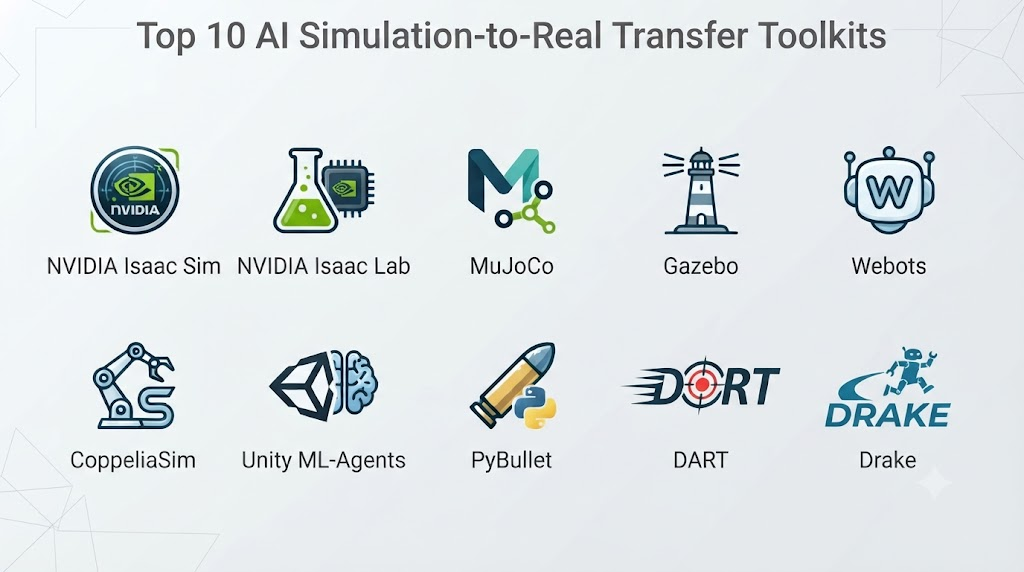
Top 10 AI Simulation-to-Real Transfer Toolkits
1. NVIDIA Isaac Sim
One-line verdict: Best overall for teams building GPU-accelerated robotics simulation, synthetic data, reinforcement learning, and sim-to-real workflows.
Short description:
NVIDIA Isaac Sim is a robotics simulation platform designed for physically based simulation, robot development, synthetic data generation, and AI-based robotics workflows. It is particularly relevant to teams using NVIDIA GPUs and developing complex robotic systems.
Standout Capabilities
- Physically based robotics simulation
- Synthetic data generation
- Sensor simulation
- Robot model support
- Reinforcement-learning workflows
- GPU acceleration
- Digital-twin development
- Robotics development environments
AI-Specific Depth
- Model support: Supports AI and robotics workflows involving different model architectures; NVIDIA-oriented acceleration is a major strength.
- RAG / knowledge integration: N/A for core sim-to-real functionality.
- Evaluation: Simulation-based testing and reinforcement-learning evaluation are supported through surrounding workflows.
- Guardrails: Simulation constraints and robotics safety testing; dedicated AI guardrails are Varies / N/A.
- Observability: Simulation telemetry, metrics, debugging, and visualization capabilities.
Pros
- Strong GPU acceleration.
- Excellent synthetic-data capabilities.
- Broad robotics simulation ecosystem.
Cons
- High hardware requirements for advanced workloads.
- Can have a steep learning curve.
- NVIDIA ecosystem dependency can influence architecture decisions.
Security & Compliance
Security depends on deployment and infrastructure. Specific certifications are Not publicly stated here without verifying the exact current offering.
Deployment & Platforms
- Linux
- Windows
- Workstation environments
- Cloud
- NVIDIA GPU infrastructure
Integrations & Ecosystem
- ROS/ROS 2
- Python
- Robotics frameworks
- NVIDIA AI ecosystem
- Simulation assets
- Reinforcement-learning systems
- Containerized environments
Pricing Model
Product and enterprise deployment options vary. Exact pricing is Not publicly stated here.
Best-Fit Scenarios
- Industrial robotics
- Autonomous systems
- Large-scale synthetic-data generation
2. MuJoCo
One-line verdict: Best for researchers developing physics-based control and reinforcement-learning policies that need fast, accurate robotic simulation.
Short description:
MuJoCo is a physics engine widely used in robotics and reinforcement learning. Its emphasis on efficient simulation and articulated-body dynamics makes it useful for training and testing control policies before deploying them on physical robots.
Standout Capabilities
- Fast physics simulation
- Articulated-body dynamics
- Robotics environments
- Reinforcement learning
- Contact simulation
- Python integration
- Model-based control
- Research experimentation
AI-Specific Depth
- Model support: Model-agnostic and commonly integrated with reinforcement-learning frameworks.
- RAG / knowledge integration: N/A.
- Evaluation: Supports controlled simulation experiments and RL evaluation.
- Guardrails: Physical constraints and simulation boundaries; AI safety guardrails are N/A.
- Observability: Simulation states, rewards, actions, and trajectories can be recorded through surrounding frameworks.
Pros
- Fast simulation.
- Strong research ecosystem.
- Excellent fit for reinforcement learning.
Cons
- Not a complete robotics platform by itself.
- High-fidelity perception simulation may require additional tools.
- Sim-to-real success depends heavily on system identification and randomization.
Security & Compliance
Security is primarily determined by deployment infrastructure. Certifications are Not publicly stated.
Deployment & Platforms
- Linux
- Windows
- macOS
- Python
- Local and cloud environments
Integrations & Ecosystem
- Python
- Reinforcement-learning libraries
- Robotics frameworks
- JAX-based workflows
- Control systems
- Research environments
Pricing Model
Open-source.
Best-Fit Scenarios
- Robotics research
- Reinforcement learning
- Control-policy development
3. Gazebo
One-line verdict: Best for ROS-based robotics teams needing an open simulation environment that connects closely with real robotic software stacks.
Short description:
Gazebo is a widely used robotics simulation ecosystem associated with ROS-based development. It allows teams to test robot models, sensors, environments, navigation, manipulation, and control software before running them on physical hardware.
Standout Capabilities
- Robot simulation
- ROS integration
- Sensor simulation
- Physics engines
- Navigation testing
- Manipulation simulation
- World modeling
- Robotics software validation
AI-Specific Depth
- Model support: Model-agnostic; integrates with AI and robotics frameworks.
- RAG / knowledge integration: N/A.
- Evaluation: Simulation experiments can evaluate perception, planning, and control.
- Guardrails: Simulation constraints and software-level safety checks; dedicated AI guardrails are N/A.
- Observability: Robot state and simulation telemetry can be collected through ROS and associated tooling.
Pros
- Strong ROS ecosystem.
- Open-source foundation.
- Good connection between simulation and physical robotics software.
Cons
- Configuration can be complex.
- Physics fidelity varies by environment and engine.
- Large simulations may require substantial computing resources.
Security & Compliance
Depends on deployment. Specific certifications are Not publicly stated.
Deployment & Platforms
- Linux
- ROS environments
- Local systems
- Containers
- Cloud environments depending on configuration
Integrations & Ecosystem
- ROS
- ROS 2
- Python
- C++
- Robotics sensors
- Navigation frameworks
- Control software
Pricing Model
Open-source.
Best-Fit Scenarios
- ROS robotics projects
- Autonomous mobile robots
- Research laboratories
4. NVIDIA Isaac Lab
One-line verdict: Best for large-scale reinforcement-learning research using GPU-accelerated robotic simulation and parallelized environments.
Short description:
Isaac Lab provides a framework for developing robot-learning applications on top of NVIDIA’s simulation ecosystem. It is particularly useful for reinforcement-learning workloads that need many simulated environments running in parallel.
Standout Capabilities
- Parallel simulation
- Reinforcement learning
- GPU acceleration
- Robot-learning environments
- Domain randomization
- Manipulation tasks
- Locomotion tasks
- Policy training
AI-Specific Depth
- Model support: Broad reinforcement-learning algorithms and AI workflows.
- RAG / knowledge integration: N/A.
- Evaluation: Simulation-based reward and policy evaluation.
- Guardrails: Environment constraints and training controls; dedicated AI guardrails are N/A.
- Observability: Training metrics, trajectories, rewards, and simulation states.
Pros
- Excellent parallel simulation performance.
- Strong reinforcement-learning focus.
- Good fit for GPU-heavy robot learning.
Cons
- NVIDIA hardware dependency.
- Requires familiarity with simulation and RL.
- Not intended as a complete physical robot deployment platform.
Security & Compliance
Deployment-specific. Certifications are Not publicly stated.
Deployment & Platforms
- Linux
- NVIDIA GPU systems
- Cloud GPU environments
- Containers
Integrations & Ecosystem
- Isaac Sim
- PyTorch
- Reinforcement-learning frameworks
- ROS
- Python
- NVIDIA GPU infrastructure
Pricing Model
Open-source components and NVIDIA ecosystem offerings vary.
Best-Fit Scenarios
- Robot reinforcement learning
- Large-scale simulation
- Manipulation policy training
5. PyBullet
One-line verdict: Best for lightweight robotics simulation, reinforcement learning, prototyping, and researchers who want an accessible physics engine.
Short description:
PyBullet is a Python-oriented physics simulation environment commonly used for robotics research, control, reinforcement learning, and rapid experimentation. It is particularly useful when teams want a relatively lightweight simulation environment.
Standout Capabilities
- Physics simulation
- Robot modeling
- Reinforcement learning
- Python integration
- Collision detection
- Manipulation experiments
- Control testing
- Rapid prototyping
AI-Specific Depth
- Model support: Model-agnostic.
- RAG / knowledge integration: N/A.
- Evaluation: Supports simulation-based control and RL experiments.
- Guardrails: Physics constraints rather than AI safety guardrails.
- Observability: Simulation state and trajectory information can be captured programmatically.
Pros
- Easy to prototype with.
- Python-friendly.
- Useful for research and education.
Cons
- Less comprehensive than enterprise simulation platforms.
- Visual and sensor simulation may require additional tooling.
- High-fidelity sim-to-real transfer still requires careful calibration.
Security & Compliance
Open-source software; security depends on how it is deployed.
Deployment & Platforms
- Windows
- macOS
- Linux
- Python
- Local/cloud environments
Integrations & Ecosystem
- Python
- Reinforcement learning
- OpenAI Gym-style environments
- Robotics research
- Control systems
- ML frameworks
Pricing Model
Open-source.
Best-Fit Scenarios
- Robotics research
- RL prototypes
- Educational projects
6. Webots
One-line verdict: Best for robotics development teams seeking an accessible simulator that combines robot modeling, sensors, control, and physical experimentation.
Short description:
Webots is a robotics simulation platform that supports robot modeling, physics simulation, sensors, controllers, and virtual environments. It is useful for developing and testing robotic behavior before transferring it to real hardware.
Standout Capabilities
- Robot simulation
- Sensor simulation
- Physics modeling
- Controller development
- Environment creation
- Robot prototyping
- Multi-robot simulation
- ROS integration
AI-Specific Depth
- Model support: Model-agnostic.
- RAG / knowledge integration: N/A.
- Evaluation: Supports simulation-based testing and controller evaluation.
- Guardrails: Simulation constraints; dedicated AI guardrails are N/A.
- Observability: Robot and environment states can be inspected and recorded.
Pros
- Accessible robotics workflow.
- Good visualization.
- Useful for educational and professional projects.
Cons
- Large-scale AI training may require additional infrastructure.
- Physics fidelity must be validated for each application.
- Less focused on massive GPU-based RL than specialized platforms.
Security & Compliance
Security depends on deployment. Specific certifications are Not publicly stated.
Deployment & Platforms
- Windows
- macOS
- Linux
- Cloud/remote environments depending on setup
Integrations & Ecosystem
- ROS
- Python
- C++
- Robotics controllers
- Sensor systems
- Machine-learning workflows
Pricing Model
Open-source components and licensing options vary.
Best-Fit Scenarios
- Robotics education
- Robot prototyping
- ROS development
7. CoppeliaSim
One-line verdict: Best for complex robotics simulation involving manipulation, sensors, industrial robots, and multi-robot research.
Short description:
CoppeliaSim is a robotics simulator designed for modeling and testing robotic systems. It supports multiple programming interfaces, physics engines, sensors, robot models, and simulation environments.
Standout Capabilities
- Robot simulation
- Manipulation
- Sensor simulation
- Industrial robotics
- Multi-robot environments
- Physics engines
- Remote APIs
- Custom scripting
AI-Specific Depth
- Model support: Model-agnostic.
- RAG / knowledge integration: N/A.
- Evaluation: Simulation trajectories and task performance can be evaluated.
- Guardrails: Simulation constraints and safety logic; AI-specific guardrails are N/A.
- Observability: Extensive simulation state and scripting capabilities.
Pros
- Flexible robotics simulator.
- Strong manipulation support.
- Multiple integration options.
Cons
- Advanced workflows require learning the platform.
- Large AI training pipelines may require additional infrastructure.
- Sim-to-real transfer depends on accurate robot modeling.
Security & Compliance
Security depends on deployment. Specific certifications are Not publicly stated.
Deployment & Platforms
- Windows
- macOS
- Linux
- Local
- Cloud/remote environments
Integrations & Ecosystem
- Python
- C++
- ROS
- Remote APIs
- Industrial robots
- Physics engines
- Custom scripts
Pricing Model
Licensing varies by edition and usage.
Best-Fit Scenarios
- Industrial robotics
- Manipulation research
- Multi-robot simulation
8. Unity Robotics Simulation
One-line verdict: Best for teams requiring highly customizable visual environments, synthetic data, and robotics simulation using a general-purpose 3D engine.
Short description:
Unity provides a general-purpose real-time 3D engine with robotics-oriented tooling and integrations. It can be used to create highly customizable simulation environments for perception, navigation, synthetic data, and robotic learning.
Standout Capabilities
- 3D simulation
- Synthetic data
- Visual environment creation
- Sensor simulation
- Robotics integrations
- Custom environments
- AI training workflows
- Real-time rendering
AI-Specific Depth
- Model support: Model-agnostic.
- RAG / knowledge integration: N/A.
- Evaluation: Simulation metrics and application-specific evaluation.
- Guardrails: Simulation constraints and custom safety logic.
- Observability: Custom instrumentation and simulation telemetry.
Pros
- Highly flexible visual environments.
- Strong rendering capabilities.
- Useful for computer-vision simulation.
Cons
- General-purpose engine rather than dedicated HPC robotics simulator.
- Physics fidelity must be carefully validated.
- Custom robotics workflows require engineering.
Security & Compliance
Varies by deployment and selected services. Specific certifications are Not publicly stated here.
Deployment & Platforms
- Windows
- macOS
- Linux
- Cloud/remote environments
- Real-time 3D environments
Integrations & Ecosystem
- Robotics frameworks
- Python
- C#
- ROS
- Synthetic-data tools
- ML frameworks
- 3D asset pipelines
Pricing Model
Licensing depends on usage and product configuration.
Best-Fit Scenarios
- Vision-based robotics
- Synthetic data
- Custom simulation environments
9. CARLA
One-line verdict: Best for autonomous-driving teams developing perception, planning, control, and AI policies in realistic simulated road environments.
Short description:
CARLA is an open-source simulator focused on autonomous driving research and development. It provides simulated vehicles, traffic, sensors, environments, and scenarios that can be used to train and test autonomous-driving systems.
Standout Capabilities
- Autonomous-driving simulation
- Camera simulation
- Lidar simulation
- Radar-related workflows
- Traffic simulation
- Scenario generation
- Reinforcement learning
- Sensor testing
AI-Specific Depth
- Model support: Model-agnostic.
- RAG / knowledge integration: N/A.
- Evaluation: Scenario-based evaluation and autonomous-driving metrics.
- Guardrails: Scenario constraints and safety testing rather than general AI guardrails.
- Observability: Vehicle states, sensor streams, and simulation metrics.
Pros
- Strong autonomous-driving ecosystem.
- Rich sensor simulation.
- Useful for safety and scenario testing.
Cons
- Primarily focused on autonomous driving.
- Large scenarios can require significant compute.
- Simulation performance does not guarantee real-world safety.
Security & Compliance
Open-source platform; deployment security depends on infrastructure.
Deployment & Platforms
- Linux
- Windows
- Local
- Cloud/remote GPU environments
Integrations & Ecosystem
- Python
- C++
- ROS
- Autonomous-driving frameworks
- ML systems
- Sensor-processing pipelines
- Scenario tools
Pricing Model
Open-source.
Best-Fit Scenarios
- Autonomous vehicles
- ADAS development
- Self-driving research
10. NVIDIA Omniverse Robotics Ecosystem
One-line verdict: Best for organizations building high-fidelity digital twins, synthetic environments, and enterprise robotics workflows at scale.
Short description:
NVIDIA Omniverse technologies provide a collaborative 3D simulation ecosystem that can be used for digital twins, synthetic data, robotics environments, and physically based virtual worlds. It is particularly relevant for industrial robotics and large simulation programs.
Standout Capabilities
- Digital twins
- 3D simulation
- Synthetic data
- Robotics environments
- Physically based rendering
- Collaborative simulation
- Industrial environments
- AI-ready simulation
AI-Specific Depth
- Model support: Supports broad AI and robotics workflows.
- RAG / knowledge integration: N/A for core simulation.
- Evaluation: Scenario testing and simulation-based evaluation.
- Guardrails: Environment constraints and testing controls; dedicated AI guardrails are N/A.
- Observability: Simulation telemetry and application-specific monitoring.
Pros
- High-quality visual simulation.
- Strong digital-twin capabilities.
- Useful for enterprise-scale environments.
Cons
- Can require significant GPU resources.
- NVIDIA ecosystem dependency.
- Enterprise implementations can be complex.
Security & Compliance
Security varies by deployment and associated services. Specific certifications are Not publicly stated here.
Deployment & Platforms
- Windows
- Linux
- Cloud
- Enterprise GPU environments
Integrations & Ecosystem
- NVIDIA Isaac
- 3D assets
- Robotics frameworks
- Python
- Industrial software
- Digital-twin workflows
- AI frameworks
Pricing Model
Varies by product, service, and enterprise deployment.
Best-Fit Scenarios
- Industrial digital twins
- Enterprise robotics
- Synthetic-data pipelines
Comparison Table
| Tool | Best For | Deployment | Model Flexibility | Strength | Watch-Out | Public Rating |
|---|---|---|---|---|---|---|
| NVIDIA Isaac Sim | Enterprise robotics simulation | Cloud/Self-hosted | Multi-model | GPU-accelerated simulation | Hardware requirements | N/A |
| MuJoCo | RL and control research | Local/Cloud | Open-source/Model-agnostic | Fast physics | Limited complete robotics stack | N/A |
| Gazebo | ROS robotics | Self-hosted/Cloud | Open-source | ROS integration | Configuration complexity | N/A |
| NVIDIA Isaac Lab | Robot RL | Cloud/Self-hosted | Multi-model | Parallel training | NVIDIA dependency | N/A |
| PyBullet | Research and prototyping | Local/Cloud | Open-source | Accessibility | Less enterprise-focused | N/A |
| Webots | Robot development | Local/Cloud | Model-agnostic | Usability | Large-scale RL limitations | N/A |
| CoppeliaSim | Manipulation and industrial robotics | Local/Cloud | Model-agnostic | Flexible simulation | Learning curve | N/A |
| Unity Robotics | Visual simulation | Cloud/Self-hosted | Multi-model | Custom 3D worlds | Engineering effort | N/A |
| CARLA | Autonomous driving | Cloud/Self-hosted | Model-agnostic | Realistic driving scenarios | Domain-specific | N/A |
| NVIDIA Omniverse | Digital twins | Cloud/Self-hosted | Multi-model | Enterprise 3D simulation | Resource requirements | N/A |
Scoring & Evaluation
These scores are comparative estimates based on sim-to-real capabilities rather than official vendor ratings. A physics-focused research engine may score higher for reinforcement learning while an enterprise simulator may score higher for synthetic data and digital-twin workflows.
| Tool | Core | Reliability/Eval | Guardrails | Integrations | Ease | Perf/Cost | Security/Admin | Support | Weighted Total |
|---|---|---|---|---|---|---|---|---|---|
| NVIDIA Isaac Sim | 9.5 | 9.5 | 8.5 | 9.5 | 8.0 | 8.5 | 8.5 | 9.0 | 9.0 |
| MuJoCo | 9.0 | 9.5 | 8.0 | 9.0 | 8.5 | 9.5 | 7.5 | 9.0 | 8.9 |
| Gazebo | 9.0 | 9.0 | 8.5 | 10 | 7.5 | 8.5 | 8.0 | 9.0 | 8.7 |
| Isaac Lab | 9.5 | 9.5 | 8.5 | 9.5 | 7.5 | 9.0 | 8.0 | 9.0 | 9.0 |
| PyBullet | 8.5 | 8.5 | 7.5 | 9.0 | 9.0 | 9.0 | 7.0 | 8.5 | 8.4 |
| Webots | 8.5 | 8.5 | 8.0 | 9.0 | 9.0 | 8.0 | 7.5 | 8.5 | 8.4 |
| CoppeliaSim | 9.0 | 9.0 | 8.0 | 9.5 | 8.0 | 8.5 | 7.5 | 8.5 | 8.6 |
| Unity Robotics | 8.5 | 8.5 | 8.0 | 9.0 | 8.0 | 8.0 | 8.0 | 8.5 | 8.3 |
| CARLA | 9.0 | 9.5 | 8.5 | 9.0 | 8.0 | 8.0 | 7.5 | 9.0 | 8.6 |
| NVIDIA Omniverse | 9.5 | 9.0 | 8.5 | 9.5 | 7.5 | 8.0 | 8.5 | 9.0 | 8.8 |
Top 3 for Enterprise
- NVIDIA Isaac Sim
- NVIDIA Omniverse Robotics Ecosystem
- Gazebo
Top 3 for SMB
- Webots
- PyBullet
- Gazebo
Top 3 for Developers
- MuJoCo
- PyBullet
- Gazebo
Which AI Simulation-to-Real Transfer Tool Is Right for You?
Solo / Freelancer
For individual developers, start with a lightweight simulator.
MuJoCo, PyBullet, and Webots can provide strong foundations without requiring an enterprise simulation infrastructure.
Prioritize:
- Easy installation
- Python support
- Fast iteration
- Simple robot models
- Reinforcement-learning compatibility
- Exportable policies
Avoid building a large digital-twin environment before proving that simulation meaningfully improves the physical deployment process.
SMB
SMBs developing robotics products should choose a simulator based on the physical system.
For ROS-based robots, Gazebo can be a strong option.
For reinforcement learning, MuJoCo or Isaac Lab may be more appropriate.
For visual robotics, a simulator with strong rendering and sensor simulation can reduce real-world data-collection requirements.
Mid-Market
Mid-market teams should begin establishing a formal sim-to-real pipeline.
A typical workflow can be:
Robot Model → Simulation → Domain Randomization → AI Training → Evaluation → Hardware Testing → Telemetry → Simulation Calibration
The goal should not be simply achieving a high simulated reward. The goal is improving real-world performance.
Enterprise
Enterprise robotics teams should consider:
- Digital twins
- Synthetic data
- Multi-robot simulation
- Hardware-in-the-loop testing
- Simulation versioning
- Distributed training
- Cloud GPU capacity
- Physical robot telemetry
- Safety validation
- Governance
NVIDIA Isaac Sim, Omniverse, Gazebo, and specialized industrial simulation environments can fit different enterprise architectures.
Regulated Industries
Simulation can be particularly valuable where physical testing is expensive or dangerous.
Use simulation to test:
- Rare failure scenarios
- Sensor failures
- Collision scenarios
- Unexpected obstacles
- Navigation failures
- Control instability
- Communication delays
However, simulated safety evidence should not automatically be treated as equivalent to physical validation.
Budget vs Premium
Open-source options such as MuJoCo, Gazebo, PyBullet, and CARLA can reduce software licensing costs.
Premium simulation platforms can provide:
- Enterprise support
- High-fidelity environments
- Synthetic-data pipelines
- Digital-twin capabilities
- Industrial integrations
- Large-scale infrastructure
The total cost should include GPU infrastructure, simulation development, 3D assets, engineering time, data storage, and physical validation.
Build vs Buy
Build custom simulation environments when:
- The robot is highly specialized.
- Existing environments do not model required physics.
- Proprietary hardware must be represented.
- The organization has simulation expertise.
Use established platforms when:
- Time-to-market matters.
- Standard robotics environments are sufficient.
- You need a mature physics engine.
- Your team lacks simulation-engineering resources.
A hybrid approach is often strongest: use an established physics engine and customize the environment, assets, sensors, and domain-randomization strategy.
Implementation Playbook
First 30 Days: Pilot + Success Metrics
Choose one robot task.
Examples include:
- Pick and place
- Navigation
- Object detection
- Grasping
- Locomotion
- Drone stabilization
Build a basic simulated version and establish a physical baseline.
Measure:
- Simulation success rate
- Physical success rate
- Policy latency
- Failure rate
- Transfer gap
- Training time
Days 31–60: Security + Evaluation
Introduce domain randomization.
Randomize appropriate variables such as:
- Lighting
- Camera noise
- Object dimensions
- Friction
- Mass
- Actuator response
- Sensor latency
- Robot pose
- Environmental conditions
Create a standardized evaluation suite.
Compare:
Simulation performance → Hardware performance
Do not optimize solely for simulated reward.
Days 61–90: Optimization + Governance
Close the simulation-to-real feedback loop.
Collect physical telemetry and use it to improve:
- Physics parameters
- Sensor models
- Actuator models
- Environment distributions
- Training data
- Policy performance
Version:
- Simulation environments
- Robot models
- Physics parameters
- Randomization settings
- Training configurations
- AI models
- Evaluation datasets
Maintain rollback options for policies that perform unexpectedly on hardware.
Common Mistakes & How to Avoid Them
- Assuming realistic graphics guarantee transfer: Visual realism alone does not solve physics or sensor discrepancies.
- Ignoring system identification: Real actuator and mechanical behavior must be represented accurately.
- Using insufficient domain randomization: Policies trained in overly predictable environments can fail on physical robots.
- Randomizing everything blindly: Excessive randomization can make training inefficient.
- Ignoring sensor latency: Timing differences can significantly affect control.
- Ignoring actuator dynamics: Motors and mechanisms rarely behave exactly like ideal simulation models.
- Training only one environment: A single environment can produce brittle policies.
- Optimizing simulated reward only: Real-world performance is the final validation target.
- Ignoring hardware differences: Policies may fail when transferred to different robot configurations.
- Skipping physical calibration: Simulation parameters should be validated against real measurements.
- Failing to test edge cases: Rare failures can be difficult to discover without systematic simulation.
- Ignoring inference latency: A policy that works in simulation may fail when deployed on slower hardware.
- Not versioning simulation environments: Changes to physics or assets can invalidate comparisons.
- Using unrealistic sensor models: Camera, lidar, IMU, and force-sensor behavior should approximate reality.
- Ignoring sim-to-real feedback: Physical telemetry can improve the simulator.
- Deploying directly after simulation: Physical validation should be staged and controlled.
- Ignoring safety limits: Simulation should not remove the need for hardware safety mechanisms.
- Overbuilding the digital twin: Start with the variables that materially affect the target task.
- Ignoring compute costs: Large-scale simulation can require substantial GPU resources.
- Failing to reproduce experiments: Track seeds, models, environments, configurations, and dependencies.
FAQs
What is sim-to-real transfer?
Sim-to-real transfer is the process of taking a model, controller, or AI policy developed in simulation and deploying it on physical hardware.
Why is sim-to-real difficult?
Simulation cannot perfectly reproduce the physical world. Differences in friction, sensors, actuators, timing, lighting, collisions, calibration, and environmental conditions can cause performance degradation.
What is the reality gap?
The reality gap is the difference between simulated behavior and real-world behavior. Reducing this gap is a central goal of sim-to-real engineering.
What is domain randomization?
Domain randomization deliberately varies simulation conditions during training so the AI system learns behavior that is robust across a wider range of real-world conditions.
Does sim-to-real require reinforcement learning?
No. Sim-to-real can be used with supervised learning, imitation learning, reinforcement learning, computer vision, model-based control, and other approaches.
Which simulator is best for reinforcement learning?
MuJoCo and Isaac Lab are particularly relevant for reinforcement-learning research, while the best choice depends on the robot, physics requirements, hardware, and learning framework.
Which simulator is best for ROS?
Gazebo is strongly associated with ROS-based robotics development, although other simulators can also integrate with ROS.
Can simulation replace physical robot testing?
No. Simulation can reduce the amount of physical testing required, but physical validation remains essential for safety-critical and real-world deployments.
Can simulation generate AI training data?
Yes. Simulators can generate synthetic images, depth maps, segmentation data, trajectories, sensor readings, and other training information.
What is system identification?
System identification is the process of estimating real-world system parameters and dynamics from measurements so that the simulation better represents physical behavior.
Can AI improve the simulator itself?
Yes. Machine learning can help estimate physics parameters, model sensor noise, identify actuator behavior, generate environments, and learn corrections between simulated and physical behavior.
How important is sensor simulation?
It can be extremely important for perception-based robotics. Differences between simulated and real camera, lidar, depth, IMU, or force-sensor data can significantly affect model performance.
Can sim-to-real work for autonomous drones?
Yes. Simulation is commonly useful for navigation, control, perception, and reinforcement-learning experiments, although aerodynamic and environmental effects require careful modeling.
Can simulation be used for robot safety testing?
Yes. Simulation can expose systems to dangerous, rare, or difficult-to-reproduce scenarios before physical testing.
What hardware is required for advanced simulation?
Requirements vary significantly. High-fidelity and large-scale GPU simulation can require powerful GPUs, while lightweight physics simulations can run on ordinary development systems.
Is open-source simulation good enough for commercial robotics?
It can be. The right choice depends on physics fidelity, integration requirements, support needs, hardware, and the complexity of the target application.
How do I measure sim-to-real performance?
Compare equivalent tasks and metrics in simulation and reality. Useful measures include success rate, trajectory error, control stability, perception accuracy, latency, energy consumption, and failure frequency.
How long does sim-to-real development take?
There is no universal timeline. Simple tasks can be transferred relatively quickly, while complex manipulation, autonomous driving, and industrial systems can require extensive modeling and physical validation.
What is hardware-in-the-loop testing?
Hardware-in-the-loop connects real hardware components to a simulated environment, allowing engineers to test real controllers, sensors, or electronics without exposing the complete physical system to operational risk.
Conclusion
AI simulation-to-real transfer toolkits are becoming an important part of modern robotics development because they allow teams to train, test, evaluate, and iterate on AI systems before exposing expensive physical hardware to extensive experimentation.The best platform depends heavily on the robotics problem.NVIDIA Isaac Sim and Isaac Lab are strong choices for GPU-accelerated robotics and large-scale reinforcement learning. MuJoCo and PyBullet are particularly attractive for research and control-policy development. Gazebo remains valuable for ROS-oriented robotics. Webots provides an accessible robotics simulation environment, while CoppeliaSim is useful for complex manipulation and industrial robotics. CARLA is specialized for autonomous driving, and Unity can be useful when highly customizable visual environments are important.The strongest sim-to-real strategy is not simply choosing the most visually realistic simulator. Successful transfer depends on modeling the variables that actually influence the robot’s behavior, validating those assumptions against physical data, using appropriate domain randomization, and continuously comparing simulated and real-wo