Introduction
AI meeting summarization apps use artificial intelligence to capture meeting conversations, convert speech into text, identify important discussion points, and generate concise summaries. Instead of manually taking notes throughout a meeting, users can receive structured notes containing key topics, decisions, action items, questions, and follow-ups.
These apps are useful for remote teams, sales organizations, recruiters, consultants, managers, customer-success teams, and executives who participate in frequent meetings. Modern meeting assistants increasingly go beyond transcription by analyzing conversations, identifying tasks, answering questions about meetings, and connecting meeting information with other business workflows.
Best for: Teams with frequent virtual meetings, sales and customer-success organizations, recruiters, project managers, consultants, executives, and companies that need searchable institutional knowledge.
Not ideal for: People who rarely attend meetings, organizations that cannot permit meeting recording or transcription, or users who require highly specialized note-taking workflows that generic AI assistants cannot reliably support.
When evaluating these tools, consider transcription accuracy, speaker identification, summary quality, action-item extraction, supported meeting platforms, language support, privacy, retention, security, integrations, search, AI model behavior, cost, latency, administration, and vendor lock-in.
What’s Changed in AI Meeting Summarization Apps
- Summaries are becoming more structured: Modern tools increasingly organize notes around decisions, action items, topics, questions, and follow-ups.
- Conversation search is becoming more important: Meeting transcripts can become searchable organizational knowledge rather than disposable notes.
- AI can answer questions about meetings: Users can increasingly ask what was decided, who agreed to an action, or what topics were discussed.
- Meeting assistants are moving toward agents: Instead of only summarizing conversations, AI can potentially create tasks, update records, and trigger workflows.
- Multimodal meeting data is expanding: Audio, video, screen sharing, presentations, and chat can provide additional context.
- Speaker recognition matters: Accurate attribution is essential for action items and accountability.
- Sales intelligence is becoming a major category: Meeting AI can analyze customer conversations for objections, requirements, competitors, and next steps.
- Privacy requirements are increasing: Meeting recordings may contain confidential business, customer, financial, or personal information.
- Consent management is essential: Organizations need clear policies around recording and transcription.
- AI accuracy requires evaluation: Fluent summaries can still contain incorrect decisions or improperly attributed statements.
- Searchable meeting history can become institutional memory: Teams can recover information that would otherwise disappear into individual notes.
- Workflow integration is increasingly valuable: Meeting insights can flow into CRM, project-management, ticketing, and collaboration systems.
- Cost and processing efficiency matter: High-volume organizations can generate large amounts of audio, video, transcription, and AI processing.
- Human review remains important: Important decisions, legal discussions, financial information, and sensitive conversations should not rely exclusively on automatically generated summaries.
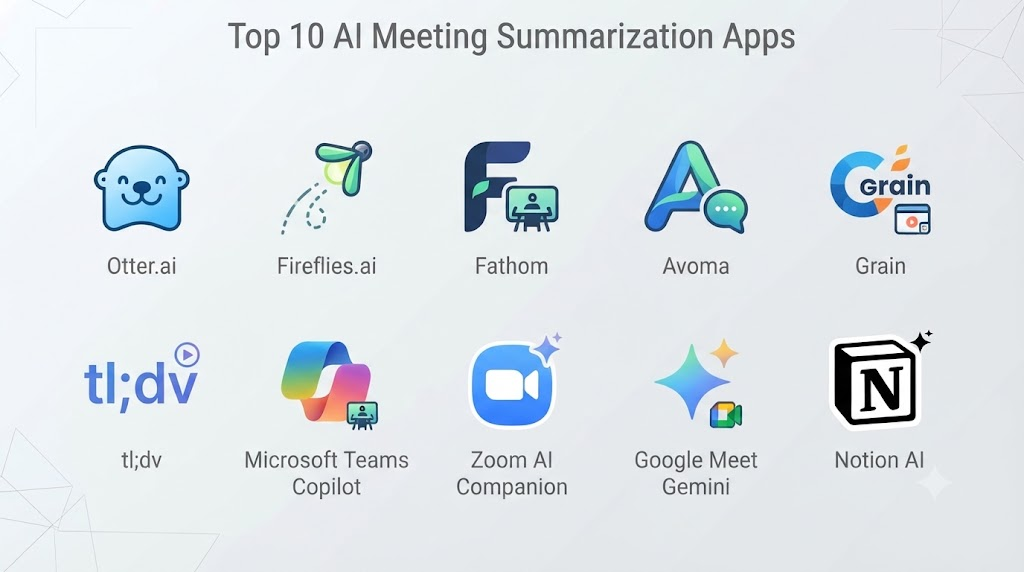
Top 10 AI Meeting Summarization Apps
1. Otter.ai
One-line verdict: Best for teams wanting accessible AI transcription, searchable meeting notes, summaries, and automated action-item capture.
Short description:
Otter.ai is a well-known AI meeting assistant focused on transcription, meeting notes, summaries, and conversation search. It can capture discussions and transform them into structured information that users can review after meetings.
Standout Capabilities
- Automatic meeting transcription
- AI-generated summaries
- Speaker identification
- Action-item extraction
- Searchable transcripts
- Meeting organization
- Conversation intelligence
- Collaboration features
AI-Specific Depth
- Model support: Provider-managed AI.
- RAG / knowledge integration: Meeting transcripts and connected workspace information where supported.
- Evaluation: Detailed public evaluation methodology is not fully stated.
- Guardrails: Workspace and account controls; AI-specific safety controls vary.
- Observability: Meeting and usage analytics vary by plan.
Pros
- Easy to use.
- Strong transcription and meeting-note workflow.
- Useful searchable conversation history.
Cons
- Accuracy can vary with audio quality and speakers.
- Advanced organizational capabilities may require higher-tier plans.
- Automated summaries still require review for important decisions.
Security & Compliance
Security and compliance capabilities vary by offering. Specific certifications and retention controls should be verified against the current plan.
Deployment & Platforms
- Web
- Desktop
- Mobile
- Cloud
Integrations & Ecosystem
- Video-conferencing platforms
- Calendars
- Collaboration tools
- Productivity applications
- Meeting workflows
- APIs or integrations where supported
Pricing Model
Free and paid subscription tiers may be available, with capabilities varying by plan.
Best-Fit Scenarios
- General business meetings
- Remote teams
- Students and researchers
- Project discussions
2. Fireflies.ai
One-line verdict: Best for organizations that want AI meeting transcription combined with searchable conversation intelligence and business workflow integrations.
Short description:
Fireflies.ai provides AI-powered meeting transcription, summaries, search, and conversation analysis. It is particularly relevant to organizations that want to turn meetings into structured information for sales, recruiting, customer success, and internal operations.
Standout Capabilities
- Automated transcription
- AI meeting summaries
- Action-item detection
- Meeting search
- Conversation intelligence
- Topic analysis
- Workflow automation
- Business integrations
AI-Specific Depth
- Model support: Provider-managed AI.
- RAG / knowledge integration: Meeting and workspace knowledge where supported.
- Evaluation: Product-specific evaluation methodology is not fully publicly stated.
- Guardrails: Workspace permissions and administrative controls.
- Observability: Meeting analytics and usage information vary by plan.
Pros
- Strong meeting search.
- Broad business workflow orientation.
- Useful for sales and customer-facing teams.
Cons
- Large feature set can require configuration.
- AI-generated information should be verified.
- Advanced features may depend on subscription tier.
Security & Compliance
Enterprise security features vary by offering. Specific certifications, retention policies, and administrative controls should be confirmed before procurement.
Deployment & Platforms
- Web
- Cloud
- Browser
- Meeting-platform integrations
Integrations & Ecosystem
- Zoom
- Google Meet
- Microsoft Teams
- CRM systems
- Collaboration platforms
- Productivity applications
- Automation workflows
Pricing Model
Subscription-based with functionality varying by plan.
Best-Fit Scenarios
- Sales organizations
- Recruiting teams
- Customer-success teams
3. Fathom
One-line verdict: Best for users who want straightforward AI meeting summaries, transcripts, and action items with minimal note-taking effort.
Short description:
Fathom is an AI meeting assistant focused on recording, transcription, summarization, and extracting useful information from conversations. It is designed to reduce the manual work involved in documenting meetings.
Standout Capabilities
- Meeting transcription
- AI summaries
- Action items
- Highlighting
- Search
- Meeting recording
- Conversation analysis
- Follow-up support
AI-Specific Depth
- Model support: Provider-managed AI.
- RAG / knowledge integration: Meeting content and supported connected information.
- Evaluation: Detailed public methodology is not fully stated.
- Guardrails: User and workspace controls.
- Observability: Meeting usage and analytics vary.
Pros
- Simple meeting workflow.
- Good focus on actionable summaries.
- Useful for sales and client conversations.
Cons
- Capabilities depend on supported meeting platforms.
- AI outputs can require manual verification.
- Enterprise requirements should be evaluated separately.
Security & Compliance
Security capabilities vary by offering. Certifications and detailed retention policies should be verified before enterprise deployment.
Deployment & Platforms
- Web
- Desktop
- Cloud
- Supported meeting platforms
Integrations & Ecosystem
- Video meetings
- CRM tools
- Calendar systems
- Collaboration tools
- Sales workflows
- Productivity applications
Pricing Model
Subscription-based, with plan capabilities varying.
Best-Fit Scenarios
- Sales calls
- Client meetings
- Individual professionals
4. Avoma
One-line verdict: Best for revenue teams that want meeting summaries combined with conversation intelligence, coaching, and sales workflows.
Short description:
Avoma combines AI meeting assistance with conversation intelligence and revenue-oriented workflows. It can help teams turn customer conversations into searchable information and structured sales insights.
Standout Capabilities
- Meeting transcription
- AI summaries
- Conversation intelligence
- Sales insights
- Action-item extraction
- Call analysis
- Meeting search
- Revenue workflows
AI-Specific Depth
- Model support: Provider-managed AI.
- RAG / knowledge integration: Meeting and business-context information where supported.
- Evaluation: Detailed public AI evaluation methodology is not fully stated.
- Guardrails: Workspace permissions and workflow controls.
- Observability: Conversation analytics and usage metrics vary.
Pros
- Strong sales orientation.
- Useful conversation analytics.
- Combines notes with revenue workflows.
Cons
- May be excessive for simple internal meetings.
- Requires configuration for advanced workflows.
- Sales-oriented features may not be relevant to every organization.
Security & Compliance
Security and compliance capabilities vary by plan. Verify current certifications and data-handling requirements.
Deployment & Platforms
- Web
- Cloud
- Meeting integrations
Integrations & Ecosystem
- CRM systems
- Video-conferencing platforms
- Calendars
- Sales applications
- Productivity tools
- APIs/integrations where supported
Pricing Model
Tiered subscription model.
Best-Fit Scenarios
- Sales teams
- Revenue operations
- Customer-facing organizations
5. Gong
One-line verdict: Best for enterprise revenue organizations that need deep conversation intelligence beyond basic meeting summarization.
Short description:
Gong is a revenue intelligence platform that analyzes customer interactions across sales and revenue workflows. Meeting transcription and summarization form part of a broader conversation intelligence system.
Standout Capabilities
- Conversation intelligence
- Meeting transcription
- AI summaries
- Sales insights
- Deal intelligence
- Coaching
- Customer interaction analysis
- Revenue analytics
AI-Specific Depth
- Model support: Provider-managed AI.
- RAG / knowledge integration: Business and conversation data within supported workflows.
- Evaluation: Enterprise AI quality processes are not fully publicly detailed.
- Guardrails: Enterprise administrative and permission controls.
- Observability: Conversation and revenue analytics.
Pros
- Strong enterprise revenue focus.
- Deep sales conversation analysis.
- Useful for sales coaching.
Cons
- Designed for more than simple note-taking.
- Enterprise implementation can require significant planning.
- Cost information is not publicly standardized.
Security & Compliance
Enterprise security capabilities are available, but organizations should verify current certifications, retention, residency, and contractual requirements.
Deployment & Platforms
- Cloud
- Web
- Integrated meeting environments
Integrations & Ecosystem
- CRM systems
- Video-conferencing tools
- Sales platforms
- Revenue operations systems
- Business intelligence workflows
Pricing Model
Enterprise-oriented subscription model; exact pricing is typically dependent on deployment and requirements.
Best-Fit Scenarios
- Enterprise sales
- Revenue operations
- Sales leadership
6. Read AI
One-line verdict: Best for teams seeking AI meeting summaries combined with broader meeting, email, and collaboration insights.
Short description:
Read AI provides AI-powered meeting analysis and summaries while extending its capabilities into broader communication and productivity workflows.
Standout Capabilities
- Meeting summaries
- Transcription
- Meeting analytics
- Speaker insights
- Action-item identification
- Communication analysis
- Productivity insights
- Search
AI-Specific Depth
- Model support: Provider-managed AI.
- RAG / knowledge integration: Connected communication context where supported.
- Evaluation: Not publicly stated in detail.
- Guardrails: Account and workspace controls.
- Observability: Meeting and communication analytics.
Pros
- Broader communication analysis.
- Useful meeting insights.
- Suitable for productivity-focused users.
Cons
- Some users may prefer simpler meeting-note tools.
- Analytics can require interpretation.
- Privacy review is important because communication data may be sensitive.
Security & Compliance
Security capabilities vary. Verify current data-processing, retention, access, and certification information before enterprise use.
Deployment & Platforms
- Web
- Cloud
- Meeting integrations
Integrations & Ecosystem
- Video-conferencing platforms
- Calendar
- Collaboration tools
- Productivity workflows
- Business applications
Pricing Model
Subscription-based; exact current pricing varies.
Best-Fit Scenarios
- Knowledge workers
- Managers
- Communication-heavy teams
7. Notion AI
One-line verdict: Best for organizations already using Notion that want meeting notes, summaries, search, and knowledge management in one workspace.
Short description:
Notion AI integrates AI capabilities directly into a broader workspace for documents, databases, projects, and team knowledge. Meeting information can become part of the organization’s searchable knowledge base.
Standout Capabilities
- AI summarization
- Workspace search
- Meeting-note workflows
- Document summarization
- Knowledge management
- Action-item organization
- AI writing
- Team collaboration
AI-Specific Depth
- Model support: Provider-managed and model capabilities vary.
- RAG / knowledge integration: Strong workspace knowledge integration.
- Evaluation: AI-specific evaluation details are not fully publicly stated.
- Guardrails: Workspace permissions and administrative controls.
- Observability: Workspace and usage information varies.
Pros
- Strong knowledge-management integration.
- Useful beyond meetings.
- Good for teams already using Notion.
Cons
- Not primarily a dedicated meeting recorder.
- Meeting capture may require additional workflow setup.
- AI output should be reviewed for accuracy.
Security & Compliance
Security and compliance capabilities vary by plan. Verify applicable certifications and data-handling requirements.
Deployment & Platforms
- Web
- Desktop
- Mobile
- Cloud
Integrations & Ecosystem
- Calendars
- Documents
- Databases
- Project management
- Collaboration tools
- AI workflows
Pricing Model
Free and paid workspace plans may be available, with AI capabilities varying by plan.
Best-Fit Scenarios
- Notion-based organizations
- Knowledge teams
- Project management
8. Microsoft 365 Copilot
One-line verdict: Best for Microsoft-centric organizations that want AI meeting summaries integrated directly into Teams and Microsoft 365 workflows.
Short description:
Microsoft 365 Copilot brings AI capabilities into Microsoft’s productivity ecosystem. For organizations using Teams and Microsoft 365, it can help summarize meetings and conversations while connecting meeting information with broader workplace workflows.
Standout Capabilities
- Teams meeting assistance
- Meeting summaries
- Conversation analysis
- Action-item identification
- Microsoft 365 integration
- Enterprise search
- Document context
- Productivity assistance
AI-Specific Depth
- Model support: Microsoft-managed AI and supported model infrastructure.
- RAG / knowledge integration: Strong integration with Microsoft 365 organizational context where permitted.
- Evaluation: Enterprise AI evaluation and governance capabilities are part of Microsoft’s broader AI ecosystem.
- Guardrails: Enterprise identity, permissions, data controls, and AI governance mechanisms.
- Observability: Administrative and usage reporting varies by service and configuration.
Pros
- Deep Microsoft 365 integration.
- Strong enterprise ecosystem.
- Useful for organizations already using Teams.
Cons
- Most valuable within the Microsoft ecosystem.
- Enterprise licensing can be complex.
- Requires careful configuration of permissions and organizational data access.
Security & Compliance
Microsoft provides extensive enterprise security and compliance capabilities across its cloud ecosystem. Exact capabilities depend on licensing, tenant configuration, region, and service.
Deployment & Platforms
- Web
- Windows
- macOS
- Mobile
- Cloud
Integrations & Ecosystem
- Microsoft Teams
- Outlook
- Word
- Excel
- PowerPoint
- SharePoint
- Microsoft 365 services
Pricing Model
Enterprise and subscription-based licensing; exact pricing depends on licensing configuration.
Best-Fit Scenarios
- Microsoft 365 organizations
- Enterprise collaboration
- Large distributed teams
9. Google Workspace with Gemini
One-line verdict: Best for Google Workspace organizations wanting AI assistance across meetings, documents, email, and collaborative workflows.
Short description:
Google’s AI capabilities integrate with its productivity ecosystem, including Google Meet and Workspace applications. This approach allows meeting information to connect with documents, email, calendars, and other workplace content.
Standout Capabilities
- Meeting assistance
- AI summaries
- Workspace integration
- Google Meet support
- Document assistance
- Email assistance
- Enterprise search
- Productivity workflows
AI-Specific Depth
- Model support: Google-managed AI models.
- RAG / knowledge integration: Workspace data and connected organizational context where supported.
- Evaluation: Google provides AI evaluation and safety processes, although product-specific details vary.
- Guardrails: Enterprise identity, permissions, security controls, and AI policies.
- Observability: Workspace administration and usage reporting vary.
Pros
- Excellent Google Workspace integration.
- Connects meeting information with documents and email.
- Strong option for Google-centric organizations.
Cons
- Most valuable for Google Workspace users.
- AI features can vary by subscription.
- Organizations must carefully review data-access permissions.
Security & Compliance
Enterprise security and compliance capabilities are available across Google Workspace, but exact controls depend on subscription and configuration.
Deployment & Platforms
- Web
- Android
- iOS
- Windows/macOS through browser and applications
- Cloud
Integrations & Ecosystem
- Google Meet
- Gmail
- Google Calendar
- Google Docs
- Google Drive
- Google Workspace
- Enterprise administration
Pricing Model
Subscription and Workspace-plan based.
Best-Fit Scenarios
- Google Workspace organizations
- Distributed teams
- Knowledge workers
10. Zoom AI Companion
One-line verdict: Best for Zoom-centric teams wanting meeting summaries and AI assistance integrated directly into their existing video-meeting environment.
Short description:
Zoom AI Companion provides AI-powered assistance within the Zoom ecosystem. Meeting-related capabilities can help users capture summaries, identify important information, and reduce manual note-taking.
Standout Capabilities
- AI meeting summaries
- Meeting assistance
- Action-item support
- Conversation analysis
- Zoom ecosystem integration
- Productivity assistance
- Meeting workflows
- AI collaboration features
AI-Specific Depth
- Model support: Provider-managed and may use multiple model technologies depending on the capability.
- RAG / knowledge integration: Zoom and connected workplace context where supported.
- Evaluation: Product-specific evaluation details are not fully publicly stated.
- Guardrails: Enterprise administrative, privacy, and permission controls.
- Observability: Administrative and usage information varies by service.
Pros
- Convenient for Zoom users.
- Integrated meeting experience.
- Reduces separate meeting-assistant tooling.
Cons
- Most valuable for Zoom-centric organizations.
- Features can vary by plan.
- AI-generated information still requires verification.
Security & Compliance
Zoom provides enterprise security and administrative capabilities, but organizations should verify the current plan, configuration, retention policies, and applicable certifications.
Deployment & Platforms
- Web
- Windows
- macOS
- Linux
- iOS
- Android
- Cloud
Integrations & Ecosystem
- Zoom Meetings
- Zoom Workplace
- Calendars
- Collaboration tools
- Business applications
- APIs and developer integrations
Pricing Model
Subscription-based with AI functionality varying by offering.
Best-Fit Scenarios
- Zoom-centric companies
- Remote teams
- Customer meetings
Comparison Table
| Tool Name | Best For | Deployment | Model Flexibility | Strength | Watch-Out | Public Rating |
|---|---|---|---|---|---|---|
| Otter.ai | General meeting notes | Cloud/Web/Mobile | Hosted | Transcription and summaries | Accuracy depends on audio | N/A |
| Fireflies.ai | Conversation intelligence | Cloud/Web | Hosted | Search and integrations | Requires configuration | N/A |
| Fathom | Simple AI meeting notes | Cloud/Desktop | Hosted | Easy summaries | Platform support varies | N/A |
| Avoma | Revenue teams | Cloud/Web | Hosted | Sales conversation intelligence | More complex than basic note-taking | N/A |
| Gong | Enterprise sales | Cloud | Hosted | Deep revenue intelligence | Enterprise-oriented | N/A |
| Read AI | Communication insights | Cloud/Web | Hosted | Meeting analytics | Privacy considerations | N/A |
| Notion AI | Knowledge management | Cloud/Web/Mobile | Hosted | Workspace knowledge integration | Not a dedicated recorder | N/A |
| Microsoft 365 Copilot | Microsoft organizations | Cloud/Desktop/Mobile | Hosted | Teams + Microsoft 365 integration | Licensing complexity | N/A |
| Google Workspace with Gemini | Google organizations | Cloud/Web/Mobile | Hosted | Workspace integration | Plan-dependent features | N/A |
| Zoom AI Companion | Zoom users | Cloud/Desktop/Mobile | Multi-model/provider-managed | Native Zoom workflow | Best within Zoom ecosystem | N/A |
Scoring & Evaluation
The following scoring is a comparative editorial assessment, not an official vendor benchmark. Scores reflect the overall usefulness of each platform for AI meeting summarization, including transcription, AI reliability, integrations, usability, security, and administration.
| Tool | Core | Reliability/Eval | Guardrails | Integrations | Ease | Perf/Cost | Security/Admin | Support | Weighted Total |
|---|---|---|---|---|---|---|---|---|---|
| Otter.ai | 9.2 | 8.8 | 8.4 | 8.8 | 9.2 | 8.6 | 8.3 | 8.5 | 8.7 |
| Fireflies.ai | 9.3 | 8.7 | 8.5 | 9.3 | 8.8 | 8.5 | 8.4 | 8.5 | 8.8 |
| Fathom | 9.0 | 8.8 | 8.4 | 8.7 | 9.3 | 8.8 | 8.3 | 8.4 | 8.7 |
| Avoma | 9.2 | 8.8 | 8.6 | 9.0 | 8.5 | 8.2 | 8.6 | 8.5 | 8.7 |
| Gong | 9.5 | 9.0 | 8.8 | 9.5 | 8.0 | 7.6 | 9.1 | 9.0 | 8.8 |
| Read AI | 8.8 | 8.4 | 8.2 | 8.5 | 8.8 | 8.2 | 8.2 | 8.2 | 8.4 |
| Notion AI | 8.6 | 8.5 | 8.5 | 9.0 | 8.8 | 8.4 | 8.8 | 8.7 | 8.6 |
| Microsoft 365 Copilot | 9.5 | 9.1 | 9.3 | 9.8 | 8.5 | 8.0 | 9.5 | 9.3 | 9.1 |
| Google Workspace with Gemini | 9.4 | 9.0 | 9.2 | 9.8 | 9.0 | 8.3 | 9.4 | 9.2 | 9.1 |
| Zoom AI Companion | 9.3 | 8.9 | 9.0 | 9.2 | 9.2 | 8.7 | 9.0 | 9.0 | 9.0 |
Top 3 for Enterprise
- Microsoft 365 Copilot
- Google Workspace with Gemini
- Zoom AI Companion
Top 3 for SMB
- Fathom
- Otter.ai
- Fireflies.ai
Top 3 for Developers
- Fireflies.ai
- Microsoft 365 Copilot
- Google Workspace with Gemini
Which AI Meeting Summarization App Is Right for You?
Solo / Freelancer
Individual professionals usually benefit most from simplicity.
Consider:
- Fathom for straightforward meeting summaries.
- Otter.ai for transcription and searchable notes.
- Notion AI if meeting notes need to become part of a broader knowledge base.
Avoid enterprise-focused platforms unless you need advanced analytics or administration.
SMB
Small businesses should focus on:
- Easy setup
- Meeting-platform compatibility
- Calendar integration
- Action-item extraction
- Search
- CRM integrations
- Predictable pricing
Fireflies.ai, Fathom, and Otter.ai are useful starting points for many small teams.
Mid-Market
Mid-market organizations should evaluate whether meeting information needs to become operational data.
Important considerations include:
- CRM integration
- Searchable meeting history
- Team permissions
- Centralized administration
- AI accuracy
- Data retention
- Export capabilities
- Workflow automation
Enterprise
Large organizations should prioritize governance before convenience.
Evaluate:
- Identity management
- SSO
- RBAC
- Data retention
- Data residency
- Encryption
- Auditability
- Legal and privacy requirements
- Recording consent
- Vendor risk
- Integration permissions
Microsoft 365 Copilot and Google Workspace with Gemini are particularly compelling where the organization is already deeply invested in their respective ecosystems.
Regulated Industries
Healthcare, finance, government, legal, and other regulated organizations should treat meeting transcripts as potentially sensitive information.
Before deployment, determine:
- Whether meetings are recorded.
- Whether participants are informed.
- Where transcripts are stored.
- How long information is retained.
- Whether customer information is processed by AI.
- Whether administrators can control access.
- Whether AI providers use customer data for model training.
- How data can be deleted.
- Whether regional data-processing requirements are satisfied.
Do not assume that an AI meeting assistant is appropriate simply because it is widely used.
Budget vs Premium
Basic meeting summarization can be inexpensive compared with the labor required for manual notes.
Premium platforms become more attractive when organizations need:
- Advanced conversation intelligence
- CRM integration
- Sales coaching
- Enterprise administration
- Knowledge search
- Workflow automation
- Advanced analytics
For occasional meetings, a built-in AI feature from an existing productivity platform may be more economical than purchasing another standalone system.
Build vs Buy
Most organizations should buy rather than build basic meeting transcription and summarization.
Building makes more sense when:
- Data cannot leave a controlled environment.
- Specialized terminology requires custom models.
- The organization needs proprietary workflows.
- Meeting data must integrate with internal systems.
- Custom evaluation and governance are required.
A hybrid architecture can combine a commercial transcription service with internal processing and storage.
Implementation Playbook
First 30 Days: Pilot + Success Metrics
Choose a small group of users.
Test:
- Internal meetings
- Customer calls
- Sales conversations
- Interviews
- Project meetings
Measure:
- Transcription accuracy
- Summary accuracy
- Action-item accuracy
- Time saved
- User adoption
- Manual correction rate
- Meeting processing time
Create a representative evaluation set containing real meeting scenarios.
Days 31–60: Security + Evaluation
Create an AI evaluation harness.
Test for:
- Incorrect decisions
- Missing action items
- Hallucinated statements
- Incorrect speaker attribution
- Misinterpreted deadlines
- Sensitive information exposure
- Incorrect customer information
- Poor summaries from noisy audio
Perform red-team testing against meeting content and malicious instructions embedded in shared documents, chat, or other meeting materials.
Establish transcript retention and deletion policies.
Days 61–90: Optimization + Governance
Scale the system after accuracy and privacy requirements are satisfied.
Track:
- Meeting volume
- Processing latency
- AI usage
- Cost
- Correction rates
- Search usage
- User satisfaction
- Integration failures
Create policies defining:
- Which meetings may be recorded.
- Who can access transcripts.
- How long transcripts are retained.
- When summaries require human review.
- Which data may be sent to connected systems.
Common Mistakes & How to Avoid Them
- Assuming summaries are always accurate: Validate important decisions against the original conversation.
- Ignoring speaker attribution: Incorrect attribution can assign actions to the wrong person.
- Recording meetings without appropriate consent: Establish clear organizational policies.
- Keeping transcripts indefinitely: Define retention and deletion rules.
- Ignoring sensitive information: Meeting conversations can contain confidential data.
- Failing to evaluate hallucinations: AI can produce plausible but unsupported conclusions.
- Over-automating CRM updates: Important customer records should have appropriate review controls.
- Ignoring prompt injection: Meeting chat, documents, and shared content can contain malicious instructions.
- Not testing different accents and audio environments: Transcription quality varies.
- Ignoring multilingual meetings: Test the languages your organization actually uses.
- Assuming all meeting platforms work equally well: Integration quality varies.
- Not controlling access: Meeting transcripts should not automatically become visible to everyone.
- Ignoring cost at scale: High meeting volume can significantly increase processing requirements.
- Creating too much information: Excessive automated summaries can become another source of information overload.
FAQs
What is an AI meeting summarization app?
It is software that uses AI to transcribe meetings and create concise summaries containing important topics, decisions, and action items.
Can AI meeting assistants record meetings?
Many can record or capture meeting audio through supported platforms. Recording capabilities and participant-consent requirements vary.
Can AI summarize Zoom meetings?
Yes. Several meeting assistants integrate with Zoom, while Zoom also provides its own AI capabilities.
Can AI summarize Microsoft Teams meetings?
Yes. Microsoft provides meeting AI capabilities through its broader Microsoft 365 ecosystem, and third-party tools can also support Teams.
Can AI summarize Google Meet meetings?
Yes. Google provides AI capabilities for supported Workspace and Meet environments, and third-party meeting assistants can also work with Google Meet.
Are AI meeting summaries accurate?
They can be highly useful, but accuracy varies based on audio quality, speakers, terminology, languages, and model performance. Important information should be verified.
Can AI identify action items?
Yes. Many meeting assistants attempt to identify tasks, responsibilities, deadlines, and follow-up requirements.
Can AI identify who said something?
Many tools provide speaker identification, although attribution can be imperfect, especially with poor audio or overlapping conversations.
Does an AI meeting assistant read my meetings?
If it records or transcribes a meeting, the service necessarily processes meeting content. Organizations should review the provider’s data-processing and retention policies.
Is meeting transcription private?
Privacy depends on the provider, account configuration, permissions, retention policies, and organizational settings. Sensitive organizations should conduct a formal privacy and security review.
Do AI meeting assistants use meeting data to train models?
Policies vary by provider and product. Never assume that meeting information is or is not used for model improvement; verify the current terms and enterprise configuration.
Can AI meeting assistants be self-hosted?
Most mainstream commercial products are cloud-based. Self-hosted solutions are possible through custom architectures using speech-to-text and language models, but they require significantly more engineering.
Can I use my own AI model?
Most mainstream meeting-summary products manage their own AI infrastructure. BYO-model support is generally limited and should be verified individually.
Can AI meeting summaries be integrated with CRM systems?
Yes. Several business-oriented tools can connect meeting information to CRM workflows, although available integrations vary by product and plan.
Can AI automatically create follow-up tasks?
Some platforms can identify action items and integrate them with workflow systems. Automatic task creation should be tested carefully before being enabled at scale.
How much do AI meeting summarization apps cost?
Pricing ranges from free or included functionality to enterprise subscription models. Exact costs depend on meeting volume, users, AI capabilities, and plan.
Can AI summarize multilingual meetings?
Some tools support multiple languages, but performance varies. Organizations should test the exact languages, accents, terminology, and conversation patterns they expect.
What is the best AI meeting summarizer?
There is no universal winner. Otter.ai and Fireflies.ai are strong general-purpose options, while Microsoft 365 Copilot and Google Workspace with Gemini are particularly attractive for organizations already using those ecosystems.
Can AI meeting summaries replace human notes?
For routine meetings, they can significantly reduce manual note-taking. For legal, financial, strategic, or highly sensitive meetings, human review remains advisable.
Should companies use a standalone meeting assistant or built-in AI?
Built-in AI is often simpler when the organization already uses Microsoft 365, Google Workspace, or Zoom. Standalone tools can be better when specialized meeting intelligence or cross-platform functionality is required.
How should companies evaluate an AI meeting summarizer?
Test it using real meeting scenarios and measure transcription accuracy, summary quality, action-item accuracy, speaker attribution, privacy, processing time, integration reliability, and cost.
Conclusion
AI meeting summarization apps are becoming an important layer between conversations and organizational knowledge. The strongest solutions do more than produce transcripts: they identify decisions, extract action items, make historical conversations searchable, and connect meeting intelligence with sales, productivity, collaboration, and knowledge-management workflows.For general-purpose meeting notes, Otter.ai, Fireflies.ai, and Fathom are strong options to evaluate. Revenue organizations may benefit more from Avoma or Gong. Organizations already standardized on Microsoft, Google, or Zoom may find the greatest value in Microsoft 365 Copilot, Google Workspace with Gemini, or Zoom AI Companion.The best platform depends on your meeting environment, privacy requirements, workflow integrations, meeting volume, and desired level of automatio