Introduction
AI calendar scheduling assistants are intelligent tools that help individuals and teams schedule meetings, coordinate availability, resolve time-zone conflicts, send invitations, reschedule appointments, and manage calendar-related tasks with less manual work. Instead of repeatedly checking calendars and exchanging messages such as “What time works for you?”, users can rely on AI to identify suitable time slots and coordinate meetings.
Modern scheduling assistants can support more than basic appointment booking. Depending on the product, they can interpret natural-language scheduling requests, understand working hours and preferences, coordinate multiple participants, create meeting events, manage rescheduling, and connect scheduling with email or workplace applications.
Best for: Executives, sales teams, recruiters, consultants, customer-facing teams, founders, remote organizations, and businesses that coordinate large numbers of meetings.
Not ideal for: People with very few meetings, users who prefer complete manual calendar control, or organizations with highly specialized scheduling rules that existing assistants cannot support.
When evaluating an AI scheduling assistant, consider calendar integration, email integration, natural-language understanding, time-zone handling, scheduling rules, meeting preferences, automation, privacy, security, integrations, team administration, reliability, cost, and vendor lock-in.
What’s Changed in AI Calendar Scheduling Assistants
- Natural-language scheduling is becoming more practical: Users can describe meeting requirements conversationally instead of configuring every parameter manually.
- AI is moving beyond booking: Modern assistants can help coordinate, reschedule, summarize scheduling requests, and manage meeting workflows.
- Calendar context matters more: AI can use availability, working hours, preferences, buffers, and scheduling rules to make better decisions.
- Email and calendar workflows are converging: Scheduling assistants increasingly operate across both inboxes and calendars.
- Time-zone intelligence is essential: Global teams need systems that understand participant locations and avoid inconvenient meeting times.
- AI agents are becoming more relevant: Agentic systems can potentially handle multi-step scheduling conversations instead of simply presenting booking links.
- Human approval remains important: High-value or sensitive meetings should not necessarily be scheduled automatically without user confirmation.
- Privacy is a major buyer concern: Calendars contain information about executives, customers, projects, travel, internal meetings, and business strategy.
- Scheduling preferences are becoming more granular: Users can define preferred meeting windows, minimum notice periods, buffers, working hours, and focus periods.
- Team scheduling is becoming more sophisticated: AI can coordinate multiple participants and identify feasible meeting windows.
- Automation can reduce administrative work: Repetitive scheduling tasks can be handled without continuous manual intervention.
- Enterprise governance matters: Organizations increasingly need access controls, administrative policies, auditability, and secure integrations.
- AI reliability is critical: A scheduling error can create missed meetings, customer frustration, or conflicts.
- Integration quality affects adoption: Calendar AI is most useful when it works naturally with the tools employees already use.
- Cost optimization matters: Organizations should consider the cost of AI features relative to the number of meetings and hours saved.
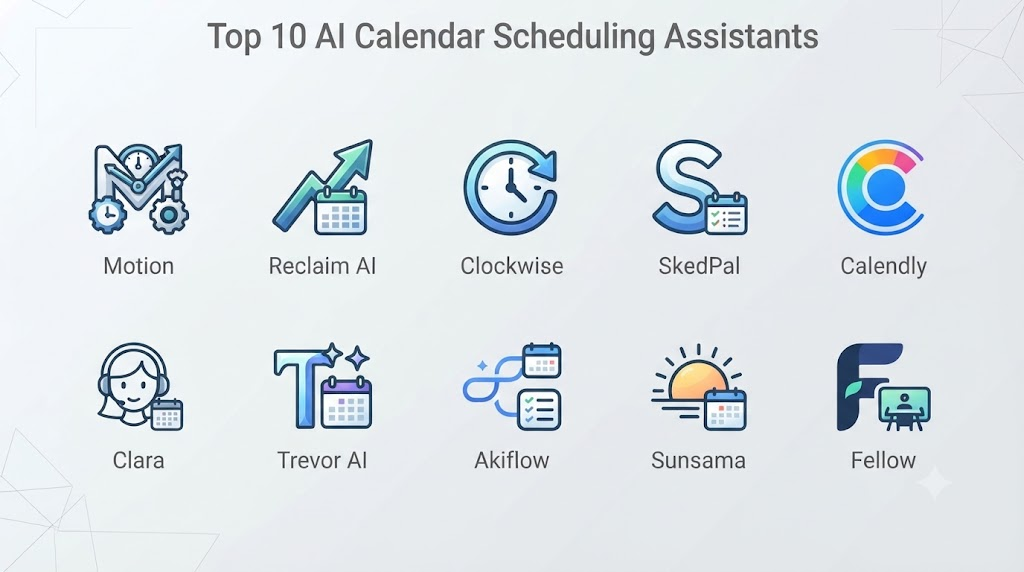
Top 10 AI Calendar Scheduling Assistants
1. Motion
One-line verdict: Best for professionals who want AI scheduling combined with task management, calendar planning, and automated time blocking.
Short description:
Motion combines calendar management, task planning, project organization, and AI-assisted scheduling. Rather than treating meetings as isolated calendar events, it focuses on coordinating tasks and commitments into an overall workday.
Standout Capabilities
- AI-assisted scheduling
- Automatic task scheduling
- Calendar management
- Time blocking
- Project planning
- Meeting management
- Priority-based planning
- Rescheduling support
AI-Specific Depth
- Model support: Provider-managed AI capabilities.
- RAG / knowledge integration: Uses connected productivity and calendar context where supported.
- Evaluation: Detailed public evaluation methodology is not fully stated.
- Guardrails: Scheduling rules and user-defined constraints provide workflow controls.
- Observability: Productivity and scheduling information varies by product offering.
Pros
- Combines calendar and task planning.
- Useful for busy professionals.
- Strong focus on automated scheduling.
Cons
- Broader than users who only need meeting booking.
- Can require configuration to match individual workflows.
- May be unnecessary for simple scheduling needs.
Security & Compliance
Security and administrative capabilities vary by offering. Specific certifications should be verified for the current subscription and deployment.
Deployment & Platforms
- Web
- Desktop
- Mobile
- Cloud
Integrations & Ecosystem
- Google Calendar
- Outlook
- Productivity workflows
- Task management
- Meeting tools
Pricing Model
Subscription-based pricing with capabilities varying by plan.
Best-Fit Scenarios
- Executives
- Entrepreneurs
- Professionals managing tasks and meetings together
2. Reclaim AI
One-line verdict: Best for people and teams who want AI-powered calendar optimization, habits, tasks, and automatic time protection.
Short description:
Reclaim AI focuses on intelligent calendar management. It can help users automatically find time for tasks, habits, meetings, and personal priorities while adjusting schedules as commitments change.
Standout Capabilities
- AI calendar optimization
- Smart scheduling
- Task scheduling
- Habit scheduling
- Focus-time protection
- Meeting scheduling
- Automatic calendar adjustments
- Personal scheduling preferences
AI-Specific Depth
- Model support: Provider-managed AI.
- RAG / knowledge integration: Calendar and connected productivity context.
- Evaluation: Detailed public evaluation methodology is not fully stated.
- Guardrails: Scheduling constraints and user preferences.
- Observability: Calendar and productivity analytics vary by plan.
Pros
- Strong calendar optimization.
- Good for protecting focus time.
- Handles changing schedules well.
Cons
- More complex than a simple scheduling link.
- Advanced functionality may require paid plans.
- Automation requires trust in calendar rules.
Security & Compliance
Security controls vary by plan and organization. Specific certifications should be verified for the applicable offering.
Deployment & Platforms
- Web
- Calendar integrations
- Cloud
- Supported productivity environments
Integrations & Ecosystem
- Google Calendar
- Outlook
- Productivity tools
- Meeting platforms
- Task workflows
- Calendar applications
Pricing Model
Free and paid subscription options may be available, with capabilities varying by plan.
Best-Fit Scenarios
- Knowledge workers
- Busy managers
- Teams protecting focus time
3. Calendly
One-line verdict: Best for organizations that need reliable scheduling links, automated availability management, and broad meeting integrations.
Short description:
Calendly is one of the most widely recognized scheduling platforms. Its core strength is simplifying appointment booking by allowing people to select available times according to predefined rules. AI capabilities can complement its broader scheduling and workflow functionality.
Standout Capabilities
- Scheduling links
- Availability management
- Automated booking
- Team scheduling
- Routing
- Event types
- Meeting integrations
- Scheduling workflows
AI-Specific Depth
- Model support: AI capabilities are provider-managed.
- RAG / knowledge integration: N/A for basic scheduling.
- Evaluation: Product-specific AI evaluation details are not fully publicly stated.
- Guardrails: Scheduling rules and permissions.
- Observability: Scheduling and workflow analytics vary by plan.
Pros
- Mature scheduling ecosystem.
- Familiar booking experience.
- Broad integration support.
Cons
- Some advanced features require paid plans.
- Less focused on fully autonomous scheduling than some AI-first tools.
- Configuration can become complex for large organizations.
Security & Compliance
Enterprise security and administrative features vary by plan. Specific certifications should be verified for the applicable offering.
Deployment & Platforms
- Web
- Mobile-related workflows
- Cloud
- Browser
Integrations & Ecosystem
- Google Calendar
- Outlook
- Zoom
- Video-conferencing platforms
- CRM systems
- Sales tools
- Workflow integrations
Pricing Model
Tiered subscription model with functionality varying by plan.
Best-Fit Scenarios
- Sales teams
- Consultants
- Appointment-based businesses
4. Clockwise
One-line verdict: Best for organizations that want AI to optimize team calendars, protect focus time, and reduce fragmented workdays.
Short description:
Clockwise focuses on optimizing calendars for productive work. Its scheduling intelligence can help coordinate meetings while creating larger blocks of uninterrupted focus time for individuals and teams.
Standout Capabilities
- AI calendar optimization
- Focus-time protection
- Meeting optimization
- Team scheduling
- Calendar analytics
- Flexible meeting placement
- Working-hour management
- Productivity optimization
AI-Specific Depth
- Model support: Provider-managed AI systems.
- RAG / knowledge integration: Calendar and scheduling context.
- Evaluation: Detailed public AI evaluation methodology is limited.
- Guardrails: Calendar preferences and organizational scheduling rules.
- Observability: Calendar and productivity insights.
Pros
- Strong focus-time optimization.
- Designed for team calendars.
- Useful for meeting-heavy organizations.
Cons
- Primarily focused on calendar optimization.
- Requires organizational adoption for maximum value.
- Benefits can depend on calendar data quality.
Security & Compliance
Security capabilities vary by offering. Specific certifications should be verified before enterprise procurement.
Deployment & Platforms
- Web
- Calendar integrations
- Cloud
Integrations & Ecosystem
- Google Calendar
- Microsoft calendars
- Slack-related workflows
- Workplace productivity tools
- Meeting systems
Pricing Model
Subscription-based pricing varies by plan.
Best-Fit Scenarios
- Distributed teams
- Meeting-heavy companies
- Organizations focused on productivity
5. Clara
One-line verdict: Best for professionals who want an AI executive assistant experience focused on coordinating meetings through email and calendar workflows.
Short description:
Clara is designed around automated scheduling assistance, particularly for handling meeting coordination through natural-language communication. It can reduce the back-and-forth involved in arranging meetings.
Standout Capabilities
- Email-based scheduling
- Calendar coordination
- Meeting arrangement
- Scheduling conversations
- Time-zone handling
- Rescheduling support
- Automated communication
- Executive-assistant workflows
AI-Specific Depth
- Model support: Provider-managed AI.
- RAG / knowledge integration: Email and calendar context where supported.
- Evaluation: Detailed public methodology is not fully stated.
- Guardrails: User-defined scheduling preferences and workflow constraints.
- Observability: Varies / N/A.
Pros
- Natural scheduling experience.
- Useful for executive workflows.
- Reduces scheduling back-and-forth.
Cons
- Less suitable for users wanting only a simple booking page.
- Exact automation capabilities vary.
- AI-generated communication requires review.
Security & Compliance
Specific security and compliance capabilities should be verified for the current offering.
Deployment & Platforms
- Cloud
- Calendar integrations
Integrations & Ecosystem
- Calendars
- Meeting platforms
- Scheduling workflows
- Business communication systems
Pricing Model
Pricing is generally based on the service or subscription model; exact current pricing varies.
Best-Fit Scenarios
- Executives
- Assistants
- High-volume scheduling
6. Motion AI Calendar
One-line verdict: Best for users who want scheduling intelligence integrated with broader AI-powered personal productivity management.
Short description:
Motion combines AI scheduling with task and project management. Its approach is useful for users who want the calendar to dynamically reflect changing priorities rather than simply display fixed meetings.
Standout Capabilities
- AI scheduling
- Task prioritization
- Automatic time blocking
- Calendar planning
- Project management
- Meeting coordination
- Deadline management
- Schedule adjustments
AI-Specific Depth
- Model support: Provider-managed AI.
- RAG / knowledge integration: Connected calendar and productivity data.
- Evaluation: Not publicly stated in detail.
- Guardrails: User-defined scheduling constraints.
- Observability: Productivity information varies by plan.
Pros
- Strong task-calendar relationship.
- Useful for changing priorities.
- Automates schedule planning.
Cons
- Broader product may be unnecessary for simple scheduling.
- Requires setup and workflow adaptation.
- Subscription cost may not suit occasional users.
Security & Compliance
Security controls vary by product and plan. Verify current enterprise requirements before deployment.
Deployment & Platforms
- Web
- Desktop
- Mobile
- Cloud
Integrations & Ecosystem
- Calendars
- Tasks
- Projects
- Meeting platforms
- Productivity applications
Pricing Model
Subscription-based.
Best-Fit Scenarios
- Founders
- Managers
- Task-heavy professionals
7. Scheduler AI
One-line verdict: Best for users interested in conversational AI-assisted scheduling rather than traditional manual calendar coordination.
Short description:
AI scheduling applications increasingly use natural-language interfaces to interpret meeting requests and coordinate availability. Scheduler-focused products can simplify interactions where users would otherwise need to configure multiple scheduling fields manually.
Standout Capabilities
- Natural-language scheduling
- Availability detection
- Calendar coordination
- Meeting booking
- Time-zone handling
- Scheduling preferences
- Automated coordination
- Rescheduling workflows
AI-Specific Depth
- Model support: Provider-managed AI.
- RAG / knowledge integration: Calendar context.
- Evaluation: Not publicly stated.
- Guardrails: Scheduling constraints.
- Observability: Varies / N/A.
Pros
- Conversational scheduling.
- Less manual configuration.
- Useful for repetitive scheduling requests.
Cons
- Capabilities vary significantly among providers using similar positioning.
- Enterprise controls require verification.
- AI scheduling still requires monitoring.
Security & Compliance
Specific security and certification information varies by product.
Deployment & Platforms
- Web
- Cloud
- Calendar integrations
Integrations & Ecosystem
- Google Calendar
- Outlook
- Meeting platforms
- Scheduling applications
- APIs where available
Pricing Model
Varies by provider and plan.
Best-Fit Scenarios
- Automated meeting coordination
- Small teams
- AI-first scheduling workflows
8. SavvyCal
One-line verdict: Best for flexible scheduling experiences where participants need to compare availability and choose mutually convenient meeting times.
Short description:
SavvyCal is a scheduling platform designed to make booking meetings easier while providing more flexible calendar comparison and scheduling workflows.
Standout Capabilities
- Scheduling links
- Calendar overlays
- Availability comparison
- Team scheduling
- Meeting preferences
- Booking workflows
- Time-zone support
- Scheduling automation
AI-Specific Depth
- Model support: AI functionality varies / N/A.
- RAG / knowledge integration: N/A for core scheduling.
- Evaluation: N/A for traditional scheduling functionality.
- Guardrails: Scheduling rules and availability controls.
- Observability: Scheduling analytics vary.
Pros
- Flexible scheduling experience.
- Good calendar visualization.
- Useful for external meetings.
Cons
- AI functionality is not its primary differentiator.
- Some advanced features depend on plan.
- Less autonomous than AI-first assistants.
Security & Compliance
Security controls vary by offering. Specific certifications should be verified.
Deployment & Platforms
- Web
- Cloud
- Browser
Integrations & Ecosystem
- Google Calendar
- Outlook
- Calendars
- Video conferencing
- Scheduling workflows
- Business applications
Pricing Model
Subscription-based.
Best-Fit Scenarios
- Consultants
- Client meetings
- Flexible appointment scheduling
9. Doodle
One-line verdict: Best for teams that need simple meeting coordination, polls, availability collection, and appointment scheduling.
Short description:
Doodle is a long-standing scheduling platform that helps groups identify suitable meeting times. It is particularly useful when participants have different schedules and traditional calendar coordination becomes cumbersome.
Standout Capabilities
- Group scheduling
- Meeting polls
- Booking pages
- Availability collection
- Calendar integration
- Appointment scheduling
- Time-zone support
- Scheduling coordination
AI-Specific Depth
- Model support: Varies / N/A.
- RAG / knowledge integration: N/A for core scheduling.
- Evaluation: N/A for traditional scheduling functionality.
- Guardrails: Scheduling permissions and rules.
- Observability: Product analytics vary.
Pros
- Simple group scheduling.
- Familiar workflow.
- Useful for external participants.
Cons
- Less AI-centric than newer assistants.
- Advanced functionality may require paid access.
- Poll-based workflows can still involve manual coordination.
Security & Compliance
Security features vary by subscription and deployment.
Deployment & Platforms
- Web
- Mobile
- Cloud
Integrations & Ecosystem
- Google Calendar
- Outlook
- Calendar platforms
- Video conferencing
- Booking workflows
- Business applications
Pricing Model
Free and paid plans may be available.
Best-Fit Scenarios
- Group meetings
- External scheduling
- Organizations wanting simple coordination
10. Zapier AI
One-line verdict: Best for organizations that want to build customized AI-powered scheduling workflows across calendars, email, CRM, and business applications.
Short description:
Zapier provides automation infrastructure that can connect calendar and email systems with AI and thousands of business applications. Rather than being only a calendar assistant, it is useful for building customized scheduling workflows.
Standout Capabilities
- Workflow automation
- AI-assisted automation
- Calendar integrations
- Email automation
- CRM workflows
- Conditional logic
- App-to-app integrations
- Custom scheduling processes
AI-Specific Depth
- Model support: AI and model capabilities vary by product and workflow.
- RAG / knowledge integration: Can connect business data sources depending on workflow configuration.
- Evaluation: Workflow testing is available, while AI-specific evaluation depends on the implementation.
- Guardrails: Workflow permissions and controls; AI safety depends on configuration.
- Observability: Automation history, task information, and workflow monitoring.
Pros
- Extremely flexible ecosystem.
- Useful for custom scheduling workflows.
- Strong integration capabilities.
Cons
- Requires workflow configuration.
- AI scheduling quality depends on implementation.
- Complex automations can become difficult to maintain.
Security & Compliance
Enterprise security and administrative features vary by plan. Organizations should verify current requirements and certifications before deployment.
Deployment & Platforms
- Web
- Cloud
- Browser
- API-connected workflows
Integrations & Ecosystem
- Google Calendar
- Outlook
- Gmail
- CRM platforms
- Slack
- Forms
- Databases
- Thousands of connected applications
Pricing Model
Usage-based and subscription-based models vary by plan and automation volume.
Best-Fit Scenarios
- Custom enterprise workflows
- Operations teams
- Businesses connecting multiple applications
Comparison Table
| Tool Name | Best For | Deployment | Model Flexibility | Strength | Watch-Out | Public Rating |
|---|---|---|---|---|---|---|
| Motion | AI productivity scheduling | Cloud/Desktop/Mobile | Hosted | Task + calendar automation | Can be broader than needed | N/A |
| Reclaim AI | Calendar optimization | Cloud | Hosted | Focus-time protection | Requires configuration | N/A |
| Calendly | Meeting booking | Cloud/Web | Provider-managed | Mature scheduling ecosystem | Advanced features can require paid plans | N/A |
| Clockwise | Team calendar optimization | Cloud | Hosted | Focus-time optimization | Depends on team adoption | N/A |
| Clara | Executive scheduling | Cloud/Email | Hosted | Conversational coordination | Specialized use case | N/A |
| Motion AI Calendar | Productivity scheduling | Cloud/Desktop/Mobile | Hosted | Dynamic planning | Broader platform | N/A |
| Scheduler AI | Conversational scheduling | Cloud | Hosted | Natural-language workflows | Capabilities vary | N/A |
| SavvyCal | Flexible booking | Cloud/Web | Provider-managed | Calendar comparison | Less AI-centric | N/A |
| Doodle | Group scheduling | Cloud/Web/Mobile | Provider-managed | Group coordination | More traditional workflow | N/A |
| Zapier AI | Custom automation | Cloud/Web | Multi-model/Provider-managed | Workflow flexibility | Requires configuration | N/A |
Scoring & Evaluation
The scoring below is a comparative editorial rubric rather than an official vendor benchmark. Scores estimate suitability for AI-assisted calendar scheduling, with greater weight assigned to core scheduling capabilities and integration quality.
| Tool | Core | Reliability/Eval | Guardrails | Integrations | Ease | Perf/Cost | Security/Admin | Support | Weighted Total |
|---|---|---|---|---|---|---|---|---|---|
| Motion | 9.4 | 8.7 | 8.5 | 8.8 | 8.8 | 8.2 | 8.3 | 8.5 | 8.7 |
| Reclaim AI | 9.3 | 8.7 | 8.6 | 8.7 | 8.8 | 8.5 | 8.2 | 8.4 | 8.7 |
| Calendly | 9.5 | 8.8 | 8.8 | 9.6 | 9.4 | 8.8 | 9.0 | 9.1 | 9.2 |
| Clockwise | 9.0 | 8.5 | 8.4 | 8.5 | 8.5 | 8.2 | 8.4 | 8.3 | 8.5 |
| Clara | 8.9 | 8.4 | 8.3 | 8.3 | 8.8 | 7.8 | 8.2 | 8.2 | 8.4 |
| Motion AI Calendar | 9.1 | 8.6 | 8.4 | 8.6 | 8.7 | 8.1 | 8.2 | 8.4 | 8.5 |
| Scheduler AI | 8.5 | 8.0 | 7.8 | 8.2 | 9.0 | 8.0 | 7.8 | 8.0 | 8.2 |
| SavvyCal | 8.8 | 8.2 | 8.2 | 8.7 | 9.0 | 8.4 | 8.1 | 8.3 | 8.5 |
| Doodle | 8.5 | 8.2 | 8.2 | 8.5 | 9.2 | 8.3 | 8.2 | 8.6 | 8.5 |
| Zapier AI | 9.0 | 8.4 | 8.5 | 9.9 | 8.0 | 7.8 | 8.8 | 9.0 | 8.8 |
Top 3 for Enterprise
- Calendly
- Zapier AI
- Motion
Top 3 for SMB
- Calendly
- Motion
- Reclaim AI
Top 3 for Developers
- Zapier AI
- Motion
- Calendly
Which AI Calendar Scheduling Assistant Is Right for You?
Solo / Freelancer
Solo professionals usually need simplicity rather than complex enterprise automation.
Consider:
- Calendly for straightforward client booking.
- Motion for calendar and task management.
- Reclaim AI for protecting focus time.
- SavvyCal for flexible client scheduling.
If you only schedule a few meetings per week, a basic calendar application may be sufficient.
SMB
Small businesses should prioritize ease of deployment and integration.
A practical shortlist may include:
- Calendly for customer and prospect booking.
- Motion for employee productivity.
- Reclaim AI for focus-time management.
- Zapier AI for custom workflow automation.
Avoid paying for complex enterprise features that employees will not use.
Mid-Market
Mid-market companies should evaluate scheduling as an operational workflow rather than simply a calendar feature.
Consider:
- Team scheduling
- Sales routing
- Calendar permissions
- CRM integration
- Meeting analytics
- Automation
- User administration
- Privacy
Pilot the platform with sales, recruiting, customer success, and management teams before expanding company-wide.
Enterprise
Enterprise organizations should prioritize governance and integration.
Evaluate:
- SSO
- RBAC
- Audit logs
- Data retention
- Integration permissions
- Security review
- Administrative controls
- Vendor risk
- Business continuity
- API availability
Calendly can be attractive for structured scheduling, while Zapier can be useful where scheduling must connect to many enterprise systems.
Regulated Industries
Organizations in finance, healthcare, government, and other regulated environments should treat calendar data as potentially sensitive business information.
Before deployment, determine:
- What calendar information the AI can access.
- What email information it can access.
- Where data is processed.
- How long data is retained.
- Whether data is used for model improvement.
- Who can access scheduling information.
- Whether administrators can revoke access.
- What audit information is available.
Budget vs Premium
A basic scheduling link can solve simple meeting-booking problems at relatively low complexity.
Premium AI scheduling becomes more valuable when the organization needs:
- Automatic calendar optimization
- Team coordination
- Advanced routing
- CRM integration
- AI email communication
- Automated rescheduling
- Productivity optimization
The right question is not simply “How much does the tool cost?” but “How much administrative time does it save?”
Build vs Buy
Buy an existing solution when scheduling requirements are conventional.
Build a custom solution when:
- Scheduling rules are highly specialized.
- Internal systems contain critical availability data.
- Scheduling must integrate deeply with proprietary workflows.
- The organization needs custom AI agents.
- Existing tools cannot meet governance requirements.
A hybrid approach can also work: use an established scheduling platform for booking while using automation infrastructure for specialized internal workflows.
Implementation Playbook
First 30 Days: Pilot + Success Metrics
Select a small group of users.
Start with a few workflows:
- External meeting booking
- Internal meetings
- Rescheduling
- Sales calls
- Interviews
- Client appointments
Measure:
- Time spent scheduling
- Number of scheduling messages
- Meeting-booking completion rate
- Scheduling errors
- Rescheduling time
- User satisfaction
- Calendar conflicts
Days 31–60: Security + Evaluation
Create representative scheduling scenarios.
Test the assistant against:
- Multiple participants
- Conflicting calendars
- Different time zones
- Working-hour restrictions
- Minimum notice requirements
- Meeting buffers
- Recurring meetings
- Last-minute changes
- Canceled meetings
Also test whether an AI assistant can be manipulated by malicious instructions contained in emails or calendar descriptions.
Create an evaluation harness that checks whether scheduling decisions follow organizational rules.
Days 61–90: Optimization + Governance
After the pilot succeeds, expand carefully.
Monitor:
- Scheduling success rate
- Automation frequency
- Calendar conflicts
- User corrections
- Cost
- Latency
- Integration failures
- Privacy incidents
Create policies defining when AI may schedule automatically and when human approval is mandatory.
Common Mistakes & How to Avoid Them
- Giving AI excessive calendar permissions: Use the minimum access required.
- Ignoring email permissions: Scheduling assistants that read email can access highly sensitive information.
- Allowing unrestricted automatic scheduling: Establish approval rules for important meetings.
- Failing to configure working hours: Incorrect availability can create inconvenient meetings.
- Ignoring time zones: Always test international scheduling.
- Overlooking calendar conflicts: Multiple calendars can create misleading availability.
- Not testing edge cases: Evaluate holidays, travel, recurring meetings, and last-minute changes.
- Ignoring prompt injection: Malicious instructions can appear in email or calendar content.
- Assuming AI understands organizational priorities: Explicit scheduling rules are still necessary.
- Not monitoring automated actions: Review scheduling activity regularly.
- Ignoring cost: High-volume automation can increase usage.
- Creating excessive calendar fragmentation: Multiple tools can produce conflicting events.
- Failing to establish fallback procedures: Users should know what happens when automation fails.
- Ignoring vendor lock-in: Preserve calendar and scheduling data portability where practical.
FAQs
What is an AI calendar scheduling assistant?
It is software that uses AI and automation to help users schedule, reschedule, coordinate, and manage meetings.
Can AI schedule meetings automatically?
Yes. Depending on the tool, AI can identify availability, communicate with participants, and create calendar events. Organizations should determine when automatic scheduling is appropriate.
Can AI assistants work with Google Calendar?
Yes. Many scheduling platforms integrate with Google Calendar.
Can AI assistants work with Outlook?
Yes. Several scheduling tools support Microsoft Outlook and related calendar environments.
Can AI schedule meetings through email?
Some assistants can interpret scheduling requests from email and coordinate meeting times without requiring participants to exchange multiple messages.
Can AI handle different time zones?
Many modern scheduling tools support time-zone conversion. However, international teams should test daylight-saving changes and unusual working-hour requirements.
Can AI protect my focus time?
Yes. Tools such as Motion, Reclaim AI, and Clockwise focus on intelligently protecting time for concentrated work.
Is AI calendar scheduling safe?
It can be, but calendar and email permissions should be carefully controlled. Security, retention, data processing, and access policies should be reviewed before deployment.
Does an AI scheduling assistant read my emails?
Some do, especially assistants designed to coordinate meetings through email. Others work primarily through calendar availability and booking pages.
Can I use my own AI model?
Most consumer scheduling platforms manage their own AI infrastructure. BYO-model support is generally limited and should be verified for each product.
Can AI scheduling tools be self-hosted?
Most mainstream scheduling assistants are cloud services. Fully self-hosted AI scheduling is more commonly implemented through custom software and automation infrastructure.
Can AI reschedule meetings automatically?
Some tools can automatically adjust calendar plans or assist with rescheduling. The exact behavior depends on the platform and user permissions.
How much do AI scheduling assistants cost?
Pricing varies widely. Some provide free scheduling features, while advanced AI, team, automation, and enterprise features may require subscriptions.
Can AI schedule meetings with multiple people?
Yes. Many tools can identify overlapping availability across several participants.
Can AI connect with CRM systems?
Some platforms provide CRM integrations or can connect through automation platforms. The exact integrations depend on the product.
Can AI scheduling assistants replace human executive assistants?
They can automate many repetitive scheduling tasks, but they do not fully replace human judgment for complex executive calendars, sensitive meetings, or highly unusual scheduling requirements.
What is the best AI scheduling assistant for teams?
The best choice depends on the workflow. Calendly is strong for structured booking, Reclaim AI and Clockwise focus on calendar optimization, and Motion combines scheduling with task management.
What is the best scheduling assistant for sales teams?
Calendly is a strong option for structured prospect booking, while automation platforms can connect scheduling to CRM and sales workflows.
What is the best option for protecting focus time?
Reclaim AI, Clockwise, and Motion are particularly relevant because they focus on calendar optimization and protecting time for focused work.
Should a company build its own AI scheduling assistant?
Usually not for standard scheduling. Building becomes more attractive when the organization has specialized rules, proprietary systems, or strict requirements that commercial platforms cannot satisfy.
How should companies evaluate AI scheduling accuracy?
Use realistic test scenarios involving multiple calendars, time zones, working-hour rules, buffers, recurring events, and last-minute changes. Measure both successful scheduling and incorrect decisions.
Conclusion
AI calendar scheduling assistants are evolving from simple booking links into intelligent productivity and workflow systems. The most useful platforms can reduce scheduling back-and-forth, optimize calendars, protect focus time, coordinate teams, and connect meetings with broader business processes.There is no universal best tool.Motion is particularly useful for users who want AI scheduling combined with task and project management. Reclaim AI and Clockwise are strong choices for calendar optimization and focus-time protection. Calendly remains highly relevant for structured meeting booking, while Zapier AI is valuable when scheduling needs to connect with complex business workflows.The right choice depends on meeting volume, team size, calendar platform, automation requirements, privacy expectations, and budg