Introduction
AI Home Automation Assistants combine artificial intelligence with smart-home platforms to help people control devices, automate routines, understand household activity, and interact with connected environments using natural language. Instead of relying entirely on rigid schedules or individual device apps, users can increasingly describe what they want in ordinary language and let the assistant translate that intent into actions.
Modern AI home automation can coordinate lights, thermostats, locks, cameras, appliances, speakers, sensors, and entertainment systems. It can also create routines based on time, occupancy, environmental conditions, device states, and user preferences.
Common use cases include voice-controlled lighting, automated climate management, security monitoring, energy optimization, morning and bedtime routines, appliance control, accessibility assistance, and multi-device scenes.When evaluating these platforms, consider device compatibility, AI capabilities, local processing, privacy, automation reliability, voice recognition, natural-language control, ecosystem support, interoperability, security, latency, mobile access, remote control, customization, and the ability to continue using your devices if you later switch platSmart-home owners, families, accessibility-focused households, technology enthusiasts, energy-conscious users, and people managing multiple connected dev Users with very few smart devices, people who prefer completely manual control, or households unwilling to invest time in configuring automations and reviewing privacy settings.
What’s Changed in AI Home Automation Assistants
- Natural-language commands are becoming more flexible than traditional fixed voice commands.
- AI assistants can increasingly interpret conversational requests instead of requiring exact phrases.
- Multimodal interaction is becoming important as assistants combine voice, text, cameras, sensors, and other contextual information.
- AI can help users create automation routines without manually configuring every trigger and action.
- Context-aware automation can consider time, occupancy, device state, environmental conditions, and previous events.
- Smart-home systems are increasingly emphasizing interoperability instead of locking users into a single hardware brand.
- Local processing is becoming more important for privacy-sensitive voice and home automation tasks.
- AI-generated automation rules introduce new reliability and safety considerations.
- Security is particularly important because home assistants can potentially control locks, cameras, alarms, and other sensitive devices.
- Energy-management use cases are expanding as households seek better control of heating, cooling, lighting, and appliance consumption.
- AI can reduce configuration complexity, but users still need safeguards to prevent unintended automation.
- Advanced users increasingly expect APIs, integrations, scripting, and local control.
- AI assistants must distinguish between informational requests and actions that can physically affect the home.
- Human confirmation can be valuable before executing sensitive actions such as unlocking doors or disabling security systems.
- Long-term interoperability matters because smart-home hardware and software ecosystems continue to evolve.
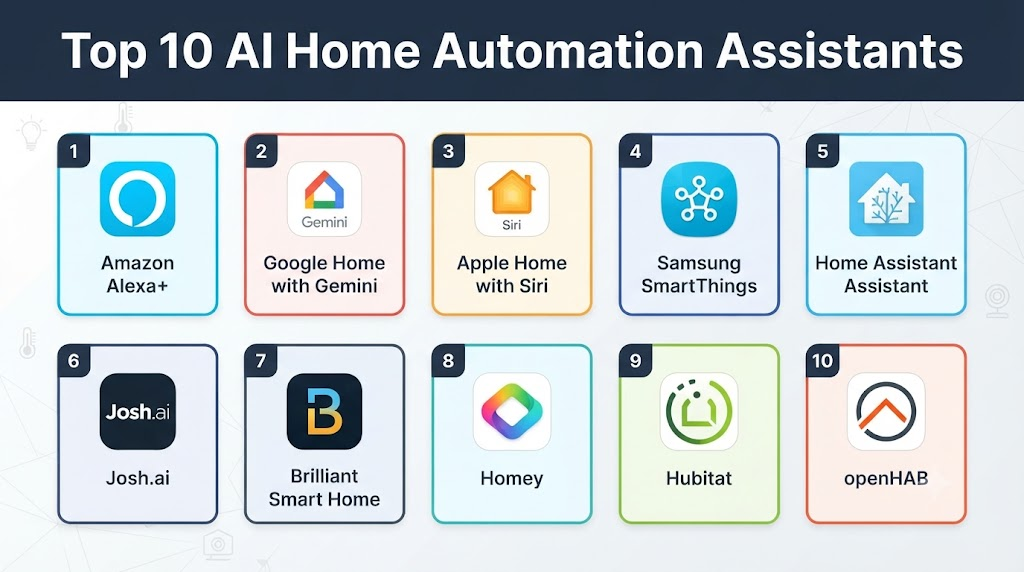
Top 10 AI Home Automation Assistants
1. Google Home
One-line verdict: Best overall for households wanting broad smart-home compatibility combined with conversational AI and Google’s ecosystem.
Short description:
Google Home provides a central platform for connected-home devices, routines, voice interaction, and automation. Its AI capabilities are increasingly integrated with Google’s broader assistant technologies, making it useful for households managing diverse smart devices.
Standout Capabilities
- Voice-based device control
- Smart-home routines
- Device grouping
- Natural-language interaction
- Multi-device scenes
- Smart speakers and displays
- Camera and security integrations
- Broad smart-home ecosystem
AI-Specific Depth
- Model support: Google’s proprietary AI technologies; exact models vary by feature.
- RAG / knowledge integration: Can use device state and Google ecosystem context; exact architecture varies.
- Evaluation: Detailed consumer-facing AI evaluation methodology is not publicly stated for every feature.
- Guardrails: Google applies safety controls, but detailed home-automation guardrail architecture is not publicly stated.
- Observability: Device and automation status are visible to users; detailed AI tracing is not generally exposed.
Pros
- Strong ecosystem integration
- Natural voice interaction
- Broad smart-home compatibility
Cons
- Cloud dependency for some functionality
- Advanced capabilities can vary by device
- Google ecosystem integration may influence platform choice
Security & Compliance
Google provides account security, privacy, and device-management controls. Exact security features vary by product and service.
Deployment & Platforms
- Android
- iOS
- Web-connected ecosystem
- Smart displays
- Smart speakers
- Cloud and compatible local-device control
Integrations & Ecosystem
- Smart lights
- Thermostats
- Cameras
- Speakers
- TVs
- Smart plugs
- Compatible Matter devices
Pricing Model
The core platform is generally available without a separate home-automation software subscription, while individual hardware and premium services can involve additional costs.
Best-Fit Scenarios
- Google-oriented households
- Mixed smart-home environments
- Users who prefer voice-first control
2. Amazon Alexa
One-line verdict: Best for extensive smart-device compatibility, voice control, routines, and an established smart-home ecosystem.
Short description:
Amazon Alexa combines voice interaction with smart-home control, routines, skills, and connected-device management. Its broad hardware ecosystem makes it a popular option for households with multiple smart devices.
Standout Capabilities
- Voice commands
- Smart-home routines
- Device groups
- Skills and integrations
- Smart displays
- Smart speakers
- Security-device integrations
- Natural-language interaction
AI-Specific Depth
- Model support: Amazon proprietary AI technologies; exact models vary by feature.
- RAG / knowledge integration: Device context and connected services; architecture varies.
- Evaluation: Detailed evaluation methodology for all AI home-control functions is not publicly stated.
- Guardrails: Platform safety mechanisms exist; detailed AI guardrail architecture is not publicly stated.
- Observability: Device and routine status are available; detailed AI traces are not generally exposed.
Pros
- Large smart-home ecosystem
- Extensive device compatibility
- Flexible routines and voice control
Cons
- Some advanced AI functionality may depend on specific services or devices
- Cloud connectivity is important for many capabilities
- Privacy considerations require careful account and device configuration
Security & Compliance
Amazon provides account security and privacy controls. Exact features depend on the connected devices and services.
Deployment & Platforms
- Android
- iOS
- Web
- Echo devices
- Compatible smart-home hardware
- Cloud-connected
Integrations & Ecosystem
- Smart lights
- Smart plugs
- Thermostats
- Cameras
- TVs
- Appliances
- Third-party skills
Pricing Model
The basic assistant experience is generally tied to compatible hardware and services. Certain advanced capabilities may have separate requirements.
Best-Fit Scenarios
- Large smart-device collections
- Voice-first homes
- Users who want extensive third-party integrations
3. Apple Home
One-line verdict: Best for Apple households prioritizing privacy, polished device integration, and secure smart-home control.
Short description:
Apple Home provides centralized management of compatible smart-home devices through Apple’s ecosystem. It supports scenes, automations, voice interaction, and connected-device control across Apple hardware.
Standout Capabilities
- Home automation
- Siri voice control
- Scenes
- Device grouping
- Home security integration
- Apple ecosystem integration
- Automation triggers
- Matter-compatible devices
AI-Specific Depth
- Model support: Apple’s proprietary AI and machine-learning technologies; exact models vary.
- RAG / knowledge integration: Device state and Apple ecosystem context.
- Evaluation: Detailed AI evaluation methodology is not publicly stated.
- Guardrails: Apple applies privacy and safety controls; detailed automation guardrail architecture is not publicly stated.
- Observability: Device and automation status are visible; detailed AI traces are not generally exposed.
Pros
- Strong Apple ecosystem integration
- Privacy-focused architecture
- Clean user experience
Cons
- Best suited to Apple users
- Device compatibility must be checked carefully
- Advanced automation can require additional Apple hardware
Security & Compliance
Apple emphasizes privacy and secure device communication. Exact controls depend on the Home setup, devices, and services involved.
Deployment & Platforms
- iPhone
- iPad
- Mac
- Apple Watch
- HomePod
- Apple TV
- Cloud/local smart-home components
Integrations & Ecosystem
- Matter devices
- HomeKit-compatible devices
- Cameras
- Locks
- Lights
- Thermostats
- Speakers
Pricing Model
The home-control software is integrated into Apple’s platforms. Hardware and optional cloud services can add costs.
Best-Fit Scenarios
- Apple households
- Privacy-focused users
- Users wanting a unified home ecosystem
4. Home Assistant
One-line verdict: Best for advanced users who want powerful local automation, extensive integrations, and maximum control over their smart home.
Short description:
Home Assistant is an open-source home-automation platform designed for users who want deep customization and local control. It supports a large ecosystem of devices and services and can be extended with automation, scripting, and AI capabilities.
Standout Capabilities
- Local automation
- Extensive integrations
- Custom dashboards
- Advanced triggers
- Scripts
- Device and entity management
- AI integrations
- Highly customizable automation
AI-Specific Depth
- Model support: Supports integrations with multiple AI providers and local models depending on configuration.
- RAG / knowledge integration: Can integrate external AI and local data sources depending on configuration.
- Evaluation: Users can build custom testing and validation workflows; standardized evaluation is not built into every AI integration.
- Guardrails: Automation permissions and conditions can be configured, but AI-specific safety depends on the selected integration.
- Observability: Detailed automation states, logs, and system diagnostics are available; AI observability depends on the integration.
Pros
- Excellent local-control capabilities
- Huge integration ecosystem
- Highly customizable
Cons
- Steeper learning curve
- Requires configuration and maintenance
- AI capabilities depend partly on integrations
Security & Compliance
Security is highly dependent on deployment configuration. Users control much of the infrastructure when self-hosting, but must manage updates, authentication, backups, network security, and access.
Deployment & Platforms
- Linux
- Dedicated hardware
- Containers
- Home Assistant OS
- Web
- Android
- iOS
- Self-hosted
Integrations & Ecosystem
- Matter
- Zigbee
- Z-Wave
- MQTT
- Smart lighting
- Cameras
- Thermostats
- AI services
- Local AI models
Pricing Model
The software is open-source. Hardware, hosting, and optional cloud services can create additional costs.
Best-Fit Scenarios
- Advanced smart-home enthusiasts
- Privacy-conscious households
- Complex automation environments
5. Samsung SmartThings
One-line verdict: Best for households using Samsung devices that also want broad third-party smart-home connectivity and automation.
Short description:
Samsung SmartThings provides a centralized smart-home platform for connected devices, routines, sensors, appliances, and compatible third-party products. Its integration with Samsung’s hardware ecosystem makes it especially useful for Samsung-oriented households.
Standout Capabilities
- Device automation
- Smart routines
- Samsung appliance integration
- Sensor support
- Smart-home scenes
- Mobile control
- Voice assistant integration
- Matter support
AI-Specific Depth
- Model support: Samsung proprietary AI technologies and connected assistant integrations; exact models vary.
- RAG / knowledge integration: Device state and ecosystem context.
- Evaluation: Detailed AI evaluation methodology is not publicly stated.
- Guardrails: Platform-level safety mechanisms apply; detailed AI guardrail architecture is not publicly stated.
- Observability: Device and routine information is available; detailed AI traces are not generally exposed.
Pros
- Strong Samsung ecosystem
- Broad device support
- Useful automation capabilities
Cons
- Best experience may require compatible Samsung hardware
- Cloud dependencies vary
- Advanced integrations can require configuration
Security & Compliance
Security features vary across Samsung services and connected devices. Specific AI certifications are not publicly stated.
Deployment & Platforms
- Android
- iOS
- Web-connected devices
- SmartThings hubs and compatible hardware
- Cloud-connected
Integrations & Ecosystem
- Samsung appliances
- Smart lights
- Sensors
- Thermostats
- Cameras
- Matter devices
- Third-party smart-home products
Pricing Model
The platform is generally associated with compatible hardware and services. Device and service costs vary.
Best-Fit Scenarios
- Samsung households
- Smart-appliance users
- Multi-device homes
6. Homey
One-line verdict: Best for users who want a centralized smart-home platform capable of connecting devices from many different ecosystems.
Short description:
Homey focuses on bringing different smart-home devices and protocols into a unified environment. It provides automation flows, device control, and integrations designed to simplify multi-brand smart homes.
Standout Capabilities
- Multi-brand device control
- Automation flows
- Smart-home dashboards
- Voice integration
- Energy monitoring
- Device grouping
- Broad ecosystem support
- Automation logic
AI-Specific Depth
- Model support: AI capabilities vary by product and integration.
- RAG / knowledge integration: Device and home-state information; exact architecture is not publicly stated.
- Evaluation: Detailed AI evaluation is not publicly stated.
- Guardrails: Automation controls are available; AI-specific guardrails vary.
- Observability: Automation status and device information are available; detailed AI tracing is not publicly stated.
Pros
- Good multi-brand strategy
- Centralized automation
- User-friendly flow-based automation
Cons
- Hardware may be required for certain configurations
- Advanced functionality varies by product
- Ecosystem capabilities can differ by region
Security & Compliance
Security and privacy capabilities vary by product and deployment. Specific certifications are not publicly stated here.
Deployment & Platforms
- Web
- Android
- iOS
- Dedicated smart-home hardware
- Cloud/local components depending on setup
Integrations & Ecosystem
- Smart lights
- Sensors
- Thermostats
- Cameras
- Matter
- Zigbee
- Z-Wave
Pricing Model
Hardware and service plans vary by product and configuration.
Best-Fit Scenarios
- Multi-brand smart homes
- Users wanting centralized automation
- Households with mixed protocols
7. Hubitat
One-line verdict: Best for advanced users who prioritize local smart-home automation, reliability, and control over cloud dependence.
Short description:
Hubitat is a smart-home automation platform designed around local processing and advanced automation. It supports a range of smart-home protocols and is particularly attractive to users who want responsive local routines.
Standout Capabilities
- Local automation
- Advanced rules
- Zigbee support
- Z-Wave support
- Device management
- Custom automation
- Community ecosystem
- Local dashboards
AI-Specific Depth
- Model support: AI support is integration-dependent.
- RAG / knowledge integration: N/A for core platform; external integrations may provide capabilities.
- Evaluation: N/A for core AI functionality.
- Guardrails: Automation conditions and rules provide control; dedicated AI guardrails vary.
- Observability: Automation logs and device states are available.
Pros
- Strong local processing
- Good automation reliability
- Advanced customization
Cons
- More technical than consumer assistants
- AI capabilities are less central to the platform
- Requires configuration
Security & Compliance
Local operation can reduce cloud exposure, but users remain responsible for securing the environment. Specific certifications are not publicly stated.
Deployment & Platforms
- Dedicated hub
- Web
- Mobile access
- Local/self-hosted-style automation
Integrations & Ecosystem
- Zigbee
- Z-Wave
- LAN devices
- Smart lighting
- Sensors
- Community integrations
Pricing Model
Hardware-based platform with optional service-related costs depending on configuration.
Best-Fit Scenarios
- Advanced home automation
- Local-control enthusiasts
- Users prioritizing reliability
8. openHAB
One-line verdict: Best for technical users seeking open-source home automation with extensive integration and customization possibilities.
Short description:
openHAB is an open-source home-automation platform that connects devices and services through a unified automation environment. Its extensibility makes it useful for technically capable users building customized smart-home systems.
Standout Capabilities
- Open-source architecture
- Automation rules
- Device integrations
- Custom interfaces
- Local operation
- Scripting
- Broad protocol support
- Extensibility
AI-Specific Depth
- Model support: AI capabilities depend on integrations and configuration.
- RAG / knowledge integration: N/A for the core platform; integrations can provide external data.
- Evaluation: Custom evaluation is possible but not a core standardized feature.
- Guardrails: Automation rules provide deterministic controls; AI guardrails depend on integrations.
- Observability: System logs and automation information are available.
Pros
- Open-source
- Highly extensible
- Strong local-control options
Cons
- Technical learning curve
- Configuration can become complex
- AI functionality is integration-dependent
Security & Compliance
Security depends on deployment and configuration. Specific enterprise certifications are not publicly stated.
Deployment & Platforms
- Linux
- Windows
- macOS
- Containers
- Raspberry Pi-class hardware
- Self-hosted
Integrations & Ecosystem
- MQTT
- Zigbee
- Z-Wave
- KNX
- Home automation devices
- APIs
- Community add-ons
Pricing Model
Open-source software; infrastructure costs vary.
Best-Fit Scenarios
- Developers
- Open-source enthusiasts
- Highly customized smart homes
9. Homey Pro
One-line verdict: Best for advanced households wanting powerful multi-protocol automation without building an entire smart-home platform from scratch.
Short description:
Homey Pro provides centralized control and automation for a broad range of smart-home devices and protocols. It targets users who want sophisticated automation while retaining a more consumer-friendly experience than fully DIY platforms.
Standout Capabilities
- Multi-protocol support
- Advanced automation
- Device control
- Energy monitoring
- Local capabilities
- Smart-home dashboards
- Voice integrations
- Extensive device ecosystem
AI-Specific Depth
- Model support: AI functionality varies by service and integration.
- RAG / knowledge integration: Device context and connected services; exact architecture is not publicly stated.
- Evaluation: Detailed AI evaluation is not publicly stated.
- Guardrails: Automation logic provides deterministic controls; AI-specific guardrails vary.
- Observability: Automation and device states can be monitored; detailed AI traces are not publicly stated.
Pros
- Broad protocol support
- Advanced automation
- Easier than building a system from scratch
Cons
- Hardware investment
- Advanced features require configuration
- AI functionality is not the sole focus
Security & Compliance
Security details depend on product configuration and connected services. Specific certifications are not publicly stated.
Deployment & Platforms
- Dedicated hardware
- Web
- Android
- iOS
- Local and cloud components
Integrations & Ecosystem
- Zigbee
- Z-Wave
- Matter
- Infrared
- Wi-Fi devices
- Smart appliances
- Third-party services
Pricing Model
Hardware-based pricing with optional service features depending on the configuration.
Best-Fit Scenarios
- Advanced households
- Multi-protocol homes
- Users wanting centralized control
10. OpenAI-Compatible Home Automation Workflows
One-line verdict: Best for technically capable users who want conversational AI integrated with custom home-automation systems and services.
Short description:
AI models can be connected to home-automation platforms through APIs and automation frameworks, allowing users to translate natural-language requests into structured actions. This approach is particularly powerful when combined with platforms such as Home Assistant.
Standout Capabilities
- Natural-language home control
- Custom AI assistants
- Conversational automation
- Device-state interpretation
- Custom routines
- AI-generated automation suggestions
- Multimodal workflows
- Integration with local automation systems
AI-Specific Depth
- Model support: Can support hosted or local models depending on the architecture.
- RAG / knowledge integration: Can integrate home-state data, documentation, device metadata, and custom knowledge bases.
- Evaluation: Developers can build prompt tests, regression tests, and human-review workflows.
- Guardrails: Requires explicit permission boundaries, action validation, and confirmation flows.
- Observability: Can be implemented using application logs, traces, latency monitoring, and cost tracking.
Pros
- Highly customizable
- Powerful conversational interaction
- Can combine multiple AI and automation systems
Cons
- Requires technical implementation
- AI errors can create unintended actions
- Security architecture must be carefully designed
Security & Compliance
Security depends on the implementation. Sensitive actions should use authentication, authorization, validation, logging, and human confirmation where appropriate.
Deployment & Platforms
- Cloud
- Self-hosted
- Hybrid
- Web
- Mobile
- Local AI infrastructure
Integrations & Ecosystem
- Home Assistant
- APIs
- MQTT
- Smart-home hubs
- Local AI models
- Cloud AI services
- Custom automation systems
Pricing Model
Costs depend on the selected AI provider, model, hosting infrastructure, smart-home platform, and device ecosystem.
Best-Fit Scenarios
- Developer-built smart homes
- Advanced AI experimentation
- Custom enterprise or research automation
Comparison Table
| Tool Name | Best For | Deployment | Model Flexibility | Strength | Watch-Out | Public Rating |
|---|---|---|---|---|---|---|
| Google Home | Mainstream smart homes | Cloud / Hybrid | Hosted | Ease of use | Cloud dependency | N/A |
| Amazon Alexa | Broad device ecosystem | Cloud / Hybrid | Hosted | Compatibility | Privacy considerations | N/A |
| Apple Home | Apple households | Cloud / Local | Hosted | Privacy and integration | Apple ecosystem | N/A |
| Home Assistant | Advanced users | Self-hosted / Hybrid | Multi-model / BYO | Customization | Learning curve | N/A |
| Samsung SmartThings | Samsung users | Cloud / Hybrid | Hosted | Device ecosystem | Ecosystem dependence | N/A |
| Homey | Multi-brand homes | Hybrid | Hosted / Integration-based | Multi-protocol support | Hardware costs | N/A |
| Hubitat | Local automation | Local | Integration-based | Reliability | Technical setup | N/A |
| openHAB | Developers | Self-hosted | Open / BYO | Extensibility | Configuration complexity | N/A |
| Homey Pro | Advanced households | Hybrid | Integration-based | Protocol support | Hardware investment | N/A |
| Custom AI Workflows | Developers | Cloud / Hybrid / Local | Hosted / BYO / Open | AI customization | Engineering effort | N/A |
Scoring & Evaluation
The scoring below is comparative rather than absolute. Consumer platforms score highly for simplicity and ecosystem integration, while open platforms generally score better for local control and customization.
The weighting is based on practical home-automation requirements:
- Core features – 20%
- AI reliability & evaluation – 15%
- Guardrails & safety – 10%
- Integrations & ecosystem – 15%
- Ease of use – 10%
- Performance & cost controls – 15%
- Security & admin – 10%
- Support & community – 5%
| Tool | Core | Reliability/Eval | Guardrails | Integrations | Ease | Perf/Cost | Security/Admin | Support | Weighted Total |
|---|---|---|---|---|---|---|---|---|---|
| Google Home | 9 | 9 | 9 | 10 | 10 | 9 | 9 | 10 | 9.35 |
| Amazon Alexa | 9 | 9 | 9 | 10 | 9 | 9 | 8 | 10 | 9.10 |
| Apple Home | 9 | 9 | 10 | 9 | 10 | 9 | 10 | 9 | 9.40 |
| Home Assistant | 10 | 9 | 9 | 10 | 7 | 10 | 10 | 10 | 9.35 |
| SmartThings | 9 | 8 | 9 | 10 | 9 | 9 | 9 | 9 | 9.00 |
| Homey | 9 | 8 | 8 | 10 | 9 | 9 | 9 | 9 | 8.85 |
| Hubitat | 9 | 8 | 9 | 9 | 7 | 10 | 10 | 9 | 8.85 |
| openHAB | 9 | 8 | 8 | 10 | 6 | 10 | 10 | 10 | 8.70 |
| Homey Pro | 9 | 8 | 8 | 10 | 8 | 9 | 9 | 9 | 8.80 |
| Custom AI Workflows | 10 | 9 | 9 | 10 | 5 | 7 | 10 | 7 | 8.70 |
Top 3 for Enterprise
- Home Assistant
- Google Home
- Apple Home
Top 3 for SMB
- Google Home
- Amazon Alexa
- SmartThings
Top 3 for Developers
- Home Assistant
- openHAB
- Custom AI Home Automation Workflows
Which AI Home Automation Assistant Is Right for You?
Solo / Freelancer
For a simple apartment or small home, start with Google Home, Apple Home, or Amazon Alexa. These platforms reduce setup complexity and provide straightforward voice and mobile control.
If you enjoy experimenting with automation, Home Assistant offers significantly more flexibility.
SMB
Small offices, rental properties, and small commercial environments should prioritize reliability and centralized administration.
Consider:
- Device compatibility
- Local automation
- User access
- Remote management
- Security
- Energy monitoring
- Automation logs
SmartThings, Home Assistant, and other centralized platforms can work well depending on the environment.
Mid-Market
Larger properties may need multiple hubs, sensors, cameras, access-control systems, environmental controls, and energy-management devices.
Prioritize:
- Local processing
- Reliable automation
- Device interoperability
- Network segmentation
- Authentication
- Auditability
- Backup procedures
- Failure handling
Enterprise
Enterprise deployments should treat AI home automation as an operational technology and security issue rather than simply a convenience feature.
Pay particular attention to:
- Identity management
- RBAC
- Network security
- Device authentication
- Data retention
- Camera privacy
- AI processing
- Automation permissions
- Incident response
- Vendor dependencies
Regulated Industries
Healthcare facilities, government buildings, assisted-living environments, and other sensitive locations should be particularly careful with cameras, microphones, occupancy data, access control, and personal information.
Local processing and strict permission boundaries may be preferable where sensitive data is involved.
Budget vs Premium
For basic lighting and smart-speaker control, inexpensive consumer ecosystems may be enough.
Premium hubs and advanced platforms become more valuable when the environment contains many device types, complex automation, energy-management requirements, or local-processing needs.
Build vs Buy
Buy when you need standard smart-home functions such as:
- Lighting control
- Thermostats
- Smart plugs
- Scenes
- Voice control
- Basic security notifications
Build or customize when you need:
- Custom AI agents
- Local AI models
- Complex sensor reasoning
- Specialized workflows
- Enterprise integrations
- Advanced automation validation
- Proprietary device control
AI should not be allowed to directly execute sensitive actions without appropriate validation. A safer architecture separates the AI reasoning layer from the deterministic automation layer.
Implementation Playbook
First 30 Days: Pilot + Success Metrics
- Inventory smart-home devices.
- Identify supported protocols.
- Map current automations.
- Select a central platform.
- Define high-value routines.
- Establish success metrics.
- Test voice recognition.
- Test natural-language requests.
- Test device-state accuracy.
- Identify sensitive actions.
- Establish permission boundaries.
Days 31–60: Security + Evaluation + Rollout
- Separate IoT devices from critical networks where appropriate.
- Configure user permissions.
- Review camera and microphone settings.
- Establish retention policies.
- Test AI responses.
- Create an automation evaluation dataset.
- Test ambiguous commands.
- Test failed-device scenarios.
- Test prompt-injection risks for AI-enabled systems.
- Require confirmation for sensitive actions.
- Establish incident-handling procedures.
Days 61–90: Optimization + Governance + Scale
- Optimize automation latency.
- Reduce unnecessary cloud calls.
- Evaluate local AI where practical.
- Monitor device failures.
- Review AI-generated routines.
- Maintain automation version control.
- Document critical workflows.
- Establish backup configurations.
- Test recovery procedures.
- Review vendor lock-in.
- Expand automation gradually.
Common Mistakes & How to Avoid Them
- Giving an AI assistant unrestricted control over locks or security systems.
- Allowing natural-language commands to bypass established permissions.
- Failing to test ambiguous commands.
- Ignoring prompt-injection risks when AI can access external content.
- Connecting IoT devices directly to sensitive networks without appropriate segmentation.
- Installing devices without checking security update policies.
- Creating overly complicated automation chains.
- Relying completely on cloud connectivity.
- Failing to establish manual fallback controls.
- Ignoring privacy implications of cameras and microphones.
- Allowing AI to make irreversible decisions without confirmation.
- Not logging important automation events.
- Failing to monitor unexpected device behavior.
- Assuming every Matter-compatible device provides identical functionality.
- Not documenting automation rules.
- Ignoring vendor lock-in.
- Failing to test what happens when internet connectivity disappears.
- Allowing old or unsupported smart-home hardware to remain permanently connected.
- Treating AI-generated automations as automatically reliable.
- Not maintaining backups of important configurations.
FAQs
What is an AI Home Automation Assistant?
It is an AI-enabled system that helps users control smart-home devices, create routines, interpret home information, and automate household tasks using natural-language interaction and contextual information.
How is AI different from traditional home automation?
Traditional automation usually relies on explicitly configured triggers and actions. AI can interpret natural-language requests and help create or modify automation logic, although deterministic rules remain important for reliability.
Can AI control smart lights and thermostats?
Yes. Compatible platforms can control lighting, thermostats, plugs, appliances, and many other smart-home devices.
Can AI unlock my door automatically?
Some systems can integrate with smart locks, but unrestricted AI control of physical security systems is risky. Sensitive actions should use strict permissions and, where appropriate, explicit user confirmation.
Is local AI better for smart-home privacy?
Local AI can reduce the amount of voice, sensor, or home-state data sent to external services. However, local deployments still need strong security, authentication, updates, and backups.
Does AI Home Automation require a smart speaker?
No. Smart speakers are one interface, but automation can also be controlled through phones, tablets, dashboards, sensors, buttons, web interfaces, and other devices.
Can Home Assistant use AI models?
Yes. Home Assistant can integrate with different AI services and models depending on the configuration, allowing users to build conversational and context-aware workflows.
What is Matter?
Matter is a smart-home interoperability standard designed to help compatible devices communicate across supported ecosystems. Actual functionality can still vary by device and platform.
Can AI create smart-home routines automatically?
Some AI-enabled systems can assist with creating routines or translating natural-language requests into automation logic. Users should review generated routines before enabling them.
Can AI home assistants work without the internet?
Some platforms support local control and local automation. However, cloud-based AI services generally require network connectivity for their AI functionality.
Are AI home automation systems secure?
Security varies significantly. Users should evaluate authentication, encryption, device updates, network segmentation, permissions, logging, and data-processing policies.
How much do AI home automation assistants cost?
Costs vary widely. Some software platforms are free or open-source, while others require smart-home hardware, subscriptions, cloud services, or AI usage charges.
Can I use different smart-home brands together?
Often, yes. Platforms such as Home Assistant, SmartThings, Homey, and other ecosystems support devices from multiple manufacturers, but compatibility should be checked before purchasing hardware.
Can AI reduce energy consumption?
AI and automation can help optimize heating, cooling, lighting, and appliance schedules. Actual savings depend on the home’s equipment, climate, occupancy, and automation quality.
What happens if an AI assistant makes a wrong decision?
A well-designed system should limit AI permissions, validate actions, use deterministic rules for critical functions, and provide manual overrides.
Can AI home assistants use cameras?
Some smart-home ecosystems can integrate cameras and use AI for events such as person, package, or motion detection. Camera processing raises additional privacy and security considerations.
Should I choose a cloud or local smart-home platform?
Cloud platforms are generally easier to configure and maintain. Local platforms offer greater control and can continue operating during some internet outages, but they require more technical responsibility.
What is the best AI Home Automation Assistant?
There is no universal winner. Google Home and Amazon Alexa are strong for mainstream ecosystems, Apple Home is attractive to Apple users, while Home Assistant is particularly powerful for advanced users seeking customization and local control.
What are alternatives to AI Home Automation Assistants?
Alternatives include traditional programmable hubs, conventional smart-home routines, dedicated building-management systems, manual device control, and rule-based automation platforms.
Conclusion
AI Home Automation Assistants are moving smart homes beyond simple voice commands and fixed schedules toward more contextual, conversational, and adaptive automation. The most useful systems can help users manage increasingly complex environments containing lights, appliances, sensors, thermostats, cameras, entertainment systems, and security devices.Google Home, Amazon Alexa, Apple Home, and Samsung SmartThings are strong options for households that value simplicity and established ecosystems. Home Assistant, openHAB, Hubitat, and similar platforms are more attractive to advanced users who prioritize local processing, customization, and control.The biggest opportunity is also the biggest challenge: giving AI enough context to make home automation easier without giving it excessive authority over physical systems.The safest architecture treats AI as an intelligent interface and reasoning layer while keeping critical actions behind deterministic rules, permissions, validation, logging, and human confirmation