Introduction
AI-powered industrial robot control software combines traditional robot programming and motion control with artificial intelligence, machine learning, computer vision, optimization, and increasingly autonomous decision-making. These platforms help industrial robots perform tasks that are difficult to handle with fixed, manually programmed sequences, such as variable part handling, visual inspection, adaptive assembly, dynamic picking, and process optimization.
Modern robot-control systems can connect perception models with motion planning, force sensing, digital twins, PLCs, manufacturing execution systems, and factory automation infrastructure. AI can help robots respond to changes in object position, surface condition, workcell layout, or production requirements instead of following only predefined paths.
Best for: Manufacturing companies, robotics engineers, automation teams, system integrators, automotive suppliers, electronics manufacturers, logistics operators, and industrial organizations deploying intelligent robotic workcells.
Not ideal for: Very simple repetitive automation where conventional PLC and robot programming already provide sufficient performance. AI can add unnecessary complexity when the environment, parts, and process are completely deterministic.
What to Evaluate
- Robot-controller compatibility.
- Supported robot brands.
- Motion planning.
- Collision avoidance.
- Computer vision.
- AI model integration.
- Force/torque sensing.
- Simulation and digital twins.
- Offline programming.
- Real-time performance.
- Safety architecture.
- PLC integration.
- Industrial communication protocols.
- Edge inference.
- Model deployment.
- Data collection.
- Model evaluation.
- Monitoring.
- Cybersecurity.
- Fleet management.
- Ease of programming.
- Vendor lock-in.
- Total cost of ownership.
What’s Changed in AI-Powered Industrial Robot Control Software
- AI is moving from perception toward action: Systems increasingly connect vision and sensor information directly with planning and robot execution.
- Vision-guided manipulation is becoming more practical: Robots can handle greater variation in object position, orientation, and appearance.
- Learning-based motion planning is gaining attention: Machine learning can complement traditional planners for difficult manipulation and optimization problems.
- Generative and multimodal AI is influencing robot interfaces: Natural-language instructions can increasingly serve as a higher-level interface for robotics workflows.
- Digital twins are becoming more important: Simulation helps teams test robot behavior before deploying changes to physical equipment.
- Edge AI is critical: Production robots often require predictable latency and reliable local inference rather than depending entirely on cloud services.
- Human-in-the-loop control remains important: AI systems should allow operators to intervene when confidence is low or an unusual situation occurs.
- Model evaluation is becoming essential: AI-controlled robots must be tested against variations in lighting, objects, tooling, workspace conditions, and failure modes.
- Data pipelines are becoming part of robot engineering: Demonstrations, sensor logs, robot trajectories, and production outcomes can become training and evaluation data.
- Safety remains separate from AI confidence: A model’s confidence score should not be treated as a replacement for industrial safety systems.
- Simulation-to-real workflows are expanding: Teams increasingly use simulation to develop and validate behaviors before physical deployment.
- Hardware diversity is increasing: Modern systems may combine industrial robot arms, cameras, force sensors, mobile robots, grippers, PLCs, and specialized AI accelerators.
- Fleet-level optimization is emerging: Enterprises increasingly want to monitor and optimize multiple robots and workcells rather than treating every robot as an isolated system.
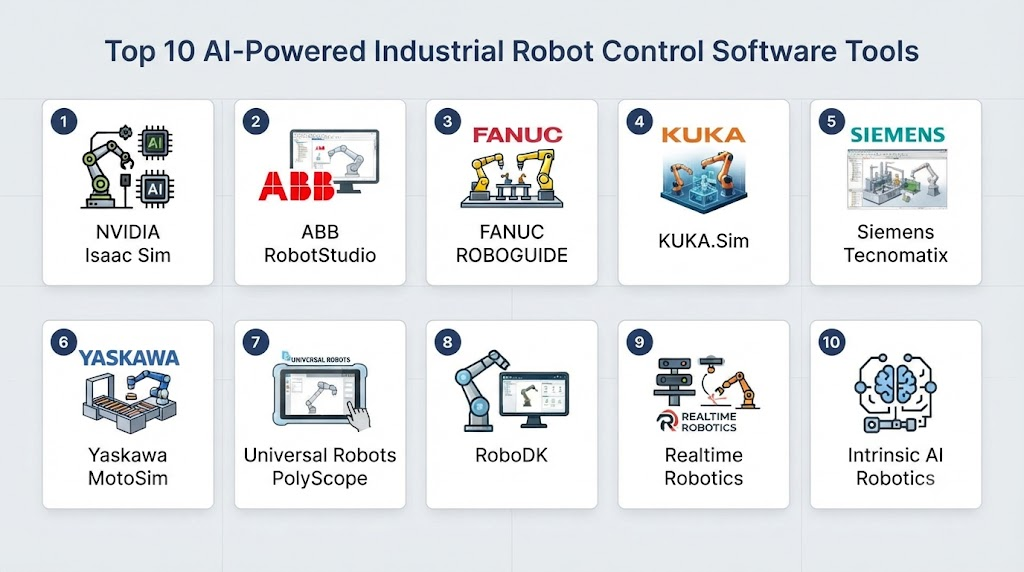
Top 10 AI-Powered Industrial Robot Control Software Tools
1. NVIDIA Isaac Sim
One-line verdict: Best for AI robotics simulation, digital-twin development, synthetic data, and advanced industrial robot testing.
Short description:
NVIDIA Isaac Sim provides a simulation environment for developing and testing robotics applications. It is particularly valuable for teams working on AI-based perception, manipulation, navigation, synthetic data generation, and simulation-to-real workflows.
Standout Capabilities
- Robotics simulation.
- Digital-twin development.
- Physically based simulation.
- Synthetic data generation.
- AI perception testing.
- Robot manipulation simulation.
- Sensor simulation.
- ROS 2 integration.
AI-Specific Depth
- Model support: Supports AI workflows through NVIDIA’s robotics and inference ecosystem.
- RAG / knowledge integration: N/A for robot control.
- Evaluation: Simulation-based testing and scenario evaluation.
- Guardrails: Safety must be implemented through the robot-control architecture rather than AI alone.
- Observability: Simulation telemetry and robotics debugging can support evaluation workflows.
Pros
- Strong AI robotics simulation environment.
- Useful for testing before physical deployment.
- Excellent NVIDIA ecosystem integration.
Cons
- High computational requirements.
- Requires robotics and simulation expertise.
- Simulation does not guarantee real-world behavior.
Security & Compliance
Security depends on the development and deployment environment. Industrial safety certification should be assessed at the complete robot-system level rather than inferred from simulation software.
Deployment & Platforms
- Cloud: Possible depending on infrastructure.
- Workstation: Yes.
- Linux: Primary robotics environment.
- Simulation: Yes.
- Physical robot control: Usually requires integration with additional robotics software.
Integrations & Ecosystem
- ROS 2.
- NVIDIA Omniverse technologies.
- NVIDIA GPUs.
- Isaac Lab.
- Robotics sensors.
- Robot models.
- AI inference frameworks.
Pricing Model
Availability and commercial terms vary by NVIDIA product and deployment arrangement.
Best-Fit Scenarios
- AI robot simulation.
- Synthetic-data generation.
- Industrial manipulation research.
2. ABB RobotStudio
One-line verdict: Best for ABB robot programming, offline simulation, workcell optimization, and AI-assisted industrial automation development.
Short description:
ABB RobotStudio is a robotics simulation and programming environment designed around ABB industrial robots. It enables engineers to design and validate robot applications virtually before making changes to physical production systems.
Standout Capabilities
- Offline programming.
- Robot simulation.
- Workcell design.
- Robot path planning.
- Collision checking.
- Virtual commissioning.
- Production optimization.
- ABB robot integration.
AI-Specific Depth
- Model support: AI integration can be implemented through broader application and automation architectures.
- RAG / knowledge integration: N/A.
- Evaluation: Simulation enables testing of robot programs and production scenarios.
- Guardrails: Industrial safety depends on the complete robot-cell architecture.
- Observability: Simulation and production data can support performance analysis.
Pros
- Mature industrial robotics environment.
- Strong ABB robot integration.
- Useful for offline programming and commissioning.
Cons
- Primarily centered on ABB’s ecosystem.
- Advanced AI capabilities may require additional technologies.
- Requires robotics expertise for complex workcells.
Security & Compliance
Security and safety depend on the complete industrial deployment. Specific certifications should be verified for the exact product configuration and application.
Deployment & Platforms
- Desktop: Yes.
- Industrial workcells: Yes.
- Offline programming: Yes.
- Cloud: Product capabilities vary.
- Physical robot control: Through ABB robotics ecosystem.
Integrations & Ecosystem
- ABB robots.
- ABB controllers.
- PLC systems.
- Factory automation.
- CAD workflows.
- Robot peripherals.
- Industrial networks.
Pricing Model
Commercial software; exact pricing varies by configuration and licensing.
Best-Fit Scenarios
- ABB manufacturing cells.
- Offline programming.
- Virtual commissioning.
3. FANUC ROBOGUIDE
One-line verdict: Best for FANUC robot simulation, offline programming, workcell design, and production automation engineering.
Short description:
FANUC ROBOGUIDE provides simulation and offline programming capabilities for FANUC robots. It helps engineers model workcells, test robot programs, evaluate reachability, and identify potential problems before deploying changes to production.
Standout Capabilities
- Offline programming.
- Workcell simulation.
- Robot reachability analysis.
- Collision checking.
- Cycle-time analysis.
- Robot program development.
- Virtual commissioning.
- FANUC ecosystem integration.
AI-Specific Depth
- Model support: AI integration depends on the broader robot-cell architecture.
- RAG / knowledge integration: N/A.
- Evaluation: Simulation-based evaluation.
- Guardrails: Robot safety requires dedicated industrial safety systems.
- Observability: Simulation and production metrics can support optimization.
Pros
- Strong FANUC compatibility.
- Mature industrial simulation.
- Useful for reducing commissioning time.
Cons
- FANUC ecosystem focus.
- AI functionality may require additional software.
- Complex AI workflows need external infrastructure.
Security & Compliance
Security and safety depend on the deployed FANUC system and surrounding industrial infrastructure.
Deployment & Platforms
- Desktop: Yes.
- Offline programming: Yes.
- Industrial: Yes.
- Physical robot integration: FANUC ecosystem.
Integrations & Ecosystem
- FANUC robots.
- FANUC controllers.
- PLCs.
- CAD systems.
- Vision systems.
- End effectors.
- Industrial automation equipment.
Pricing Model
Commercial licensing; exact pricing varies.
Best-Fit Scenarios
- FANUC robot programming.
- Automotive manufacturing.
- Simulated production workcells.
4. KUKA.Sim
One-line verdict: Best for KUKA robot simulation, offline programming, workcell validation, and production planning.
Short description:
KUKA.Sim is a simulation environment for KUKA robotics applications. It helps engineers design and validate robot workcells, test trajectories, analyze reachability, and improve production planning before physical implementation.
Standout Capabilities
- Robot simulation.
- Offline programming.
- Workcell design.
- Reachability analysis.
- Collision detection.
- Cycle-time analysis.
- Production optimization.
- KUKA robot integration.
AI-Specific Depth
- Model support: AI capabilities depend on integration with external AI and perception systems.
- RAG / knowledge integration: N/A.
- Evaluation: Simulation-based testing.
- Guardrails: Safety requires dedicated industrial safety architecture.
- Observability: Simulation metrics can support performance analysis.
Pros
- Strong KUKA integration.
- Useful for virtual commissioning.
- Good workcell planning capabilities.
Cons
- KUKA-centered ecosystem.
- AI requires additional components.
- Advanced simulation requires specialist skills.
Security & Compliance
Depends on the complete robot system and deployment environment.
Deployment & Platforms
- Desktop: Yes.
- Offline programming: Yes.
- Simulation: Yes.
- Industrial: Yes.
Integrations & Ecosystem
- KUKA robots.
- KUKA controllers.
- CAD.
- PLCs.
- Sensors.
- End effectors.
- Manufacturing systems.
Pricing Model
Commercial licensing; exact pricing varies.
Best-Fit Scenarios
- KUKA production environments.
- Virtual commissioning.
- Industrial workcell planning.
5. Universal Robots PolyScope
One-line verdict: Best for collaborative robot programming, vision-guided automation, and flexible industrial applications.
Short description:
Universal Robots PolyScope is the programming environment associated with Universal Robots collaborative robot systems. Its relatively accessible programming approach makes it popular for flexible automation applications where operators and engineers need to modify robot tasks without traditional industrial programming complexity.
Standout Capabilities
- Graphical robot programming.
- Collaborative robot control.
- Waypoint programming.
- Tool integration.
- Peripheral integration.
- Vision integration.
- Flexible automation.
- External application interfaces.
AI-Specific Depth
- Model support: AI integration is typically implemented through external vision, perception, or application software.
- RAG / knowledge integration: N/A.
- Evaluation: Application-specific testing.
- Guardrails: Robot safety functions are separate from AI model confidence.
- Observability: Robot status and application telemetry can support monitoring.
Pros
- Accessible programming experience.
- Flexible collaborative automation.
- Large ecosystem of peripherals and integrations.
Cons
- Advanced AI manipulation requires additional systems.
- Performance depends on the application architecture.
- Complex high-speed industrial tasks may require more specialized platforms.
Security & Compliance
Security and safety depend on the complete robot cell, controller, software configuration, and deployment environment.
Deployment & Platforms
- Robot controller: Yes.
- Industrial edge: Yes.
- Desktop programming: Supported workflows vary.
- Collaborative robots: Yes.
Integrations & Ecosystem
- Vision systems.
- Grippers.
- PLCs.
- ROS-related integrations.
- Industrial networks.
- End effectors.
- External APIs.
Pricing Model
Commercial robotics ecosystem; exact costs vary by robot, software, and accessories.
Best-Fit Scenarios
- Flexible manufacturing.
- Collaborative robot cells.
- SMB automation.
6. Siemens SIMATIC Robot Integrator / Industrial Automation Ecosystem
One-line verdict: Best for organizations integrating robotic control with PLCs, industrial automation, digital twins, and broader manufacturing infrastructure.
Short description:
Siemens provides an extensive industrial automation ecosystem that can connect robotics with PLC control, engineering software, simulation, manufacturing systems, and industrial data. It is particularly relevant for enterprises building integrated smart-factory environments.
Standout Capabilities
- Industrial automation.
- PLC integration.
- Robot integration.
- Digital engineering.
- Simulation.
- Industrial networking.
- Manufacturing data integration.
- Production optimization.
AI-Specific Depth
- Model support: AI capabilities can be integrated through Siemens and external AI technologies.
- RAG / knowledge integration: N/A for robot control.
- Evaluation: Simulation and production analytics can support testing.
- Guardrails: Industrial safety architecture is separate from AI inference.
- Observability: Industrial monitoring and automation telemetry.
Pros
- Strong manufacturing ecosystem.
- Excellent PLC and automation integration.
- Suitable for complex factories.
Cons
- Large and complex ecosystem.
- Requires specialized industrial expertise.
- AI functionality may involve multiple components.
Security & Compliance
Industrial cybersecurity capabilities depend on the specific Siemens products and architecture. Exact certifications should be verified for the intended configuration.
Deployment & Platforms
- Industrial edge: Yes.
- On-premises: Yes.
- Cloud: Applicable Siemens services vary.
- PLC: Yes.
- Factory automation: Yes.
Integrations & Ecosystem
- SIMATIC.
- Industrial PCs.
- PLCs.
- Digital-twin technologies.
- Manufacturing systems.
- Industrial networks.
- Robotics platforms.
Pricing Model
Commercial enterprise software and hardware ecosystem.
Best-Fit Scenarios
- Smart factories.
- Large manufacturing plants.
- Integrated automation environments.
7. RoboDK
One-line verdict: Best for multi-brand robot programming, offline simulation, and flexible robotics development across industrial robot manufacturers.
Short description:
RoboDK is a robot simulation and offline programming platform designed to work with multiple robot brands. It is useful for teams that want a common environment for programming and simulating robots from different manufacturers.
Standout Capabilities
- Multi-brand robot support.
- Offline programming.
- Robot simulation.
- Collision checking.
- Path planning.
- Python API.
- CAD integration.
- Automated programming.
AI-Specific Depth
- Model support: AI models can be integrated through external Python and application workflows.
- RAG / knowledge integration: N/A.
- Evaluation: Simulation provides a basis for testing robot programs.
- Guardrails: Safety depends on the physical robot and application.
- Observability: Simulation and application-level telemetry.
Pros
- Strong multi-brand flexibility.
- Accessible automation APIs.
- Useful for custom robotics workflows.
Cons
- Advanced AI control requires external systems.
- Physical deployment still requires robot-specific validation.
- Complex production architectures need additional infrastructure.
Security & Compliance
Security depends on the application and deployment environment.
Deployment & Platforms
- Windows: Yes.
- Linux: Supported workflows.
- macOS: Supported workflows.
- Offline programming: Yes.
- Industrial robots: Yes.
Integrations & Ecosystem
- Multiple robot manufacturers.
- Python.
- CAD.
- Vision systems.
- Industrial controllers.
- Custom scripts.
- Robot APIs.
Pricing Model
Commercial software with licensing options; exact pricing varies.
Best-Fit Scenarios
- Multi-brand robot environments.
- Robotics integrators.
- Custom automation projects.
8. ROS 2
One-line verdict: Best for developers building flexible AI-powered robot-control architectures with open-source middleware and custom autonomy components.
Short description:
ROS 2 is an open-source robotics software framework that provides communication, lifecycle management, tooling, and reusable components for robotic systems. It is especially valuable when AI perception, planning, simulation, and robot control need to be combined into a modular architecture.
Standout Capabilities
- Distributed robotics software.
- Real-time communication options.
- Sensor integration.
- Robot control.
- Navigation.
- Manipulation.
- Computer vision.
- Simulation integration.
AI-Specific Depth
- Model support: Can integrate models from PyTorch, ONNX, TensorFlow, and other ecosystems.
- RAG / knowledge integration: Possible through external AI applications but not a native robot-control requirement.
- Evaluation: ROS-based testing and simulation workflows.
- Guardrails: Requires explicit safety and control architecture.
- Observability: Extensive robotics logging and debugging ecosystem.
Pros
- Highly flexible.
- Large robotics ecosystem.
- Excellent AI integration possibilities.
Cons
- Requires substantial engineering expertise.
- Not a turnkey industrial robot-control product.
- Production safety requires careful system design.
Security & Compliance
Security must be designed into the deployed ROS 2 architecture, network, middleware configuration, and physical robot system.
Deployment & Platforms
- Linux: Yes.
- Edge: Yes.
- Embedded: Yes.
- Cloud: Possible.
- Industrial robots: Through integrations.
Integrations & Ecosystem
- NVIDIA Isaac.
- Gazebo.
- Industrial robots.
- Cameras.
- LiDAR.
- PyTorch.
- ONNX.
Pricing Model
Open-source.
Best-Fit Scenarios
- AI robotics research.
- Custom industrial automation.
- Multi-component robotic systems.
9. MoveIt 2
One-line verdict: Best for advanced robotic manipulation, motion planning, collision avoidance, and AI-integrated robot-arm applications.
Short description:
MoveIt 2 provides motion-planning and manipulation capabilities within the ROS 2 ecosystem. It is particularly useful when an industrial robot needs to calculate collision-free trajectories and adapt movements to changing environments.
Standout Capabilities
- Motion planning.
- Collision checking.
- Manipulation.
- Kinematics.
- Gripper control.
- Trajectory generation.
- 3D perception integration.
- ROS 2 integration.
AI-Specific Depth
- Model support: External AI models can provide perception or planning inputs.
- RAG / knowledge integration: N/A.
- Evaluation: Simulation and motion-planning testing.
- Guardrails: Collision checking helps with planning but does not replace industrial safety systems.
- Observability: ROS 2 tools provide debugging and telemetry capabilities.
Pros
- Powerful manipulation framework.
- Strong ROS 2 ecosystem.
- Excellent for research-to-production robotics workflows.
Cons
- Requires significant robotics knowledge.
- Not a complete industrial safety system.
- Production integration can be complex.
Security & Compliance
Security depends on the ROS 2 architecture and physical robot implementation.
Deployment & Platforms
- Linux: Yes.
- Edge: Yes.
- Embedded: Applicable.
- Industrial robots: Through supported ROS 2 integrations.
Integrations & Ecosystem
- ROS 2.
- Gazebo.
- NVIDIA Isaac.
- Industrial robot drivers.
- Cameras.
- Force sensors.
- Grippers.
Pricing Model
Open-source.
Best-Fit Scenarios
- AI manipulation.
- Adaptive industrial arms.
- Custom motion-planning systems.
10. Intrinsic Flowstate
One-line verdict: Best for modern software-defined robotics development focused on flexible industrial manipulation and application-level robot programming.
Short description:
Intrinsic develops robotics software intended to simplify the creation and operation of intelligent robotic applications. Its approach focuses on software-defined robotics, reusable capabilities, perception, and easier application development for industrial robots.
Standout Capabilities
- Robot application development.
- Perception integration.
- Manipulation workflows.
- Software-defined robotics.
- Industrial robot support.
- AI-oriented development.
- Reusable robotics capabilities.
- Application-level abstraction.
AI-Specific Depth
- Model support: AI capabilities depend on the platform and supported integrations.
- RAG / knowledge integration: N/A.
- Evaluation: Application and robotics testing workflows.
- Guardrails: Safety depends on the complete robotic system.
- Observability: Platform capabilities vary by deployment and product configuration.
Pros
- Modern approach to robotics software.
- Focus on simplifying robot application development.
- Designed around intelligent industrial robotics.
Cons
- Emerging ecosystem compared with established industrial robot vendors.
- Availability and capabilities may vary.
- Production deployment requires careful validation.
Security & Compliance
Security and safety should be evaluated for the complete deployment architecture and physical robot system. Specific certifications should be verified for the exact product configuration.
Deployment & Platforms
- Industrial robotics: Yes.
- Cloud/edge architecture: Varies.
- Physical robot integration: Yes.
- Development environment: Platform-dependent.
Integrations & Ecosystem
- Industrial robots.
- Perception systems.
- Robotics APIs.
- AI components.
- Manipulation applications.
- Industrial automation.
Pricing Model
Commercial and platform-dependent; exact pricing is not publicly stated.
Best-Fit Scenarios
- Modern industrial robotics.
- AI-enabled manipulation.
- Software-defined automation.
Comparison Table
| Tool | Best For | Deployment | Model Flexibility | Strength | Watch-Out | Public Rating |
|---|---|---|---|---|---|---|
| NVIDIA Isaac Sim | AI simulation and digital twins | Edge / Workstation / Cloud | Multi-model | AI robotics simulation | High compute requirements | N/A |
| ABB RobotStudio | ABB robot engineering | Industrial / Desktop | Vendor ecosystem | Offline programming | ABB focus | N/A |
| FANUC ROBOGUIDE | FANUC automation | Industrial / Desktop | Vendor ecosystem | Workcell simulation | FANUC focus | N/A |
| KUKA.Sim | KUKA robotics | Industrial / Desktop | Vendor ecosystem | Virtual commissioning | KUKA focus | N/A |
| Universal Robots PolyScope | Collaborative automation | Industrial / Edge | External AI integration | Accessible robot programming | Advanced AI needs external tools | N/A |
| Siemens Automation Ecosystem | Smart factories | Edge / On-prem / Cloud | Multi-system | Factory integration | Ecosystem complexity | N/A |
| RoboDK | Multi-brand robotics | Desktop / Industrial | Multi-brand | Robot programming flexibility | AI needs integrations | N/A |
| ROS 2 | Custom AI robotics | Edge / Embedded / Cloud | Multi-framework | Open architecture | Engineering complexity | N/A |
| MoveIt 2 | Manipulation planning | Edge / Embedded | Multi-framework | Motion planning | Requires ROS expertise | N/A |
| Intrinsic Flowstate | Software-defined robotics | Industrial | Platform-dependent | Modern robotics abstraction | Emerging ecosystem | N/A |
Scoring & Evaluation
The following scores are comparative rather than official vendor ratings. They reflect general suitability for AI-powered industrial robot control and should be adjusted for the specific robot, workcell, safety requirements, and production environment.
| Tool | Core | Reliability/Eval | Guardrails | Integrations | Ease | Perf/Cost | Security/Admin | Support | Weighted Total |
|---|---|---|---|---|---|---|---|---|---|
| NVIDIA Isaac Sim | 9.5 | 9.5 | 7 | 9.5 | 7 | 9 | 8.5 | 9.5 | 8.8 |
| ABB RobotStudio | 9.5 | 9 | 8.5 | 9.5 | 8.5 | 9 | 9 | 9.5 | 9.0 |
| FANUC ROBOGUIDE | 9.3 | 9 | 8.5 | 9.3 | 8 | 9 | 9 | 9.5 | 8.8 |
| KUKA.Sim | 9.2 | 9 | 8.5 | 9.2 | 8 | 9 | 9 | 9 | 8.7 |
| Universal Robots PolyScope | 9 | 8.5 | 9 | 9 | 9 | 8.5 | 9 | 9.5 | 8.9 |
| Siemens Ecosystem | 9.7 | 9.2 | 9 | 10 | 7 | 9 | 9.5 | 9.8 | 9.1 |
| RoboDK | 8.8 | 8.5 | 7.5 | 9.5 | 8.5 | 8.8 | 8 | 8.8 | 8.5 |
| ROS 2 | 9.5 | 9 | 7.5 | 10 | 6.5 | 9 | 8 | 9.5 | 8.6 |
| MoveIt 2 | 9.2 | 9 | 7.5 | 9.5 | 6.5 | 9 | 8 | 9 | 8.5 |
| Intrinsic Flowstate | 9 | 8.5 | 8 | 9 | 8 | 8.5 | 8 | 8.5 | 8.4 |
Top 3 for Enterprise
- Siemens Industrial Automation Ecosystem
- ABB RobotStudio
- FANUC ROBOGUIDE
Top 3 for SMB
- Universal Robots PolyScope
- RoboDK
- ROS 2
Top 3 for Developers
- ROS 2
- NVIDIA Isaac Sim
- MoveIt 2
Which AI-Powered Industrial Robot Control Software Is Right for You?
Solo / Freelancer
Individual developers should prioritize accessible tools, simulation, documentation, and hardware flexibility.
Good starting points include:
- ROS 2 for custom robotics.
- MoveIt 2 for manipulation.
- RoboDK for multi-brand robot simulation.
- NVIDIA Isaac Sim for advanced simulation and AI development.
Avoid building a complex production architecture before proving the robotic behavior in simulation or a controlled physical environment.
SMB
SMBs typically benefit from platforms that reduce integration complexity.
Consider:
- Universal Robots PolyScope for collaborative automation.
- RoboDK for multi-brand applications.
- Vendor-specific simulation software when using ABB, FANUC, or KUKA robots.
For deterministic applications, conventional robot programming should remain the foundation, with AI introduced only where it provides measurable value.
Mid-Market
Mid-market organizations should build reusable AI-robotics components.
A practical architecture can include:
- Cameras and sensors.
- Perception models.
- Object detection.
- Pose estimation.
- Motion planning.
- Robot control.
- PLC coordination.
- Safety systems.
- Production monitoring.
- Model evaluation.
This architecture allows AI components to evolve without replacing the entire robot-control stack.
Enterprise
Large manufacturers should evaluate the entire automation ecosystem rather than selecting software based solely on AI capabilities.
Key considerations include:
- Existing robot fleet.
- PLC ecosystem.
- Safety architecture.
- Factory networking.
- Digital twins.
- MES integration.
- Edge infrastructure.
- AI model lifecycle.
- Fleet management.
- Cybersecurity.
- Vendor support.
- Global deployment requirements.
Enterprises with standardized robot fleets can benefit from vendor-specific ecosystems, while heterogeneous fleets may benefit from more open architectures.
Regulated Industries
Industrial robotics in safety-sensitive environments requires a clear separation between AI experimentation and safety-critical control.
Organizations should maintain:
- Safety-rated control systems.
- Emergency-stop systems.
- Safe operating zones.
- Human override mechanisms.
- Model validation.
- Audit records.
- Change management.
- Software versioning.
- Incident procedures.
- Access controls.
AI confidence should never be treated as a substitute for dedicated machine-safety mechanisms.
Budget vs Premium
Open-source frameworks can provide tremendous flexibility but may require substantial engineering effort.
Commercial platforms can reduce integration time through:
- Vendor support.
- Validated robot integrations.
- Simulation.
- Offline programming.
- Industrial communication.
- Documentation.
- Maintenance services.
The correct comparison is total cost of ownership rather than license price alone.
Build vs Buy
Build a custom AI-control stack when:
- You have unique manipulation requirements.
- Existing robot software cannot support your application.
- You need multi-vendor integration.
- Your organization has strong robotics engineering capabilities.
- AI behavior is strategically important.
Use established platforms when:
- You need predictable deployment.
- Your robot manufacturer already offers mature tooling.
- You require strong industrial support.
- The application is relatively standardized.
Implementation Playbook
First 30 Days: Pilot + Baseline
Select one robot and one production task.
Define measurable objectives:
- Cycle time.
- Pick success rate.
- Placement accuracy.
- Collision rate.
- Downtime.
- Human intervention.
- Defect rate.
- Energy consumption.
Create a baseline using the existing robot-control system.
Then test the AI capability separately before connecting it to production control.
Days 31–60: Security + Evaluation + Controlled Deployment
Build an evaluation harness covering:
- Normal operating conditions.
- Lighting changes.
- Object variation.
- Occlusion.
- Sensor failures.
- Unexpected objects.
- Robot-position variation.
- Communication interruptions.
Maintain versions for:
- AI models.
- Robot programs.
- Configuration.
- Calibration.
- Simulation environments.
- Hardware drivers.
Perform controlled red-team testing around unexpected perception and planning outputs.
Keep safety systems independent from experimental AI components.
Days 61–90: Optimize + Scale
After the pilot is validated:
- Optimize inference latency.
- Reduce unnecessary model calls.
- Improve camera placement.
- Optimize robot trajectories.
- Improve gripper behavior.
- Tune motion planning.
- Monitor production performance.
- Establish rollback procedures.
- Expand to additional workcells.
For larger fleets, create standardized deployment templates and approved software configurations.
Common Mistakes & How to Avoid Them
- Treating AI as the robot safety system: AI should complement, not replace, dedicated safety controls.
- Skipping simulation: Test difficult scenarios before physical deployment.
- Using AI where deterministic programming is sufficient: Not every robot task requires machine learning.
- Ignoring sensor quality: Poor cameras or calibration can undermine sophisticated AI models.
- No evaluation dataset: Maintain representative production data for testing.
- Testing only ideal conditions: Include occlusion, lighting changes, part variation, and sensor failures.
- No human override: Operators should be able to intervene when necessary.
- Ignoring latency: A highly accurate model can still be unsuitable for real-time control.
- Connecting experimental AI directly to production: Use controlled staging and validation.
- No model versioning: Maintain complete lineage of deployed models.
- Ignoring simulation-to-real differences: Simulation results must be validated against physical robots.
- No rollback mechanism: Software and AI updates should have a tested recovery path.
- Ignoring cybersecurity: Networked robots and AI systems require strong access and update controls.
- Overlooking vendor lock-in: Consider how easily models and applications can move between robot platforms.
- Ignoring maintenance: AI-powered robot systems require ongoing monitoring and recalibration.
FAQs
What is AI-powered industrial robot control software?
It is software that combines robot control with AI capabilities such as computer vision, machine learning, perception, planning, optimization, or adaptive decision-making.
Does AI replace traditional robot programming?
Usually not. Traditional robot control remains important for deterministic motion and safety. AI generally adds adaptive perception, planning, or optimization capabilities.
What is the role of computer vision in industrial robot control?
Vision can help robots locate, identify, classify, inspect, and track objects so that robot actions can adapt to changing environments.
Can AI control an industrial robot directly?
AI can provide decisions or motion-planning inputs, but production systems typically use additional control and safety layers between AI outputs and physical robot actuation.
Which platform is best for AI robotics simulation?
NVIDIA Isaac Sim is a strong option for AI-focused robotics simulation, synthetic data, perception development, and simulation-to-real workflows.
Is ROS 2 suitable for industrial robots?
Yes. ROS 2 can provide an open software architecture for integrating perception, planning, sensors, and robot-control components, although production deployments require careful engineering and validation.
What is motion planning?
Motion planning determines how a robot can move from one state to another while considering constraints such as reachability, obstacles, joint limits, and collision avoidance.
Can AI improve robot picking?
Yes. AI vision can identify objects and estimate their position, orientation, or properties, allowing robots to handle more variable picking environments.
Do AI-powered robots require cloud connectivity?
No. Many industrial applications benefit from local or edge inference because low latency, reliability, and data privacy can be important.
How important is simulation?
Simulation is highly valuable for testing robot programs, planning workcells, generating synthetic data, and identifying problems before physical deployment.
Can one AI control platform work with different robot brands?
Some platforms, such as RoboDK and ROS-based architectures, can support multiple robot manufacturers. However, the depth of integration varies considerably.
How should AI models be evaluated before controlling robots?
Evaluate perception accuracy, confidence behavior, latency, failure cases, environmental variation, recovery behavior, and interaction with motion planning before allowing the model to influence production behavior.
Can multimodal AI be used with industrial robots?
Yes. Multimodal models can potentially interpret visual information together with text or other contextual information, but their latency, reliability, and safety implications must be carefully evaluated.
How can companies reduce AI-related robot downtime?
Use local inference, monitoring, fallback behaviors, model versioning, staged updates, hardware redundancy where appropriate, and tested recovery procedures.
Is AI suitable for every industrial robot application?
No. AI provides the most value when the environment contains meaningful variability or when perception, adaptation, prediction, or optimization is difficult to achieve through fixed programming alone.
What is the biggest challenge with AI-powered industrial robots?
The major challenge is moving from impressive demonstrations to reliable production behavior. Industrial systems must handle uncertainty, safety, latency, hardware variation, maintenance, and unexpected conditions consistently.
Conclusion
AI-powered industrial robot control is evolving from fixed automation toward more adaptive robotic systems capable of interpreting their surroundings, planning actions, and responding to changing production conditions.NVIDIA Isaac Sim is particularly valuable for AI robotics simulation and digital-twin workflows, while ROS 2 and MoveIt 2 provide flexible foundations for custom AI-powered robotics. ABB RobotStudio, FANUC ROBOGUIDE, and KUKA.Sim are strong choices when organizations are committed to their respective industrial robot ecosystems. Universal Robots PolyScope is attractive for flexible collaborative automation, while RoboDK provides valuable multi-brand flexibility.The best approach is not to replace conventional industrial automation with AI everywhere. Instead, identify tasks where AI provides measurable value—such as perception, adaptive manipulation, inspection, optimization, or handling variation—and integrate it carefully with established control and safety systems.