Introduction
AI email drafting assistants are tools that use artificial intelligence to help users write, rewrite, personalize, summarize, and improve emails. Instead of starting every message from a blank screen, users can describe what they want to say and let AI produce a draft that can then be reviewed and edited.
These tools are useful for everyday communication as well as professional workflows. They can help turn rough notes into polished messages, adjust tone, shorten long replies, summarize conversations, create follow-ups, and prepare responses to common questions.
Best for: Sales teams, executives, marketers, recruiters, customer-support teams, freelancers, consultants, students, entrepreneurs, and professionals who send large volumes of email.
Not ideal for: Highly sensitive communication without appropriate privacy controls, fully automated external communication without human review, or users who only send a few simple emails each week.
When evaluating an AI email drafting assistant, consider writing quality, email-client integration, personalization, context awareness, privacy, data retention, tone controls, automation, model quality, security, administration, cost, and ease of use.
What’s Changed in AI Email Drafting Assistants
- Context-aware drafting is improving: Assistants can increasingly consider the surrounding conversation instead of generating isolated text.
- Tone control is becoming more precise: Users can request professional, friendly, concise, persuasive, diplomatic, or other communication styles.
- Thread summarization is becoming standard: AI can help users understand long conversations before writing a response.
- Personalization is becoming more important: Sales and customer-facing teams can generate messages that incorporate relevant information rather than generic templates.
- AI can transform rough notes into polished messages: Users can provide fragmented thoughts and receive structured email drafts.
- Multilingual email generation is expanding: AI can draft, rewrite, and translate communications across multiple languages.
- Email assistants are becoming embedded in productivity suites: Instead of switching to a separate AI application, users can access drafting capabilities directly inside their email workflow.
- Privacy is increasingly important: Emails can contain confidential business information, customer data, financial information, and personal details.
- Human review remains essential: AI-generated messages can contain incorrect assumptions, inappropriate wording, or fabricated details.
- Enterprise governance is becoming a major consideration: Organizations need controls around data access, permissions, retention, and acceptable AI usage.
- Personalization can introduce risk: Connecting AI to contact databases or email history requires careful permission management.
- Automation is moving beyond drafting: Some systems can assist with follow-ups, categorization, summaries, and workflow actions.
- Cost and usage limits matter: High-volume teams need to understand whether pricing is based on users, AI usage, or an existing productivity subscription.
- Integration quality can determine ROI: An excellent AI model is less useful if users must constantly copy and paste between applications.
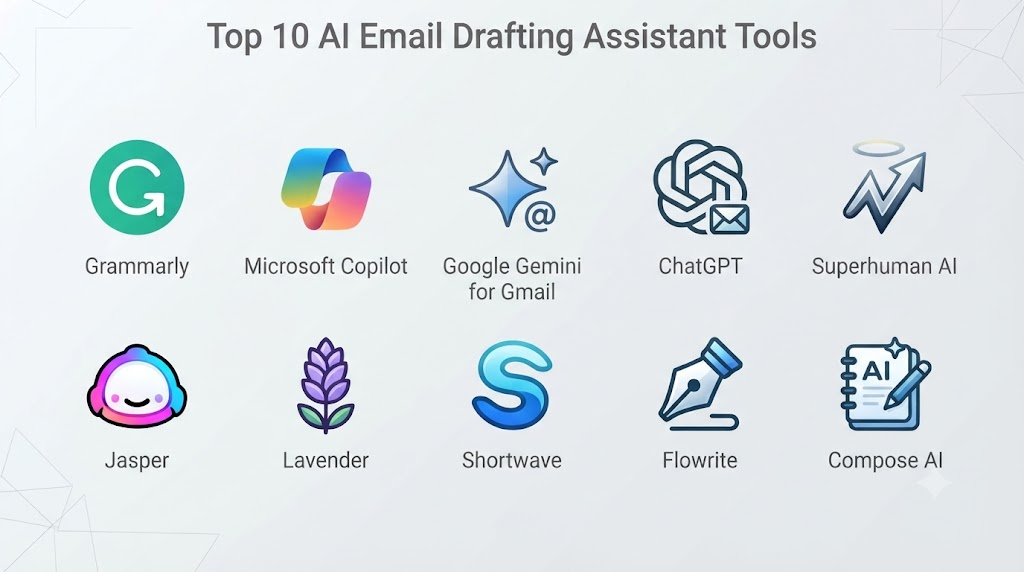
Top 10 AI Email Drafting Assistant Tools
1. Microsoft Copilot
One-line verdict: Best for Microsoft 365 users who want AI-powered email drafting directly inside Outlook and workplace productivity workflows.
Short description:
Microsoft Copilot provides AI assistance across Microsoft’s productivity ecosystem and can help users draft, rewrite, summarize, and improve email communications in supported Outlook experiences. It is particularly relevant to organizations already using Microsoft 365.
Standout Capabilities
- AI-assisted email drafting
- Outlook integration
- Email-thread summarization
- Tone and writing assistance
- Microsoft 365 context
- Meeting and productivity assistance
- Enterprise administration
- Workplace workflow integration
AI-Specific Depth
- Model support: Microsoft-managed AI models and model technologies vary by product.
- RAG / knowledge integration: Can use organizational context through supported Microsoft 365 capabilities.
- Evaluation: Enterprise and developer evaluation capabilities vary by product.
- Guardrails: Microsoft security and AI governance controls.
- Observability: Administrative and usage reporting varies by offering.
Pros
- Excellent Outlook integration.
- Strong enterprise ecosystem.
- Useful beyond email drafting.
Cons
- Best suited to Microsoft-centric organizations.
- Product capabilities vary by subscription.
- Enterprise configuration can require administrative work.
Security & Compliance
Microsoft provides security and administrative controls across applicable Microsoft 365 services. Exact controls and certifications depend on the specific product and subscription.
Deployment & Platforms
- Web
- Windows
- Mobile
- Microsoft 365
- Cloud
Integrations & Ecosystem
- Outlook
- Microsoft 365
- Teams
- Word
- Excel
- PowerPoint
- Microsoft enterprise services
Pricing Model
Pricing varies by Microsoft product, subscription, and organizational agreement.
Best-Fit Scenarios
- Microsoft 365 organizations
- Enterprise email
- High-volume professional communication
2. Google Gemini for Gmail
One-line verdict: Best for Gmail and Google Workspace users who want AI drafting integrated into their existing email environment.
Short description:
Gemini’s integration with Google’s productivity ecosystem enables AI assistance for email composition and related communication workflows. It is particularly useful for users who already depend on Gmail and Google Workspace.
Standout Capabilities
- Email drafting
- Gmail integration
- Email rewriting
- Tone adjustment
- Conversation assistance
- Google Workspace context
- Productivity workflows
- Multilingual assistance
AI-Specific Depth
- Model support: Google Gemini model family.
- RAG / knowledge integration: Google Workspace context varies by product and configuration.
- Evaluation: Evaluation capabilities vary across consumer and enterprise environments.
- Guardrails: Google’s AI safety and security systems.
- Observability: Product-dependent.
Pros
- Convenient Gmail integration.
- Strong Google Workspace compatibility.
- Simple workflow for existing Gmail users.
Cons
- Most useful within the Google ecosystem.
- Features can vary by plan.
- AI output still needs review.
Security & Compliance
Google provides administrative and security capabilities for applicable Workspace offerings. Specific certifications and controls should be verified for the exact subscription.
Deployment & Platforms
- Web
- Mobile
- Google Workspace
- Cloud
Integrations & Ecosystem
- Gmail
- Google Docs
- Google Drive
- Google Calendar
- Google Workspace
- Google services
Pricing Model
Availability and pricing vary by Google Workspace edition and AI offering.
Best-Fit Scenarios
- Gmail users
- Google Workspace teams
- Business communication
3. Grammarly
One-line verdict: Best for users who want AI-assisted email writing combined with grammar, clarity, tone, and communication improvement.
Short description:
Grammarly combines writing assistance with generative AI features designed to help users create, rewrite, and improve text. Its broad writing environment makes it useful for email as well as documents, messages, and other professional communication.
Standout Capabilities
- Grammar correction
- Email rewriting
- Tone suggestions
- Generative writing
- Clarity improvements
- Writing recommendations
- Cross-application assistance
- Personalized communication support
AI-Specific Depth
- Model support: Grammarly’s AI systems and supported model infrastructure.
- RAG / knowledge integration: Varies / N/A for general email drafting.
- Evaluation: Writing-quality feedback and product-level evaluation capabilities.
- Guardrails: AI safety and responsible-use controls.
- Observability: Usage information varies by account and product.
Pros
- Excellent writing refinement.
- Works beyond email.
- Useful for non-native English writers.
Cons
- Best features may require a paid plan.
- Not primarily an email-management platform.
- Advanced integrations vary.
Security & Compliance
Security and administrative capabilities vary by plan. Specific certifications should be verified against the applicable offering.
Deployment & Platforms
- Web
- Desktop
- Browser extensions
- Mobile
- Cloud
Integrations & Ecosystem
- Gmail
- Outlook
- Browser applications
- Desktop applications
- Writing platforms
- Productivity applications
Pricing Model
Free and paid plans are available, with AI usage and advanced features varying by plan.
Best-Fit Scenarios
- Professional writing
- Email editing
- Cross-application communication
4. Superhuman
One-line verdict: Best for professionals and executives who want an AI-enhanced email client optimized for speed, productivity, and high-volume communication.
Short description:
Superhuman is an email productivity platform designed around fast email workflows. Its AI features can assist with drafting, rewriting, summarizing, and managing communication while the broader product focuses heavily on email efficiency.
Standout Capabilities
- AI email drafting
- Email summarization
- Fast email workflows
- Keyboard shortcuts
- Writing assistance
- Follow-up workflows
- Productivity automation
- Team communication features
AI-Specific Depth
- Model support: Provider-managed AI capabilities.
- RAG / knowledge integration: Email context is central to supported AI workflows.
- Evaluation: Not publicly stated in detail for all user-facing features.
- Guardrails: Platform-level controls; detailed AI guardrail implementation is not fully user-facing.
- Observability: Product-level analytics vary.
Pros
- Designed specifically for email productivity.
- Strong workflow efficiency.
- Useful for high-volume email users.
Cons
- More specialized than general AI assistants.
- Subscription cost may be less attractive for light email users.
- Advanced capabilities depend on the product plan.
Security & Compliance
Security and administrative controls vary by plan. Specific certifications should be verified for the current offering.
Deployment & Platforms
- Web
- Desktop
- Mobile
- Cloud
Integrations & Ecosystem
- Gmail
- Outlook
- Email accounts
- Calendar-related workflows
- Team productivity features
- Productivity applications
Pricing Model
Subscription-based pricing with features varying by plan.
Best-Fit Scenarios
- Executives
- Sales professionals
- High-volume email users
5. Shortwave
One-line verdict: Best for Gmail users who want an AI-focused email client with strong search, organization, summarization, and drafting capabilities.
Short description:
Shortwave is an email application built around productivity and AI-assisted email management. It is particularly useful for users who want more advanced organization and conversational interaction with their inbox.
Standout Capabilities
- AI email drafting
- Email summarization
- Natural-language email search
- Inbox organization
- Email grouping
- Writing assistance
- Productivity workflows
- Gmail integration
AI-Specific Depth
- Model support: Provider-managed AI models.
- RAG / knowledge integration: Email content provides context for supported AI workflows.
- Evaluation: Not publicly stated in detail.
- Guardrails: Platform safety controls.
- Observability: Not publicly stated in detail.
Pros
- AI-native email experience.
- Strong inbox organization.
- Useful natural-language workflows.
Cons
- Primarily centered around supported email ecosystems.
- Less suitable for organizations requiring complex enterprise controls.
- Users may need to adapt to a new email interface.
Security & Compliance
Specific security controls and certifications vary by offering and are not fully assumed here.
Deployment & Platforms
- Web
- Desktop
- Mobile
- Cloud
Integrations & Ecosystem
- Gmail
- Email accounts
- Calendar workflows
- AI services
- Productivity features
Pricing Model
Free and paid options may vary by product offering.
Best-Fit Scenarios
- Gmail power users
- Inbox organization
- AI-assisted email workflows
6. Superhuman Go
One-line verdict: Best for users seeking a streamlined AI email workflow with drafting, summarization, and productivity-oriented assistance.
Short description:
Superhuman’s broader product ecosystem includes AI-assisted email workflows intended to reduce the time users spend writing and processing messages. It is suited to users who value speed and productivity.
Standout Capabilities
- Email composition
- AI rewriting
- Summarization
- Email productivity
- Follow-up support
- Inbox workflows
- Personalization
- Communication assistance
AI-Specific Depth
- Model support: Provider-managed AI.
- RAG / knowledge integration: Email context where supported.
- Evaluation: Not publicly stated in detail.
- Guardrails: Platform safety controls.
- Observability: Varies / N/A.
Pros
- Productivity-oriented design.
- Fast email workflows.
- Useful for frequent communicators.
Cons
- Some functionality may overlap with broader AI assistants.
- Subscription requirements may not suit occasional users.
- Exact capabilities can vary by product configuration.
Security & Compliance
Specific security and certification details should be verified for the applicable offering.
Deployment & Platforms
- Web
- Desktop
- Mobile
- Cloud
Integrations & Ecosystem
- Calendar
- Productivity applications
- AI workflows
- Team communication
Pricing Model
Subscription-based; exact pricing varies by offering.
Best-Fit Scenarios
- Busy professionals
- Sales communication
- Executive workflows
7. Mailbutler
One-line verdict: Best for users who want AI-assisted email productivity features alongside scheduling, tracking, signatures, and inbox tools.
Short description:
Mailbutler provides email productivity capabilities for supported email clients, including AI-assisted writing and organization features. It combines communication assistance with broader email-management functionality.
Standout Capabilities
- AI email writing
- Email productivity
- Signatures
- Scheduling
- Email organization
- Follow-up tools
- Productivity automation
- Email tracking features
AI-Specific Depth
- Model support: Provider-managed AI; exact model selection varies / N/A.
- RAG / knowledge integration: Email context where supported.
- Evaluation: Not publicly stated.
- Guardrails: Platform-level controls.
- Observability: Product analytics vary.
Pros
- More than just drafting.
- Useful email productivity toolkit.
- Can support structured communication workflows.
Cons
- Advanced capabilities may require paid plans.
- Feature availability differs across supported email platforms.
- AI model transparency is limited.
Security & Compliance
Security features vary by plan and deployment. Specific certifications should be verified.
Deployment & Platforms
- Desktop
- Browser
- Supported email clients
- Cloud
Integrations & Ecosystem
- Apple Mail
- Outlook
- Gmail
- Email workflows
- Calendar-related features
- Productivity tools
Pricing Model
Subscription and tiered pricing models may apply.
Best-Fit Scenarios
- Email-heavy professionals
- Consultants
- Small businesses
8. Flowrite
One-line verdict: Best for professionals who want to turn short instructions into polished emails and workplace messages quickly.
Short description:
Flowrite focuses on transforming brief instructions into complete, professional messages. It is useful when users know what they want to communicate but do not want to spend time composing the entire email.
Standout Capabilities
- AI email drafting
- Short-command writing
- Professional messaging
- Tone adjustment
- Email templates
- Communication assistance
- Productivity workflows
- Browser-based writing
AI-Specific Depth
- Model support: Provider-managed AI.
- RAG / knowledge integration: Varies / N/A.
- Evaluation: Not publicly stated in detail.
- Guardrails: Platform-level safety mechanisms.
- Observability: Varies / N/A.
Pros
- Fast drafting.
- Easy to use.
- Useful for repetitive communications.
Cons
- More focused than general AI assistants.
- Integration availability can vary.
- Advanced enterprise functionality should be verified.
Security & Compliance
Specific certifications are Not publicly stated here.
Deployment & Platforms
- Web
- Browser extensions
- Cloud
Integrations & Ecosystem
- Email clients
- Browser applications
- Communication tools
- Templates
- Productivity workflows
Pricing Model
Subscription and plan-based availability may vary.
Best-Fit Scenarios
- Repetitive email writing
- Sales professionals
- Business communication
9. Lavender
One-line verdict: Best for sales teams that want AI-assisted email writing, personalization, coaching, and outreach improvement.
Short description:
Lavender is focused heavily on sales communication. Its AI capabilities help sales professionals improve email writing, personalization, clarity, and engagement while working within outbound sales workflows.
Standout Capabilities
- Sales email drafting
- Email personalization
- Writing coaching
- Outreach optimization
- Message scoring
- Sales workflow support
- Email improvement
- Communication analytics
AI-Specific Depth
- Model support: Provider-managed AI systems.
- RAG / knowledge integration: Sales and email context where supported.
- Evaluation: Email-quality and performance-oriented feedback.
- Guardrails: Platform controls; detailed technical guardrail implementation varies.
- Observability: Communication and productivity analytics vary by offering.
Pros
- Strong sales focus.
- Useful personalization capabilities.
- Helps teams improve communication quality.
Cons
- Less useful for general personal email.
- Sales-oriented workflows may be unnecessary for other teams.
- Some features depend on plan and integrations.
Security & Compliance
Security and enterprise controls vary by offering. Specific certifications should be verified before procurement.
Deployment & Platforms
- Web
- Browser
- Cloud
- Sales workflow integrations
Integrations & Ecosystem
- CRM platforms
- Sales engagement tools
- Browser
- Communication workflows
- APIs/integrations where supported
Pricing Model
Typically subscription or team-based pricing; exact pricing varies.
Best-Fit Scenarios
- Sales teams
- Outbound prospecting
- Revenue organizations
10. Writesonic
One-line verdict: Best for marketing and business teams that need AI email creation alongside broader content and campaign generation.
Short description:
Writesonic provides generative AI tools for writing and marketing workflows. Its broader content-generation capabilities make it useful for creating marketing emails, outreach drafts, newsletters, and related communications.
Standout Capabilities
- Email content generation
- Marketing copy
- Rewriting
- Tone adjustment
- Content ideation
- Campaign assistance
- AI writing
- Marketing workflows
AI-Specific Depth
- Model support: Multiple AI model options may be available depending on product and plan.
- RAG / knowledge integration: Knowledge and content workflows vary by feature.
- Evaluation: Product-specific quality controls vary.
- Guardrails: AI safety and platform controls.
- Observability: Usage metrics vary.
Pros
- Broad marketing capabilities.
- Useful beyond email.
- Suitable for content teams.
Cons
- Less email-specialized than dedicated email clients.
- AI quality depends on instructions and context.
- Advanced functionality can require paid access.
Security & Compliance
Security and enterprise capabilities vary by offering. Specific certifications should be verified.
Deployment & Platforms
- Web
- Cloud
- Browser-based workflows
Integrations & Ecosystem
- Marketing tools
- Email workflows
- Content platforms
- APIs
- Business applications
- AI models
Pricing Model
Free trials or limited access and paid subscription tiers may be available depending on the offering.
Best-Fit Scenarios
- Marketing teams
- Email campaigns
- Content production
Comparison Table
| Tool | Best For | Deployment | Model Flexibility | Strength | Watch-Out | Public Rating |
|---|---|---|---|---|---|---|
| Microsoft Copilot | Microsoft 365 email | Cloud/Desktop/Mobile | Multi-model | Outlook integration | Microsoft ecosystem focus | N/A |
| Google Gemini | Gmail users | Cloud/Mobile | Multi-model | Gmail integration | Plan-dependent features | N/A |
| Grammarly | Writing improvement | Cloud/Desktop/Mobile | Provider-managed | Editing and tone | Less email-centric | N/A |
| Superhuman | Email power users | Cloud/Desktop/Mobile | Provider-managed | Email productivity | Subscription cost | N/A |
| Shortwave | Gmail productivity | Cloud/Desktop/Mobile | Provider-managed | AI inbox workflows | Ecosystem limitations | N/A |
| Superhuman Go | Professional email | Cloud/Desktop/Mobile | Provider-managed | Speed and drafting | Product overlap | N/A |
| Mailbutler | Email productivity | Cloud/Desktop | Provider-managed | Email toolkit | Platform variation | N/A |
| Flowrite | Quick drafting | Cloud/Browser | Provider-managed | Instruction-to-email | More specialized | N/A |
| Lavender | Sales email | Cloud/Browser | Provider-managed | Sales personalization | Sales-focused | N/A |
| Writesonic | Marketing email | Cloud/Web | Multi-model | Content generation | Not email-specific | N/A |
Scoring & Evaluation
The following scores are comparative estimates rather than official vendor ratings. They focus on usefulness for AI-assisted email drafting rather than overall AI capability.
| Tool | Core | Reliability/Eval | Guardrails | Integrations | Ease | Perf/Cost | Security/Admin | Support | Weighted Total |
|---|---|---|---|---|---|---|---|---|---|
| Microsoft Copilot | 9.5 | 9.0 | 9.2 | 9.8 | 9.2 | 8.5 | 9.5 | 9.2 | 9.3 |
| Google Gemini | 9.4 | 9.0 | 9.0 | 9.7 | 9.3 | 8.7 | 9.2 | 9.2 | 9.2 |
| Grammarly | 9.0 | 8.8 | 8.7 | 9.0 | 9.5 | 8.7 | 8.8 | 9.0 | 8.9 |
| Superhuman | 9.2 | 8.5 | 8.5 | 9.0 | 9.2 | 8.0 | 8.5 | 8.8 | 8.7 |
| Shortwave | 8.8 | 8.3 | 8.2 | 8.8 | 9.2 | 8.5 | 8.0 | 8.2 | 8.5 |
| Superhuman Go | 8.7 | 8.3 | 8.3 | 8.8 | 9.0 | 8.0 | 8.3 | 8.5 | 8.5 |
| Mailbutler | 8.5 | 8.0 | 8.0 | 8.8 | 8.7 | 8.2 | 8.0 | 8.2 | 8.3 |
| Flowrite | 8.5 | 8.0 | 7.8 | 8.2 | 9.2 | 8.3 | 7.8 | 8.0 | 8.2 |
| Lavender | 8.8 | 8.5 | 8.0 | 9.0 | 8.8 | 8.0 | 8.2 | 8.5 | 8.5 |
| Writesonic | 8.5 | 8.0 | 8.0 | 8.0 | 9.0 | 8.5 | 7.8 | 8.2 | 8.2 |
Top 3 for Enterprise
- Microsoft Copilot
- Google Gemini
- Grammarly
Top 3 for SMB
- Google Gemini
- Microsoft Copilot
- Grammarly
Top 3 for Developers
- Microsoft Copilot
- Google Gemini
- Grammarly
Which AI Email Drafting Assistant Is Right for You?
Solo / Freelancer
Solo professionals should prioritize simplicity, writing quality, and affordability.
Grammarly is useful when the primary need is writing improvement. Gemini makes sense for Gmail users, while Microsoft Copilot is relevant for people using Outlook.
For broader tasks beyond email, a general-purpose AI assistant may provide better value than a dedicated email-writing application.
SMB
Small businesses should first identify their primary email platform.
- Microsoft 365 users should evaluate Microsoft Copilot.
- Google Workspace users should evaluate Gemini.
- Writing-focused teams should consider Grammarly.
- Sales organizations should consider Lavender.
- Marketing teams may benefit from Writesonic.
Mid-Market
Mid-market companies should look beyond drafting quality.
Evaluate:
- Data access
- Privacy
- Administration
- Integration permissions
- Employee adoption
- AI usage policies
- Auditability
- Cost per user
A tool that saves five minutes per employee per day can produce substantial value at scale, but only if the organization can control risk.
Enterprise
Enterprise buyers should evaluate email AI as part of their broader AI governance strategy.
Important requirements include:
- Identity management
- Access control
- Data protection
- Auditability
- Retention policies
- Integration security
- AI governance
- Human approval
- Vendor risk management
- Employee training
Regulated Industries
Financial services, healthcare, government, legal, and other regulated organizations should be especially careful about feeding email content into AI systems.
Evaluate:
- Data residency
- Data retention
- Encryption
- Access control
- Administrative permissions
- Contractual protections
- Model-training policies
- Audit capabilities
Do not assume that a general AI writing tool is suitable for regulated communication without an appropriate security review.
Budget vs Premium
Free tools can handle basic grammar correction and simple drafting.
Premium solutions become more attractive when users need:
- Large-scale usage
- Advanced AI models
- Enterprise administration
- Email context
- CRM integration
- Advanced personalization
- Workflow automation
Calculate ROI based on time saved rather than simply comparing subscription prices.
Build vs Buy
Most individuals and small teams should buy rather than build.
Build a custom solution when:
- Email workflows are highly specialized.
- Internal data must remain under strict organizational control.
- There are unique approval processes.
- The company already has AI engineering infrastructure.
- Email generation needs custom model routing or evaluation.
For most organizations, an existing email AI product is faster and less expensive to maintain.
Implementation Playbook
First 30 Days: Pilot + Success Metrics
Choose a small group of users.
Test common workflows:
- Email drafting
- Rewriting
- Summarization
- Follow-ups
- Customer responses
- Sales outreach
- Internal communication
Measure:
- Time saved
- Draft acceptance rate
- Editing time
- Accuracy
- User satisfaction
- AI usage
- Cost per user
Days 31–60: Security + Evaluation
Create a small evaluation dataset containing representative emails.
Test AI output for:
- Factual accuracy
- Tone
- Brand alignment
- Personalization
- Hallucinations
- Sensitive information
- Incorrect assumptions
- Prompt injection
- Unwanted changes in meaning
Create clear rules requiring human approval before external messages are sent.
Days 61–90: Optimization + Governance
Expand successful use cases.
Monitor:
- AI-generated email volume
- Cost
- User adoption
- Error rates
- Privacy incidents
- Response quality
- Workflow efficiency
Create governance policies covering approved AI tools, sensitive information, external communication, employee responsibilities, and incident reporting.
Common Mistakes & How to Avoid Them
- Sending AI-generated emails without reviewing them: Always verify important messages.
- Allowing AI to invent facts: Provide accurate context and verify claims.
- Using generic prompts: Include recipient, purpose, tone, and important details.
- Ignoring email privacy: Review how providers handle email content.
- Giving unnecessary access to inboxes: Apply least-privilege permissions.
- Ignoring prompt injection: Emails can contain malicious or manipulative instructions.
- Automating external communication too aggressively: Keep humans in the approval loop for important messages.
- Failing to evaluate outputs: Test AI against realistic business emails.
- Over-personalizing messages: Avoid inserting irrelevant or sensitive information.
- Ignoring tone consistency: Establish communication guidelines.
- Forgetting brand voice: AI should follow approved organizational communication standards.
- Ignoring cost: High-volume generation can increase AI usage.
- Creating vendor lock-in: Maintain portable templates and workflows where practical.
- Using AI for sensitive decisions: Email drafting should not become an uncontrolled decision-making system.
- Failing to train employees: Users should understand what information can be entered into AI tools.
- Not monitoring adoption: Measure whether employees actually save time.
- Assuming more automation is always better: Human review can be more valuable than maximum automation.
- Ignoring multilingual accuracy: Review important translated communications carefully.
FAQs
What is an AI email drafting assistant?
It is an AI-powered tool that helps users create, rewrite, summarize, personalize, and improve email messages.
Can AI write an entire email for me?
Yes. Most modern AI email assistants can generate complete drafts from a short instruction, although the user should review the final message before sending it.
Can AI assistants read my emails?
Some can access email content when the user explicitly connects an email account or when the assistant is integrated into an email platform. The exact scope depends on the product and permissions.
Is it safe to use AI for business emails?
It can be, but organizations should evaluate data handling, retention, access permissions, security, and AI governance before using AI with confidential communication.
Can AI draft sales emails?
Yes. Sales-oriented tools can help create personalized outreach, follow-ups, introductions, and prospecting messages.
Can AI personalize emails?
Yes. Personalization can be based on information provided by the user or available through authorized integrations. Sensitive or incorrect information should not be inserted automatically.
Can AI summarize long email threads?
Many modern AI email tools can summarize conversations and highlight important points, reducing the time required to review lengthy threads.
Can AI change the tone of an email?
Yes. Users can commonly request tones such as professional, friendly, concise, persuasive, diplomatic, or informal.
Can AI email assistants work with Gmail?
Yes. Several tools integrate directly with Gmail or support workflows built around Gmail.
Can AI email assistants work with Outlook?
Yes. Microsoft Copilot is particularly integrated with Outlook, while other third-party tools also support Outlook-related workflows.
Can I use my own AI model?
This varies. Consumer-focused email assistants usually manage model selection themselves, while developer-oriented solutions may provide greater flexibility.
Can AI email assistants work offline?
Most advanced cloud AI email assistants require online infrastructure. Some device-based AI features can operate partly on-device, depending on the product and hardware.
Do AI email assistants store my emails?
Data handling varies by provider and product. Users should review the applicable privacy and retention policies before connecting an inbox.
Will AI email tools use my emails to train models?
Policies vary by product, account type, and configuration. This should be verified directly with the provider before using confidential information.
Can AI automatically send emails?
Some systems can support automated workflows, but automatic sending should be used carefully. Human approval is recommended for important external communications.
What is the best AI email drafting tool for Gmail?
Gemini is a strong choice for Google Workspace users because of its Gmail ecosystem integration. Other specialized tools may be better for specific workflows.
What is the best AI email drafting tool for Outlook?
Microsoft Copilot is a natural choice for organizations using Microsoft 365 and Outlook because of its deep ecosystem integration.
What is the best AI email tool for sales teams?
Lavender is particularly focused on sales communication, personalization, and email coaching.
What is the best tool for improving email grammar?
Grammarly is particularly useful when grammar, clarity, tone, and general writing quality are the primary concerns.
Are AI email assistants worth the cost?
They can be valuable when users send many emails and AI meaningfully reduces drafting and editing time. The ROI depends on adoption, accuracy, workflow integration, and subscription cost.
Can AI email assistants replace human writers?
They can automate portions of email writing, but human review remains important for sensitive, complex, persuasive, or high-impact communication.
Conclusion
AI email drafting assistants can significantly reduce the time required to write, edit, summarize, and respond to email. The strongest solutions are increasingly moving beyond simple text generation toward context-aware communication, personalization, inbox intelligence, and workflow automation.There is no universal winner.Microsoft Copilot is particularly compelling for Microsoft 365 organizations, while Google Gemini is a natural choice for Gmail and Google Workspace users. Grammarly stands out for writing quality and editing, Superhuman focuses on high-speed email productivity, Shortwave provides an AI-centered inbox experience, and Lavender is especially relevant to sales teams.The right solution depends on your email platform, communication volume, privacy requirements, budget, and desired level of automati