Introduction
AI Translation Apps use artificial intelligence to convert text, speech, images, documents, and conversations from one language into another. Unlike traditional dictionary-based translation, modern AI systems can consider context, sentence structure, terminology, tone, and conversational intent.
These tools are increasingly useful for international travel, education, customer support, global business, content localization, research, and multilingual communication. Many apps now combine machine translation with speech recognition, optical character recognition, text-to-speech, and generative AI capabilities.
Real-world use cases include:
- Translating conversations while traveling
- Translating menus, signs, labels, and documents using a camera
- Drafting multilingual emails and business messages
- Translating websites and digital content
- Supporting multilingual customer service
- Localizing marketing and product content
- Translating educational and research material
- Communicating with international teams
- Understanding foreign-language audio
- Translating documents and everyday correspondence
Best for: Travelers, students, freelancers, international businesses, remote teams, researchers, customer-support professionals, content creators, and organizations that regularly communicate across languages.
Not ideal for: High-stakes legal, medical, financial, safety-critical, or certified translation without human review. AI systems can still misunderstand terminology, context, accents, cultural references, and ambiguous language.
When selecting an AI translation app, consider language coverage, translation quality, voice capabilities, camera translation, offline support, document handling, privacy, data retention, terminology controls, integrations, accessibility, cost, and the quality of the specific language pairs you actually need.
What’s Changed in AI Translation Apps
- Generative AI is improving contextual translation: Modern systems can produce more natural translations by considering surrounding context rather than translating isolated words.
- Real-time voice translation is becoming more practical: Users increasingly expect near-instant multilingual conversations.
- Multimodal translation is mainstream: Camera-based systems can recognize and translate text from signs, menus, labels, screenshots, and documents.
- Context-aware translation is increasingly important: AI can consider tone, audience, intent, and surrounding sentences.
- Offline translation remains valuable: Travelers and field workers often need translation without reliable internet connectivity.
- Privacy is a larger buying factor: Translation may involve personal, business, customer, or confidential information.
- On-device processing is expanding: Some translation workflows can process information locally, reducing cloud dependency.
- Automatic language detection is improving: Users can increasingly start translating without manually configuring every language.
- Translation is becoming part of productivity workflows: Translation capabilities are increasingly embedded in browsers, office software, collaboration tools, and communication platforms.
- Specialized language performance still matters: A platform that performs well for one language pair may perform differently for another.
- Human review remains important: AI can accelerate translation but does not eliminate the need for professional review in high-risk scenarios.
- Enterprise translation is becoming more sophisticated: Businesses increasingly need glossaries, terminology management, translation memory, workflow automation, and administrative controls.
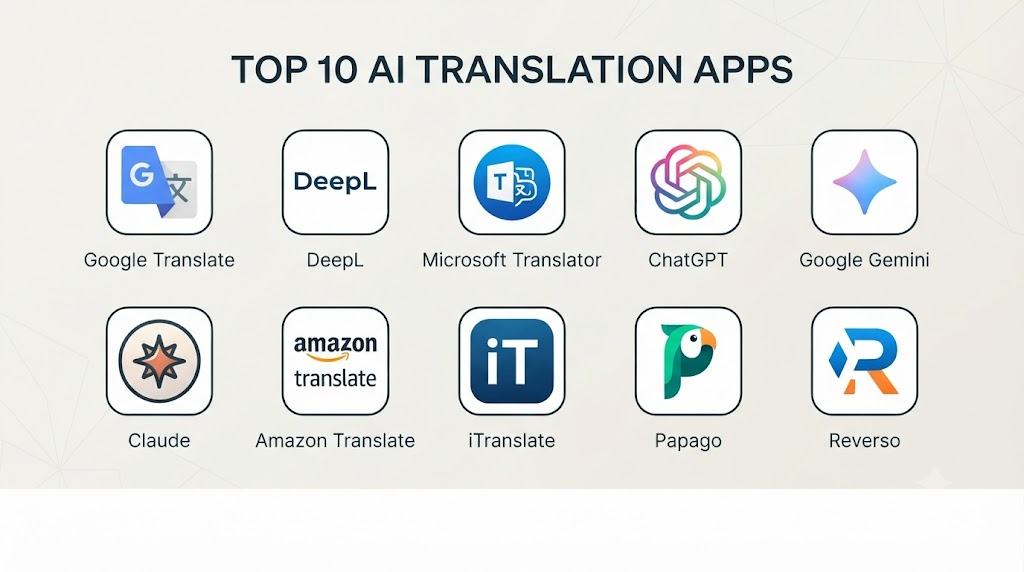
Top 10 AI Translation Apps
1. Google Translate
One-line verdict: Best overall for broad language coverage, travel, camera translation, voice translation, and everyday multilingual communication.
Short description
Google Translate is one of the most widely recognized general-purpose translation applications. It supports multiple translation formats, including text, voice, images, and conversations, making it particularly useful for travelers and everyday communication.
Its combination of broad language coverage and multiple input methods makes it a practical starting point for users who need translation without building a specialized workflow.
Standout Capabilities
- Text translation
- Voice translation
- Camera-based translation
- Conversation translation
- Automatic language detection
- Offline translation for supported languages
- Image and document-oriented workflows
- Broad multilingual coverage
AI-Specific Depth
- Model support: Provider-managed AI and machine translation models.
- RAG / knowledge integration: N/A for standard consumer translation.
- Evaluation: Provider-managed translation quality evaluation; detailed product-specific methodology varies.
- Guardrails: Provider-managed safety and abuse controls.
- Observability: Limited user-facing AI observability.
Pros
- Excellent all-purpose translation functionality.
- Very useful for travel and camera translation.
- Broad language availability.
Cons
- Quality can vary considerably between language pairs.
- Complex professional translation may require editing.
- Sensitive information should be evaluated against applicable privacy requirements.
Security & Compliance
Security and privacy controls vary depending on the specific Google service, account, and usage environment. Organizations should review the applicable data-handling policies before processing confidential information.
Deployment & Platforms
- Web
- Android
- iOS
- Cloud
- Offline capabilities for supported languages
Integrations & Ecosystem
Google Translate benefits from a broad ecosystem of Google services and translation technologies.
- Mobile applications
- Camera workflows
- Browser experiences
- Cloud translation services
- Developer APIs
- Google ecosystem integrations
Pricing Model
Consumer functionality is available with free features. API and enterprise translation services may use usage-based or service-specific pricing.
Best-Fit Scenarios
- International travel
- Everyday translation
- Camera and sign translation
2. DeepL
One-line verdict: Best for professional written translation, business communication, documents, terminology, and natural-sounding language.
Short description
DeepL is particularly well known for its focus on high-quality written translation. It is widely used for business communication, document translation, writing assistance, and multilingual content.
The platform places strong emphasis on natural language output and offers features designed to improve consistency and writing quality.
Standout Capabilities
- Text translation
- Document translation
- Writing assistance
- Terminology management
- Glossaries
- Formality controls where supported
- Voice translation capabilities
- Business translation workflows
AI-Specific Depth
- Model support: Provider-managed AI translation models.
- RAG / knowledge integration: Terminology and glossary-oriented workflows.
- Evaluation: Provider-managed translation quality evaluation.
- Guardrails: Provider-managed security and content controls.
- Observability: Usage information varies by product and account.
Pros
- Strong written translation quality.
- Useful for professional documents.
- Terminology features can improve consistency.
Cons
- Language coverage is not as broad as some general-purpose competitors.
- Advanced functionality may require paid access.
- Performance varies across language pairs.
Security & Compliance
Security, privacy, and administrative capabilities vary according to the product and subscription. Organizations should verify applicable controls before using confidential business information.
Deployment & Platforms
- Web
- Windows
- macOS
- iOS
- Android
- Cloud
Integrations & Ecosystem
DeepL supports both individual and professional translation workflows.
- Desktop applications
- Mobile applications
- Browser workflows
- APIs
- Document translation
- Glossaries
- Business integrations
Pricing Model
Free functionality is available, with paid subscription and business/API options.
Best-Fit Scenarios
- Business documents
- Professional communication
- Content localization
3. Microsoft Translator
One-line verdict: Best for businesses that need multilingual translation within Microsoft-oriented productivity and enterprise environments.
Short description
Microsoft Translator provides text and speech translation capabilities and can support multilingual conversations and enterprise applications. Its broader ecosystem makes it particularly relevant for organizations already using Microsoft technologies.
It can be used for everyday translation as well as developer and enterprise scenarios.
Standout Capabilities
- Text translation
- Speech translation
- Conversation translation
- Multilingual communication
- Enterprise translation
- API access
- Microsoft ecosystem integration
- Cloud-based translation
AI-Specific Depth
- Model support: Microsoft-managed translation models.
- RAG / knowledge integration: N/A for standard translation.
- Evaluation: Microsoft-managed quality and model evaluation.
- Guardrails: Provider-managed security and safety controls.
- Observability: Enterprise capabilities vary by service.
Pros
- Strong enterprise ecosystem.
- Useful for multilingual collaboration.
- Developer and cloud capabilities.
Cons
- Consumer experience may not be as feature-rich as some competitors.
- Capabilities differ across Microsoft services.
- Organizations need to evaluate the exact service configuration.
Security & Compliance
Microsoft enterprise services provide security and administrative capabilities, but exact controls depend on the specific service, subscription, and configuration.
Deployment & Platforms
- Web
- Mobile
- Cloud
- Microsoft ecosystem
Integrations & Ecosystem
- Microsoft 365
- Microsoft collaboration tools
- Cloud services
- APIs
- Enterprise applications
- Developer environments
Pricing Model
Consumer functionality may be available at no additional cost, while enterprise and API usage can follow service-specific or usage-based pricing.
Best-Fit Scenarios
- Microsoft-based organizations
- Enterprise translation
- Multilingual collaboration
4. Apple Translate
One-line verdict: Best for Apple users seeking simple translation, device integration, conversation support, and offline functionality.
Short description
Apple Translate is designed for supported Apple devices and provides text and conversation translation. It can also support offline translation for selected languages, making it useful for travel and everyday communication.
Its main advantage is convenience for people already using Apple’s ecosystem.
Standout Capabilities
- Text translation
- Conversation translation
- Voice translation
- Offline translation for supported languages
- Apple device integration
- Simple interface
- On-device capabilities for supported workflows
AI-Specific Depth
- Model support: Apple-managed translation technologies.
- RAG / knowledge integration: N/A.
- Evaluation: Detailed product-level evaluation methodology is not publicly stated.
- Guardrails: Apple-managed platform and privacy controls.
- Observability: Limited user-facing AI observability.
Pros
- Convenient for Apple users.
- Simple user experience.
- Offline capabilities are useful when traveling.
Cons
- Language coverage is smaller than some competitors.
- Primarily focused on Apple devices.
- Fewer professional localization features.
Security & Compliance
Apple emphasizes privacy and on-device processing for supported capabilities. Exact processing behavior varies according to language and feature.
Deployment & Platforms
- iPhone
- iPad
- Apple ecosystem
Integrations & Ecosystem
- Apple devices
- Voice features
- Mobile translation
- Offline language packs
- System-level workflows
Pricing Model
Translation functionality is integrated into supported Apple software experiences.
Best-Fit Scenarios
- Apple users
- Travel
- Everyday conversations
5. Naver Papago
One-line verdict: Best for users who frequently translate Korean, Japanese, Chinese, and other selected Asian languages.
Short description
Naver Papago is a translation application particularly associated with Asian-language translation. It supports text, voice, image, and conversation-oriented workflows.
For users who frequently communicate in Korean or selected Asian languages, Papago can be a particularly useful alternative to broader translation platforms.
Standout Capabilities
- Text translation
- Voice translation
- Image translation
- Conversation mode
- Automatic language detection
- Phrase translation
- Mobile translation
- Asian-language specialization
AI-Specific Depth
- Model support: Naver-managed AI translation technologies.
- RAG / knowledge integration: N/A for standard translation.
- Evaluation: Detailed public evaluation methodology varies.
- Guardrails: Provider-managed controls.
- Observability: Limited user-facing AI observability.
Pros
- Strong option for selected Asian languages.
- Useful image and conversation features.
- Convenient mobile experience.
Cons
- Smaller overall language coverage than Google Translate.
- Less suited to global enterprise localization.
- Performance varies by language pair.
Security & Compliance
Users should review applicable privacy and data-processing policies before entering sensitive information.
Deployment & Platforms
- Android
- iOS
- Web capabilities may vary
Integrations & Ecosystem
- Mobile applications
- Camera translation
- Voice translation
- Conversation mode
- Naver ecosystem
Pricing Model
Consumer translation functionality is generally available with the availability of specific premium features varying by platform and service.
Best-Fit Scenarios
- Korean translation
- Asian-language communication
- Travel in East Asia
6. iTranslate
One-line verdict: Best for travelers who want mobile text, voice, conversation, and travel-oriented translation features in one app.
Short description
iTranslate is a mobile-focused translation application designed around practical everyday communication. It supports text and voice translation and provides additional features designed for travelers.
It is especially useful for people who want a dedicated translation application rather than a broader productivity assistant.
Standout Capabilities
- Text translation
- Voice translation
- Conversation mode
- Camera translation
- Offline translation for supported features
- Phrasebook functionality
- Pronunciation assistance
- Mobile-first design
AI-Specific Depth
- Model support: Provider-managed translation technologies.
- RAG / knowledge integration: N/A.
- Evaluation: Detailed public evaluation methodology is not stated.
- Guardrails: Provider-managed controls.
- Observability: Limited user-facing AI observability.
Pros
- Travel-oriented feature set.
- Strong focus on voice workflows.
- Convenient mobile interface.
Cons
- Some advanced features may require payment.
- Quality differs by language pair.
- Limited enterprise localization functionality.
Security & Compliance
Privacy policies should be reviewed before using the application for confidential conversations or business information.
Deployment & Platforms
- iOS
- Android
- Cloud
Integrations & Ecosystem
- Mobile devices
- Voice
- Camera
- Phrasebooks
- Offline translation
- Wearable-related workflows where supported
Pricing Model
Free functionality with paid subscription options for additional features.
Best-Fit Scenarios
- International travel
- Voice translation
- Mobile translation
7. Reverso
One-line verdict: Best for language learners who need contextual translation, vocabulary assistance, examples, and language-learning features.
Short description
Reverso combines translation with contextual language information. Instead of simply providing a translated sentence, it can help users understand how words and phrases are used in context.
This makes it particularly useful for students, language learners, writers, and people studying idioms and vocabulary.
Standout Capabilities
- Context-based translation
- Example sentences
- Vocabulary assistance
- Language learning
- Pronunciation
- Phrase exploration
- Text translation
- Writing assistance
AI-Specific Depth
- Model support: Provider-managed AI and language technologies.
- RAG / knowledge integration: Contextual language examples.
- Evaluation: Detailed AI evaluation methodology is not publicly stated.
- Guardrails: Provider-managed controls.
- Observability: Limited user-facing observability.
Pros
- Excellent for understanding context.
- Useful for language learners.
- Helpful with idiomatic expressions.
Cons
- Less focused on enterprise translation.
- Smaller language coverage than some major competitors.
- Advanced capabilities may require a subscription.
Security & Compliance
Users should review current privacy practices before processing sensitive business or personal information.
Deployment & Platforms
- Web
- Mobile
- Browser extensions
- Cloud
Integrations & Ecosystem
- Language learning
- Browser workflows
- Vocabulary tools
- Translation
- Pronunciation
- Writing assistance
Pricing Model
Free and paid subscription options are available.
Best-Fit Scenarios
- Language learning
- Vocabulary building
- Contextual translation
8. Yandex Translate
One-line verdict: Best as an alternative general-purpose translator for multilingual text, images, and selected regional language requirements.
Short description
Yandex Translate provides automated translation for text and other supported content. It can be useful for general translation tasks and selected regional language workflows.
It provides another option for users who need multilingual translation beyond the most commonly used services.
Standout Capabilities
- Text translation
- Image translation
- Automatic language detection
- Website-oriented translation
- Vocabulary assistance
- Mobile translation
- Regional language support
AI-Specific Depth
- Model support: Yandex-managed translation models.
- RAG / knowledge integration: N/A for standard translation.
- Evaluation: Detailed public evaluation methodology varies.
- Guardrails: Provider-managed controls.
- Observability: Limited user-facing observability.
Pros
- Useful alternative translation service.
- Supports multiple content formats.
- Relevant for selected regional languages.
Cons
- Less globally dominant than the largest competitors.
- Enterprise capabilities may not match specialized business platforms.
- Privacy requirements should be carefully reviewed.
Security & Compliance
Review current privacy and data-processing practices before entering confidential information.
Deployment & Platforms
- Web
- Mobile
- Cloud
Integrations & Ecosystem
- Website translation
- Mobile applications
- Image translation
- Text translation
- Language tools
Pricing Model
Consumer functionality is available through the service, while enterprise offerings may have different pricing models.
Best-Fit Scenarios
- General translation
- Regional language translation
- Image translation
9. SayHi Translate
One-line verdict: Best for travelers who want a simple voice-focused translator for everyday conversations across languages.
Short description
SayHi Translate focuses on spoken communication and straightforward translation. Its simple interface makes it particularly appropriate for travelers who want to communicate verbally without navigating complex translation workflows.
Standout Capabilities
- Voice translation
- Text translation
- Conversation workflows
- Speech recognition
- Pronunciation
- Mobile translation
- Simple interface
AI-Specific Depth
- Model support: Provider-managed translation and speech technologies.
- RAG / knowledge integration: N/A.
- Evaluation: Detailed public evaluation methodology is not stated.
- Guardrails: Provider-managed controls.
- Observability: Limited user-facing observability.
Pros
- Easy to use.
- Strong focus on spoken translation.
- Useful for casual travel communication.
Cons
- Fewer advanced business features.
- Not designed for complex localization.
- Speech performance can depend on accent and background noise.
Security & Compliance
Review current privacy policies before using the app for confidential conversations.
Deployment & Platforms
- Mobile
- Cloud-dependent functionality may vary
Integrations & Ecosystem
- Voice
- Text
- Mobile
- Speech recognition
- Conversation workflows
Pricing Model
Availability and pricing can vary depending on platform and service configuration.
Best-Fit Scenarios
- Travel
- Casual conversations
- Voice translation
10. ChatGPT
One-line verdict: Best for context-aware translation when users need tone control, explanations, rewriting, and multilingual conversation.
Short description
ChatGPT can work as a flexible multilingual assistant rather than a dedicated translation-only application. Users can specify the target audience, tone, formality, regional language style, terminology, and desired output format.
This makes it particularly useful when translation is only one part of a larger writing or communication task.
Standout Capabilities
- Context-aware translation
- Tone adaptation
- Multilingual conversation
- Document translation workflows
- Translation plus explanation
- Rewriting and localization
- Terminology instructions
- Multimodal input workflows
AI-Specific Depth
- Model support: Provider-managed models, with capabilities varying by product configuration.
- RAG / knowledge integration: Supported document and connected-source workflows where available.
- Evaluation: Provider-managed model evaluation and safety testing; exact translation-specific metrics vary.
- Guardrails: Built-in safety and instruction-following systems.
- Observability: Usage capabilities vary by plan and environment.
Pros
- Highly flexible translation instructions.
- Excellent for tone and contextual adaptation.
- Can combine translation with explanation and rewriting.
Cons
- AI-generated translations can still contain errors.
- Dedicated translation systems may be preferable for high-volume deterministic workflows.
- Professional localization may require specialized terminology and translation-memory systems.
Security & Compliance
Security and data controls depend on the product and plan. Organizations should verify current policies before processing confidential material.
Deployment & Platforms
- Web
- Windows
- macOS
- iOS
- Android
- Cloud
Integrations & Ecosystem
- Documents
- APIs
- Custom workflows
- Business applications
- Data analysis
- Multimodal inputs
Pricing Model
Free and paid subscription options are available, with separate usage-based models for developer/API workflows.
Best-Fit Scenarios
- Context-sensitive translation
- Marketing and localization drafts
- Translation combined with explanation
Comparison Table
| Tool Name | Best For | Deployment | Model Flexibility | Strength | Watch-Out | Public Rating |
|---|---|---|---|---|---|---|
| Google Translate | General translation | Cloud/Mobile/Web | Hosted | Broad everyday coverage | Quality varies by language | N/A |
| DeepL | Professional writing | Cloud/Desktop/Mobile | Hosted | Natural written translation | Language coverage varies | N/A |
| Microsoft Translator | Business workflows | Cloud/Mobile | Hosted | Enterprise ecosystem | Capabilities vary by service | N/A |
| Apple Translate | Apple users | Mobile/On-device where supported | Hosted/On-device | Device integration | Smaller language coverage | N/A |
| Naver Papago | Asian languages | Cloud/Mobile | Hosted | Asian-language strength | Limited global coverage | N/A |
| iTranslate | Travelers | Mobile/Cloud | Hosted | Voice and travel tools | Some features require payment | N/A |
| Reverso | Language learning | Web/Mobile | Hosted | Contextual examples | Less enterprise-focused | N/A |
| Yandex Translate | Regional translation | Cloud/Mobile | Hosted | Regional language support | Privacy should be reviewed | N/A |
| SayHi Translate | Voice translation | Mobile | Hosted | Simple conversations | Fewer advanced features | N/A |
| ChatGPT | Context-aware translation | Cloud/Desktop/Mobile | Hosted/Multi-model | Tone and context control | Output requires verification | N/A |
Scoring & Evaluation
The following scoring is a comparative editorial framework rather than an official vendor benchmark. Scores should be treated as directional because translation quality depends heavily on language pair, domain, input type, terminology, and workflow.
The weighted score uses the requested criteria:
- Core features – 20%
- AI reliability & evaluation – 15%
- Guardrails & safety – 10%
- Integrations & ecosystem – 15%
- Ease of use – 10%
- Performance & cost controls – 15%
- Security & admin – 10%
- Support & community – 5%
| Tool | Core | Reliability/Eval | Guardrails | Integrations | Ease | Perf/Cost | Security/Admin | Support | Weighted Total |
|---|---|---|---|---|---|---|---|---|---|
| Google Translate | 9.8 | 9.0 | 8.8 | 9.7 | 9.8 | 9.5 | 8.7 | 9.2 | 9.3 |
| DeepL | 9.5 | 9.3 | 9.0 | 9.1 | 9.3 | 8.8 | 9.0 | 9.1 | 9.1 |
| Microsoft Translator | 9.2 | 8.9 | 9.1 | 9.5 | 9.0 | 9.1 | 9.3 | 9.0 | 9.1 |
| Apple Translate | 8.4 | 8.7 | 9.2 | 9.0 | 9.7 | 9.0 | 9.4 | 8.7 | 9.0 |
| Naver Papago | 8.8 | 9.0 | 8.7 | 8.2 | 9.2 | 9.2 | 8.3 | 8.5 | 8.8 |
| iTranslate | 8.7 | 8.3 | 8.2 | 8.0 | 9.2 | 8.2 | 8.0 | 8.4 | 8.4 |
| Reverso | 8.4 | 8.6 | 8.3 | 8.2 | 9.1 | 9.0 | 8.0 | 8.5 | 8.5 |
| Yandex Translate | 8.3 | 8.3 | 8.0 | 7.8 | 8.8 | 9.0 | 7.5 | 8.2 | 8.2 |
| SayHi Translate | 7.8 | 7.9 | 7.8 | 7.2 | 9.0 | 8.8 | 7.5 | 7.8 | 8.0 |
| ChatGPT | 9.4 | 9.0 | 9.1 | 9.4 | 9.5 | 8.4 | 8.9 | 9.2 | 9.1 |
Top 3 for Enterprise
- Microsoft Translator — strong fit for organizations already operating within Microsoft’s enterprise ecosystem.
- DeepL — strong option for professional written translation and terminology-focused workflows.
- Google Translate — strong broad-language and general-purpose option.
Top 3 for SMB
- DeepL
- Google Translate
- ChatGPT
Top 3 for Developers
- Google Translate
- Microsoft Translator
- DeepL
Which AI Translation App Is Right for You?
Solo / Freelancer
Individual users should prioritize ease of use, language coverage, translation quality, device support, and affordability.
Good choices include:
- Google Translate for general-purpose translation.
- DeepL for polished written content.
- ChatGPT for contextual translation.
- Reverso for language learning.
- Apple Translate for supported Apple workflows.
SMB
Small businesses should consider:
- Translation quality
- Data privacy
- Terminology consistency
- Document support
- Team workflows
- API availability
- Cost predictability
DeepL, Google Translate, and ChatGPT are strong starting points depending on the business workflow.
Mid-Market
Mid-market organizations should test translation systems with real business content instead of generic examples.
Test:
- Customer emails
- Product documentation
- Marketing content
- Support conversations
- Internal communication
- Technical terminology
A translator that performs well on casual sentences may not perform equally well on specialized business content.
Enterprise
Enterprise buyers should treat AI translation as part of their broader localization and communication infrastructure.
Prioritize:
- SSO
- RBAC
- Auditability
- Encryption
- Data retention
- Data residency
- API access
- Terminology management
- Translation memory
- Workflow integration
- Human review
- Cost monitoring
Regulated Industries
Organizations in healthcare, financial services, government, legal services, and other regulated industries should assume that translation data may contain sensitive information.
Before adoption, verify:
- Where data is processed
- Whether data is retained
- Whether data may be used for model improvement
- Administrative access controls
- Encryption
- Deletion mechanisms
- Data residency
- Audit capabilities
For medical, legal, financial, and safety-critical content, qualified human review should remain part of the workflow.
Budget vs Premium
Free translation applications can be sufficient for occasional travel, basic communication, and casual translation.
Premium services become more valuable when you need:
- Higher usage limits
- Professional document translation
- Glossaries
- Business administration
- API access
- Collaboration
- Translation consistency
- Advanced voice capabilities
Build vs Buy
Building a custom translation solution makes sense when an organization needs:
- Private infrastructure
- Proprietary terminology
- Custom translation models
- Highly specialized domain translation
- High-volume automation
- Custom evaluation
- Deep integration with internal applications
Buying a commercial platform is generally better when the priority is rapid deployment and low operational complexity.
Implementation Playbook
First 30 Days: Pilot + Success Metrics
Choose three to five real translation scenarios.
Examples include:
- Customer support
- Marketing
- Technical documentation
- Internal communications
- Product localization
Create a representative test set containing the language pairs, terminology, formats, and content types your organization actually uses.
Measure:
- Translation accuracy
- Terminology consistency
- Fluency
- Formatting preservation
- Processing time
- Cost
- Human correction rate
Days 31–60: Security + Evaluation
Build an evaluation harness for translation quality.
Test:
- Multiple language pairs
- Formal and informal language
- Regional variations
- Technical terminology
- Numbers and dates
- Names
- Tables
- Structured documents
- Voice transcription
- Ambiguous expressions
For general-purpose AI systems, also test prompt-injection scenarios.
A document being translated should be treated as data rather than automatically trusted instructions.
Days 61–90: Optimization + Governance
Standardize:
- Translation prompts
- Approved terminology
- Glossaries
- Review workflows
- Privacy rules
- API usage
- Cost controls
- Quality thresholds
Create a feedback loop where translation errors are recorded and added to future evaluation datasets.
Common Mistakes & How to Avoid Them
- Assuming one translator is best for every language: Test your actual language pairs.
- Using AI without checking privacy: Understand how translation data is processed and retained.
- Trusting AI output blindly: Use human review for important content.
- Ignoring terminology: Establish approved terminology for specialized content.
- Testing only short sentences: Use realistic documents and conversations.
- Ignoring regional differences: Test relevant dialects and regional expressions.
- Failing to verify numbers: Carefully check prices, dates, quantities, percentages, and financial values.
- Assuming speech translation is identical to text translation: Speech recognition introduces additional error sources.
- Ignoring accents: Test real-world speakers and different recording environments.
- Skipping offline testing: Confirm that required languages work offline before travel.
- Using general AI for certified translation: Professional certification requirements may require qualified human translators.
- Ignoring formatting: Verify tables, headings, lists, and structured content after translation.
- Failing to monitor usage: High-volume workflows can create unexpected costs.
- Ignoring cultural context: Literal translations may not communicate the intended meaning appropriately.
FAQs
What is an AI Translation App?
An AI Translation App uses artificial intelligence, machine learning, neural translation, speech recognition, or generative AI to convert content between languages.
Which AI translation app is best overall?
Google Translate is a strong general-purpose option because it combines text, voice, camera, conversation, and supported offline capabilities.
Which app is best for professional writing?
DeepL is a strong choice for users who prioritize natural written translation and professional documents.
Which translation app is best for travel?
Google Translate is a practical travel option because of its combination of camera, voice, text, conversation, and supported offline functionality.
Is AI translation accurate?
AI translation can be highly effective, but accuracy varies by language pair, domain, terminology, sentence complexity, and input quality.
Can AI translate conversations in real time?
Yes. Several AI translation applications provide voice and conversation translation. Accuracy and latency vary depending on language, speech quality, and network conditions.
Can AI translation work offline?
Yes. Some applications provide downloadable offline language packs. Offline support generally covers fewer languages and features than online translation.
Can AI translation translate images?
Yes. Camera translation can recognize text from signs, menus, labels, documents, screenshots, and other images.
Can AI translation translate documents?
Yes. Several platforms support document translation. Businesses should also evaluate formatting preservation, terminology, privacy, file limits, and review workflows.
Can AI translation replace human translators?
AI can significantly reduce the amount of manual translation work, but human translators remain important for high-risk, specialized, literary, certified, legal, medical, and culturally sensitive content.
Is AI translation private?
Privacy depends on the specific service and configuration. Some translation workflows can process information locally, while cloud services may transmit information to remote systems.
Can AI translation be used for medical content?
AI can help users understand medical content, but important medical information should be reviewed by qualified professionals because translation errors can have serious consequences.
Can AI translators understand slang and idioms?
Modern AI systems can often handle common idioms and informal language better than literal translation systems, but highly regional slang can still cause errors.
Is Papago better than Google Translate?
Neither is universally better. Papago can be particularly useful for certain Asian languages, while Google Translate generally provides broader language coverage.
Can ChatGPT be used for translation?
Yes. ChatGPT can translate while following instructions about tone, audience, terminology, regional style, and formatting.
Can businesses use AI translation for customer support?
Yes. AI translation can help multilingual support teams understand customer messages and draft responses. Human review is advisable for sensitive or complex cases.
What should businesses look for in an AI translation platform?
Businesses should evaluate language quality, terminology management, API availability, security, data retention, integrations, cost, translation memory, administrative controls, and review workflows.
Should I use one AI translation app for everything?
Not necessarily. One tool may be ideal for travel while another is better for professional documents, customer support, or large-scale localization.
How can I compare translation apps accurately?
Use a representative test set containing your real language pairs, terminology, documents, voice recordings, and difficult examples. Measure quality, correction rate, latency, privacy, and cost.
What is the difference between AI translation and traditional machine translation?
Traditional machine translation often relies primarily on dedicated statistical or neural translation systems, while newer AI approaches can combine translation with broader language-model capabilities such as context handling, rewriting, tone adaptation, and explanation.
Conclusion
AI Translation Apps have evolved from basic word and sentence translators into sophisticated multilingual communication systems. Modern platforms can translate text, speech, images, conversations, and documents while increasingly using AI to understand context, intent, tone, and terminology.Google Translate remains a strong general-purpose option for everyday translation and travel. DeepL is particularly attractive for professional written translation, while Microsoft Translator is a strong candidate for organizations operating within Microsoft’s broader technology ecosystem.Apple Translate is convenient for Apple users, Naver Papago is particularly relevant for selected Asian languages, and Reverso adds useful contextual and learning capabilities. iTranslate and SayHi Translate focus strongly on mobile and conversational translation, while ChatGPT provides greater flexibility when translation needs to be combined with explanation, rewriting, localization, and tone control.There is no single best AI translation app for every situation. The right solution depends on your language pairs, content type, privacy requirements, budget, devices, workflow, and tolerance for translation errors.The best approach is to evaluate tools using your actual content rather than generic translation examples.