Introduction
AI Architecture Diagram Generators are tools that leverage artificial intelligence to automatically create, update, and maintain architecture diagrams for software, cloud infrastructure, and complex systems. They simplify visualization of microservices, cloud resources, networking, and data pipelines, reducing manual effort while improving clarity and accuracy.
These tools are critical as enterprise systems become more distributed, hybrid, and multi-agent. They help teams quickly visualize system design, plan infrastructure, and ensure consistency across documentation.
Why It Matters
- Accelerates system understanding: Quickly visualize complex systems without manually drawing diagrams.
- Reduces errors: Automatically detects missing components, dependencies, and inconsistencies.
- Supports rapid iteration: Keeps diagrams updated as systems evolve.
- Improves collaboration: Enables interactive diagrams for review, approvals, and onboarding.
- Enhances governance and compliance: Captures architecture decisions for audits and regulatory requirements.
- Supports real-time monitoring: Integrates with observability tools to highlight bottlenecks or unused components.
Real-World Use Cases
- Auto-generating cloud architecture diagrams for AWS, Azure, or GCP.
- Creating microservices or API workflow diagrams directly from code.
- Visualizing data pipelines for ETL, AI, or ML systems.
- Producing interactive architecture documentation for internal knowledge sharing.
- Updating network topology diagrams dynamically with system changes.
- Embedding diagrams in CI/CD pipelines for automated design reviews.
Evaluation Criteria for Buyers
- Automation capabilities: Generates diagrams from code, IaC, or system configurations.
- Accuracy and reliability: Reflects the actual system state with minimal errors.
- Version management: Tracks diagram changes and supports multi-version systems.
- Integration flexibility: Works with cloud providers, DevOps tools, and collaboration platforms.
- Ease of use: Intuitive interface for developers, architects, and stakeholders.
- Collaboration features: Real-time editing, comments, and approvals.
- Customizability: Supports styling, branding, and diagram templates.
- Security and privacy: RBAC, encryption, and internal data handling controls.
- Multimodal input support: Accepts text, code, or existing diagrams.
- Observability: Tracks diagram usage, updates, and AI decisions.
- Cost efficiency: Predictable pricing for enterprise or large-scale usage.
- Guardrails: Prevents accidental exposure of sensitive infrastructure information.
Best for: enterprise architects, cloud engineers, DevOps teams, IT managers, and SaaS companies managing complex infrastructures.
Not ideal for: teams with simple systems or static diagrams that do not require AI automation.
What’s Changed in AI Architecture Diagram Generators
- Agentic workflows: AI suggests optimal layouts and highlights inefficiencies.
- Multimodal input support: Accepts code, text, and existing diagrams for enhancement.
- Advanced evaluation & testing: Detects missing components and inconsistencies.
- Guardrails and prompt injection defense: Prevents sensitive data exposure.
- Enterprise privacy: Supports data residency, retention policies, and encryption.
- Cost and latency optimization: Model routing and BYO model support reduce compute overhead.
- Observability dashboards: Tracks token usage, AI performance, and diagram update metrics.
- CI/CD and IaC integration: Automatically updates diagrams from pipeline changes.
- Real-time collaboration: Enables commenting, approvals, and role-based access.
- Compliance tracking: Captures architecture changes for audits.
- Interactive diagrams: Supports simulation of traffic flows, dependencies, and system bottlenecks.
Quick Buyer Checklist (Scan-Friendly)
- Data privacy & retention policies
- Hosted vs BYO vs open-source model support
- RAG/knowledge integration for diagram context
- Evaluation & testing workflow support
- Guardrails to prevent sensitive data leaks
- Latency & cost control for large-scale diagrams
- Auditability & admin controls, version history
- Vendor lock-in risk and export capabilities
- Collaboration features for multi-team editing
- Multimodal input support (text/code/diagram)
- Integration ecosystem with cloud and DevOps tools
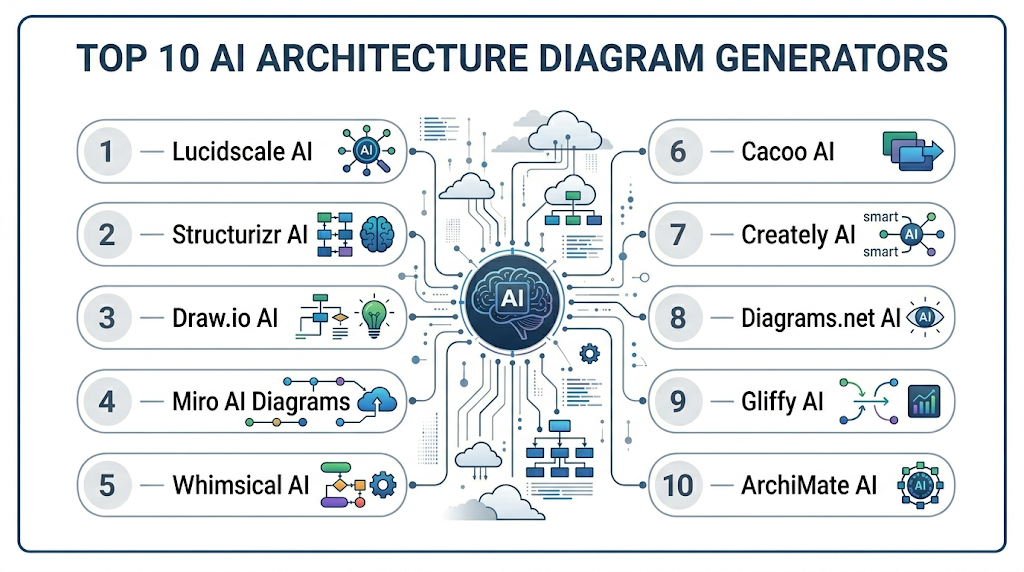
Top 10 AI Architecture Diagram Generators
1 — Lucidscale AI
One-line verdict: Best for cloud teams needing automated, interactive architecture diagrams from IaC or live environments.
Short description: Lucidscale AI automatically visualizes cloud infrastructure from AWS, Azure, or GCP. It converts code and IaC scripts into interactive diagrams that highlight dependencies and relationships. Ideal for architecture reviews, audits, and onboarding, it enables real-time collaboration and generates ready-to-share diagrams.
Standout Capabilities
- Cloud resource detection and relationship mapping
- Interactive zoom and element highlighting
- IaC integration for automated updates
- Versioned diagram management
- Collaboration with annotations
- Custom styling and branding
AI-Specific Depth
- Model support: Proprietary
- RAG / knowledge integration: N/A
- Evaluation: Automated consistency checks
- Guardrails: Sensitive data protection
- Observability: Token usage, update metrics
Pros
- Saves manual diagramming time
- Supports complex multi-cloud architectures
- Enables team collaboration
Cons
- Limited on-prem support
- Paid features for advanced functionality
- Initial IaC integration setup required
Security & Compliance
- SSO, RBAC, audit logs, encryption
- Not publicly stated
Deployment & Platforms
- Web
- Cloud
Integrations & Ecosystem
- AWS, Azure, GCP APIs
- CI/CD pipelines
- GitHub/GitLab
- Slack/Teams
Pricing Model
Tiered subscription
Best-Fit Scenarios
- Multi-cloud architecture reviews
- Enterprise environments
- DevOps visualization
2 — Structurizr AI
One-line verdict: Ideal for software architects needing automated C4 diagrams and dependency visualization.
Short description: Structurizr AI generates C4 model diagrams, mapping systems, containers, and components. It tracks dependencies and changes, providing interactive visualizations for design reviews and documentation. Useful for agile teams and DevOps groups needing consistent architecture documentation.
Standout Capabilities
- Automated C4 diagram generation
- Dependency detection across microservices
- Interactive exploration and version tracking
- Collaboration and annotations
- Export options for presentations
AI-Specific Depth
- Model support: Proprietary / Varies
- RAG / knowledge integration: N/A
- Evaluation: Regression checks and human review
- Guardrails: Sensitive data enforcement
- Observability: Metrics and change logs
Pros
- Structured C4 modeling
- Interactive visualizations
- Tracks system evolution
Cons
- Limited cloud detection
- Requires C4 knowledge for customization
- Paid tiers for collaboration
Security & Compliance
- SSO, RBAC, encryption
- Not publicly stated
Deployment & Platforms
- Web, Cloud / Self-hosted
Integrations & Ecosystem
- GitHub/GitLab
- CI/CD pipelines
- Jira/Confluence
- API for automation
Pricing Model
Tiered subscription
Best-Fit Scenarios
- Microservices teams
- Agile development
- Enterprise documentation
3 — Draw.io AI
One-line verdict: Best for teams seeking versatile diagramming with AI-assisted layout suggestions and automation.
Short description: Draw.io AI enhances diagramming by automatically suggesting layouts and arranging components for system and cloud architectures. It supports real-time collaboration, version tracking, and easy export to multiple formats. Teams can quickly produce diagrams for planning, documentation, and presentations without manual formatting.
Standout Capabilities
- AI-assisted layout and auto-arrangement
- Real-time team collaboration
- Version history and rollback
- Supports multiple export formats (PNG, SVG, PDF)
- Templates for common architecture patterns
- Drag-and-drop editing with AI suggestions
AI-Specific Depth
- Model support: Proprietary
- RAG / knowledge integration: N/A
- Evaluation: Automated layout checks
- Guardrails: N/A
- Observability: Token usage and diagram update metrics
Pros
- Speeds up diagram creation
- Easy collaboration and sharing
- Flexible diagram styles
Cons
- Limited advanced architecture analytics
- Mostly cloud-focused
- Requires some manual adjustments for complex systems
Security & Compliance
- SSO, RBAC, encryption
- Not publicly stated
Deployment & Platforms
- Web, Windows, macOS, Linux
- Cloud
Integrations & Ecosystem
- Google Drive, Microsoft OneDrive
- Slack/Teams
- GitHub/GitLab integration
- API for automation
Pricing Model
Free tier with subscription for advanced features
Best-Fit Scenarios
- General-purpose cloud and software architecture
- Collaborative design teams
- Knowledge sharing and documentation
4 — Miro AI Diagrams
One-line verdict: Ideal for collaborative teams needing AI-powered visual boards for architecture and system planning.
Short description: Miro AI Diagrams converts text notes, whiteboards, or design ideas into structured architecture visuals. Teams can collaborate in real-time, annotate diagrams, and integrate with project management tools. The AI also suggests improvements to layouts and highlights dependencies.
Standout Capabilities
- Text-to-diagram AI conversion
- Real-time collaboration and commenting
- Interactive whiteboard-style diagrams
- Version tracking and history
- Template library for system designs
- Integration with project management tools
AI-Specific Depth
- Model support: Proprietary
- RAG / knowledge integration: N/A
- Evaluation: Layout validation and consistency checks
- Guardrails: N/A
- Observability: Change metrics and collaboration activity
Pros
- Supports brainstorming and design reviews
- Interactive and engaging visuals
- Easy for non-technical stakeholders
Cons
- Limited automated cloud environment detection
- Paid tiers required for full feature set
- Less suited for complex IaC integration
Security & Compliance
- SSO, RBAC, encryption
- Not publicly stated
Deployment & Platforms
- Web, iOS, Android
- Cloud
Integrations & Ecosystem
- Jira, Confluence
- Slack, Teams
- Google Drive, OneDrive
- API access for automation
Pricing Model
Tiered subscription plans
Best-Fit Scenarios
- Cross-functional team workshops
- Architecture planning and brainstorming
- Project management visualization
5 — Whimsical AI
One-line verdict: Best for fast, lightweight diagramming with AI-assisted system and workflow visuals.
Short description: Whimsical AI generates clean architecture diagrams from text or code snippets. It supports team collaboration, drag-and-drop editing, and AI-assisted layouts. Ideal for producing quick visuals for presentations, documentation, or internal knowledge sharing.
Standout Capabilities
- AI-assisted layout suggestions
- Drag-and-drop editing
- Collaboration and commenting
- Template and style customization
- Real-time updates with version tracking
AI-Specific Depth
- Model support: Proprietary
- RAG / knowledge integration: N/A
- Evaluation: Layout consistency validation
- Guardrails: N/A
- Observability: Update metrics
Pros
- Fast diagram creation
- Lightweight and easy to use
- Collaborative editing
Cons
- Limited advanced architecture analytics
- Cloud-dependent
- Not ideal for very large diagrams
Security & Compliance
- SSO, RBAC, encryption
- Not publicly stated
Deployment & Platforms
- Web
- Cloud
Integrations & Ecosystem
- Slack, Teams
- Jira, Confluence
- Export to PNG, PDF, SVG
- API integration
Pricing Model
Free tier, paid subscription for advanced features
Best-Fit Scenarios
- Quick diagram creation for teams
- Presentations and internal documentation
- Brainstorming or design workshops
6 — Cacoo AI
One-line verdict: Ideal for organizations needing cloud and system diagrams with AI-based suggestions.
Short description: Cacoo AI automates architecture diagram generation, offering layout recommendations, real-time collaboration, and version tracking. Supports cloud, network, and software system diagrams. Teams can quickly visualize architectures for planning, documentation, and reviews.
Standout Capabilities
- Auto-layout suggestions
- Multi-user collaboration
- Version history and diagram comparisons
- Template library for architecture and workflows
- Export options for reports and presentations
AI-Specific Depth
- Model support: Proprietary
- RAG / knowledge integration: N/A
- Evaluation: Layout and dependency checks
- Guardrails: N/A
- Observability: Collaboration activity metrics
Pros
- Speeds diagram creation
- Collaborative editing
- Template library for standardization
Cons
- Paid subscription required for full features
- Limited integration with IaC
- Not suited for extremely large enterprise systems
Security & Compliance
- SSO, RBAC, encryption
- Not publicly stated
Deployment & Platforms
- Web, Windows, macOS
- Cloud
Integrations & Ecosystem
- Slack, Teams
- Google Drive, OneDrive
- Confluence, Jira
- API access
Pricing Model
Tiered subscription
Best-Fit Scenarios
- Cloud architecture visualization
- Team collaboration and planning
- Knowledge sharing for system designs
7 — Creately AI
One-line verdict: Best for teams wanting AI-assisted diagrams with integrated templates for enterprise architecture.
Short description: Creately AI transforms text or existing diagrams into structured architecture visuals. It offers templates, drag-and-drop editing, and collaborative features. Teams can quickly produce clear diagrams for design reviews, planning, and internal documentation.
Standout Capabilities
- AI-assisted conversion from text or sketches
- Template library for common architecture patterns
- Collaboration with real-time editing and comments
- Version history and diagram comparison
- Export options for presentations and reports
AI-Specific Depth
- Model support: Proprietary
- RAG / knowledge integration: N/A
- Evaluation: Layout and consistency checks
- Guardrails: N/A
- Observability: Metrics for collaboration and diagram updates
Pros
- Fast diagram creation
- Easy collaboration for teams
- Customizable templates and styling
Cons
- Limited advanced cloud architecture features
- Cloud subscription required for full features
- Manual adjustment may be needed for large systems
Security & Compliance
- SSO, RBAC, encryption
- Not publicly stated
Deployment & Platforms
- Web, Windows, macOS
- Cloud
Integrations & Ecosystem
- Slack, Teams
- Jira, Confluence
- Export to PNG, PDF, SVG
- API access
Pricing Model
Tiered subscription
Best-Fit Scenarios
- Enterprise architecture planning
- Team collaboration and reviews
- Knowledge sharing and documentation
8 — Diagrams.net AI
One-line verdict: Ideal for developers needing AI-assisted system diagrams with minimal setup.
Short description: Diagrams.net AI automatically arranges nodes and connections for software and network diagrams. It supports real-time collaboration and versioning. Teams can quickly generate accurate visuals for documentation, presentations, or design discussions without manual formatting.
Standout Capabilities
- Automatic node arrangement and layout
- Collaborative editing and version tracking
- Drag-and-drop diagram adjustments
- Multiple export options
- Templates for common architectures
AI-Specific Depth
- Model support: Proprietary
- RAG / knowledge integration: N/A
- Evaluation: Layout validation
- Guardrails: N/A
- Observability: Metrics for diagram usage
Pros
- Fast and intuitive
- Collaboration features for teams
- Supports multiple diagram types
Cons
- Limited advanced automation
- Cloud-dependent for some features
- Less suitable for large enterprise architectures
Security & Compliance
- SSO, RBAC, encryption
- Not publicly stated
Deployment & Platforms
- Web, Windows, macOS, Linux
- Cloud
Integrations & Ecosystem
- Slack, Teams
- Jira, Confluence
- GitHub/GitLab
- Export options
Pricing Model
Free with optional paid features
Best-Fit Scenarios
- Developer-focused diagramming
- Internal system documentation
- Quick architecture visualization
9 — Gliffy AI
One-line verdict: Best for agile teams requiring AI-enhanced diagrams for cloud and application architectures.
Short description: Gliffy AI generates diagrams from text, specifications, or templates, automatically arranging components and connections. It supports version tracking, real-time collaboration, and export to multiple formats. Teams can create clear visuals for agile sprints, design reviews, and system documentation.
Standout Capabilities
- Auto-arrangement of diagram elements
- Collaboration with comments and approvals
- Version history and rollback
- Templates for common system designs
- Export in multiple formats
AI-Specific Depth
- Model support: Proprietary
- RAG / knowledge integration: N/A
- Evaluation: Layout and dependency checks
- Guardrails: N/A
- Observability: Metrics for diagram edits
Pros
- Quick diagram generation
- Supports collaboration across teams
- Versioning for tracking updates
Cons
- Limited complex system analytics
- Paid subscription required for full functionality
- Cloud-focused
Security & Compliance
- SSO, RBAC, encryption
- Not publicly stated
Deployment & Platforms
- Web
- Cloud
Integrations & Ecosystem
- Jira, Confluence
- Slack, Teams
- Google Drive
- API access
Pricing Model
Tiered subscription
Best-Fit Scenarios
- Agile development teams
- Cloud and application architecture
- System documentation and presentations
10 — ArchiMate AI
One-line verdict: Ideal for enterprise architects needing AI-powered modeling in standardized frameworks.
Short description: ArchiMate AI generates enterprise architecture diagrams following the ArchiMate framework. It visualizes dependencies, business processes, and systems in a structured way. Useful for governance, compliance, and knowledge sharing across large organizations and complex enterprise systems.
Standout Capabilities
- Standardized ArchiMate modeling
- Visualizes business, application, and technology layers
- Tracks dependencies and changes
- Collaboration with annotations
- Versioned diagram management
AI-Specific Depth
- Model support: Proprietary
- RAG / knowledge integration: N/A
- Evaluation: Regression checks and human review
- Guardrails: Sensitive architecture data protection
- Observability: Metrics for usage and edits
Pros
- Standardized enterprise architecture
- Maintains version history
- Supports collaboration and compliance
Cons
- Requires knowledge of ArchiMate standards
- Cloud subscription may be needed
- Less suitable for small teams
Security & Compliance
- SSO, RBAC, encryption
- Not publicly stated
Deployment & Platforms
- Web, Windows, macOS
- Cloud
Integrations & Ecosystem
- Jira, Confluence
- Slack, Teams
- API access for automation
- Export to multiple formats
Pricing Model
Tiered subscription
Best-Fit Scenarios
- Enterprise architecture teams
- Governance and compliance documentation
- Multi-team collaboration
Comparison Table
| Tool Name | Best For | Deployment | Model Flexibility | Strength | Watch-Out | Public Rating |
|---|---|---|---|---|---|---|
| Lucidscale AI | Cloud teams | Cloud | Proprietary | Auto cloud diagrams | On-prem support limited | N/A |
| Structurizr AI | Software architects | Cloud / Self-hosted | Proprietary | C4 model generation | Requires C4 knowledge | N/A |
| Draw.io AI | Teams needing versatile diagramming | Web, Cloud | Proprietary | Auto-layout suggestions | Limited advanced analytics | N/A |
| Miro AI Diagrams | Collaborative design teams | Web, Cloud, iOS, Android | Proprietary | Whiteboard & AI conversion | Paid tiers for full features | N/A |
| Whimsical AI | Quick workflow visuals | Web, Cloud | Proprietary | Fast, lightweight diagrams | Not for large complex systems | N/A |
| Cacoo AI | Cloud and system diagrams | Web, Cloud | Proprietary | Collaborative multi-user diagrams | Limited IaC integration | N/A |
| Creately AI | Enterprise teams | Web, Cloud | Proprietary | Templates and AI-assisted layouts | Paid subscription required | N/A |
| Diagrams.net AI | Developers needing quick diagrams | Web, Windows, macOS, Linux | Proprietary | Auto-node arrangement | Limited enterprise features | N/A |
| Gliffy AI | Agile teams | Web, Cloud | Proprietary | Quick diagram generation | Limited analytics for complex systems | N/A |
| ArchiMate AI | Enterprise architects | Web, Cloud | Proprietary | Standardized enterprise diagrams | Requires ArchiMate knowledge | N/A |
Scoring & Evaluation (Transparent Rubric)
Scoring is comparative, highlighting relative strengths of each tool. Weighted Total uses: Core features 20%, AI reliability 15%, Guardrails & safety 10%, Integrations 15%, Ease of use 10%, Performance & cost 15%, Security/Admin 10%, Support/Community 5%.
| Tool | Core | Reliability/Eval | Guardrails | Integrations | Ease | Perf/Cost | Security/Admin | Support | Weighted Total |
|---|---|---|---|---|---|---|---|---|---|
| Lucidscale AI | 9 | 9 | 8 | 9 | 8 | 9 | 8 | 8 | 8.8 |
| Structurizr AI | 8 | 8 | 8 | 8 | 7 | 8 | 8 | 7 | 7.9 |
| Draw.io AI | 8 | 7 | 7 | 8 | 8 | 8 | 7 | 7 | 7.7 |
| Miro AI Diagrams | 8 | 8 | 7 | 8 | 8 | 8 | 7 | 7 | 7.8 |
| Whimsical AI | 7 | 7 | 7 | 7 | 8 | 7 | 7 | 7 | 7.3 |
| Cacoo AI | 8 | 7 | 7 | 8 | 7 | 7 | 7 | 7 | 7.4 |
| Creately AI | 8 | 7 | 7 | 8 | 7 | 7 | 7 | 7 | 7.4 |
| Diagrams.net AI | 7 | 7 | 7 | 7 | 7 | 7 | 6 | 6 | 6.8 |
| Gliffy AI | 7 | 7 | 7 | 7 | 7 | 7 | 6 | 6 | 6.8 |
| ArchiMate AI | 8 | 8 | 8 | 8 | 7 | 8 | 7 | 7 | 7.8 |
Top 3 for Enterprise:
- Lucidscale AI: Scales to large cloud and multi-team environments, integrates with IaC pipelines, and supports real-time collaboration.
- Structurizr AI: Ideal for enterprise architecture teams needing standardized C4 diagrams and versioning.
- ArchiMate AI: Best for enterprise modeling, governance, and compliance with structured frameworks.
Top 3 for SMB:
- Miro AI Diagrams: Supports agile teams and cross-functional collaboration with interactive boards.
- Draw.io AI: Flexible, versatile, and lightweight for small to mid-sized teams.
- Cacoo AI: Multi-user collaboration with templates, suitable for SMB architecture projects.
Top 3 for Developers:
- Whimsical AI: Fast, lightweight diagram generation for developers or small teams.
- Diagrams.net AI: Quick diagrams with AI-assisted node arrangement for individual or dev-focused teams.
- Gliffy AI: Agile-friendly diagrams with simple collaboration for developer teams.
Which AI Architecture Diagram Generator Tool Is Right for You?
Solo / Freelancer
- Diagrams.net AI or Whimsical AI are lightweight, fast, and easy to use for individual projects or small-scale architecture.
- Good for prototyping, documentation, or personal use without extensive enterprise features.
SMB
- Miro AI Diagrams, Draw.io AI, and Cacoo AI balance AI automation, collaboration, and ease of use.
- Ideal for small teams needing interactive, shareable diagrams with minimal setup.
Mid-Market
- Lucidscale AI, Creately AI, and Gliffy AI provide versioning, template libraries, and multi-user collaboration.
- Suitable for companies scaling infrastructure diagrams across multiple projects.
Enterprise
- Lucidscale AI, Structurizr AI, and ArchiMate AI deliver enterprise-grade security, governance, multi-cloud support, and compliance features.
- Best for multi-team environments, audits, and large-scale architecture documentation.
Regulated industries (finance/healthcare/public sector)
- Choose tools with strong RBAC, audit logs, encryption, and compliance support, such as Lucidscale AI, Structurizr AI, and ArchiMate AI.
Budget vs Premium
- Open-source/lightweight options like Diagrams.net AI or Whimsical AI are cost-efficient.
- Enterprise tools (Lucidscale AI, ArchiMate AI) provide full collaboration, versioning, and compliance features at higher cost.
Build vs Buy
- DIY with open-source tools works for small projects or internal teams.
- Enterprise SaaS solutions are recommended for scale, governance, and cross-team consistency.
Implementation Playbook (30 / 60 / 90 Days)
30 Days – Pilot & Metrics:
- Select 1–2 key systems to generate diagrams.
- Define metrics for accuracy, usability, and completeness.
- Validate AI-generated diagrams against system reality.
60 Days – Harden Security & Rollout:
- Integrate with CI/CD and infrastructure pipelines for automatic updates.
- Implement RBAC, audit logging, and guardrails for sensitive data.
- Train teams on workflows and collaboration features.
90 Days – Optimize & Scale:
- Monitor usage, latency, and cost efficiency.
- Expand diagram coverage to all systems and microservices.
- Standardize templates and enforce version control for consistency.
- Use analytics to improve diagram quality and adoption.
Common Mistakes & How to Avoid Them
- Over-relying on AI without human review.
- Ignoring guardrails, risking sensitive data exposure.
- Skipping evaluation and validation of diagram accuracy.
- Not tracking versions, causing inconsistencies.
- Failing to integrate with CI/CD pipelines.
- Poor observability on diagram updates and usage.
- Over-automation without stakeholder review.
- Vendor lock-in without export options.
- Skipping multilingual or multi-team support.
- Underestimating cost for large diagram generations.
- Inconsistent formatting or style across teams.
- Neglecting collaboration features.
- Not auditing AI outputs for compliance.
- Missing templates for common architecture patterns.
FAQs
- What is an AI Architecture Diagram Generator?
AI tools that create, update, and maintain diagrams for software systems, cloud infrastructure, and workflows. - Can I integrate these tools with CI/CD pipelines?
Yes, most enterprise-grade tools support pipeline integration for automated diagram updates. - Are diagrams updated automatically when systems change?
Tools like Lucidscale AI and Structurizr AI detect IaC or cloud changes and refresh diagrams automatically. - Can I self-host any of these tools?
Some, like Structurizr AI or Diagrams.net AI, support self-hosting; most enterprise SaaS options are cloud-based. - Do these tools support collaboration?
Yes, they allow real-time editing, annotations, approvals, and version tracking for teams. - Can AI detect dependencies or bottlenecks?
Advanced tools analyze system relationships and highlight dependencies, potential bottlenecks, and architecture gaps. - Are diagrams exportable for presentations?
Yes, all top tools support exporting diagrams to formats like PNG, PDF, or SVG. - Do they handle multi-cloud environments?
Lucidscale AI, Cacoo AI, and Miro AI Diagrams provide multi-cloud visualization support. - Are there templates for common architecture patterns?
Most tools offer templates for microservices, cloud resources, networks, and enterprise architecture. - What about security and privacy?
Enterprise tools provide SSO, RBAC, encryption, and data handling policies. - Do these tools support multiple diagram standards?
Yes, tools like Structurizr AI support C4, while ArchiMate AI follows ArchiMate standards. - What is the cost model?
Typically tiered subscriptions for enterprise SaaS; some tools offer free/lightweight or open-source versions.
Conclusion
AI Architecture Diagram Generators have become indispensable for modern software and cloud teams, enabling rapid, accurate, and interactive visualization of complex systems, microservices, and multi-cloud environments. By automating diagram creation and updates, these tools reduce manual effort, minimize errors, and ensure consistent documentation across teams and projects. They enhance collaboration between architects, developers, and operations, providing real-time updates, annotations, and version history to support governance and compliance. The tools also integrate with CI/CD pipelines, infrastructure-as-code workflows, and observability platforms, allowing diagrams to reflect live system changes and highlight dependencies or potential bottlenecks. Selecting the right solution depends on factors like system complexity, team size, security, compliance, and integration needs.
Next steps:
- Shortlist tools based on workflow, team size, and integration requirements.
- Pilot implementation on a few systems to validate accuracy, usability, and automation.
- Verify security, compliance, and evaluation measures before scaling.
- Scale adoption across teams, standardizing templates, versioning, and collaboration practi
A very informative article that explains how AI is simplifying architecture diagram creation. The comparison format is professional, engaging, and highly useful for technical teams.