Introduction
AI UI-to-Code Generators are advanced tools that convert visual interface designs into functional front-end code automatically. Using AI, these platforms can interpret design files, mockups, or sketches and produce production-ready HTML, CSS, JavaScript, or framework-specific components.
The demand for these tools is rising as development teams seek faster prototyping, reduced handoff errors, and seamless designer-developer collaboration. They allow designers and developers to iterate quickly, generate standardized code, and maintain consistent user interfaces across applications.
Why It Matters
- Speeds up front-end development: Converts UI designs into usable code quickly.
- Reduces miscommunication: Bridges the gap between designers and developers.
- Enhances consistency: Generates code following best practices and design standards.
- Supports rapid prototyping: Allows teams to test interfaces without manual coding.
- Improves collaboration: Designers can see their work translated directly into code.
- Optimizes resource allocation: Developers can focus on complex logic instead of repetitive UI coding.
Real-World Use Cases
- Converting Figma or Sketch designs into React, Vue, or Angular components.
- Auto-generating responsive front-end layouts for mobile and web apps.
- Rapid prototyping for MVP development.
- Translating UI mockups into working dashboards or portals.
- Ensuring consistent design-to-code translation across large teams.
- Accelerating development in startups or fast-paced product teams.
Evaluation Criteria for Buyers
- Accuracy of UI-to-code translation
- Supported frameworks and languages
- Integration with design tools (Figma, Sketch, Adobe XD)
- Customization and theming support
- Code quality and maintainability
- Security and privacy for proprietary designs
- Multimodal input support (mockups, sketches, text annotations)
- Collaboration features for teams
- Evaluation and testing capabilities
- Performance and latency
- Guardrails to prevent generation errors
- Observability and metrics
Best for: front-end developers, UI/UX teams, startups, agencies, and enterprises needing fast prototyping and standardized code.
Not ideal for: small static projects, non-interactive mockups, or teams that prefer manual coding.
What’s Changed in AI UI-to-Code Generators
- Agentic workflows that convert design feedback into improved code.
- Multimodal inputs: sketches, mockups, and textual annotations.
- Evaluation and testing integrated into code generation for reliability.
- Guardrails against generating insecure or malformed code.
- Enterprise privacy features: data residency, retention controls, and encrypted file handling.
- Cost and latency optimization via efficient model routing and caching.
- Observability dashboards: token usage, generation latency, and code success metrics.
- Integration with CI/CD pipelines for live UI deployment.
- Governance and compliance: audit-ready code generation logs.
- Collaboration and version tracking for teams and stakeholders.
Quick Buyer Checklist (Scan-Friendly)
- Data privacy & retention policies
- Model choice: hosted, BYO, open-source, multi-model routing
- RAG/knowledge integration (if using design system libraries)
- Evaluation/testing for generated UI components
- Guardrails for secure and maintainable code
- Latency & cost controls for large projects
- Auditability & admin controls
- Vendor lock-in risk and export capabilities
- Integration with Figma, Sketch, Adobe XD
- Support for React, Vue, Angular, or other frameworks
- Team collaboration and versioning
- Ability to customize themes, styling, and component patterns
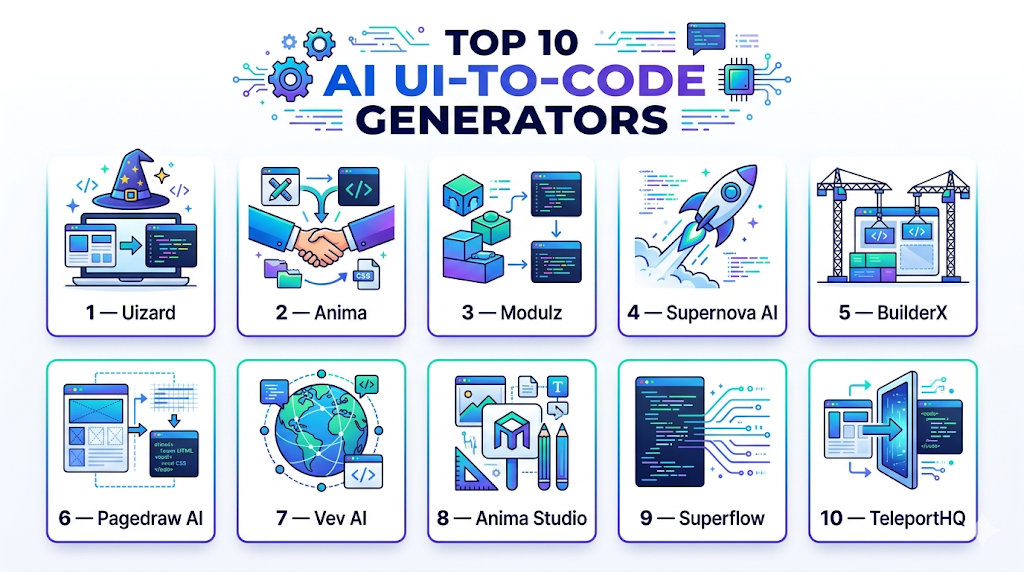
Top 10 AI UI-to-Code Generators
1 — Uizard
One-line verdict: Best for fast prototyping and design-to-code conversion for startup and SMB front-end teams.
Short description: Uizard AI converts wireframes, sketches, and mockups into production-ready code. It is ideal for small teams and startups that need to rapidly transform UI designs into working prototypes with minimal handoff errors.
Standout Capabilities
- Converts sketches, mockups, and wireframes into code
- Generates HTML, CSS, and React components
- Supports responsive design and theming
- Collaboration tools for multiple team members
- Version control and real-time feedback
- Export-ready code for CI/CD integration
AI-Specific Depth
- Model support: Proprietary
- RAG / knowledge integration: N/A
- Evaluation: Automated UI tests and human review
- Guardrails: Prevents layout and code errors
- Observability: Tracks generation success, latency, and team usage
Pros
- Rapid prototyping from UI designs
- Reduces manual coding errors
- Supports collaboration
Cons
- Limited framework flexibility beyond React
- Advanced features require paid plan
- May require adjustments for large, complex interfaces
Security & Compliance
- SSO, RBAC, encryption
- Not publicly stated
Deployment & Platforms
- Web
- Cloud
Integrations & Ecosystem
- Figma, Sketch, Adobe XD
- GitHub, GitLab
- CI/CD pipelines
- Export code to multiple formats
Pricing Model
Tiered subscription
Best-Fit Scenarios
- Startup product prototyping
- Small to medium design teams
- Rapid front-end iteration
2 — Anima
One-line verdict: Ideal for design-driven teams converting Figma and Sketch prototypes into responsive React or HTML code.
Short description: Anima transforms design files into responsive front-end code with pixel-perfect fidelity. It is widely used by product teams and agencies seeking to reduce developer handoff errors and accelerate deployment of user interfaces.
Standout Capabilities
- Converts Figma, Sketch, and Adobe XD designs to HTML/CSS/React
- Generates responsive, cross-platform layouts
- Supports design system components
- Real-time collaboration and annotations
- Versioning and history tracking
AI-Specific Depth
- Model support: Proprietary
- RAG / knowledge integration: Design system libraries
- Evaluation: Pixel and layout consistency checks
- Guardrails: Enforces component and style guidelines
- Observability: Tracks code generation success and latency
Pros
- High fidelity code generation
- Supports responsive design
- Reduces handoff friction between design and development
Cons
- Best suited for React and web front-end
- Advanced features behind enterprise plan
- May require manual refinement for complex layouts
Security & Compliance
- SSO, encryption, RBAC
- Not publicly stated
Deployment & Platforms
- Web, Mac
- Cloud
Integrations & Ecosystem
- Figma, Sketch, Adobe XD
- GitHub, GitLab
- CI/CD pipelines
- Export to HTML, CSS, React
Pricing Model
Tiered subscription
Best-Fit Scenarios
- Product agencies
- Design-to-code handoff acceleration
- Front-end development teams
3 — Modulz
One-line verdict: Best for design and development teams seeking production-ready React and CSS code from UI mockups.
Short description: Modulz converts visual design files into production-ready front-end code, generating React components and CSS automatically. It is ideal for teams wanting rapid prototyping and consistent code output from high-fidelity mockups, supporting design system enforcement.
Standout Capabilities
- Converts Figma and Sketch designs to React and CSS
- Supports responsive layouts and theming
- Real-time collaboration and team annotations
- Version control and code export
- Enforces design system consistency
AI-Specific Depth
- Model support: Proprietary
- RAG / knowledge integration: Design systems
- Evaluation: Layout and component checks
- Guardrails: Enforces style and code conventions
- Observability: Tracks generation metrics and latency
Pros
- Accelerates prototyping
- Maintains design consistency
- Reduces manual coding effort
Cons
- Primarily React-focused
- Paid subscription required
- Some advanced layouts may need manual refinement
Security & Compliance
- SSO, RBAC, encryption
- Not publicly stated
Deployment & Platforms
- Web, Windows, macOS
- Cloud
Integrations & Ecosystem
- Figma, Sketch
- GitHub, GitLab
- CI/CD pipelines
- Export to React and CSS
Pricing Model
Tiered subscription
Best-Fit Scenarios
- Rapid UI prototyping
- Design-to-code handoff
- Product development teams
4 — Supernova AI
One-line verdict: Ideal for design systems teams converting UI into production-ready Swift, Kotlin, or React code.
Short description: Supernova AI transforms design files into maintainable production code for mobile and web platforms. Teams can enforce design system rules, generate responsive components, and accelerate developer onboarding.
Standout Capabilities
- Converts design files to Swift, Kotlin, React code
- Supports mobile and web responsive design
- Maintains design system consistency
- Collaboration with annotations and version history
- Export-ready production code
AI-Specific Depth
- Model support: Proprietary
- RAG / knowledge integration: Design systems
- Evaluation: Layout, responsiveness, component tests
- Guardrails: Enforces secure and maintainable code
- Observability: Tracks generation success and usage metrics
Pros
- Multi-platform code generation
- Maintains design consistency
- Reduces developer handoff errors
Cons
- Focused on mobile and React frameworks
- Paid enterprise plan for full features
- Learning curve for complex design systems
Security & Compliance
- SSO, RBAC, encryption
- Not publicly stated
Deployment & Platforms
- Web
- Cloud
Integrations & Ecosystem
- Figma, Sketch, Adobe XD
- GitHub, GitLab
- CI/CD pipelines
Pricing Model
Tiered subscription
Best-Fit Scenarios
- Mobile and web development
- Design system enforcement
- Enterprise UI development
5 — BuilderX
One-line verdict: Best for teams converting Figma designs directly into React Native or Flutter code.
Short description: BuilderX generates React Native and Flutter components from Figma designs. It helps teams rapidly prototype and produce mobile-ready front-end code while maintaining pixel-perfect fidelity.
Standout Capabilities
- Converts Figma mockups to React Native or Flutter code
- Supports responsive layouts and mobile design patterns
- Real-time collaboration and code export
- Maintains design system components
- Version control and project history
AI-Specific Depth
- Model support: Proprietary
- RAG / knowledge integration: N/A
- Evaluation: Pixel and layout validation
- Guardrails: Prevents layout and code errors
- Observability: Tracks token usage and code generation success
Pros
- Accelerates mobile development
- Maintains design fidelity
- Reduces manual coding for UI
Cons
- Limited to React Native and Flutter
- Paid tiers required for enterprise features
- Large projects may need manual adjustments
Security & Compliance
- SSO, RBAC, encryption
- Not publicly stated
Deployment & Platforms
- Web
- Cloud
Integrations & Ecosystem
- Figma, GitHub, GitLab
- CI/CD pipelines
- Export to mobile frameworks
Pricing Model
Subscription-based
Best-Fit Scenarios
- Mobile app prototyping
- Developer-designer collaboration
- Rapid iteration of mobile interfaces
6 — Pagedraw AI
One-line verdict: Ideal for developers wanting automatic React code from visual UI prototypes.
Short description: Pagedraw AI converts visual UI designs into production-ready React components. It supports responsive layouts, design system integration, and collaborative editing for fast front-end development.
Standout Capabilities
- Converts visual designs into React code
- Supports responsive UI and component hierarchy
- Real-time collaboration with annotations
- Maintains design system compliance
- Versioning and export-ready components
AI-Specific Depth
- Model support: Proprietary
- RAG / knowledge integration: N/A
- Evaluation: UI consistency validation
- Guardrails: Style and component enforcement
- Observability: Tracks success and latency
Pros
- Rapid front-end development
- Maintains UI consistency
- Supports team collaboration
Cons
- React-focused only
- Paid plan required for full functionality
- Advanced layouts may need manual adjustment
Security & Compliance
- SSO, RBAC, encryption
- Not publicly stated
Deployment & Platforms
- Web
- Cloud
Integrations & Ecosystem
- Figma, Sketch
- GitHub, CI/CD pipelines
- Export React components
Pricing Model
Tiered subscription
Best-Fit Scenarios
- React web apps
- Design-to-code handoff
- Rapid prototyping
7 — Vev AI
One-line verdict: Best for teams generating production-ready code from design for web and landing pages.
Short description: Vev AI translates designs into HTML, CSS, and JavaScript for responsive web interfaces. It is widely used by marketers, designers, and small web development teams to quickly deploy pages without manual coding.
Standout Capabilities
- Converts mockups into responsive web code
- Supports HTML, CSS, JS export
- Interactive design features maintained
- Collaboration and real-time editing
- Templates and style standardization
AI-Specific Depth
- Model support: Proprietary
- RAG / knowledge integration: N/A
- Evaluation: Layout checks and responsiveness tests
- Guardrails: Enforces web standards
- Observability: Tracks usage and generation metrics
Pros
- Rapid landing page generation
- Maintains interactive design
- Easy collaboration
Cons
- Limited framework support
- Paid plan needed for advanced features
- Less suited for complex apps
Security & Compliance
- SSO, RBAC, encryption
- Not publicly stated
Deployment & Platforms
- Web
- Cloud
Integrations & Ecosystem
- Figma, Sketch
- GitHub, CI/CD
- Export HTML/CSS/JS
Pricing Model
Subscription-based
Best-Fit Scenarios
- Landing page creation
- Rapid prototyping
- Marketing websites
8 — Anima Studio
One-line verdict: Ideal for design-driven teams generating front-end code with Figma/Sketch integration.
Short description: Anima Studio converts design components into production-ready React, HTML, and CSS code while maintaining responsive layouts. Teams benefit from faster prototyping, design system compliance, and collaborative workflow.
Standout Capabilities
- Figma and Sketch integration
- Responsive code generation
- Design system support
- Collaboration and version tracking
- Export-ready production code
AI-Specific Depth
- Model support: Proprietary
- RAG / knowledge integration: Design systems
- Evaluation: Pixel-perfect validation
- Guardrails: Code standard enforcement
- Observability: Usage and generation metrics
Pros
- Maintains design fidelity
- Fast front-end code generation
- Supports collaborative workflows
Cons
- Limited framework options
- Paid subscription required
- Manual adjustment needed for complex layouts
Security & Compliance
- SSO, RBAC, encryption
- Not publicly stated
Deployment & Platforms
- Web
- Cloud
Integrations & Ecosystem
- Figma, Sketch, GitHub
- CI/CD pipelines
Pricing Model
Tiered subscription
Best-Fit Scenarios
- React apps
- Team prototyping
- Rapid iteration
9 — Superflow
One-line verdict: Best for product teams needing high-fidelity code generation from Figma/Sketch prototypes.
Short description: Superflow AI converts UI mockups into React or HTML/CSS components. It supports collaboration, responsive design, and automated export, making it suitable for teams accelerating front-end delivery.
Standout Capabilities
- Converts design files to production code
- Responsive layout support
- Collaboration with annotations and comments
- Version control and export
- Design system enforcement
AI-Specific Depth
- Model support: Proprietary
- RAG / knowledge integration: N/A
- Evaluation: Layout and component testing
- Guardrails: Enforces style and code standards
- Observability: Tracks success and latency
Pros
- Fast front-end generation
- Maintains design consistency
- Team collaboration enabled
Cons
- Limited framework support
- Enterprise features require subscription
- Advanced designs may need manual refinement
Security & Compliance
- SSO, RBAC, encryption
- Not publicly stated
Deployment & Platforms
- Web
- Cloud
Integrations & Ecosystem
- Figma, Sketch
- GitHub, CI/CD
Pricing Model
Subscription-based
Best-Fit Scenarios
- Prototyping React apps
- Team design handoff
- Production-ready UI
10 — TeleportHQ
One-line verdict: Ideal for teams needing visual-to-code automation with multi-framework support for web apps.
Short description: TeleportHQ AI generates React, Vue, Angular, HTML, and CSS code from UI designs. It supports collaborative workflows, responsive layouts, and export-ready code for production, accelerating front-end development.
Standout Capabilities
- Converts design files to multiple front-end frameworks
- Maintains responsive and accessible layouts
- Collaboration and annotation tools
- Version tracking and export
- Design system enforcement
AI-Specific Depth
- Model support: Proprietary
- RAG / knowledge integration: N/A
- Evaluation: Layout and component testing
- Guardrails: Secure and maintainable code generation
- Observability: Tracks usage, latency, and success rates
Pros
- Multi-framework support
- Responsive and accessible UI generation
- Collaborative workflow
Cons
- Subscription required for enterprise
- May need manual adjustment for complex UIs
- Some advanced components may require manual coding
Security & Compliance
- SSO, RBAC, encryption
- Not publicly stated
Deployment & Platforms
- Web
- Cloud
Integrations & Ecosystem
- Figma, Sketch, Adobe XD
- GitHub, CI/CD pipelines
Pricing Model
Tiered subscription
Best-Fit Scenarios
- Multi-framework front-end projects
- Collaborative design-to-code workflows
- Rapid prototyping
Comparison Table
| Tool Name | Best For | Deployment | Model Flexibility | Strength | Watch-Out | Public Rating |
|---|---|---|---|---|---|---|
| Uizard | Startups / SMBs | Cloud | Proprietary | Rapid prototyping | Limited framework options | N/A |
| Anima | Product teams | Cloud, Mac | Proprietary | Figma/Sketch conversion | React/web focus | N/A |
| Modulz | Design/dev teams | Cloud | Proprietary | React/CSS production-ready code | Paid plan for full features | N/A |
| Supernova AI | Mobile/web teams | Cloud | Proprietary | Multi-platform code | Learning curve for design systems | N/A |
| BuilderX | Mobile dev teams | Cloud | Proprietary | React Native / Flutter support | Limited to mobile frameworks | N/A |
| Pagedraw AI | React teams | Cloud | Proprietary | Visual-to-React code | React-only focus | N/A |
| Vev AI | Web/marketing teams | Cloud | Proprietary | Landing page generation | Limited framework support | N/A |
| Anima Studio | Front-end teams | Cloud | Proprietary | Design-to-React/HTML/CSS | Paid plan for advanced features | N/A |
| Superflow | Product teams | Cloud | Proprietary | High-fidelity React code | Enterprise features subscription | N/A |
| TeleportHQ | Multi-framework teams | Cloud | Proprietary | Multi-framework front-end | Manual refinement may be needed | N/A |
Scoring & Evaluation (Transparent Rubric)
Scoring is comparative, highlighting each tool’s relative strengths. Weighted Total uses: Core 20%, AI reliability 15%, Guardrails 10%, Integrations 15%, Ease 10%, Performance 15%, Security/Admin 10%, Support 5%.
| Tool | Core | Reliability/Eval | Guardrails | Integrations | Ease | Perf/Cost | Security/Admin | Support | Weighted Total |
|---|---|---|---|---|---|---|---|---|---|
| Uizard | 9 | 8 | 8 | 8 | 9 | 8 | 8 | 7 | 8.3 |
| Anima | 8 | 8 | 8 | 8 | 8 | 8 | 8 | 7 | 8.0 |
| Modulz | 8 | 7 | 8 | 8 | 7 | 8 | 7 | 7 | 7.6 |
| Supernova AI | 8 | 8 | 8 | 8 | 7 | 8 | 7 | 7 | 7.8 |
| BuilderX | 8 | 7 | 7 | 7 | 7 | 7 | 7 | 7 | 7.3 |
| Pagedraw AI | 8 | 7 | 7 | 7 | 7 | 7 | 7 | 6 | 7.1 |
| Vev AI | 7 | 7 | 7 | 7 | 8 | 7 | 7 | 6 | 7.0 |
| Anima Studio | 8 | 7 | 8 | 7 | 7 | 7 | 7 | 6 | 7.2 |
| Superflow | 8 | 8 | 7 | 7 | 7 | 7 | 7 | 6 | 7.3 |
| TeleportHQ | 8 | 8 | 7 | 8 | 7 | 7 | 7 | 6 | 7.4 |
Top 3 for Enterprise:
- Uizard: Rapid prototyping and collaboration for SMBs and enterprise teams.
- Supernova AI: Multi-platform code generation for mobile and web applications.
- TeleportHQ: Supports multi-framework production-ready front-end projects.
Top 3 for SMB:
- Anima: Figma/Sketch-to-code for small to mid-sized teams.
- BuilderX: React Native and Flutter rapid prototyping for mobile apps.
- Superflow: High-fidelity React code for mid-market teams.
Top 3 for Developers:
- Pagedraw AI: React-focused code generation.
- Anima Studio: Front-end component generation for small teams.
- Vev AI: Marketing and landing page prototypes for individual developers or small teams.
Which AI UI-to-Code Tool Is Right for You?
Solo / Freelancer
- Vev AI or Pagedraw AI for small projects, landing pages, and prototyping.
- Minimal setup, fast turnaround, easy to use.
SMB
- Uizard, Anima, BuilderX support collaborative design-to-code workflows.
- Suitable for teams needing rapid prototyping with design fidelity.
Mid-Market
- Superflow, TeleportHQ provide multi-framework support, CI/CD integration, and production-ready components.
- Good for growing teams standardizing front-end development.
Enterprise
- Uizard, Supernova AI, TeleportHQ offer enterprise collaboration, governance, and multi-platform production code.
- Ideal for large teams, regulated environments, or multi-product portfolios.
Regulated industries
- Tools with RBAC, SSO, encryption like Supernova AI and TeleportHQ are recommended for compliance.
Budget vs Premium
- Lightweight options (Vev AI, Pagedraw AI) are cost-efficient but limited in frameworks.
- Enterprise subscriptions (Supernova AI, TeleportHQ) provide full features, support, and integration.
Build vs Buy
- Open-source or DIY solutions (if available) suit experimentation.
- SaaS solutions recommended for speed, reliability, and cross-team consistency.
Implementation Playbook (30 / 60 / 90 Days)
30 Days – Pilot & Metrics:
- Select 1–2 UI designs for AI conversion.
- Measure accuracy, responsiveness, and code maintainability.
- Track developer adoption and identify edge cases.
- Collect feedback from designers and developers for refinement.
60 Days – Harden Security & Rollout:
- Integrate AI-generated code with IDEs and CI/CD pipelines.
- Apply guardrails to enforce design and coding standards.
- Establish review workflow: human verification before deployment.
- Standardize templates, themes, and reusable components.
- Monitor code generation latency, success rate, and collaboration metrics.
90 Days – Optimize & Scale:
- Expand AI code generation across multiple teams and projects.
- Refine prompts and templates to improve accuracy and maintain consistency.
- Integrate automated testing (unit, integration, regression) for generated components.
- Track cost, token usage, and performance metrics.
- Establish governance and version control policies for production-ready code.
- Conduct training sessions to reinforce best practices.
- Monitor observability dashboards to track errors, usage patterns, and adoption.
- Encourage cross-team collaboration, sharing reusable patterns and design systems.
Common Mistakes & How to Avoid Them
- Over-reliance on AI without human review
- Skipping evaluation and testing of generated code
- Unmanaged design or code retention
- Lack of observability or monitoring
- Unexpected costs due to excessive token usage
- Over-automation without verification
- Vendor lock-in without export options
- Ignoring version control and collaboration workflows
- Inconsistent code style and design fidelity
- Neglecting unit and integration testing
- Poor prompt or input quality
- Failing to integrate with CI/CD pipelines
- Missing guardrails for secure code
- Not sharing reusable design system components
FAQs
- What is an AI UI-to-Code Generator?
A tool that converts UI designs into production-ready code, automating front-end development. - Which design files are supported?
Figma, Sketch, Adobe XD, and other visual mockups. - Which programming frameworks are supported?
React, Angular, Vue, HTML/CSS, React Native, Flutter, depending on the tool. - Can AI generate responsive code?
Yes, most tools ensure layouts are mobile-friendly and responsive. - Are these tools secure for enterprise projects?
Enterprise options provide SSO, RBAC, and encryption for sensitive designs. - Can these tools integrate with CI/CD pipelines?
Yes, AI-generated components can be exported directly into pipelines for deployment. - Do these tools require manual refinement?
Some complex layouts may need minor adjustments post-generation. - Can multiple users collaborate on generated code?
Yes, real-time annotations, versioning, and approvals are supported by most platforms. - Are unit tests generated automatically?
Some tools provide inline test snippets for validation and QA purposes. - Are these tools cost-effective?
Open-source or lightweight options are free/low-cost; enterprise subscriptions add scale and features. - Can AI generate multi-platform code?
Yes, tools like Supernova AI and TeleportHQ support web, mobile, and multiple frameworks. - What are alternatives?
Manual coding, low-code platforms, and handoff from designers to developers remain options.
Conclusion
AI UI-to-Code Generators are transforming front-end development, bridging the gap between design and code. They accelerate prototyping, reduce handoff errors, and ensure consistent, production-ready interfaces. By using these tools, teams can focus on complex logic while AI handles repetitive coding tasks, enabling faster iterations and higher productivity. Choosing the right tool depends on team size, framework needs, design complexity, and governance requirements.
Next steps:
- Shortlist tools aligned with your design platforms and frameworks.
- Pilot AI code generation on a few UI projects to measure accuracy, responsiveness, and maintainability.
- Verify security, compliance, and workflow integration before scaling adoption.
- Scale across teams, standardizing templates, tracking metrics, and monitoring AI performance to maximize productivity and maintain high-quality UI code.
Really enjoyed reading this detailed analysis of AI UI-to-code tools. The pros and cons section adds great value for teams looking to speed up frontend development.