Introduction
AI Pair-Programming IDE Plugins are AI-powered extensions integrated into development environments that function like virtual coding partners. They provide real-time suggestions, detect potential bugs, generate tests, enforce style guides, and recommend best practices. These plugins are essential for accelerating development, maintaining code quality, and supporting collaborative workflows across teams.
Why it matters
- Boosts productivity by providing contextual code suggestions in real time.
- Improves code quality through automated refactoring, linting, and security checks.
- Supports multi-language projects across web, mobile, and backend frameworks.
- Enhances collaboration by sharing contextual AI recommendations across team members.
- Reduces ramp-up time for junior developers and new team members.
- Accelerates testing and debugging via AI-generated unit tests.
Real-world use cases:
- Live pair programming with AI recommending next steps in real time.
- Legacy code refactoring with minimal risk of breaking existing functionality.
- API integration assistance for complex microservices.
- Security vulnerability detection inline while coding.
- Continuous code review and enforcement of style guides.
- Knowledge transfer and mentoring for junior developers through explanations and suggestions.
Evaluation criteria for buyers:
- Ease of use and IDE integration
- Model flexibility: hosted vs BYO vs open-source
- Security & privacy: encryption, SSO/RBAC, retention controls
- Evaluation & testing: regression, hallucination detection, benchmark metrics
- Guardrails against unsafe code and prompt injection
- Observability: token usage, latency, cost tracking
- Integration options with CI/CD pipelines and APIs
- Scalability across multiple teams and repositories
- Cost and latency optimization
- Compliance and governance features
- Collaboration support and shared context
Best for: software engineers, mid-to-large development teams, and enterprises in technology, finance, or healthcare seeking efficient AI-assisted pair programming.
Not ideal for: teams with minimal scripting requirements or those relying purely on manual code review.
What’s Changed in AI Pair-Programming IDE Plugins
- Agentic workflows for multi-step code completion.
- Tool and API calling directly from IDEs.
- Multimodal inputs combining diagrams, code snippets, and natural language.
- Automated evaluation frameworks for reliability and hallucination checks.
- Enhanced guardrails for unsafe code and prompt injection prevention.
- Enterprise-grade privacy: data residency, retention, encryption.
- Cost and latency optimization via model routing or BYO model support.
- Observability dashboards for token usage, latency, and performance.
- Governance and compliance: audit logs and policy enforcement.
- Collaboration-centric suggestions for multi-developer projects.
- Custom evaluation harnesses to benchmark AI suggestions against team standards.
- Integration with CI/CD pipelines for continuous feedback.
Quick Buyer Checklist (Scan-Friendly)
- Data privacy and retention compliance
- Hosted vs BYO vs open-source model support
- Knowledge base / RAG connectors for context
- Evaluation & testing frameworks
- Guardrails for unsafe code and injections
- Latency and cost optimization
- Auditability and admin controls
- Vendor lock-in risk assessment
- Multi-language support
- Collaboration and shared context features
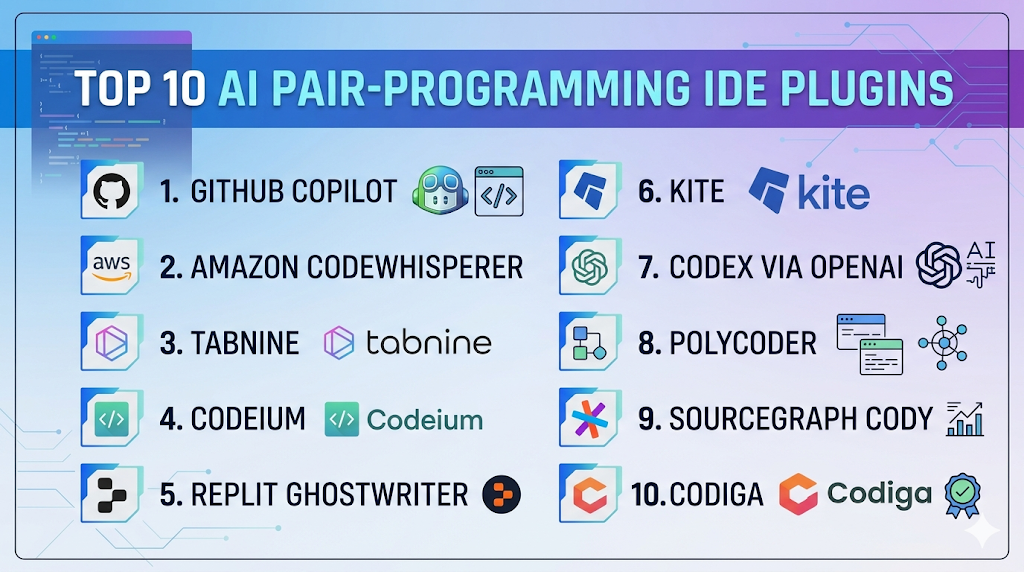
Top 10 AI Pair-Programming IDE Plugins
1 — GitHub Copilot
One-line verdict: Best for individual developers and teams seeking seamless inline AI code suggestions in IDEs.
Short description: Provides AI-powered code suggestions, function generation, and context-aware completions across multiple languages within popular IDEs.
Standout Capabilities
- Inline code completion and function generation
- Context-aware suggestions from current file and repository
- Multi-language support
- Test and documentation generation
- Adaptive learning based on developer habits
- Integration with CI/CD workflows
- Security-focused code recommendations
AI-Specific Depth
- Model support: Proprietary (OpenAI Codex)
- RAG / knowledge integration: GitHub repositories & private org data
- Evaluation: Automated tests, human review
- Guardrails: Insecure code checks, sandboxing
- Observability: Token usage and latency metrics
Pros
- Accelerates development and reduces boilerplate
- Provides documentation and test suggestions
- Integrates with multiple IDEs
Cons
- Requires IDE plugin installation
- Occasional hallucinations on complex logic
- Limited support for niche languages
Security & Compliance
SSO/SAML, RBAC, encryption; Not publicly stated certifications
Deployment & Platforms
VS Code, JetBrains, Neovim; Cloud
Integrations & Ecosystem
- IDE plugins
- GitHub Actions
- Private repository indexing
- Plugin ecosystem for extensions
Pricing Model
Subscription-based per user
Best-Fit Scenarios
- Solo developers
- Small dev teams accelerating prototyping
- Multi-language projects needing inline AI guidance
2 — Amazon CodeWhisperer
One-line verdict: Ideal for AWS-focused teams requiring secure, context-aware AI coding assistance.
Short description: Suggests code, generates functions, and integrates seamlessly with AWS SDKs and services for developers.
Standout Capabilities
- AWS API integration
- Inline code suggestions with security scanning
- Multi-language support
- Unit test generation
- Cloud-native IDE plugin integration
- Adaptive to enterprise policies
- Context-aware coding insights
AI-Specific Depth
- Model support: Proprietary, AWS-trained
- RAG / knowledge integration: AWS SDKs and internal repos
- Evaluation: Security and coding standards tests
- Guardrails: Insecure code prevention, sandboxed execution
- Observability: Token usage, latency metrics
Pros
- Deep AWS ecosystem integration
- Reduces repetitive code
- Focus on secure, compliant code
Cons
- Primarily AWS-focused
- May overfit to AWS patterns
- Some frameworks not fully supported
Security & Compliance
SSO/SAML, encryption, IAM-based access, audit logs
Deployment & Platforms
VS Code, IntelliJ; Cloud
Integrations & Ecosystem
- AWS SDKs
- CI/CD pipelines
- CodeCommit & Lambda
- IDE plugins
Pricing Model
Subscription per developer
Best-Fit Scenarios
- Cloud-native development teams
- AWS-heavy enterprise applications
- DevOps teams automating infrastructure code
3 — Tabnine
One-line verdict: Best for multi-language development teams needing flexible deployment and custom AI models.
Short description: Provides AI-powered code completion and suggestions across multiple languages with cloud and on-premises support.
Standout Capabilities
- Context-aware code completion
- Supports over 20 languages
- Custom team models
- On-premises deployment for privacy
- IDE plugin support
- CI/CD integration
- Learning from team codebase
AI-Specific Depth
- Model support: Proprietary, BYO support
- RAG / knowledge integration: Varies / N/A
- Evaluation: Regression tests and feedback loops
- Guardrails: Policy-based filters
- Observability: Usage metrics and performance logs
Pros
- Flexible deployment options
- Supports enterprise security policies
- Broad language coverage
Cons
- Less agentic than other plugins
- Performance varies per IDE
- Requires setup for team models
Security & Compliance
SSO/SAML, encryption, on-premises options
Deployment & Platforms
VS Code, JetBrains, Vim; Cloud/On-prem
Integrations & Ecosystem
IDE plugins, REST API, team model training
Pricing Model
Subscription tiers, enterprise options
Best-Fit Scenarios
- Multi-language projects
- Enterprises needing on-premise deployment
- Teams requiring custom AI models
4 — Codeium
One-line verdict: Suitable for freelancers and small teams looking for a free, lightweight AI pair-programming plugin.
Short description: Provides inline AI suggestions, code completion, and refactoring support with simple IDE integration.
Standout Capabilities
- Free tier access
- Supports multiple languages
- Refactoring suggestions
- Lightweight IDE plugin
- Integration with Git repos
- Rapid setup
- Adaptive learning from codebase
AI-Specific Depth
- Model support: Proprietary / Open-source hybrid
- RAG / knowledge integration: Varies / N/A
- Evaluation: Offline regression tests
- Guardrails: Basic filters
- Observability: Usage metrics
Pros
- Cost-effective
- Quick setup
- Supports learning and experimentation
Cons
- Limited enterprise features
- Fewer integrations
- Guardrails basic
Security & Compliance
Not publicly stated
Deployment & Platforms
VS Code, JetBrains; Cloud
Integrations & Ecosystem
Git repositories, basic IDE plugins
Pricing Model
Free + subscription for advanced features
Best-Fit Scenarios
- Students and freelancers
- Small teams testing AI assistance
- Rapid prototyping
5 — Replit Ghostwriter
One-line verdict: Ideal for online collaborative coding and educational environments.
Short description: AI plugin integrated in Replit IDE providing code suggestions, explanations, and debugging assistance.
Standout Capabilities
- Browser-based plugin
- Multi-language support
- Inline code suggestions and explanations
- Collaborative coding
- Auto unit test generation
- Documentation suggestions
- Context-aware completion
AI-Specific Depth
- Model support: Proprietary
- RAG / knowledge integration: Project files & Replit docs
- Evaluation: Unit tests
- Guardrails: Prevents unsafe code execution
- Observability: Token usage metrics
Pros
- No installation required
- Educational focus
- Supports collaborative coding
Cons
- Limited offline support
- Advanced IDE features missing
- Dependent on internet connection
Security & Compliance
SSO via Replit; Not publicly stated
Deployment & Platforms
Web only; Cloud
Integrations & Ecosystem
GitHub import/export, Replit multiplayer, APIs
Pricing Model
Subscription for premium features
Best-Fit Scenarios
- Students and educators
- Cloud-first coding environments
- Rapid prototyping
6 — Kite
One-line verdict: Lightweight desktop plugin focused on Python and popular languages for fast inline completions.
Short description: Provides AI code completions, documentation lookup, and snippet suggestions for multiple IDEs.
Standout Capabilities
- Inline completions
- Documentation lookup
- Multi-language support
- Offline mode for core features
- Lightweight and fast
- IDE integration
- Free personal tier
AI-Specific Depth
- Model support: Proprietary
- RAG / knowledge integration: Varies / N/A
- Evaluation: Regression tests
- Guardrails: Safe code filters
- Observability: Local metrics
Pros
- Offline support
- Free tier
- Minimal latency
Cons
- Limited language coverage
- Enterprise features limited
- Cloud usage adds latency
Security & Compliance
Not publicly stated
Deployment & Platforms
Windows, macOS, Linux; IDE plugins
Integrations & Ecosystem
VS Code, PyCharm, Sublime, Atom
Pricing Model
Free + subscription for premium features
Best-Fit Scenarios
- Solo Python developers
- Learning and experimentation
- Low-resource environments
7 — Codex via OpenAI
One-line verdict: API-first plugin for developers needing multi-language AI code generation in IDEs or custom apps.
Short description: Powers code completion, generation, and unit tests via APIs integrated into IDEs and CI/CD workflows.
Standout Capabilities
- Multi-language support
- API-first design
- IDE integration optional
- Test and documentation generation
- High-quality reasoning
- Extensible to custom apps
- Supports automation in pipelines
AI-Specific Depth
- Model support: Proprietary, hosted
- RAG / knowledge integration: Custom codebase
- Evaluation: Automated regression, human review
- Guardrails: Prompt filters and safe code checks
- Observability: Token usage, latency
Pros
- Flexible via API
- Supports multiple languages
- Integrates with custom tools
Cons
- Cloud dependency
- Usage costs accumulate
- Requires API knowledge
Security & Compliance
Not publicly stated
Deployment & Platforms
Cloud API; IDE integration optional
Integrations & Ecosystem
Custom apps, IDE plugins, CI/CD pipelines
Pricing Model
Usage-based API billing
Best-Fit Scenarios
- AI-powered internal coding assistants
- Multi-language enterprise projects
- Integration into custom dev tools
8 — PolyCoder
One-line verdict: Open-source plugin for research and experimentation with multi-language code generation.
Short description: Provides transparent, reproducible AI code generation for research or experimental projects.
Standout Capabilities
- Open-source and reproducible
- Multi-language support
- Fine-tunable models
- Community contributions
- Supports experimental workflows
- Transparent benchmarks
- Encourages reproducibility
AI-Specific Depth
- Model support: Open-source
- RAG / knowledge integration: Varies / N/A
- Evaluation: Offline testing and benchmarks
- Guardrails: User-configurable
- Observability: Local logs
Pros
- Free and open-source
- Flexible for experimentation
- Transparent methodology
Cons
- Limited production integrations
- Requires technical setup
- Guardrails not built-in
Security & Compliance
Varies / N/A
Deployment & Platforms
Linux, macOS; Cloud / Self-hosted
Integrations & Ecosystem
APIs for local deployment, IDE plugins
Pricing Model
Free, open-source
Best-Fit Scenarios
- Research teams
- Experimentation projects
- Open-source focused teams
9 — Sourcegraph Cody
One-line verdict: Enterprise plugin providing AI-driven code intelligence across large repositories.
Short description: Offers code completion, search, and refactoring for enterprise-scale projects with AI insights.
Standout Capabilities
- Enterprise repo analysis
- Cross-repo code search
- Context-aware AI suggestions
- Multi-language support
- CI/CD integration
- Knowledge base integration
- Inline security recommendations
AI-Specific Depth
- Model support: Proprietary / multi-model routing
- RAG / knowledge integration: Enterprise code repos
- Evaluation: Regression, unit tests
- Guardrails: Policy-based enforcement
- Observability: Token/cost metrics
Pros
- Handles large codebases
- Context-aware intelligence
- Enterprise integrations
Cons
- Setup complexity
- Enterprise pricing
- Less suitable for small teams
Security & Compliance
SSO/SAML, RBAC, encryption, audit logs
Deployment & Platforms
Cloud, On-prem; Web + IDE plugins
Integrations & Ecosystem
CI/CD pipelines, GitHub, GitLab, IDE extensions
Pricing Model
Enterprise subscription
Best-Fit Scenarios
- Large enterprise teams
- Multi-repo projects
- Teams needing compliance
10 — Codiga
One-line verdict: Focused on code quality, automated review, and enforcing style guides across teams.
Short description: AI plugin for code review, security scanning, and style enforcement in multiple languages.
Standout Capabilities
- Automated code review
- Style guide enforcement
- Security scanning
- Multi-language support
- CI/CD integration
- IDE plugin support
- Customizable policies
AI-Specific Depth
- Model support: Proprietary / BYO
- RAG / knowledge integration: Varies / N/A
- Evaluation: Regression and pull request checks
- Guardrails: Policy enforcement
- Observability: PR metrics
Pros
- Consistent code quality
- Security-focused
- Team workflow integration
Cons
- Less code generation focus
- Enterprise features complex
- Needs rule tuning
Security & Compliance
SSO/SAML, audit logs, encryption
Deployment & Platforms
Web, IDE plugins; Cloud / Hybrid
Integrations & Ecosystem
GitHub, GitLab, Bitbucket, CI/CD
Pricing Model
Subscription per team
Best-Fit Scenarios
- Teams enforcing code standards
- Security-conscious development
- Multi-language projects
Comparison Table
| Tool Name | Best For | Deployment | Model Flexibility | Strength | Watch-Out | Public Rating |
|---|---|---|---|---|---|---|
| GitHub Copilot | Solo & team developers | Cloud | Hosted | Inline suggestions | Occasional hallucinations | N/A |
| Amazon CodeWhisperer | AWS teams | Cloud | Hosted | Secure AWS integration | AWS-focused | N/A |
| Tabnine | Multi-language teams | Cloud/On-prem | BYO/Hosted | Flexible deployment | Less agentic | N/A |
| Codeium | Freelancers & small teams | Cloud | Proprietary | Free tier | Limited enterprise | N/A |
| Replit Ghostwriter | Education & cloud IDE | Cloud | Proprietary | Collaborative browser IDE | Offline limitations | N/A |
| Kite | Python & lightweight dev | Desktop | Proprietary | Fast inline completions | Limited languages | N/A |
| Codex via OpenAI | API-first projects | Cloud | Hosted | Multi-language, API | Cloud dependency | N/A |
| PolyCoder | Research & open-source | Cloud/Self-hosted | Open-source | Transparent & reproducible | Technical setup | N/A |
| Sourcegraph Cody | Enterprise & large repos | Cloud/On-prem | Multi-model | Cross-repo intelligence | Setup complexity | N/A |
| Codiga | Code quality & security | Cloud/Hybrid | BYO/Hosted | Automated review | Less code generation | N/A |
Scoring & Evaluation
| Tool | Core | Reliability/Eval | Guardrails | Integrations | Ease | Perf/Cost | Security/Admin | Support | Weighted Total |
|---|---|---|---|---|---|---|---|---|---|
| GitHub Copilot | 9 | 8 | 7 | 8 | 9 | 8 | 7 | 8 | 8.2 |
| Amazon CodeWhisperer | 8 | 9 | 9 | 8 | 8 | 8 | 9 | 8 | 8.4 |
| Tabnine | 8 | 8 | 8 | 9 | 8 | 8 | 8 | 8 | 8.2 |
| Codeium | 7 | 7 | 7 | 7 | 9 | 8 | 7 | 7 | 7.4 |
| Replit Ghostwriter | 7 | 8 | 7 | 7 | 9 | 8 | 7 | 7 | 7.5 |
| Kite | 7 | 7 | 7 | 7 | 8 | 8 | 7 | 7 | 7.3 |
| Codex via OpenAI | 9 | 9 | 8 | 9 | 8 | 7 | 7 | 8 | 8.4 |
| PolyCoder | 7 | 7 | 6 | 7 | 7 | 7 | 6 | 7 | 6.9 |
| Sourcegraph Cody | 8 | 8 | 8 | 9 | 7 | 8 | 8 | 8 | 8.1 |
| Codiga | 8 | 8 | 9 | 8 | 8 | 8 | 8 | 8 | 8.2 |
Top 3 for Enterprise: Amazon CodeWhisperer, Codex via OpenAI, Sourcegraph Cody
Top 3 for SMB: GitHub Copilot, Tabnine, Codiga
Top 3 for Developers: GitHub Copilot, Codeium, Replit Ghostwriter
Which AI Pair-Programming IDE Plugin Tool Is Right for You?
Solo / Freelancer
- GitHub Copilot – Lightweight, fast, and ideal for individuals seeking inline AI suggestions.
- Codeium – Free tier with simple setup for experimenting and personal projects.
- Kite – Fast offline completions for Python and common languages.
SMB
- Tabnine – Flexible deployment with team model training and multi-language support.
- Codiga – Ensures code quality and style across smaller teams.
- Replit Ghostwriter – Browser-based IDE, collaborative for small teams or remote learning.
Mid-Market
- GitHub Copilot – Supports multi-developer teams with adaptive AI.
- Amazon CodeWhisperer – Secure AWS integration, helpful for cloud-heavy projects.
- Codex via OpenAI – API-first for multi-language and CI/CD integration.
Enterprise
- Sourcegraph Cody – Enterprise-scale cross-repo intelligence and security.
- Amazon CodeWhisperer – Governance, audit logs, and compliance features.
- Tabnine – On-premises deployment for secure enterprise environments.
Regulated industries (finance/healthcare/public sector)
- Amazon CodeWhisperer and Sourcegraph Cody provide advanced compliance, SSO, RBAC, and encrypted storage.
- Tabnine on-premises for highly regulated internal repositories.
Budget vs premium
- Free / low-cost: Codeium, Kite, Replit Ghostwriter.
- Premium / enterprise: GitHub Copilot, Tabnine, Amazon CodeWhisperer, Sourcegraph Cody for advanced features.
Build vs buy (when to DIY)
- Build custom models if you require domain-specific code patterns or proprietary logic.
- Buy hosted plugins if you want quick adoption, multi-language support, and enterprise governance.
Implementation Playbook (30 / 60 / 90 Days)
30 Days – Pilot & Setup
- Select 1–2 plugins to evaluate.
- Integrate into IDEs and version control systems.
- Define success metrics (accuracy, completion speed, error reduction).
- Run coding exercises and unit tests.
- Gather developer feedback.
60 Days – Harden & Rollout
- Configure security, guardrails, and privacy settings.
- Implement evaluation harnesses for regression tests.
- Integrate with CI/CD pipelines.
- Train teams on proper usage.
- Monitor token usage, latency, and accuracy.
- Enforce style guides and coding standards.
90 Days – Optimize & Scale
- Deploy BYO or multi-model support for cost optimization.
- Expand across projects and languages.
- Conduct audits
Common Mistakes & How to Avoid Them
- Prompt injection exposure – Always configure guardrails and test AI output for unsafe suggestions.
- No systematic evaluation – Use regression tests, unit tests, and human review to ensure code quality.
- Unmanaged data retention – Apply clear retention policies for source code and AI telemetry.
- Lack of observability – Monitor token usage, latency, and model performance for cost and reliability.
- Cost surprises – Track usage and optimize model routing to avoid unexpected expenses.
- Over-automation without human review – Always maintain human-in-the-loop for critical code paths.
- Vendor lock-in without abstraction – Use APIs and open formats to reduce dependency on a single provider.
- Skipping style and security checks – Ensure AI suggestions comply with internal coding standards.
- No CI/CD integration – Without integration, AI suggestions may conflict with pipeline requirements.
- Ignoring multi-language and multi-platform needs – Verify plugin coverage for all languages used.
- Overreliance on AI for learning – Encourage developer understanding; AI should assist, not replace learning.
- Neglecting team collaboration features – Use shared context for multi-developer workflows to prevent conflicts.
FAQs
1. Do AI pair-programming plugins store my code?
Most cloud-hosted plugins process code temporarily; on-premises versions keep data locally. Always verify vendor policies.
2. Can I bring my own AI model (BYO)?
Yes, some plugins like Tabnine or PolyCoder support BYO models; others are proprietary-only.
3. Are these plugins safe for sensitive or proprietary code?
Enterprise plugins often offer encryption, SSO/RBAC, and audit logs; verify security compliance before adoption.
4. Which IDEs are supported?
Most popular plugins work with VS Code, JetBrains, Sublime, Neovim, or browser-based IDEs depending on the tool.
5. Can these plugins handle multiple languages?
Yes, top tools cover Python, Java, JavaScript, C#, Go, and many others; check niche language support.
6. Is self-hosting possible?
Tabnine, PolyCoder, and some enterprise solutions allow on-premise deployment; cloud-only solutions cannot be self-hosted.
7. How is output quality evaluated?
Use regression testing, unit tests, and human review. Some plugins provide built-in evaluation frameworks.
8. How reliable are the guardrails?
Enterprise plugins include policy checks and injection protection; user configuration may enhance security.
9. Are there cost implications?
Yes, subscription or usage-based pricing applies; monitoring token usage and model routing helps control costs.
10. Can these plugins integrate with CI/CD?
Yes, most enterprise-grade plugins offer API, SDK, or direct CI/CD integration.
11. Do they support collaboration for multiple developers?
Yes, shared context and collaborative coding features are available in most modern plugins.
12. Can AI suggestions replace manual code review?
No, AI assists coding but human review is critical for security, reliability, and code quality.
Conclusion
AI Pair-Programming IDE Plugins have become essential for accelerating development, improving code quality, and enabling collaborative workflows across teams of all sizes. The right plugin depends on your team’s size, programming languages, security requirements, and deployment preferences, whether you need lightweight assistance for individual developers or enterprise-grade tools for large codebases. By carefully evaluating features, guardrails, observability, integrations, and cost, teams can select the plugin that maximizes productivity while maintaining compliance and code reliability.
This blog provides a clear and insightful comparison of AI pair programming IDE plugins. It makes understanding modern coding assistance tools much easier for developers!
This is a highly valuable resource for developers exploring AI-powered IDE plugins. The pros and cons section adds strong clarity and balance.