Introduction
AI Personal Knowledge Base Copilots are AI-powered tools that help individuals collect, organize, search, connect, and understand their personal information. Instead of manually browsing folders and documents, users can ask questions in natural language and receive answers based on their own notes, documents, research, bookmarks, conversations, and other stored knowledge.
These tools are particularly useful for researchers, writers, consultants, developers, students, executives, entrepreneurs, and other knowledge workers who accumulate large amounts of information over time. A good personal knowledge copilot can summarize documents, retrieve relevant context, connect related ideas, generate drafts, identify action items, and help users rediscover information they may have forgotten.
Best for: Researchers, writers, students, consultants, developers, entrepreneurs, executives, analysts, and professionals who regularly manage large collections of personal information.
Not ideal for: Users who only maintain a few simple notes, people who require completely offline processing but choose cloud-only platforms, or organizations that need highly specialized enterprise knowledge governance.
When evaluating an AI personal knowledge base copilot, buyers should examine retrieval accuracy, source grounding, privacy, data retention, model flexibility, integrations, multimodal support, search quality, customization, exportability, cost, security, and vendor lock-in.
What’s Changed in AI Personal Knowledge Base Copilots
- Natural-language knowledge retrieval is becoming the primary interface: Users increasingly expect to ask questions instead of manually navigating folders.
- Personal RAG is becoming mainstream: AI assistants can use a user’s own notes and documents as context when answering questions.
- Semantic search is replacing exact keyword matching: Users can find information based on meaning rather than remembering the exact words used in an old note.
- AI agents are moving beyond question answering: Emerging systems can organize notes, create tasks, summarize documents, and perform multi-step knowledge workflows.
- Multimodal knowledge bases are expanding: Text, PDFs, images, audio, screenshots, presentations, and other content can increasingly be combined.
- Source-grounded answers are becoming more important: Users need to understand which personal documents support an AI-generated response.
- Long-context processing is changing research workflows: Larger context windows can make it easier to work with lengthy documents and interconnected information.
- Personalization is becoming deeper: Copilots can potentially adapt to recurring projects, terminology, preferences, and working patterns.
- Privacy is a major differentiator: Personal knowledge bases can contain confidential work information, intellectual property, financial records, research, and private correspondence.
- Access-aware retrieval matters: A knowledge copilot should not surface information from restricted sources simply because it can technically retrieve them.
- Model choice is becoming more important: Advanced users increasingly want to choose between provider-managed models, third-party models, and local models.
- AI evaluation is becoming necessary: Users should test whether the copilot retrieves the right source and avoids inventing information.
- Knowledge freshness matters: AI answers can become unreliable when old documents are treated as current information.
- Data portability is increasingly valuable: Export options can reduce the risk of losing accumulated knowledge when switching platforms.
- Cost and latency require attention: Large knowledge bases and frequent AI queries can increase processing costs and response times.
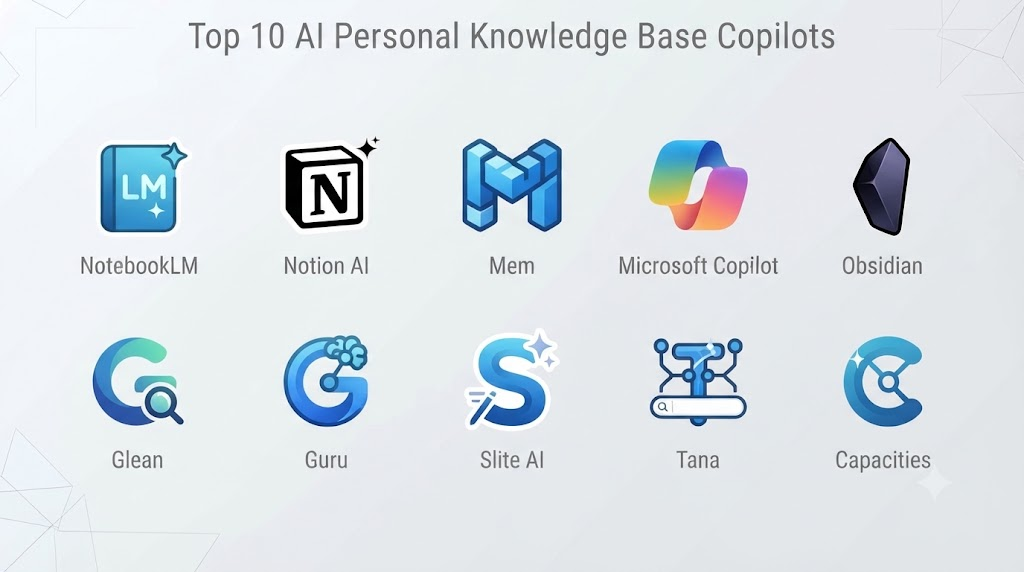
Top 10 AI Personal Knowledge Base Copilots
1. Notion AI
One-line verdict: Best for users wanting a flexible personal knowledge base combined with documents, databases, search, and AI assistance.
Short description:
Notion AI extends Notion’s workspace model with AI-assisted search, summarization, writing, and knowledge workflows. Its combination of documents, databases, pages, and structured information makes it useful for building a personal knowledge system that can also grow into a team workspace.
Standout Capabilities
- AI-assisted workspace search
- Document summarization
- Knowledge retrieval
- Database organization
- AI writing
- Structured project information
- Connected pages
- Personal and collaborative workspaces
AI-Specific Depth
- Model support: Provider-managed AI with model capabilities depending on current product configuration.
- RAG / knowledge integration: Strong integration with workspace content.
- Evaluation: Detailed feature-level evaluation methodology is not publicly stated.
- Guardrails: Workspace permissions and administrative controls.
- Observability: Usage and administrative visibility varies.
Pros
- Combines structured and unstructured knowledge.
- Strong ecosystem for personal and professional workflows.
- Flexible databases and page structures.
Cons
- Can become complicated as the knowledge base grows.
- AI features depend on product configuration.
- Users still need good information architecture.
Security & Compliance
Security and compliance capabilities vary by plan and configuration. Users storing sensitive information should verify current data-processing, retention, access-control, and compliance requirements.
Deployment & Platforms
- Web
- Windows
- macOS
- iOS
- Android
- Cloud
Integrations & Ecosystem
Notion supports a broad productivity ecosystem.
- Calendars
- Cloud storage
- Project-management workflows
- Databases
- APIs
- Automation platforms
- Collaboration tools
Pricing Model
Free and paid subscription plans, with AI capabilities varying by plan.
Best-Fit Scenarios
- Personal knowledge management
- Research organization
- Personal-to-team knowledge systems
2. Obsidian
One-line verdict: Best for advanced users wanting local-first personal knowledge management, linked notes, and highly customizable AI workflows.
Short description:
Obsidian stores notes as Markdown files and focuses heavily on relationships between information. Its plugin ecosystem makes it possible to add AI-powered retrieval, summarization, semantic search, and other copilot functionality while maintaining considerable control over the underlying knowledge base.
Standout Capabilities
- Local Markdown files
- Backlinks
- Graph view
- Knowledge networks
- Plugin ecosystem
- Custom AI workflows
- Local-first architecture
- Flexible information structures
AI-Specific Depth
- Model support: Depends on plugins and integrations; can support different AI providers depending on implementation.
- RAG / knowledge integration: Strong potential through plugins and local knowledge retrieval.
- Evaluation: Depends on the selected AI plugin or custom workflow.
- Guardrails: Depends on the implementation and AI provider.
- Observability: Depends on the chosen AI integration.
Pros
- Excellent data ownership.
- Highly extensible.
- Suitable for sophisticated personal knowledge systems.
Cons
- AI functionality may require configuration.
- Plugin quality and security vary.
- Less turnkey than fully integrated AI knowledge platforms.
Security & Compliance
Local storage can provide significant control, but AI plugins and synchronization services introduce additional considerations. Enterprise certifications for individual plugins should not be assumed.
Deployment & Platforms
- Windows
- macOS
- Linux
- iOS
- Android
- Local/self-managed files
Integrations & Ecosystem
Obsidian has a broad extension ecosystem.
- Markdown
- AI providers
- Community plugins
- Local files
- Automation tools
- Custom scripts
- Developer workflows
Pricing Model
Core application licensing and optional services vary. AI integrations may introduce additional provider costs.
Best-Fit Scenarios
- Technical professionals
- Researchers
- Privacy-conscious knowledge workers
3. NotebookLM
One-line verdict: Best for research-heavy users who want an AI copilot grounded primarily in documents and other supplied reference materials.
Short description:
NotebookLM is designed around interacting with a collection of source materials. Users can provide documents and other supported sources, then ask questions, generate summaries, explore concepts, and analyze the supplied information.
Standout Capabilities
- Source-grounded question answering
- Document summarization
- Research assistance
- Source-based explanations
- Audio-oriented content generation
- Multi-document analysis
- Study workflows
- Reference-focused interaction
AI-Specific Depth
- Model support: Google-managed AI.
- RAG / knowledge integration: Core functionality centers on supplied source materials.
- Evaluation: Product-specific evaluation methodology is not fully publicly stated.
- Guardrails: Provider-managed safety systems.
- Observability: User-facing AI observability is limited.
Pros
- Strong fit for document-based research.
- Reduces manual reading of large source collections.
- Useful for exploring a defined knowledge set.
Cons
- More source-centric than a full personal knowledge-management system.
- Capabilities depend on supported source formats.
- Users should still verify important AI-generated conclusions.
Security & Compliance
Data-handling policies and available controls should be reviewed for the specific account and deployment context.
Deployment & Platforms
- Web
- Mobile
- Cloud
Integrations & Ecosystem
- Documents
- Research sources
- Google ecosystem
- Imported reference materials
- AI-generated study and research workflows
Pricing Model
Availability and advanced capabilities depend on Google’s current product and account offerings.
Best-Fit Scenarios
- Academic research
- Document analysis
- Personal study
4. Mem
One-line verdict: Best for people who want an AI-first personal knowledge system that minimizes manual organization and emphasizes contextual retrieval.
Short description:
Mem is designed around the idea that users should capture information quickly and allow AI to help organize and retrieve it later. It emphasizes contextual search and personal knowledge discovery rather than traditional folder-heavy organization.
Standout Capabilities
- AI-first note organization
- Semantic retrieval
- Contextual search
- Note summarization
- Personal knowledge discovery
- AI writing
- Automated organization
- Connected information
AI-Specific Depth
- Model support: Provider-managed AI.
- RAG / knowledge integration: Core workflow uses stored personal knowledge as context.
- Evaluation: Detailed public evaluation methodology is not fully stated.
- Guardrails: Account and workspace controls.
- Observability: Usage visibility varies.
Pros
- Strong AI-first philosophy.
- Reduces manual categorization.
- Useful for rediscovering old information.
Cons
- Less suited to highly structured database workflows.
- AI-generated organization can require correction.
- Sensitive enterprise use requires careful evaluation.
Security & Compliance
Verify current security, retention, data-processing, and enterprise controls before storing confidential material.
Deployment & Platforms
- Web
- Mobile
- Cloud
Integrations & Ecosystem
- Notes
- Calendar
- AI workflows
- Import/export
- Productivity tools
Pricing Model
Subscription-based.
Best-Fit Scenarios
- Personal knowledge management
- Researchers
- Knowledge workers
5. Tana
One-line verdict: Best for advanced users who want structured personal knowledge combined with AI, schemas, automation, and connected information.
Short description:
Tana combines structured outlines, databases, knowledge management, and AI capabilities. Its flexible data model can represent people, projects, meetings, tasks, research, and other information while maintaining relationships between them.
Standout Capabilities
- Structured knowledge
- AI-assisted organization
- Flexible schemas
- Knowledge graphs
- Search
- Automated workflows
- Structured data capture
- Connected information
AI-Specific Depth
- Model support: Provider-managed AI.
- RAG / knowledge integration: Uses workspace knowledge and structured content where supported.
- Evaluation: Detailed public methodology is not fully stated.
- Guardrails: Workspace controls.
- Observability: Usage capabilities vary.
Pros
- Extremely flexible information model.
- Powerful for complex personal workflows.
- Good potential for automation.
Cons
- Significant learning curve.
- Can be excessive for basic notes.
- Requires thoughtful schema design.
Security & Compliance
Current security controls and certifications should be verified before using it for sensitive organizational data.
Deployment & Platforms
- Web
- Desktop
- Mobile
- Cloud
Integrations & Ecosystem
- Calendars
- AI workflows
- Structured data
- APIs
- Automation
- Documents
- Knowledge systems
Pricing Model
Subscription-based, with functionality varying by plan.
Best-Fit Scenarios
- Advanced researchers
- Knowledge-heavy professionals
- Structured personal information systems
6. Capacities
One-line verdict: Best for users who prefer object-based personal knowledge management with AI-assisted organization and connected information.
Short description:
Capacities uses an object-oriented knowledge model in which information can be represented as people, books, projects, meetings, notes, and other entities. AI can assist with organizing and working with this interconnected knowledge.
Standout Capabilities
- Object-based knowledge
- AI assistance
- Connected information
- Daily notes
- Search
- Content organization
- Multimedia support
- Personal knowledge management
AI-Specific Depth
- Model support: Provider-managed AI.
- RAG / knowledge integration: Workspace knowledge where supported.
- Evaluation: Not publicly stated in detail.
- Guardrails: Account and workspace controls.
- Observability: Usage visibility varies.
Pros
- Strong conceptual model for personal knowledge.
- Useful for interconnected information.
- Supports diverse types of knowledge.
Cons
- Requires adaptation to object-based thinking.
- Smaller ecosystem than major productivity suites.
- Enterprise functionality should be evaluated carefully.
Security & Compliance
Verify current security and retention capabilities before using it for confidential information.
Deployment & Platforms
- Web
- Desktop
- Mobile
- Cloud
Integrations & Ecosystem
- Calendars
- Notes
- Documents
- AI workflows
- Files
- Import/export
Pricing Model
Free and paid plans may vary.
Best-Fit Scenarios
- Personal research
- Knowledge workers
- Information-heavy workflows
7. Reflect
One-line verdict: Best for users seeking a clean personal knowledge environment with AI-assisted writing, search, and connected notes.
Short description:
Reflect combines daily notes, backlinks, connected information, search, and AI features. It is designed for users who want a relatively simple interface while still building a network of interconnected personal knowledge.
Standout Capabilities
- Linked notes
- Backlinks
- AI writing
- AI summarization
- Daily notes
- Search
- Personal knowledge retrieval
- Connected knowledge
AI-Specific Depth
- Model support: Provider-managed AI.
- RAG / knowledge integration: Stored notes and connected knowledge where supported.
- Evaluation: Detailed public methodology is not fully stated.
- Guardrails: Account-level controls.
- Observability: Limited compared with enterprise AI systems.
Pros
- Clean user experience.
- Strong connected-note model.
- Useful for personal research and writing.
Cons
- More individual-focused.
- Fewer enterprise capabilities than large productivity platforms.
- AI output still requires verification.
Security & Compliance
Users should verify current data-handling, retention, and security practices before storing sensitive material.
Deployment & Platforms
- Web
- Desktop
- Mobile
- Cloud
Integrations & Ecosystem
- Calendar
- Markdown
- AI services
- Notes
- Productivity workflows
- Import/export
Pricing Model
Subscription-based.
Best-Fit Scenarios
- Writers
- Researchers
- Individual knowledge workers
8. Evernote
One-line verdict: Best for users who want an established note repository enhanced with AI-assisted search, organization, and document workflows.
Short description:
Evernote combines notebooks, documents, attachments, search, web capture, and organization features. Its AI capabilities build on this traditional note-taking foundation to help users retrieve and work with stored information.
Standout Capabilities
- AI-assisted search
- Document storage
- Web clipping
- Notebook organization
- Attachments
- Search
- Cross-device synchronization
- Productivity workflows
AI-Specific Depth
- Model support: Provider-managed AI.
- RAG / knowledge integration: Primarily centered around stored notes and workspace information.
- Evaluation: Detailed public AI evaluation methodology is not fully stated.
- Guardrails: Account and workspace controls.
- Observability: Usage capabilities vary.
Pros
- Mature note-management platform.
- Strong document capture.
- Familiar organizational approach.
Cons
- Some capabilities depend on subscription level.
- Less flexible than some newer knowledge systems.
- AI functionality changes with product development.
Security & Compliance
Security and compliance capabilities should be checked against the current plan and organizational requirements.
Deployment & Platforms
- Web
- Windows
- macOS
- iOS
- Android
- Cloud
Integrations & Ecosystem
- Web clipping
- Documents
- Calendar-related workflows
- Productivity applications
- APIs
- External integrations
Pricing Model
Subscription-based.
Best-Fit Scenarios
- Long-term note archives
- Research collection
- Document-heavy users
9. Craft
One-line verdict: Best for users who want polished documents, organized notes, AI assistance, and an attractive personal knowledge workspace.
Short description:
Craft combines document creation, note-taking, organization, collaboration, and AI capabilities. It is especially useful for people who want their knowledge base to remain visually polished while also supporting AI-assisted writing and retrieval.
Standout Capabilities
- AI writing
- AI summarization
- Document organization
- Daily notes
- Search
- Collaboration
- Document sharing
- Structured workspaces
AI-Specific Depth
- Model support: Provider-managed AI.
- RAG / knowledge integration: Workspace content where supported.
- Evaluation: Detailed public methodology is not fully stated.
- Guardrails: Workspace permissions and account controls.
- Observability: Usage capabilities vary.
Pros
- Excellent document experience.
- Strong balance of notes and polished content.
- Easy to use for writing-heavy workflows.
Cons
- Less database-centric than some alternatives.
- Some advanced capabilities may require paid plans.
- AI-generated information still requires review.
Security & Compliance
Security capabilities vary by plan. Current enterprise requirements should be verified before deployment.
Deployment & Platforms
- Web
- macOS
- Windows
- iOS
- iPadOS
- Cloud
Integrations & Ecosystem
- Calendars
- Documents
- Cloud storage
- Productivity applications
- Sharing workflows
- AI capabilities
Pricing Model
Free and paid subscription options may be available.
Best-Fit Scenarios
- Writers
- Creative professionals
- Personal documentation
10. Heptabase
One-line verdict: Best for visual researchers who want AI-assisted knowledge organization across connected notes, documents, sources, and ideas.
Short description:
Heptabase focuses on visual knowledge management, making it useful for research-heavy workflows where users need to organize concepts, sources, cards, and relationships spatially. Its AI capabilities can assist with working through collected information.
Standout Capabilities
- Visual knowledge mapping
- Research organization
- Cards and notes
- Connected concepts
- PDF-oriented workflows
- AI-assisted research
- Spatial organization
- Knowledge synthesis
AI-Specific Depth
- Model support: Provider-managed AI; exact model flexibility varies.
- RAG / knowledge integration: Designed around user-provided research and knowledge.
- Evaluation: Detailed public methodology is not fully stated.
- Guardrails: Account and workspace controls.
- Observability: Detailed AI observability is not publicly stated.
Pros
- Excellent visual research approach.
- Useful for complex conceptual relationships.
- Strong fit for research and synthesis.
Cons
- Visual organization is not ideal for every workflow.
- Can require more setup than simple note applications.
- AI capabilities and integrations may evolve over time.
Security & Compliance
Current security and compliance capabilities should be verified for sensitive research or organizational use.
Deployment & Platforms
- Desktop
- Web
- Mobile
- Cloud
Integrations & Ecosystem
- PDFs
- Research material
- Notes
- Visual boards
- AI workflows
- Documents
- Knowledge-management workflows
Pricing Model
Subscription-based.
Best-Fit Scenarios
- Academic researchers
- Complex research projects
- Visual thinkers
Comparison Table
| Tool Name | Best For | Deployment | Model Flexibility | Strength | Watch-Out | Public Rating |
|---|---|---|---|---|---|---|
| Notion AI | General personal knowledge | Cloud/Web/Mobile | Hosted | Flexible workspace | Can become complex | N/A |
| Obsidian | Local-first knowledge | Local/Desktop/Mobile | Multi-provider via ecosystem | Data control | Requires configuration | N/A |
| NotebookLM | Research documents | Cloud/Web/Mobile | Hosted | Source-grounded research | Source-centric | N/A |
| Mem | AI-first knowledge | Cloud | Hosted | Automatic retrieval | Limited structure | N/A |
| Tana | Structured knowledge | Cloud/Desktop/Mobile | Hosted | Flexible schemas | Learning curve | N/A |
| Capacities | Object-based knowledge | Cloud/Desktop/Mobile | Hosted | Connected objects | Requires adaptation | N/A |
| Reflect | Personal knowledge | Cloud/Desktop/Mobile | Hosted | Connected notes | Individual-focused | N/A |
| Evernote | Mature note archive | Cloud/Desktop/Mobile | Hosted | Document capture | Less flexible | N/A |
| Craft | Writing and documents | Cloud/Desktop/Mobile | Hosted | Polished workspace | Less database-centric | N/A |
| Heptabase | Visual research | Cloud/Desktop/Mobile | Hosted | Visual knowledge mapping | Specialized workflow | N/A |
Scoring & Evaluation
These scores are comparative editorial assessments rather than official vendor benchmarks. They emphasize how well each product fits personal AI knowledge-base workflows, including retrieval, organization, usability, extensibility, and AI capabilities.
| Tool | Core | Reliability/Eval | Guardrails | Integrations | Ease | Perf/Cost | Security/Admin | Support | Weighted Total |
|---|---|---|---|---|---|---|---|---|---|
| Notion AI | 9.5 | 9.0 | 8.8 | 9.5 | 8.8 | 8.6 | 9.0 | 9.0 | 9.1 |
| Obsidian | 9.3 | 8.5 | 8.0 | 9.2 | 7.8 | 9.0 | 8.7 | 8.8 | 8.7 |
| NotebookLM | 9.0 | 9.2 | 8.8 | 8.3 | 9.0 | 8.6 | 8.7 | 8.7 | 8.8 |
| Mem | 9.0 | 8.7 | 8.2 | 8.4 | 8.8 | 8.2 | 8.2 | 8.0 | 8.5 |
| Tana | 9.4 | 8.7 | 8.3 | 8.8 | 7.5 | 8.6 | 8.4 | 8.2 | 8.6 |
| Capacities | 9.0 | 8.5 | 8.2 | 8.0 | 8.0 | 8.4 | 8.1 | 8.0 | 8.4 |
| Reflect | 8.7 | 8.5 | 8.2 | 8.2 | 9.0 | 8.5 | 8.2 | 8.0 | 8.5 |
| Evernote | 8.8 | 8.5 | 8.4 | 8.7 | 9.0 | 8.4 | 8.5 | 8.6 | 8.6 |
| Craft | 9.0 | 8.7 | 8.5 | 8.8 | 9.2 | 8.5 | 8.7 | 8.7 | 8.8 |
| Heptabase | 9.0 | 8.7 | 8.2 | 8.2 | 8.0 | 8.3 | 8.2 | 8.0 | 8.5 |
Top 3 for Enterprise
- Notion AI
- Microsoft-oriented knowledge workflows
- Obsidian with controlled enterprise architecture
Top 3 for SMB
- Notion AI
- Craft
- Evernote
Top 3 for Developers
- Obsidian
- Tana
- Notion AI
Which AI Personal Knowledge Base Copilot Is Right for You?
Solo / Freelancer
Individuals should prioritize ease of capture, retrieval quality, portability, and low maintenance.
Strong options include:
- Obsidian for local-first knowledge.
- Notion AI for flexible organization.
- NotebookLM for document research.
- Mem for AI-first retrieval.
- Reflect for connected personal notes.
If your knowledge base is relatively small, avoid over-engineering it with complex databases and automation.
SMB
Small businesses should prioritize:
- Shared knowledge
- Search
- AI summarization
- Permissions
- Integrations
- Collaboration
- Exportability
- Reasonable operating costs
Notion AI, Craft, and Evernote can be useful starting points depending on the team’s existing workflow.
Mid-Market
Mid-market organizations should evaluate the knowledge system as infrastructure rather than simply another note-taking application.
Focus on:
- Access controls
- AI retrieval accuracy
- Data lifecycle
- Search quality
- Integrations
- API access
- Knowledge migration
- Administrative controls
- Vendor dependencies
Enterprise
Enterprise deployment requires additional attention to:
- SSO
- RBAC
- Audit logs
- Data residency
- Encryption
- Retention
- Legal discovery requirements
- AI access permissions
- Integration governance
- Security review
- Vendor risk
The most important question is whether the AI copilot can respect the same information-access boundaries as the underlying knowledge system.
Regulated Industries
Regulated organizations should avoid treating personal knowledge copilots as ordinary productivity applications.
Before deployment, verify:
- Where data is processed
- Where it is stored
- Whether data is used for model training
- Retention periods
- Deletion capabilities
- Access controls
- Auditability
- Data residency
- Third-party integrations
- Administrative policies
For highly sensitive workflows, local or tightly controlled architectures may be preferable.
Budget vs Premium
Budget users should first consider the tools already included in their productivity ecosystem.
Premium tools become more valuable when users need:
- Advanced AI retrieval
- Large knowledge collections
- Sophisticated organization
- Automation
- Collaboration
- Specialized research workflows
- Administrative controls
The cheapest application is not necessarily the least expensive solution if it causes users to spend significant time maintaining their knowledge base.
Build vs Buy
Building a personal knowledge copilot can be worthwhile for technically sophisticated users with unusual requirements.
A custom architecture can combine:
- Local or cloud document storage
- Embedding models
- Vector search
- RAG
- Local or hosted LLMs
- Metadata extraction
- Permission systems
- Evaluation pipelines
- AI agents
Build when privacy, customization, model control, or proprietary workflows justify the engineering effort.
Buy when the primary objective is to start using an effective knowledge assistant quickly.
Implementation Playbook
First 30 Days: Pilot + Success Metrics
Start with one well-defined knowledge collection.
Include:
- Personal notes
- Research documents
- Project information
- Reference material
- PDFs
- Meeting notes
Create 20–50 representative questions that the copilot should answer.
Measure:
- Retrieval accuracy
- Answer accuracy
- Source relevance
- Search speed
- Summary quality
- User correction rate
- Time saved
Days 31–60: Security + Evaluation
Build an evaluation set containing:
- Straightforward factual questions
- Multi-document questions
- Questions requiring context
- Questions with conflicting sources
- Questions involving outdated information
- Questions with no answer in the knowledge base
Test whether the copilot says that information is unavailable rather than inventing an answer.
Also test prompt-injection scenarios inside documents and notes.
For example, a malicious document might contain instructions attempting to override the copilot’s system behavior. The retrieval system should treat such content as data rather than automatically following it as instructions.
Days 61–90: Optimization + Governance
After establishing baseline quality:
- Improve metadata
- Remove duplicate documents
- Archive outdated information
- Optimize retrieval
- Reduce unnecessary model calls
- Establish AI usage policies
- Define retention rules
- Create backup procedures
- Review permissions
- Establish incident-handling procedures
Introduce version control for prompts, retrieval configurations, and automated workflows where applicable.
Common Mistakes & How to Avoid Them
- Treating AI answers as authoritative: Always verify important information.
- Ignoring source grounding: Prefer systems that can show where answers came from.
- Allowing stale information to dominate: Archive or clearly label outdated material.
- Uploading confidential information without review: Understand data-processing policies first.
- Ignoring prompt injection: Treat retrieved documents as untrusted content.
- Using excessive automation: Keep human approval for high-impact actions.
- Failing to evaluate retrieval: Test whether the correct documents are actually being retrieved.
- Ignoring knowledge duplication: Duplicate documents can produce contradictory answers.
- Creating an overly complicated taxonomy: Start simple and let search do more of the work.
- Ignoring exportability: Ensure important knowledge can be migrated.
- Using too many AI providers: Multiple models can increase complexity and privacy risk.
- Ignoring model costs: High-frequency retrieval and summarization can increase usage.
- Failing to monitor latency: Large knowledge bases can make AI workflows slower.
- Giving AI unrestricted access: Apply least-privilege principles to connected data sources.
FAQs
What is an AI personal knowledge base copilot?
It is an AI assistant that works with a user’s own notes, documents, research, and other information to provide search, summarization, retrieval, and knowledge-management assistance.
How does a personal knowledge copilot work?
Many systems combine document indexing, semantic retrieval, and large language models. The system retrieves relevant information from the user’s knowledge base and uses that material to generate an answer.
What is personal RAG?
Personal RAG refers to retrieval-augmented generation applied to an individual’s knowledge collection. Instead of relying only on general model knowledge, the AI retrieves relevant personal information as context.
Can these tools remember everything I give them?
Not necessarily. Storage, indexing, retention, context limits, and AI retrieval capabilities differ between products. Users should understand exactly what information is retained and searchable.
Are personal knowledge copilots private?
Privacy varies significantly. Before uploading sensitive material, review encryption, data retention, model-training policies, access controls, deletion options, and third-party integrations.
Can I use my own AI model?
Some platforms support third-party AI providers or plugins, while others primarily use their own hosted AI infrastructure. Obsidian-style extensible systems generally provide more flexibility than closed platforms.
Can a personal knowledge copilot be self-hosted?
Some components can be self-hosted, especially when building a custom RAG system with local models and local storage. Fully integrated commercial products are commonly cloud-based.
How do I reduce hallucinations?
Use source-grounded retrieval, test representative questions, require evidence for important claims, and verify critical answers against original documents.
Can AI automatically organize my knowledge?
Yes. Depending on the platform, AI can create summaries, classify information, suggest relationships, extract tasks, and organize content. Automated organization should still be reviewed.
Can these tools work with PDFs?
Many support PDF-based workflows, but capabilities differ. Users should test document extraction, tables, citations, long documents, and scanned PDFs before adopting a platform for research.
Can I connect email and cloud storage?
Some platforms support integrations with external data sources. Availability varies, so buyers should check whether the specific services they use are supported.
Can these tools replace traditional folders?
They can reduce dependence on folders through semantic search and AI retrieval, but folders and metadata remain useful for permissions, lifecycle management, and human navigation.
What is the best personal knowledge tool for researchers?
There is no universal winner. NotebookLM is strong for source-based research, Obsidian is attractive for connected long-term knowledge, and Heptabase is useful for visual research workflows.
What is the best option for developers?
Obsidian is particularly attractive because of its local files, Markdown foundation, plugins, and extensibility. Tana and Notion AI can also work well for structured technical knowledge.
How important is data export?
Very important for long-term knowledge management. A knowledge base can represent years of accumulated intellectual work, so migration and export capabilities should be considered before committing to a platform.
Should I choose a cloud or local knowledge base?
Cloud platforms generally offer easier synchronization and integrated AI. Local-first systems provide greater control over storage and processing. The right choice depends on privacy, convenience, and technical requirements.
Can AI agents act on my knowledge base?
Increasingly, yes. AI agents can potentially create notes, update structured information, generate tasks, or trigger workflows. Because these actions can modify valuable information, permissions and human approval are important.
How should I evaluate a knowledge copilot before buying it?
Use your own real documents and questions. Measure retrieval accuracy, source relevance, hallucination rate, latency, organization quality, privacy controls, exportability, and total cost.
Conclusion
AI Personal Knowledge Base Copilots are becoming an important layer between people and the information they accumulate. Instead of forcing users to remember folder structures, tags, filenames, and locations, these systems allow people to interact with their knowledge using natural language.Notion AI is a strong general-purpose choice for structured personal and professional knowledge. Obsidian stands out for local-first and highly customizable workflows, while NotebookLM is particularly useful for source-based research. Mem, Tana, Capacities, Reflect, Craft, Evernote, and Heptabase offer different approaches depending on whether the priority is automatic organization, structured information, visual research, writing, or traditional note management.The best solution depends on your data, workflow, privacy requirements, technical preferences, and desired level of automatio