Introduction
AI Cabin UX Personalization uses artificial intelligence to adapt a vehicle’s interior digital experience to individual drivers and passengers. Instead of presenting identical screens, settings, recommendations, and controls to everyone, AI can learn preferences and use contextual signals such as user identity, trip history, time, location, vehicle state, and passenger presence to personalize the cabin experience.
Typical use cases include personalized infotainment layouts, preferred navigation settings, seat and climate preferences, music recommendations, driver profiles, ambient settings, frequently used destinations, charging preferences, contextual recommendations, and personalized voice interactions.
Best for: Automakers, software-defined vehicle teams, premium vehicle manufacturers, connected-car platforms, fleet operators, and automotive technology companies developing intelligent digital cockpits.
Not ideal for: Basic vehicles with limited connected features, organizations without sufficient user or vehicle data, or products where a simple fixed interface is more appropriate.
What’s Changed in AI Cabin UX Personalization
- AI can combine driver preferences with real-time vehicle context.
- Generative AI can make cabin interfaces more conversational and adaptive.
- Multimodal systems can combine voice, touch, cameras, sensors, and vehicle telemetry.
- Personalized experiences can extend across navigation, media, climate, and vehicle settings.
- AI can recognize recurring routines and surface relevant functions proactively.
- Context-aware interfaces can distinguish between commuting, long-distance travel, charging, and other situations.
- Edge AI can support personalization without sending every interaction to the cloud.
- Cloud systems can synchronize preferences across vehicles and devices where supported.
- AI-generated recommendations require stronger privacy and consent controls.
- Personalization models need safeguards against incorrect user identification.
- Automotive UX teams increasingly need explainable personalization rather than completely unpredictable interfaces.
- OTA updates make continuous improvements to personalized experiences possible.
- AI assistants can potentially connect personalized recommendations with approved vehicle and third-party services.
- Personalization should not interfere with safety-critical information or required vehicle warnings.
- Model monitoring can detect personalization failures and unexpected behavior.
- Data minimization is increasingly important when processing location, biometric, voice, and behavioral information.
Top 10 AI Cabin UX Personalization Tools
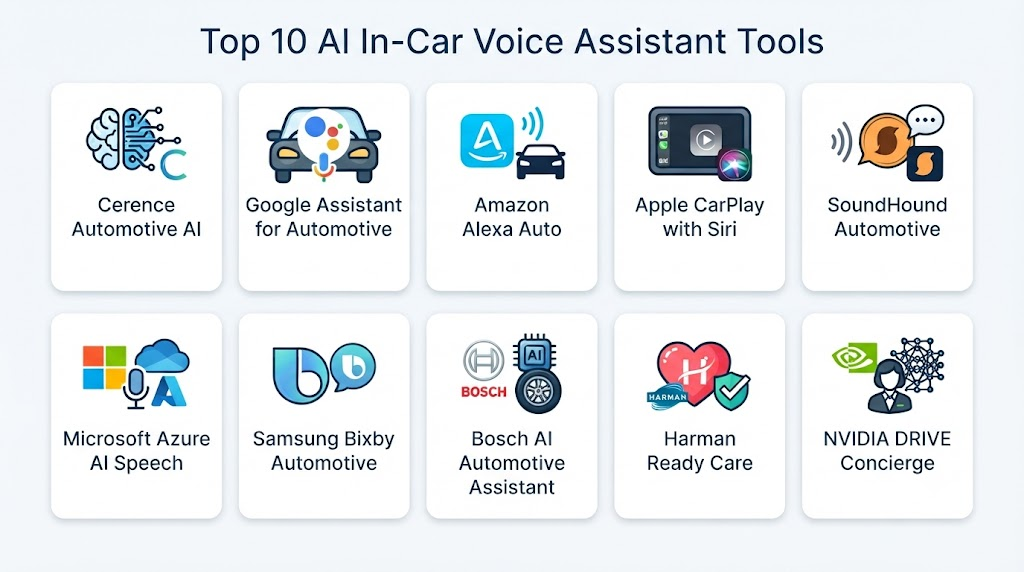
1 — Cerence AI
One-line verdict: Best for automakers building personalized conversational and digital cockpit experiences specifically for vehicles.
Short description:
Cerence AI focuses on automotive conversational AI and intelligent cabin experiences. Its technology can support personalized interactions involving voice, infotainment, navigation, vehicle information, and connected services.
Standout Capabilities
- Automotive conversational AI
- Personalized voice experiences
- Digital cockpit interaction
- Navigation assistance
- Media interaction
- Context-aware conversations
- Multilingual experiences
- Vehicle-system integration
AI-Specific Depth
- Model support: Proprietary automotive AI technologies.
- RAG / knowledge integration: Capabilities vary by product and deployment.
- Evaluation: Automotive speech and conversational evaluation.
- Guardrails: Product-level and automotive controls.
- Observability: Deployment-dependent.
Pros
- Automotive-focused technology.
- Strong conversational UX capabilities.
- Designed for integration into vehicle environments.
Cons
- Primarily oriented toward automotive manufacturers.
- Exact personalization capabilities vary by implementation.
- Integration requires automotive software engineering.
Security & Compliance
Specific security, privacy, retention, and compliance capabilities vary by product and deployment.
Deployment & Platforms
- Embedded automotive systems
- Cloud
- Hybrid environments
Integrations & Ecosystem
Cerence technologies can integrate with broader automotive cockpit and connected-vehicle systems.
- Infotainment
- Navigation
- Voice systems
- Vehicle APIs
- Connected services
- Media
- Automotive software
Pricing Model
Enterprise/OEM commercial model.
Best-Fit Scenarios
- Premium digital cockpits
- Personalized voice assistants
- Connected vehicles
2 — Google Gemini for Automotive
One-line verdict: Best for automakers seeking conversational personalization connected with navigation, entertainment, and broader digital services.
Short description:
Google Gemini for Automotive brings generative AI into vehicle environments. Depending on implementation, it can support more natural conversations and personalized assistance across navigation, communication, entertainment, and connected services.
Standout Capabilities
- Conversational AI
- Natural-language interaction
- Contextual assistance
- Navigation support
- Entertainment interaction
- Personalized conversations
- Android automotive integration
- Connected services
AI-Specific Depth
- Model support: Gemini-based AI technologies.
- RAG / knowledge integration: Capabilities depend on available connected services.
- Evaluation: Platform and automotive implementation testing.
- Guardrails: AI safety and product-level controls.
- Observability: Implementation-dependent.
Pros
- Strong generative AI capabilities.
- Natural conversational interaction.
- Broad ecosystem potential.
Cons
- Availability depends on automaker implementation.
- Requires integration with vehicle software.
- Some functionality may depend on connectivity.
Security & Compliance
Security and privacy controls depend on the selected Google services and automaker implementation.
Deployment & Platforms
- Automotive infotainment
- Android Automotive environments
- Cloud
- Hybrid
Integrations & Ecosystem
- Navigation
- Maps
- Media
- Communication
- Android Automotive
- Vehicle systems
- Connected services
Pricing Model
OEM and commercial terms vary.
Best-Fit Scenarios
- Generative-AI cockpits
- Connected vehicles
- Personalized automotive assistants
3 — NVIDIA DRIVE
One-line verdict: Best for automakers building high-performance AI cockpits combining personalization, perception, voice, and vehicle computing.
Short description:
NVIDIA DRIVE provides automotive computing and AI technologies that can support digital cockpit experiences. Its platform can serve as infrastructure for multimodal personalization combining AI models, vehicle data, sensors, and infotainment applications.
Standout Capabilities
- In-vehicle AI computing
- Digital cockpit processing
- Edge AI
- Generative AI integration
- Multimodal AI
- Sensor processing
- High-performance inference
- Software-defined vehicle infrastructure
AI-Specific Depth
- Model support: Broad AI model and framework support.
- RAG / knowledge integration: Application-dependent.
- Evaluation: Developer and OEM-specific.
- Guardrails: OEM and application controls.
- Observability: Depends on software implementation.
Pros
- Strong automotive computing capabilities.
- Suitable for multimodal AI.
- Supports edge processing.
Cons
- More infrastructure-oriented than a ready-made UX solution.
- Requires substantial engineering.
- Personalization functionality depends on the software layer.
Security & Compliance
Depends on vehicle architecture, software implementation, and OEM security controls.
Deployment & Platforms
- Automotive edge
- Vehicle computers
- Cloud
- Hybrid environments
Integrations & Ecosystem
- AI frameworks
- Vehicle sensors
- Digital cockpit
- Infotainment
- Automotive operating systems
- APIs
- Cloud services
Pricing Model
Enterprise/OEM commercial model.
Best-Fit Scenarios
- AI cockpits
- Software-defined vehicles
- Multimodal personalization
4 — Qualcomm Snapdragon Digital Chassis
One-line verdict: Best for automakers creating connected digital cockpits with integrated edge AI and personalized user experiences.
Short description:
Qualcomm’s automotive platform provides computing, connectivity, AI, and digital cockpit capabilities. It can provide the underlying infrastructure for personalized interfaces and contextual cabin experiences.
Standout Capabilities
- Digital cockpit computing
- Edge AI
- Connectivity
- Infotainment
- AI acceleration
- Multimodal experiences
- Vehicle integration
- Connected services
AI-Specific Depth
- Model support: Supports automotive AI workloads; exact models vary.
- RAG / knowledge integration: Application-dependent.
- Evaluation: OEM/application-specific.
- Guardrails: Platform and OEM controls.
- Observability: Deployment-dependent.
Pros
- Automotive-specific hardware and software ecosystem.
- Strong edge-AI potential.
- Suitable for connected cockpit architectures.
Cons
- Platform rather than a complete personalization application.
- Requires OEM integration.
- Exact AI features depend on implementation.
Security & Compliance
Security and privacy depend on the platform configuration and vehicle architecture.
Deployment & Platforms
- Embedded automotive
- Digital cockpit
- Edge
- Cloud-connected systems
Integrations & Ecosystem
- Automotive operating systems
- Infotainment
- Connectivity
- AI frameworks
- Vehicle systems
- Cloud services
- Developer tools
Pricing Model
Enterprise/OEM commercial pricing.
Best-Fit Scenarios
- Digital cockpit development
- Edge personalization
- Connected vehicles
5 — Harman Digital Cockpit
One-line verdict: Best for automakers seeking integrated cockpit technology combining infotainment, personalization, connectivity, and vehicle interaction.
Short description:
Harman develops automotive cockpit technologies covering infotainment, connectivity, audio, and digital experiences. Its ecosystem can support personalized cabin experiences when combined with vehicle data and AI-driven software.
Standout Capabilities
- Digital cockpit systems
- Infotainment
- Connected-car experiences
- Personalized interfaces
- Voice interaction
- Audio experiences
- Vehicle integration
- Cloud connectivity
AI-Specific Depth
- Model support: Varies by product and implementation.
- RAG / knowledge integration: Varies / N/A.
- Evaluation: Product-specific.
- Guardrails: Automotive and application controls.
- Observability: Varies by deployment.
Pros
- Strong automotive cockpit experience.
- Broad infotainment capabilities.
- Suitable for integrated cabin systems.
Cons
- Enterprise/OEM oriented.
- Exact AI capabilities differ between products.
- Personalization may require additional software integration.
Security & Compliance
Specific controls vary by product and OEM deployment.
Deployment & Platforms
- Embedded automotive
- Cloud
- Hybrid
Integrations & Ecosystem
- Infotainment
- Audio
- Navigation
- Voice
- Connectivity
- Vehicle systems
- Cloud services
Pricing Model
Enterprise/OEM commercial model.
Best-Fit Scenarios
- Premium infotainment
- Digital cockpits
- Connected-car personalization
6 — Amazon Alexa Custom Assistant
One-line verdict: Best for connected vehicles requiring customizable voice-driven personalization and smart-device ecosystem integration.
Short description:
Amazon’s automotive voice technologies can provide conversational interaction inside vehicles. With suitable integration, voice experiences can be personalized around user preferences, connected services, entertainment, and smart-home interactions.
Standout Capabilities
- Voice interaction
- Conversational assistance
- Media control
- Smart-home integration
- Personalized voice experiences
- Connected services
- Third-party integrations
- Automotive voice applications
AI-Specific Depth
- Model support: Amazon voice and AI technologies.
- RAG / knowledge integration: Depends on application architecture.
- Evaluation: Voice and application-specific evaluation.
- Guardrails: Platform and application controls.
- Observability: Implementation-dependent.
Pros
- Mature voice ecosystem.
- Strong connected-device integration.
- Customizable experiences.
Cons
- Automotive availability varies.
- Cloud connectivity can be important.
- Requires vehicle-specific integration.
Security & Compliance
Security and privacy depend on platform configuration and OEM implementation.
Deployment & Platforms
- Automotive infotainment
- Cloud
- Embedded environments
Integrations & Ecosystem
- Alexa
- Smart-home devices
- Media
- Navigation
- Vehicle services
- APIs
- Third-party services
Pricing Model
Commercial/OEM terms vary.
Best-Fit Scenarios
- Connected cars
- Voice personalization
- Smart-home-connected vehicles
7 — SoundHound AI
One-line verdict: Best for automakers seeking natural conversational interaction as part of personalized in-car digital experiences.
Short description:
SoundHound AI provides conversational voice technologies and automotive solutions. Its technology can support voice-based interaction with navigation, media, connected services, and other cabin functions.
Standout Capabilities
- Conversational voice AI
- Natural-language interaction
- Automotive assistants
- Navigation
- Media
- Connected services
- Multi-turn conversations
- Voice-enabled applications
AI-Specific Depth
- Model support: Proprietary conversational AI technologies.
- RAG / knowledge integration: Capabilities vary by deployment.
- Evaluation: Voice and conversational evaluation.
- Guardrails: Application and automotive controls.
- Observability: Deployment-dependent.
Pros
- Strong voice-AI specialization.
- Automotive experience.
- Natural conversational interaction.
Cons
- Primarily enterprise/OEM oriented.
- Personalization depends on integration.
- Exact product capabilities vary.
Security & Compliance
Specific controls vary by product and deployment.
Deployment & Platforms
- Embedded automotive
- Cloud
- Hybrid
Integrations & Ecosystem
- Navigation
- Infotainment
- Vehicle APIs
- Connected services
- Media
- APIs
- Automotive software
Pricing Model
Enterprise/OEM pricing.
Best-Fit Scenarios
- Voice-driven cockpits
- Connected vehicles
- Personalized assistants
8 — BlackBerry QNX
One-line verdict: Best for automotive software teams requiring a strong foundation for secure, integrated, and customizable digital cockpit experiences.
Short description:
QNX provides automotive operating-system and software technologies used in vehicle systems. It can provide the foundational environment in which personalization, infotainment, AI, and vehicle applications operate.
Standout Capabilities
- Automotive operating systems
- Digital cockpit infrastructure
- Embedded software
- Vehicle-system integration
- Security-oriented architecture
- Middleware
- Infotainment support
- Software-defined vehicle infrastructure
AI-Specific Depth
- Model support: Application-dependent.
- RAG / knowledge integration: N/A as a core capability.
- Evaluation: OEM/application-specific.
- Guardrails: System-level and application controls.
- Observability: Depends on deployed software.
Pros
- Automotive software specialization.
- Strong embedded foundation.
- Useful for controlled vehicle environments.
Cons
- Not a complete AI personalization platform.
- Requires additional AI software.
- OEM development expertise is typically necessary.
Security & Compliance
Security capabilities are central to automotive embedded software, but exact deployment controls depend on the implementation.
Deployment & Platforms
- Embedded automotive
- Vehicle computers
- Digital cockpits
- Edge
Integrations & Ecosystem
- Automotive middleware
- Infotainment
- Vehicle systems
- AI applications
- Hardware platforms
- APIs
- Embedded software
Pricing Model
Enterprise/OEM commercial model.
Best-Fit Scenarios
- Secure digital cockpits
- Software-defined vehicles
- Automotive embedded systems
9 — Unity Automotive Simulation & Digital Experience Stack
One-line verdict: Best for teams designing and testing personalized automotive interfaces before deploying them to production vehicles.
Short description:
Unity provides real-time 3D development technology that can be used to prototype, visualize, simulate, and test automotive digital experiences. AI personalization logic can be integrated into simulated cabin environments for UX development.
Standout Capabilities
- 3D cockpit visualization
- UX prototyping
- Simulation
- Human-machine interface development
- Interactive experiences
- Digital twins
- Testing environments
- Real-time rendering
AI-Specific Depth
- Model support: Application-dependent.
- RAG / knowledge integration: N/A as a core automotive feature.
- Evaluation: Custom simulation-based evaluation.
- Guardrails: Developer-controlled.
- Observability: Application-dependent.
Pros
- Useful for UX prototyping.
- Enables simulated testing.
- Flexible development environment.
Cons
- Not a complete cabin personalization platform.
- Requires custom AI integration.
- Production automotive deployment needs additional systems.
Security & Compliance
Depends on deployment and surrounding automotive software.
Deployment & Platforms
- Windows
- macOS
- Linux
- Automotive simulation
- Cloud
Integrations & Ecosystem
- 3D assets
- AI APIs
- Vehicle simulators
- HMI systems
- Data sources
- Developer tools
- Simulation platforms
Pricing Model
Commercial licensing varies.
Best-Fit Scenarios
- Automotive UX prototyping
- Digital cockpit simulation
- Personalization testing
10 — Open-Source Automotive AI Stack
One-line verdict: Best for engineering teams wanting maximum control over personalized cabin AI, data processing, and deployment architecture.
Short description:
An open-source architecture can combine local AI models, recommendation engines, speech technologies, computer vision, databases, and vehicle APIs. This approach provides flexibility for organizations developing proprietary cabin personalization systems.
Standout Capabilities
- Local AI
- Recommendation engines
- Driver profiles
- Context-aware UX
- Voice AI
- Computer vision
- Edge inference
- Custom vehicle APIs
AI-Specific Depth
- Model support: Open-source, custom, hosted, or hybrid models.
- RAG / knowledge integration: Highly customizable.
- Evaluation: Fully customizable.
- Guardrails: Developer-controlled.
- Observability: Developer-controlled.
Pros
- High architectural flexibility.
- Greater control over sensitive data.
- Reduced dependence on one vendor.
Cons
- Significant engineering requirements.
- Security becomes the organization’s responsibility.
- Automotive validation can be complex.
Security & Compliance
Depends entirely on implementation. Self-hosted deployment can provide strong data control but requires mature security engineering.
Deployment & Platforms
- Linux
- Edge
- Cloud
- Containers
- Embedded systems
- Hybrid
Integrations & Ecosystem
- Machine-learning frameworks
- LLMs
- Speech models
- Databases
- Vector databases
- Vehicle APIs
- Automotive middleware
Pricing Model
Open-source components plus infrastructure and engineering costs.
Best-Fit Scenarios
- Private automotive AI
- Custom personalization engines
- Research and development
Comparison Table
| Tool | Best For | Deployment | Model Flexibility | Strength | Watch-Out | Public Rating |
|---|---|---|---|---|---|---|
| Cerence AI | Automotive personalization | Hybrid | Proprietary | Automotive AI | OEM integration | |
| Google Gemini for Automotive | Conversational personalization | Cloud/Automotive | Hosted | Generative AI | Availability varies | |
| NVIDIA DRIVE | AI cockpit infrastructure | Edge/Hybrid | Multi-model | High-performance AI | Engineering complexity | |
| Qualcomm Digital Chassis | Connected cockpits | Edge/Hybrid | Multi-model | Edge computing | OEM integration | |
| Harman Digital Cockpit | Integrated infotainment | Hybrid | Varies | Complete cockpit ecosystem | Product variation | |
| Amazon Alexa Custom Assistant | Voice personalization | Cloud/Automotive | Hosted | Voice ecosystem | Connectivity | |
| SoundHound AI | Conversational UX | Hybrid | Proprietary | Voice AI | Enterprise integration | |
| BlackBerry QNX | Automotive software foundation | Embedded | Application-dependent | Embedded platform | AI layer required | |
| Unity | UX simulation | Cloud/Desktop | Multi-model | Simulation | Not production AI | |
| Open-Source Automotive AI | Custom systems | Any | Open-source | Maximum control | Engineering burden |
Scoring & Evaluation
The scores below are comparative assessments, not official vendor ratings. Cabin personalization requires balancing personalization quality with safety, privacy, latency, integration, and predictable UX behavior.
| Tool | Core | Reliability/Eval | Guardrails | Integrations | Ease | Perf/Cost | Security/Admin | Support | Weighted Total |
|---|---|---|---|---|---|---|---|---|---|
| Cerence AI | 10 | 10 | 10 | 10 | 8 | 8 | 9 | 10 | 9.40 |
| Google Gemini for Automotive | 10 | 10 | 10 | 10 | 9 | 8 | 9 | 10 | 9.55 |
| NVIDIA DRIVE | 10 | 10 | 10 | 10 | 6 | 9 | 9 | 10 | 9.30 |
| Qualcomm Digital Chassis | 10 | 9 | 10 | 10 | 7 | 9 | 9 | 10 | 9.35 |
| Harman Digital Cockpit | 10 | 9 | 9 | 10 | 8 | 8 | 9 | 10 | 9.15 |
| Amazon Alexa Custom Assistant | 9 | 9 | 9 | 10 | 9 | 8 | 9 | 10 | 9.10 |
| SoundHound AI | 10 | 9 | 9 | 9 | 9 | 8 | 9 | 9 | 9.05 |
| BlackBerry QNX | 9 | 10 | 10 | 10 | 7 | 9 | 10 | 10 | 9.30 |
| Unity | 8 | 8 | 8 | 9 | 8 | 8 | 8 | 9 | 8.25 |
| Open-Source Automotive AI | 10 | 8 | 8 | 10 | 5 | 9 | 7 | 8 | 8.15 |
Top 3 for Enterprise
- Google Gemini for Automotive
- Cerence AI
- NVIDIA DRIVE
Top 3 for SMB
- Amazon Alexa technologies
- Unity
- Open-Source Automotive AI
Top 3 for Developers
- Open-Source Automotive AI
- NVIDIA DRIVE
- Unity
Which AI Cabin UX Personalization Tool Is Right for You?
Solo / Freelancer
For a prototype, avoid trying to personalize every vehicle function.
Start with:
- Driver profile
- Media preferences
- Navigation history
- Simple recommendations
- Voice interaction
- Simulated vehicle data
An open-source AI stack can provide maximum experimentation flexibility.
SMB
Smaller automotive technology companies should concentrate on a few high-value personalization features:
- User profiles
- Favorite destinations
- Media preferences
- Climate preferences
- Personalized dashboards
- Voice interaction
Avoid collecting more personal data than the product actually needs.
Mid-Market
A mid-sized company can create a contextual personalization architecture:
User Identity → Preferences → Context Engine → Recommendation Model → Policy Layer → HMI → Feedback
The policy layer should prevent AI recommendations from interfering with safety-critical information.
Enterprise
Large automakers should consider:
- Multi-user profiles
- Cross-device identity
- Edge/cloud AI
- Multimodal perception
- Context-aware interfaces
- Personalized navigation
- Voice personalization
- Recommendation systems
- Privacy controls
- OTA updates
- Model monitoring
- AI governance
Regulated Industries
Automotive organizations should carefully evaluate:
- Location information
- Voice data
- Driver identity
- Passenger information
- Behavioral profiles
- Camera data
- Biometric information
- Data residency
- Retention
- Consent
- Access control
Budget vs Premium
A basic personalization system can rely on explicit user preferences.
More advanced systems can infer preferences from:
- Repeated behavior
- Trip patterns
- Context
- Vehicle conditions
- User interactions
- Voice conversations
- Environmental information
Build vs Buy
Buy when the organization needs mature automotive cockpit infrastructure.
Build when personalization is a core product differentiator and the company has sufficient AI, UX, embedded, and automotive engineering expertise.
A hybrid model is often practical: use established cockpit infrastructure while developing proprietary personalization logic.
Implementation Playbook
30 Days: Pilot + Success Metrics
- Identify key personalization scenarios.
- Define user profiles.
- Determine available vehicle data.
- Map data permissions.
- Create a simple recommendation model.
- Prototype adaptive dashboard behavior.
- Establish privacy requirements.
- Define safety boundaries.
Track:
- Feature adoption
- Recommendation acceptance
- User corrections
- Interaction time
- Task completion
- Personalization accuracy
- User satisfaction
- Incorrect recommendations
60 Days: Harden Security + Evaluation + Rollout
- Build an evaluation dataset.
- Test different driver profiles.
- Test shared vehicles.
- Test incorrect identity detection.
- Test conflicting preferences.
- Validate privacy controls.
- Add model-version management.
- Test edge/cloud failures.
- Implement audit logging.
- Establish human override mechanisms.
90 Days: Optimize Cost + Latency + Governance
- Optimize inference routing.
- Move suitable workloads to the edge.
- Improve contextual recommendations.
- Introduce multimodal signals.
- Monitor personalization drift.
- Add OTA update controls.
- Establish AI governance.
- Conduct security testing.
- Review data retention.
- Expand personalization to additional cabin functions.
Common Mistakes & How to Avoid Them
- Over-personalizing the cabin: Users should still understand where important controls are located.
- Ignoring safety: Personalization should never hide or alter critical warnings.
- Collecting excessive data: Use data minimization wherever possible.
- Incorrect user identification: Shared vehicles create unique identity challenges.
- No privacy controls: Users should understand what information is being used.
- Overusing generative AI: Deterministic systems are often better for predictable preferences.
- No evaluation: Test personalization against realistic driving situations.
- Ignoring passengers: Passenger preferences can conflict with driver preferences.
- No fallback: The interface should remain functional when AI is unavailable.
- Ignoring latency: Personalization must feel immediate.
- No model monitoring: User behavior changes over time.
- Poor recommendation explanations: Users may reject unexplained changes.
- No version control: AI updates can unexpectedly change cabin behavior.
- Ignoring edge processing: Sensitive or latency-critical personalization may benefit from local processing.
- Creating vendor lock-in: Maintain abstraction layers around user profiles, models, and vehicle APIs.
FAQs
What is AI cabin UX personalization?
It is the use of AI to adapt a vehicle’s digital cabin experience to individual users, preferences, context, and behavior.
What can an AI-personalized cabin change?
It can potentially personalize dashboards, navigation, media, climate preferences, voice interactions, recommendations, and other non-safety-critical experiences.
How does AI know what a driver prefers?
Preferences can come from explicit settings, historical interactions, repeated behavior, profiles, and contextual information.
Can AI personalize a vehicle for multiple drivers?
Yes. User profiles can distinguish between drivers, although reliable identification is essential when vehicles are shared.
Can passengers receive personalized experiences?
Yes. Modern cabin architectures can potentially support separate passenger experiences, provided the vehicle has suitable displays, sensors, and software.
Is cabin personalization safe?
It can be safe when designed with clear boundaries. Critical warnings and safety-related information should not be overridden by personalization.
Does cabin personalization require an LLM?
No. Many personalization tasks can use recommendation systems, rules, classifiers, or conventional machine learning. LLMs are most useful for conversational and flexible interactions.
Can personalization run locally inside the vehicle?
Yes. Edge AI can process selected personalization workloads locally, potentially reducing latency and limiting the amount of data sent to cloud systems.
What data is typically used?
Potential inputs include user preferences, vehicle state, trip history, location, media choices, voice interactions, and contextual information.
How important is privacy?
Extremely important. Cabin systems can process sensitive behavioral, location, voice, and potentially biometric information.
Can AI personalize the dashboard?
Yes. It can potentially prioritize frequently used functions, recommendations, navigation information, and other relevant controls.
Can AI personalize climate settings?
It can learn preferred temperature or climate settings where the vehicle exposes suitable controls and the user has provided appropriate consent.
How should personalization models be evaluated?
Measure recommendation accuracy, acceptance, correction rate, latency, task completion, user satisfaction, privacy outcomes, and failure behavior.
What is contextual personalization?
Contextual personalization considers the current situation rather than only historical preferences. For example, the interface may behave differently during commuting, charging, or long-distance travel.
Can AI cabin personalization work without internet access?
Yes, depending on the architecture. Local profiles and models can support selected features, while cloud services can provide additional capabilities.
How much does AI cabin personalization cost?
There is no universal price. Costs depend on vehicle hardware, AI models, cloud usage, data infrastructure, integration, software licensing, and engineering requirements.
Should automakers build or buy personalization technology?
Buying can accelerate development, while building offers more control over user experience and data. A hybrid approach can combine commercial automotive infrastructure with proprietary AI.
Conclusion
AI Cabin UX Personalization is becoming an important component of the software-defined vehicle. Instead of treating the digital cockpit as a fixed interface, automakers can use AI to create experiences that adapt to the driver, passenger, vehicle, trip, and context.Cerence AI, Google Gemini for Automotive, NVIDIA DRIVE, Qualcomm Digital Chassis, Harman, SoundHound AI, and other automotive technology ecosystems provide different pieces of the personalization stack. Open-source technologies can provide greater flexibility for teams willing to take on additional engineering and security responsibilities.The strongest systems should not simply personalize everything they can. They should personalize the right things, at the right time, while preserving safety, predictability, privacy, and user con