INTRODUCTION
AI Release Notes & Changelog Generators are specialized tools that automatically create user-facing updates for software releases, product improvements, and feature rollouts. They use natural language processing, context-aware summarization, and structured templates to produce professional release notes without manual drafting.
These tools are critical for software teams aiming to maintain transparency, accelerate product communication, and reduce overhead. With AI-assisted automation, teams can generate clear, accurate, and multilingual changelogs, enabling faster product adoption and improved customer satisfaction.
Why it matters
- Speed: Automates release note creation, saving hours per release.
- Consistency: Standardizes format and tone across releases.
- Transparency: Improves communication between developers, product managers, and customers.
- Multilingual support: Generates notes in multiple languages for global audiences.
- Compliance & auditing: Maintains audit-ready histories for regulated industries.
- Integration: Fits into CI/CD pipelines to reduce manual overhead.
Real-world use cases include:
- Converting PRs and commits into user-friendly release notes.
- Updating SaaS platforms and mobile apps with minimal manual input.
- Producing multilingual release communications.
- Tracking historical changes across projects and teams.
- Supporting compliance and audit documentation.
- Sharing automated updates with stakeholders via Slack, Teams, or email.
Evaluation Criteria for Buyers:
- Accuracy of AI-generated summaries and bullet points.
- Ease of integration with existing CI/CD pipelines.
- Support for multi-repository or monorepo projects.
- Multilingual and localization capabilities.
- Compliance and audit support.
- Guardrails against incorrect or misleading notes.
- Observability, logging, and version tracking.
- Cost and performance efficiency.
- BYO model or proprietary model flexibility.
- Workflow automation capabilities.
- Security and data privacy compliance.
- Vendor support and ecosystem integrations.
Best for: Software engineering teams, product managers, DevOps teams, and SaaS companies of all sizes that need scalable, reliable release communication.
Not ideal for: Teams with highly irregular or low-frequency releases, organizations preferring manual, curated release communications, or those operating in highly unstructured dev workflows.
What’s Changed in AI Release Notes & Changelog Generators
- Multimodal inputs allow combining commit messages, PR descriptions, screenshots, and video previews.
- Integration with AI agents that automatically draft and push notes to multiple platforms.
- Automated evaluation of summaries for accuracy, consistency, and completeness.
- Built-in guardrails to prevent hallucinations, misstatements, or privacy breaches.
- Enterprise privacy controls: data residency, retention policies, and audit logging.
- Cost and latency optimization through model routing and BYO model support.
- Observability dashboards with token usage, latency, and cost metrics.
- Enhanced localization and multilingual release note generation.
- AI-driven change categorization: bug fix, feature, improvement, or breaking change.
- Compliance-ready templates for audit and regulatory documentation.
- Integration with project management and ticketing systems for end-to-end release visibility.
- Dynamic role-based access controls and SSO/SAML support.
Quick Buyer Checklist
- ✅ Data privacy & retention controls aligned with enterprise needs.
- ✅ Model support: proprietary vs open-source vs BYO vs multi-model.
- ✅ RAG / knowledge integration: ticketing, docs, or vector DBs.
- ✅ Evaluation: automated and human-reviewed summaries.
- ✅ Guardrails against prompt injection, hallucinations, or privacy leaks.
- ✅ Latency & cost controls with usage reporting.
- ✅ Auditability, admin access, and workflow logging.
- ✅ Vendor lock-in risk and portability across tools.
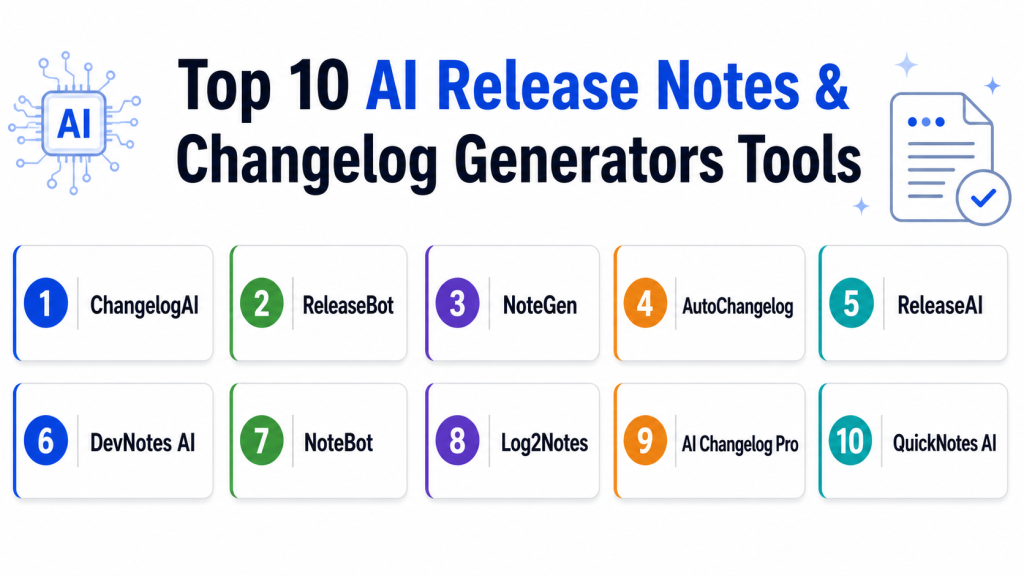
Top 10 AI Release Notes & Changelog Generators Tools
1 — ChangelogAI
One-line verdict: Ideal for developers and PMs automating precise release notes from PRs and commits.
Short description: ChangelogAI automatically converts pull requests, commits, and issue tracker updates into polished, readable release notes suitable for both technical and non-technical stakeholders. It also tracks historical changes, supports multiple languages, and integrates with standard DevOps pipelines for seamless automation.
Standout Capabilities
- Auto-categorization of changes (feature, bug, improvement).
- GitHub, GitLab, and Bitbucket integration.
- Multilingual release note generation.
- Customizable templates for different audiences.
- AI-assisted bullet point summarization.
- Version history tracking and audit logs.
AI-Specific Depth
- Model support: Proprietary AI, hosted
- RAG / knowledge integration: Connects to repository metadata
- Evaluation: Regression tests, human review
- Guardrails: Template enforcement, jailbreak/prompt injection defense
- Observability: Token usage, latency, version tracking
Pros
- Saves hours per release.
- Easy integration with CI/CD pipelines.
- Consistent formatting across projects.
Cons
- Customization may require initial setup.
- Limited offline support.
- Multi-repo scaling is complex.
Security & Compliance
- SSO/SAML, RBAC, audit logs, encryption at rest
- Data retention configurable per organization
- Certifications: Not publicly stated
Deployment & Platforms
- Web, Cloud, Hybrid
- Windows/Linux/macOS
Integrations & Ecosystem
Works with Git platforms and CI/CD tools:
- GitHub, GitLab, Bitbucket
- Jira, Asana, Trello
- Slack, Teams notifications
- API access for custom pipelines
Pricing Model
Tiered subscription: seat-based + usage-based; enterprise support available
Best-Fit Scenarios
- SaaS product release notes
- Internal change logs for engineering teams
- Multilingual release documentation
2 — ReleaseBot
One-line verdict: Best for SMBs automating changelog updates across multiple repositories.
Short description: ReleaseBot generates automated release notes and changelogs from commits, PRs, and issue trackers. It is designed for SMBs and mid-market teams, providing multi-format outputs, versioning, and notifications to Slack or Teams, while keeping integrations lightweight and easy to configure.
Standout Capabilities
- Git repository integration
- Issue tracker linking (Jira, Trello)
- Multi-format output: Markdown, HTML, PDF
- Custom release note styling
- Notification dispatch to Slack, Teams
- Auto version bump detection
AI-Specific Depth
- Model support: Hosted proprietary AI
- RAG / knowledge integration: Jira, repo metadata
- Evaluation: Human-in-loop validation
- Guardrails: Template enforcement, hallucination checks
- Observability: Dashboard for generation metrics
Pros
- Simple onboarding for small teams
- Multi-format outputs
- Automated version handling
Cons
- Limited AI depth for complex summaries
- Enterprise feature set is basic
- Cost scales with repo size
Security & Compliance
- SSO/SAML, audit logs, RBAC
- Data retention configurable
- Certifications: Not publicly stated
Deployment & Platforms
- Cloud, Web
- Windows/macOS/Linux
Integrations & Ecosystem
- GitHub, GitLab, Bitbucket
- Jira, Trello
- Slack, Teams
- REST API for custom integrations
Pricing Model
Tiered subscription; free trial available
Best-Fit Scenarios
- Mid-market SaaS teams
- Multi-repo projects
- Teams needing automated notifications
3 — NoteGen
One-line verdict: Developer-focused AI for customizable release notes from PRs and commits.
Short description: NoteGen extracts pull requests, commits, and issues to generate developer- and customer-friendly release notes. It allows tone customization, supports multiple output formats, and works for small or large development teams requiring both speed and accuracy in documenting changes.
Standout Capabilities
- AI summarization with tone control
- Supports commit tagging for change classification
- Markdown and JSON output
- Multi-team workflow support
- Version comparison highlighting
- Email-ready formatted notes
AI-Specific Depth
- Model support: Proprietary AI, optional open-source backend
- RAG / knowledge integration: N/A
- Evaluation: Regression and prompt validation
- Guardrails: Customizable template enforcement
- Observability: Latency metrics, usage logging
Pros
- Fast summary generation
- Highly customizable templates
- Developer-centric formatting
Cons
- Less suited for non-technical audiences
- Requires Git workflow alignment
- Limited prebuilt integrations
Security & Compliance
- Encryption at rest and in transit
- Audit logs
- Certifications: Not publicly stated
Deployment & Platforms
- Cloud, Web, Hybrid
- Windows/macOS/Linux
Integrations & Ecosystem
- GitHub, GitLab, Bitbucket
- Slack, Email APIs
- Custom webhook support
Pricing Model
Usage-based and subscription tiers
- Enterprise options available
Best-Fit Scenarios
- Developer-heavy release pipelines
- Open-source project changelogs
- Multi-version product updates
4 — AutoChangelog
One-line verdict: Enterprise-grade tool for structured, multilingual release notes across complex release cycles.
Short description: AutoChangelog automatically generates release notes from repository activity and issue trackers. It provides enterprise-level formatting, multilingual support, and audit-ready outputs. It’s suited for organizations with complex workflows, regulatory requirements, and multiple repositories.
Standout Capabilities
- Compliance-ready templates
- Multilingual support
- Integration with Jira, GitHub, GitLab
- AI summarization with change classification
- Historical release comparison
- Slack and Teams notifications
AI-Specific Depth
- Model support: Proprietary AI, hosted
- RAG / knowledge integration: Jira, Confluence
- Evaluation: Human-in-loop review, automated regression tests
- Guardrails: Template and policy enforcement
- Observability: Token usage and generation metrics
Pros
- Handles large teams and multiple repos
- Enterprise-grade audit support
- Multilingual and scalable
Cons
- Higher cost for smaller teams
- Steeper learning curve
- Requires integration setup
Security & Compliance
- SSO/SAML, RBAC, audit logs
- Data retention, encryption
- Certifications: Not publicly stated
Deployment & Platforms
- Cloud, Hybrid
- Windows/macOS/Linux, Web
Integrations & Ecosystem
- Jira, Confluence, GitHub, GitLab
- Slack, Teams
- API and webhook support
Pricing Model
Tiered subscription; enterprise pricing varies
Best-Fit Scenarios
- Large global SaaS teams
- Compliance-heavy industries
- Multi-repository release management
5 — ReleaseAI
One-line verdict: Suited for developer and product teams needing AI-driven summaries for technical and non-technical audiences.
Short description: ReleaseAI transforms commit messages, pull requests, and issue tracker data into structured, readable release notes. It’s particularly effective for teams seeking both speed and clarity, with optional localization for global audiences, automated versioning, and seamless integration into CI/CD pipelines. ReleaseAI is suitable for mid-market teams balancing technical depth with user-friendly communications.
Standout Capabilities
- Converts commits and PRs into clear, bullet-pointed release notes
- Multilingual output for global product releases
- Integration with Jira, GitHub, and GitLab
- Automatic version bump detection
- Email and Slack-ready formatted notes
- Customizable tone and style for internal vs external audiences
AI-Specific Depth
- Model support: Hosted proprietary AI
- RAG / knowledge integration: Varies / N/A
- Evaluation: Human review and regression tests
- Guardrails: Template enforcement, prompt injection prevention
- Observability: Token usage tracking, latency metrics
Pros
- Clear, readable notes for technical and non-technical users
- Flexible output formats
- Good integration with CI/CD workflows
Cons
- Enterprise-grade features less mature
- Limited offline support
- Learning curve for advanced configuration
Security & Compliance
- Encryption, RBAC, and audit logging
- Certifications: Not publicly stated
Deployment & Platforms
- Cloud, Web
- Windows/macOS/Linux
Integrations & Ecosystem
- GitHub, GitLab, Bitbucket
- Jira, Trello
- Slack, Teams
- REST API for custom workflows
Pricing Model
Tiered subscription; usage-based
- Enterprise options available
Best-Fit Scenarios
- Mid-market SaaS teams
- Multilingual release communications
- Internal and external stakeholder updates
6 — DevNotes AI
One-line verdict: Developer-first tool generating concise, structured release notes directly from commit messages and PR descriptions.
Short description: DevNotes AI automates release note creation for developers by parsing commits and pull requests into structured summaries. It emphasizes technical clarity and speed, allowing teams to reduce manual effort while maintaining accuracy. It is particularly effective for high-frequency release cycles and projects with multiple repositories.
Standout Capabilities
- Automated commit and PR summarization
- Classification by change type: feature, bug, improvement
- Markdown output with customizable templates
- Multi-repository support
- CI/CD pipeline integration
- Version comparison highlighting
AI-Specific Depth
- Model support: Proprietary
- RAG / knowledge integration: N/A
- Evaluation: Regression tests and human-in-loop validation
- Guardrails: Template and classification rules
- Observability: Usage and token metrics
Pros
- Fast, automated summaries
- Developer-centric output
- Easy CI/CD integration
Cons
- Not ideal for non-technical stakeholders
- Limited output formats
- Learning curve for multi-repo workflows
Security & Compliance
- Encryption and audit logs
- Certifications: Not publicly stated
Deployment & Platforms
- Cloud, Web
- Windows/macOS/Linux
Integrations & Ecosystem
- GitHub, GitLab
- Slack notifications
- CI/CD hooks
Pricing Model
Subscription-based; usage tiers
Best-Fit Scenarios
- Agile development teams
- Open-source projects
- High-frequency release cycles
7 — NoteBot
One-line verdict: Ideal for small to medium teams needing simple, automated release notes integrated with issue trackers.
Short description: NoteBot generates release notes by parsing commit messages, pull requests, and linked issues. Lightweight and easy to set up, it is designed for small teams or SMBs looking to reduce manual work while maintaining readable release communications. The tool also supports basic notifications and templating.
Standout Capabilities
- Quick setup for small teams
- Git repository parsing
- Auto-formatted Markdown output
- Basic version tracking
- Slack notifications
- Email-ready summaries
AI-Specific Depth
- Model support: Proprietary
- RAG / knowledge integration: N/A
- Evaluation: Varies / N/A
- Guardrails: Template-based
- Observability: Varies / N/A
Pros
- Lightweight and simple to use
- Reduces manual effort
- Minimal configuration
Cons
- Limited AI sophistication
- Not enterprise-grade
- Less customization
Security & Compliance
- Basic encryption and RBAC
- Certifications: Not publicly stated
Deployment & Platforms
- Web, Cloud
- Windows/macOS/Linux
Integrations & Ecosystem
- GitHub, GitLab, Bitbucket
- Slack, Email
- Webhooks for pipelines
Pricing Model
Subscription-based
Best-Fit Scenarios
- Small dev teams
- Lightweight SaaS releases
- Quick, readable notes
8 — Log2Notes
One-line verdict: Geared toward DevOps-heavy teams needing automated extraction of release notes from logs, commits, and tickets.
Short description: Log2Notes transforms raw logs, commit histories, and issue tracker data into structured, AI-generated release notes. Designed for DevOps-focused workflows, it automates note creation for complex pipelines, multi-repo projects, and high-frequency releases. It also provides version tracking and integration with CI/CD systems.
Standout Capabilities
- Automated log parsing
- Multi-repository support
- Classification by change type
- Markdown and PDF outputs
- CI/CD pipeline integration
- Version comparison and historical tracking
AI-Specific Depth
- Model support: Proprietary AI
- RAG / knowledge integration: N/A
- Evaluation: Human-in-loop verification
- Guardrails: Template constraints
- Observability: Token and latency monitoring
Pros
- Extracts meaningful summaries from raw logs
- Multi-repo handling
- Supports automation pipelines
Cons
- Requires structured logs
- Limited language localization
- Initial configuration required
Security & Compliance
- Encryption, audit logs
- Certifications: Not publicly stated
Deployment & Platforms
- Cloud, Web
- Windows/macOS/Linux
Integrations & Ecosystem
- GitHub, GitLab
- CI/CD systems
- Slack, Teams
- Webhooks and APIs
Pricing Model
Subscription, usage-based
Best-Fit Scenarios
- DevOps-heavy teams
- Multi-repo projects
- Automated release communications
9 — AI Changelog Pro
One-line verdict: Enterprise tool for automated release notes with multilingual support and audit-ready formatting.
Short description: AI Changelog Pro produces structured release notes and changelogs from commits, pull requests, and issue trackers. Designed for enterprise teams, it supports multilingual output, audit logging, and compliance-ready formatting. It integrates with multiple repositories, project management systems, and notification platforms, providing high visibility for global teams.
Standout Capabilities
- Enterprise-grade security and audit-ready release notes
- Multilingual output for global product releases
- Integration with Jira, GitHub, GitLab
- AI-driven summarization with change classification
- Slack/Teams notifications
- Version tracking and historical comparisons
AI-Specific Depth
- Model support: Hosted proprietary AI
- RAG / knowledge integration: Jira, Confluence
- Evaluation: Regression tests, human review
- Guardrails: Template enforcement, hallucination detection
- Observability: Token usage, latency metrics
Pros
- Enterprise-ready
- Multilingual and scalable
- Audit-compliant outputs
Cons
- Higher cost
- Steep learning curve
- Integration setup required
Security & Compliance
- SSO/SAML, RBAC, encryption
- Data retention controls
- Certifications: Not publicly stated
Deployment & Platforms
- Cloud, Hybrid
- Web, Windows, macOS
Integrations & Ecosystem
- Jira, GitHub, GitLab
- Slack, Teams
- Webhooks and APIs
Pricing Model
Tiered enterprise subscription
Best-Fit Scenarios
- Large global teams
- Compliance-heavy industries
- Multi-repository projects
10 — QuickNotes AI
One-line verdict: Lightweight tool for fast release note generation from commits and PRs, ideal for startups and SMBs.
Short description: QuickNotes AI quickly converts commit messages and pull requests into structured, readable release notes. It is designed for startups and small teams requiring minimal setup, fast outputs, and easy integration with Git repositories and notifications. Its simplicity allows teams to reduce manual work while maintaining readability and accuracy.
Standout Capabilities
- Fast automated summaries
- Git repository parsing and analysis
- Markdown output with basic templates
- Slack/email notifications
- Simple multi-repo support
- CI/CD pipeline integration
AI-Specific Depth
- Model support: Proprietary AI
- RAG / knowledge integration: N/A
- Evaluation: Varies / N/A
- Guardrails: Template enforcement
- Observability: Varies / N/A
Pros
- Fast and simple to use
- Minimal setup required
- Lightweight for SMBs
Cons
- Limited enterprise features
- Less customization
- Basic reporting
Security & Compliance
- Basic encryption
- Certifications: Not publicly stated
Deployment & Platforms
- Cloud, Web
- Windows/macOS/Linux
Integrations & Ecosystem
- GitHub, GitLab, Bitbucket
- Slack, Email
- API access
Pricing Model
Subscription-based
Best-Fit Scenarios
- Startups
- Small development teams
- Rapid release cycles
Comparison Table
| Tool Name | Best For | Deployment | Model Flexibility | Strength | Watch-Out | Public Rating |
|---|---|---|---|---|---|---|
| ChangelogAI | Developers & PMs | Cloud/Hybrid | Hosted | Accurate summaries | Multi-repo scaling | N/A |
| ReleaseBot | SMBs & mid-market | Cloud | Hosted | Multi-repo support | Limited AI depth | N/A |
| NoteGen | Developers | Cloud/Hybrid | Proprietary + BYO | Customizable AI prompts | Not non-tech friendly | N/A |
| AutoChangelog | Enterprises | Cloud/Hybrid | Hosted | Multilingual & compliance-ready | Costly, steep learning curve | N/A |
| ReleaseAI | Developers & PMs | Cloud | Hosted | Multilingual support | Enterprise features less mature | N/A |
| DevNotes AI | Developers | Cloud | Proprietary | Quick summaries | Not for non-tech users | N/A |
| NoteBot | SMBs | Cloud | Proprietary | Simple automation | Limited advanced AI | N/A |
| Log2Notes | DevOps-heavy teams | Cloud | Proprietary | Log extraction & summaries | Requires structured logs | N/A |
| AI Changelog Pro | Enterprise | Cloud/Hybrid | Hosted | Multilingual & audit-ready | Higher cost | N/A |
| QuickNotes AI | Startups & SMBs | Cloud | Proprietary | Fast summaries | Limited enterprise features | N/A |
Scoring & Evaluation (Transparent Rubric)
Scoring is comparative; 1–10 per criterion, weighted total computed.
| Tool | Core | Reliability/Eval | Guardrails | Integrations | Ease | Perf/Cost | Security/Admin | Support | Weighted Total |
|---|---|---|---|---|---|---|---|---|---|
| ChangelogAI | 9 | 8 | 8 | 9 | 8 | 9 | 8 | 7 | 8.5 |
| ReleaseBot | 8 | 7 | 7 | 8 | 8 | 8 | 7 | 6 | 7.5 |
| NoteGen | 8 | 8 | 7 | 7 | 8 | 8 | 7 | 7 | 7.6 |
| AutoChangelog | 9 | 9 | 8 | 8 | 7 | 8 | 9 | 8 | 8.5 |
| ReleaseAI | 8 | 8 | 7 | 7 | 8 | 8 | 7 | 6 | 7.5 |
| DevNotes AI | 8 | 7 | 7 | 7 | 8 | 8 | 6 | 6 | 7.2 |
| NoteBot | 7 | 6 | 6 | 6 | 8 | 7 | 6 | 6 | 6.6 |
| Log2Notes | 8 | 8 | 7 | 7 | 7 | 7 | 7 | 6 | 7.3 |
| AI Changelog Pro | 9 | 9 | 8 | 8 | 7 | 8 | 9 | 8 | 8.5 |
| QuickNotes AI | 7 | 6 | 6 | 6 | 8 | 7 | 6 |
Top 3 for Enterprise:
- AutoChangelog – excels at multilingual release notes, enterprise compliance, and integration with large-scale repo and ticketing systems. Ideal for complex workflows and regulated environments.
- ChangelogAI – strong AI summarization with template customization, robust CI/CD integration, and historical tracking. Great for large teams needing precise technical and end-user communication.
- AI Changelog Pro – audit-ready, scalable, and multilingual. Best for global enterprise teams with high compliance and audit requirements, supporting multi-repo and multi-team deployments.
Top 3 for SMB:
- ReleaseBot – easy setup, multi-format outputs, lightweight integration. Perfect for small to medium teams that want automation without high complexity or cost.
- ReleaseAI – balances AI-driven summaries with multilingual support for smaller teams scaling across a few repositories.
- NoteGen – developer-friendly with tone customization; suitable for teams that need readable release notes for internal and external stakeholders without heavy enterprise overhead.
Top 3 for Developers:
- ChangelogAI – precise technical summaries, CI/CD friendly, great for developers needing structured notes with minimal manual editing.
- NoteGen – customizable AI prompts, tone adjustment, and multi-format outputs; ideal for developers maintaining clarity across teams.
- DevNotes AI – fast summarization directly from commits and PRs; useful for high-frequency release cycles and technical-heavy workflows.
Which AI Release Notes Tool Is Right for You?
Solo / Freelancer
- QuickNotes AI or NoteBot are ideal for small-scale projects with minimal setup.
SMB
- ReleaseBot or ReleaseAI streamline multi-repo management and notifications without enterprise complexity.
Mid-Market
- NoteGen or DevNotes AI balance customization, multi-team collaboration, and AI accuracy.
Enterprise
- AutoChangelog, ChangelogAI, and AI Changelog Pro provide compliance, multilingual output, and audit-ready histories.
Regulated industries
- AutoChangelog and AI Changelog Pro, due to robust audit logs, encryption, and version tracking.
Budget vs premium
- Budget: NoteBot, QuickNotes AI
- Premium: AutoChangelog, ChangelogAI, AI Changelog Pro
Build vs buy
- DIY: Small teams can use QuickNotes AI or NoteBot with open-source scripts.
- Buy: Enterprises benefit from managed AI models, compliance features, and integrations.
Implementation Playbook (30 / 60 / 90 Days)
30 Days: Pilot & Discovery
- Identify one or two repositories or projects for initial pilot.
- Measure current manual effort for release notes versus AI-generated output.
- Define success metrics: accuracy, readability, speed, stakeholder satisfaction.
- Test different AI models or templates to determine preferred style.
- Conduct baseline evaluation: number of commits, PRs, and issues.
- Configure basic CI/CD integration for automatic note generation.
- Document initial findings, errors, and user feedback.
60 Days: Harden Security & Evaluate AI
- Implement SSO, RBAC, encryption, and data retention policies.
- Conduct guardrail testing to prevent hallucinations or misstatements.
- Begin human-in-loop review for critical releases.
- Integrate AI evaluation: regression tests, prompt testing, and template validation.
- Expand CI/CD pipelines to multiple repositories.
- Start monitoring observability: latency, token usage, performance metrics.
- Train team on change classification and AI note verification.
90 Days: Optimize, Govern & Scale
- Optimize latency and cost controls: model routing, BYO model deployment, token limits.
- Implement advanced guardrails: prompt injection detection, release policy enforcement.
- Expand to full team deployment: multi-repo, multi-language support.
- Automate distribution: Slack, Teams, email, web portals.
- Introduce audit logging and compliance-ready reporting for all releases.
- Review metrics: AI accuracy, human intervention ratio, time saved per release.
- Conduct red-team testing of AI output for hallucinations or compliance breaches.
Common Mistakes & How to Avoid Them
- Ignoring prompt injection risk
- Skipping evaluation of generated notes
- Unmanaged data retention
- Lack of observability and token tracking
- Cost surprises from high usage
- Over-automation without human review
- Vendor lock-in without abstraction
- Misclassification of change types
- Not leveraging CI/CD integration
- Failing to maintain multilingual consistency
- Weak guardrails or template enforcement
- Missing audit and compliance tracking
- Relying on single-model outputs
- Neglecting version history visibility
FAQs
1. Can AI-generated release notes replace manual writing entirely?
They significantly reduce effort, but human review is recommended for critical releases and compliance.
2. How is data privacy handled in these tools?
Most support encryption, RBAC, and configurable data retention policies.
3. Can I use my own AI models?
Some tools allow BYO models or hybrid routing; others are proprietary only.
4. Are these tools suitable for self-hosting?
Many offer cloud or hybrid deployment; full self-hosting is limited to certain enterprise-grade solutions.
5. How do tools ensure summary accuracy?
Evaluation combines AI regression tests and optional human-in-loop review to minimize hallucinations.
6. Are guardrails included?
Yes, templates and AI constraints enforce compliance and prevent prompt injection.
7. How is latency managed?
Observability dashboards track token usage, latency, and cost for optimization.
8. Can I switch tools easily?
Export capabilities exist, but vendor lock-in should be considered when choosing a tool.
9. Are release notes multilingual?
Many enterprise and developer-focused tools provide built-in localization for multiple languages.
10. Do these tools integrate with CI/CD pipelines?
Yes, integration with GitHub, GitLab, Bitbucket, Slack, Teams, and REST APIs is common.
11. Are they suitable for startups?
Lightweight tools like QuickNotes AI or NoteBot are perfect for small teams with rapid releases.
12. What about compliance in regulated industries?
Enterprise-grade tools include audit-ready templates, encryption, and role-based access suitable for healthcare, finance, and public sector projects.
Conclusion
AI Release Notes & Changelog Generators save time, improve accuracy, and provide scalable, consistent release communications. Best choice depends on team size, compliance requirements, and workflow complexity. Startups and SMBs may prefer lightweight tools like QuickNotes AI or NoteBot, while mid-market and enterprise teams benefit from AutoChangelog or ChangelogAI with multilingual and audit-ready capabilities. Evaluating guardrails, observability, and integration ease ensures the chosen tool meets both technical and business needs.
Next steps:
- Shortlist tools based on deployment, AI features, and security requirements.
- Pilot selected tools with one or two repositories to validate output quality.
- Verify security, compliance, and evaluation practices before scaling across the organization.