Introduction
AI Integration Test Generation Tools are specialized platforms designed to automatically create, execute, and validate tests for complex software systems that include AI components. They bridge the gap between traditional software testing and AI-driven behaviors, ensuring that AI models integrate correctly with existing applications and services. These tools generate realistic test cases, validate API endpoints, check data pipelines, and assess AI outputs for reliability, consistency, and compliance.
The complexity of AI-infused systems has grown, making traditional manual testing insufficient. Enterprises now deploy AI across recommendation engines, automated decision-making systems, and multimodal applications, where integration errors can lead to critical business or regulatory risks
Why it matters
- Ensures AI Accuracy in Integrated Systems: AI models often behave unpredictably when integrated with other services; automated testing ensures outputs align with expectations.
- Reduces Risk of Business Impact: Errors in AI-driven recommendations or decision-making can result in financial losses, regulatory violations, or customer dissatisfaction.
- Speeds Up AI Deployment: Automating integration tests accelerates release cycles, reducing manual testing effort and improving time-to-market.
- Supports Compliance & Governance: Automated testing captures logs, audit trails, and metrics needed for regulated industries like healthcare and finance.
- Improves Observability & Monitoring: These tools provide insights into AI performance, latency, and cost metrics across complex pipelines.
- Facilitates Multimodal Workflows: Modern applications often combine text, voice, and vision AI; integration tests verify all modes work correctly together.
Real-World Use Cases
- E-commerce: Detecting faulty AI product recommendations that could reduce sales or customer satisfaction.
- SaaS Applications: Validating AI API outputs to ensure integrations with CRM or analytics systems function reliably.
- Finance: Testing AI-driven risk models to ensure predictions remain consistent and compliant with regulations.
- Healthcare: Verifying AI diagnostic outputs integrate correctly with patient management systems.
- Customer Support: Stress-testing AI chatbots to ensure accurate answers under high load and multi-turn conversations.
- Logistics & Supply Chain: Validating AI optimization models that influence routing, inventory, and delivery systems.
Evaluation Criteria for Buyers
- Coverage of AI Integration Points: Ensure all APIs, workflows, and data pipelines are tested.
- Automation Capabilities: Ability to generate and run tests without manual intervention.
- Multimodal Testing Support: Test across text, image, voice, and video AI systems.
- Observability Metrics: Metrics dashboards for latency, throughput, errors, and model behavior.
- Guardrails & Security: Policy enforcement, prompt injection protection, and secure testing environments.
- Model Flexibility: Support for hosted, BYO, proprietary, and open-source AI models.
- Cost & Performance Management: Optimize test execution cost and latency for large-scale AI systems.
- Integration with CI/CD: Seamless integration into release pipelines for automated regression.
- Compliance & Auditability: Logging, retention, and governance features for regulated industries.
- Ease of Use: Low learning curve, intuitive dashboards, and pre-built templates for rapid adoption.
Best for: AI engineers, QA leads, DevOps teams, large enterprises deploying AI-intensive applications, and regulated industries needing full compliance and auditability.
Not ideal for: Small teams with minimal AI integration, simple apps without AI, or where manual testing suffices.
What’s Changed in AI Integration Test Generation Tools
- Native support for agentic workflows, orchestrating AI tests across multiple services.
- Multimodal testing capability across text, voice, and vision AI models.
- Advanced AI evaluation frameworks for regression testing and hallucination detection.
- Built-in guardrails for prompt injection and unexpected AI behaviors.
- Enterprise privacy controls, including data residency, encryption, and retention enforcement.
- Cost and latency optimizations to handle AI API calls efficiently.
- Observability enhancements with tracing, token usage, latency, and performance dashboards.
- BYO model support for proprietary or open-source AI deployments.
- Integration with CI/CD pipelines for continuous AI testing.
- Governance and compliance tracking with audit logs, role-based access, and policy enforcement.
- Collaboration tools enabling QA, DevOps, and Data Science teams to share insights.
- Expanded dashboards for decision-makers to monitor model performance and outputs.
Quick Buyer Checklist
- Ensure data privacy and retention compliance.
- Check support for hosted, BYO, open-source, or multi-model AI.
- Validate support for RAG and knowledge integration if relevant.
- Ensure coverage for APIs, workflows, and AI outputs.
- Verify guardrails and security checks to prevent unsafe AI behavior.
- Assess latency, throughput, and cost management for large-scale tests.
- Confirm auditability and admin controls for regulated environments.
- Consider vendor lock-in risk and migration flexibility.
- Check multimodal testing across text, image, and voice workflows.
- Review integration with CI/CD pipelines and monitoring tools.
- Ensure continuous regression and stress-testing support.
- Verify availability of dashboards and analytics for metrics and reporting.
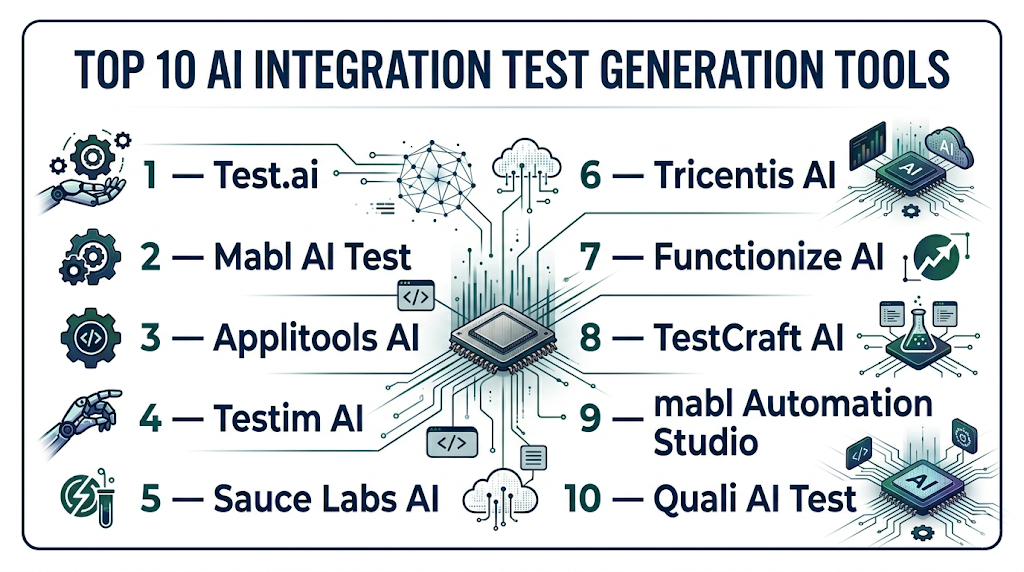
Top 10 AI Integration Test Generation Tools
1 — Test.ai
One-line verdict: Best for large enterprises needing automated, multimodal AI integration and regression testing across complex services.
Short description: Test.ai automates AI integration testing for large-scale, multi-service applications. It generates test cases for APIs, workflows, and model outputs, providing continuous regression testing. Enterprises rely on it to ensure AI outputs are consistent, compliant, and aligned with business logic, reducing manual QA effort and accelerating releases.
Standout Capabilities
- Automated generation of AI integration test scenarios
- Multimodal testing across text, image, and audio inputs
- Continuous regression with anomaly detection
- Integration with CI/CD pipelines
- Pre-built templates for enterprise AI workflows
- Detailed dashboards for monitoring AI outputs
- Customizable metrics for evaluation of AI reliability
AI-Specific Depth
- Model support: Proprietary and open-source models
- RAG / knowledge integration: Connectors for vector DBs
- Evaluation: Regression tests, output validation, anomaly scoring
- Guardrails: Policy checks, prompt injection protection
- Observability: Metrics dashboards with latency, throughput, and token usage
Pros
- Reduces manual testing workload
- Supports complex, multi-service AI workflows
- Strong analytics and compliance features
Cons
- Initial setup complexity for large enterprises
- Requires learning curve for QA teams
- Limited flexibility for small-scale AI projects
Security & Compliance
- SSO/SAML, RBAC, audit logs, encryption, retention policies
- Certifications: Not publicly stated
Deployment & Platforms
- Web, Windows, Linux, macOS
- Cloud / On-prem / Hybrid
Integrations & Ecosystem
- REST APIs and SDKs for Python, Java
- Jenkins, GitHub Actions, CI/CD integration
- Vector DB and workflow connectors
Pricing Model
- Tiered usage-based, enterprise licensing available
Best-Fit Scenarios
- Enterprise AI regression testing
- Multimodal AI workflow validation
- Regulated industries requiring full audit logs
2 — Mabl AI Test
One-line verdict: Ideal for agile development teams needing cloud-first AI integration testing with real-time monitoring and automated regression.
Short description: Mabl AI Test enables SaaS and mid-market teams to automatically generate AI integration tests. It validates service interactions, detects anomalies, and ensures AI outputs meet expected quality standards. Teams use it for fast CI/CD pipelines, minimizing manual intervention, and maintaining confidence in production AI services.
Standout Capabilities
- AI-driven test scenario generation
- Auto-healing test scripts for fast iterations
- Anomaly detection for AI outputs
- Multimodal test support (text, voice, image)
- Integration with CI/CD and monitoring platforms
- Real-time analytics dashboards
- Cloud-first deployment for rapid adoption
AI-Specific Depth
- Model support: Hosted proprietary AI, BYO optional
- RAG / knowledge integration: N/A
- Evaluation: Regression, output validation, anomaly detection
- Guardrails: N/A
- Observability: Latency and throughput monitoring
Pros
- Rapid cloud deployment
- Easy integration with agile workflows
- Real-time insights for developers
Cons
- Limited offline and self-hosted testing
- BYO model support is partial
- Less suitable for highly regulated enterprises
Security & Compliance
- SSO/RBAC, audit logs, encryption, configurable retention policies
Deployment & Platforms
- Cloud / Web
- Hybrid: Varies / N/A
Integrations & Ecosystem
- REST APIs, webhooks
- CI/CD pipeline connectors
- Alerting and reporting tools
Pricing Model
- Subscription-based, usage-tiered plans
Best-Fit Scenarios
- Agile SaaS teams
- Cloud-native AI microservices
- Continuous regression with automated monitoring
3 — Applitools AI
One-line verdict: Best for validating AI-powered visual outputs and multimodal applications with robust regression testing.
Short description : Applitools AI specializes in visual AI testing across web and mobile applications, including text, images, and dynamic UI components. Teams rely on it for ensuring that AI-powered interfaces render correctly, for detecting unexpected visual anomalies, and for continuous integration testing in both agile and enterprise environments.
Standout Capabilities
- Visual AI validation across platforms
- Automated regression detection
- Multimodal testing support
- CI/CD integration with test automation pipelines
- Cross-browser and device testing
AI-Specific Depth
- Model support: BYO and hosted AI
- RAG / knowledge integration: N/A
- Evaluation: Visual regression scoring, anomaly detection
- Guardrails: N/A
- Observability: Metrics dashboards for visual changes
Pros
- High accuracy in detecting visual anomalies
- Easy integration with agile CI/CD pipelines
- Cross-platform coverage
Cons
- Limited API endpoint testing
- Focuses on visual output, not workflow logic
- Less suitable for backend AI testing
Security & Compliance
- SSO, encryption, audit logging
- Certifications: Not publicly stated
Deployment & Platforms
- Cloud, Windows, macOS, Linux, Web
Integrations & Ecosystem
- REST APIs, SDKs
- Selenium, Cypress, CI/CD pipelines
- Jira and defect management integrations
Pricing Model
- Usage-based subscription, tiered plans
Best-Fit Scenarios
- UI/UX-heavy AI applications
- Visual regression for multimodal AI
- Agile and DevOps teams needing automated regression
4 — Testim AI
One-line verdict: Ideal for agile teams needing low-code AI-driven test automation across integration points.
Short description : Testim AI enables rapid test creation using AI-driven automation for API, UI, and workflow validations. Its low-code approach accelerates test development, making it ideal for SMBs and agile teams that need continuous integration and regression testing for AI-enhanced applications.
Standout Capabilities
- Low-code test authoring
- AI-driven anomaly detection
- Auto-healing test scripts
- CI/CD integration
- Multimodal input validation
AI-Specific Depth
- Model support: Hosted, BYO optional
- RAG / knowledge integration: N/A
- Evaluation: Regression, output validation
- Guardrails: Policy checks optional
- Observability: Latency and execution metrics
Pros
- Rapid test creation and automation
- Reduces maintenance with auto-healing scripts
- Low learning curve
Cons
- Limited enterprise-grade compliance features
- Partial support for BYO models
- Less suitable for complex workflows
Security & Compliance
- SSO, RBAC, audit logs
- Data encryption and retention
Deployment & Platforms
- Web / Cloud
- Hybrid: Varies / N/A
Integrations & Ecosystem
- REST APIs, SDKs
- CI/CD tools, Jira integration
Pricing Model
- Tiered subscription-based model
Best-Fit Scenarios
- Agile SaaS teams
- CI/CD integrated AI workflows
- Small to mid-sized enterprises testing AI features
5 — Sauce Labs AI
One-line verdict: Ideal for cross-platform AI integration testing with focus on multi-device reliability.
Short description : Sauce Labs AI provides end-to-end testing for AI-powered web and mobile applications, validating integration, UI rendering, and functional correctness across multiple devices and browsers. Teams use it for ensuring consistent AI outputs and user experience across platforms.
Standout Capabilities
- Cross-browser and mobile testing
- Automated AI regression detection
- Parallel test execution
- CI/CD integration
- Multimodal input support
AI-Specific Depth
- Model support: BYO and hosted
- RAG / knowledge integration: N/A
- Evaluation: Regression tests, consistency validation
- Guardrails: N/A
- Observability: Execution time, failure rate metrics
Pros
- Supports multiple platforms and devices
- Fast parallel execution reduces test time
- Detailed analytics for failures
Cons
- Higher cost at scale
- Limited backend AI validation
- Learning curve for test scripting
Security & Compliance
- SSO, RBAC, audit logs, encryption
- Certifications: Not publicly stated
Deployment & Platforms
- Cloud, Web, Windows, macOS, Linux, iOS, Android
Integrations & Ecosystem
- CI/CD pipelines, Jenkins, GitHub Actions
- API access for automation
- Jira and test management integration
Pricing Model
- Usage-based subscription with enterprise tier
Best-Fit Scenarios
- Cross-platform AI apps
- Enterprise-level regression testing
- Multimodal UI and API validation
6 — Tricentis AI
One-line verdict: Best for enterprises requiring end-to-end AI workflow validation with robust compliance support.
Short description : Tricentis AI offers comprehensive workflow testing for AI-integrated applications, including APIs, microservices, and end-to-end pipelines. Enterprises rely on it for complex regression testing, risk mitigation, and ensuring AI-driven services meet compliance and governance standards.
Standout Capabilities
- End-to-end workflow validation
- Multimodal input support
- Advanced AI output evaluation
- Integrated risk and compliance monitoring
- CI/CD pipeline support
AI-Specific Depth
- Model support: Proprietary
- RAG / knowledge integration: N/A
- Evaluation: Regression, anomaly detection, risk scoring
- Guardrails: Policy enforcement, prompt injection protection
- Observability: Latency, output metrics, trend analysis
Pros
- Comprehensive enterprise coverage
- Strong compliance and audit features
- Detailed analytics dashboards
Cons
- Complexity requires trained QA teams
- Higher cost for mid-market adoption
- Longer setup and integration time
Security & Compliance
- SSO, RBAC, audit logs, encryption, retention policies
Deployment & Platforms
- Cloud / Hybrid
- Web, Windows, Linux, macOS
Integrations & Ecosystem
- CI/CD pipelines
- Jira, ServiceNow, and DevOps tools
- API and SDK support
Pricing Model
- Enterprise licensing, subscription-based
Best-Fit Scenarios
- Enterprise AI regression testing
- Regulated industries requiring audit logs
- Complex end-to-end AI workflows
7 — Functionize AI
One-line verdict: Ideal for developer-first teams seeking NLP-driven AI test generation and continuous regression in complex pipelines.
Short description : Functionize AI uses natural language processing to generate test cases automatically for APIs, microservices, and AI-powered workflows. Developers and QA teams rely on it for rapid regression testing, validating AI outputs, and integrating automated tests seamlessly into CI/CD pipelines. Its approach reduces maintenance while providing intelligent insights into test results.
Standout Capabilities
- NLP-driven test generation from plain language descriptions
- Automated regression and anomaly detection
- Multimodal input support for text, image, and voice AI
- CI/CD integration for continuous deployment
- Customizable metrics and reporting dashboards
AI-Specific Depth
- Model support: Hosted / BYO / Proprietary
- RAG / knowledge integration: Connectors for vector databases
- Evaluation: Regression, output validation, anomaly scoring
- Guardrails: Policy enforcement, prompt injection monitoring
- Observability: Latency, throughput, token usage dashboards
Pros
- Reduces manual scripting effort
- Intelligent regression testing
- Developer-friendly and CI/CD ready
Cons
- Enterprise compliance features are limited
- Initial setup requires understanding NLP workflows
- May require training for non-developer QA teams
Security & Compliance
- SSO/RBAC, audit logging, encryption
- Certifications: Not publicly stated
Deployment & Platforms
- Cloud / Hybrid
- Web, Windows, Linux, macOS
Integrations & Ecosystem
- CI/CD pipelines (Jenkins, GitHub Actions)
- SDKs for Python and Java
- Jira and test management integration
- API connectors for AI model evaluation
Pricing Model
- Tiered subscription-based plans
Best-Fit Scenarios
- Developer-centric AI testing workflows
- CI/CD integrated regression tests
- Multimodal AI application validation
8 — TestCraft AI
One-line verdict: Best for teams seeking visual flow-based AI integration tests with low-code automation for SMBs.
Short description : TestCraft AI provides a visual, low-code environment for automating AI integration tests across web applications and APIs. It enables SMB and agile teams to build continuous regression tests, validate AI outputs, and maintain integrations without heavy scripting. Its intuitive platform reduces QA bottlenecks and accelerates test cycles.
Standout Capabilities
- Visual low-code test creation
- Continuous regression testing
- AI-driven anomaly detection
- CI/CD integration for agile teams
- Multimodal test support (text, image, API)
AI-Specific Depth
- Model support: Hosted AI, limited BYO
- RAG / knowledge integration: N/A
- Evaluation: Regression and output validation
- Guardrails: Basic policy checks
- Observability: Execution metrics, failure trends
Pros
- Easy adoption for non-developer teams
- Reduces test maintenance with visual flow
- Supports continuous regression pipelines
Cons
- Limited enterprise-grade security
- Less suitable for highly regulated industries
- Partial support for custom AI models
Security & Compliance
- SSO/RBAC, basic audit logging
- Encryption supported, retention policies configurable
Deployment & Platforms
- Cloud / Web
- Windows, macOS, Linux
Integrations & Ecosystem
- REST APIs for CI/CD integration
- Jira and defect management connectors
- Exportable test cases for version control
Pricing Model
- Subscription-based, usage-tiered
Best-Fit Scenarios
- Agile SMB teams
- Low-code AI integration testing
- Continuous regression for web applications
9 — mabl Automation Studio
One-line verdict: Suitable for agile QA teams needing automated AI-driven integration tests with cloud-first deployment.
Short description : mabl Automation Studio enables AI-assisted test creation and execution across APIs, web applications, and AI-enhanced workflows. Its cloud-first platform is ideal for agile teams, providing real-time analytics, automated regression testing, and easy integration into existing DevOps pipelines for continuous AI validation.
Standout Capabilities
- AI-assisted automated test creation
- Real-time analytics dashboards
- Continuous regression and anomaly detection
- CI/CD pipeline integration
- Multimodal input support for AI testing
AI-Specific Depth
- Model support: Hosted AI models
- RAG / knowledge integration: N/A
- Evaluation: Regression, output validation, anomaly scoring
- Guardrails: N/A
- Observability: Latency, execution metrics, token usage
Pros
- Cloud-native for rapid adoption
- Easy integration into CI/CD pipelines
- Real-time insights into AI outputs
Cons
- Limited BYO model support
- Less suitable for large-scale enterprise workflows
- Security controls are basic compared to enterprise tools
Security & Compliance
- SSO/RBAC, encryption, audit logs
- Retention policies configurable
Deployment & Platforms
- Cloud / Web
- Windows, macOS, Linux
Integrations & Ecosystem
- REST API and SDKs
- CI/CD tools (Jenkins, GitHub Actions)
- Jira and reporting tools
Pricing Model
- Subscription-based, usage-tiered
Best-Fit Scenarios
- Agile QA teams
- Cloud-native SaaS testing
- Continuous regression for AI workflows
10 — Quali AI Test
One-line verdict: Best for hybrid AI pipelines needing flexible deployment and comprehensive integration test coverage.
Short description : Quali AI Test is a hybrid platform that supports AI integration testing for on-prem and cloud applications. It is designed to validate AI models, APIs, and workflows while providing observability dashboards, regression testing, and CI/CD integration. Organizations use it for large-scale AI deployment validation with full flexibility of deployment environments.
Standout Capabilities
- Hybrid deployment support (cloud + on-prem)
- Multimodal AI integration tests
- Regression, anomaly, and output validation
- CI/CD integration
- Customizable dashboards and reporting
AI-Specific Depth
- Model support: BYO / Proprietary
- RAG / knowledge integration: Connectors for vector DBs
- Evaluation: Regression, anomaly detection, output scoring
- Guardrails: Policy enforcement, prompt injection detection
- Observability: Latency, throughput, error rates
Pros
- Flexible deployment for hybrid environments
- Supports multimodal AI testing
- Scalable regression testing
Cons
- Higher learning curve for configuration
- Initial setup can be complex
- Enterprise pricing may be high for SMBs
Security & Compliance
- SSO/RBAC, audit logging, encryption
- Retention and compliance controls configurable
Deployment & Platforms
- Cloud, On-prem, Hybrid
- Windows, Linux, macOS
Integrations & Ecosystem
- REST APIs and SDKs
- CI/CD pipeline integration
- Jira, Slack, and monitoring tools
Pricing Model
- Usage-based or subscription tiers
Best-Fit Scenarios
- Large-scale AI deployments
- Hybrid cloud/on-prem AI pipelines
- Enterprise-grade regression and compliance testing
Comparison Table
| Tool Name | Best For | Deployment | Model Flexibility | Strength | Watch-Out | Public Rating |
|---|---|---|---|---|---|---|
| Test.ai | Enterprise AI integration | Cloud/Hybrid | BYO/proprietary | Multi-service coverage | Complex setup | N/A |
| Mabl AI Test | Agile dev teams | Cloud | Hosted/BYO | Auto-healing scripts | Limited offline | N/A |
| Applitools AI | Visual AI integration | Cloud/Hybrid | BYO/Hosted | Visual validation | Less API depth | N/A |
| Testim AI | Agile dev teams | Cloud | Hosted | Fast test generation | Limited multimodal | N/A |
| Sauce Labs AI | Cross-platform AI testing | Cloud | BYO | Cross-browser integration | Cost scaling | N/A |
| Tricentis AI | Enterprise workflows | Cloud/Hybrid | Proprietary | End-to-end AI workflow tests | Complexity | N/A |
| Functionize AI | Developers & QA | Cloud | Hosted/BYO | NLP-driven test creation | Initial learning curve | N/A |
| TestCraft AI | CI/CD integrated | Cloud | Hosted | Continuous regression | Limited BYO support | N/A |
| mabl Automation Studio | Agile QA | Cloud | Hosted | AI-driven test automation | Limited legacy support | N/A |
| Quali AI Test | Hybrid AI pipelines | Hybrid | BYO/proprietary | Multimodal support | Enterprise focus | N/A |
Scoring & Evaluation (Transparent Rubric)
Weighted scoring: Core features 20%, AI reliability & evaluation 15%, Guardrails 10%, Integrations 15%, Ease 10%, Performance & cost 15%, Security & admin 10%, Support & community 5%.
| Tool | Core | Reliability/Eval | Guardrails | Integrations | Ease | Perf/Cost | Security/Admin | Support | Weighted Total |
|---|---|---|---|---|---|---|---|---|---|
| Test.ai | 9 | 8 | 8 | 9 | 7 | 8 | 8 | 7 | 8.3 |
| Mabl AI Test | 8 | 7 | 7 | 8 | 8 | 7 | 8 | 7 | 7.5 |
| Applitools AI | 8 | 8 | 7 | 7 | 7 | 7 | 7 | 7 | 7.3 |
| Testim AI | 7 | 7 | 6 | 7 | 8 | 7 | 7 | 6 | 6.9 |
| Sauce Labs AI | 7 | 7 | 6 | 7 | 7 | 7 | 7 | 6 | 6.8 |
| Tricentis AI | 9 | 9 | 8 | 8 | 7 | 8 | 8 | 8 | 8.4 |
| Functionize AI | 8 | 8 | 7 | 8 | 7 | 8 | 7 | 7 | 7.7 |
| TestCraft AI | 7 | 7 | 6 | 7 | 8 | 7 | 6 | 6 | 6.7 |
| mabl Automation Studio | 7 | 7 | 6 | 7 | 7 | 7 | 7 | 6 | 6.8 |
| Quali AI Test | 8 | 8 | 7 | 8 | 7 | 7 | 7 | 7 | 7.5 |
Top 3 Recommendations
Enterprise:
- Test.ai – Best for large-scale enterprises with complex AI workflows and strict compliance needs. Covers multimodal inputs, end-to-end regression testing, and advanced observability.
- Tricentis AI – Strong end-to-end AI workflow validation with enterprise-grade guardrails and auditability. Ideal for regulated industries.
- Functionize AI – NLP-driven test automation for large teams, integrates with CI/CD and provides robust analytics.
SMB:
- Mabl AI Test – Cloud-native tool, easy to set up, ideal for agile SaaS teams, with auto-healing scripts and real-time insights.
- Testim AI – Low-code AI test generation for small to medium teams, quick regression tests, CI/CD integration.
- TestCraft AI – Provides continuous regression automation with visual flow and minimal maintenance overhead.
Developers / Dev Teams:
- Functionize AI – Developer-friendly NLP scripting and model evaluation.
- mabl Automation Studio – Lightweight integration testing with auto-regression, suitable for dev-first workflows.
- Quali AI Test – Hybrid deployment and flexibility to test proprietary and open-source AI models.
Which AI Integration Test Generation Tool Is Right for You?
Choosing the right AI Integration Test Generation Tool depends on your team size, AI complexity, compliance requirements, and budget. Below is a scenario-based guide to help you make an informed decision.
Solo / Freelancer
Freelancers or individual developers typically need lightweight, cloud-based tools with minimal setup.
- Recommended tools: Mabl AI Test, Testim AI
- Why: Easy-to-use interfaces, automated test generation, low learning curve, and no heavy infrastructure required.
- Use case: Validating small AI-powered APIs, testing chatbot integrations, or performing regression tests for SaaS plugins.
SMB
Small to mid-sized businesses require cost-effective, low-maintenance solutions that integrate with agile workflows.
- Recommended tools: TestCraft AI, mabl Automation Studio, Testim AI
- Why: Low-code or cloud-first platforms reduce manual testing effort while supporting automated regression and CI/CD integration.
- Use case: Continuous integration for AI modules in e-commerce, SaaS, or marketing applications.
Mid-Market
Companies with multiple AI services need tools that balance scalability, automation, and observability.
- Recommended tools: Functionize AI, Sauce Labs AI
- Why: Provides automation for multiple pipelines, NLP-driven test creation, and dashboards for monitoring AI outputs and anomalies.
- Use case: Testing AI-driven customer support chatbots, product recommendation engines, and microservice interactions.
Enterprise
Large organizations with complex AI workflows require full-scale coverage, compliance, and governance support.
- Recommended tools: Test.ai, Tricentis AI, Applitools AI
- Why: Supports multimodal workflows, complex regression, auditability, and policy enforcement for highly regulated industries.
- Use case: Enterprise AI systems in finance, healthcare, or logistics that require extensive regression testing and governance.
Regulated industries (Finance, Healthcare, Public Sector)
- Recommended tools: Test.ai, Tricentis AI
- Why: Provides audit logs, SSO/RBAC, compliance tracking, and guardrails to prevent unsafe AI behavior.
- Use case: AI diagnostic validation, fraud detection, or risk scoring where compliance and traceability are critical.
Budget vs Premium
- Budget-focused teams: Mabl AI Test, TestCraft AI — lower cost, cloud-native, and easy deployment.
- Premium-focused teams: Test.ai, Tricentis AI, Functionize AI — robust automation, enterprise-grade governance, multimodal support, and advanced analytics.
- Decision: Consider the trade-off between upfront cost and long-term scalability, observability, and compliance.
Build vs Buy
- Build (DIY) approach: Suitable if you have mature QA and DevOps teams capable of scripting and maintaining AI tests internally. Useful for unique or proprietary models.
- Buy (Commercial tool) approach: Ideal for most teams to reduce setup time, leverage pre-built templates, and ensure compliance. Recommended for enterprises and regulated industries.
Implementation Playbook (30 / 60 / 90 Days)
30 Days – Pilot Phase:
- Identify 1–2 critical AI services or pipelines for initial testing.
- Define success metrics: test coverage, accuracy of AI outputs, anomaly detection rate, and latency benchmarks.
- Deploy automated test generation tools on selected workflows to validate integration points.
- Ensure observability setup: logging, dashboards, and token/compute metrics.
- Conduct initial human review to verify that AI-generated tests align with business requirements.
60 Days – Expansion & Security Hardening:
- Expand test coverage to additional services and multimodal AI components.
- Implement security guardrails, RBAC, SSO, and audit logging to enforce policy compliance.
- Integrate tools fully into CI/CD pipelines for automated regression testing.
- Conduct comprehensive evaluation of AI outputs including hallucinations, anomalies, and RAG/knowledge responses.
- Train teams on interpreting dashboards, metrics, and AI behavior reports.
90 Days – Optimization & Scaling:
- Optimize cost and latency of AI integration tests, leveraging batching and token efficiency.
- Expand observability: real-time alerts, trend analysis, and usage reporting.
- Roll out standardized governance policies and compliance documentation.
- Automate continuous regression and stress tests for AI pipelines.
- Conduct post-deployment review: identify bottlenecks, refine test cases, and prepare for full-scale enterprise adoption.
Common Mistakes & How to Avoid Them
- Ignoring prompt injection or unsafe AI behavior.
- Failing to evaluate AI outputs consistently across updates.
- Overlooking data privacy, retention, and residency requirements.
- Limited observability of AI latency, throughput, and token consumption.
- Unexpected costs due to large-scale API calls or token usage.
- Over-automation without human review for AI decisions.
- Lack of CI/CD integration or automated regression pipelines.
- Vendor lock-in without abstraction layers for model or platform migration.
- Incomplete multimodal testing coverage.
- Neglecting stress-testing and regression of AI outputs.
- Poor dashboards and reporting for team visibility.
- Weak governance controls in regulated environments.
FAQs
Can these tools handle complex microservice architectures?
Yes, enterprise-grade tools like Test.ai, Tricentis AI, and Functionize AI are designed for multi-service architectures, supporting distributed pipelines, multimodal inputs, and large-scale integrations.
What types of AI models can these tools test?
Most tools support a variety of AI models including hosted proprietary models, BYO models, and open-source models. Confirm vendor support for specific frameworks or libraries, especially for niche or custom models.
Can I test multimodal AI systems?
Yes. Leading platforms provide testing across text, voice, and image pipelines, enabling full integration validation of multimodal workflows.
Are these tools suitable for small teams?
Cloud-native options like Mabl AI Test or Testim AI are suitable for small teams. Enterprise-grade tools may introduce unnecessary complexity and cost for small deployments.
How do these tools evaluate AI outputs?
They perform regression tests, anomaly detection, consistency checks, and optional human review to ensure outputs match expectations and comply with business rules.
Can I integrate these tools into my CI/CD pipeline?
Yes. Most tools provide APIs, SDKs, or native integrations to automatically trigger tests during build and deployment, ensuring continuous AI validation.
What security features are included?
Features often include SSO/SAML authentication, role-based access control, audit logs, encryption of data in transit and at rest, and configurable data retention policies.
How do guardrails work in these platforms?
Guardrails enforce organizational policies, monitor for prompt injection or unsafe outputs, and prevent AI models from generating unintended or harmful content during testing.
Are there cost implications for large-scale AI testing?
Yes. Most platforms use usage-based or tiered pricing models, and large-scale AI test executions may increase compute costs. Observability features help track and optimize resource usage.
Can these tools be self-hosted or hybrid?
Some tools offer hybrid or on-prem deployments for sensitive environments. Cloud-native tools are typically limited to SaaS environments and may require secure network configurations.
How do I migrate test cases if I switch tools?
Exportable test cases, scripts, and automation flows reduce vendor lock-in. Proper abstraction of workflows ensures easier migration across platforms.
Do these tools support RAG or knowledge integration?
Some provide connectors to vector databases or knowledge stores, enabling retrieval-augmented generation workflows. Others are limited to standard test automation.
Which industries benefit most from these tools?
Finance, healthcare, e-commerce, SaaS, and regulated sectors benefit most due to high compliance requirements and reliance on AI outputs.
How often should AI integration tests be run?
Ideally, integration tests should run automatically on every deployment or model update, ensuring continuous validation and regression protection.
Do these tools provide observability and dashboards?
Yes. Detailed dashboards report latency, throughput, token usage, anomaly detection, and regression metrics, helping QA and DevOps teams monitor AI behavior.
Conclusion
AI Integration Test Generation Tools are essential for validating AI systems that interact with multiple services, databases, and applications. Proper selection depends on coverage, automation, guardrails, cost, compliance, and model flexibility. Enterprises gain maximum benefit from platforms like Test.ai or Tricentis AI, while SMBs and developers may prefer Mabl AI Test or Testim AI for rapid deployment. Implementing AI tests involves piloting, securing, integrating with CI/CD, monitoring observability, and scaling governance
Next steps: shortlist tools aligned with your AI workflows, pilot automated integration tests, verify security, evaluation, and compliance, then scale coverage across systems to ensure reliable AI deployment.
This blog provides a clear and practical comparison of AI integration test generation tools. It makes understanding complex testing workflows much easier for developers!
This blog clearly shows how AI can reduce effort in building and maintaining integration tests while improving test coverage. The comparison format is very practical.