Introduction
AI Document Digitization & Classification tools use artificial intelligence, optical character recognition, machine learning, natural language processing, and document understanding to convert unstructured documents into searchable, structured, and actionable information.
Instead of manually reading thousands of invoices, contracts, applications, forms, receipts, reports, or scanned records, organizations can use AI to extract text, identify document types, classify files, locate important fields, and route documents into the appropriate workflow.
What Is AI Document Digitization & Classification?
AI document digitization is the process of converting physical or image-based documents into machine-readable digital information.
Traditional OCR primarily focuses on recognizing characters. Modern AI document processing goes further by understanding the structure and meaning of a document.
For example, an AI system can receive a scanned invoice and determine:
- This is an invoice.
- The supplier is a particular company.
- The invoice number is a specific value.
- The invoice date is a specific date.
- The total amount is a specific amount.
- The tax amount is a specific amount.
- The document belongs to the accounts-payable workflow.
Classification adds another layer.
A system can categorize documents into groups such as:
- Invoice
- Purchase order
- Contract
- Identity document
- Tax document
- Claim form
- Medical record
- Application
- Correspondence
- Legal filing
This enables organizations to automatically route documents to the right department or workflow.
Why AI Document Digitization Matters
Organizations continue to maintain enormous volumes of information trapped in PDFs, scans, photographs, email attachments, and legacy archives.
Manual document processing creates several problems:
- High labor costs
- Slow processing times
- Data-entry errors
- Inconsistent classification
- Difficult search
- Duplicate records
- Poor visibility
- Delayed approvals
- Limited automation
AI-powered document processing can turn these documents into structured information that can be searched, analyzed, and used by downstream systems.
The value becomes particularly significant when document processing is connected to workflow automation.
For example:
Document → OCR → Classification → Extraction → Validation → Human Review → Business Workflow
This allows organizations to move from simple digitization toward intelligent document automation.
Key Technologies Behind AI Document Digitization
OCR
Optical character recognition converts text from scanned documents and images into machine-readable text.
Machine Learning Classification
Machine-learning models identify document types based on text, layout, metadata, and other characteristics.
Natural Language Processing
NLP helps systems understand the meaning and context of extracted text.
Computer Vision
Computer vision helps interpret document layouts, tables, signatures, stamps, forms, and visual elements.
Document Understanding
Document AI combines text recognition with layout and semantic understanding.
Generative AI
Modern systems can use large language models to summarize, classify, extract, validate, and reason over document content.
Human-in-the-Loop Processing
Human review can be introduced when AI confidence is low or the document contains ambiguous information.
What to Evaluate Before Choosing a Tool
Organizations should evaluate:
- OCR accuracy
- Handwriting recognition
- Table extraction
- Document classification
- Field extraction
- Layout understanding
- Multilingual support
- Batch processing
- API availability
- Workflow integration
- Human review
- Confidence scoring
- Data privacy
- Security
- Auditability
- Deployment options
- Processing speed
- Cost per document
- Model flexibility
- Vendor lock-in
What Has Changed in AI Document Digitization?
- Document AI has moved beyond OCR: Modern platforms increasingly understand document structure rather than simply extracting characters.
- Generative AI improves unstructured extraction: LLM-based approaches can help process documents that do not follow rigid templates.
- Multimodal models are becoming more important: Text, layout, tables, images, and other document elements can increasingly be processed together.
- Classification is becoming contextual: Systems can use document content and surrounding workflow information to determine categories.
- Human review is becoming more targeted: Instead of manually checking every document, organizations can send only low-confidence cases to reviewers.
- AI agents can automate document workflows: Document processing can increasingly trigger downstream actions after classification and extraction.
- Document security is increasingly important: Documents may contain personally identifiable, financial, legal, or confidential information.
- Evaluation is becoming essential: Organizations need measurable benchmarks for extraction accuracy and classification performance.
- Multilingual processing is expanding: Global organizations can process documents across multiple languages and writing systems.
- Cost optimization matters: Large document-processing workloads can create substantial inference and storage costs.
- Metadata is becoming more valuable: Classification results can improve enterprise search, retention, compliance, and records management.
- Auditability is increasingly important: Organizations need to know how information was extracted, classified, modified, and routed.
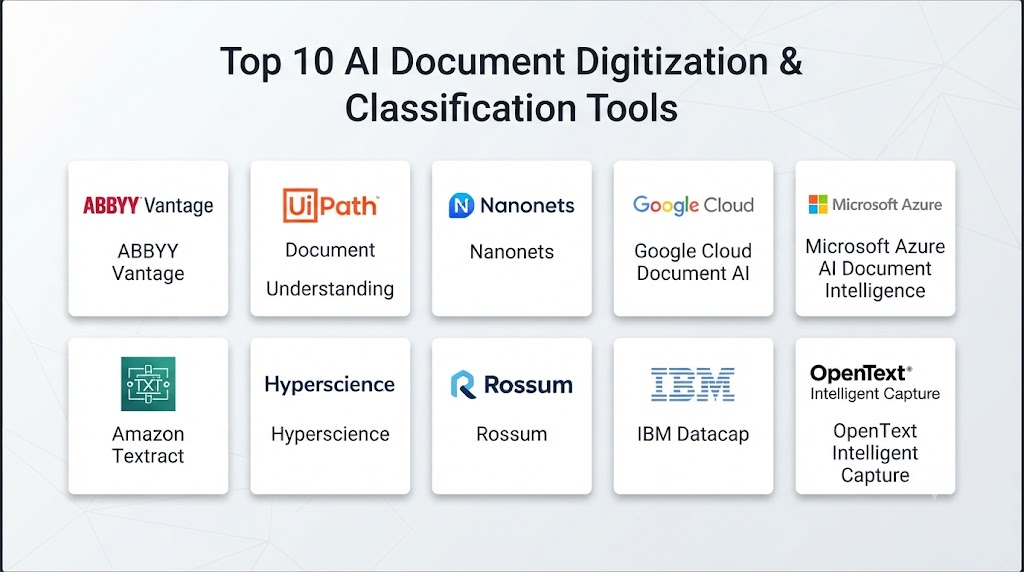
Top 10 AI Document Digitization & Classification Tools
1 — Microsoft Azure AI Document Intelligence
One-line verdict: Best for enterprises needing scalable document extraction, classification, and integration with Microsoft cloud services.
Short description:
Azure AI Document Intelligence provides AI-based document processing capabilities for extracting text, fields, tables, and document structure. It is particularly useful for organizations building automated document-processing pipelines.
Standout Capabilities
- OCR
- Document layout analysis
- Prebuilt document models
- Custom extraction
- Classification capabilities
- Table extraction
- API-based processing
- Enterprise cloud integration
AI-Specific Depth
- Model support: Microsoft-managed AI models and configurable document-processing approaches.
- RAG / knowledge integration: Can be integrated with downstream knowledge and retrieval architectures.
- Evaluation: Extraction accuracy can be evaluated using representative document datasets.
- Guardrails: Security and access controls depend on the Azure architecture.
- Observability: Azure monitoring and logging capabilities can support operational visibility.
Pros
- Strong document-processing capabilities
- Good enterprise integration
- Suitable for large-scale workflows
Cons
- Cloud architecture can become complex
- Costs depend on usage and document volume
- Requires Azure expertise for advanced implementations
Security & Compliance
Security features depend on the Azure environment and configuration. Organizations should verify applicable certifications, residency, encryption, retention, identity, and access requirements for their specific deployment.
Deployment & Platforms
- Deployment: Cloud
- Platforms: API and cloud applications
- Self-hosted: Varies / N/A
Integrations & Ecosystem
- Azure services
- APIs
- Storage systems
- Databases
- Workflow platforms
- Microsoft applications
- Enterprise applications
Pricing Model
Usage-based cloud pricing; exact costs vary according to processing volume and features.
Best-Fit Scenarios
- Enterprise document automation
- Invoice processing
- Large document archives
2 — Google Document AI
One-line verdict: Best for organizations wanting cloud-native document understanding with strong machine-learning and Google Cloud integration.
Short description:
Google Document AI provides document processing capabilities for extracting information from documents and converting unstructured content into structured data.
Standout Capabilities
- OCR
- Document parsing
- Classification
- Information extraction
- Layout understanding
- Pretrained processors
- Custom processing
- Google Cloud integration
AI-Specific Depth
- Model support: Google-managed document AI models and related cloud AI capabilities.
- RAG / knowledge integration: Can feed extracted information into search and retrieval architectures.
- Evaluation: Document-processing quality can be evaluated using custom datasets and workflows.
- Guardrails: Security controls depend on Google Cloud configuration.
- Observability: Google Cloud monitoring and logging can support operational monitoring.
Pros
- Strong document understanding
- Good cloud integration
- Suitable for large-scale processing
Cons
- Requires cloud expertise
- Architecture can involve multiple services
- Pricing varies with document volume
Security & Compliance
Security depends on the selected Google Cloud environment and configuration. Verify current certifications, encryption, residency, retention, and access requirements.
Deployment & Platforms
- Deployment: Cloud
- Platforms: APIs and cloud applications
- Self-hosted: N/A
Integrations & Ecosystem
- Google Cloud
- Storage
- Databases
- APIs
- Analytics
- Workflow systems
- Enterprise applications
Pricing Model
Usage-based cloud pricing.
Best-Fit Scenarios
- Large document repositories
- Financial document processing
- Cloud-native applications
3 — Amazon Textract
One-line verdict: Best for AWS users needing scalable OCR, forms, tables, and document data extraction.
Short description:
Amazon Textract uses machine learning to extract text, forms, tables, and other information from documents. It can serve as a foundational component of larger document-digitization workflows.
Standout Capabilities
- OCR
- Forms extraction
- Table extraction
- Document analysis
- API processing
- AWS integration
- Scalable processing
- Workflow integration
AI-Specific Depth
- Model support: AWS-managed document AI capabilities.
- RAG / knowledge integration: Extracted content can be integrated into search and retrieval systems.
- Evaluation: Quality testing depends on the implementation and document datasets.
- Guardrails: AWS security controls can protect processing infrastructure.
- Observability: AWS monitoring and logging services can provide operational visibility.
Pros
- Strong AWS integration
- Good for structured document extraction
- Scalable architecture
Cons
- More of a building block than a complete document-management platform
- AWS expertise may be required
- Advanced workflows require additional services
Security & Compliance
Security depends on AWS architecture and configuration. Organizations should validate applicable requirements for their workloads.
Deployment & Platforms
- Deployment: Cloud
- Platforms: APIs and applications
- Self-hosted: N/A
Integrations & Ecosystem
- AWS S3
- Lambda
- Databases
- APIs
- Analytics
- Workflow systems
- Enterprise applications
Pricing Model
Usage-based cloud pricing.
Best-Fit Scenarios
- AWS document pipelines
- Invoice extraction
- Forms and table processing
4 — IBM watsonx.ai Document Processing
One-line verdict: Best for enterprises combining document understanding with broader AI, automation, and governance requirements.
Short description:
IBM provides AI and automation technologies that can support intelligent document processing and extraction workflows. It is particularly relevant to enterprises already operating within IBM’s technology ecosystem.
Standout Capabilities
- Document understanding
- AI-assisted extraction
- Automation
- Classification
- Enterprise integration
- Workflow automation
- AI governance
- Custom AI workflows
AI-Specific Depth
- Model support: IBM and supported model options vary by implementation.
- RAG / knowledge integration: Can support retrieval and enterprise knowledge architectures.
- Evaluation: AI evaluation capabilities vary by product and workflow.
- Guardrails: IBM provides AI governance and control capabilities across its ecosystem.
- Observability: Monitoring and analytics capabilities vary.
Pros
- Enterprise focus
- Governance capabilities
- Broad AI ecosystem
Cons
- Implementation may be complex
- Requires specialist expertise
- Exact capabilities vary across IBM products
Security & Compliance
Security and compliance depend on the selected IBM products and deployment architecture. Certifications and specific controls should be verified during procurement.
Deployment & Platforms
- Deployment: Cloud / hybrid options vary
- Platforms: Enterprise applications and APIs
- Self-hosted: Varies
Integrations & Ecosystem
- Enterprise content systems
- APIs
- Databases
- Workflow platforms
- Automation tools
- AI services
- Business applications
Pricing Model
Enterprise pricing varies by product and deployment.
Best-Fit Scenarios
- Large enterprises
- Regulated document workflows
- Complex automation environments
5 — ABBYY Vantage
One-line verdict: Best for enterprises seeking specialized intelligent document processing and workflow automation.
Short description:
ABBYY Vantage focuses on intelligent document processing, helping organizations extract and classify information from documents and integrate the results into business processes.
Standout Capabilities
- Document classification
- OCR
- Data extraction
- Intelligent document processing
- Custom document skills
- Human review
- Workflow automation
- Enterprise integrations
AI-Specific Depth
- Model support: Vendor-managed and configurable document AI capabilities vary.
- RAG / knowledge integration: N/A as a primary document-processing function.
- Evaluation: Document-processing quality can be evaluated through validation workflows.
- Guardrails: Workflow and enterprise controls vary.
- Observability: Monitoring and analytics capabilities vary.
Pros
- Specialized document-processing focus
- Strong classification capabilities
- Enterprise workflow orientation
Cons
- Enterprise implementation can require expertise
- Pricing is not typically transparent
- May be more functionality than small teams need
Security & Compliance
Verify current security controls, encryption, retention, deployment architecture, access controls, and certifications for the intended implementation.
Deployment & Platforms
- Deployment: Cloud / enterprise deployment options vary
- Platforms: Enterprise applications
- Self-hosted: Varies
Integrations & Ecosystem
- APIs
- RPA platforms
- ERP systems
- CRM
- Content-management systems
- Workflow platforms
- Databases
Pricing Model
Enterprise commercial pricing; exact pricing varies.
Best-Fit Scenarios
- High-volume document processing
- Accounts payable
- Enterprise records
6 — UiPath Document Understanding
One-line verdict: Best for organizations combining AI document processing with robotic process automation and end-to-end workflows.
Short description:
UiPath Document Understanding combines document processing with automation capabilities. Organizations can extract information from documents and use the results to trigger downstream automated processes.
Standout Capabilities
- OCR
- Document classification
- Data extraction
- Human validation
- Workflow automation
- RPA integration
- Document processing
- Automation analytics
AI-Specific Depth
- Model support: UiPath and supported AI/document models vary.
- RAG / knowledge integration: N/A as a primary document-processing capability.
- Evaluation: Human validation and document-processing evaluation workflows are available.
- Guardrails: Workflow permissions and automation controls can support safe processing.
- Observability: Automation monitoring and analytics.
Pros
- Strong RPA integration
- Human-in-the-loop workflows
- Broad automation ecosystem
Cons
- Can require significant implementation effort
- Platform complexity
- Enterprise licensing can be substantial
Security & Compliance
Security depends on the UiPath deployment and configuration. Verify applicable controls and certifications for the intended environment.
Deployment & Platforms
- Deployment: Cloud / hybrid / enterprise options vary
- Platforms: Enterprise applications
- Self-hosted: Supported in applicable configurations
Integrations & Ecosystem
- RPA
- ERP
- CRM
- APIs
- Databases
- Content-management systems
- Workflow platforms
Pricing Model
Enterprise licensing and usage models vary.
Best-Fit Scenarios
- Automated back-office workflows
- Invoice processing
- Large-scale RPA programs
7 — Rossum
One-line verdict: Best for teams focused on intelligent document processing, particularly finance and accounts-payable workflows.
Short description:
Rossum specializes in intelligent document processing and automation. It is particularly relevant to organizations processing invoices and other operational documents.
Standout Capabilities
- Document extraction
- Invoice processing
- Document classification
- AI-based data capture
- Workflow automation
- Human review
- Validation
- API integration
AI-Specific Depth
- Model support: Vendor-managed AI capabilities.
- RAG / knowledge integration: N/A as a primary function.
- Evaluation: Validation and document-processing quality controls.
- Guardrails: Workflow and validation mechanisms.
- Observability: Processing analytics and operational visibility vary.
Pros
- Strong finance use cases
- Automated document processing
- Reduces manual data entry
Cons
- More specialized than general-purpose AI platforms
- Best fit is document-centric workflows
- Pricing varies
Security & Compliance
Verify current security architecture, retention, encryption, residency, access controls, and certifications.
Deployment & Platforms
- Deployment: Cloud
- Platforms: Web and APIs
- Self-hosted: Varies / N/A
Integrations & Ecosystem
- ERP systems
- Accounting platforms
- APIs
- Storage systems
- Workflow tools
- Finance applications
Pricing Model
Commercial pricing; exact pricing varies.
Best-Fit Scenarios
- Accounts payable
- Invoice processing
- Financial document workflows
8 — Hyperscience
One-line verdict: Best for organizations processing complex document collections where automation and human review must work together.
Short description:
Hyperscience provides intelligent document processing technology for converting complex documents into structured information and automating document-centric processes.
Standout Capabilities
- Document classification
- Data extraction
- OCR
- Intelligent document processing
- Human-in-the-loop review
- Workflow automation
- Complex document handling
- Enterprise integration
AI-Specific Depth
- Model support: Vendor-managed AI capabilities.
- RAG / knowledge integration: N/A as a core document-processing feature.
- Evaluation: Human validation and accuracy workflows.
- Guardrails: Validation and workflow controls.
- Observability: Processing and workflow analytics vary.
Pros
- Designed for complex document environments
- Human review capabilities
- Enterprise-oriented
Cons
- Enterprise deployment may be complex
- Pricing is not typically public
- May be excessive for simple OCR needs
Security & Compliance
Verify current security certifications, data handling, encryption, retention, access controls, and deployment architecture.
Deployment & Platforms
- Deployment: Cloud / enterprise deployment options vary
- Platforms: Enterprise applications
- Self-hosted: Varies
Integrations & Ecosystem
- APIs
- Enterprise content systems
- RPA
- ERP
- CRM
- Workflow platforms
- Databases
Pricing Model
Enterprise pricing; exact pricing varies.
Best-Fit Scenarios
- Complex document processing
- Government archives
- Large enterprise workflows
9 — Rossum Intelligent Document Processing
One-line verdict: Best for organizations seeking cloud-based document automation with emphasis on operational data extraction.
Short description:
Rossum uses AI to process business documents and automate the extraction and validation of information. It is particularly relevant for finance and operations teams.
Standout Capabilities
- Document capture
- Classification
- Data extraction
- Invoice automation
- Validation
- Workflow automation
- API connectivity
- Operational analytics
AI-Specific Depth
- Model support: Vendor-managed AI capabilities.
- RAG / knowledge integration: N/A as a primary capability.
- Evaluation: Validation and accuracy monitoring.
- Guardrails: Workflow validation controls.
- Observability: Document-processing analytics.
Pros
- Practical document automation
- Strong operational use cases
- Good workflow orientation
Cons
- More specialized than general-purpose document AI
- Advanced integrations may require technical work
- Pricing varies
Security & Compliance
Verify current security and compliance information during procurement.
Deployment & Platforms
- Deployment: Cloud
- Platforms: Web and APIs
- Self-hosted: Varies / N/A
Integrations & Ecosystem
- ERP
- Accounting software
- APIs
- Storage
- Workflow systems
- Business applications
Pricing Model
Commercial pricing; exact pricing varies.
Best-Fit Scenarios
- Accounts payable
- Finance operations
- Business document automation
10 — Amazon Bedrock + Document AI Architecture
One-line verdict: Best for developers building customized document intelligence pipelines using multiple AI services and models.
Short description:
Amazon Bedrock can be combined with document-processing services, storage, retrieval, and foundation models to build customized document intelligence systems. This approach is more architectural than turnkey.
Standout Capabilities
- Foundation model access
- Custom document workflows
- Retrieval architectures
- Classification
- Summarization
- Extraction
- Agentic workflows
- AWS-native integration
AI-Specific Depth
- Model support: Multi-model capabilities through supported foundation models.
- RAG / knowledge integration: Strong support for retrieval architectures.
- Evaluation: Model evaluation capabilities vary by implementation.
- Guardrails: Guardrail capabilities can be incorporated into the architecture.
- Observability: AWS monitoring and logging tools can support tracing and operational analysis.
Pros
- High architectural flexibility
- Multi-model potential
- Strong developer control
Cons
- Requires engineering expertise
- Not a turnkey document-classification product
- Architecture and costs can become complex
Security & Compliance
Security depends heavily on the AWS architecture, permissions, storage configuration, model choices, and deployment design.
Deployment & Platforms
- Deployment: Cloud
- Platforms: APIs and applications
- Self-hosted: N/A
Integrations & Ecosystem
- Amazon S3
- Amazon Textract
- Bedrock models
- Databases
- APIs
- Lambda
- Search and retrieval systems
Pricing Model
Usage-based cloud pricing across the services used.
Best-Fit Scenarios
- Custom document AI
- Developer-led implementations
- Multi-model document workflows
Comparison Table
| Tool | Best For | Deployment | Model Flexibility | Strength | Watch-Out | Public Rating |
|---|---|---|---|---|---|---|
| Azure AI Document Intelligence | Enterprise document AI | Cloud | Hosted | Extraction and classification | Azure complexity | N/A |
| Google Document AI | Cloud document processing | Cloud | Hosted | Document understanding | Cloud expertise | N/A |
| Amazon Textract | AWS document extraction | Cloud | Hosted | OCR and forms | Needs surrounding services | N/A |
| IBM Document AI ecosystem | Enterprise AI workflows | Cloud / Hybrid | Varies | Governance and integration | Implementation complexity | N/A |
| ABBYY Vantage | Intelligent document processing | Cloud / Hybrid varies | Varies | Specialized IDP | Enterprise complexity | N/A |
| UiPath Document Understanding | RPA + documents | Cloud / Hybrid | Varies | End-to-end automation | Licensing complexity | N/A |
| Rossum | Finance documents | Cloud | Hosted | Invoice automation | Specialized focus | N/A |
| Hyperscience | Complex documents | Cloud / Enterprise | Varies | Complex document processing | Enterprise deployment | N/A |
| Rossum Intelligent Document Processing | Operational documents | Cloud | Hosted | Data extraction | Narrower use cases | N/A |
| Amazon Bedrock Architecture | Custom document AI | Cloud | Multi-model | Developer flexibility | Requires engineering | N/A |
Scoring & Evaluation
These scores are comparative rather than absolute. A document-processing platform that is excellent for invoices may not be the best option for handwritten forms or historical archives. Buyers should validate the scores against their own document samples and accuracy requirements.
| Tool | Core | Reliability/Eval | Guardrails | Integrations | Ease | Perf/Cost | Security/Admin | Support | Weighted Total |
|---|---|---|---|---|---|---|---|---|---|
| Azure AI Document Intelligence | 9 | 9 | 9 | 10 | 8 | 8 | 10 | 9 | 9.00 |
| Google Document AI | 9 | 9 | 9 | 10 | 8 | 8 | 10 | 9 | 8.95 |
| Amazon Textract | 9 | 8 | 9 | 10 | 8 | 9 | 10 | 9 | 9.00 |
| IBM Document AI ecosystem | 9 | 9 | 10 | 9 | 7 | 7 | 10 | 9 | 8.80 |
| ABBYY Vantage | 10 | 9 | 9 | 9 | 8 | 7 | 9 | 9 | 8.85 |
| UiPath Document Understanding | 10 | 9 | 9 | 10 | 8 | 7 | 9 | 9 | 9.05 |
| Rossum | 9 | 9 | 8 | 9 | 9 | 8 | 8 | 8 | 8.60 |
| Hyperscience | 10 | 9 | 9 | 9 | 7 | 7 | 9 | 9 | 8.75 |
| Rossum IDP | 9 | 9 | 8 | 9 | 9 | 8 | 8 | 8 | 8.60 |
| Amazon Bedrock Architecture | 9 | 9 | 9 | 10 | 6 | 8 | 10 | 9 | 8.75 |
Top 3 for Enterprise
- UiPath Document Understanding
- Azure AI Document Intelligence
- Google Document AI
Top 3 for SMB
- Rossum
- Azure AI Document Intelligence
- Google Document AI
Top 3 for Developers
- Amazon Bedrock Architecture
- Amazon Textract
- Google Document AI
Which AI Document Digitization & Classification Tool Is Right for You?
Solo / Freelancer
A freelancer or very small business should avoid unnecessarily complex enterprise document platforms.
Start with:
- Cloud OCR
- Simple classification
- API-based extraction
- Lightweight workflow automation
Prioritize predictable costs and ease of implementation.
SMB
SMBs processing invoices, receipts, forms, and contracts should prioritize:
- Easy setup
- Prebuilt document models
- Simple integrations
- Human validation
- Transparent processing costs
- Export to existing business systems
A specialized document-processing platform can be more practical than building an AI pipeline from scratch.
Mid-Market
Mid-market organizations often need:
- Custom document types
- Automated classification
- ERP integration
- Human-in-the-loop validation
- Batch processing
- Workflow automation
- Document analytics
This is often the point where AI-powered classification produces significant operational savings.
Enterprise
Large organizations should evaluate document processing as an enterprise data pipeline rather than a standalone OCR tool.
A mature architecture may look like:
Capture → OCR → Classification → Extraction → Validation → Enrichment → Approval → Archive
Enterprise buyers should also consider:
- Data residency
- Retention
- Encryption
- Access controls
- Audit logs
- Model governance
- Vendor risk
- Disaster recovery
- API scalability
Regulated Industries
Financial services, healthcare, insurance, legal organizations, and government agencies should pay special attention to:
- Personally identifiable information
- Financial information
- Confidential records
- Retention requirements
- Access control
- Auditability
- Human review
- Data residency
The AI model should not become an uncontrolled path for sensitive documents to leave the organization’s approved environment.
Budget vs Premium
Budget implementations can focus on:
- OCR
- Basic classification
- Standard field extraction
Premium platforms become more valuable when organizations need:
- Complex document types
- High processing volumes
- Human validation
- Workflow automation
- Advanced classification
- Enterprise integrations
- Governance
Build vs Buy
Build when:
- Document types are highly specialized.
- Your engineering team can maintain AI infrastructure.
- You require specific model architectures.
- Data must remain in a tightly controlled environment.
- Existing enterprise systems require custom workflows.
Buy when:
- You need to deploy quickly.
- Standard document types dominate.
- Enterprise support is important.
- You want prebuilt connectors and workflows.
- You do not have a dedicated AI engineering team.
Implementation Playbook: 30 / 60 / 90 Days
First 30 Days: Pilot
Collect representative documents from the real workflow.
Include:
- Clean documents
- Low-quality scans
- Different layouts
- Different languages
- Handwritten examples
- Tables
- Multi-page documents
- Rotated documents
- Documents with missing information
Create baseline metrics for:
- OCR accuracy
- Classification accuracy
- Extraction accuracy
- Processing time
- Human-review rate
- Cost per document
Days 31–60: Harden the System
Introduce:
- Confidence thresholds
- Human validation
- Data-quality checks
- Security controls
- Access management
- Retention policies
- Audit logging
Create an evaluation dataset that reflects real production documents.
Test the system against:
- New templates
- Poor scans
- Unexpected formats
- Adversarial documents
- Incorrect metadata
- Missing fields
- Duplicate documents
Days 61–90: Automate and Scale
Connect the document AI system to business workflows.
Possible integrations include:
- ERP
- CRM
- Document-management systems
- Accounting software
- Case-management platforms
- Data warehouses
- RPA
Then optimize:
- Processing cost
- Inference latency
- Batch throughput
- Human-review workload
- Model selection
- Storage
- Retention
Establish ongoing governance for models, extraction rules, document schemas, and workflow changes.
Common Mistakes and How to Avoid Them
- Treating OCR as document understanding: OCR alone does not guarantee correct classification or semantic extraction.
- Testing only clean documents: Production documents are often messy, incomplete, rotated, or low quality.
- Ignoring classification errors: A correctly extracted field is useless if the document is routed to the wrong workflow.
- No confidence thresholds: Low-confidence results should trigger validation.
- Removing human review too early: High-impact documents may require human approval.
- Ignoring handwriting: Handwritten content can require specialized testing.
- Ignoring tables: Tables can be significantly harder to process than ordinary text.
- No document-version management: Changing templates can reduce extraction accuracy.
- Poor retention policies: Sensitive documents should not remain stored indefinitely without justification.
- Ignoring model drift: Document distributions and formats change over time.
- No cost monitoring: Large document volumes can create significant processing costs.
- Overusing generative AI: Deterministic extraction may be preferable for some structured workflows.
- No audit trail: Organizations should be able to investigate important processing decisions.
- Skipping security testing: Documents can contain malicious content or sensitive information.
FAQs
What is AI document digitization?
AI document digitization converts physical or image-based documents into machine-readable digital information using OCR, machine learning, computer vision, and document-understanding technologies.
What is AI document classification?
AI document classification automatically determines what type of document has been received, such as an invoice, contract, application, receipt, or claim form.
Is AI document processing better than traditional OCR?
Modern document AI can provide more than text recognition by understanding layout, tables, fields, and document types. However, the right solution depends on the document complexity and accuracy requirements.
Can AI process scanned PDFs?
Yes. Many document AI platforms can process scanned PDFs and extract text and structured information.
Can AI classify handwritten documents?
Some platforms support handwriting recognition, but accuracy varies significantly based on handwriting quality, language, document quality, and model capabilities.
Can document AI extract tables?
Yes. Many modern document-processing platforms support table extraction, although complex tables should be tested using real production samples.
Can AI process multiple document types?
Yes. Classification systems can distinguish among multiple document categories and route each category to a different extraction or workflow process.
Is document AI suitable for confidential documents?
It can be, but organizations should carefully evaluate encryption, data retention, residency, access controls, processing locations, and vendor policies before uploading confidential material.
Can document AI work with private or self-hosted data?
Some platforms support self-managed or hybrid architectures, while others are primarily cloud-based. Deployment capabilities vary by product.
Can I use my own AI model?
Some platforms support custom models or integration with external models, while others use vendor-managed models. Model flexibility should be verified during evaluation.
How accurate is AI document classification?
There is no universal accuracy rate. Performance depends on document quality, document diversity, language, layouts, training data, and classification complexity.
How much does AI document processing cost?
Pricing varies by platform and workload. Common models include usage-based processing, subscription licensing, enterprise contracts, or combinations of these approaches.
Should humans review AI-extracted information?
For high-value or high-risk workflows, human review is often advisable, particularly when the AI has low confidence or the document contains critical information.
Can AI document processing integrate with ERP systems?
Yes. APIs, connectors, RPA, and workflow platforms can connect document-processing results with ERP and other enterprise applications.
Is generative AI necessary for document digitization?
No. Traditional OCR, machine learning, computer vision, and specialized document models can handle many workflows. Generative AI is most useful when documents are highly variable or require semantic reasoning.
Conclusion
AI Document Digitization & Classification is evolving from basic OCR into a broader discipline of intelligent document understanding.The strongest systems can combine OCR, classification, extraction, layout analysis, validation, workflow automation, and increasingly multimodal AI. This allows organizations to transform unstructured document collections into structured business information.For enterprise-scale deployments, platforms such as Azure AI Document Intelligence, Google Document AI, Amazon Textract, ABBYY Vantage, UiPath Document Understanding, Hyperscience, and specialized intelligent document-processing solutions can provide different approaches depending on the organization’s requirements.