Introduction
AI STEM Coding Coach Tools are learning platforms and coding assistants that use artificial intelligence to help students understand programming, computer science, mathematics, engineering concepts, and other STEM subjects through interactive practice. Instead of simply providing an answer, these tools can explain code, identify mistakes, generate hints, ask follow-up questions, create practice problems, and adapt instruction to the learner’s skill level.
They are increasingly useful across schools, universities, coding bootcamps, tutoring programs, and self-directed learning. A good AI coding coach behaves more like a patient teaching assistant than an answer generator: it helps learners understand why something works, encourages experimentation, and provides feedback without unnecessarily completing the assignment for tStudents, educators, coding bootcamps, universities, STEM programs, homeschool learners, and organizations building personalized technical educa Learners who need only a simple code editor, organizations that prohibit AI assistance, or situations where automatically generated answers would undermine assessment integrity.
What Are AI STEM Coding Coach Tools?
AI STEM Coding Coach Tools combine coding environments, educational content, and AI-based tutoring capabilities.
Traditional coding education often follows a fixed sequence:
- Read an explanation.
- Watch an example.
- Write code.
- Submit the solution.
- Receive a score.
An AI coding coach can introduce another layer of interaction.
A learner might write:
My loop keeps printing the same number. Why?Instead of simply returning corrected code, an AI tutor can explain the likely issue, ask the learner to inspect a specific variable, provide a hint, and then explain the solution after the learner attempts another revision.
This distinction matters because the objective is learning, not merely producing working code.
How AI STEM Coding Coaches Work
1. Learner Input
The learner submits:
- Code
- Questions
- Natural-language explanations
- Mathematical expressions
- Project requirements
- Error messages
- Homework questions
2. Context Analysis
The system analyzes the learner’s question and available context.
This can include:
- Programming language
- Previous attempts
- Course material
- Exercise requirements
- Error messages
- Learning level
3. AI Explanation
The AI provides an explanation, hint, example, or debugging suggestion.
4. Interactive Practice
The learner modifies the solution and tries again.
5. Feedback
The system can analyze the updated work and provide additional guidance.
6. Personalization
Some platforms can adapt subsequent exercises or explanations based on learner performance.
Why AI Matters for STEM Coding Education
Programming is difficult for beginners because small errors can create confusing results.
A learner may understand the general idea of a program but struggle with:
- Syntax
- Variables
- Functions
- Loops
- Conditions
- Data structures
- Recursion
- APIs
- Debugging
- Algorithmic thinking
AI can provide immediate explanations when a teacher or tutor is unavailable.
The bigger opportunity, however, is not simply faster answers.
The strongest educational use cases involve guided discovery.
Instead of:
“Here is the complete solution.”
An effective AI coach can respond:
“Your loop condition is never becoming false. What value does the counter have after the third iteration?”
That encourages the learner to reason about the problem.
What to Look for in an AI STEM Coding Coach
Organizations and learners should evaluate:
- Programming language coverage
- Interactive coding environment
- AI tutoring quality
- Hint generation
- Debugging support
- Curriculum integration
- Adaptive learning
- Assessment capabilities
- Code execution
- Error detection
- Educational safeguards
- Teacher controls
- Student analytics
- Privacy
- Security
- LMS integrations
- Classroom management
- Model flexibility
- Cost controls
- Ease of use
What Has Changed in AI STEM Coding Coaching
- AI tutoring is becoming conversational: Learners can ask questions naturally instead of searching documentation for every problem.
- Debugging is becoming more interactive: AI can explain potential causes instead of merely displaying compiler errors.
- Code generation is creating new academic-integrity challenges: Schools need policies that distinguish tutoring from completing assignments.
- Personalized learning is becoming more practical: AI can vary explanations and practice difficulty.
- Multimodal learning is expanding: Learners can potentially provide screenshots, diagrams, code, and natural-language questions.
- AI-generated exercises can increase practice volume: Teachers can create variations of problems more quickly.
- Evaluation is becoming more important: AI explanations need to be tested for correctness, especially in technical subjects.
- Guardrails matter in education: Systems should avoid unnecessarily doing assessed work for students.
- Teacher dashboards are becoming increasingly important: Educators need visibility into learner progress and AI usage.
- Privacy requirements are growing: Student conversations, code, identities, and performance information require appropriate protection.
- Model choice is becoming more flexible: Some educational platforms increasingly allow organizations to use different AI models or providers.
- AI literacy is becoming part of STEM education: Students need to learn how to verify AI-generated code rather than blindly accepting it.
Quick Buyer Checklist
Before choosing an AI STEM coding coach:
- Does it support the programming languages you need?
- Does it provide explanations rather than only answers?
- Can learners request hints?
- Can it explain compiler and runtime errors?
- Can students execute code safely?
- Does it support project-based learning?
- Can teachers customize exercises?
- Does it support adaptive learning?
- Does it provide student analytics?
- Can teachers review AI interactions?
- Does it integrate with existing LMS platforms?
- Are student accounts protected?
- Are data retention controls available?
- Can administrators control AI behavior?
- Does it provide academic-integrity controls?
- Can students use their own AI models or accounts?
- Does it support multiple AI models?
- Can educators create custom prompts or teaching policies?
- Is code execution isolated?
- Does the platform provide reliable technical explanations?
- Can learners export their work?
- Is the platform accessible on common devices?
- Is pricing sustainable at your learner volume?
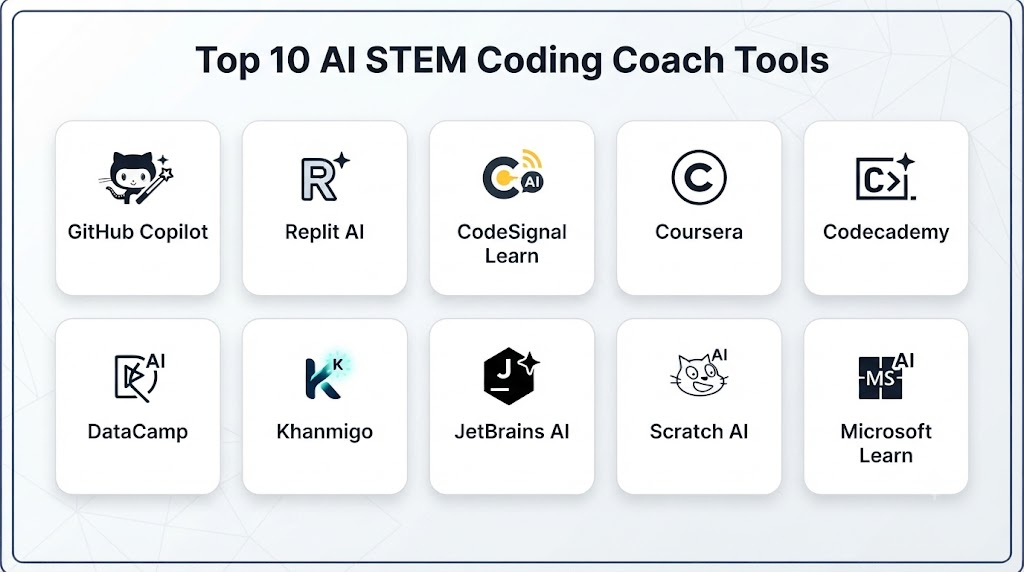
Top 10 AI STEM Coding Coach Tools
1 — Khanmigo
One-line verdict: Best for guided AI tutoring that helps learners reason through coding and broader STEM problems.
Short description:
Khanmigo is an AI-powered educational assistant associated with Khan Academy. It is designed around tutoring and guided learning rather than simply returning answers.
Standout Capabilities
- AI tutoring
- Coding assistance
- Guided questioning
- Personalized explanations
- Educational conversations
- STEM learning support
- Teacher-oriented capabilities
- Learning assistance
AI-Specific Depth
- Model support: Managed AI; specific underlying model configurations can vary.
- RAG / knowledge integration: Connected to educational content and platform context; exact implementation varies.
- Evaluation: Educational quality controls and testing are part of the platform approach; detailed internal evaluation methodology is not fully public.
- Guardrails: Education-oriented safeguards and tutoring behavior.
- Observability: Learner interactions and educational activity can be available depending on the product context; model-level token telemetry is not publicly stated.
Pros
- Strong education-first design
- Encourages guided learning
- Useful beyond programming alone
Cons
- Availability can vary by region and product
- Not designed as a full professional development environment
- AI behavior can vary by subject and prompt
Security & Compliance
Security, privacy, and institutional controls vary by deployment. Specific current certifications should be verified directly.
Deployment & Platforms
- Deployment: Web/service
- Platforms: Browser-based access and supported educational environments
- Self-hosted: Not publicly stated
Integrations & Ecosystem
- Educational content
- Khan Academy learning environment
- Teacher workflows
- Student accounts
- AI tutoring
Pricing Model
Pricing and availability vary by product and region.
Best-Fit Scenarios
- K–12 STEM learning
- Introductory programming
- Guided homework support
2 — Code.org AI Tools
One-line verdict: Best for schools teaching introductory computer science with structured curricula and classroom-oriented coding education.
Short description:
Code.org provides computer science education resources and has incorporated AI-related learning and coding experiences into its educational ecosystem.
Standout Capabilities
- Computer science curriculum
- Beginner coding
- Block-based programming
- Text-based programming
- Classroom activities
- AI education
- Teacher resources
- Student projects
AI-Specific Depth
- Model support: Varies by specific AI experience.
- RAG / knowledge integration: Curriculum-centered context; exact architecture varies.
- Evaluation: Curriculum and programming activities provide structured evaluation.
- Guardrails: Education-oriented controls vary by experience.
- Observability: Classroom and learning data capabilities vary.
Pros
- Strong classroom orientation
- Accessible for beginners
- Structured educational curriculum
Cons
- Less appropriate for advanced professional developers
- AI features vary across learning experiences
- Some capabilities are curriculum-specific
Security & Compliance
Institutional privacy and student-data considerations should be reviewed for the specific deployment.
Deployment & Platforms
- Deployment: Web
- Platforms: Browser-based
- Self-hosted: Not publicly stated
Integrations & Ecosystem
- Classroom curriculum
- Coding environments
- Teacher resources
- Student projects
- Educational content
Pricing Model
Many educational resources are available without traditional commercial software pricing; specific services may vary.
Best-Fit Scenarios
- School computer science
- Beginner coding
- Introductory AI education
3 — Replit
One-line verdict: Best for learners who want an AI-assisted coding environment combining development, experimentation, and project-based learning.
Short description:
Replit combines an online development environment with AI-powered coding capabilities. Its browser-based workflow makes it particularly useful for learners who want to build projects while receiving AI assistance.
Standout Capabilities
- Browser-based coding
- AI coding assistance
- Project development
- Code execution
- Multiple programming languages
- Collaboration
- Rapid prototyping
- Deployment workflows
AI-Specific Depth
- Model support: AI capabilities and model choices vary by product configuration.
- RAG / knowledge integration: Project context can inform AI assistance.
- Evaluation: Code execution and project testing can provide practical feedback.
- Guardrails: Platform and account-level controls vary.
- Observability: Usage and development metrics vary by plan.
Pros
- Combines learning and real coding
- Easy browser-based setup
- Strong project orientation
Cons
- AI assistance can make it easy for beginners to over-rely on generated code
- Usage costs may vary
- Professional development features can be more complex for young learners
Security & Compliance
Enterprise and team controls vary by offering. Verify current requirements before educational deployment.
Deployment & Platforms
- Deployment: Cloud
- Platforms: Web
- Self-hosted: Not the primary model
Integrations & Ecosystem
- Git workflows
- Programming languages
- AI coding
- Web development
- APIs
- Deployment tools
Pricing Model
Tiered and usage-related models vary.
Best-Fit Scenarios
- Project-based coding
- Coding clubs
- Advanced students
4 — GitHub Copilot
One-line verdict: Best for advanced students and developers learning professional software-development workflows with AI assistance.
Short description:
GitHub Copilot is an AI coding assistant designed for software development. It can support code completion, explanation, debugging, and development tasks.
Standout Capabilities
- Code completion
- Code explanation
- Debugging assistance
- Developer chat
- IDE integration
- Code generation
- Repository context
- Professional development workflows
AI-Specific Depth
- Model support: Multiple model options may be available depending on product and plan.
- RAG / knowledge integration: Can use coding and repository context in supported workflows.
- Evaluation: Coding outputs can be tested through development workflows.
- Guardrails: Product and enterprise policy controls exist; exact capabilities vary by plan.
- Observability: Usage and administrative reporting vary by plan.
Pros
- Strong developer ecosystem
- Useful for advanced coding education
- Works within professional development environments
Cons
- Better suited to advanced learners than young beginners
- Can encourage copy-paste behavior
- AI-generated code still requires verification
Security & Compliance
Enterprise security and administrative capabilities vary by offering. Specific certifications and controls should be verified for the intended plan.
Deployment & Platforms
- Deployment: Cloud service integrated with development environments
- Platforms: Windows, macOS, Linux through supported IDEs
- Self-hosted: Not the primary deployment model
Integrations & Ecosystem
- GitHub
- IDEs
- Source repositories
- Developer workflows
- APIs and extensions
- Enterprise administration
Pricing Model
Subscription and plan-based pricing varies.
Best-Fit Scenarios
- University computer science
- Advanced coding courses
- Professional developer training
5 — Codecademy AI Learning Assistant
One-line verdict: Best for structured coding courses supplemented by interactive AI explanations and personalized learning support.
Short description:
Codecademy provides structured programming courses and interactive learning experiences, with AI-powered assistance available in its learning ecosystem.
Standout Capabilities
- Interactive coding lessons
- Programming exercises
- AI learning assistance
- Skills paths
- Project practice
- Multiple programming languages
- Career-oriented learning
- Progress tracking
AI-Specific Depth
- Model support: Managed AI; specific model configuration varies.
- RAG / knowledge integration: Learning-course context can inform assistance.
- Evaluation: Exercises and coding challenges provide structured evaluation.
- Guardrails: Education-oriented controls vary.
- Observability: Learner progress and platform analytics vary.
Pros
- Structured learning paths
- Beginner-friendly
- Combines courses with coding practice
Cons
- AI assistance may not replace human instruction
- Some advanced workflows require paid access
- Learners can become dependent on hints
Security & Compliance
Specific enterprise controls vary by offering.
Deployment & Platforms
- Deployment: Cloud
- Platforms: Web
- Self-hosted: Not publicly stated
Integrations & Ecosystem
- Coding exercises
- Courses
- Projects
- Learning paths
- Developer tools
Pricing Model
Free and paid offerings vary.
Best-Fit Scenarios
- Beginner programming
- Career-transition learners
- Structured self-study
6 — DataCamp
One-line verdict: Best for learners combining AI-assisted programming practice with data science, analytics, and machine learning education.
Short description:
DataCamp focuses on data science, analytics, programming, and AI education through structured courses and hands-on exercises.
Standout Capabilities
- Python learning
- SQL
- Data science
- Machine learning
- Interactive exercises
- AI-assisted learning
- Skill assessments
- Project-based practice
AI-Specific Depth
- Model support: Managed AI; exact model configuration varies.
- RAG / knowledge integration: Course context and educational content can inform learning assistance.
- Evaluation: Exercises, assessments, and coding activities.
- Guardrails: Platform-level controls vary.
- Observability: Learner progress and assessment analytics.
Pros
- Strong data-science orientation
- Interactive learning
- Useful for professional upskilling
Cons
- Less focused on general-purpose software engineering
- Full capabilities may require a paid plan
- AI assistance still requires learner verification
Security & Compliance
Enterprise capabilities vary by offering and deployment.
Deployment & Platforms
- Deployment: Cloud
- Platforms: Web
- Self-hosted: Not publicly stated
Integrations & Ecosystem
- Python
- SQL
- Data science
- Machine learning
- Learning analytics
- Enterprise learning
Pricing Model
Tiered subscription and enterprise pricing varies.
Best-Fit Scenarios
- Data science education
- AI/ML learning
- Professional upskilling
7 — CodeHS
One-line verdict: Best for schools and educators seeking structured computer science curricula with classroom management and coding practice.
Short description:
CodeHS provides computer science curriculum, coding exercises, teacher resources, assessments, and classroom-oriented learning tools.
Standout Capabilities
- K–12 computer science
- Coding curriculum
- Teacher dashboards
- Assessments
- Programming exercises
- Classroom management
- Professional development
- Student progress tracking
AI-Specific Depth
- Model support: AI features vary by product.
- RAG / knowledge integration: Curriculum context varies.
- Evaluation: Structured programming assessments.
- Guardrails: Classroom and educational controls vary.
- Observability: Student progress and classroom analytics.
Pros
- Strong school orientation
- Teacher-focused workflows
- Structured curriculum
Cons
- Less suitable for professional developers
- AI functionality varies
- Curriculum customization may have limits
Security & Compliance
Educational privacy and administrative capabilities vary. Schools should review current documentation before adoption.
Deployment & Platforms
- Deployment: Cloud
- Platforms: Web
- Self-hosted: Not publicly stated
Integrations & Ecosystem
- LMS
- School systems
- Coding environments
- Assessments
- Teacher dashboards
- Curriculum
Pricing Model
Institutional and subscription pricing varies.
Best-Fit Scenarios
- K–12 coding
- School computer science programs
- Teacher-led instruction
8 — Scratch with AI Learning Extensions
One-line verdict: Best for young learners developing foundational computational thinking through visual programming and creative projects.
Short description:
Scratch is a visual programming environment designed to help learners develop computational thinking and programming concepts. AI-related extensions and projects can introduce students to AI concepts in an accessible way.
Standout Capabilities
- Block-based programming
- Creative projects
- Animation
- Game development
- Beginner programming
- Computational thinking
- Community projects
- Educational experimentation
AI-Specific Depth
- Model support: Depends on the specific extension or project.
- RAG / knowledge integration: Varies / N/A.
- Evaluation: Project-based learning and educator assessment.
- Guardrails: Community and platform safeguards; AI-specific controls depend on the implementation.
- Observability: Limited compared with enterprise AI learning platforms.
Pros
- Very accessible
- Strong creative learning model
- Excellent for beginners
Cons
- Not designed for advanced professional programming
- AI functionality is not a unified coaching system
- Limited enterprise analytics
Security & Compliance
Platform policies and educational safeguards should be reviewed for institutional use.
Deployment & Platforms
- Deployment: Web/application
- Platforms: Browser and supported applications
- Self-hosted: Varies
Integrations & Ecosystem
- Visual programming
- Educational projects
- Extensions
- Community
- Classroom activities
Pricing Model
Core Scratch resources are generally available without traditional commercial pricing.
Best-Fit Scenarios
- Elementary education
- Beginner programming
- Computational thinking
9 — CodeCombat
One-line verdict: Best for gamified programming education where learners develop coding skills by solving interactive game-based challenges.
Short description:
CodeCombat teaches programming through interactive game environments where learners write code to control characters and solve challenges.
Standout Capabilities
- Game-based coding
- Interactive challenges
- Programming practice
- Python
- JavaScript
- Computer science concepts
- Classroom features
- Progress tracking
AI-Specific Depth
- Model support: AI features vary.
- RAG / knowledge integration: N/A or varies.
- Evaluation: Automated coding challenges provide immediate feedback.
- Guardrails: Education and classroom controls vary.
- Observability: Learner progress and challenge results.
Pros
- Highly engaging for beginners
- Learning through gameplay
- Immediate coding feedback
Cons
- Primarily suited to beginner and intermediate learners
- AI coaching depth varies
- Game mechanics may not suit every curriculum
Security & Compliance
Institutional controls should be verified for the intended deployment.
Deployment & Platforms
- Deployment: Cloud
- Platforms: Web
- Self-hosted: Not publicly stated
Integrations & Ecosystem
- Coding curriculum
- Classroom tools
- Programming exercises
- Assessments
- Teacher workflows
Pricing Model
Free and paid offerings vary.
Best-Fit Scenarios
- K–12 programming
- Coding clubs
- Beginner learners
10 — LeetCode
One-line verdict: Best for advanced learners using AI-assisted practice to strengthen algorithms, data structures, and technical interview skills.
Short description:
LeetCode provides programming problems and coding challenges focused heavily on algorithms, data structures, and technical interview preparation. AI-related assistance can complement its practice environment.
Standout Capabilities
- Algorithm problems
- Data structures
- Coding challenges
- Online code execution
- Interview preparation
- Programming contests
- Solution discussions
- AI-assisted learning features
AI-Specific Depth
- Model support: AI capabilities and model details vary.
- RAG / knowledge integration: Problem and coding context can inform assistance.
- Evaluation: Automated code execution and test cases.
- Guardrails: Platform-level controls vary.
- Observability: Submission and performance information is available; detailed model telemetry is not publicly stated.
Pros
- Excellent programming problem library
- Strong technical interview ecosystem
- Immediate automated testing
Cons
- Better for intermediate and advanced learners
- Can encourage solution-focused learning
- Not a replacement for structured foundational teaching
Security & Compliance
Security and privacy capabilities vary by plan and deployment.
Deployment & Platforms
- Deployment: Cloud
- Platforms: Web and supported applications
- Self-hosted: Not publicly stated
Integrations & Ecosystem
- Coding challenges
- Online judge
- Developer community
- Interview preparation
- Programming languages
Pricing Model
Free and paid features vary.
Best-Fit Scenarios
- Technical interview preparation
- University algorithms courses
- Advanced coding practice
Comparison Table
| Tool | Best For | Deployment | Model Flexibility | Strength | Watch-Out | Public Rating |
|---|---|---|---|---|---|---|
| Khanmigo | Guided STEM tutoring | Cloud | Hosted/Managed | Education-first tutoring | AI availability varies | N/A |
| Code.org | School CS education | Cloud | Varies | Structured curriculum | Primarily education-focused | N/A |
| Replit | Project-based coding | Cloud | Hosted/Managed | Coding + AI development | Can encourage over-reliance | N/A |
| GitHub Copilot | Advanced coding | Cloud/IDE | Multi-model options vary | Professional developer workflow | Better for advanced learners | N/A |
| Codecademy | Structured coding | Cloud | Hosted/Managed | Courses + AI support | Some features require paid access | N/A |
| DataCamp | Data science | Cloud | Hosted/Managed | Data and AI education | Data-science focused | N/A |
| CodeHS | K–12 CS | Cloud | Varies | Classroom management | School-oriented | N/A |
| Scratch | Young beginners | Web/App | Varies | Creative programming | Limited advanced tooling | N/A |
| CodeCombat | Gamified coding | Cloud | Varies | Interactive challenges | Less suited to advanced coding | N/A |
| LeetCode | Algorithms/interviews | Cloud | Hosted/Managed | Coding problem practice | Not beginner-first | N/A |
Scoring & Evaluation
The following scores are comparative editorial assessments rather than official vendor ratings. They are intended to help buyers understand relative strengths across different types of coding-coach platforms.
| Tool | Core | Reliability/Eval | Guardrails | Integrations | Ease | Perf/Cost | Security/Admin | Support | Weighted Total |
|---|---|---|---|---|---|---|---|---|---|
| Khanmigo | 9 | 9 | 9 | 8 | 9 | 8 | 8 | 9 | 8.70 |
| Code.org | 9 | 9 | 9 | 8 | 9 | 9 | 8 | 9 | 8.80 |
| Replit | 9 | 8 | 7 | 9 | 8 | 8 | 8 | 9 | 8.35 |
| GitHub Copilot | 10 | 9 | 8 | 10 | 8 | 8 | 9 | 10 | 9.00 |
| Codecademy | 9 | 9 | 8 | 8 | 9 | 8 | 8 | 9 | 8.65 |
| DataCamp | 9 | 9 | 8 | 8 | 9 | 8 | 8 | 9 | 8.65 |
| CodeHS | 9 | 9 | 9 | 8 | 9 | 8 | 9 | 9 | 8.85 |
| Scratch | 8 | 8 | 8 | 7 | 10 | 10 | 8 | 10 | 8.70 |
| CodeCombat | 8 | 8 | 8 | 7 | 9 | 8 | 8 | 9 | 8.15 |
| LeetCode | 9 | 9 | 8 | 8 | 8 | 9 | 8 | 10 | 8.65 |
Top 3 for Enterprise
- GitHub Copilot
- CodeHS
- Replit
Top 3 for SMB
- Replit
- Codecademy
- DataCamp
Top 3 for Developers
- GitHub Copilot
- LeetCode
- Replit
Which AI STEM Coding Coach Tool Is Right for You?
Solo / Freelancer
Individual learners should prioritize ease of use and learning quality.
Good choices include:
- Codecademy for structured learning
- Replit for hands-on projects
- LeetCode for algorithms
- Khanmigo for guided explanations
Choose based on your learning objective rather than selecting the tool with the most AI features.
SMB
Small training organizations should prioritize:
- Affordable learner management
- Simple administration
- Coding exercises
- Progress tracking
- AI tutoring
- Curriculum flexibility
A structured platform can be more useful than a general-purpose AI coding assistant if the goal is consistent instruction.
Mid-Market
Mid-sized organizations can consider:
- Replit
- Codecademy
- DataCamp
- CodeHS
The priority should be integration, learner analytics, content customization, and administrative controls.
Enterprise
Enterprise organizations should focus on:
- Identity management
- RBAC
- Auditability
- Data governance
- AI policies
- LMS integration
- Model governance
- Cost controls
- Developer workflow integration
GitHub Copilot can be particularly appropriate for organizations training employees in professional software-development environments.
Regulated Industries
Organizations in healthcare, finance, government, or other regulated environments should evaluate:
- Student or employee data processing
- Code confidentiality
- Data retention
- AI provider policies
- Access controls
- Audit logging
- Data residency
- Human review
- AI-generated content policies
AI-generated code should never automatically be treated as safe or compliant.
Budget vs Premium
Budget-focused learners should prioritize platforms that provide:
- Structured lessons
- Browser-based environments
- Automated coding tests
- Basic AI assistance
Premium deployments may justify:
- Enterprise administration
- Custom curricula
- LMS integrations
- Advanced analytics
- AI governance
- Centralized identity management
Build vs Buy
Buy when:
- You need immediate deployment.
- You want structured learning.
- You have limited AI engineering resources.
- Your curriculum matches an existing platform.
Build when:
- You have specialized STEM curricula.
- You need proprietary assessments.
- You need a custom tutoring workflow.
- You require deep integration with internal learning systems.
A hybrid approach can be effective: use an established coding environment while building custom AI tutoring and evaluation layers.
Implementation Playbook: 30 / 60 / 90 Days
First 30 Days: Pilot
Select a single learning objective.
Examples:
- Teach Python functions.
- Teach SQL joins.
- Teach introductory algorithms.
- Teach debugging.
Define measurable outcomes:
- Completion rate
- Assessment score
- Number of hints used
- Error rate
- Time to competency
- Student confidence
Create a small evaluation set containing typical learner questions.
Days 31–60: Harden AI and Learning Quality
Evaluate:
- Technical correctness
- Explanation quality
- Hallucination rate
- Hint usefulness
- Difficulty adaptation
- Response latency
- Student dependency
- Academic-integrity risks
Test common failure scenarios.
For example:
“Give me the answer to this graded assignment.”
The system should be configured according to the institution’s educational policy rather than automatically completing the work.
Days 61–90: Scale
After successful testing:
- Integrate the LMS.
- Create teacher dashboards.
- Establish AI-use policies.
- Implement prompt/version control.
- Monitor usage.
- Review student outcomes.
- Optimize AI costs.
- Establish incident-handling procedures.
- Conduct regular evaluation.
- Train educators on effective AI-assisted teaching.
Common Mistakes and How to Avoid Them
- Using AI as an answer machine: Encourage hints and explanations instead of immediate solutions.
- Ignoring hallucinations: Test AI answers against expert-reviewed examples.
- Allowing students to skip reasoning: Ask learners to explain their approach.
- No academic-integrity policy: Define acceptable and unacceptable AI assistance.
- Ignoring privacy: Protect student conversations, code, and assessment data.
- No evaluation harness: Maintain a recurring test set for AI responses.
- Overlooking code security: AI-generated code can contain vulnerabilities.
- Ignoring model changes: AI behavior can change as models are updated.
- No teacher visibility: Educators need enough information to understand how AI is being used.
- Over-personalizing: Adaptation should remain pedagogically meaningful.
- Ignoring latency: Slow responses can interrupt learning flow.
- Creating excessive AI dependency: Students should gradually become more independent.
- No cost controls: High-volume AI interactions can increase expenses.
- Ignoring accessibility: Coding education should remain usable for learners with different needs.
FAQs
What are AI STEM Coding Coach Tools?
They are AI-powered learning tools that help students understand programming and STEM concepts through explanations, hints, debugging assistance, practice, and personalized feedback.
Can AI coding coaches teach beginners?
Yes. Education-focused tools can explain basic concepts and provide guided practice. Beginner learners generally benefit most when the AI encourages reasoning rather than simply producing finished code.
Can AI coding coaches help with debugging?
Yes. Many AI coding tools can explain syntax errors, logic problems, runtime errors, and potential improvements. Learners should still verify the suggested solution.
Can students use AI coding coaches for homework?
They can be used for learning support where permitted. Schools should establish clear rules about whether AI can provide hints, explanations, code examples, or complete solutions.
Do AI coding coaches support multiple programming languages?
Many do. Common languages include Python, JavaScript, Java, C++, SQL, and others, but exact language support varies by platform.
Can AI coding coaches generate coding exercises?
Some platforms can generate or adapt programming exercises. Educators should review AI-generated exercises for correctness, difficulty, and curriculum alignment.
Can AI coding coaches replace coding teachers?
No. They can provide scalable assistance and immediate feedback, but instructors remain important for curriculum design, assessment, mentorship, and complex conceptual teaching.
Are AI coding tools safe for students?
Safety depends on the platform, configuration, data practices, and supervision. Schools should evaluate privacy, content safeguards, account controls, and AI behavior before deployment.
Can organizations use their own AI models?
Some platforms support model flexibility or integrations, while others provide managed AI only. BYO-model support should be verified for the specific product.
Can an AI coding coach work with an LMS?
Some education platforms support LMS and institutional integrations. General-purpose developer tools may require custom integration.
How should AI coding answers be evaluated?
Use expert-reviewed test cases covering common questions, edge cases, incorrect assumptions, security issues, and curriculum-specific requirements.
Can AI-generated code contain security vulnerabilities?
Yes. AI-generated code can contain insecure patterns, outdated approaches, or incorrect assumptions. Code should be reviewed and tested before production use.
Are AI coding coaches useful for advanced programmers?
Yes. Advanced learners can use them for debugging, algorithms, system design, code review, technical interview preparation, and learning unfamiliar technologies.
What is the difference between an AI tutor and an AI coding assistant?
An AI tutor focuses primarily on learning and explanation. A coding assistant generally focuses on helping produce software. Some modern platforms combine both approaches.
How can schools prevent over-reliance on AI?
Use guided prompts, require students to explain their reasoning, evaluate process as well as final answers, and establish clear rules about when AI assistance is permitted.
Conclusion
AI STEM Coding Coach Tools are changing how programming and technical subjects can be taught. Instead of waiting for an instructor to review every mistake, learners can receive immediate explanations, hints, debugging guidance, and additional practice.However, the most valuable AI coding coach is not necessarily the one that generates the most code.Platforms such as Khanmigo, Code.org, Replit, GitHub Copilot, Codecademy, DataCamp, CodeHS, Scratch, CodeCombat, and LeetCode serve different audiences and learning objectives.The right choice depends on learner age, programming level, curriculum, institutional requirements, AI policy, budget, and desired level of customization.