Introduction
AI Automated Grading Tools use artificial intelligence to help educators, trainers, and organizations evaluate student or learner work more efficiently. Instead of manually reviewing every response, these systems can assist with grading assignments, essays, short answers, coding exercises, quizzes, written responses, and other forms of assessment.
Modern AI grading systems can do more than assign scores. Depending on the platform, they may provide feedback, identify common mistakes, compare responses against rubrics, suggest grades, analyze learning outcomes, and help teachers identify students who need additional support.
Best for: Schools, universities, teachers, online educators, tutoring organizations, corporate learning teams, and training providers handling large volumes of learner submissions.
Not ideal for: High-stakes assessments where every grade requires formally validated human judgment, highly subjective work requiring expert interpretation, or environments that prohibit automated evaluation.
What Are AI Automated Grading Tools?
AI Automated Grading Tools are software systems that use artificial intelligence to evaluate learner responses against predefined criteria, answer keys, rubrics, examples, or learning objectives.
Traditional grading often requires:
Collect submissions → Read responses → Compare against criteria → Assign scores → Write feedback → Record grades
AI can automate or accelerate several of these steps.
For example, an instructor can provide:
- A student essay
- A grading rubric
- Learning objectives
- Expected concepts
- Performance criteria
The AI can then analyze the submission and produce a suggested score with feedback.
The teacher can review the recommendation, modify the grade if necessary, and provide final approval.
This human-in-the-loop approach is particularly important when grading involves interpretation, nuanced reasoning, creativity, or high-stakes consequences.
How AI Automated Grading Works
Submission Analysis
The system first processes the learner’s submission.
Depending on the platform, this may include:
- Text
- Documents
- Code
- Quiz answers
- Structured responses
- Uploaded assignments
A structured rubric can make automated grading more consistent.
Answer Comparison
For objective questions, the system can compare responses against known answers.
For open-ended questions, AI may evaluate semantic similarity, reasoning, evidence, completeness, and other characteristics.
Feedback Generation
AI can generate comments explaining:
- What the learner did well
- What was incorrect
- What concepts were missing
- How the response could improve
Score Recommendation
The system can produce a suggested grade based on the configured criteria.
For important assessments, the recommended score should be reviewed by a qualified educator.
Why AI Automated Grading Matters
Grading is one of the largest recurring workloads for educators.
An instructor teaching several classes may have to evaluate hundreds or thousands of submissions.
AI-assisted grading can reduce repetitive work and allow educators to spend more time on:
- Teaching
- Student support
- Curriculum design
- Individual interventions
- Classroom interaction
Potential benefits include:
- Faster grading
- More consistent rubric application
- Faster student feedback
- Reduced repetitive workload
- Scalable assessment
- Better identification of common mistakes
- More frequent formative assessment
However, automated grading can introduce serious risks when AI misunderstands context, penalizes unconventional but valid answers, or produces inconsistent judgments.
Key Features to Look For
When evaluating AI grading software, look for:
- Automated scoring
- Rubric-based grading
- Essay evaluation
- Short-answer grading
- Multiple-choice grading
- Coding assessment
- Written feedback
- Custom rubrics
- AI-generated comments
- Score explanations
- Human review
- Grade override
- Confidence indicators
- Plagiarism or similarity checks
- Learning analytics
- Student progress tracking
- LMS integration
- Gradebook integration
- Export options
- Auditability
- Version history
- Privacy controls
- Role-based access
- AI evaluation tools
Major Use Cases
Essay Grading
AI can evaluate writing against a rubric covering structure, evidence, reasoning, grammar, and other criteria.
Short-Answer Assessment
AI can compare free-text responses against expected concepts rather than requiring exact keyword matches.
Homework Evaluation
Teachers can use AI to accelerate repetitive homework review.
Coding Assessment
AI-powered systems can evaluate code execution, test cases, style, and sometimes provide feedback.
Language Learning
AI can help evaluate written and spoken language, depending on the platform.
Corporate Training
Organizations can evaluate open-ended responses in employee training programs.
Formative Assessment
Teachers can use automated feedback to provide learners with faster opportunities to correct mistakes.
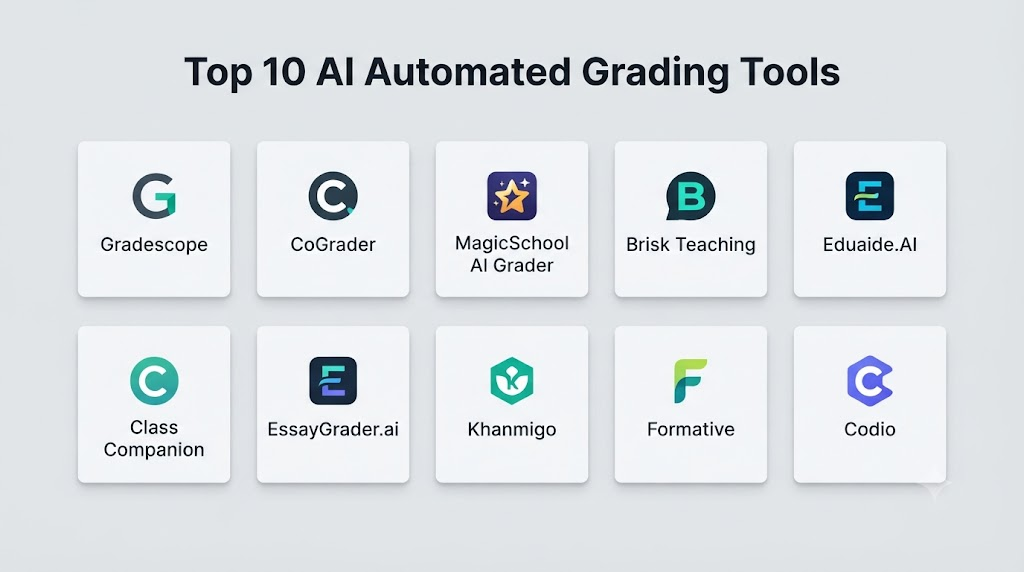
Top 10 AI Automated Grading Tools
1. Gradescope
One-line verdict: Best for large-scale academic assessment, rubric-based grading, and efficient instructor workflows.
Short description:
Gradescope is an assessment and grading platform designed to help educators grade assignments and exams more efficiently. It supports multiple assessment formats and structured grading workflows.
Standout Capabilities
- AI-assisted grading workflows
- Rubric-based grading
- Digital assignment grading
- Exam grading
- Homework assessment
- Grouping similar answers
- Instructor feedback
- Course analytics
AI-Specific Depth
- Model support: Managed AI capabilities; exact model configuration varies.
- RAG / knowledge integration: Assessment content and instructor-provided criteria.
- Evaluation: Rubric-based evaluation and human review.
- Guardrails: Instructor-controlled grading workflows.
- Observability: Assignment and grading analytics.
Pros
- Strong academic grading workflow
- Useful for large classes
- Helps standardize repetitive grading
Cons
- Primarily education-focused
- AI does not eliminate the need for instructor oversight
- Some workflows require setup and rubric configuration
Security & Compliance
Institutions should verify current security, privacy, retention, identity, and compliance information for their deployment.
Deployment & Platforms
- Deployment: Cloud
- Platforms: Web
- Self-hosted: Not publicly stated
Integrations & Ecosystem
Gradescope integrates grading into academic workflows.
- LMS environments
- Digital assignments
- Exams
- Rubrics
- Gradebooks
- Assessment analytics
Pricing Model
Institutional and plan-based pricing varies.
Best-Fit Scenarios
- University grading
- Large classes
- STEM assignments and exams
2. Turnitin Feedback Studio
One-line verdict: Best for academic writing workflows combining originality checking, instructor feedback, and assessment support.
Short description:
Turnitin Feedback Studio provides tools for reviewing student writing, providing feedback, and supporting academic assessment workflows. Its broader ecosystem also includes AI-related writing and academic-integrity capabilities.
Standout Capabilities
- Assignment review
- Instructor feedback
- Rubric support
- Similarity checking
- Academic writing workflows
- Grading support
- Student feedback
- Institutional reporting
AI-Specific Depth
- Model support: Managed AI capabilities vary by feature.
- RAG / knowledge integration: Assessment and institutional content workflows.
- Evaluation: Rubric and instructor review.
- Guardrails: Academic-integrity-oriented controls.
- Observability: Assignment and institutional analytics vary.
Pros
- Strong academic-integrity ecosystem
- Useful writing-assessment workflow
- Widely integrated into educational environments
Cons
- Not solely an automated grading platform
- AI-generated scoring still requires appropriate review
- Institutional pricing varies
Security & Compliance
Security, privacy, retention, and compliance should be confirmed according to the institution’s agreement and deployment.
Deployment & Platforms
- Deployment: Cloud
- Platforms: Web and supported educational systems
- Self-hosted: Not publicly stated
Integrations & Ecosystem
- LMS
- Assignment systems
- Similarity checking
- Rubrics
- Feedback
- Academic workflows
Pricing Model
Institutional pricing varies.
Best-Fit Scenarios
- Academic writing
- University assessment
- Academic integrity workflows
3. Gradescope by Turnitin
One-line verdict: Best for structured academic grading where instructors need reusable rubrics and scalable evaluation workflows.
Short description:
Gradescope provides structured digital grading workflows for assignments and exams. It is particularly useful when instructors need to evaluate many submissions consistently.
Standout Capabilities
- Rubric-based grading
- Assignment evaluation
- Exam grading
- Digital submissions
- Answer grouping
- Feedback
- Grading analytics
- Course workflows
AI-Specific Depth
- Model support: Managed platform capabilities.
- RAG / knowledge integration: Assessment materials and grading criteria.
- Evaluation: Rubrics and instructor review.
- Guardrails: Structured grading controls.
- Observability: Grading analytics.
Pros
- Efficient for high-volume grading
- Strong rubric workflow
- Useful for structured assignments
Cons
- Best suited to educational institutions
- Not every assessment type can be fully automated
- Requires instructor configuration
Security & Compliance
Verify current institutional security and compliance requirements.
Deployment & Platforms
- Deployment: Cloud
- Platforms: Web
- Self-hosted: Not publicly stated
Integrations & Ecosystem
- LMS
- Assignments
- Exams
- Rubrics
- Gradebooks
- Academic workflows
Pricing Model
Institutional pricing varies.
Best-Fit Scenarios
- University courses
- Large-scale assignments
- Structured exams
4. Crowdmark
One-line verdict: Best for collaborative digital grading of mathematics, science, and handwritten academic assessments.
Short description:
Crowdmark is an assessment and grading platform designed for educators and institutions. It supports digital assessment workflows and collaborative grading.
Standout Capabilities
- Digital grading
- Rubric-based assessment
- Collaborative grading
- Handwritten work
- Mathematics assessment
- Exam workflows
- Feedback
- Assessment analytics
AI-Specific Depth
- Model support: AI capabilities vary.
- RAG / knowledge integration: Assessment content and instructor criteria.
- Evaluation: Structured grading and human review.
- Guardrails: Varies / N/A.
- Observability: Assessment analytics.
Pros
- Strong for mathematical and handwritten work
- Collaborative grading
- Useful for large assessment workflows
Cons
- More grading-workflow focused than generative AI
- AI capabilities vary by feature
- Requires institutional setup
Security & Compliance
Verify current security and compliance information for the intended deployment.
Deployment & Platforms
- Deployment: Cloud
- Platforms: Web
- Self-hosted: Not publicly stated
Integrations & Ecosystem
- Digital assessments
- Handwritten work
- Grading
- Rubrics
- Course systems
- Instructor collaboration
Pricing Model
Institutional pricing varies.
Best-Fit Scenarios
- Mathematics grading
- University assessments
- Collaborative grading
5. Gradescope Alternative: CoGrader
One-line verdict: Best for AI-assisted grading and personalized feedback on open-ended student assignments.
Short description:
CoGrader is designed to help educators use AI to grade student work according to rubrics and generate feedback. It focuses particularly on open-ended assignments.
Standout Capabilities
- AI-assisted grading
- Rubric-based scoring
- Essay evaluation
- Personalized feedback
- Batch grading
- Assignment analysis
- Teacher review
- Learning workflows
AI-Specific Depth
- Model support: Managed AI.
- RAG / knowledge integration: User-provided rubrics and assignment context.
- Evaluation: Rubric-based grading with teacher review.
- Guardrails: Instructor-controlled criteria.
- Observability: Grading and feedback analytics vary.
Pros
- Strong focus on open-ended grading
- Can reduce repetitive teacher workload
- Supports personalized feedback
Cons
- AI scoring requires validation
- Accuracy varies by assignment type
- Advanced enterprise requirements should be evaluated
Security & Compliance
Verify current privacy, security, retention, and institutional compliance documentation.
Deployment & Platforms
- Deployment: Cloud
- Platforms: Web
- Self-hosted: Not publicly stated
Integrations & Ecosystem
- Assignments
- Rubrics
- Student responses
- Feedback
- Educational workflows
- LMS-related integrations where supported
Pricing Model
Pricing varies by offering.
Best-Fit Scenarios
- Essay grading
- Open-ended assignments
- Teacher feedback
6. Class Companion
One-line verdict: Best for AI-powered assignment feedback and personalized learning support across classroom workflows.
Short description:
Class Companion provides AI-assisted educational workflows focused on student assignments, feedback, and teacher support.
Standout Capabilities
- AI feedback
- Assignment evaluation
- Personalized learning
- Teacher dashboards
- Student responses
- Automated feedback
- Assessment workflows
- Learning insights
AI-Specific Depth
- Model support: Managed AI; exact models vary.
- RAG / knowledge integration: Assignment and educational context.
- Evaluation: AI-assisted assessment and educator review.
- Guardrails: Education-oriented safeguards.
- Observability: Student and teacher analytics.
Pros
- Strong feedback orientation
- Useful for classroom workflows
- Supports personalized student feedback
Cons
- Human oversight remains important
- Institutional requirements vary
- Exact AI architecture is not publicly stated
Security & Compliance
Schools and districts should verify current privacy, security, and data-processing policies.
Deployment & Platforms
- Deployment: Cloud
- Platforms: Web
- Self-hosted: Not publicly stated
Integrations & Ecosystem
- Assignments
- Student feedback
- Teacher dashboards
- Learning workflows
- Assessment systems
- Supported education integrations
Pricing Model
Pricing varies.
Best-Fit Scenarios
- Classroom assignments
- Personalized feedback
- Teacher workload reduction
7. Writable
One-line verdict: Best for writing instruction, AI-assisted feedback, and scalable literacy assessment workflows.
Short description:
Writable focuses on writing instruction and assessment. It provides tools that help educators assign writing tasks, evaluate student work, and provide feedback.
Standout Capabilities
- Writing assessment
- AI-assisted feedback
- Rubrics
- Writing prompts
- Teacher review
- Student feedback
- Progress tracking
- Literacy instruction
AI-Specific Depth
- Model support: Managed AI capabilities.
- RAG / knowledge integration: Writing prompts, rubrics, and educational content.
- Evaluation: Rubric-based writing evaluation.
- Guardrails: Education-oriented controls.
- Observability: Student writing analytics.
Pros
- Strong writing specialization
- Useful for literacy instruction
- Supports teacher feedback
Cons
- Focused primarily on writing
- Automated feedback still needs educator oversight
- Advanced capabilities vary by offering
Security & Compliance
Verify current educational privacy and security information before deployment.
Deployment & Platforms
- Deployment: Cloud
- Platforms: Web
- Self-hosted: Not publicly stated
Integrations & Ecosystem
- Writing assignments
- Rubrics
- LMS
- Student feedback
- Literacy workflows
- Analytics
Pricing Model
Institutional pricing varies.
Best-Fit Scenarios
- Essay assessment
- Writing instruction
- Literacy programs
8. CodeGrade
One-line verdict: Best for automated programming assignment evaluation, coding tests, and developer education.
Short description:
CodeGrade is an assessment platform focused on programming education. It can automatically evaluate code submissions using testing and grading workflows.
Standout Capabilities
- Automated code grading
- Programming assignments
- Test cases
- Code quality assessment
- Feedback
- Coding exercises
- Instructor tools
- Learning analytics
AI-Specific Depth
- Model support: Automated programming evaluation; AI features vary.
- RAG / knowledge integration: Assignment specifications and coding resources.
- Evaluation: Automated tests and grading.
- Guardrails: Execution and assessment controls vary.
- Observability: Assignment and submission analytics.
Pros
- Strong automated coding assessment
- Useful for programming courses
- Consistent test-based evaluation
Cons
- Primarily designed for code
- Automated tests may not capture every qualitative aspect of software engineering
- Advanced AI capabilities vary
Security & Compliance
Organizations should verify current security and execution-isolation practices.
Deployment & Platforms
- Deployment: Cloud
- Platforms: Web
- Self-hosted: Availability varies
Integrations & Ecosystem
- Programming languages
- Code repositories
- LMS
- Assignments
- Automated tests
- Developer education
Pricing Model
Institutional pricing varies.
Best-Fit Scenarios
- Programming courses
- Coding bootcamps
- Developer assessments
9. Gradescope-style AI Grading Workflows
One-line verdict: Best for institutions building structured rubric-based grading workflows around digital assignments.
Short description:
Modern digital assessment platforms increasingly combine structured rubrics, automated classification, AI-assisted feedback, and instructor review. These workflows can reduce repetitive grading without completely removing educators from the process.
Standout Capabilities
- Automated response grouping
- Rubric-based evaluation
- AI-assisted feedback
- Digital submissions
- Batch grading
- Assessment analytics
- Human review
- Grade management
AI-Specific Depth
- Model support: Varies / N/A.
- RAG / knowledge integration: Assignment-specific context.
- Evaluation: Rubrics and human review.
- Guardrails: Varies / N/A.
- Observability: Assessment analytics vary.
Pros
- Useful for high-volume assessment
- Can improve grading consistency
- Supports human-in-the-loop workflows
Cons
- Capabilities vary significantly by platform
- Not a standalone product recommendation
- AI implementation differs between vendors
Security & Compliance
Not publicly stated as a category-level capability; verify the individual platform.
Deployment & Platforms
- Deployment: Cloud
- Platforms: Web
- Self-hosted: Varies / N/A
Integrations & Ecosystem
- LMS
- Rubrics
- Digital assignments
- Gradebooks
- Analytics
- Assessment workflows
Pricing Model
Varies by platform.
Best-Fit Scenarios
- Large academic programs
- Digital assessment
- Rubric-based grading
10. Turnitin Originality
One-line verdict: Best for institutions combining academic-integrity workflows with AI-aware assessment and writing review.
Short description:
Turnitin Originality is part of Turnitin’s academic-integrity ecosystem. It supports institutions in evaluating student work and identifying potential originality and authorship concerns.
Standout Capabilities
- Similarity checking
- Academic-integrity workflows
- Writing assessment
- Instructor review
- AI-related detection capabilities
- Reporting
- Institutional administration
AI-Specific Depth
- Model support: Proprietary and managed AI capabilities vary.
- RAG / knowledge integration: Institutional and academic content workflows.
- Evaluation: Similarity and academic-integrity analysis.
- Guardrails: Academic-integrity controls.
- Observability: Reporting and institutional analytics.
Pros
- Strong academic-integrity ecosystem
- Useful for writing workflows
- Institutional orientation
Cons
- Not a pure automated grading engine
- Detection results require careful interpretation
- Institutional pricing varies
Security & Compliance
Institutions should verify current privacy, security, retention, and compliance documentation.
Deployment & Platforms
- Deployment: Cloud
- Platforms: Web and supported academic systems
- Self-hosted: Not publicly stated
Integrations & Ecosystem
- LMS
- Assignment submission
- Similarity checking
- Academic integrity
- Feedback
- Institutional reporting
Pricing Model
Institutional pricing varies.
Best-Fit Scenarios
- University writing programs
- Academic integrity
- Large-scale assignment review
Comparison Table
| Tool | Best For | Deployment | Model Flexibility | Strength | Watch-Out | Public Rating |
|---|---|---|---|---|---|---|
| Gradescope | Academic grading | Cloud | Hosted/Managed | Scalable rubric grading | Human review required | N/A |
| Turnitin Feedback Studio | Writing assessment | Cloud | Hosted/Managed | Feedback and integrity | Not pure grading automation | N/A |
| Gradescope by Turnitin | Structured grading | Cloud | Hosted/Managed | High-volume assessment | Education-focused | N/A |
| Crowdmark | Math and handwritten work | Cloud | Managed | Collaborative grading | AI varies | N/A |
| CoGrader | Open-ended grading | Cloud | Hosted/Managed | AI rubric grading | Validate scores | N/A |
| Class Companion | Assignment feedback | Cloud | Hosted/Managed | Personalized feedback | Institutional fit varies | N/A |
| Writable | Writing assessment | Cloud | Hosted/Managed | Literacy workflows | Writing-focused | N/A |
| CodeGrade | Coding assessment | Cloud | Automated/Managed | Code testing | Code-focused | N/A |
| Digital grading workflows | Large-scale assessment | Cloud | Varies | Workflow automation | Capabilities vary | N/A |
| Turnitin Originality | Academic integrity | Cloud | Managed | Similarity and integrity | Not a complete grader | N/A |
Scoring & Evaluation
These scores are comparative editorial assessments, not official vendor ratings. Automated grading should always be evaluated against representative student work before being used for consequential assessments.
| Tool | Core | Reliability/Eval | Guardrails | Integrations | Ease | Perf/Cost | Security/Admin | Support | Weighted Total |
|---|---|---|---|---|---|---|---|---|---|
| Gradescope | 9 | 9 | 9 | 9 | 8 | 9 | 9 | 9 | 8.95 |
| Turnitin Feedback Studio | 9 | 8 | 9 | 10 | 8 | 8 | 9 | 10 | 8.90 |
| Gradescope by Turnitin | 9 | 9 | 9 | 9 | 8 | 9 | 9 | 9 | 8.95 |
| Crowdmark | 9 | 9 | 9 | 8 | 8 | 8 | 9 | 9 | 8.70 |
| CoGrader | 9 | 8 | 8 | 8 | 9 | 9 | 7 | 8 | 8.20 |
| Class Companion | 8 | 8 | 9 | 8 | 9 | 8 | 8 | 8 | 8.20 |
| Writable | 9 | 8 | 9 | 9 | 9 | 8 | 9 | 9 | 8.80 |
| CodeGrade | 9 | 10 | 9 | 9 | 8 | 9 | 9 | 9 | 9.10 |
| Digital grading workflows | 8 | 8 | 8 | 8 | 8 | 8 | 8 | 8 | 8.00 |
| Turnitin Originality | 8 | 8 | 9 | 10 | 8 | 8 | 9 | 10 | 8.85 |
Top 3 for Enterprise
- CodeGrade
- Gradescope
- Turnitin Feedback Studio
Top 3 for SMB
- CoGrader
- Class Companion
- Writable
Top 3 for Developers
- CodeGrade
- Gradescope
- CoGrader
Which AI Automated Grading Tool Is Right for You?
Solo / Freelancer
Independent tutors and educators should prioritize ease of use and quick feedback.
Look for:
- Simple grading workflows
- Custom rubrics
- Automatic feedback
- Easy submission management
- Low setup requirements
- Grade export
For a small number of students, a sophisticated enterprise grading system may provide little additional value.
SMB
Training companies and small education organizations should prioritize workflow efficiency.
Look for:
- AI-assisted grading
- Rubrics
- Feedback generation
- Learner analytics
- Course integration
- Reasonable administration
Mid-Market
Mid-sized education organizations should evaluate:
- LMS integration
- Role-based access
- Assessment analytics
- Rubric management
- Human review
- Data portability
- AI evaluation
- Content governance
Enterprise
Large institutions should evaluate automated grading as a governed AI workflow.
Important requirements include:
- SSO
- RBAC
- Auditability
- Data retention controls
- Assessment integrity
- Human override
- AI evaluation
- Model transparency
- API access
- LMS integrations
- Cost monitoring
- Data portability
Regulated Industries
For healthcare, finance, government, and other regulated environments, evaluate:
- Privacy
- Encryption
- Data residency
- Access control
- Audit logging
- Retention
- Human review
- Regulatory requirements
AI-generated grades should not automatically become final decisions when the outcome has significant consequences.
Budget vs Premium
Budget tools can work well for classroom assignments and basic feedback.
Premium platforms become more valuable when organizations need:
- Large-scale grading
- Advanced analytics
- Institutional administration
- LMS integration
- Detailed audit trails
- Specialized assessment workflows
Build vs Buy
Buy when:
- Your grading requirements are standard.
- You need to deploy quickly.
- You want an established interface.
- You do not have specialized AI engineering resources.
Build when:
- Your grading methodology is highly specialized.
- You have proprietary assessment logic.
- You need complete control over AI infrastructure.
- Automated evaluation is strategically important.
- You have strong AI engineering capabilities.
Implementation Playbook: 30 / 60 / 90 Days
First 30 Days: Pilot
Select one assignment type with representative submissions.
Collect:
- High-quality answers
- Average answers
- Poor answers
- Edge cases
- Different writing styles
- Common misconceptions
Create a standardized rubric.
Compare AI-generated scores against human scores.
Measure:
- Agreement with human graders
- Feedback quality
- Review time
- False positives
- False negatives
- Score consistency
Days 31–60: Security and Evaluation
Create an AI grading evaluation framework.
Test:
- Factual correctness
- Rubric adherence
- Scoring consistency
- Bias
- Writing-style sensitivity
- Adversarial inputs
- Prompt injection
- Manipulated submissions
- Unexpected answers
Add:
- Human approval
- Grade override
- Audit logging
- Prompt/version control
- Model/version tracking
- Incident procedures
Days 61–90: Optimization and Scale
Once the system demonstrates reliable performance:
- Expand assignment types.
- Improve rubrics.
- Automate low-risk assessments.
- Keep humans involved in high-risk grading.
- Monitor grading consistency.
- Track AI costs.
- Measure turnaround time.
- Analyze learner outcomes.
- Establish governance.
- Re-evaluate performance periodically.
Common Mistakes and How to Avoid Them
- Making AI grades final automatically: Use human review for consequential assessments.
- Using vague rubrics: Explicit criteria improve grading consistency.
- Ignoring unusual but correct answers: AI may favor conventional responses.
- Over-relying on semantic similarity: Correct reasoning may use different terminology.
- Ignoring writing style bias: Evaluate whether style affects scores independently of substance.
- Skipping calibration: Compare AI scores against qualified human graders.
- No confidence thresholds: Route uncertain cases to humans.
- Ignoring prompt injection: Learner submissions can contain instructions designed to manipulate AI systems.
- Using sensitive learner data unnecessarily: Apply data minimization.
- No audit trail: Preserve enough information to investigate grading decisions.
- Ignoring model changes: AI behavior can change when underlying models or prompts change.
- No grade override: Teachers need control over final decisions.
- Automating high-stakes decisions: Human oversight becomes especially important when grades affect progression, employment, or certification.
- Ignoring feedback quality: A correct score with poor feedback still creates a weak learning experience.
FAQs
What are AI Automated Grading Tools?
AI Automated Grading Tools use artificial intelligence to evaluate student or learner work against answer keys, rubrics, learning objectives, or other assessment criteria.
Can AI grade essays?
Yes. AI can assist with essay grading by analyzing content, organization, reasoning, evidence, grammar, and other rubric criteria. Human review remains important for nuanced or high-stakes writing assessment.
Can AI grade multiple-choice tests?
Yes. Multiple-choice grading is relatively straightforward because responses can be compared against predefined answer keys.
Can AI grade short-answer questions?
Yes. AI can evaluate short answers based on meaning and expected concepts rather than relying only on exact keyword matching.
Can AI grade programming assignments?
Yes. Specialized coding assessment platforms can automatically execute code against test cases and evaluate programming assignments. AI can also assist with feedback and code analysis.
Is AI grading accurate?
Accuracy varies by subject, assessment format, rubric quality, and implementation. AI grading should be calibrated against human grading before being used for consequential assessments.
Can teachers override AI-generated grades?
Many AI-assisted grading systems are designed around teacher review and control, but exact functionality varies by platform. Grade-override capabilities should be checked before selection.
Is AI grading suitable for high-stakes exams?
It can assist with parts of a high-stakes assessment workflow, but organizations should use stronger validation, human oversight, auditability, and governance for consequential decisions.
Can AI provide feedback along with grades?
Yes. Generative AI can produce explanations and improvement suggestions alongside a suggested score, provided the feedback is reviewed for accuracy and usefulness.
How can schools evaluate AI grading quality?
Schools should compare AI-generated grades with grades from qualified human evaluators across a representative dataset. Agreement, bias, consistency, and edge-case performance should all be measured.
Does AI grading reduce teacher workload?
It can reduce repetitive grading and feedback work, particularly for large volumes of structured assignments. The amount of time saved depends on the assessment type and quality of the AI workflow.
What privacy issues should organizations consider?
Organizations should review what learner data is collected, where it is processed, how long it is retained, who can access it, and whether it may be used for other purposes.
Conclusion
AI Automated Grading Tools can significantly reduce the repetitive workload associated with evaluating learner submissions while helping educators provide faster feedback.The strongest use cases are those where evaluation criteria can be clearly defined through answer keys, structured rubrics, test cases, or competency frameworks.However, automation should not be confused with perfect judgment. AI can misunderstand context, overlook valid alternative answers, generate inappropriate feedback, or reproduce unwanted biases.A reliable grading workflow should therefore follow:For academic institutions, Gradescope, Turnitin, Crowdmark, Writable, and similar platforms can support structured assessment workflows. For programming education, specialized tools such as CodeGrade can provide automated execution-based evaluation.