Introduction
AI GRC Evidence Collection Tools help organizations collect, organize, validate, and manage the evidence required for governance, risk, and compliance programs. Instead of repeatedly asking teams for screenshots, reports, policies, configuration exports, and other proof of control operation, these tools can automate evidence gathering and connect evidence to specific controls, frameworks, audits, and compliance requirements.
They are particularly useful for organizations managing frameworks such as SOC 2, ISO 27001, PCI DSS, HIPAA, NIST, GDPR-related controls, and internal security requirements. Exact framework support varies by platform and confiStartups, SaaS companies, technology organizations, financial services, healthcare organizations, enterprises, and compliance teams that repeatedly collect evidence for audits or ongoing compliance programs.Very small organizations with minimal compliance requirements, teams that conduct only occasional manual audits, or businesses whose evidence sources cannot be connected to the platform.
What Are AI GRC Evidence Collection Tools?
AI GRC Evidence Collection Tools combine GRC workflows, integrations, automation, and increasingly AI-assisted capabilities to collect evidence associated with security and compliance controls.
Traditional evidence collection can involve sending messages to employees, opening multiple administrative consoles, downloading reports, renaming files, uploading documents, and manually associating each item with a control.
An automated platform can instead connect to approved systems and collect relevant evidence on a scheduled basis.
For example, evidence may come from:
- Cloud platforms
- Identity providers
- HR systems
- Code repositories
- Ticketing systems
- Endpoint-management systems
- Vulnerability scanners
- Security platforms
- Collaboration tools
- Configuration-management systems
AI can add another layer by helping classify evidence, summarize findings, identify missing information, map evidence to controls, and reduce repetitive compliance work.
The goal is not simply to collect more evidence. The goal is to collect the right evidence, maintain traceability, and reduce unnecessary manual work.
Why AI Matters for GRC Evidence Collection
Compliance teams increasingly deal with large quantities of evidence across many systems.
A single control can potentially require information from:
- Identity systems
- HR records
- Cloud infrastructure
- Security tools
- Engineering systems
- Policies
- Training platforms
- Ticketing systems
AI can help make this information easier to understand and organize.
Potential benefits include:
- Faster evidence classification
- Automated evidence-to-control mapping
- Better document search
- Evidence summarization
- Detection of missing evidence
- Reduced repetitive requests
- Improved audit readiness
- More consistent control documentation
- Faster questionnaire completion
- Better visibility into compliance gaps
What to Evaluate Before Buying
Organizations should evaluate these platforms against:
- Evidence-source integrations
- Control mapping
- Framework coverage
- Automated collection
- Continuous monitoring
- Evidence freshness
- AI-assisted classification
- AI-generated summaries
- Human review
- Audit trails
- Evidence retention
- Data residency
- Access controls
- SSO and RBAC
- Encryption
- API support
- Workflow automation
- Auditor collaboration
- Reporting
- Export capabilities
What Has Changed in AI GRC Evidence Collection
- Continuous evidence collection: Compliance teams increasingly expect evidence to be available throughout the year rather than assembled shortly before an audit.
- AI evidence classification: AI can help categorize documents and determine which controls they may support.
- Natural-language compliance queries: Teams can increasingly search compliance information using conversational questions.
- Control-to-evidence mapping: Automated mapping can reduce repetitive manual association between evidence and controls.
- AI-generated summaries: Long policies, audit reports, and technical outputs can be summarized for reviewers.
- Evidence freshness: Platforms increasingly emphasize whether evidence is current rather than merely whether evidence exists.
- Automated gap detection: AI can identify potentially incomplete or missing evidence for human review.
- Agentic compliance workflows: Controlled AI agents can potentially request evidence, review responses, route tasks, and escalate exceptions.
- Better audit traceability: Organizations need to understand where evidence originated and how it was associated with a control.
- AI governance: Organizations increasingly need controls around AI-generated compliance conclusions.
- Security-by-design: Evidence repositories can contain highly sensitive information and therefore require strong access and retention controls.
- Reduced compliance workload: The practical goal is moving compliance teams away from repetitive evidence administration toward risk analysis and control improvement.
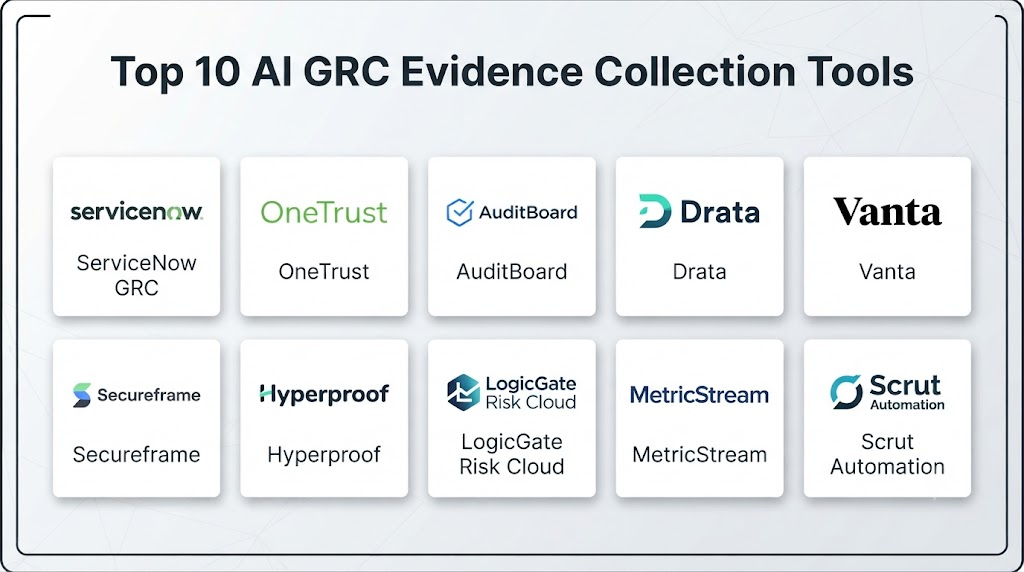
Top 10 AI GRC Evidence Collection Tools
1 — Drata
One-line verdict: Best for organizations seeking automated compliance evidence collection and continuous security compliance workflows.
Short description:
Drata provides an automated compliance platform designed to help organizations manage security compliance programs and collect evidence from connected systems.
Standout Capabilities
- Automated evidence collection
- Continuous compliance monitoring
- Control management
- Framework mapping
- Risk management
- Audit preparation
- Security questionnaire support
- Compliance workflows
AI-Specific Depth
- Model support: AI capabilities are platform-specific; underlying model architecture is not publicly stated.
- RAG / knowledge integration: AI and knowledge capabilities vary by product and workflow.
- Evaluation: Detailed AI evaluation methodology is not publicly stated.
- Guardrails: Administrative and workflow controls vary by configuration.
- Observability: Compliance dashboards and evidence monitoring; AI-specific tracing details are not publicly stated.
Pros
- Strong compliance automation focus
- Broad evidence-collection workflows
- Useful for recurring audits
Cons
- Primarily designed around compliance programs
- Configuration is required for accurate control mapping
- Advanced requirements may require higher-tier functionality
Security & Compliance
Security controls, certifications, retention policies, encryption, and residency should be verified against the current product configuration and contract.
Deployment & Platforms
- Deployment: Cloud
- Platforms: Web
- Self-hosted: Not publicly stated
Integrations & Ecosystem
Drata is designed to connect compliance workflows with business and technical systems.
- Cloud infrastructure
- Identity providers
- HR systems
- Code repositories
- Security tools
- Ticketing systems
- APIs
Pricing Model
Subscription-based enterprise/compliance platform pricing; exact pricing varies.
Best-Fit Scenarios
- SaaS compliance programs
- Continuous evidence collection
- Organizations preparing for recurring audits
2 — Vanta
One-line verdict: Best for growing companies that want automated compliance evidence collection with security and trust workflows.
Short description:
Vanta provides compliance automation and trust-management capabilities. Its platform connects with business and technical systems to automate evidence collection and help teams maintain compliance programs.
Standout Capabilities
- Automated evidence collection
- Compliance monitoring
- Framework management
- Security questionnaires
- Trust management
- Vendor management
- Risk workflows
- Audit preparation
AI-Specific Depth
- Model support: AI capabilities vary by product; specific underlying models are not publicly stated.
- RAG / knowledge integration: Varies by AI feature.
- Evaluation: Detailed AI evaluation methodology is not publicly stated.
- Guardrails: Platform permissions and administrative controls vary.
- Observability: Compliance dashboards; AI-specific tracing details are not publicly stated.
Pros
- User-friendly compliance workflows
- Broad integration ecosystem
- Strong fit for growing companies
Cons
- Pricing can vary substantially by requirements
- Not every compliance workflow is fully automatic
- AI details vary across features
Security & Compliance
Organizations should verify current security controls, certifications, retention, encryption, residency, and access-management options during procurement.
Deployment & Platforms
- Deployment: Cloud
- Platforms: Web
- Self-hosted: Not publicly stated
Integrations & Ecosystem
- Cloud platforms
- HR systems
- Identity providers
- Code repositories
- Communication tools
- Security systems
- APIs
Pricing Model
Subscription-based pricing; exact pricing varies by organization and requirements.
Best-Fit Scenarios
- Startup and scale-up compliance
- SaaS security programs
- Automated audit evidence collection
3 — Secureframe
One-line verdict: Best for organizations wanting automated compliance evidence collection, security monitoring, and audit-readiness workflows.
Short description:
Secureframe provides compliance automation technology that helps organizations collect evidence, monitor controls, manage frameworks, and prepare for audits.
Standout Capabilities
- Automated evidence collection
- Compliance monitoring
- Framework management
- Security controls
- Risk management
- Employee security workflows
- Audit preparation
- Vendor-risk workflows
AI-Specific Depth
- Model support: Product-specific AI capabilities; underlying model details are not publicly stated.
- RAG / knowledge integration: Varies / N/A.
- Evaluation: Not publicly stated.
- Guardrails: Platform access and administrative controls.
- Observability: Compliance monitoring and reporting.
Pros
- Automation-oriented platform
- Useful evidence workflows
- Supports broader security compliance activities
Cons
- Requires initial configuration
- Compliance automation does not eliminate control ownership
- Advanced requirements may require additional modules
Security & Compliance
Verify current security documentation, certifications, retention, encryption, and residency for the specific service.
Deployment & Platforms
- Deployment: Cloud
- Platforms: Web
- Self-hosted: Not publicly stated
Integrations & Ecosystem
- Cloud providers
- Identity
- HR
- Engineering
- Security tools
- Ticketing systems
- APIs
Pricing Model
Subscription-based pricing; exact pricing varies.
Best-Fit Scenarios
- Automated compliance programs
- SaaS companies
- Recurring audit preparation
4 — Sprinto
One-line verdict: Best for growing technology companies seeking compliance automation with integrated evidence collection and security workflows.
Short description:
Sprinto provides security compliance automation and helps organizations automate evidence collection, monitor controls, and manage compliance programs.
Standout Capabilities
- Automated evidence collection
- Compliance automation
- Continuous monitoring
- Framework management
- Risk workflows
- Security questionnaires
- Audit readiness
- Control management
AI-Specific Depth
- Model support: Specific AI model information is not publicly stated.
- RAG / knowledge integration: Varies / N/A.
- Evaluation: Not publicly stated.
- Guardrails: Access and workflow controls.
- Observability: Compliance dashboards and monitoring.
Pros
- Designed for compliance automation
- Reduces manual evidence gathering
- Useful for technology companies
Cons
- Requires integration setup
- Exact AI capabilities should be verified
- Some advanced compliance requirements may require additional work
Security & Compliance
Verify applicable certifications and security controls directly for the relevant deployment.
Deployment & Platforms
- Deployment: Cloud
- Platforms: Web
- Self-hosted: Not publicly stated
Integrations & Ecosystem
- Cloud infrastructure
- Identity systems
- HR platforms
- Development tools
- Security tools
- Ticketing
- APIs
Pricing Model
Subscription model; exact pricing varies.
Best-Fit Scenarios
- SaaS companies
- Compliance automation
- Fast-growing businesses
5 — Thoropass
One-line verdict: Best for companies wanting compliance software combined with audit and compliance expertise.
Short description:
Thoropass combines compliance software with professional services and audit-related support. It can help organizations manage evidence, controls, compliance programs, and audit preparation.
Standout Capabilities
- Compliance automation
- Evidence collection
- Audit support
- Control management
- Risk management
- Compliance monitoring
- Framework management
- Advisory support
AI-Specific Depth
- Model support: AI capabilities vary; exact model architecture is not publicly stated.
- RAG / knowledge integration: Varies / N/A.
- Evaluation: Not publicly stated.
- Guardrails: Administrative and workflow controls.
- Observability: Compliance dashboards and reporting.
Pros
- Combines technology and professional support
- Useful for organizations needing audit assistance
- Compliance-oriented workflows
Cons
- Professional-service requirements can increase complexity
- Not designed as a general-purpose AI platform
- Exact AI capabilities vary
Security & Compliance
Organizations should verify current security documentation, certifications, retention policies, and data residency.
Deployment & Platforms
- Deployment: Cloud
- Platforms: Web
- Self-hosted: Not publicly stated
Integrations & Ecosystem
- Security systems
- Cloud platforms
- HR tools
- Identity systems
- Engineering tools
- GRC workflows
- APIs
Pricing Model
Software and service pricing varies by requirements.
Best-Fit Scenarios
- Companies preparing for audits
- Teams needing compliance assistance
- Growing regulated organizations
6 — Secureframe
One-line verdict: Best for automated security compliance workflows and evidence collection across connected business systems.
Short description:
Secureframe focuses on security compliance automation, helping organizations collect evidence and monitor compliance controls.
Standout Capabilities
- Evidence collection
- Compliance monitoring
- Security frameworks
- Risk management
- Employee compliance
- Audit preparation
- Vendor risk
- Continuous controls
AI-Specific Depth
- Model support: Not publicly stated in detail.
- RAG / knowledge integration: Varies / N/A.
- Evaluation: Not publicly stated.
- Guardrails: Administrative controls.
- Observability: Compliance monitoring dashboards.
Pros
- Strong automation orientation
- Broad compliance workflows
- Useful for continuous compliance
Cons
- Requires careful configuration
- Some workflows still require human validation
- AI architecture is not generally exposed
Security & Compliance
Verify current controls and certifications against the specific service agreement.
Deployment & Platforms
- Deployment: Cloud
- Platforms: Web
- Self-hosted: Not publicly stated
Integrations & Ecosystem
- Cloud
- HR
- Identity
- Security
- Engineering
- Ticketing
- APIs
Pricing Model
Subscription pricing; exact pricing varies.
Best-Fit Scenarios
- Security compliance
- Evidence automation
- Recurring audits
7 — AuditBoard
One-line verdict: Best for larger organizations managing integrated audit, risk, compliance, and evidence workflows.
Short description:
AuditBoard provides risk and compliance management technology for organizations managing internal audit, controls, risk, and compliance processes.
Standout Capabilities
- Internal audit
- Risk management
- Compliance
- Control management
- Evidence workflows
- Reporting
- Workflow automation
- Audit management
AI-Specific Depth
- Model support: AI capabilities vary by product.
- RAG / knowledge integration: Varies / N/A.
- Evaluation: Specific AI evaluation information is not publicly stated.
- Guardrails: Enterprise permissions and workflow controls.
- Observability: Audit and risk dashboards.
Pros
- Strong enterprise audit capabilities
- Broad risk-management ecosystem
- Useful for complex control environments
Cons
- Can be more extensive than needed for small teams
- Implementation can require significant configuration
- Not solely focused on automated evidence collection
Security & Compliance
Verify current security controls, certifications, encryption, retention, and residency requirements.
Deployment & Platforms
- Deployment: Cloud
- Platforms: Web
- Self-hosted: Not publicly stated
Integrations & Ecosystem
- ERP systems
- GRC
- Security systems
- Risk platforms
- Identity systems
- APIs
- Enterprise applications
Pricing Model
Enterprise subscription pricing; exact pricing varies.
Best-Fit Scenarios
- Enterprise audit teams
- Integrated risk programs
- Complex compliance environments
8 — LogicGate
One-line verdict: Best for organizations needing configurable GRC workflows and automated evidence-related processes.
Short description:
LogicGate provides configurable governance, risk, and compliance workflows. Organizations can use its platform to build processes around risk, compliance, controls, and evidence management.
Standout Capabilities
- GRC workflows
- Risk management
- Compliance
- Control management
- Workflow automation
- Reporting
- Custom processes
- Evidence management
AI-Specific Depth
- Model support: AI capabilities vary; exact model details are not publicly stated.
- RAG / knowledge integration: Varies / N/A.
- Evaluation: Not publicly stated.
- Guardrails: Enterprise workflow permissions.
- Observability: Reporting and workflow dashboards.
Pros
- Highly configurable
- Suitable for custom GRC processes
- Broad risk-management capabilities
Cons
- Configuration expertise may be necessary
- Less turnkey than specialized compliance automation
- AI capabilities vary
Security & Compliance
Verify current security controls, certifications, encryption, retention, and residency.
Deployment & Platforms
- Deployment: Cloud
- Platforms: Web
- Self-hosted: Not publicly stated
Integrations & Ecosystem
- APIs
- Security tools
- Enterprise systems
- Identity platforms
- Ticketing
- Risk systems
- Data platforms
Pricing Model
Enterprise subscription pricing; exact pricing varies.
Best-Fit Scenarios
- Custom GRC workflows
- Mid-market organizations
- Enterprise compliance teams
9 — Hyperproof
One-line verdict: Best for organizations managing multiple compliance frameworks and recurring evidence collection across security programs.
Short description:
Hyperproof provides compliance operations technology designed to help organizations manage controls, evidence, frameworks, risks, and compliance workflows.
Standout Capabilities
- Evidence management
- Compliance operations
- Framework management
- Control monitoring
- Risk management
- Audit preparation
- Workflow automation
- Reporting
AI-Specific Depth
- Model support: AI capabilities vary by product; exact model architecture is not publicly stated.
- RAG / knowledge integration: Varies / N/A.
- Evaluation: Not publicly stated.
- Guardrails: Administrative and workflow controls.
- Observability: Compliance dashboards and reporting.
Pros
- Multi-framework compliance orientation
- Useful evidence workflows
- Supports ongoing compliance operations
Cons
- Requires initial setup
- AI-specific details can vary
- Organizations still need control owners
Security & Compliance
Verify current certifications, access controls, retention, encryption, and residency.
Deployment & Platforms
- Deployment: Cloud
- Platforms: Web
- Self-hosted: Not publicly stated
Integrations & Ecosystem
- Cloud platforms
- Security systems
- HR
- Identity
- Engineering
- Ticketing
- APIs
Pricing Model
Subscription pricing; exact pricing varies.
Best-Fit Scenarios
- Multi-framework compliance
- Evidence management
- Continuous compliance programs
10 — StandardFusion
One-line verdict: Best for organizations wanting flexible GRC workflows for controls, evidence, risks, and compliance documentation.
Short description:
StandardFusion is a GRC platform designed to help organizations manage information security, compliance, risk, controls, and related documentation.
Standout Capabilities
- Risk management
- Control management
- Compliance frameworks
- Evidence management
- Policy management
- Audit workflows
- Reporting
- GRC documentation
AI-Specific Depth
- Model support: AI-specific capabilities are not publicly stated in sufficient detail.
- RAG / knowledge integration: N/A.
- Evaluation: Not publicly stated.
- Guardrails: Platform permissions and workflow controls.
- Observability: GRC reporting and dashboards.
Pros
- Flexible GRC functionality
- Evidence and control management
- Suitable for structured compliance programs
Cons
- Less focused on AI-specific automation
- Configuration may be required
- Advanced automation varies by implementation
Security & Compliance
Verify current security controls, certifications, encryption, retention, and residency.
Deployment & Platforms
- Deployment: Cloud / varies
- Platforms: Web
- Self-hosted: Varies / N/A
Integrations & Ecosystem
- APIs
- Security systems
- Cloud infrastructure
- Identity
- Document repositories
- Business systems
Pricing Model
Subscription / enterprise pricing; exact pricing varies.
Best-Fit Scenarios
- Structured GRC programs
- Evidence management
- Control-heavy compliance environments
Comparison Table
| Tool | Best For | Deployment | Model Flexibility | Strength | Watch-Out | Public Rating |
|---|---|---|---|---|---|---|
| Drata | Automated compliance | Cloud | Proprietary / varies | Evidence automation | Configuration required | N/A |
| Vanta | Growing companies | Cloud | Proprietary / varies | Easy compliance workflows | Advanced needs may require additional configuration | N/A |
| Secureframe | Security compliance | Cloud | Proprietary / varies | Continuous compliance | Exact AI capabilities vary | N/A |
| Sprinto | SaaS compliance | Cloud | Proprietary / varies | Automated evidence | Integration setup | N/A |
| Thoropass | Compliance + audit support | Cloud | Varies | Software + services | Service dependency | N/A |
| AuditBoard | Enterprise audit/GRC | Cloud | Varies | Integrated audit management | Implementation complexity | N/A |
| LogicGate | Custom GRC | Cloud | Varies | Workflow flexibility | Configuration effort | N/A |
| Hyperproof | Multi-framework compliance | Cloud | Varies | Evidence operations | Setup required | N/A |
| StandardFusion | GRC management | Cloud / varies | Varies | Flexible control management | Less AI-focused | N/A |
| Secureframe | Compliance automation | Cloud | Varies | Evidence collection | Product overlap | N/A |
Scoring & Evaluation
The following scores are comparative editorial assessments rather than independent benchmark measurements. Actual results depend on implementation quality, integrations, evidence sources, organizational maturity, and configuration.
| Tool | Core | Reliability/Eval | Guardrails | Integrations | Ease | Perf/Cost | Security/Admin | Support | Weighted Total |
|---|---|---|---|---|---|---|---|---|---|
| Drata | 9 | 8 | 8 | 9 | 9 | 8 | 9 | 9 | 8.65 |
| Vanta | 9 | 8 | 8 | 10 | 9 | 8 | 9 | 9 | 8.70 |
| Secureframe | 9 | 8 | 8 | 9 | 9 | 8 | 9 | 9 | 8.60 |
| Sprinto | 9 | 8 | 8 | 9 | 9 | 9 | 8 | 9 | 8.65 |
| Thoropass | 9 | 8 | 8 | 8 | 8 | 7 | 9 | 10 | 8.25 |
| AuditBoard | 10 | 8 | 10 | 9 | 7 | 7 | 10 | 9 | 8.80 |
| LogicGate | 9 | 8 | 9 | 9 | 7 | 8 | 9 | 9 | 8.55 |
| Hyperproof | 9 | 8 | 9 | 9 | 8 | 8 | 9 | 9 | 8.60 |
| StandardFusion | 8 | 7 | 8 | 8 | 8 | 8 | 9 | 8 | 8.00 |
| Secureframe | 9 | 8 | 8 | 9 | 9 | 8 | 9 | 9 | 8.60 |
Top 3 for Enterprise
- AuditBoard
- Drata
- Vanta
Top 3 for SMB
- Vanta
- Drata
- Sprinto
Top 3 for Developers
- Drata
- Vanta
- Secureframe
Which AI GRC Evidence Collection Tool Is Right for You?
Solo / Freelancer
Most freelancers do not need a dedicated GRC evidence platform unless they work with regulated clients or must demonstrate formal security controls.
A lightweight documentation system may be sufficient for simple requirements.
If compliance is becoming a recurring business requirement, starting with automated evidence collection can reduce future administrative work.
SMB
SMBs should prioritize simplicity and integrations.
Look for:
- Automated evidence collection
- Cloud integrations
- Identity integrations
- Employee workflows
- Basic risk management
- Framework mapping
- Audit readiness
Avoid paying for highly complex enterprise GRC features that your team will never use.
Mid-Market
Mid-market organizations should focus on scalability.
Important capabilities include:
- Multiple frameworks
- Automated evidence
- Continuous monitoring
- Control ownership
- Risk management
- Vendor management
- Security questionnaires
- Reporting
The platform should support both technical and non-technical control owners.
Enterprise
Enterprises need stronger governance.
Prioritize:
- Central evidence repositories
- Detailed audit trails
- RBAC
- SSO
- Multiple business units
- Multiple frameworks
- Custom controls
- API integrations
- Evidence retention
- Auditor access
- AI governance
- Data residency
Large enterprises should also ensure the platform can handle evidence from complex hybrid environments.
Regulated Industries
Organizations in finance, healthcare, government, and other regulated industries should place additional emphasis on:
- Data residency
- Encryption
- Access controls
- Audit logs
- Evidence retention
- Separation of duties
- Evidence provenance
- Human approval
- AI explainability
- Regulatory mapping
AI-generated compliance summaries should never automatically become authoritative evidence without appropriate validation.
Budget vs Premium
Budget-conscious teams should start with the most repetitive evidence workflows.
For example, automate:
- Cloud configuration checks
- Identity evidence
- Employee onboarding/offboarding
- Access reviews
- Vulnerability-management evidence
Premium platforms become more valuable when the organization manages several frameworks, many systems, multiple auditors, and large control environments.
Build vs Buy
Build when:
- Your evidence sources are highly specialized.
- You have strong internal engineering resources.
- Your organization has unique control requirements.
- You need deep customization.
Buy when:
- You need dozens of integrations.
- You want continuous evidence collection.
- You need established compliance workflows.
- You want auditor-ready reporting.
- You need rapid deployment.
A hybrid model can be effective when a commercial GRC platform handles standard evidence collection while internal automation handles organization-specific requirements.
Implementation Playbook: 30 / 60 / 90 Days
First 30 Days: Pilot
Select a small set of controls.
Choose controls with repetitive evidence requirements, such as:
- Access management
- User provisioning
- Security training
- Vulnerability management
- Cloud configuration
- Backup monitoring
Connect only approved systems.
Establish baseline measurements:
- Evidence collection time
- Manual hours per audit
- Missing evidence
- Duplicate evidence
- Evidence freshness
- Control-owner response time
Days 31–60: Security and Evaluation
Harden the platform.
Implement:
- SSO
- RBAC
- Least-privilege access
- Audit logging
- Evidence retention policies
- Data classification
- Approval workflows
For AI features, create an evaluation process.
Test:
- Evidence classification
- Control mapping
- Document summarization
- Missing-evidence detection
- False positives
- False negatives
- AI-generated recommendations
Run controlled prompt-injection and malicious-document tests if the system processes natural-language content.
Days 61–90: Scale
Expand to additional controls and frameworks.
Optimize:
- Collection schedules
- Evidence retention
- Control mappings
- Alert thresholds
- Evidence deduplication
- Human-review workflows
Create governance around:
- AI feature changes
- Prompt/version management
- Model changes
- Evidence provenance
- AI-generated conclusions
- Incident handling
- Manual overrides
Measure whether automation is actually reducing audit preparation time.
Common Mistakes and How to Avoid Them
- Collecting everything: More evidence does not automatically mean better compliance.
- Ignoring evidence freshness: Old evidence may not demonstrate current control operation.
- Poor control mapping: Incorrect mappings create misleading audit trails.
- No human validation: AI classifications should be reviewed when consequences are significant.
- Unmanaged retention: Compliance evidence can contain sensitive business information.
- Weak access controls: Evidence repositories should use appropriate least-privilege permissions.
- No audit trail: Teams need to know who collected, changed, reviewed, or approved evidence.
- Ignoring AI-generated errors: AI summaries and classifications can be incorrect.
- No evaluation framework: AI features should be tested against representative evidence.
- Over-automation: Some controls require judgment rather than automatic approval.
- Ignoring prompt injection: Uploaded documents can contain malicious instructions designed to manipulate AI systems.
- No evidence provenance: Organizations should know where evidence originated.
- Ignoring integration failures: Automated collection is only useful when connectors continue working correctly.
- Vendor lock-in: Organizations should maintain the ability to export important compliance records.
- Assuming compliance is automatic: A platform can automate evidence collection but cannot make an organization compliant by itself.
FAQs
What are AI GRC Evidence Collection Tools?
They are platforms that automate the collection and management of evidence needed to demonstrate governance, risk, and compliance controls.
How does AI help with GRC evidence collection?
AI can help classify documents, summarize evidence, map evidence to controls, identify possible gaps, and make compliance information easier to search.
Can these tools automatically collect evidence?
Many platforms can automatically collect evidence from connected systems. The exact sources and automation capabilities vary by platform.
Can AI replace compliance teams?
No. AI can reduce repetitive administrative work, but compliance professionals remain responsible for interpreting risks, validating evidence, and making important decisions.
Is GRC evidence sensitive?
Yes. Evidence can include security configurations, employee information, system details, policies, audit reports, and other confidential information.
Should AI have unrestricted access to compliance evidence?
No. AI systems should operate under appropriate access controls, data-minimization principles, permissions, retention rules, and monitoring.
Can these platforms support multiple compliance frameworks?
Many GRC platforms support multiple frameworks, but exact framework coverage varies. Organizations should verify the specific frameworks they require.
Do GRC evidence platforms support BYO AI models?
This varies significantly. Many platforms do not expose general-purpose model selection, while AI capabilities may be integrated directly into specific workflows.
Can these tools be self-hosted?
Deployment options vary. Many modern compliance platforms are cloud-based, while self-hosting availability depends on the vendor and product.
How much do AI GRC evidence tools cost?
Pricing varies based on company size, frameworks, integrations, users, controls, modules, and service requirements. Exact pricing should be obtained from the vendor.
How should companies evaluate AI evidence classification?
Use representative historical evidence and test whether the system correctly identifies evidence types, maps controls, detects gaps, and avoids misleading classifications.
What is evidence provenance?
Evidence provenance describes where evidence came from, when it was collected, how it was processed, and potentially who reviewed or approved it.
Can these tools help prepare for audits?
Yes. Automated evidence collection and organized control mapping can make audit preparation substantially easier, although auditors may still request additional information.
What is the biggest benefit of automated evidence collection?
The biggest benefit is reducing repetitive manual work while improving the consistency and availability of compliance evidence.
Are AI-generated compliance summaries safe to use?
They can be useful as decision-support material, but important conclusions should be reviewed by qualified personnel before being treated as authoritative.
Conclusion
AI GRC Evidence Collection Tools are changing compliance operations by reducing the manual effort required to gather, organize, classify, and review control evidence.The strongest platforms do more than provide a document repository. They connect evidence to controls, integrate with business and technical systems, monitor compliance continuously, and provide workflows that help teams identify gaps before an audit.Vanta, Drata, Secureframe, and Sprinto are particularly relevant for organizations looking for compliance automation and streamlined evidence collection. AuditBoard and LogicGate are stronger considerations for organizations with broader enterprise GRC requirements, while Hyperproof and StandardFusion can support structured compliance and evidence-management programs. Thoropass is particularly relevant when organizations want software combined with compliance and audit support.