Introduction
AI Accessibility Services for speech and captions use artificial intelligence to make spoken and audiovisual content easier to access for people who are deaf, hard of hearing, have speech-related disabilities, or benefit from real-time transcription. These platforms can automatically convert speech into text, generate captions, identify speakers, translate spoken language, improve audio clarity, and support accessible meetings, classrooms, events, websites, and public services.
The category is becoming increasingly important as organizations move toward real-time digital communication. AI-powered captioning can support virtual meetings, webinars, educational lectures, customer-service interactions, government services, healthcare communication, media production, and workplace accessibility.
When evaluating these platforms, organizations should consider transcription accuracy, language coverage, latency, speaker detection, punctuation, terminology handling, caption customization, accessibility standards, integrations, privacy, security, retention controls, APIs, cost, scalability, human correction workflows, and support for live versus recorded conEnterprises, schools, universities, government agencies, healthcare organizations, broadcasters, event organizers, media teams, and businesses that need reliable speech-to-text or captioning at scaVery small teams with only occasional captioning needs, highly specialized environments where automated transcription requires extensive human correction, or situations where real-time AI captions cannot meet the required accuracy threshold.
What’s Changed in AI Accessibility Services (Speech/Caption) Platforms
- Real-time speech recognition has become faster and more practical for meetings and live events.
- AI systems increasingly handle multiple speakers rather than treating conversations as a single voice.
- Automatic punctuation and formatting make generated transcripts easier to read.
- Multilingual speech recognition enables organizations to create captions for diverse audiences.
- Speech translation can combine transcription with real-time language conversion.
- AI can distinguish speakers and organize transcripts into speaker-labelled sections.
- Modern models perform better with conversational speech, accents, background noise, and varied speaking styles, although performance still varies.
- Multimodal AI can combine speech, text, images, and video in accessibility workflows.
- Organizations can integrate captions directly into websites, applications, meeting systems, and video platforms.
- Custom vocabulary is becoming more important for medical, legal, scientific, educational, and technical terminology.
- AI-generated captions are increasingly being evaluated against accessibility requirements rather than only transcription accuracy.
- Privacy has become a major consideration because speech recordings and transcripts may contain sensitive information.
- Enterprise users increasingly expect retention controls, encryption, access management, and auditability.
- AI captioning can be combined with summarization, translation, search, and meeting intelligence.
- Organizations are using human review for high-impact content where transcription errors could create accessibility or compliance problems.
- Cost optimization is becoming important for organizations processing thousands of hours of audio and video.
- Developers can increasingly build accessibility features directly into applications through speech and transcription APIs.
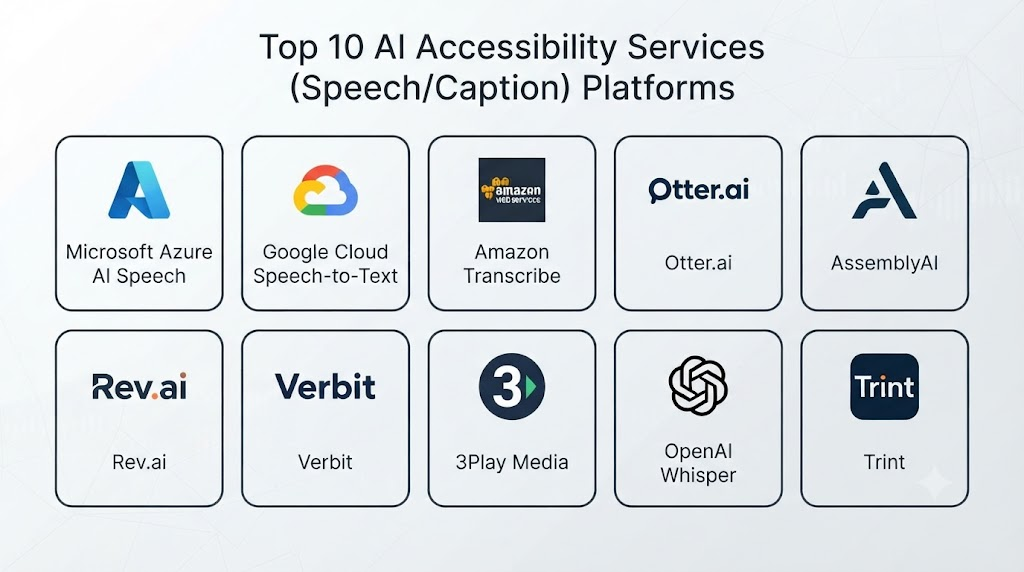
Top 10 AI Accessibility Services (Speech/Caption) Platforms
1. Microsoft Azure AI Speech
One-line verdict: Best for organizations building customized speech recognition, captioning, accessibility, and multilingual applications.
Short description:
Azure AI Speech provides speech-to-text and related speech capabilities that developers can integrate into accessibility applications. It is particularly useful for organizations that need programmable speech recognition rather than only an end-user captioning application.
Standout Capabilities
- Speech-to-text
- Real-time transcription
- Custom speech capabilities
- Speaker-related processing
- Multilingual speech support
- API-based integration
- Voice capabilities
- Enterprise cloud integration
AI-Specific Depth
- Model support: Microsoft-managed speech models and configurable speech capabilities.
- RAG / knowledge integration: Not directly applicable to conventional speech recognition; application-level integration is possible.
- Evaluation: Developers can evaluate transcription accuracy using representative audio datasets.
- Guardrails: Application-level authentication, filtering, and content controls can be implemented.
- Observability: Cloud monitoring and application telemetry can be integrated.
Pros
- Highly customizable
- Strong developer ecosystem
- Suitable for large accessibility applications
Cons
- Requires technical expertise
- Costs depend on usage
- Accuracy varies according to audio and language
Security & Compliance
Azure provides enterprise identity, encryption, access management, auditing, and governance capabilities. Specific certifications, residency, and retention options should be verified for the selected service and deployment.
Deployment & Platforms
- Cloud: Yes
- Web: Application-dependent
- Windows: Application-dependent
- Mobile: Application-dependent
- Self-hosted: Varies / N/A
Integrations & Ecosystem
Azure AI Speech can become part of larger accessibility platforms.
- APIs
- Azure applications
- Web applications
- Mobile applications
- Contact-center systems
- Video platforms
- Custom software
Pricing Model
Usage-based pricing varies according to speech volume and selected capabilities.
Best-Fit Scenarios
- Custom accessibility applications
- Enterprise captioning systems
- Multilingual speech workflows
2. Google Cloud Speech-to-Text
One-line verdict: Best for developers needing scalable speech recognition APIs for accessibility and captioning applications.
Short description:
Google Cloud Speech-to-Text converts spoken audio into text and can support applications that need automated transcription. It can be integrated into accessibility platforms, meeting applications, media systems, and other software.
Standout Capabilities
- Speech-to-text
- Real-time transcription
- Batch transcription
- Multiple language support
- Automatic punctuation
- Audio processing
- API integration
- Cloud scalability
AI-Specific Depth
- Model support: Google-managed speech recognition models.
- RAG / knowledge integration: N/A directly.
- Evaluation: Application-specific transcription evaluation can be implemented.
- Guardrails: Application-level controls are required.
- Observability: Cloud monitoring can be incorporated into the application architecture.
Pros
- Scalable infrastructure
- Developer-friendly APIs
- Useful for real-time applications
Cons
- Requires development resources
- Audio quality affects results
- Features vary by language
Security & Compliance
Google Cloud provides enterprise security and access-management capabilities. Specific service-level compliance, retention, and residency options should be verified before deployment.
Deployment & Platforms
- Cloud: Yes
- Web: Application-dependent
- Mobile: Application-dependent
- Self-hosted: N/A for the managed service
Integrations & Ecosystem
- Google Cloud
- REST APIs
- Web applications
- Mobile applications
- Video platforms
- Data pipelines
Pricing Model
Usage-based pricing varies according to audio processing volume and selected capabilities.
Best-Fit Scenarios
- Real-time web captions
- Application transcription
- Large-scale speech processing
3. Amazon Transcribe
One-line verdict: Best for AWS-based organizations integrating transcription into enterprise accessibility and communication workflows.
Short description:
Amazon Transcribe provides automatic speech recognition for applications and services. Organizations can use it as a component in captioning, transcription, analytics, and accessibility workflows.
Standout Capabilities
- Speech recognition
- Real-time transcription
- Batch transcription
- Speaker identification
- Custom vocabulary
- Automatic punctuation
- API integration
- AWS ecosystem support
AI-Specific Depth
- Model support: AWS-managed speech recognition models.
- RAG / knowledge integration: Not directly applicable.
- Evaluation: Custom evaluation datasets can measure transcription quality.
- Guardrails: AWS security and application-level controls can protect workflows.
- Observability: AWS monitoring can be used for application telemetry.
Pros
- Strong AWS integration
- Useful customization options
- Suitable for large workloads
Cons
- AWS knowledge is useful
- Quality depends on audio conditions
- Pricing increases with processing volume
Security & Compliance
AWS provides IAM, encryption, logging, and security controls. Specific regulatory requirements should be evaluated against the selected architecture.
Deployment & Platforms
- Cloud: Yes
- Web: Application-dependent
- Mobile: Application-dependent
- Self-hosted: N/A
Integrations & Ecosystem
- AWS Lambda
- Amazon S3
- Contact-center systems
- APIs
- Web applications
- Data platforms
Pricing Model
Usage-based pricing is generally tied to transcription volume.
Best-Fit Scenarios
- AWS accessibility applications
- Contact-center transcription
- Large-scale recorded audio processing
4. Otter.ai
One-line verdict: Best for teams seeking easy meeting transcription, speaker identification, captions, and searchable conversation records.
Short description:
Otter.ai focuses on meeting transcription and conversational intelligence. It can provide live transcription and help organizations make meetings more accessible while also producing searchable transcripts.
Standout Capabilities
- Live transcription
- Meeting notes
- Speaker identification
- Searchable transcripts
- Meeting summaries
- Captioning workflows
- Collaboration
- Meeting integrations
AI-Specific Depth
- Model support: Provider-managed AI models.
- RAG / knowledge integration: Knowledge features vary by product configuration.
- Evaluation: Formal customer-controlled evaluation capabilities vary.
- Guardrails: Enterprise administrative controls vary by plan.
- Observability: Usage and administrative monitoring vary.
Pros
- Easy to use
- Strong meeting workflow
- Useful speaker and transcript features
Cons
- Less customizable than developer APIs
- Accuracy varies with audio quality
- Advanced requirements may require enterprise functionality
Security & Compliance
Security and administrative features vary by plan. Organizations handling sensitive meetings should verify current retention, access, encryption, and compliance provisions.
Deployment & Platforms
- Web: Yes
- Mobile: Yes
- Cloud: Yes
- Desktop: Supported depending on product
Integrations & Ecosystem
- Meeting platforms
- Calendar systems
- Collaboration workflows
- Web
- Mobile
- Enterprise applications
Pricing Model
Free and paid plans may be available, with capabilities varying by plan.
Best-Fit Scenarios
- Accessible business meetings
- Team transcription
- Educational meetings and discussions
5. Zoom AI Companion and Captioning
One-line verdict: Best for organizations already using Zoom for meetings, webinars, and accessibility-focused communication.
Short description:
Zoom provides automated captioning and AI-powered meeting features within its collaboration ecosystem. Organizations can use these capabilities to improve accessibility during virtual meetings and events.
Standout Capabilities
- Automated captions
- Meeting transcription
- Multilingual capabilities
- Meeting summaries
- Live meeting support
- Webinar workflows
- Collaboration integration
- Accessibility features
AI-Specific Depth
- Model support: Provider-managed AI capabilities.
- RAG / knowledge integration: Some AI features can incorporate meeting context; exact capabilities vary.
- Evaluation: Formal customer-managed evaluation varies.
- Guardrails: Administrative and meeting controls can be configured.
- Observability: Enterprise administration and usage reporting vary by plan.
Pros
- Integrated into meeting workflows
- Convenient for existing Zoom users
- Supports live communication
Cons
- Best value depends on existing Zoom adoption
- Features vary by plan
- Automated captions can still contain errors
Security & Compliance
Zoom provides administrative and security controls, but organizations should verify current settings and requirements for their specific deployment.
Deployment & Platforms
- Web: Yes
- Windows: Yes
- macOS: Yes
- iOS: Yes
- Android: Yes
- Cloud: Yes
Integrations & Ecosystem
- Zoom Meetings
- Zoom Webinars
- Calendars
- Collaboration tools
- APIs
- Enterprise applications
Pricing Model
Features vary across Zoom plans.
Best-Fit Scenarios
- Accessible virtual meetings
- Online education
- Government video meetings
6. Microsoft Teams
One-line verdict: Best for organizations using Microsoft 365 that need integrated captions, transcription, meetings, and collaboration accessibility.
Short description:
Microsoft Teams includes live captions, transcription, and AI-assisted meeting capabilities. It can provide accessibility features without requiring organizations to build a separate captioning platform.
Standout Capabilities
- Live captions
- Meeting transcription
- Speaker identification
- Multilingual meeting capabilities
- Meeting summaries
- Microsoft 365 integration
- Accessibility features
- Enterprise administration
AI-Specific Depth
- Model support: Microsoft-managed AI and speech capabilities.
- RAG / knowledge integration: Broader Microsoft AI capabilities can support contextual workflows.
- Evaluation: Evaluation depends on organizational workflow and Microsoft capabilities used.
- Guardrails: Enterprise administration and identity controls are available.
- Observability: Microsoft administration and monitoring capabilities vary.
Pros
- Strong Microsoft 365 integration
- Convenient for employees
- Good enterprise accessibility workflow
Cons
- Best suited to Microsoft-centric organizations
- Features can vary by license
- Automated captions are not error-free
Security & Compliance
Microsoft provides enterprise identity, access control, encryption, auditing, and administrative capabilities. Specific compliance requirements should be verified for the organization’s Microsoft 365 configuration.
Deployment & Platforms
- Web: Yes
- Windows: Yes
- macOS: Yes
- iOS: Yes
- Android: Yes
- Cloud: Yes
Integrations & Ecosystem
- Microsoft 365
- Outlook
- SharePoint
- OneDrive
- Teams
- Microsoft Graph
- Enterprise applications
Pricing Model
Teams capabilities depend on the applicable Microsoft 365 licensing model.
Best-Fit Scenarios
- Enterprise meetings
- Government collaboration
- Accessible education
7. Rev
One-line verdict: Best for organizations needing transcription, captions, subtitles, and optional human-assisted accuracy workflows.
Short description:
Rev provides transcription and captioning services for audio and video. Its combination of automated and human-supported workflows can be useful where organizations need greater control over transcription quality.
Standout Capabilities
- Automated transcription
- Human transcription options
- Captions
- Subtitles
- Video accessibility
- Speaker identification
- File processing
- Editing workflows
AI-Specific Depth
- Model support: Provider-managed AI models; exact configurations vary.
- RAG / knowledge integration: N/A.
- Evaluation: Human-assisted workflows can provide additional quality assurance.
- Guardrails: Workflow-level controls vary.
- Observability: Service-level monitoring varies.
Pros
- Combines automation and human services
- Useful captioning workflows
- Strong media orientation
Cons
- Human services can increase costs
- Not primarily an AI development platform
- Turnaround varies by service
Security & Compliance
Security and compliance capabilities should be verified according to the type of content and service selected.
Deployment & Platforms
- Web: Yes
- Cloud: Yes
- API: Available depending on service
- Mobile: Varies
Integrations & Ecosystem
- Video files
- APIs
- Media workflows
- Editing tools
- Enterprise applications
Pricing Model
Service-based pricing varies by transcription, captioning, and human-assisted options.
Best-Fit Scenarios
- Accessible video production
- High-quality captions
- Media accessibility workflows
8. Verbit
One-line verdict: Best for organizations requiring scalable captioning and transcription with human-in-the-loop quality support.
Short description:
Verbit provides automated and human-assisted transcription and captioning solutions. It is relevant to education, enterprise, media, and other organizations where accessibility and transcription accuracy are important.
Standout Capabilities
- Automated captions
- Human-assisted transcription
- Live captioning
- Recorded media transcription
- Speaker identification
- Accessibility workflows
- Enterprise services
- Caption customization
AI-Specific Depth
- Model support: Provider-managed AI systems.
- RAG / knowledge integration: N/A.
- Evaluation: Human review provides an additional quality layer.
- Guardrails: Workflow-level controls vary.
- Observability: Enterprise monitoring varies.
Pros
- Human-in-the-loop approach
- Useful for accessibility
- Suitable for organizations with high accuracy requirements
Cons
- Premium services may cost more
- Exact capabilities vary by service
- Implementation can require coordination
Security & Compliance
Specific security and compliance capabilities should be verified for the selected service and contract.
Deployment & Platforms
- Cloud: Yes
- Web: Yes
- Live services: Yes
- API: Varies
Integrations & Ecosystem
- Video platforms
- Education platforms
- Enterprise systems
- APIs
- Live events
- Media workflows
Pricing Model
Enterprise and service-based pricing varies.
Best-Fit Scenarios
- Higher-accuracy captioning
- Education accessibility
- Live events
9. Speechmatics
One-line verdict: Best for developers and enterprises needing multilingual speech recognition across challenging real-world audio environments.
Short description:
Speechmatics specializes in automatic speech recognition and multilingual transcription. Its technology can be incorporated into accessibility, captioning, media, and conversational applications.
Standout Capabilities
- Speech recognition
- Real-time transcription
- Multilingual transcription
- Speaker-related processing
- API integration
- Live captioning
- Custom vocabulary capabilities
- Audio processing
AI-Specific Depth
- Model support: Provider-managed speech models.
- RAG / knowledge integration: N/A directly.
- Evaluation: Developers can benchmark transcription performance using representative datasets.
- Guardrails: Application-level controls are required.
- Observability: API and application monitoring can be implemented.
Pros
- Strong speech-recognition specialization
- Multilingual capabilities
- Developer-focused integration
Cons
- Requires integration work
- Quality differs by language and environment
- Not a complete accessibility-management platform
Security & Compliance
Security controls and compliance options should be verified according to the selected service and deployment.
Deployment & Platforms
- Cloud: Yes
- API: Yes
- Web: Application-dependent
- Private deployment: Varies
Integrations & Ecosystem
- APIs
- Video platforms
- Contact centers
- Accessibility applications
- Media systems
- Custom software
Pricing Model
Usage-based and enterprise models vary.
Best-Fit Scenarios
- Multilingual captioning
- Developer applications
- Real-time speech recognition
10. AssemblyAI
One-line verdict: Best for developers building custom transcription, captioning, speaker detection, and speech-intelligence applications.
Short description:
AssemblyAI provides speech AI APIs that developers can use to create transcription and audio-processing applications. It is useful when accessibility functionality needs to be embedded into a custom product.
Standout Capabilities
- Speech-to-text
- Speaker identification
- Automatic punctuation
- Audio intelligence
- Summarization
- API integration
- Real-time transcription
- Custom applications
AI-Specific Depth
- Model support: Provider-managed speech models.
- RAG / knowledge integration: Application-dependent.
- Evaluation: Developers can build custom evaluation datasets and regression tests.
- Guardrails: Application-level security and validation are required.
- Observability: API and application telemetry can be implemented.
Pros
- Developer-friendly APIs
- Broad audio intelligence capabilities
- Suitable for custom applications
Cons
- Requires software development
- Not primarily an end-user accessibility suite
- Production governance must be designed by the customer
Security & Compliance
Security and compliance capabilities vary by service and plan. Organizations should verify current requirements before processing sensitive recordings.
Deployment & Platforms
- Cloud: Yes
- API: Yes
- Web: Application-dependent
- Mobile: Application-dependent
Integrations & Ecosystem
- APIs
- Web applications
- Mobile applications
- Video systems
- Audio workflows
- Custom software
Pricing Model
Usage-based pricing varies according to audio processing and selected features.
Best-Fit Scenarios
- Custom captioning software
- Developer-built accessibility applications
- Speech analytics
Comparison Table
| Tool Name | Best For | Deployment | Model Flexibility | Strength | Watch-Out | Public Rating |
|---|---|---|---|---|---|---|
| Microsoft Azure AI Speech | Custom enterprise accessibility | Cloud | Hosted | Customization | Requires engineering | N/A |
| Google Cloud Speech-to-Text | Scalable speech APIs | Cloud | Hosted | Scalability | Language variation | N/A |
| Amazon Transcribe | AWS environments | Cloud | Hosted | AWS integration | Cloud expertise | N/A |
| Otter.ai | Meeting accessibility | Cloud | Hosted | Ease of use | Less customization | N/A |
| Zoom | Accessible meetings | Cloud | Hosted | Meeting integration | Plan dependency | N/A |
| Microsoft Teams | Microsoft organizations | Cloud | Hosted | Microsoft 365 integration | Licensing complexity | N/A |
| Rev | Media captioning | Cloud | Hosted + human | Human quality option | Cost can increase | N/A |
| Verbit | High-quality captioning | Cloud | AI + human | Human-in-loop | Enterprise complexity | N/A |
| Speechmatics | Multilingual speech | Cloud/API | Hosted | Speech recognition | Integration required | N/A |
| AssemblyAI | Developer applications | Cloud/API | Hosted | Audio intelligence | Requires development | N/A |
Scoring & Evaluation
The following scores are comparative estimates intended to help buyers structure a shortlist rather than represent official vendor ratings.
Performance can vary significantly according to audio quality, language, accents, speakers, background noise, terminology, and application architecture.
| Tool | Core | Reliability/Eval | Guardrails | Integrations | Ease | Perf/Cost | Security/Admin | Support | Weighted Total |
|---|---|---|---|---|---|---|---|---|---|
| Microsoft Azure AI Speech | 9.4 | 9.2 | 9.0 | 9.5 | 8.4 | 9.0 | 9.3 | 9.2 | 9.1 |
| Google Cloud Speech-to-Text | 9.3 | 9.1 | 8.9 | 9.5 | 8.5 | 9.0 | 9.2 | 9.2 | 9.1 |
| Amazon Transcribe | 9.1 | 8.9 | 8.8 | 9.5 | 8.4 | 9.0 | 9.2 | 9.2 | 9.0 |
| Otter.ai | 8.8 | 8.5 | 8.2 | 8.8 | 9.5 | 8.6 | 8.5 | 8.7 | 8.7 |
| Zoom | 8.8 | 8.5 | 8.5 | 9.2 | 9.5 | 8.6 | 8.9 | 9.0 | 8.8 |
| Microsoft Teams | 9.0 | 8.7 | 8.7 | 9.5 | 9.2 | 8.6 | 9.3 | 9.3 | 9.0 |
| Rev | 9.0 | 9.1 | 8.5 | 8.6 | 9.0 | 8.0 | 8.6 | 9.0 | 8.7 |
| Verbit | 9.1 | 9.4 | 8.6 | 8.8 | 8.5 | 7.9 | 8.7 | 9.0 | 8.7 |
| Speechmatics | 9.0 | 9.1 | 8.5 | 9.0 | 8.1 | 8.8 | 8.5 | 8.7 | 8.8 |
| AssemblyAI | 8.9 | 8.9 | 8.4 | 9.1 | 8.2 | 8.8 | 8.5 | 8.6 | 8.7 |
Top 3 for Enterprise
- Microsoft Azure AI Speech
- Google Cloud Speech-to-Text
- Microsoft Teams
Top 3 for SMB
- Otter.ai
- Microsoft Teams
- Zoom
Top 3 for Developers
- Microsoft Azure AI Speech
- Google Cloud Speech-to-Text
- AssemblyAI
Which AI Accessibility Services (Speech/Caption) Platform Is Right for You?
Solo / Freelancer
Individual creators, consultants, educators, and accessibility professionals usually benefit from easy-to-use captioning tools.
Prioritize:
- Simple recording workflows
- Automatic transcription
- Caption editing
- Video export
- Searchable transcripts
- Affordable usage
A full enterprise speech platform may be unnecessary unless custom integration is required.
SMB
Small organizations should focus on platforms that combine accessibility with everyday communication.
Useful capabilities include:
- Live captions
- Meeting transcription
- Speaker identification
- Video captions
- Simple administration
- Basic integrations
Organizations already using Microsoft Teams or Zoom may benefit from using the accessibility features built into their existing collaboration environment.
Mid-Market
Mid-sized organizations should establish centralized accessibility standards.
Important capabilities include:
- Consistent caption quality
- Custom vocabulary
- Central administration
- Recording controls
- Data-retention policies
- Caption editing
- API integration
- Quality monitoring
Enterprise
Large organizations should evaluate accessibility as part of their broader digital accessibility program.
Look for:
- SSO
- RBAC
- Audit logs
- Encryption
- Retention controls
- Data residency
- API access
- Custom terminology
- Human review
- Quality measurement
- Central administration
- Integration with enterprise systems
Regulated Industries
Healthcare, government, education, financial services, and legal organizations may process sensitive conversations.
Before enabling automated transcription, verify:
- Where recordings are processed
- Where transcripts are stored
- How long data is retained
- Who can access transcripts
- Whether data is used for model improvement
- Encryption controls
- Administrative access
- Regional processing requirements
Budget vs Premium
Budget solutions can be suitable for:
- Routine meetings
- Internal presentations
- Basic video captions
- Small-scale transcription
Premium platforms become more valuable when organizations require:
- High-volume processing
- Custom terminology
- Advanced APIs
- Human review
- Enterprise administration
- Multilingual support
- Private workflows
Build vs Buy
Buy when:
- Standard captions meet requirements.
- The organization already uses a platform with built-in captions.
- Speed of deployment is important.
- Internal engineering resources are limited.
Build when:
- Accessibility must be embedded into a custom application.
- The organization needs specialized speech workflows.
- Existing systems require custom APIs.
- Advanced multilingual or domain-specific capabilities are required.
A hybrid strategy can be especially effective: use a mature speech engine while building a customized accessibility layer around it.
Implementation Playbook: 30 / 60 / 90 Days
First 30 Days: Pilot + Success Metrics
Choose representative content.
Test:
- Meetings
- Lectures
- Public events
- Recorded videos
- Telephone conversations
- Multiple speakers
- Different accents
- Background noise
Measure:
- Word error rate
- Caption latency
- Speaker identification accuracy
- Human correction rate
- Language accuracy
- Cost per hour
- User satisfaction
Do not evaluate the system only with clean studio audio.
Days 31–60: Security + Evaluation + Rollout
Create a structured evaluation dataset.
Include:
- Different speakers
- Different languages
- Technical terminology
- Names
- Numbers
- Acronyms
- Background noise
- Overlapping speech
- Different microphone qualities
Test privacy and security controls.
Establish:
- Access policies
- Data-retention rules
- Human correction workflows
- Incident response
- Caption-quality thresholds
- Audio handling policies
- Version control for AI configurations
Days 61–90: Optimize Cost/Latency + Governance + Scale
Once quality is acceptable, expand deployment.
Optimize:
- Model selection
- Audio preprocessing
- Real-time latency
- Processing costs
- Storage
- Caption delivery
- API utilization
Create dashboards for:
- Accuracy
- Latency
- Cost
- Failure rate
- User feedback
- Language-specific performance
For critical events, maintain a human fallback process.
Common Mistakes & How to Avoid Them
- Assuming AI captions are always accurate.
- Measuring only average accuracy instead of language-specific performance.
- Ignoring accents and regional speech patterns.
- Failing to test noisy environments.
- Ignoring overlapping speakers.
- Publishing automated captions without reviewing high-impact content.
- Storing transcripts indefinitely.
- Allowing unauthorized users to access sensitive transcripts.
- Failing to provide a human correction mechanism.
- Ignoring accessibility standards.
- Using a single speech model for every language.
- Failing to evaluate technical terminology.
- Ignoring caption latency during live events.
- Underestimating audio quality requirements.
- Forgetting to monitor processing costs.
- Using AI transcription without appropriate privacy controls.
- Treating captioning as a one-time technology purchase.
- Failing to provide alternative accessibility methods.
- Assuming one platform will work equally well for every use case.
- Creating vendor lock-in without an API or data-export strategy.
FAQs
What are AI Accessibility Services for speech and captions?
They use artificial intelligence to convert speech into text, generate captions, identify speakers, translate speech, and improve access to spoken content.
Who benefits from AI captioning?
People who are deaf or hard of hearing can benefit directly, but captions are also useful for people learning languages, working in noisy environments, watching muted videos, or needing searchable transcripts.
Can AI captions be used for live meetings?
Yes. Many modern speech platforms can generate captions in near real time, although latency and accuracy vary.
Are AI-generated captions accurate enough for accessibility?
They can be highly useful, but accuracy depends on language, accent, background noise, terminology, microphone quality, and speaker overlap. Important content should have appropriate review.
Can AI identify different speakers?
Many speech platforms provide speaker identification or diarization. Performance varies when speakers interrupt each other or audio quality is poor.
Can AI generate captions in multiple languages?
Yes. Multilingual speech recognition and translation can support multilingual captioning, but language availability and quality differ by platform.
Can AI translate captions in real time?
Some platforms can combine speech recognition with machine translation to produce translated captions. Real-time translation should be evaluated separately from transcription accuracy.
Can government agencies use AI captioning?
Yes, provided the organization evaluates accessibility, privacy, security, retention, procurement, and regulatory requirements appropriate to the information being processed.
Can AI captioning be self-hosted?
Some speech-recognition models and technologies can be deployed privately, while many commercial services operate primarily through managed cloud infrastructure.
Does AI captioning store audio recordings?
Storage and retention depend on the service and configuration. Organizations should verify whether audio and transcripts are retained and for how long.
Can organizations use their own speech models?
Some platforms and architectures support custom models or private deployments. Managed services generally provide provider-operated models instead.
How should a company test an AI captioning platform?
Use real recordings representing the organization’s languages, accents, terminology, speakers, environments, and expected workloads. Measure accuracy, latency, correction effort, and cost.
What is speaker diarization?
Speaker diarization is the process of determining which parts of an audio recording correspond to different speakers.
Can AI captions work with noisy audio?
Modern speech-recognition systems can handle some background noise, but accuracy generally decreases as noise, distortion, overlapping speech, or poor microphones increase.
Are AI captions suitable for medical or legal content?
They can assist with transcription, but high-risk environments require careful validation, privacy controls, and potentially qualified human review.
How much do AI captioning platforms cost?
Pricing varies significantly. Some products use subscriptions, while APIs and transcription services commonly use usage-based pricing. Exact costs depend on volume and features.
Can AI captioning replace human captioners?
For many routine situations it can reduce manual work. Human captioners remain valuable for situations where very high accuracy, specialized terminology, or complex live communication is required.
What is the difference between transcription and captioning?
Transcription converts speech into text. Captioning presents synchronized text alongside audio or video and is designed for viewers to follow spoken content in context.
What should organizations do if AI captions are wrong?
Provide an easy correction mechanism and establish quality thresholds. For critical communications, introduce human review or professional captioning as a fallback.
What are alternatives to AI captioning?
Alternatives include professional human captioners, stenographers, human transcription services, traditional transcription systems, and hybrid human-AI workflows.
Conclusion
AI Accessibility Services for speech and captions are becoming an important part of modern digital accessibility. The technology can make meetings, classrooms, videos, public services, events, and customer interactions more accessible while reducing the manual effort required to produce transcripts and captions.The best platform depends on the organization’s needs. Cloud speech APIs are strong choices for developers building customized accessibility applications. Collaboration platforms are convenient for organizations that primarily need accessible meetings. Dedicated transcription and captioning providers can be more appropriate for media, education, events, and high-accuracy workflows.The key is to evaluate the technology using real-world speech rather than ideal recordings. Test accents, languages, terminology, background noise, multiple speakers, latency, privacy, and accessibility requirements before deploying at scale.