Introduction
AI Permit Application Auto-Review tools use artificial intelligence, machine learning, natural language processing, computer vision, and document analysis to automate the review of permit applications.These platforms can help government agencies, municipalities, planning departments, building authorities, environmental regulators, and other organizations process applications faster while reducing repetitive manual work.Permit applications can contain forms, drawings, technical documents, property information, compliance statements, engineering reports, photographs, certificates, and supporting documentation. Reviewing all of this information manually can be time-consuming and inconsistent.The goal is not necessarily to replace permit officials. Instead, AI can handle repetitive checks and highlight potential issues so qualified reviewers can focus on complex decisions.
What Is AI Permit Application Auto-Review?
AI Permit Application Auto-Review refers to software that uses AI to analyze permit applications and supporting documents before or during the official review process.
A traditional permit workflow may require staff to manually inspect:
- Application forms
- Applicant information
- Property details
- Site plans
- Building plans
- Engineering drawings
- Environmental documents
- Compliance statements
- Supporting certificates
An AI-enabled workflow can automatically extract information, compare it against predefined requirements, identify missing information, and flag potential compliance issues.
The system can then route the application to the appropriate department or reviewer.
How AI Permit Review Works
A typical AI permit-review environment includes several technologies.
Document Intelligence
AI can extract information from PDFs, scanned forms, spreadsheets, images, and other documents.
Natural Language Processing
NLP can interpret descriptions, statements, regulations, and application narratives.
Computer Vision
Computer vision can analyze drawings, plans, photographs, maps, and other visual materials.
Rules Engines
Rules engines compare application information against predefined requirements.
Machine Learning
Machine-learning models can identify patterns in historical applications and help prioritize applications or detect anomalies.
Workflow Automation
Automation moves applications between departments, assigns reviewers, sends notifications, and tracks status.
Human Review
Complex or high-risk cases can be escalated to qualified officials.
Why AI Permit Application Auto-Review Matters
Permit departments often experience large application volumes and limited staffing.
AI can reduce administrative workload by handling repetitive tasks.
Important benefits include:
- Faster application intake
- Reduced manual data entry
- Better document organization
- Faster completeness checks
- More consistent preliminary reviews
- Reduced administrative workload
- Better application tracking
- Faster applicant feedback
- Improved transparency
- Better workload management
AI can also help identify incomplete applications before they reach a human reviewer.
Major Use Cases
Building Permit Review
AI can analyze building applications and supporting documents for completeness and potential code issues.
Planning and Zoning Review
Systems can compare applications against zoning requirements, land-use rules, setbacks, occupancy restrictions, and other planning requirements.
Construction Permit Review
AI can help organize construction-related documents and identify missing information.
Environmental Permit Review
Applications can be analyzed for required environmental documentation and potential regulatory issues.
Electrical and Mechanical Permits
AI can assist with document checks and preliminary validation.
Signage Permits
Applications involving signs can be reviewed against applicable requirements such as dimensions, location, and documentation.
Business Licensing
AI can help verify application completeness and route applications to the appropriate departments.
Land Development Applications
Large development applications often contain many documents. AI can help classify and organize them.
Public Works Permits
Applications for roads, utilities, excavation, and infrastructure can be routed and reviewed using automated workflows.
Permit Renewal
AI can identify applications that qualify for simplified renewal processes.
Key Features to Look For
Organizations evaluating AI permit-review platforms should consider:
- Automated document intake
- OCR
- Document classification
- Data extraction
- Completeness checks
- Regulatory rule matching
- Building-code analysis
- Zoning analysis
- Plan review
- Computer vision
- Workflow automation
- Application routing
- Risk scoring
- Reviewer dashboards
- Applicant notifications
- Audit trails
- API integrations
- GIS integration
- Records management
- Human escalation
- Reporting
- Security
- Role-based access
- Data retention controls
Benefits of AI Permit Application Auto-Review
Faster Processing
AI can analyze repetitive information quickly, reducing the amount of manual preliminary review.
Better Consistency
Automated rules can apply the same checks across large numbers of applications.
Reduced Administrative Work
Staff can spend less time manually sorting documents and entering information.
Improved Applicant Experience
Applicants can receive faster feedback about missing documents or incomplete information.
Better Workload Management
Applications can be categorized and routed according to complexity.
Improved Transparency
Automated workflows can create records of what was checked and when.
Better Data Quality
AI-based extraction can reduce repetitive data-entry work and identify inconsistent information.
Easier Scaling
AI can help departments manage higher application volumes without increasing administrative work at the same rate.
Limitations and Risks
AI permit review also introduces important challenges.
Regulatory Complexity
Building, zoning, environmental, and safety requirements can be complicated.
False Positives
AI may incorrectly flag a compliant application.
False Negatives
AI may fail to identify a genuine issue.
Model Limitations
AI models may behave differently across document formats, jurisdictions, and application types.
Regulation Changes
Permit requirements can change frequently. Systems must be updated when rules change.
Human Oversight
Certain permit decisions may require professional judgment or legal authority.
Data Privacy
Permit applications can contain personal, property, business, and financial information.
Explainability
Applicants and officials may need to understand why an application was flagged.
Legacy Systems
Many government agencies operate older permitting and records-management systems.
Integration Complexity
AI systems must often integrate with GIS, document management, payment, workflow, identity, and case-management systems.
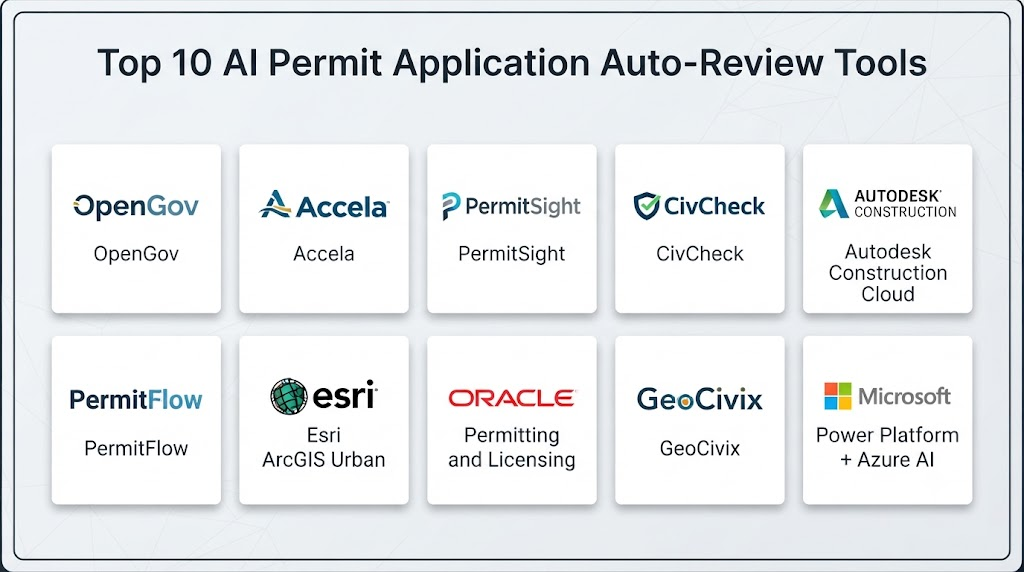
Top 10 AI Permit Application Auto-Review Tools
1. PermitFlow
Best for: Construction permitting workflow automation.
PermitFlow focuses on helping construction organizations manage and automate permitting processes.
Key Features
- Permit application management
- Document organization
- Permit tracking
- Application workflows
- Jurisdiction management
- Status monitoring
- Automated administrative processes
AI Capabilities
- Document analysis
- Workflow automation
- Application information processing
- Permit-related data management
Pros
- Strong permitting focus
- Useful for construction organizations
- Reduces administrative work
- Centralizes permit information
Cons
- Primarily focused on construction permitting
- Jurisdictional differences can affect workflows
- Advanced government-review capabilities may vary
Best Use Cases
- Construction companies
- Contractors
- Developers
- Permit-management teams
2. Symbium
Best for: Automated zoning and planning analysis.
Symbium provides technology for analyzing property and planning constraints and helping users understand development possibilities.
Key Features
- Zoning analysis
- Property analysis
- Planning information
- Regulatory interpretation
- Development feasibility
- Automated rules analysis
AI Capabilities
- Regulatory data processing
- Automated rule analysis
- Property intelligence
- Planning analysis
Pros
- Strong zoning focus
- Useful for development planning
- Can reduce manual research
- Helpful for early feasibility analysis
Cons
- Geographic coverage varies
- Not a complete permit-management system
- Regulatory data must remain current
Best Use Cases
- Developers
- Architects
- Planners
- Municipal planning teams
3. Archistar
Best for: Property development, planning, and automated feasibility analysis.
Archistar combines property data, planning information, and development analysis to help users evaluate development opportunities.
Key Features
- Property analysis
- Development feasibility
- Planning intelligence
- Zoning analysis
- Site analysis
- Property data
AI Capabilities
- Automated property analysis
- Development modeling
- Planning intelligence
- Data-driven feasibility analysis
Pros
- Strong property-development capabilities
- Useful for planning teams
- Supports early-stage development analysis
Cons
- More focused on planning and development than complete permit review
- Geographic coverage varies
- Requires accurate planning data
Best Use Cases
- Property developers
- Architects
- Planning consultants
- Government planning teams
4. UpCodes
Best for: Building-code research and compliance analysis.
UpCodes provides digital access to building codes and related compliance information.
Key Features
- Building-code research
- Code search
- Compliance information
- Code navigation
- Construction requirements
- Regulatory references
AI Capabilities
AI-powered features can assist with code research and interpretation, depending on the selected product capabilities.
Pros
- Large code knowledge base
- Useful for building professionals
- Simplifies code research
- Supports compliance workflows
Cons
- Not a complete permit application-management system
- Jurisdictional coverage must be verified
- Users still need professional judgment
Best Use Cases
- Architects
- Engineers
- Building officials
- Contractors
5. Bluebeam
Best for: Document and construction-plan review workflows.
Bluebeam provides PDF-based construction documentation and review capabilities widely used in architecture, engineering, construction, and related industries.
Key Features
- PDF review
- Document markup
- Drawing comparison
- Collaboration
- Document management
- Construction workflows
AI Capabilities
AI-supported document analysis can help users process and work with large collections of construction documentation.
Pros
- Strong construction-document workflows
- Mature PDF capabilities
- Useful collaboration features
- Suitable for large plan sets
Cons
- Not specifically an AI permit-review platform
- Requires configuration for government workflows
- Regulatory automation is limited compared with dedicated permit systems
Best Use Cases
- Architects
- Engineers
- Construction companies
- Plan reviewers
6. Autodesk Construction Cloud
Best for: Construction document and project workflow automation.
Autodesk Construction Cloud brings together construction documents, project information, collaboration, and workflow management.
Key Features
- Document management
- Construction workflows
- Plan management
- Collaboration
- Project data
- Issue management
- Field coordination
AI Capabilities
- Automated information processing
- Construction analytics
- AI-supported workflows
- Intelligent document capabilities
Pros
- Strong construction ecosystem
- Large document-management capabilities
- Useful integrations
- Suitable for enterprise organizations
Cons
- Not designed exclusively for permit review
- Can require significant configuration
- Enterprise implementation may be complex
Best Use Cases
- Construction enterprises
- Developers
- Engineering organizations
- Large project teams
7. GovPilot
Best for: Municipal permitting and government workflow automation.
GovPilot provides cloud-based software for local government operations, including permitting and related municipal processes.
Key Features
- Permit management
- Workflow automation
- Application management
- Inspections
- Government forms
- Citizen services
- Reporting
AI Capabilities
Automation and intelligent workflow features can reduce administrative effort in government permitting processes.
Pros
- Strong municipal focus
- Supports government workflows
- Centralized permit management
- Useful for local authorities
Cons
- AI capabilities vary by workflow
- Government implementation requires configuration
- May not provide advanced computer-vision plan review
Best Use Cases
- Municipal governments
- Local planning departments
- Permit offices
- Public-sector organizations
8. OpenGov Permitting & Licensing
Best for: Digital permitting and licensing operations for local governments.
OpenGov provides cloud software for government operations, including permitting and licensing workflows.
Key Features
- Permit application management
- Licensing
- Workflow automation
- Inspections
- Citizen portals
- Digital forms
- Reporting
- Government data management
AI Capabilities
Intelligent workflow automation and data processing can help reduce repetitive administrative work.
Pros
- Strong public-sector focus
- Supports digital permitting
- Citizen-facing capabilities
- Workflow automation
- Enterprise government capabilities
Cons
- Not exclusively focused on AI plan review
- Implementation can require configuration
- Pricing varies
Best Use Cases
- Municipalities
- County governments
- Planning departments
- Government licensing teams
9. Tyler Technologies EnerGov
Best for: Enterprise community development and permitting operations.
EnerGov supports government workflows involving planning, permitting, licensing, inspections, and community development.
Key Features
- Permit management
- Planning
- Licensing
- Inspections
- Code enforcement
- Application workflows
- Citizen services
- Government reporting
AI Capabilities
Automation, analytics, and intelligent workflows can assist government staff with application processing.
Pros
- Mature government platform
- Broad permitting functionality
- Supports complex municipal workflows
- Strong enterprise capabilities
Cons
- Large implementation footprint
- May require significant configuration
- Not all AI functionality is focused on automated code review
Best Use Cases
- Large municipalities
- County governments
- Community development departments
10. Clariti
Best for: Government planning, permitting, and land-development workflows.
Clariti provides software for planning, permitting, development applications, inspections, and related government processes.
Key Features
- Permit management
- Development applications
- Planning workflows
- Inspections
- Application tracking
- Citizen portals
- Workflow automation
- Government reporting
AI Capabilities
Automated workflows and intelligent data processing can help reduce repetitive application-processing tasks.
Pros
- Strong government focus
- Supports planning and permitting
- Useful workflow automation
- Suitable for complex government processes
Cons
- Advanced AI capabilities vary
- Implementation requires configuration
- Pricing varies
Best Use Cases
- Municipalities
- Planning departments
- Permit offices
- Development authorities
Comparison of Top 10 Tools
| Tool | Best For | Main Strength | AI Focus | Government Focus | Construction Focus |
|---|---|---|---|---|---|
| PermitFlow | Construction permits | Permit workflow | High | Medium | High |
| Symbium | Zoning analysis | Automated planning rules | High | High | Medium |
| Archistar | Development analysis | Property intelligence | High | Medium | High |
| UpCodes | Code compliance | Building-code research | Medium | High | High |
| Bluebeam | Plan review | PDF/document workflows | Medium | Medium | High |
| Autodesk Construction Cloud | Construction workflows | Document management | High | Medium | High |
| GovPilot | Municipal permits | Government workflows | Medium | High | Medium |
| OpenGov | Government permitting | Digital public services | Medium | High | Medium |
| Tyler Technologies EnerGov | Enterprise permitting | Community development | Medium | High | High |
| Clariti | Planning and permits | Government workflow | Medium | High | Medium |
Feature Comparison
| Feature | PermitFlow | Symbium | Archistar | UpCodes | Bluebeam | Autodesk | GovPilot | OpenGov | EnerGov | Clariti |
|---|---|---|---|---|---|---|---|---|---|---|
| Permit Management | Yes | Limited | Limited | Limited | Limited | Yes | Yes | Yes | Yes | Yes |
| Zoning Analysis | Yes | Strong | Strong | Yes | Limited | Yes | Yes | Yes | Yes | Yes |
| Code Research | Yes | Yes | Yes | Strong | Yes | Yes | Yes | Yes | Yes | Yes |
| Document Analysis | Yes | Yes | Yes | Yes | Strong | Strong | Yes | Yes | Yes | Yes |
| Workflow Automation | Strong | Strong | Strong | Medium | Strong | Strong | Strong | Strong | Strong | Strong |
| GIS | Yes | Strong | Strong | Limited | Limited | Yes | Yes | Yes | Yes | Yes |
| Inspections | Yes | Limited | Limited | No | Limited | Yes | Yes | Yes | Strong | Yes |
| Citizen Portal | Limited | Limited | Limited | No | No | Yes | Strong | Strong | Strong | Strong |
| Government Use | Medium | High | Medium | High | Medium | Medium | Strong | Strong | Strong | Strong |
| Construction Use | Strong | Strong | Strong | Strong | Strong | Strong | Medium | Medium | Strong | Medium |
How AI Can Automate Permit Application Review
Application Completeness
AI can identify missing forms, attachments, signatures, certificates, or required supporting documents.
Document Classification
Applications can contain dozens or hundreds of files.
AI can automatically classify them into categories such as:
- Site plans
- Floor plans
- Engineering reports
- Environmental reports
- Ownership documents
- Structural calculations
- Supporting certificates
Data Extraction
AI can extract:
- Applicant name
- Property address
- Parcel information
- Project value
- Building area
- Number of units
- Construction type
- Project description
Regulation Matching
AI can compare application information against relevant rules and requirements.
Drawing Analysis
Computer vision can potentially identify information from plans and drawings, such as dimensions, symbols, layouts, and other visual elements.
Risk Identification
AI can flag applications that may require additional review.
Automated Routing
Applications can be routed to:
- Planning
- Building
- Fire
- Environmental
- Engineering
- Transportation
- Public works
Applicant Communication
Systems can automatically notify applicants about missing information or application status.
AI Permit Review Architecture
A modern AI permit-review platform can contain several layers.
Intake Layer
Receives applications through web portals, email, APIs, or document uploads.
Document Intelligence Layer
Extracts and classifies application documents.
AI Analysis Layer
Uses NLP, computer vision, and machine learning to analyze content.
Regulatory Rules Layer
Matches application information against applicable requirements.
GIS Layer
Connects the application to property boundaries, zoning areas, infrastructure, environmental constraints, and other geographic information.
Workflow Layer
Routes applications to the appropriate department or reviewer.
Human Review Layer
Allows qualified staff to validate AI findings.
Audit Layer
Records decisions, changes, reviewer actions, and AI outputs.
Security and Governance
AI permit systems may process sensitive information and should have strong governance controls.
Important capabilities include:
- Role-based access
- Encryption
- Authentication
- Audit logs
- Data retention policies
- Access monitoring
- Secure APIs
- Backup and recovery
- Model governance
- Human oversight
- Data segregation
- Vendor security assessments
Government agencies should also consider public-record requirements and applicable privacy regulations.
AI Permit Review Challenges
Changing Regulations
Permit requirements can change frequently.
The system must be updated when regulations change.
Jurisdictional Differences
Different cities, counties, states, and countries may have different requirements.
Complex Applications
Large developments may involve thousands of pages and many specialized requirements.
Professional Judgment
Some decisions require architects, engineers, planners, inspectors, or other qualified professionals.
Explainability
An AI system should provide understandable reasons when it flags an application.
Bias
Historical permitting data may contain inconsistencies or biases that can influence machine-learning systems.
Integration
The platform may need to connect with:
- GIS
- Property databases
- Document management
- Payment systems
- Inspection systems
- Citizen portals
- Records management
- Identity systems
Best AI Permit Application Auto-Review Tools by Use Case
Best for Construction Permit Management
PermitFlow
Strong fit for construction organizations that need centralized permit management and workflow automation.
Best for Zoning and Planning
Symbium
Useful for analyzing property and planning constraints.
Best for Property Development Analysis
Archistar
Strong option for development feasibility and property intelligence.
Best for Building-Code Research
UpCodes
Useful for organizations that need structured access to building-code information.
Best for Construction Document Review
Bluebeam
Strong for PDF, drawing, markup, and document-review workflows.
Best for Construction Enterprises
Autodesk Construction Cloud
Useful for organizations managing large construction-document ecosystems.
Best for Municipal Government
GovPilot
Designed around local-government workflows.
Best for Digital Government Permitting
OpenGov Permitting & Licensing
Suitable for municipalities seeking digital permitting and licensing workflows.
Best for Large Government Agencies
Tyler Technologies EnerGov
A strong option for large-scale community development and permitting operations.
Best for Planning and Development Departments
Clariti
Useful for planning, development applications, permits, inspections, and government workflows.
Benefits for Government Agencies
AI permit-review systems can help government organizations:
- Reduce application backlogs
- Improve processing speed
- Reduce repetitive work
- Standardize preliminary checks
- Improve applicant communication
- Improve workload distribution
- Create better audit trails
- Improve service delivery
- Increase transparency
- Support data-driven planning
Benefits for Applicants
Applicants can benefit from:
- Faster completeness checks
- Earlier identification of missing documents
- Better application status visibility
- Reduced administrative delays
- More predictable workflows
- Faster responses
- Easier digital submission
Benefits for Permit Reviewers
Permit officials can benefit from:
- Automated document classification
- Reduced data entry
- Application summaries
- Automated preliminary checks
- Prioritized work queues
- Regulatory references
- Better case organization
- Reduced repetitive workload
Cost Considerations
AI permit-review costs can vary considerably.
Pricing may depend on:
- Number of applications
- Number of users
- Number of jurisdictions
- Document volume
- AI processing requirements
- GIS integrations
- API usage
- Implementation services
- Data migration
- Custom rules
- Support requirements
Public-sector organizations should evaluate total cost of ownership rather than focusing only on software licensing.
Build vs Buy
Build
A custom system may be appropriate when an organization has:
- Specialized permit requirements
- Large technical teams
- Existing AI infrastructure
- Proprietary data
- Complex integration requirements
Buy
A commercial platform may be better when the organization wants:
- Faster implementation
- Existing government workflows
- Vendor support
- Established integrations
- Lower development requirements
Hybrid
A hybrid architecture can combine a commercial permitting system with custom AI services for:
- Document analysis
- Code checking
- Drawing analysis
- Risk scoring
- Application classification
Common Mistakes
Automating Final Decisions Too Early
AI should initially support reviewers rather than automatically making legally significant permit decisions.
Using Outdated Regulations
A system trained or configured using outdated rules can produce incorrect results.
Ignoring Explainability
Reviewers and applicants should understand why an application was flagged.
Ignoring Human Review
Complex cases should be escalated to qualified professionals.
Poor Document Handling
AI performance can suffer when documents are low-quality, incomplete, handwritten, or poorly scanned.
Ignoring Data Security
Permit applications may contain sensitive personal and property information.
Failing to Monitor Performance
Organizations should regularly measure:
- Accuracy
- False positives
- False negatives
- Processing time
- Reviewer overrides
- Applicant satisfaction
Overlooking Legacy Systems
A new AI platform may need to integrate with older government software.
FAQs
What is AI Permit Application Auto-Review?
It is the use of artificial intelligence to analyze permit applications, documents, drawings, and regulatory information to identify missing information, potential compliance issues, and routing requirements.
Can AI completely replace permit reviewers?
No. AI is best used as a decision-support and automation technology. Complex applications and legally significant decisions may require qualified human review.
What types of permits can AI review?
AI can support building, construction, zoning, planning, environmental, electrical, mechanical, signage, development, business, and infrastructure-related permits.
Can AI check building codes?
AI can assist with building-code research and preliminary compliance checks, but the exact capabilities depend on the platform and the applicable jurisdiction.
Can AI analyze architectural drawings?
Computer-vision technologies can analyze certain types of plans and drawings. However, complex technical interpretation may still require architects, engineers, or qualified reviewers.
Can AI identify missing permit documents?
Yes. Document-intelligence systems can compare submitted materials with required-document checklists and flag potentially missing items.
Can AI check zoning requirements?
Yes. AI and rules-based systems can analyze zoning information, property characteristics, and development constraints.
Can AI reduce permit processing time?
It can reduce time spent on repetitive tasks such as document classification, completeness checks, data extraction, routing, and preliminary analysis.
Is AI permit review suitable for government agencies?
Yes. Municipalities and other government organizations can use AI to automate administrative processes and support permit reviewers.
Is AI permit review secure?
Security depends on the platform and implementation. Government agencies should evaluate encryption, authentication, access control, audit logging, data retention, and vendor security practices.
How does AI handle changing regulations?
The underlying rules, regulatory databases, or knowledge sources need to be updated as regulations change. Organizations should establish processes for validating updates.
Can AI review environmental permits?
AI can assist with document analysis, completeness checks, environmental-data analysis, and regulatory workflows, depending on the system.
Can AI prioritize permit applications?
Yes. AI and rules-based systems can categorize applications based on complexity, risk, completeness, or other organizational criteria.
What is the biggest benefit of AI permit review?
One of the biggest benefits is reducing repetitive administrative work while helping reviewers identify missing information and potential issues faster.
What is the biggest risk?
The biggest risk is treating AI output as an unquestionable final decision. Incorrect AI findings can cause delays, unfair outcomes, or compliance problems if they are not appropriately reviewed.
Conclusion
AI Permit Application Auto-Review is becoming an important application of artificial intelligence in government technology, construction, planning, and property development.These systems can automate many repetitive parts of the permit lifecycle, including document classification, information extraction, completeness checks, regulatory matching, application routing, plan analysis, and applicant communication.The strongest solutions combine AI with rules engines, GIS, document intelligence, workflow automation, and human review.is particularly relevant to construction permitting, while Symbium and Archistar focus strongly on zoning and development analysis. UpCodes supports building-code research, and Bluebeam is well suited to construction-document workflows. Autodesk Construction Cloud provides broader construction collaboration capabilities.For government organizations, GovPilot, OpenGov, Tyler Technologies EnerGov, and Clariti provide broader permitting and municipal workflow capabilities.