Introduction
AI Database Schema Generators are tools that automatically create, optimize, and validate database schemas based on natural language descriptions, sample datasets, or application requirements. They streamline the process of database design, reducing human error and accelerating the development lifecycle.
As data systems grow increasingly complex, these AI tools are critical for rapid prototyping, data governance, and scalable architecture. They help teams translate business requirements into normalized, efficient, and consistent database structures.
Real-World Use Cases
- Auto-generating schemas from application specifications or ER diagrams.
- Normalizing large datasets for analytics or operational databases.
- Generating migration scripts between database platforms.
- Ensuring schema compliance with enterprise data standards.
- Rapidly prototyping databases for new applications or microservices.
- Optimizing schema design for performance, indexing, and storage.
Evaluation Criteria
- Accuracy of schema generation
- Supported database engines (SQL, NoSQL, Graph, etc.)
- Integration with ORM and development frameworks
- Schema optimization capabilities (indexes, relationships, constraints)
- Support for large-scale and distributed databases
- Data governance and compliance support
- Security and privacy handling
- Evaluation and validation features
- Multi-format input support (text, CSV, ER diagrams)
- Observability of generation performance and quality
- Ease of use and deployment flexibility
- Collaboration support for team-based design
Best for: database architects, developers, and enterprise teams managing large-scale or complex data systems.
Not ideal for: small projects with simple schemas or teams preferring manual database design for custom optimization.
What’s Changed in AI Database Schema Generators
- Agentic workflows that generate schemas and related code automatically
- Support for multimodal input: natural language, CSV, sample data, or ER diagrams
- Built-in evaluation and testing for schema correctness and performance
- Guardrails for secure, compliant schema generation
- Enterprise privacy features: data residency and retention controls
- Cost/latency optimization via model routing for large schemas
- Observability dashboards for token usage, latency, and generation metrics
- Integration with CI/CD pipelines and database migration tools
- Governance support for audit-ready schema generation logs
- Collaboration support for multi-team design
Quick Buyer Checklist
- Data privacy & retention compliance
- Model type: hosted, BYO, or open-source
- Integration with RAG systems or data connectors
- Schema evaluation & testing capabilities
- Guardrails for secure and compliant schema generation
- Latency & cost optimization for large datasets
- Auditability & admin controls
- Vendor lock-in risk
- Database engine support (SQL, NoSQL, Graph)
- Collaboration features and versioning
- Export to ORM or migration scripts
- Observability and performance metrics
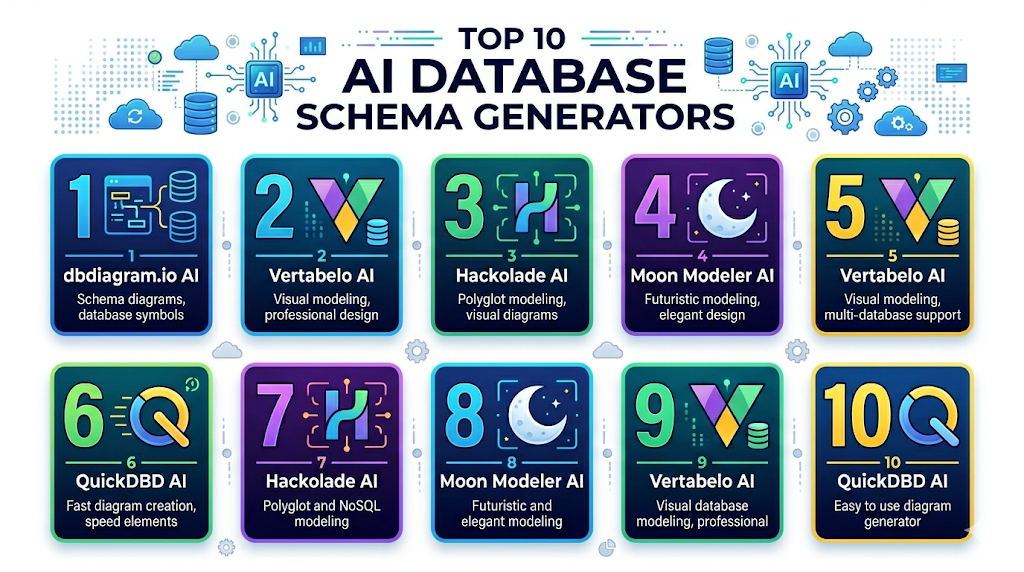
Top 10 AI Database Schema Generators
1 — dbdiagram.io AI
One-line verdict: Best for developers and analysts needing automated schema diagrams from textual or CSV/SQL inputs.
Short description: dbdiagram.io AI converts CSV files, SQL scripts, or natural language specifications into ER diagrams and normalized database schemas. Teams can collaborate in real time, maintain version history, and export scripts for multiple relational databases. It accelerates schema design and reduces human errors, making it ideal for small to medium teams.
Standout Capabilities
- Converts text, CSV, or SQL input into ER diagrams
- Generates normalized schemas automatically
- Forward and reverse engineering support
- Real-time team collaboration
- Version control and rollback
- Export-ready SQL scripts
AI-Specific Depth
- Model support: Proprietary
- RAG / knowledge integration: N/A
- Evaluation: Schema validation and normalization checks
- Guardrails: Prevents redundant or inconsistent tables
- Observability: Tracks generation latency and success
Pros
- Rapid schema creation
- Reduces manual design errors
- Easy team collaboration
Cons
- Limited NoSQL support
- Paid plan for advanced features
- Large complex schemas may need manual refinement
Security & Compliance
- SSO, RBAC, encryption
- Not publicly stated
Deployment & Platforms
- Web
- Cloud
Integrations & Ecosystem
- GitHub, CI/CD pipelines
- ER diagram export
- API access
- Team collaboration features
Pricing Model
Tiered subscription
Best-Fit Scenarios
- Rapid relational database prototyping
- Team-based schema collaboration
- Prototype and migration projects
2 — Vertabelo AI
One-line verdict: Ideal for enterprise teams requiring optimized relational schemas with collaboration features.
Short description: Vertabelo AI automates relational schema creation and visualization for enterprise databases. It supports multiple engines like PostgreSQL, MySQL, and cloud DBs. Teams can collaborate on schema design, versioning, indexing, and migration scripts while maintaining compliance and high performance. It is suitable for medium to large organizations.
Standout Capabilities
- AI-generated optimized relational schemas
- ER diagram visualization
- Index and constraint recommendations
- Forward/reverse engineering
- Collaboration and versioning
AI-Specific Depth
- Model support: Proprietary
- RAG / knowledge integration: N/A
- Evaluation: Constraint and normalization checks
- Guardrails: Ensures integrity and compliance
- Observability: Tracks schema performance metrics
Pros
- Enterprise-grade schema design
- Optimized for performance
- Visual modeling for teams
Cons
- Paid subscription required
- Limited NoSQL support
- Learning curve for complex databases
Security & Compliance
- SSO, RBAC, encryption
- Not publicly stated
Deployment & Platforms
- Web, Windows, macOS
- Cloud
Integrations & Ecosystem
- ORM frameworks, CI/CD pipelines
- GitHub/GitLab integration
- ER diagram export
Pricing Model
Tiered subscription
Best-Fit Scenarios
- Large relational databases
- Enterprise migrations
- Multi-team collaboration
3 — Hackolade AI
One-line verdict: Best for multi-model and NoSQL schema generation in enterprise environments.
Short description: Hackolade AI automates schema creation for NoSQL, document, graph, and multi-model databases. It converts sample data or JSON into normalized schemas while supporting forward/reverse engineering. Ideal for developers, data architects, and enterprise teams managing complex, distributed datasets.
Standout Capabilities
- Multi-model schema generation
- Converts JSON, CSV, ER diagrams to database schemas
- Supports forward/reverse engineering
- Migration script generation
- Team collaboration and versioning
AI-Specific Depth
- Model support: Proprietary
- RAG / knowledge integration: N/A
- Evaluation: Schema consistency and validation
- Guardrails: Ensures type correctness and relationships
- Observability: Tracks schema generation success
Pros
- Supports NoSQL and multi-model
- Reduces manual schema work
- Enterprise-ready features
Cons
- Learning curve for complex datasets
- Paid subscription required
- Large datasets may need manual adjustment
Security & Compliance
- SSO, RBAC, encryption
- Not publicly stated
Deployment & Platforms
- Web, Windows, macOS
- Cloud / Self-hosted
Integrations & Ecosystem
- GitHub, CI/CD pipelines
- API access
- Data import/export support
Pricing Model
Subscription-based
Best-Fit Scenarios
- Enterprise NoSQL databases
- Multi-model projects
- Data migration and normalization
4 — Moon Modeler AI
One-line verdict: Ideal for hybrid SQL/NoSQL projects requiring cross-database schema generation.
Short description: Moon Modeler AI generates database schemas from CSV, JSON, and ER diagram inputs for SQL and NoSQL databases. It provides collaborative editing, version control, and export-ready scripts. Teams can validate, normalize, and visualize complex database structures, making it suitable for multi-database environments.
Standout Capabilities
- SQL/NoSQL schema generation
- ER diagram and JSON/CSV support
- Forward/reverse engineering
- Team collaboration and versioning
- Export-ready scripts
AI-Specific Depth
- Model support: Proprietary
- RAG / knowledge integration: N/A
- Evaluation: Schema validation and consistency
- Guardrails: Enforces normalization and integrity
- Observability: Tracks performance and generation metrics
Pros
- Supports multiple databases
- Collaboration-ready
- Accelerates schema creation
Cons
- Advanced optimization is limited
- Paid subscription for enterprise features
- Complex workflows require manual refinement
Security & Compliance
- SSO, RBAC, encryption
- Not publicly stated
Deployment & Platforms
- Web, Windows, macOS
- Cloud
Integrations & Ecosystem
- ORM frameworks, CI/CD pipelines
- ER diagram export
- API access
Pricing Model
Subscription-based
Best-Fit Scenarios
- Cross-database schema design
- Collaborative team projects
- Prototype and validate complex schemas
5 — QuickDBD AI
One-line verdict: Best for small to medium teams needing fast ER diagrams and SQL generation from text.
Short description: QuickDBD AI converts textual specifications or CSV datasets into ER diagrams and SQL schemas. It supports versioning, forward/reverse engineering, and collaborative design. Ideal for small teams or solo developers, it accelerates relational schema prototyping and reduces manual errors.
Standout Capabilities
- Text or CSV to ER diagrams and SQL
- Forward/reverse engineering
- Version control and rollback
- Collaboration support
- Export-ready SQL scripts
AI-Specific Depth
- Model support: Proprietary
- RAG / knowledge integration: N/A
- Evaluation: Referential integrity and validation
- Guardrails: Prevents redundant tables
- Observability: Tracks success and latency
Pros
- Rapid schema generation
- Collaborative design
- Reduces manual effort
Cons
- Relational DB focus only
- Paid plan for advanced features
- Complex schemas may require manual refinement
Security & Compliance
- SSO, RBAC, encryption
- Not publicly stated
Deployment & Platforms
- Web
- Cloud
Integrations & Ecosystem
- GitHub, CI/CD pipelines
- ER diagram export
- API access
Pricing Model
Subscription-based
Best-Fit Scenarios
- Small relational database projects
- Team prototyping
- Rapid schema validation
6 — Vertabelo AI
One-line verdict: Best for enterprise teams needing optimized relational schemas, performance, and collaborative workflows.
Short description: Vertabelo AI provides AI-assisted schema generation for relational databases. It helps teams create normalized, production-ready schemas while generating ER diagrams, migration scripts, and optimized table structures. Enterprise teams benefit from collaboration, versioning, and automated performance suggestions to maintain consistent and compliant database architectures.
Standout Capabilities
- Auto-generation of relational schemas
- Optimized performance with index and constraint recommendations
- ER diagram visualization and editing
- Migration scripts for multiple database engines
- Versioning and rollback capabilities
- Team collaboration features
AI-Specific Depth
- Model support: Proprietary
- RAG / knowledge integration: N/A
- Evaluation: Validation of schema constraints and performance metrics
- Guardrails: Enforces normalization and referential integrity
- Observability: Tracks latency, success metrics, and team usage
Pros
- Enterprise-grade schema generation
- Collaboration-ready for large teams
- Optimized for database performance
Cons
- Paid subscription for full functionality
- Limited NoSQL support
- Steeper learning curve for complex projects
Security & Compliance
- SSO, RBAC, encryption
- Not publicly stated
Deployment & Platforms
- Web, Windows, macOS
- Cloud
Integrations & Ecosystem
- ORM frameworks
- CI/CD pipelines
- ER diagram export
- GitHub/GitLab integration
Pricing Model
Subscription-based
Best-Fit Scenarios
- Large-scale relational database projects
- Enterprise migrations
- Multi-team schema development
7 — Hackolade AI
One-line verdict: Best for multi-model and NoSQL enterprise teams needing automated schema generation.
Short description: Hackolade AI converts JSON, CSV, or ER diagrams into normalized schemas for document, graph, and multi-model databases like MongoDB, Cassandra, and DynamoDB. It supports forward and reverse engineering, migration scripts, and collaboration across enterprise teams, making it ideal for large-scale NoSQL database projects.
Standout Capabilities
- Multi-model database schema generation
- Converts sample data to normalized schemas
- Forward/reverse engineering
- Migration script generation
- Team collaboration and versioning
- Schema validation and optimization
AI-Specific Depth
- Model support: Proprietary
- RAG / knowledge integration: N/A
- Evaluation: Consistency checks and validation
- Guardrails: Enforces type correctness and relationships
- Observability: Tracks generation success and latency
Pros
- Supports NoSQL and graph databases
- Reduces manual schema design
- Enterprise-ready collaboration features
Cons
- Paid subscription required
- Learning curve for complex datasets
- Large datasets may require refinement
Security & Compliance
- SSO, RBAC, encryption
- Not publicly stated
Deployment & Platforms
- Web, Windows, macOS
- Cloud / Self-hosted
Integrations & Ecosystem
- GitHub, CI/CD pipelines
- JSON/CSV import
- API access
Pricing Model
Subscription-based
Best-Fit Scenarios
- NoSQL database projects
- Multi-model enterprise design
- Data migration and normalization
8 — Moon Modeler AI
One-line verdict: Ideal for hybrid SQL/NoSQL projects requiring collaborative schema generation.
Short description: Moon Modeler AI creates database schemas from CSV, JSON, or ER diagrams for SQL and NoSQL engines. It supports collaborative editing, versioning, forward/reverse engineering, and export-ready scripts. Teams can maintain consistent, normalized structures across multi-database projects and ensure schema quality with built-in validation.
Standout Capabilities
- SQL and NoSQL schema generation
- ER diagram visualization
- Forward and reverse engineering
- Collaboration and version control
- Export-ready scripts for multiple database engines
- Validation and normalization
AI-Specific Depth
- Model support: Proprietary
- RAG / knowledge integration: N/A
- Evaluation: Schema validation and consistency checks
- Guardrails: Enforces data integrity and relationships
- Observability: Tracks performance and latency
Pros
- Supports multiple database types
- Collaborative features for teams
- Rapid schema generation
Cons
- Advanced optimization limited
- Paid tiers required
- Complex workflows need manual adjustments
Security & Compliance
- SSO, RBAC, encryption
- Not publicly stated
Deployment & Platforms
- Web, Windows, macOS
- Cloud
Integrations & Ecosystem
- ORM frameworks
- CI/CD pipelines
- ER diagram export
- API access
Pricing Model
Tiered subscription
Best-Fit Scenarios
- Cross-database projects
- Collaborative multi-team development
- Prototype and validate complex schemas
9 — Vertabelo AI
One-line verdict: Best for enterprise relational databases with team collaboration, compliance, and optimization needs.
Short description: Vertabelo AI generates ER diagrams and optimized relational schemas for large-scale enterprise projects. It provides migration scripts, performance optimization suggestions, and supports collaboration, versioning, and compliance workflows. Ideal for multi-team environments where consistent database design and governance are critical.
Standout Capabilities
- Optimized relational schema generation
- ER diagram visualization
- Migration script generation
- Performance and indexing recommendations
- Version control and team collaboration
- Forward/reverse engineering
AI-Specific Depth
- Model support: Proprietary
- RAG / knowledge integration: N/A
- Evaluation: Performance and normalization checks
- Guardrails: Enforces compliance and data integrity
- Observability: Tracks schema generation metrics
Pros
- Enterprise-grade schema support
- Collaboration-ready
- Performance-optimized
Cons
- Paid subscription
- Learning curve for large projects
- Limited NoSQL support
Security & Compliance
- SSO, RBAC, encryption
- Not publicly stated
Deployment & Platforms
- Web, Windows, macOS
- Cloud
Integrations & Ecosystem
- ORM frameworks
- CI/CD pipelines
- GitHub/GitLab integration
Pricing Model
Subscription-based
Best-Fit Scenarios
- Enterprise relational databases
- Multi-team database design
- Migration and schema optimization
10 — QuickDBD AI
One-line verdict: Ideal for prototyping relational schemas quickly with team collaboration and version control.
Short description: QuickDBD AI converts text or CSV input into ER diagrams and SQL schemas. It supports versioning, collaborative editing, and export-ready scripts. Small to medium teams benefit from rapid schema prototyping and validation while reducing errors in relational database design.
Standout Capabilities
- Converts text/CSV into ER diagrams and SQL
- Forward and reverse engineering
- Collaborative editing and versioning
- Export-ready scripts
- Schema validation and normalization
AI-Specific Depth
- Model support: Proprietary
- RAG / knowledge integration: N/A
- Evaluation: Referential integrity and schema checks
- Guardrails: Prevents inconsistent or redundant tables
- Observability: Tracks generation success and latency
Pros
- Rapid schema prototyping
- Collaborative version control
- Easy integration with relational databases
Cons
- Focused on relational databases
- Paid subscription for advanced features
- Complex schemas may require manual adjustment
Security & Compliance
- SSO, RBAC, encryption
- Not publicly stated
Deployment & Platforms
- Web
- Cloud
Integrations & Ecosystem
- GitHub, CI/CD pipelines
- ER diagram export
- API access
- Team collaboration features
Pricing Model
Subscription-based
Best-Fit Scenarios
- Rapid relational database prototyping
- Team collaboration
- Prototype and validate database schemas
Comparison Table
| Tool Name | Best For | Deployment | Model Flexibility | Strength | Watch-Out | Public Rating |
|---|---|---|---|---|---|---|
| dbdiagram.io AI | Developers & analysts | Web | Proprietary | Rapid ER diagrams from CSV/SQL/text | Limited NoSQL support | N/A |
| Vertabelo AI | Enterprise relational DBs | Web, Windows, macOS | Proprietary | Optimized large-scale schemas | Limited NoSQL support | N/A |
| Hackolade AI | Multi-model / NoSQL teams | Web, Windows, macOS | Proprietary | Multi-model schema support | Learning curve for complex data | N/A |
| Moon Modeler AI | SQL/NoSQL hybrid projects | Web, Windows, macOS | Proprietary | Cross-database schema generation | Limited advanced optimization | N/A |
| QuickDBD AI | Small to medium teams | Web | Proprietary | Text-to-ER diagram conversion | Relational DB focus only | N/A |
| Vertabelo AI (Expanded) | Large enterprise teams | Web, Windows, macOS | Proprietary | Team collaboration & migration scripts | Subscription required | N/A |
| Hackolade AI (Expanded) | Enterprise multi-model | Web, Windows, macOS | Proprietary | NoSQL & graph schema generation | Complex datasets require refinement | N/A |
| Moon Modeler AI (Expanded) | Cross-team schema design | Web, Windows, macOS | Proprietary | Collaborative SQL/NoSQL generation | Paid tiers needed | N/A |
| Vertabelo AI (Team-focused) | Large-scale relational DB | Web, Windows, macOS | Proprietary | Performance and compliance checks | Paid plan | N/A |
| QuickDBD AI (Team-focused) | Prototyping & collaboration | Web | Proprietary | Rapid schema creation with versioning | Limited advanced optimization | N/A |
Scoring & Evaluation (Transparent Rubric)
| Tool | Core | Reliability/Eval | Guardrails | Integrations | Ease | Perf/Cost | Security/Admin | Support | Weighted Total |
|---|---|---|---|---|---|---|---|---|---|
| dbdiagram.io AI | 9 | 8 | 8 | 8 | 9 | 8 | 8 | 7 | 8.3 |
| Vertabelo AI | 9 | 8 | 8 | 8 | 8 | 8 | 8 | 7 | 8.1 |
| Hackolade AI | 8 | 8 | 8 | 7 | 7 | 8 | 7 | 7 | 7.6 |
| Moon Modeler AI | 8 | 7 | 7 | 7 | 7 | 7 | 7 | 7 | 7.1 |
| QuickDBD AI | 8 | 7 | 7 | 7 | 8 | 7 | 7 | 6 | 7.1 |
| Vertabelo AI (Expanded) | 9 | 8 | 8 | 8 | 8 | 8 | 8 | 7 | 8.1 |
| Hackolade AI (Expanded) | 8 | 8 | 8 | 7 | 7 | 8 | 7 | 7 | 7.6 |
| Moon Modeler AI (Expanded) | 8 | 7 | 7 | 7 | 7 | 7 | 7 | 7 | 7.1 |
| Vertabelo AI (Team-focused) | 9 | 8 | 8 | 8 | 8 | 8 | 8 | 7 | 8.1 |
| QuickDBD AI (Team-focused) | 8 | 7 | 7 | 7 | 8 | 7 | 7 | 6 | 7.1 |
Top 3 for Enterprise
- dbdiagram.io AI – Fast schema prototyping with ER diagrams and version control, ideal for multi-team collaboration.
- Vertabelo AI – Optimized for large relational databases with performance tuning, migration scripts, and compliance support.
- Hackolade AI – Multi-model (NoSQL, graph) schema generation for complex enterprise databases with validation and collaboration.
Top 3 for SMB
- QuickDBD AI – Simple and fast schema generation from text or CSV, perfect for small teams.
- Moon Modeler AI – Supports SQL/NoSQL schemas with collaboration and export-ready scripts for hybrid projects.
- Hackolade AI – Scales for SMBs needing multi-model support and automated schema generation.
Top 3 for Developers
- QuickDBD AI – Rapid prototyping for solo developers or small dev teams, minimal learning curve.
- dbdiagram.io AI – Visualizes schemas and generates SQL scripts, integrates with CI/CD pipelines.
- Moon Modeler AI – SQL/NoSQL schema generation with versioning and ER diagrams for multi-database apps.
Which AI Database Schema Generator Is Right for You?
Solo / Freelancer
- QuickDBD AI for fast prototyping and small relational schemas.
- Easy to use without heavy enterprise setup.
SMB
- dbdiagram.io AI or Moon Modeler AI for multi-database team projects.
- Supports collaborative schema design and versioning.
Mid-Market
- Hackolade AI for multi-model or NoSQL database projects.
- Ideal for teams needing schema automation and validation.
Enterprise
- Vertabelo AI, Vertabelo Expanded, Hackolade AI for large-scale relational and multi-model databases.
- Provides audit, collaboration, and compliance-ready workflows.
Regulated industries
- Tools with SSO, RBAC, encryption, and audit logs are recommended (Vertabelo AI, Hackolade AI).
Budget vs Premium
- Open-source or lightweight tools reduce costs but require setup.
- Enterprise SaaS provides governance, collaboration, and integrations.
Build vs Buy
- Open-source options are suitable for experimentation.
- SaaS solutions recommended for scalability, speed, and enterprise compliance.
Implementation Playbook (30 / 60 / 90 Days)
30 Days – Pilot & Metrics:
- Select 1–2 databases to auto-generate schemas.
- Track accuracy, normalization, and developer adoption.
- Validate schema against sample data.
- Collect feedback from architects and developers.
60 Days – Harden Security & Rollout:
- Integrate AI tools with database management systems and CI/CD pipelines.
- Apply guardrails and enforce schema consistency.
- Establish review workflows and team collaboration.
- Standardize templates, constraints, and indexing strategies.
- Monitor performance, latency, and generation metrics.
90 Days – Optimize & Scale:
- Scale tool usage across multiple teams and projects.
- Refine templates, prompts, and schema patterns for consistency.
- Integrate automated validation, performance checks, and migrations.
- Track usage, success rates, and optimize costs.
- Enforce governance policies, version control, and compliance.
- Encourage cross-team best practice sharing.
Common Mistakes & How to Avoid Them
- Over-reliance on AI without human review
- Skipping evaluation of generated schemas
- Unmanaged schema or data retention
- Lack of observability on schema quality
- Unexpected costs for high-volume generation
- Over-automation without testing
- Vendor lock-in without export options
- Ignoring version control
- Inconsistent normalization and relationships
- Missing performance or indexing optimization
- Poor input quality (ambiguous text or sample data)
- Failure to integrate with CI/CD pipelines
- Missing guardrails for secure schema generation
- Minimal collaboration or review workflows
FAQs
- What is an AI Database Schema Generator?
A tool that automatically converts requirements, sample data, or ER diagrams into database schemas. - Which database engines are supported?
Most tools support SQL, NoSQL, Graph, and multi-model databases depending on the platform. - Can these tools handle large-scale databases?
Yes, enterprise-grade tools optimize for high-volume data and multi-table relationships. - Do they generate migration scripts?
Many tools automatically generate migration scripts for schema updates and database transitions. - Are these tools secure for enterprise use?
Enterprise options provide SSO, RBAC, and encryption for sensitive data and compliance. - Can open-source options be self-hosted?
Some tools allow self-hosting for full control over schema generation and data privacy. - How accurate are generated schemas?
Accuracy depends on quality of input and may require human validation for complex structures. - Do these tools support collaboration?
Yes, most enterprise-grade tools include versioning, annotations, and team workflows. - Can they generate schemas for NoSQL and multi-model databases?
Tools like Hackolade AI and Moon Modeler AI support NoSQL, graph, and multi-model schemas. - Are performance and indexing optimized?
Enterprise tools provide recommendations for indexes, constraints, and normalized structures. - How easy is integration with CI/CD pipelines?
Most tools export SQL or migration scripts compatible with automated deployment pipelines. - What are alternatives?
Manual schema design, low-code platforms, or ORM tools remain options for simple projects.
Conclusion
AI Database Schema Generators are revolutionizing database design, allowing teams to convert requirements and sample data into production-ready, optimized schemas rapidly. They reduce manual errors, enforce normalization and indexing standards, and accelerate multi-database project delivery. Choosing the right tool depends on team size, database types, and project complexity.
Next Steps:
- Shortlist tools that match your database engines and team workflows.
- Pilot AI-generated schemas on key projects to measure accuracy, maintainability, and performance.
- Verify security, governance, and compliance policies before scaling across teams.
- Scale adoption, standardize templates, enforce version control, and monitor metrics for ongoing optimization.
This blog provides a fantastic overview of AI database schema generators and how they simplify database design workflows. The feature comparison makes tool selection much easier for developers and architects.